Today"s highlighted Neowin deal comes via our Apps + Software section of the Neowin Deals store, where you can save half off the price to a one-time lifetime code for DVDneXtCOPY DVD Ripper.
DVDneXtCOPY DVD Ripper is a versatile and powerful software that effortlessly converts and rips a wide range of DVDs, including copy-protected discs, into popular video and audio formats. Equipped with advanced decryption, it effortlessly rips copy-protected DVDs (including CSS, region codes, UOPs, and Sony ARccOS) to formats like MP4, MKV, AVI, MOV, or even stunning 3D—all thanks to powerful GPU acceleration.
Precision is at your fingertips with built-in editing tools for cropping, trimming, watermarking, merging, and subtitle support, while real-time previews help you fine-tune outputs. Whether you"re preserving cinematic classics or customizing family moments, this intuitive platform ensures high-quality results every time. Streamline your media today—fast, flexible, and fearless.
Below are some of the highlights of DVDneXtCOPY DVD Ripper.
- Rip Any Disc or File Type: Supports DVD-5, DVD-9, DVD+R, DVD-R, ISO files, and VIDEO_TS folders.
- Removes all protections, including CSS, region codes, UOPs, RCE, and Sony ARccOS for unrestricted ripping.
- Convert to 1000+ Formats: Rip DVDs to MP4, MKV, AVI, MOV, MP3, and more for playback on all major devices. Extract subtitles and save them as editable SRT files.
- Create 3D Video Magic: Transform 2D DVDs into 3D MKV H.265, 3D M2TS, or 3D MKV HDR10—perfect for VR, media players, and 3D TVs.
- Built-In Video Editing Tools: Crop, trim, merge, add watermarks or subtitles, and fine-tune brightness.
- High-Speed Performance: Leverages GPU acceleration & batch mode for faster conversion without quality loss.
- Full Customization Control: Choose specific chapters, subtitles & audio tracks for tailored rips.
- Real-Time Video Preview: Preview effects live before converting to ensure perfect results.
How to rip DVDs with DVDneXtCOPY DVD Ripper
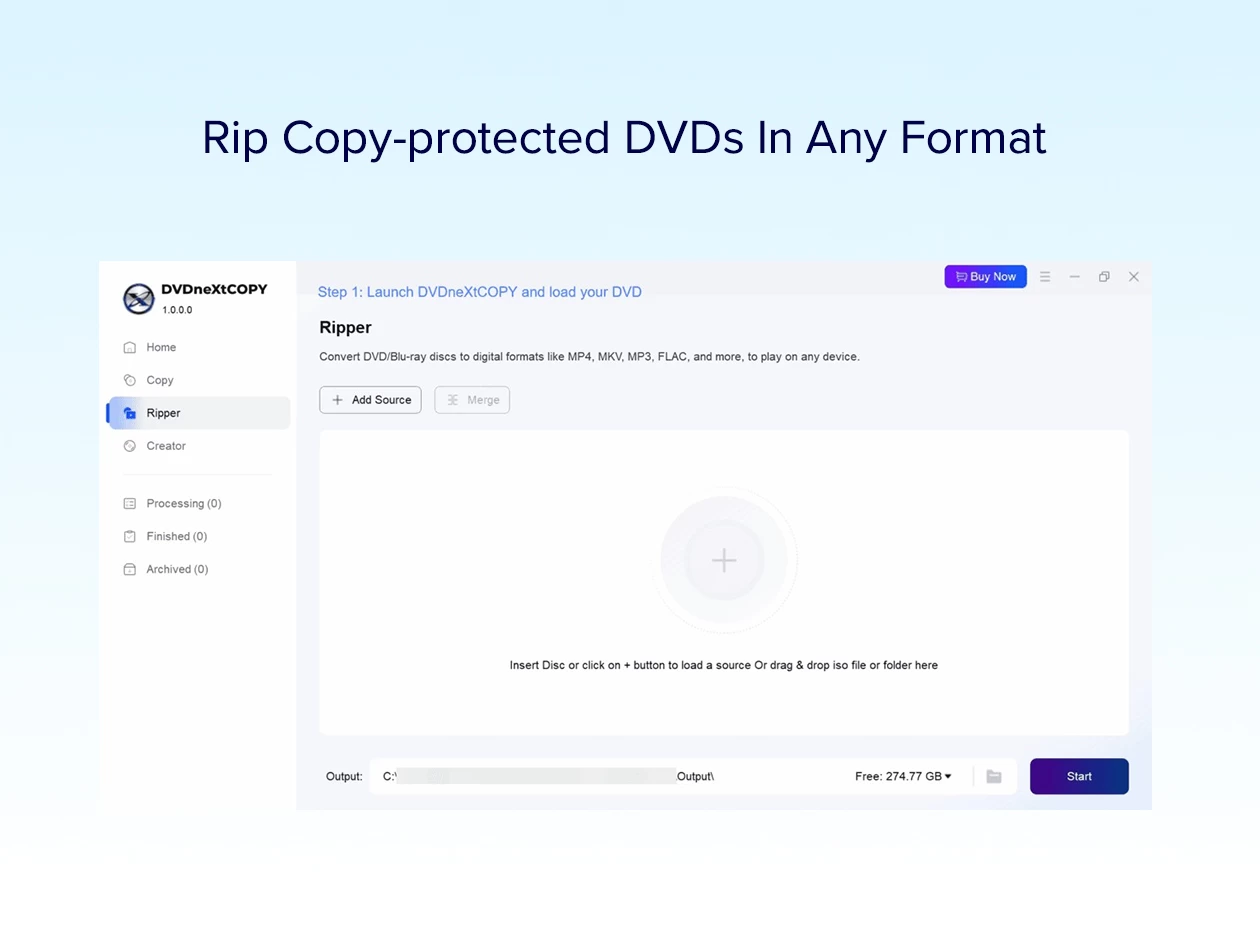
- Launch DVDneXtCOPY software and load the DVD
Download and install the latest version of DVDneXtCOPY DVD Ripper. Insert the DVD you want to rip into the drive or prepare the ISO or DVD folder. After that, click the “+” icon to load it into the software. - Set the output format and adjust settings
Select the video or audio to be converted from the drop-down menu for output formats. Next, move on to the Video Editor and Advanced Settings option to edit the video and customize the video parameters. - Start converting DVD to video
After selecting a location to save the file, press the “Start” button at the bottom right corner of the interface. You’ll see a progress bar indicating the status of the ripping.
Good to know
- Length of access: lifetime
- Redemption deadline: redeem your code within 30 days of purchase
- Access options: desktop
- Max number of device(s): 1
- Available to both NEW and EXISTING users
- Version: 1.0.0.0
- Updates included
DVDneXtCOPY DVD Ripper normally costs $59.99, but this deal can be yours for just $29.99, that"s a saving of $30. For full terms, specifications, and license info please click the link below.
We post these because we earn commission on each sale so as not to rely solely on advertising, which many of our readers block. It all helps toward paying staff reporters, servers and hosting costs.
Other ways to support Neowin
-
Whitelist Neowin by not blocking our ads
-
Create a free member account to see fewer ads
-
Make a donation to support our day to day running costs
-
Subscribe to Neowin - for $14 a year, or $28 a year for an ad-free experience
Disclosure: Neowin benefits from revenue of each sale made through our branded deals site powered by StackCommerce.