Downloading APK files can feel like unlocking a hidden library of applications. You can access apps that aren"t on the Play Store or aren"t available in your country, get the latest updates of your favorite apps, or even try apps before they officially roll out. Unfortunately, with that flexibility comes a lot of risks. There are so many fraudulent and harmful APKs out there, and running one of those could expose your device to malware, privacy breaches or even financial fraud.
So, before you download and install any APK, make sure you take these important steps. That way, you can enjoy APKs while keeping your device and data safe.
Update and back up your device
Before installing, double-check that your device has the latest system update. System updates typically include fixes for vulnerabilities that bad APKs could exploit. And while features and design changes are usually great, these patches are what really matter. Outdated devices are typically more vulnerable to security threats, particularly when you"re getting apps outside the Play Store.
In addition, make sure to back up your important data. Harmful APKs can corrupt data, trigger factory resets, or even lock you out of your phone. Having a backup in place ensures you can restore your files quickly if things go awry after installing an APK.
Verify the source and file integrity
Where you grab your APK from can make all the difference security-wise, so make sure to download it from a safe source. There are several safe sites, such as APKMirror, APKPure, and F-Droid, that have verified APKs and scan files before sharing them. Do not download APKs from random links on social media, unknown forums, or messaging apps (e.g., Telegram channels) where fake or bad apps are ubiquitous.
That being said, even when using reputable sites, it"s a good practice to check the file hash/checksum. A trusted APK website will usually display the SHA-256 or MD5 hash of a file.
You can also calculate the APK"s hash on your device using a free tool. Apps such as HashCalc, Checksum Calculator, or Hash Droid allow you to select the APK file and instantly compute the SHA-256 checksum.
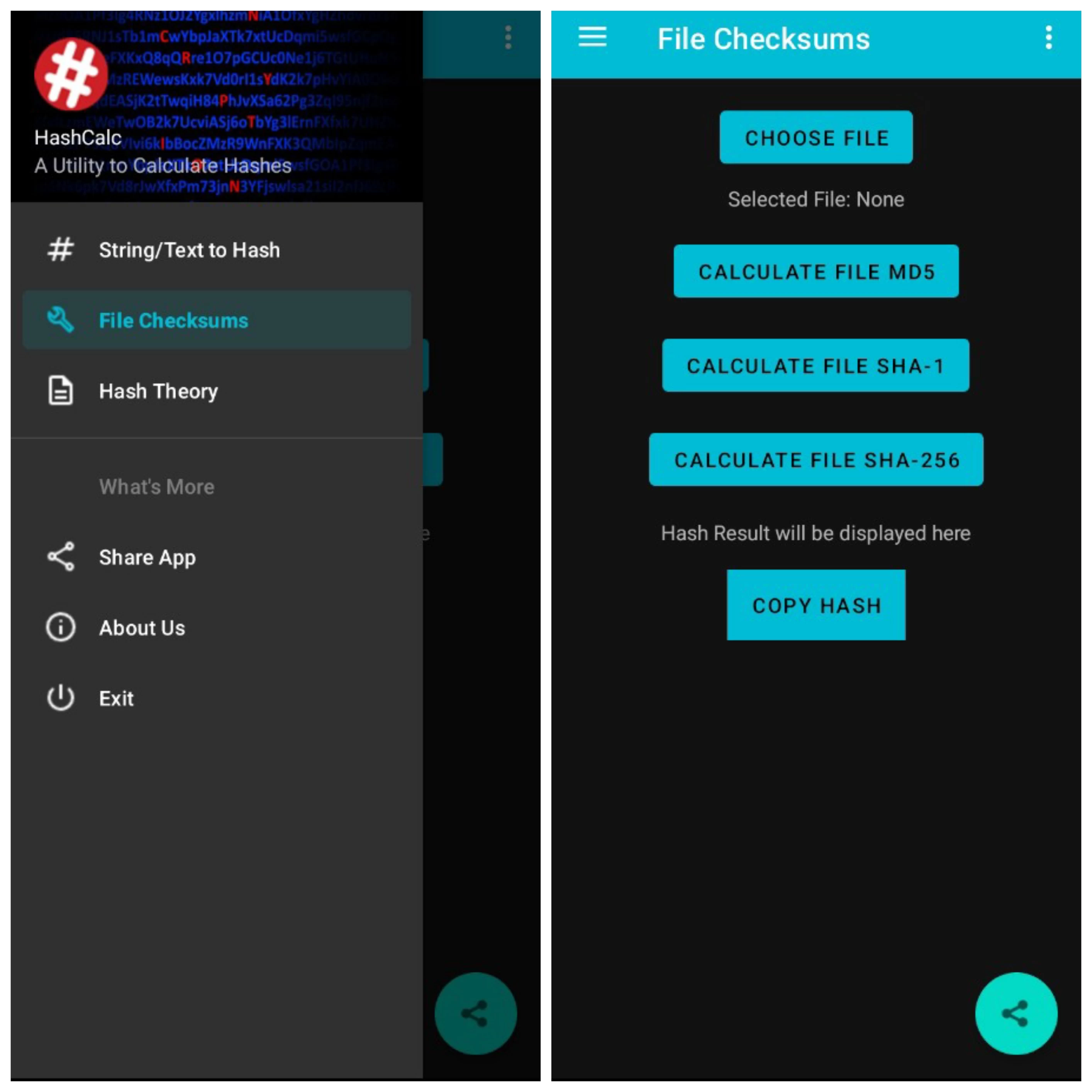
When the hash is generated, just compare it to the value on the original app website. If they do not match, delete the APK immediately. It may have been tampered with.
Scan the APK for malware
Once you have downloaded the APK from a reliable source, the next step is to check for any hidden threats. Sometimes, even valid APKs can have malicious code embedded inside them. One easy way to check is by uploading the APK to VirusTotal, a free online service that scans files using multiple antivirus engines, before installing it.
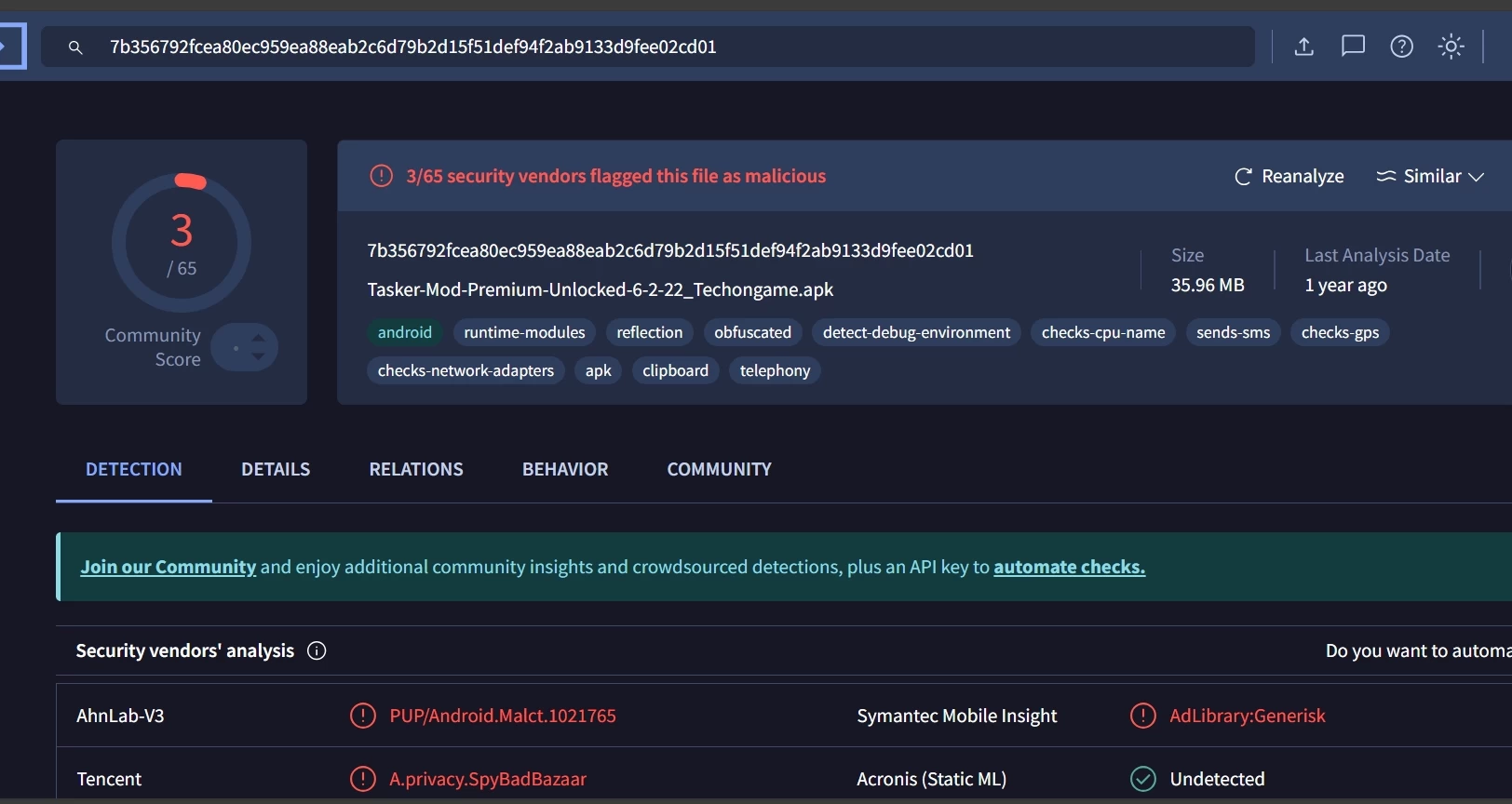
It will quickly analyze the APK and show if any security vendors have flagged it as suspicious or harmful. You"ll see a simple summary with green checks for safe results or red warnings if threats are found. Another helpful option is Koodous, a community-based platform that checks Android Apps and flags any harmful behavior or activity.
Check the app and install permissions
It"s important to know what permissions an apk needs before grabbing it. You can quickly check this using a tool like Exodus Privacy or ClassyShark3xodus, which shows you any unusual permissions or hidden trackers inside the app.
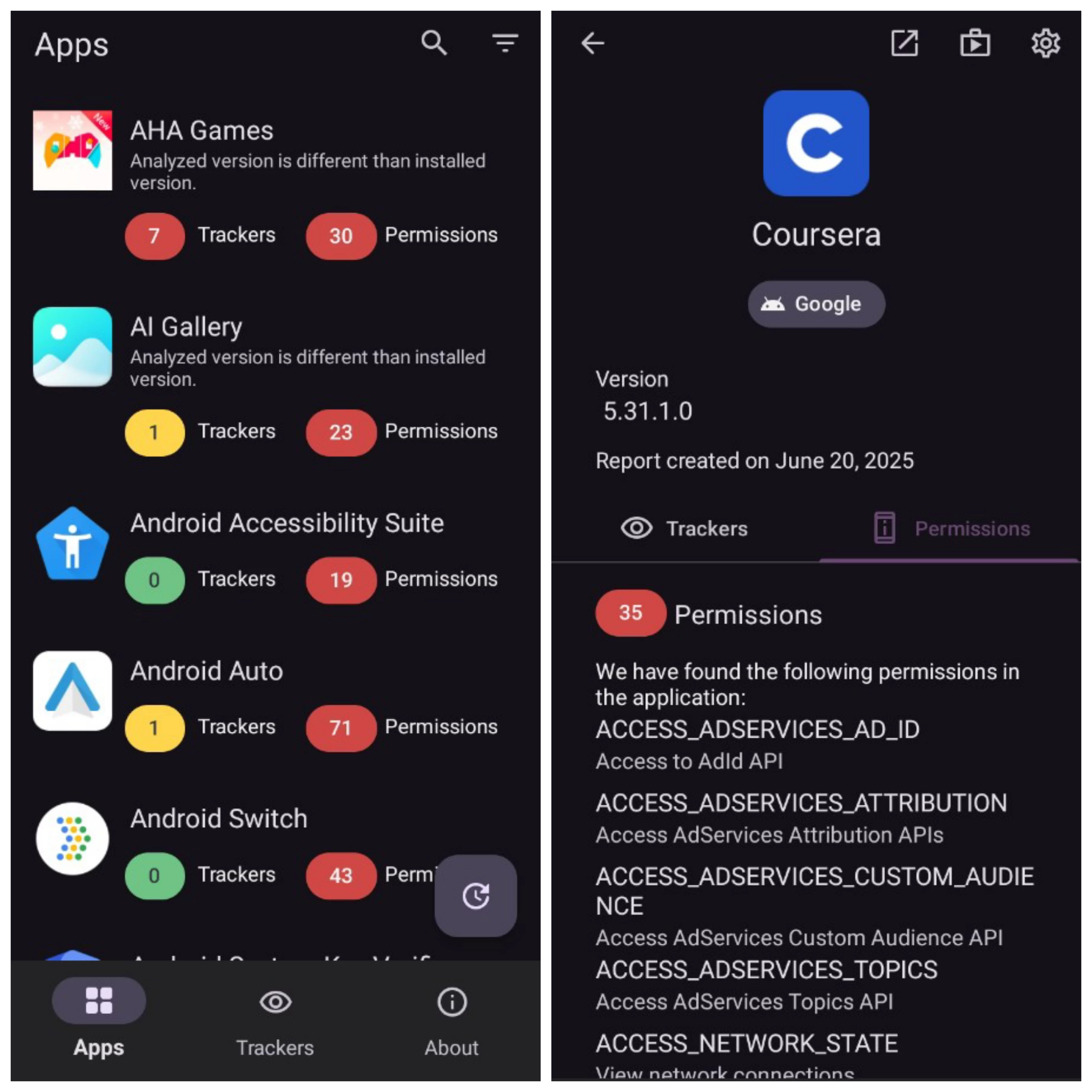
You should also limit install permissions on your phone. Only allow your browser or file manager to install unknown apps when needed, and disable it right afterward. This stops other apps from installing anything in the background and protects your device.
Use a secondary device or emulator
If you’re getting APKs from unknown or questionable sources, it’s advisable not to install them on your main device. As a precaution, consider using a secondary device—ideally one that isn"t connected to your personal accounts.
You can also run the APK on an emulator like Bluestacks or the Android Studio Emulator to test it in a controlled environment. This isolates any potential threats from your main device and keeps your data safe.
While these steps might take a few extra minutes, they can save you from the frustrations of malware, scams, or loss of privacy. It is always better to be safe than sorry when it comes to third-party app installations.