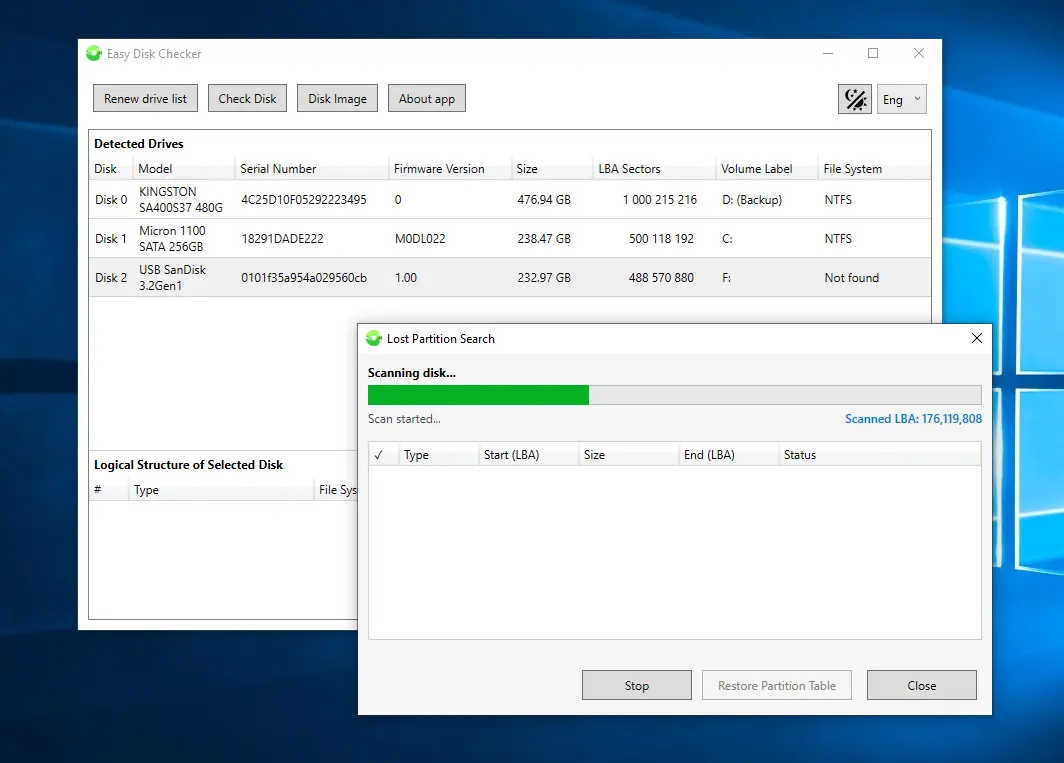
Easy Disk Checker is a comprehensive utility for physical-level diagnostics, repair, and data recovery for HDDs, SSDs, Raid Arrays, DVR drives, USB flash drives, and memory cards, operating independently of the file system. Scanning ransomware-infected systems and collecting analytics to help restore encrypted files. The application is a single EXE file, requires no installation, leaves no traces in the system, installs no drivers, and doesn"t modify the registry. It"s ready to use immediately after unpacking from the ZIP archive.
IMPORTANT: Administrator privileges are required to run this application. Without them, the utility will not be able to utilize its full range of features.
Supported hardware:
- USB, NVMe, SATA, and PATA controllers
- Hard drives (HDD) and SSDs (SATA / NVMe)
- External USB drives
- USB flash drives and memory cards
- DDR4 and DDR5 RAM
Diagnostics:
- Viewing the logical structure of a drive
- Display disk parameters (number of LBAs, sector size, fw version, rpm, etc.)
- View Seagate FARM SMART attributes and logs
- Determining the presence of HPA (Host Protected Area) and ATA password
- Identification of the internal model of external HDDs (bypassing the USB bridge)
- Determining SMR and TRIM support for USB HDDs
- Output VID and PID for flash drives and microcontroller information
- Reading and outputting the ID NAND microcontroller technocommand
- Identifying Microsoft Storage Space member drives
Testing:
- Surface Test: Full scan for bad sectors (bad blocks)
- Counterfeit Check: Detecting Flash Drives with Fake Capacity
- Benchmark: Measuring average reading speed
Repair:
- Quick Erase: Forces a full MBR reset to completely fix any logical issues with your drive.
- Bad Block Correction: Full sector-by-sector writing to correct soft-bad blocks or initialize the built-in defect replacement function where possible
- Reading and troubleshooting DDR4 and DDR5 memory SPD dumps *
Backup:
- Reading and writing sector-by-sector disk images without modification (*.bin)
- Creating VHD/VHDX dynamic images and deploying them to a physical disk
- Creating a partition (volume) image
- Disk-to-disk cloning
- Opening an image file in the built-in explorer with the option to export files and folders from it
Data recovery:
- Recover deleted or lost files with the "smart save" feature *
- Analysis and collection of statistics on disks and images infected with ransomware *
- Automatic assembly of RAID arrays (Stripe, Mirror, Raid-5, Raid-6) from disks or images *
- Search for video recordings on disks or images from DVR recorders *
- Viewing and editing HEX contents of sectors
- Recover damaged MBR/GPT records for lost or deleted partitions
- View and copy files from FAT, NTFS, exFAT, Linux (Ext2/3/4), Mac (HFS+ and APFS), BTRFS, XFS, VMFS, Bitlocker, LVM partitions
Download: Easy Disk Checker 5.6.1 | 57.5 MB (Freeware)
View: Easy Disk Checker Website | Windows App | Screenshot