DMDE is a software designed to effectively recover lost data. It retrieves files and folders swiftly and stores them in the user-defined location. It is an easy to use yet powerful tool that will assist both novice and experienced users in getting back lost files in just a few simple steps.
Free Edition includes all basic features but a single recovery operation recovers up to 4000 files in the current panel only (you should first open a subdirectory in the current panel and then recover files in the panel). In paid licenses there is no this restriction, and recovery of nested directories is allowed.
Can paid versions recover more files than the free version of DMDE?
If a file cannot be recovered in the DMDE Free Edition (or it is damaged after recovery) the same will occur in the paid versions. DMDE paid versions are capable of recovering the same files. The only difference is that paid versions can recover all found files in one go, as well as restore the directory structure presented in the free version.
Professional Edition provides additional features:
- rights to provide data recovery services
- portable use on different computers
- one-time activation on client computers (including remote use)
- data recovery reports (include logs and file checksums)
- read support for E01 disk image files
- using logs when copying a disk (resume copying, multiple passes)
- customizable I/O handler script
- recovery of NTFS alternate data streams
- DMA access in DOS (for ATA interface)
DMDE key features:
- Portable run without installation
- Support for NTFS, FAT12/16, FAT32, exFAT, ReFS, Ext2/Ext3/Ext4, btrfs, HFS+/HFSX, APFS
- Thorough FS and Raw scan, FS reconstruction for data recovery in complex cases
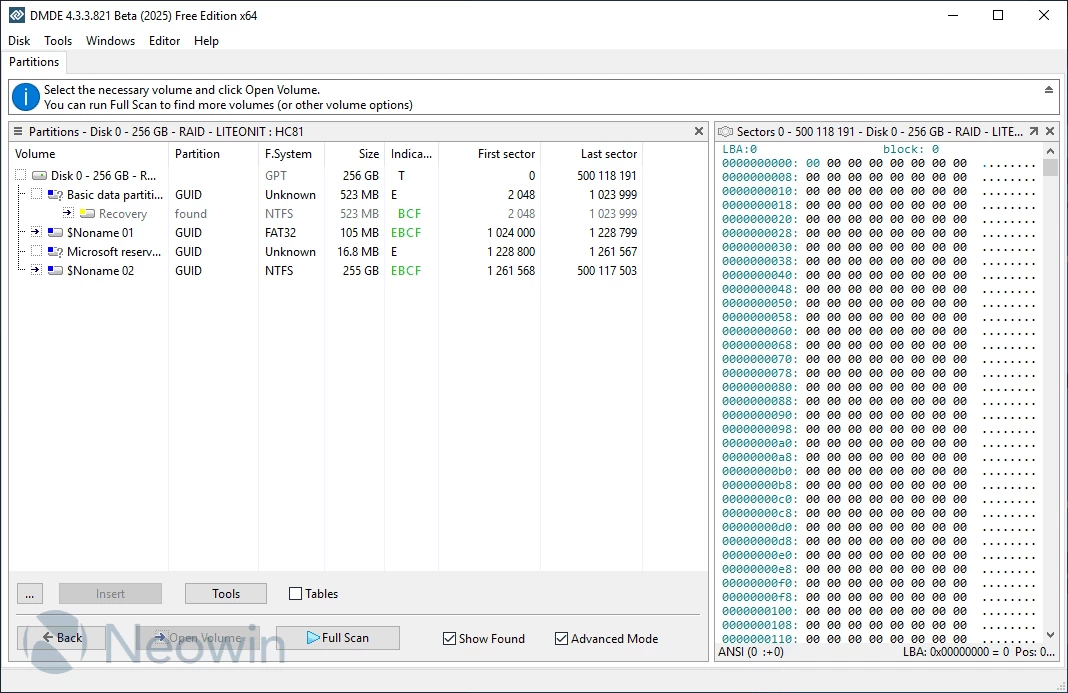
- Simple partition manager for express search, diagnostics, and restoration of partitions
- Disk cloning and disk image creating, including I/O error handling, reverse copying, and other features
- RAID constructor for virtual RAID reconstruction supporting levels RAID-0, RAID-1, RAID-4, RAID-5, RAID-6, delayed parity, custom striping, JBOD/spanned disks; automatic calculation of RAID configurations
- Cluster map to investigate file allocation
- Disk editor compatible with the most recent Windows versions which allows viewing, editing, and navigating through different disk structures using built-in and custom templates
- NTFS tools to work bypassing NTFS driver (copy, delete file, create, repair directory)
- Support for various device I/O interfaces and settings to work with damaged devices, disk images, NTFS compression and encryption, national names, large disks, large files, large sectors, and other features
DMDE 4.4.4.842 changelog:
- Added support for ExtFS filename encodings other than UTF-8
- User interface refinements and corrections
- Fixed a critical bug in ReFS processing
- Fixed a critical bug when Btrfs file size exceeded actual inline data size
- Fixed errors when handling additional Btrfs subvolumes
- Fixed an issue where some Professional features remained disabled after activation
- Other improvements and fixes
Download: DMDE 64-bit | 2.5 MB (Free, paid upgrade available)
Download: DMDE 32-bit | 2.0 MB
Links: DMDE Home Page | DMDE Manual | Screenshot | MacOS
 Get alerted to all of our Software updates on Twitter at @NeowinSoftware


















0 Comments
Load the comments and join the conversation!
Read the comments, ask the editors questions, show respect and join the conversation.