
Apple has a habit of picking similar names for its products and services. We have seen this trend reflected in Apple"s lineup, with names like iPod, iPhone, iPad, iCloud, iMac, and iMessage. The Cupertino giant often uses the suffix "Kit" to refer to its developer software, with names such as AppKit, MapKit, HomeKit, WatchKit, and more.
The latest iOS 26 update is now available on supported iPhones. You"ll notice many different things after getting iOS 26 on your device, and one of them is the collection of "Adaptive" features. Yes, there are several new features that include "Adaptive" in their name, suggesting a shift in Apple"s strategy when it comes to designing features.
Let"s talk about some new Adaptive features you can find on iOS 26:
Adaptive Power
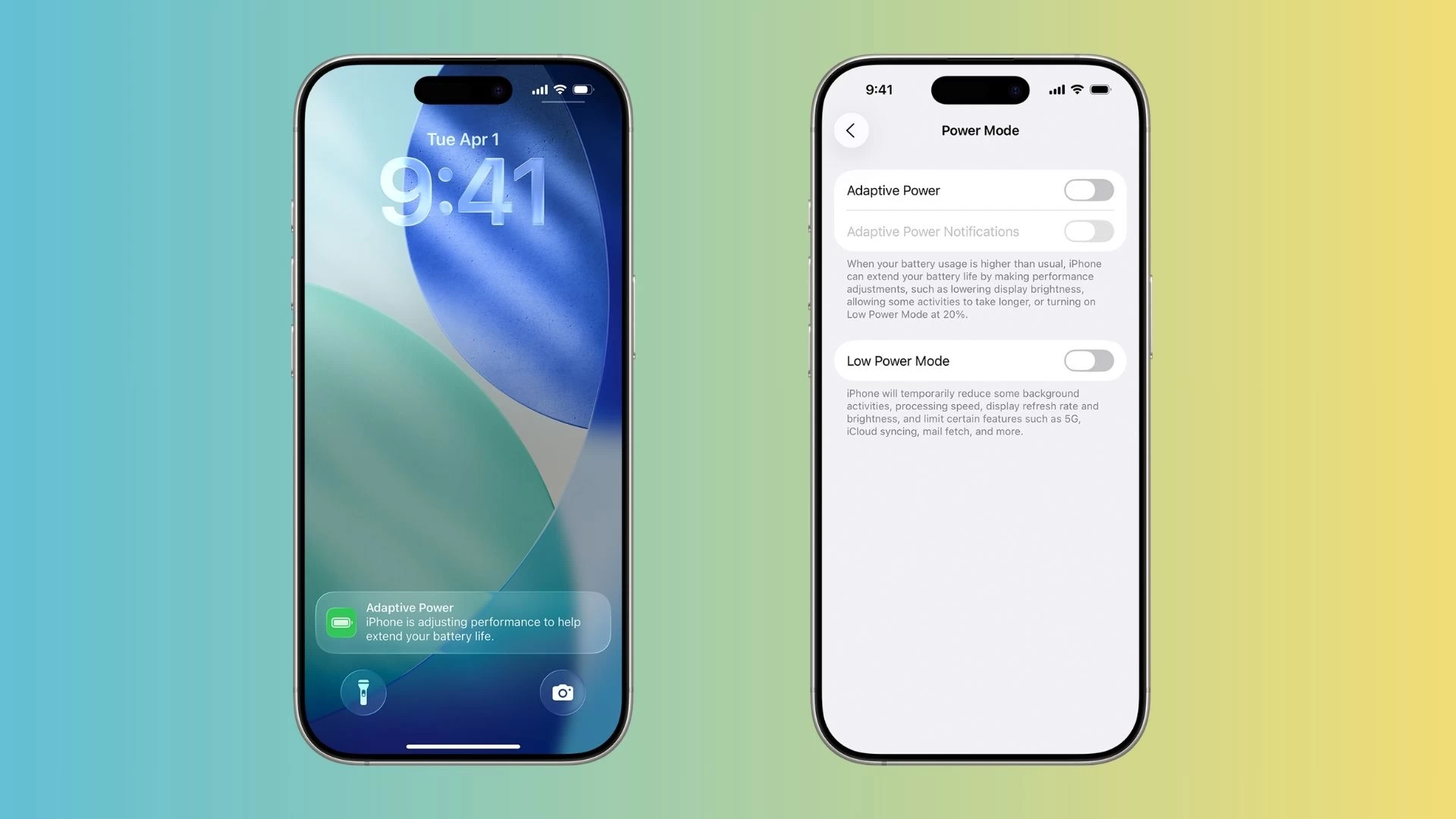
As the name suggests, the Adaptive Power mode is designed to save your phone"s battery life on those demanding days. It uses on-device machine learning to predict when you might need extra backup before plugging your phone into a charger.
Adaptive Power is compatible with several iPhone models, including the recently launched $2,000 iPhone 17 Pro Max and the "hard-to-bend" iPhone Air. You can read more about the power-saving feature in our detailed post.
Adaptive Time
The clock on the Lock Screen dynamically adapts to the available space in the image. When you swipe on your screen, the Adaptive Time slides behind the subject to give it more room and add depth to the Lock Screen wallpaper.
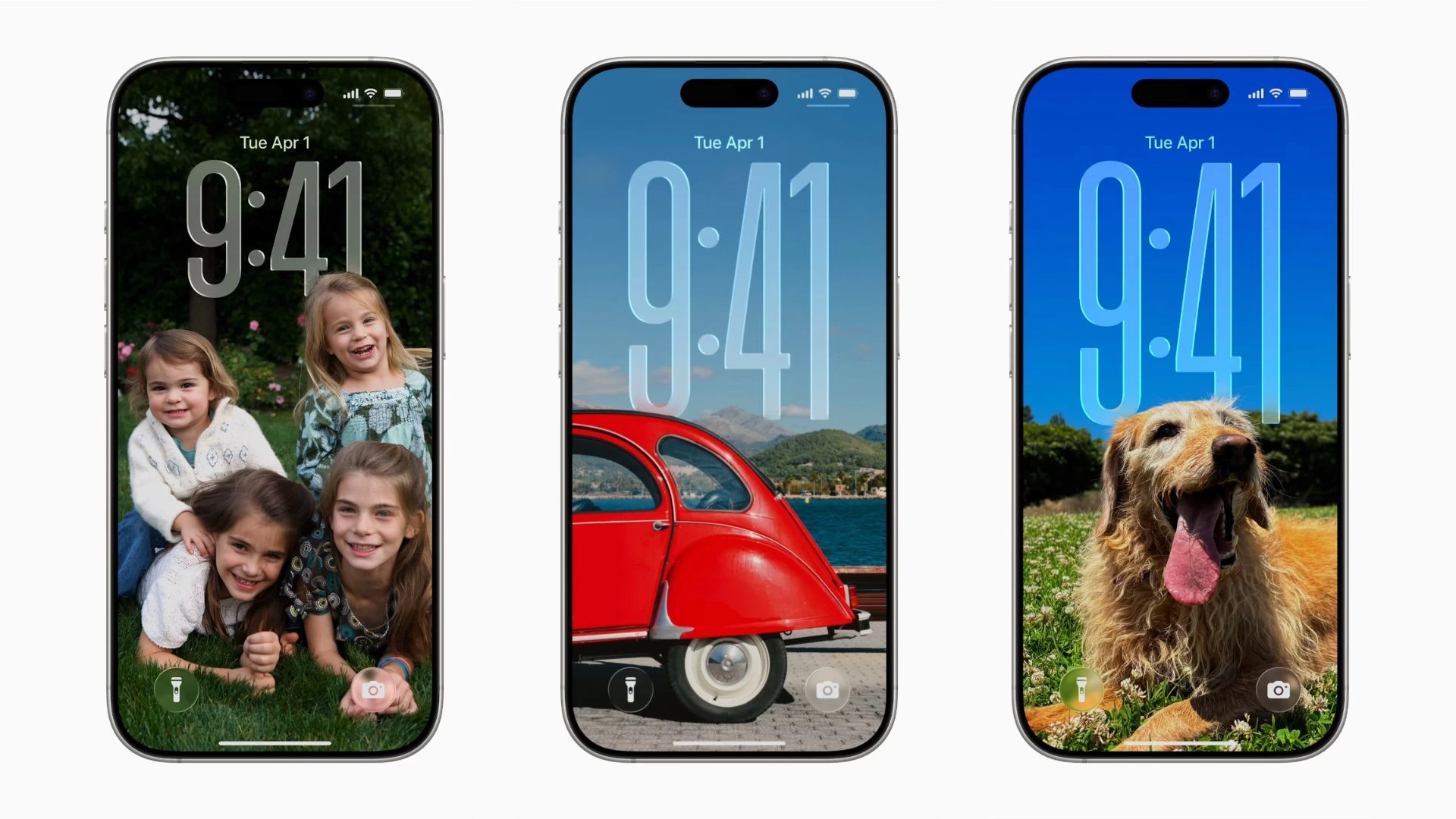
"To maintain the focus on the subject of photo wallpapers on the Lock Screen, the time is now crafted out of Liquid Glass and fluidly adapts to fit elegantly behind the subject," Apple said. Adaptive Time pairs well with the new Spatial Scenes feature, which converts 2D iPhone images into their 3D counterparts.
Adaptive Toolbar
A small but useful addition in the Notes app is the new Adaptive Toolbar. Apple has moved on from the static toolbar on iOS 18 by adding a touch of Liquid Glass on a translucent pill-shaped UI you can slide to reveal more controls.
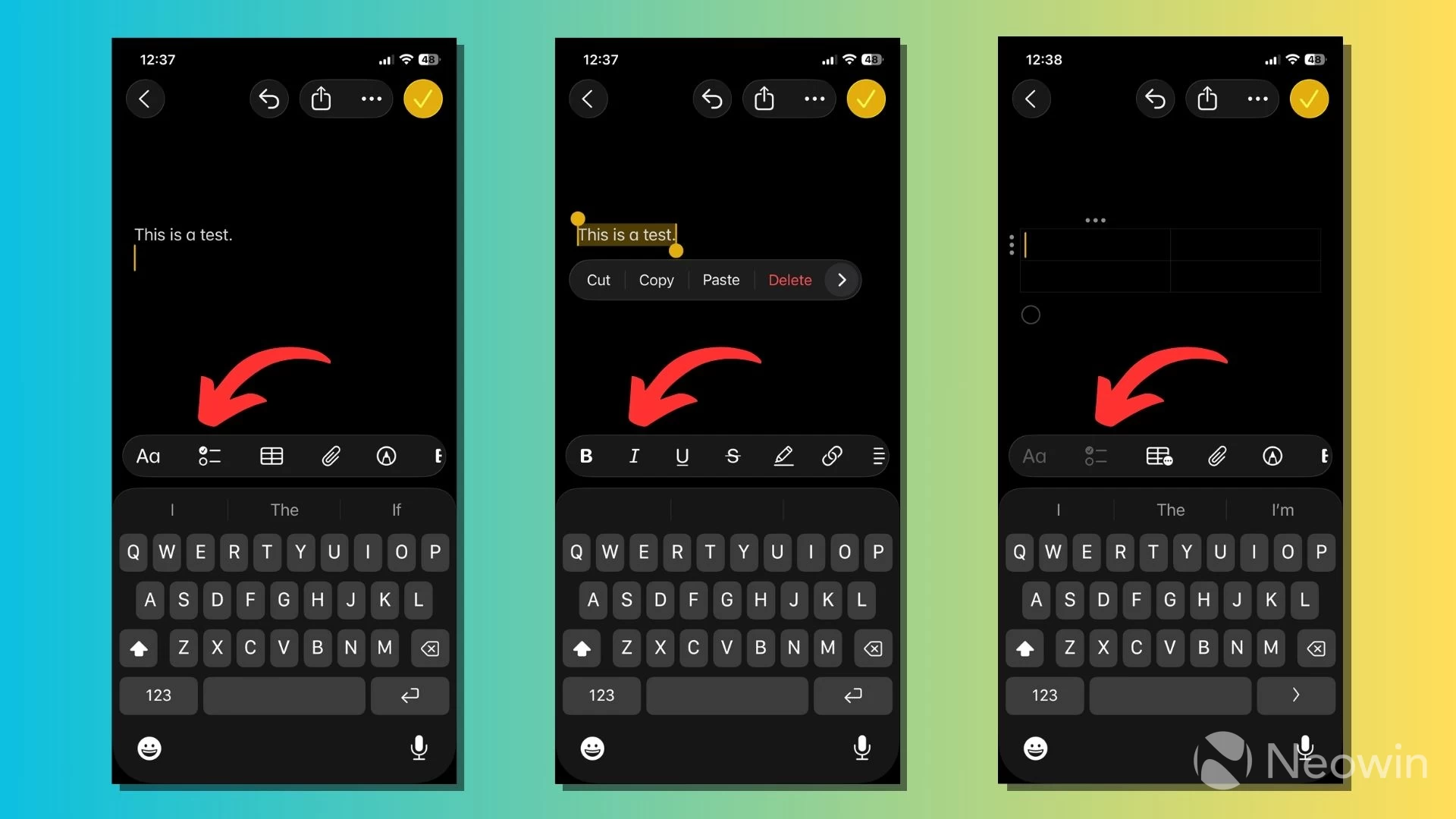
Like other adaptive features, the new toolbar analyzes what you"re doing in your note and shows different options that might be useful. You can see in the above image how the options in the toolbar change when the text is selected in a note or a table is inserted.
Adaptive Temperature
If you have paired your thermostat with the Apple Home app, a new feature called Adaptive Temperature can optimize your energy usage. Again, it relies on Apple"s on-device intelligence to predict when you"re on your way home or out for an extended period.
Adaptive Temperature brings your thermostat to the correct temperature by the time you return, potentially saving energy in the process. It also works with your iPhone"s sleep schedule to adjust the temperature accordingly when you go to bed and wake up in the morning.
The feature works when you have a home hub, such as HomePod or Apple TV, with a compatible Matter thermostat. You must update to the latest version of Apple Home and turn on location services.
Smartphones have been around for a couple of decades now, and for the most part, we have been accustomed to using features that are either on or off. However, with the advent of AI and on-device intelligence, tech companies now have the flexibility to design features that can adapt to user behavior and their specific device.
Apple"s latest set of Adaptive features is an example of it, which builds on the features added in the past. For instance, iOS 17"s Adaptive Audio feature on AirPods Pro 2 (and later) combines Active Noise Cancellation (ANC) and Transparency mode to control the level of noise you hear.
While the company didn"t include "Adaptive" in their name, there are several iOS 18 features that work according to user behavior and needs, such as prioritizing notifications and messages, and filtering important notifications when Focus is enabled.
This article is part of our series exploring new features and changes across iOS 26. You can read our detailed roundups to know about the freshly baked features of the Phone app and the Camera app, or find out how you can take HDR screenshots on iOS 26.