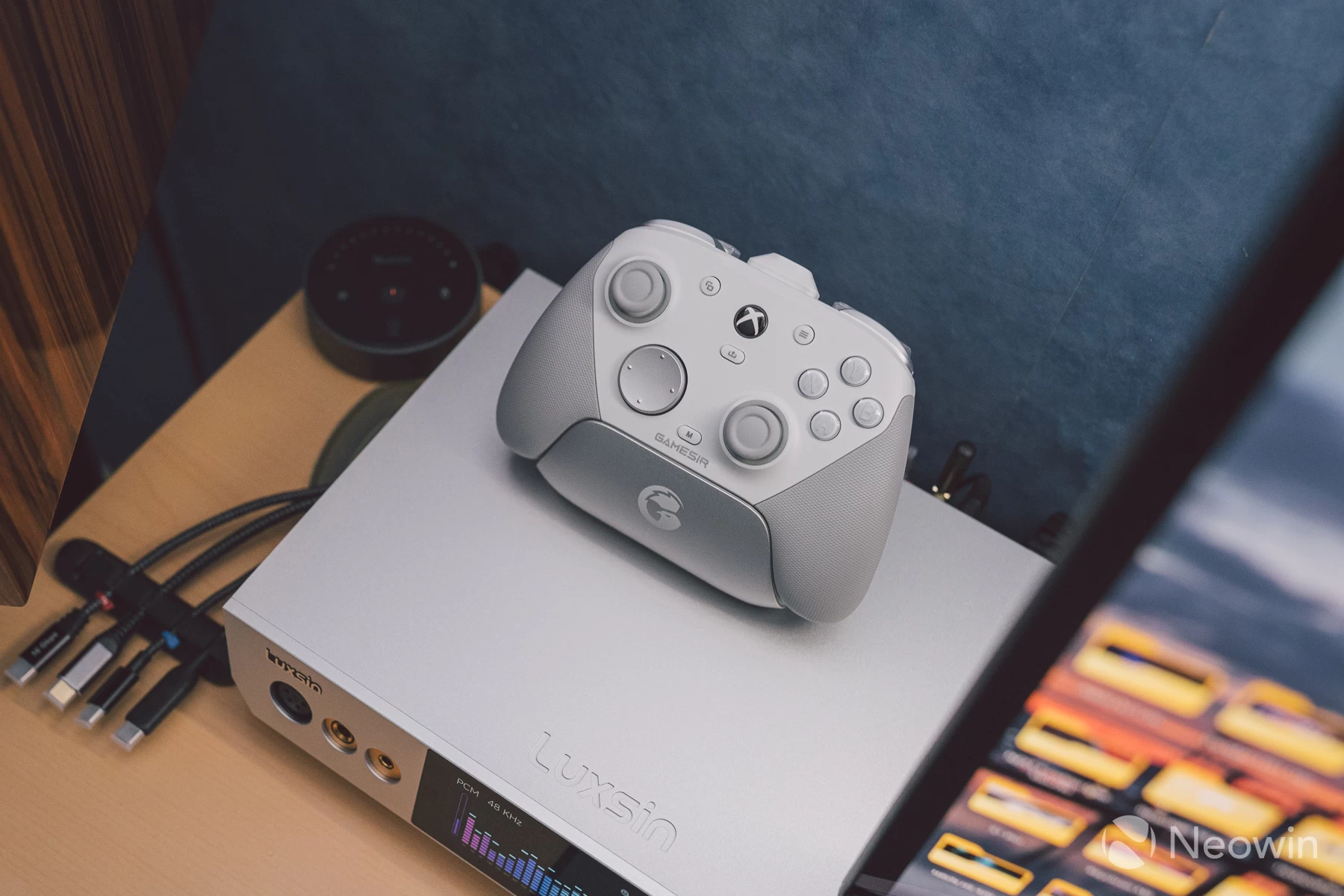
GameSir"s G7 SE, which was released in the summer of 2023, has proven to be popular among both console and PC gamers. Now, two years later, the G7 Pro is its successor, building on everything that made the SE a hit, whilst updating some core components to meet the demands we gamers have from our input devices.
The full rundown of changes compared to the SE are as follows:
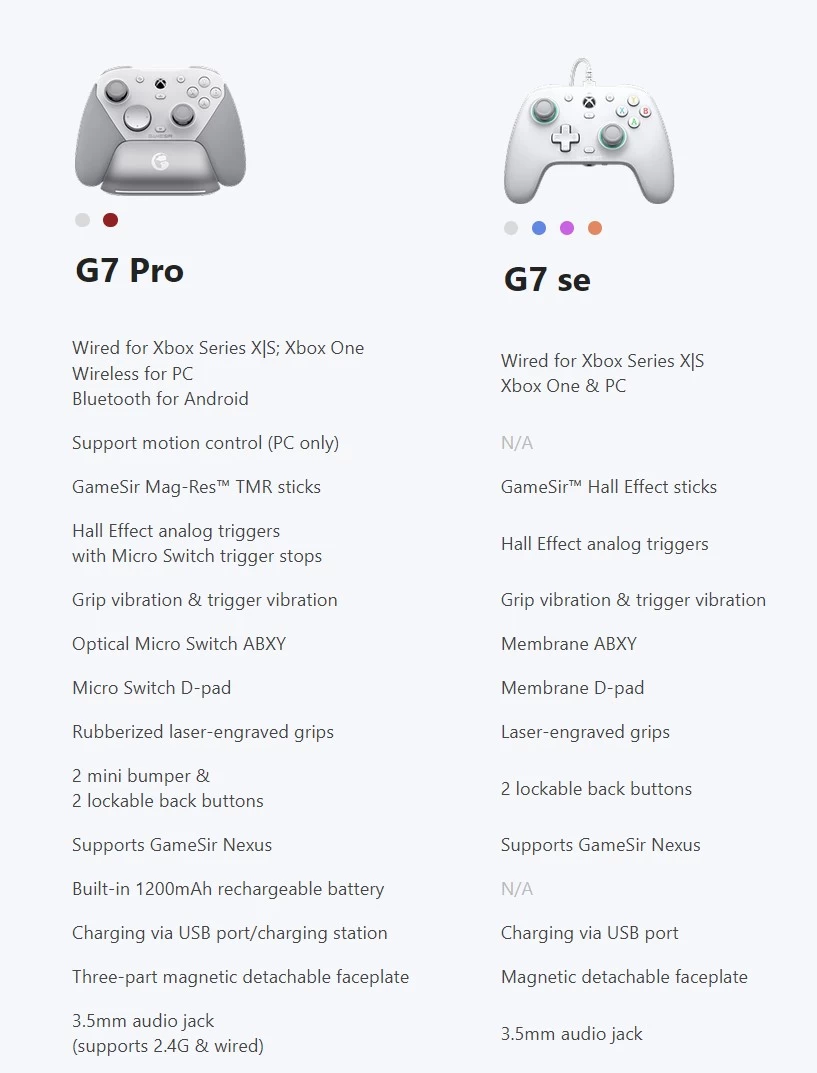
A fairly decent update, then, with the TMR sticks being the obvious biggest upgrade. Not that hall-effect sticks are poorer, it"s just TMR offers better dead zoning and response rate, with stick resolution at up to 4096 point registers.
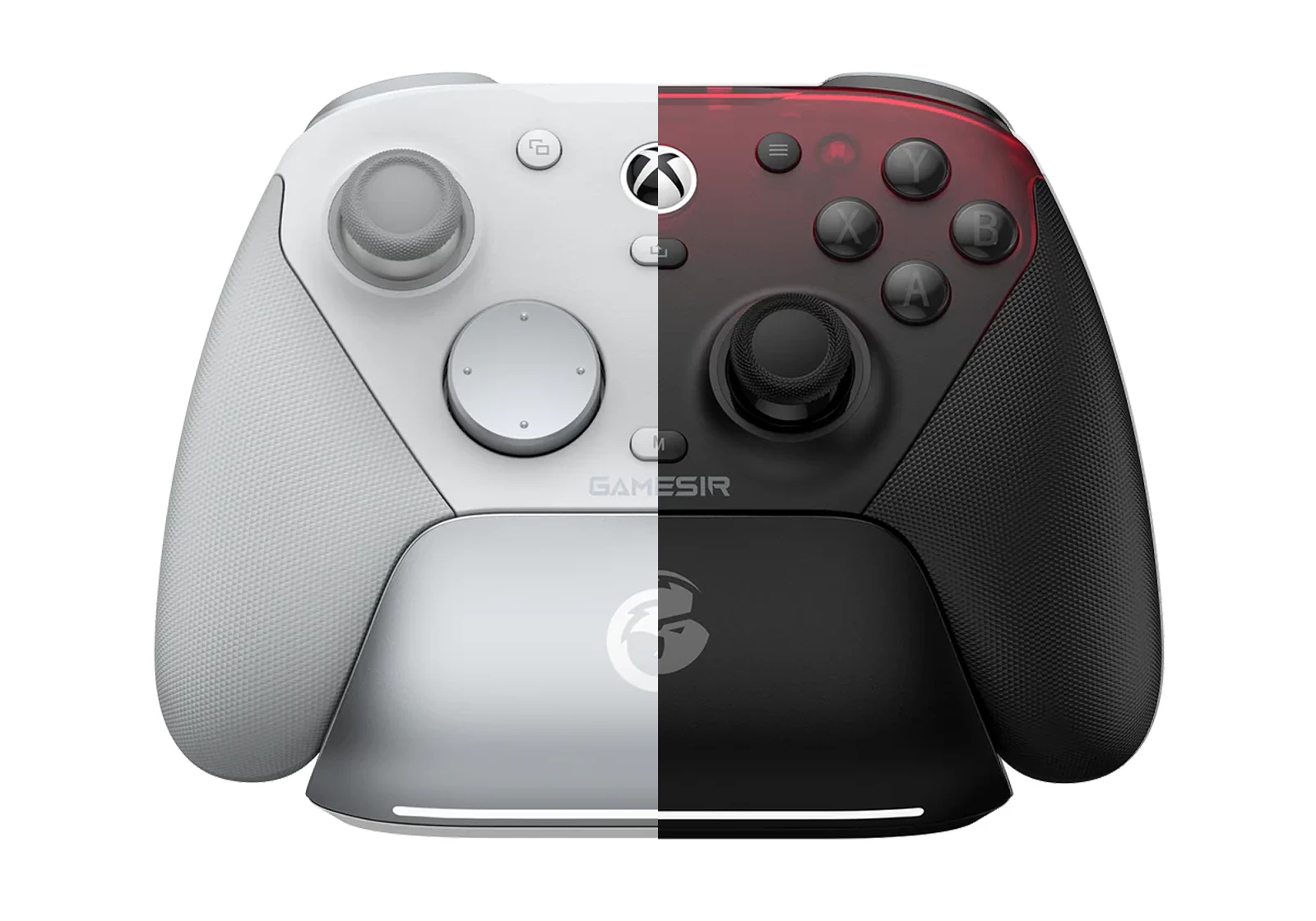
There are two colours available this time round, Mech White and Shadow Ember. I think the darker one looks more sleek, though in the flesh, the white looks much nicer than photos might suggest. The three magnetic front covers are swappable, so it will be nice if GameSir releases optional covers in various designs to customise the G7 Pro.
| Specifications | |
|---|---|
| Platforms | Xbox Series X|S (wired), Xbox One (wired), PC, Android, Steam |
| Input modes | Bluetooth, dongle, wired |
| Polling rates | Up to 1000Hz |
| Sticks | MagRes TMR by GameSir |
| Stick resolution | 12-bit ADC with 4096-point resolution |
| Stick caps | Removable silicone with metal necks for anti-friction |
| Deadzones | Fully adjustable onboard and via the GameSir Nexus app |
| Raw sensors | Yes, activated via the GameSir Nexus app |
| Triggers | Hall-effect triggers with micro switches in lockout mode |
| D-Pad | Mechanical switches with swappable cross/circle button caps |
| Main shoulder buttons | Tactile membrane switches |
| Custom shoulder buttons | Mechanical micro switches |
| Accessory buttons | Tactile dimple switches |
| ABXY buttons | Optical switches |
| Back buttons | Tactile switches |
| Motion control | 6-axis gyro for PC only, mappable to stick, buttons or mouse control |
| Connections | USB-C, Bluetooth, 2.4GHz dongle |
| Macro/Turbo | No |
| Vibration | Quad motors |
| RGB | No |
| Audio | 3.5mm jack with microphone support. Compatible with wired and 2.4GHz wireless |
| Construction | ABS plastic |
| Battery | 1200mAh |
| eManual | Link |
| Release date | July 27th 2025 |
| Price | £89.99 / $79.99 |
Fit and finish
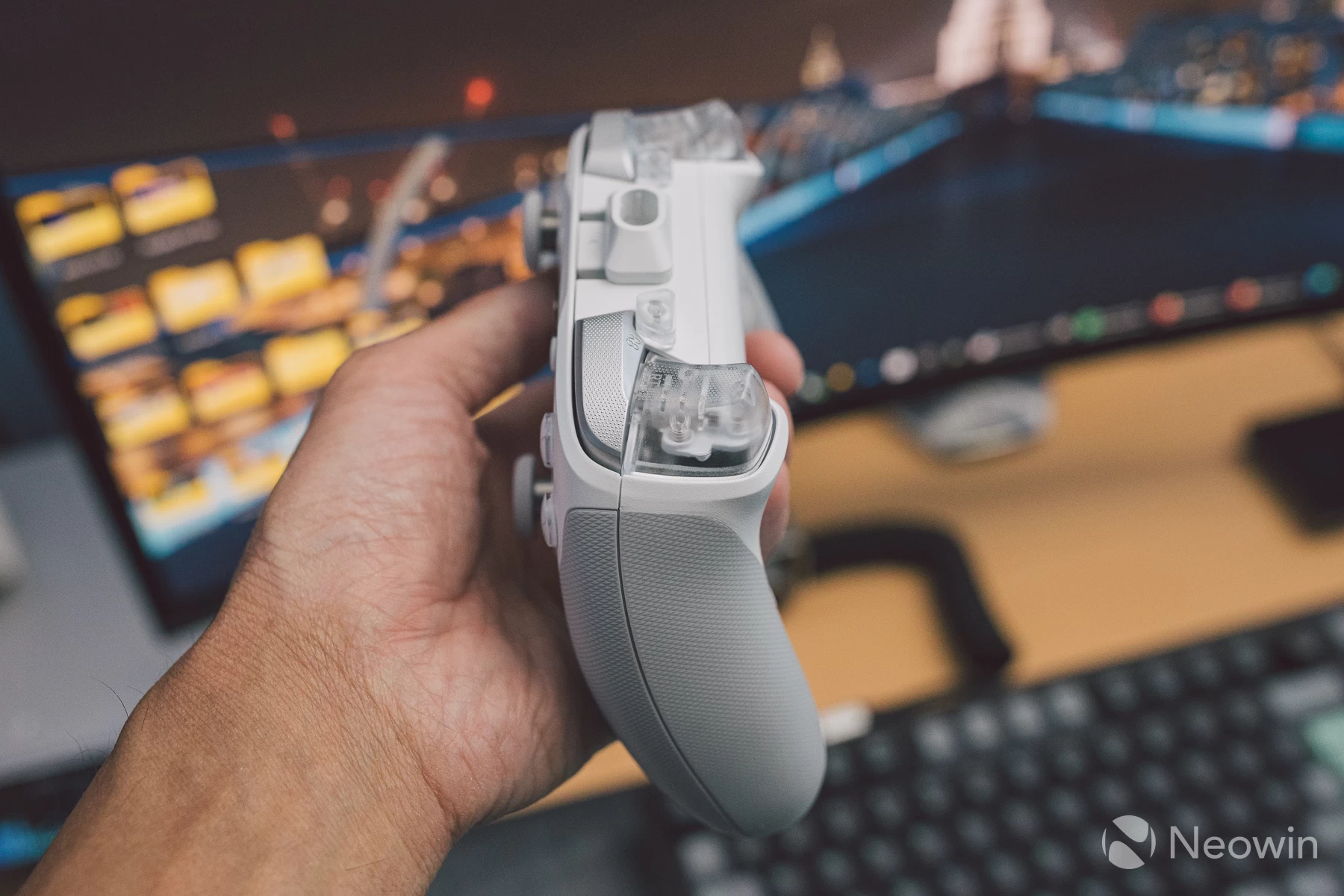
With the inclusion of rubberised underside grips, the G7 Pro, to me, now feels nicer in the hands than the Tarantula Pro, which until now was my go-to controller. I had the Cyclone 2 as well, but a few things bugged me about it, with the d-pad being the chief culprit.
Not so here, for the d-pad on the G7 Pro, even the circular cap, feels excellent. There is some minor sideways play, but no pre-travel pressing down, so the Kailh mechanical switches sound and feel very responsive.
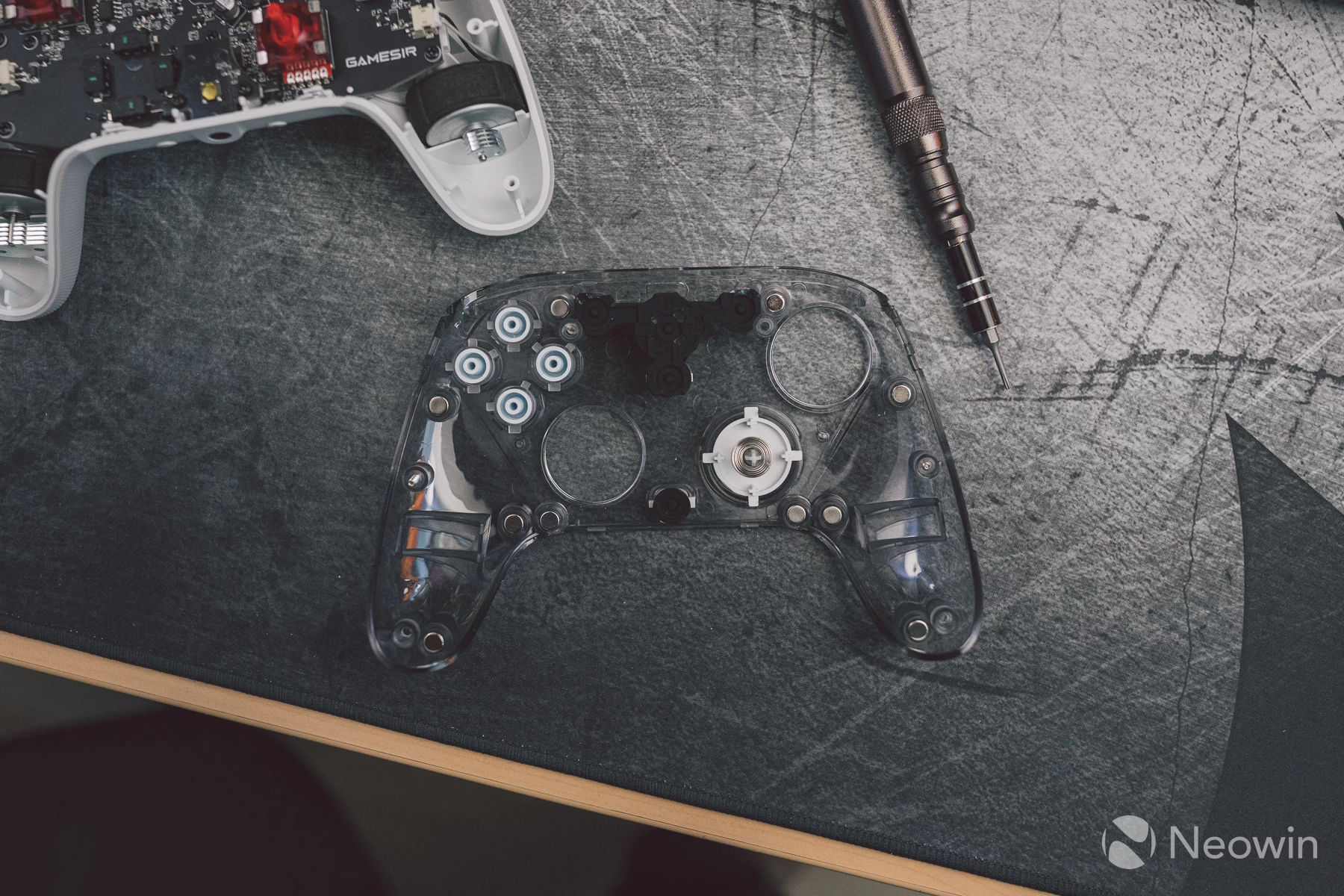
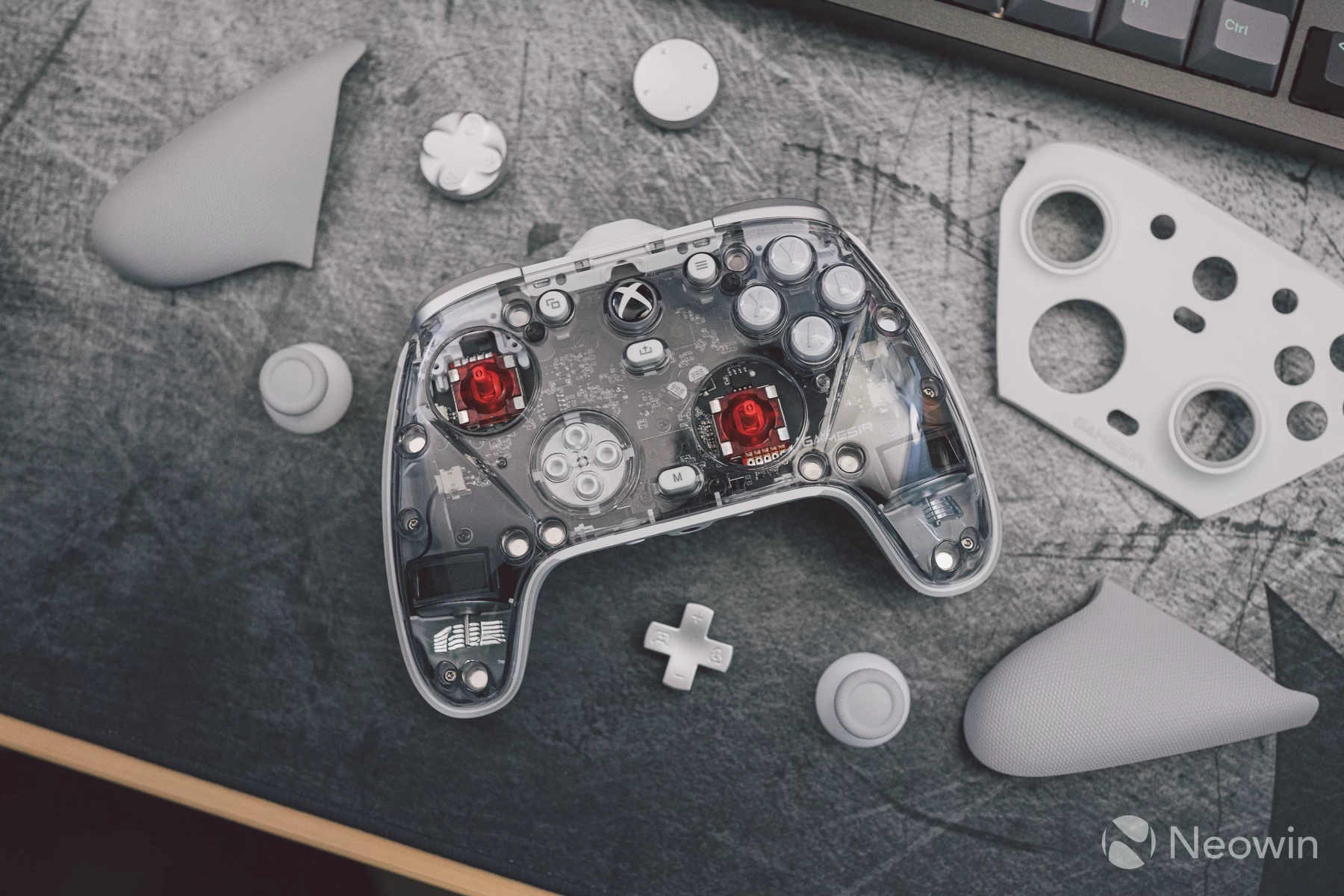
I did a teardown as a YouTube comment asked if the controller can be used with the vibration motors removed in order to save weight. The answer? Yes, but the weight saving is not huge, only 46 grams are shaved off by removing both of the main grip vibration motors.
The teardown did offer an ideal chance to see the black PCB and supporting components, though. For those interested, a T6 torx driver and a plastic pry tool to lever off the clear housing on top are all that"s needed.
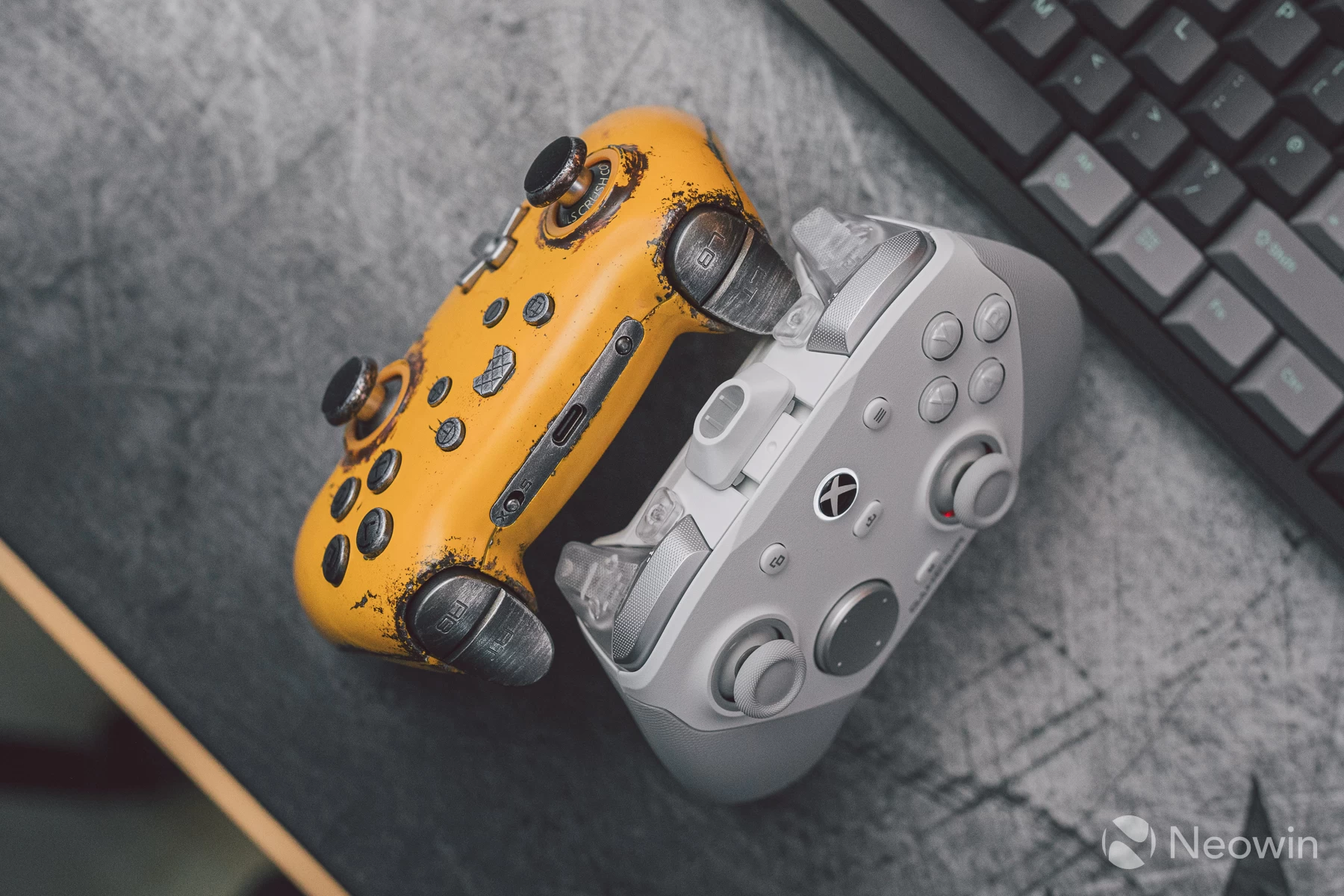
Of course, my other favourite Xbox layout controller, the PB Tails Crush Defender, has an all- metal face plate and sticks, so the G7 Pro can"t quite match that, but it makes up for it by having a lot more features and full customisation via the GameSir Nexus software, which I will cover shortly.
A small nitpick is that the microphone mute LED leaks through the right joystick, which may or may not be an annoyance for some.
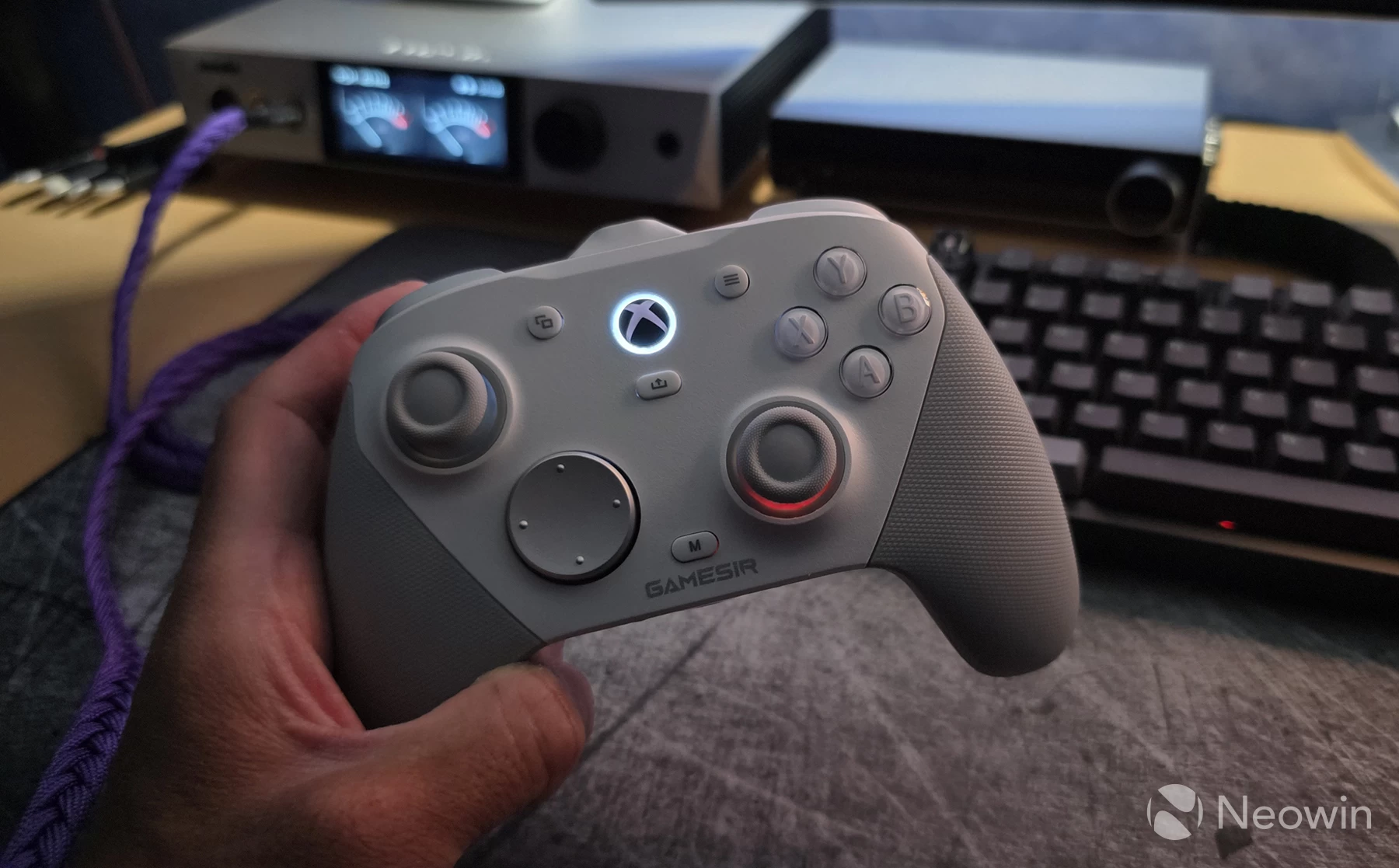
Other than that, the G7 Pro is a fantastic feeling controller in the hands, I find it more comfortable than the Cyclone 2, and whilst it"s not as curvy as the Defender, it is considerably lighter and with rubberised lower grips.
Lastly, here is how the buttons and surfaces sound:
I also observed no awkward pre-travel with any of the buttons, even the optical ABXY switches are light to actuate, but tactile enough to be satisfying and not accidentally actuated. It seems GameSir has put its collective heads together to perfect the ergonomics of this update, taking on board some of the feedback received from the G7 SE.
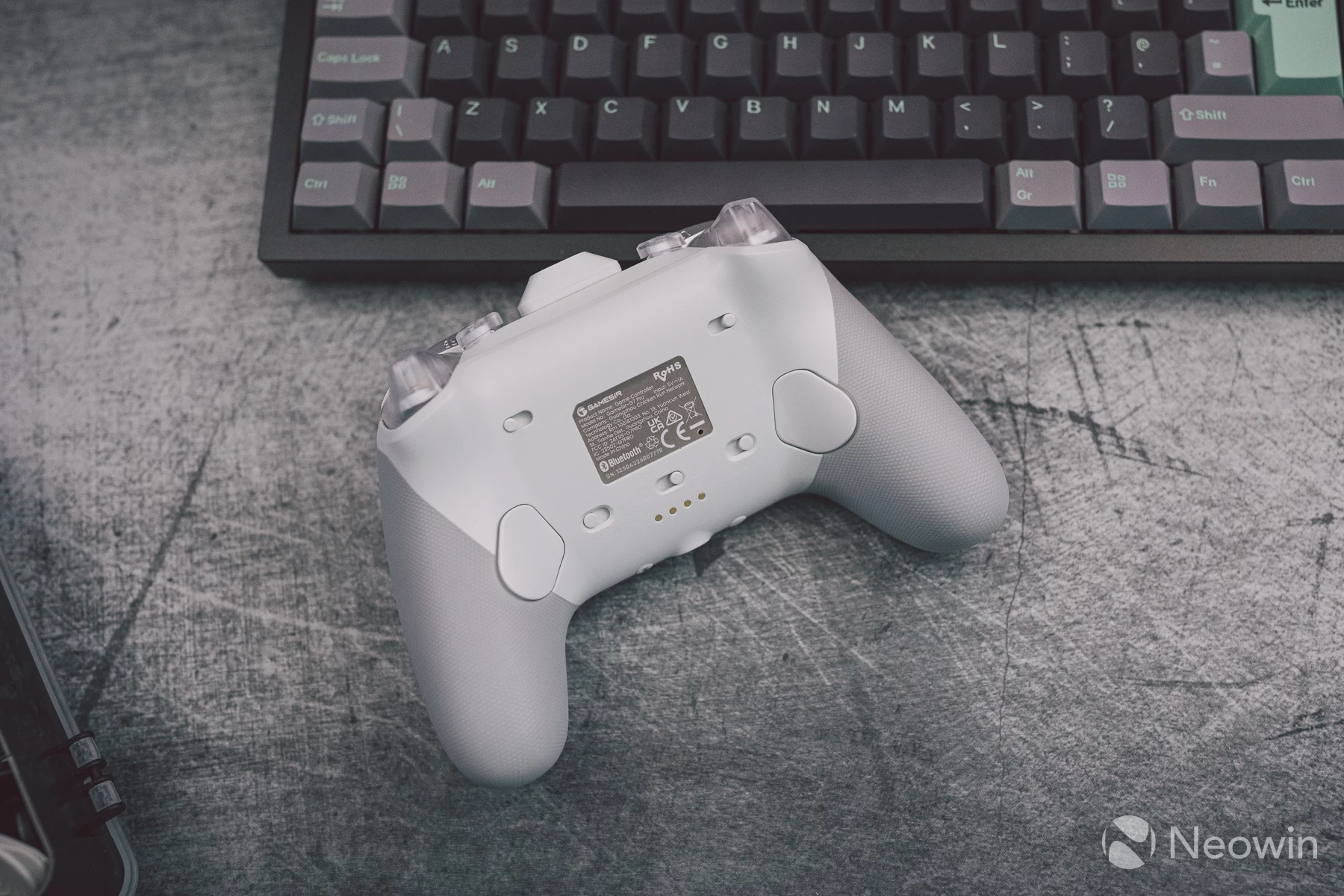
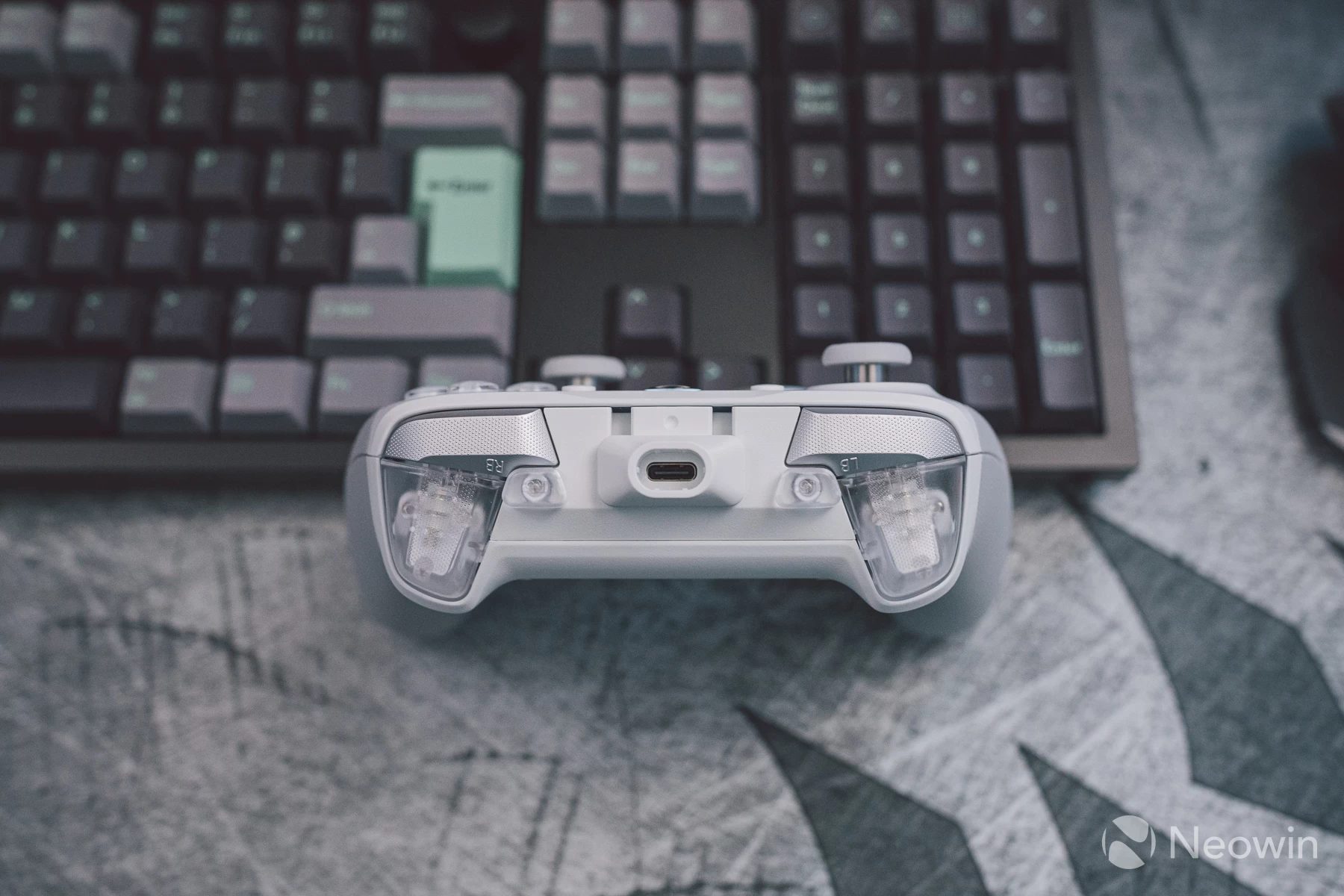
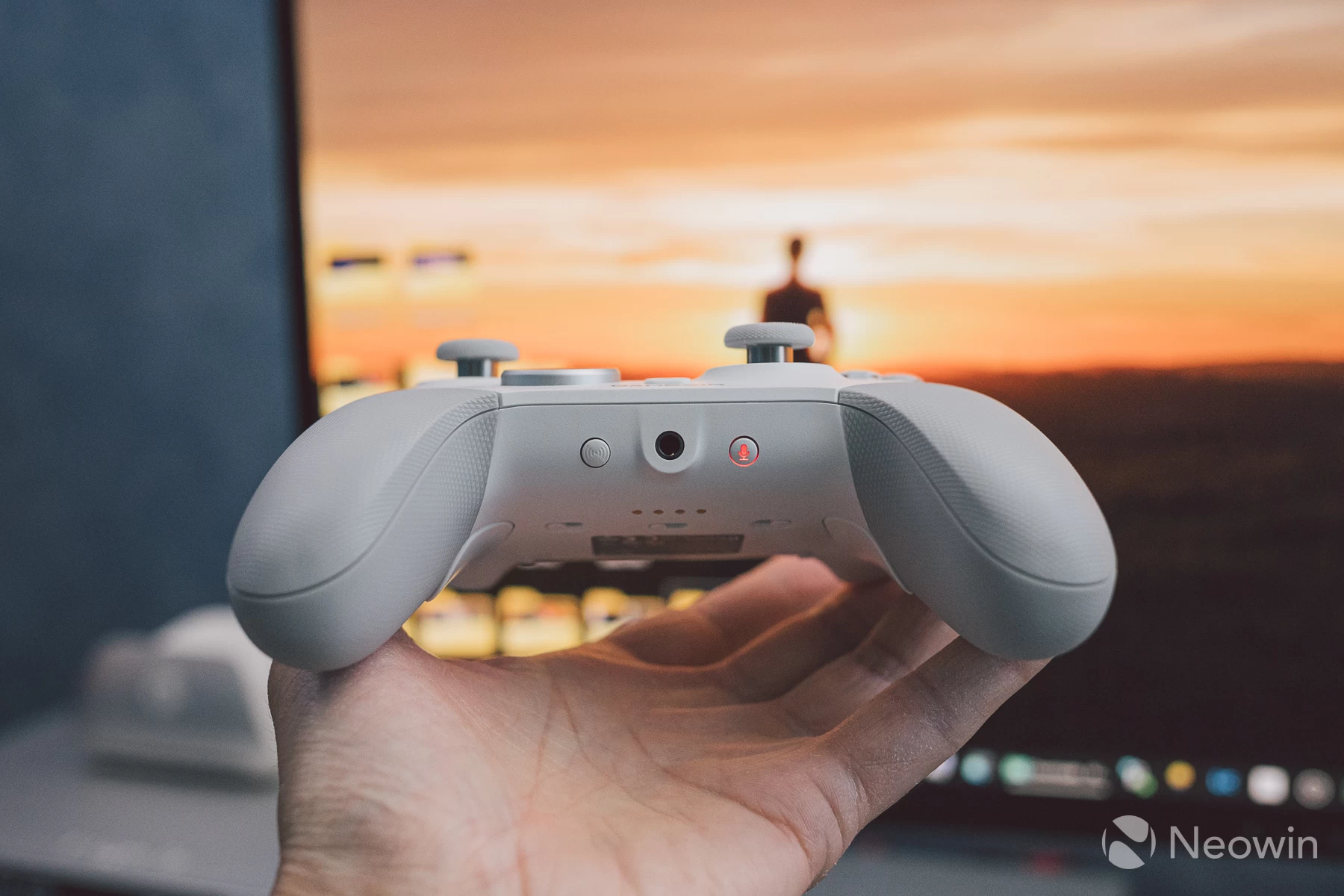
No matter the angle you look at it, or touch it, everything feels premium, and given the price, rightly so!
Software
Just like with GameSir Connect, the Nexus app operates the same way, though initial connection is a little different. This is because Nexus is for controllers that are licensed under the Xbox support umbrella, and Connect is for the rest. Both Nexus and Connect are available from the Microsoft Store.
What happens is once you launch Nexus, the controller needs to enter "app mode". To do this, you must press a button on the controller; it will vibrate, and the app will then connect to the controller. This process takes a few seconds.
If you move the app into the background or load another window in front of it, the app mode connection is lost, and Nexus will go back to the main screen. This behaviour is dictated by the fact that the controller is licensed, and a secure connection is required.
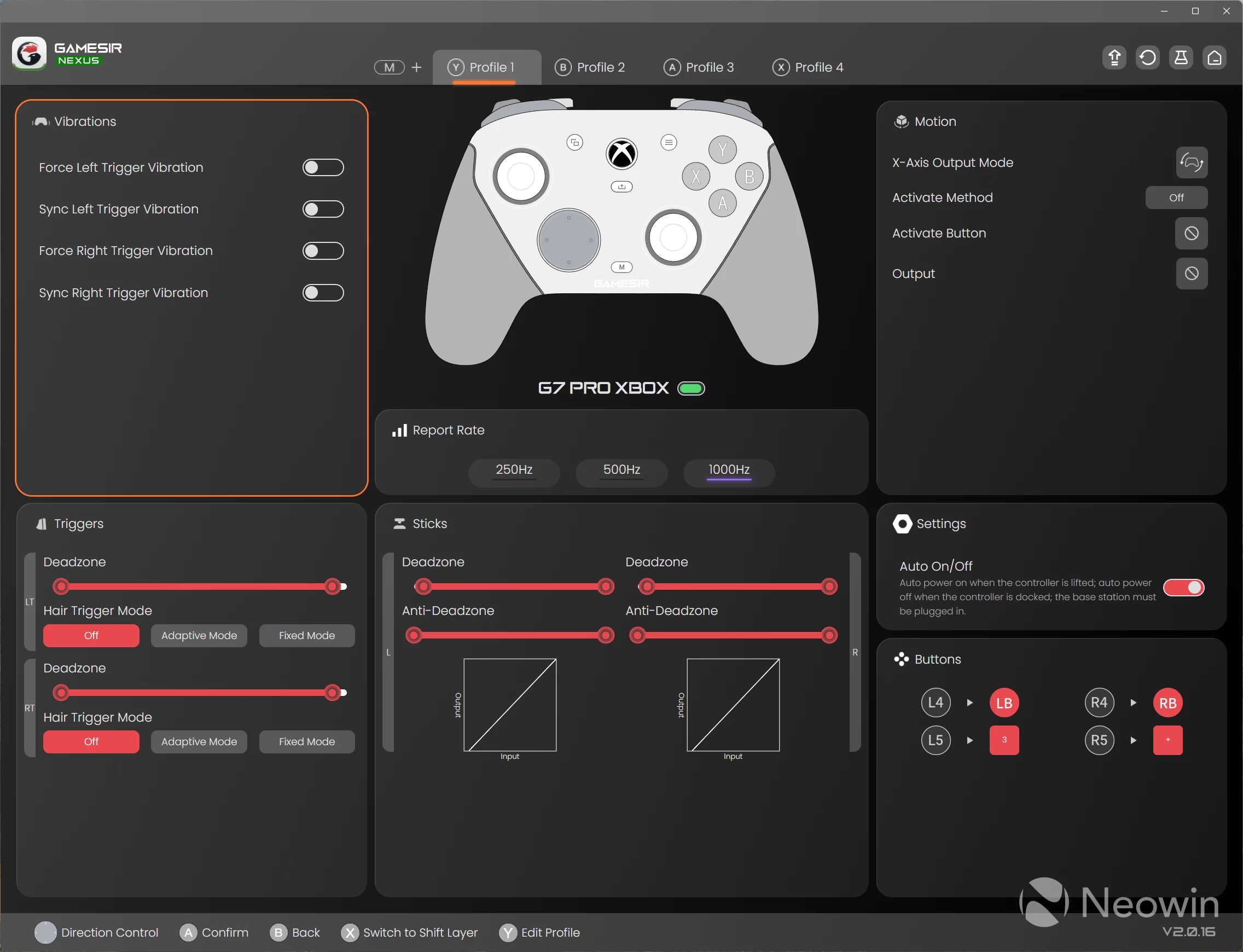
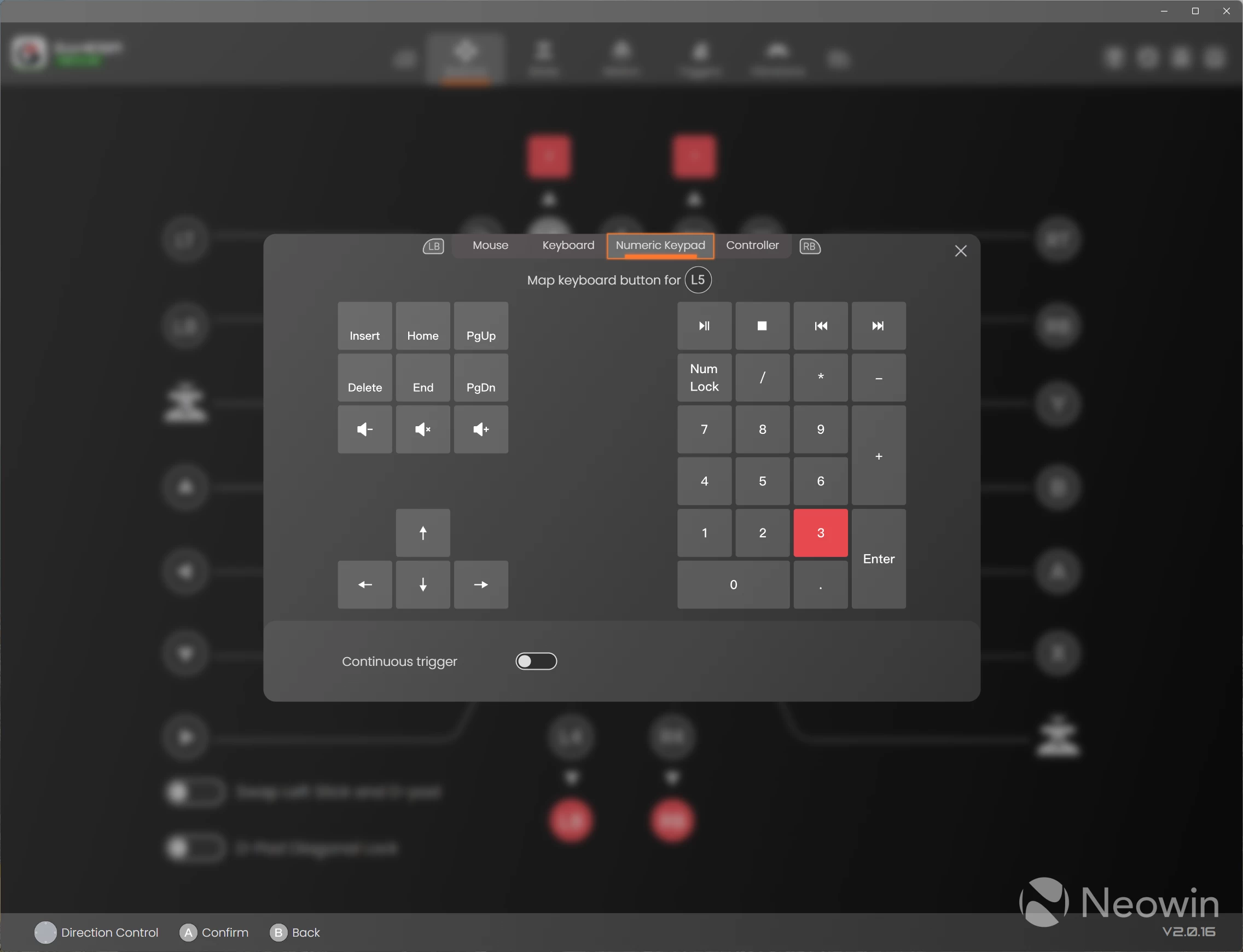
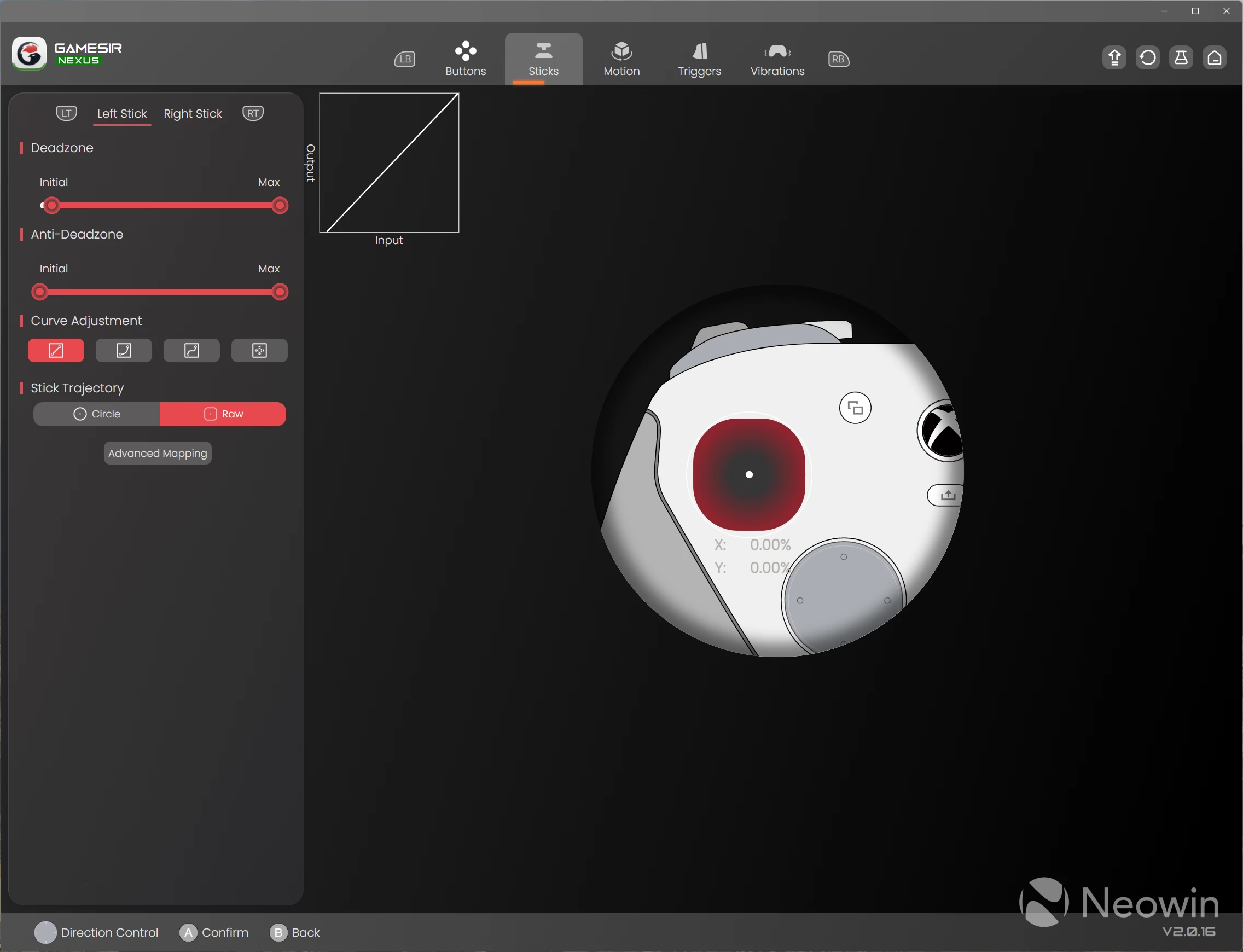
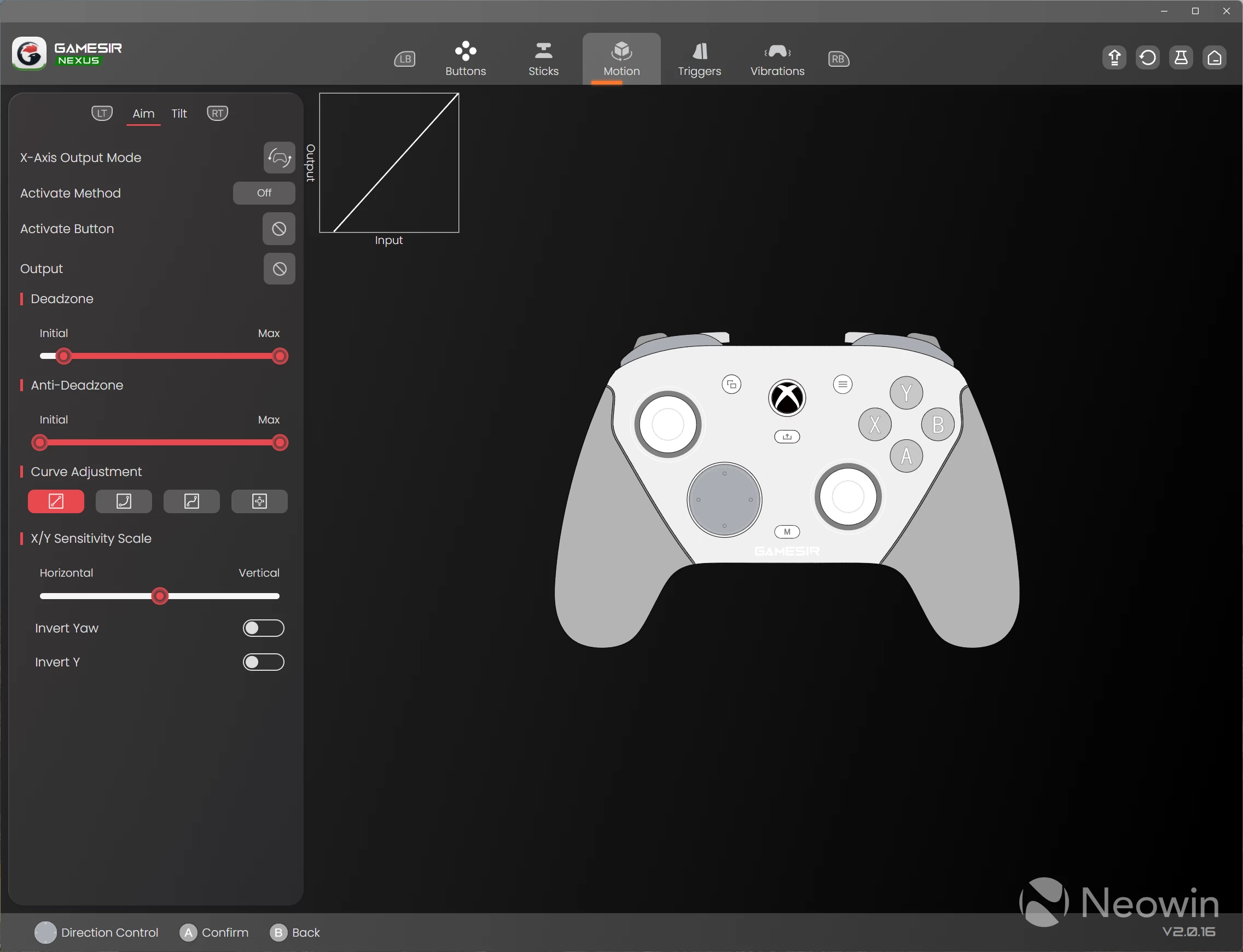
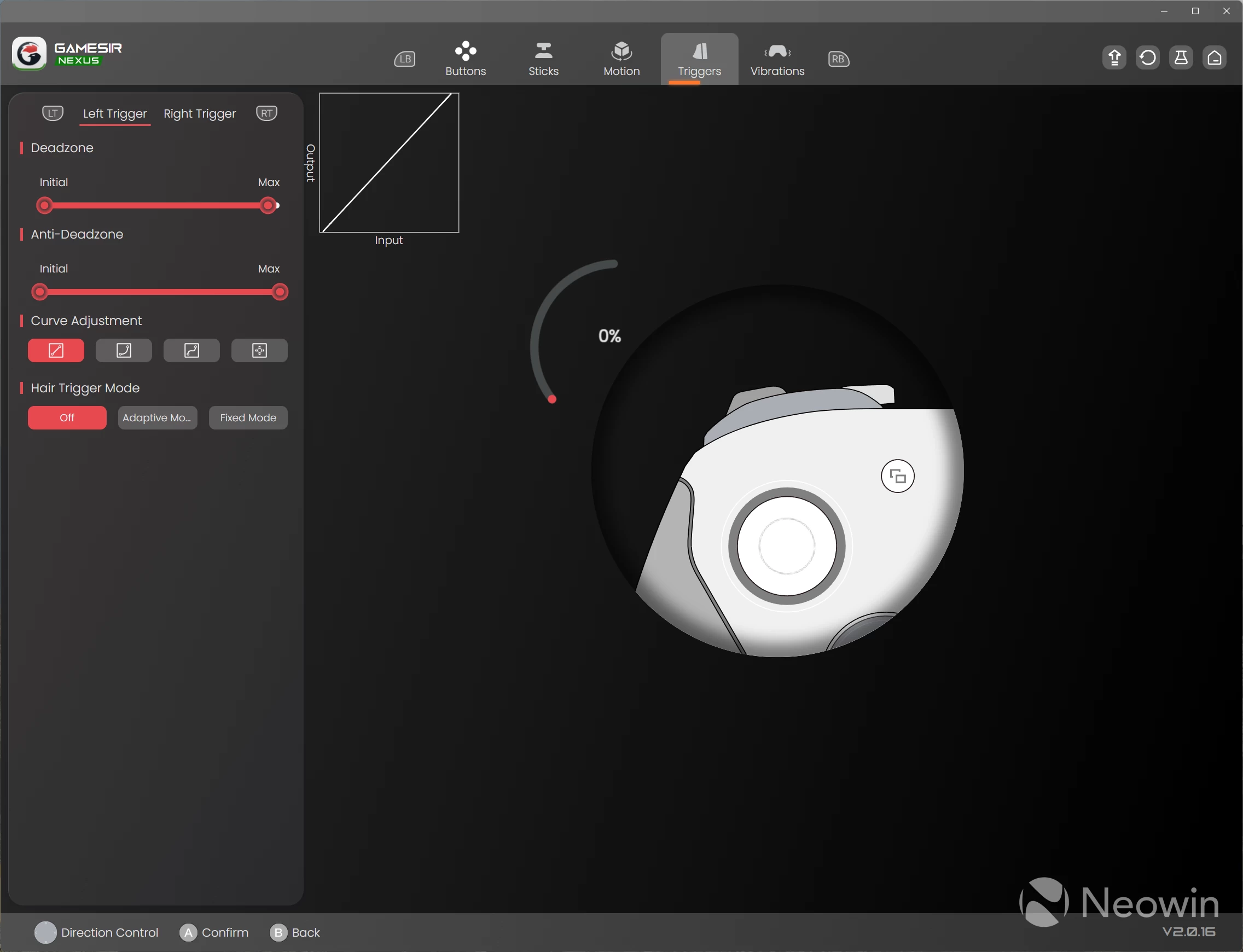
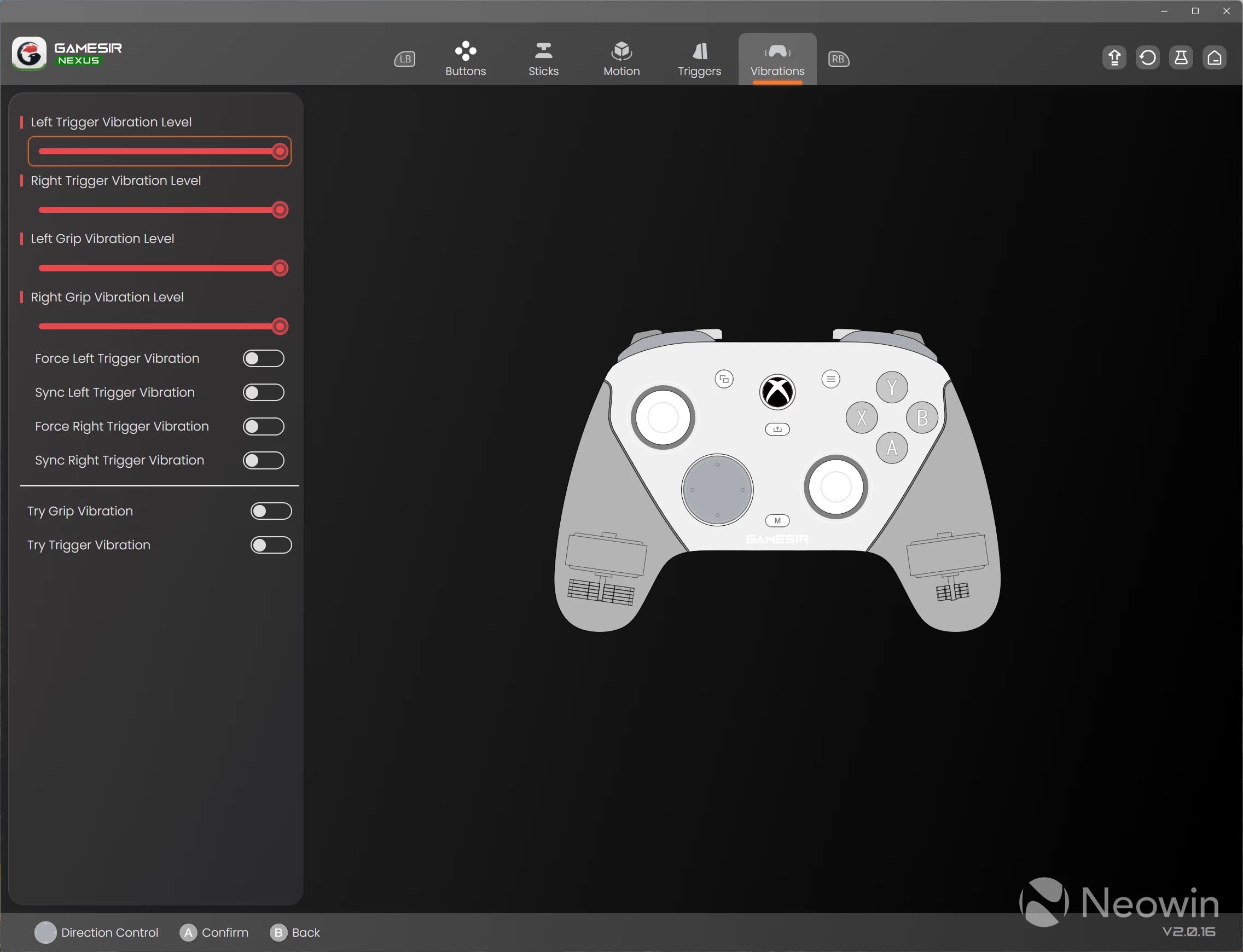
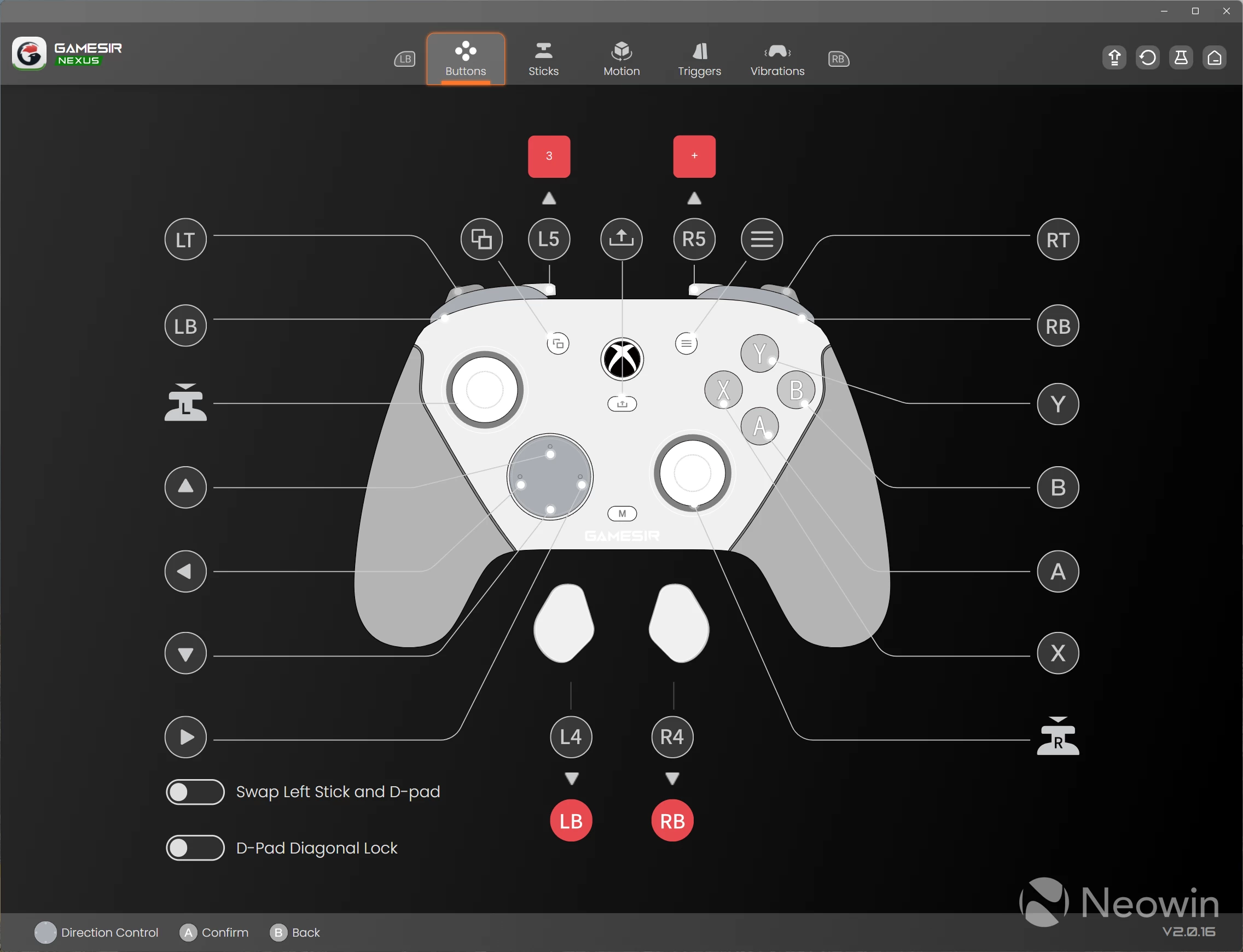
Other limitations, such as having no macro or turbo features, also exist due to being officially licensed and unsupported by Microsoft. Controllers that are configured via GameSir Connect, on the other hand, have no restrictions.
Thankfully, the core features that, in my eyes, make GameSir controllers great are supported. Motion control on PC can be used as stick look, mouse look, and d-pad. All buttons except the Xbox button and M buttons can be remapped to mouse and keyboard buttons, and all changes are stored on the controller against four profiles.
There is also a shift layer which allows you to map secondary functions to any button. These are activated by holding an assigned shift layer button, and then pressing the remapped button for its secondary function, excellent.
GameSir Nexus works flawlessly in my experience, much like Connect, everything is intuitive and changes save immediately, so no need to click an apply or upload button.
Performance & measurements
Motion control can be ticked off fairly quickly here, it works perfectly, although if you set motion control to emulate mouse look, then the maximum DPI that is possible currently in Nexus is 100. This is, in my view, not high enough given that the controller is operating at 1000Hz.
I would have preferred 250Hz here, because mouse look isn"t as precise as I"d like, even though it works:
Everything else about the performance of the G7 Pro is top-tier in my testing, both in software and in games. Though one quirk is that the sticks have some filtering/processing on bounce back behaviour, a simple test that I have been doing for all of my controller reviews.
Below, I compare the G7 Pro to the Tarantula Pro with this test. The capture was recorded on a 240fps camera via a 240Hz OLED monitor (0.03ms pixel latency), then slowed to 1/4 speed, which offers the best way to showcase the bounce back difference:
| GameSir Tarantula Pro | GameSir G7 Pro |
|---|---|
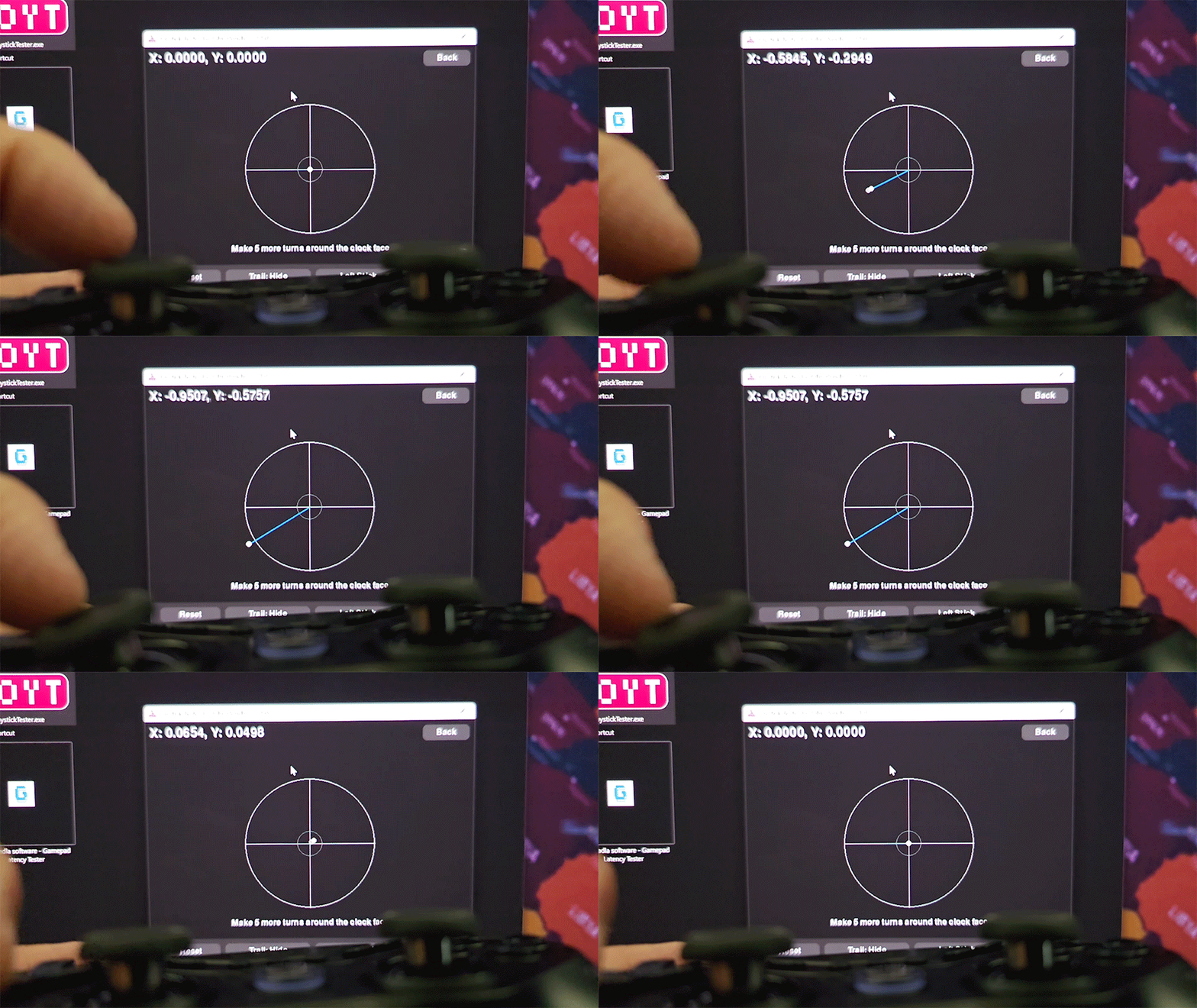
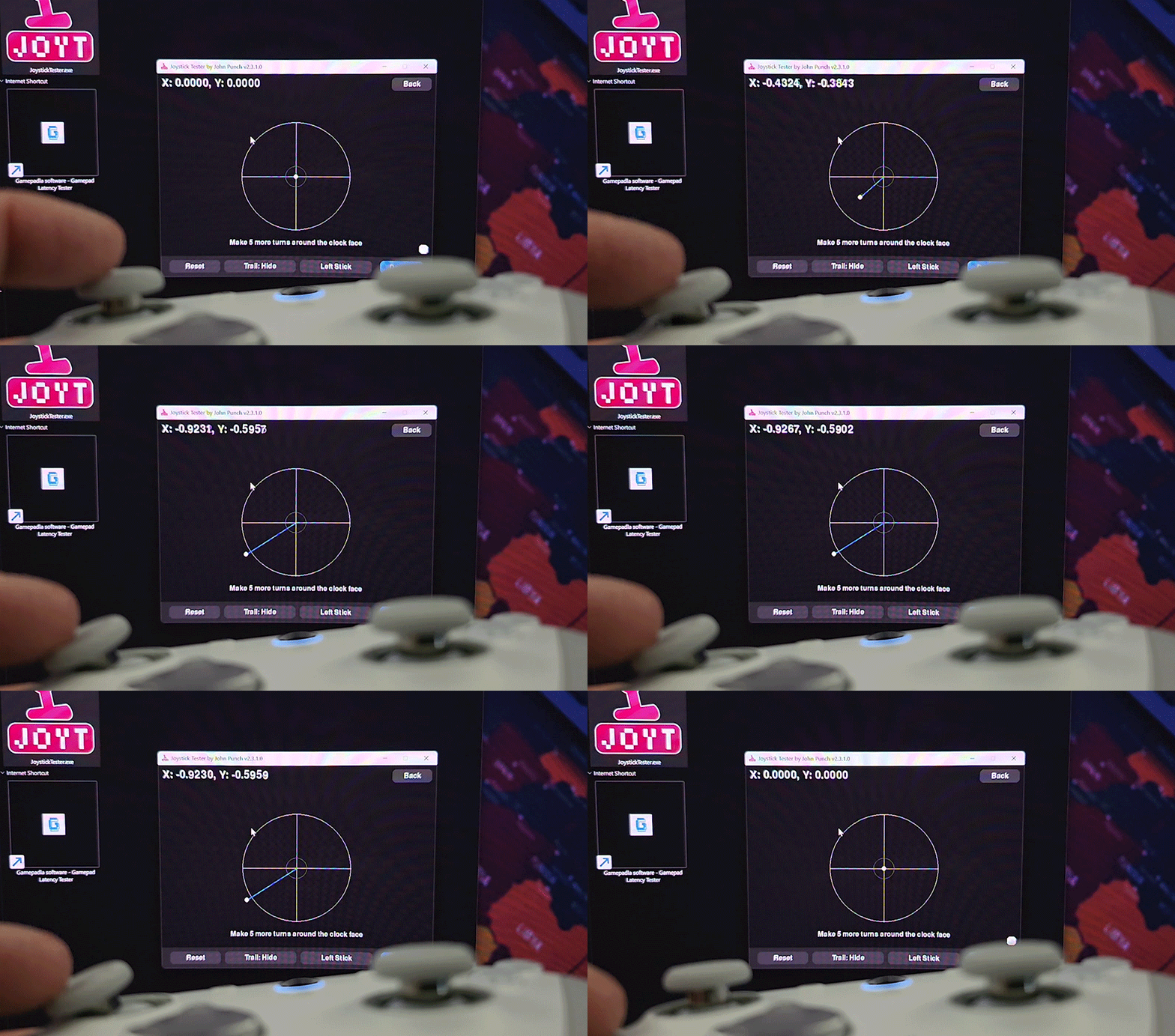
As you can see, the Tarantula Pro bounces back ever so slightly slower than the G7 Pro, and also offshoots from centre as expected. Physics dictates that the stick should bounce beyond centre as I let go, the stick has mass, so technically, it must adhere to conservation of momentum.
The G7 Pro bounces back quickly, but as soon as the stick hits centre, some processing/filtering stops it from overshooting. Whether this is a good or bad thing will ultimately come down to the kind of gamer you are; some will want some overshoot, others will not. Either way, it"s not following expected physics, though the reality is that you probably won"t even notice the difference when playing actual games. I have to slow down a high-framerate capture to demonstrate this after all.
Both controllers for this test were set to my preferred 5% dead zone; the factory default is 10%. In my testing, I found that 5% has no offshoot of drift even when shaking the controllers, but at 4% or below, it does register some idle drift at times.
At 5%, the sticks can be touched even the slightest amount and measuring tools will register stick actuation, so this value is perfect for the slightest of real movements.
To get the same kind of bounce back behaviour from the G7 pro, a deadzone of 0% must be set, but this also results in a lot of idle drift at the centre point:
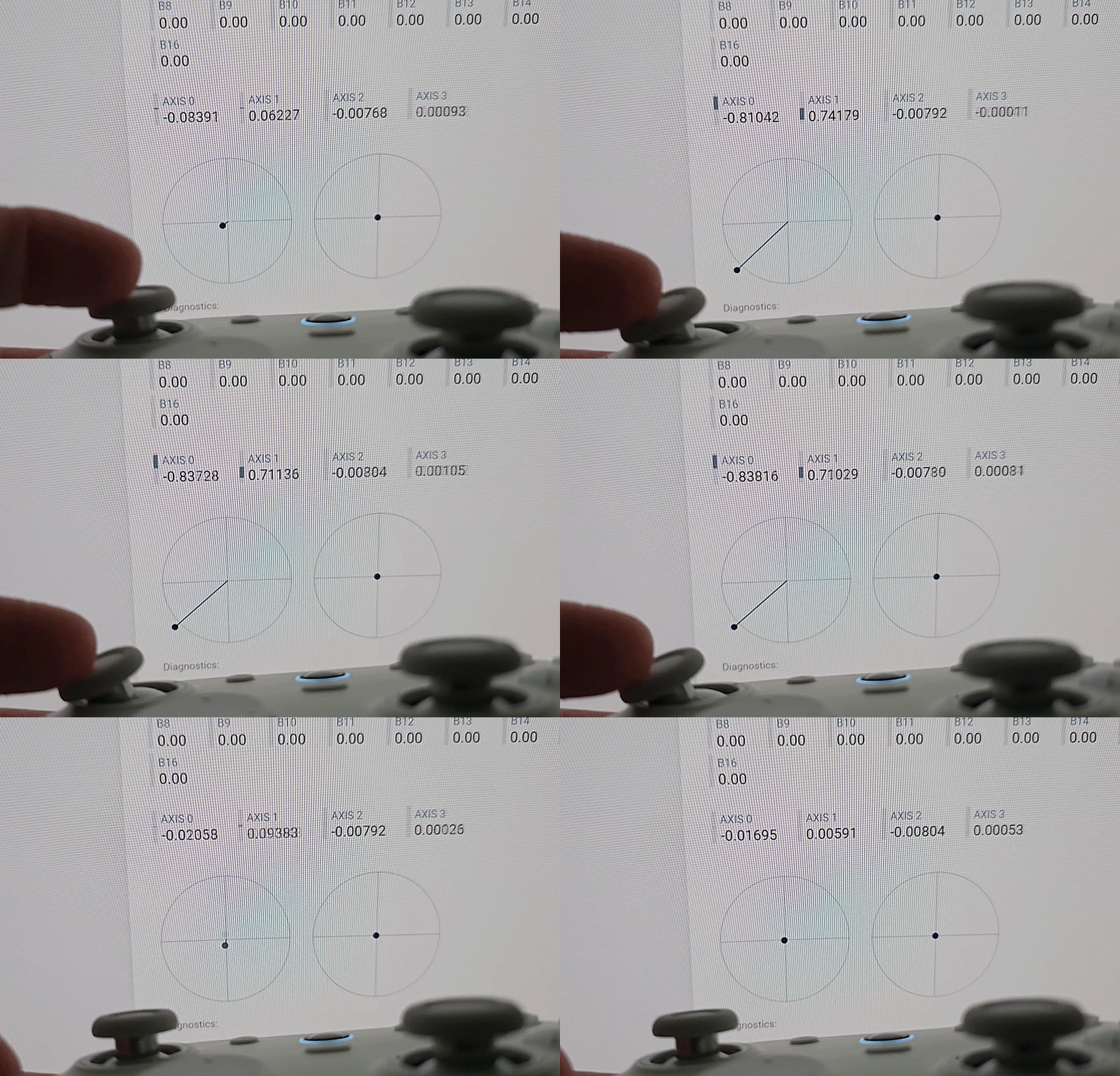
Notice that the stick position values are bouncing all over the place, and whilst the amount is low, drift is still drift. A dead zone value of 3% does stop idle drift, but picking up the controller and moving it around normally will display drift. Once again, 5% is the optimum value to set.
In games, I have nothing but praise for the G7 Pro, in fact, this is now my favourite controller. The four extra buttons have made me not miss using the Tarantula Pro and its seven extra buttons, and the addition of the shift layers actually makes that eight additional buttons, technically.
Here"s some quick gameplay of the new RoboCop: Rogue City standalone DLC, which, might I add, is also excellent:
Toolset measurements were also done, for these I used Stick Analyzer, Polling, Joystick Tester and MouseTester (for gyro testing mouse look).
Stick Analyzer shows excellent movement processing, accurately reading my movement tremors and not filtering them out. The registered resolution is not quite 4096 as advertised, but rarely is this the case; the key point is that it"s ~3000, which means it is set up to be up to 4096. If it were ~2000, then this would be an issue.
| GameSir G7 Pro | GameSir Tarantula Pro |
|---|---|
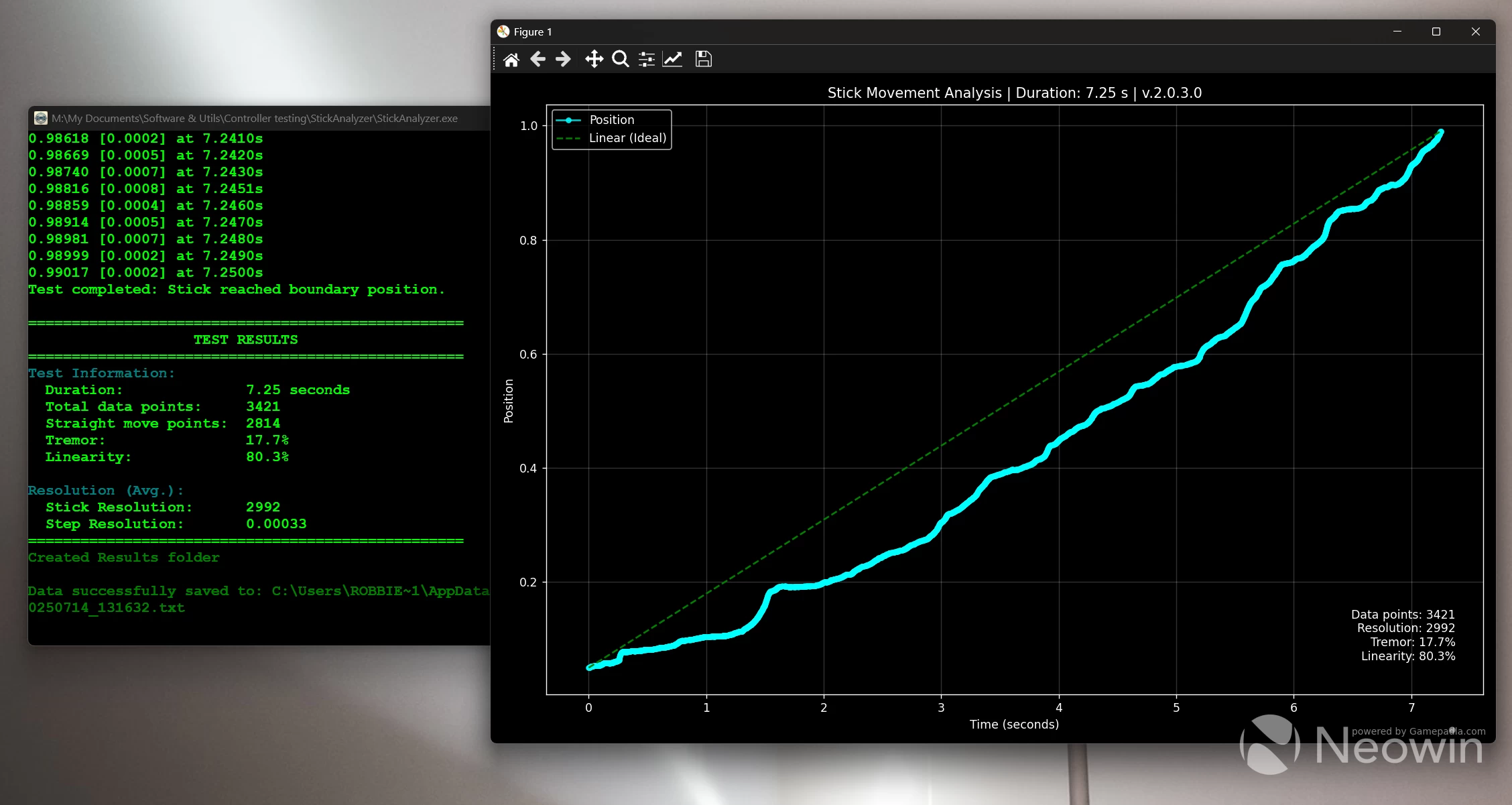
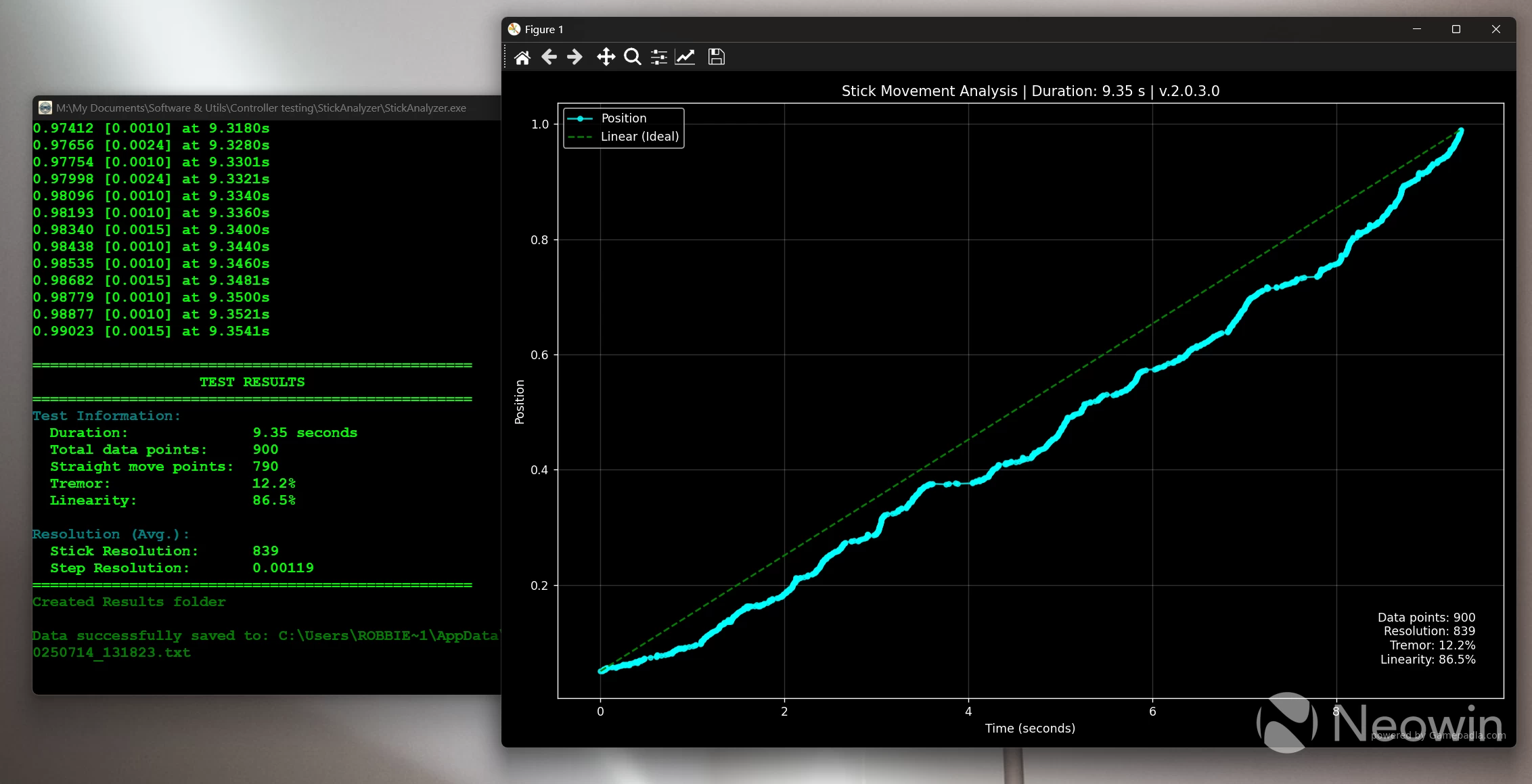
By comparison. the Tarantula Pro is unable to get anywhere near the G7"s resolving power.
Joystick Tester shows excellent raw circularity, among the lowest I"ve seen yet at 6.7%. A figure of 9-11% is perfectly normal here, so the G7 Pro is excelling here:
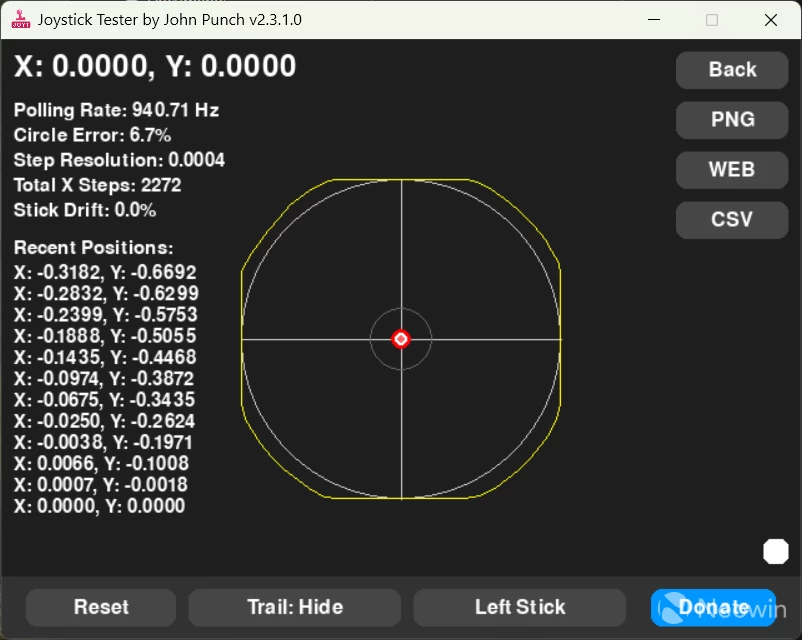
In Polling, the trend continues, and stability registered at 99% is essentially flawless. The Tarantula Pro managed just over 90% here, with a 2ms maximum latency interval:
And lastly, motion control. For this test I set the gyros to emulate the mouse, and set Nexus to the maximum 100 DPI for motion control. The results were simply average, keeping in mind that it"s only 100 DPI, too:
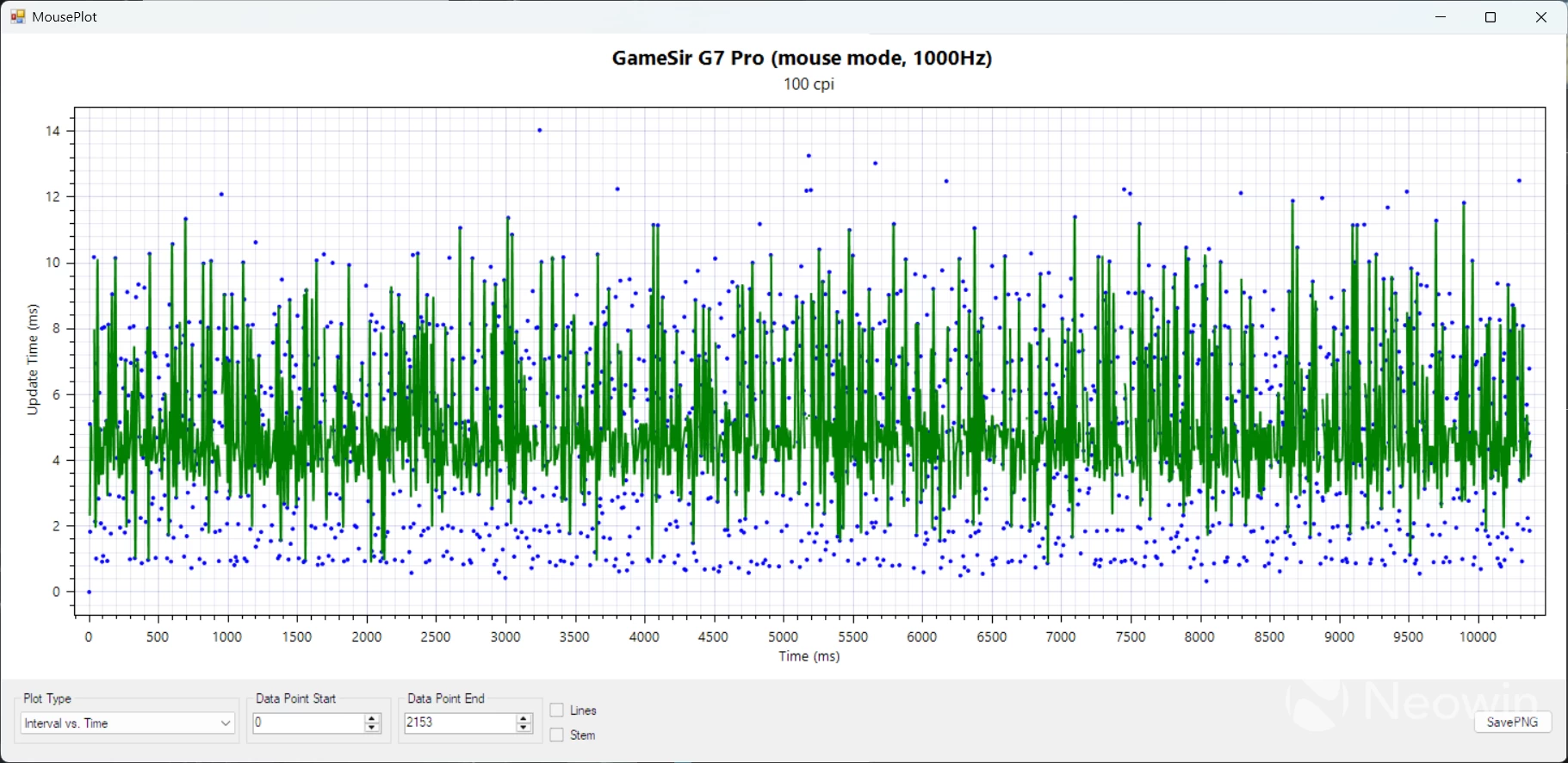
This graph may initially seem complex, but it"s quite easy; it displays the latency between the gyros (mouse, in this case) being polled and the PC receiving an input; lower and more consistent times are better, so we are seeing an average latency of 4ms, with spikes averaging 10ms.
These are not competitive results, so unless you absolutely need mouse look, then I would suggest leaving motion control set to one of the sticks instead, as you retain full resolution and low latency this way. Also set one of the additional bumper buttons to act as the activation button for motion control when it is held down Motion control is active, meaning I can use motion-look in any game at any time simply by holding that button and moving the G7 Pro around.
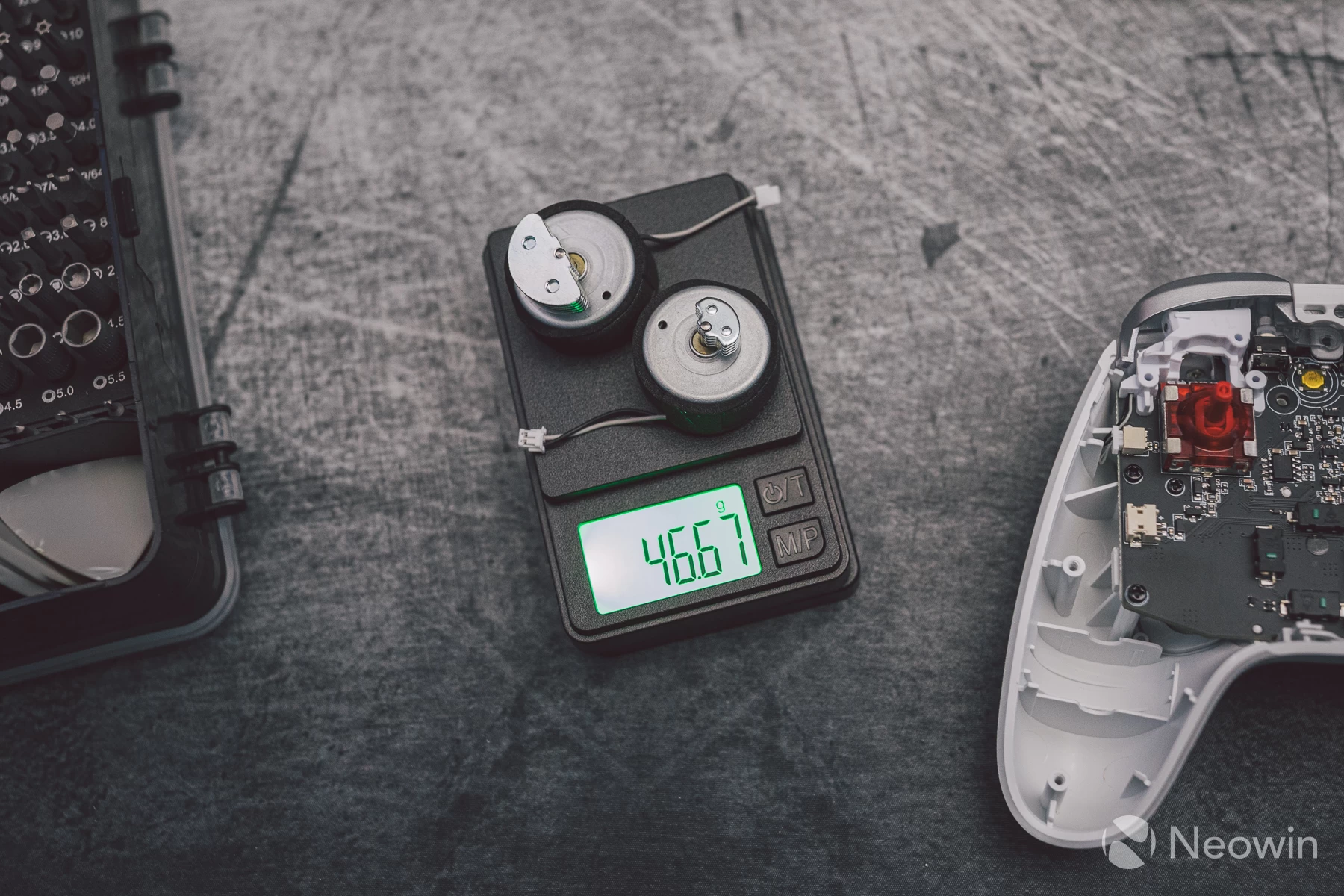
The main vibration motors provide a very strong rumble in games. GameSir has always been good in this department, though, so this to me was no surprise. From the subtle haptic feedback of RoboCop reloading his Auto 9, to the deep rumbles of an explosion, it"s all there, and all coming from a pair of motors weighing less than 50 grams.
Trigger vibration motors also feature on the G7 Pro, but I find them to be too buzzy and serve no real purpose in games as the vast majority of titles do not support trigger haptics on PC. So, unless you set Nexus to sync up the main motors with the trigger motors, then you will likely never feel trigger vibration when gaming.
As a wireless/wired headphones amp/DAC
Now, here is something you probably never thought you would see in a controller review, but let me just say that the G7 Pro works really well as a DAC/headphones amp.
I actually tried this out just out of sheer curiosity, only to walk away amazed at what I was hearing. As a bit of an audio geek, I can"t stand an audible noise floor or distortion, so when I plugged in my HE1000se headphones and heard zero noise, floor hiss, and distortion with the volume at max, I was taken aback.
A games controller having the soundstage and dynamic range to deliver acceptable audiophile-level sound through high-end headphones... what a time to be alive.
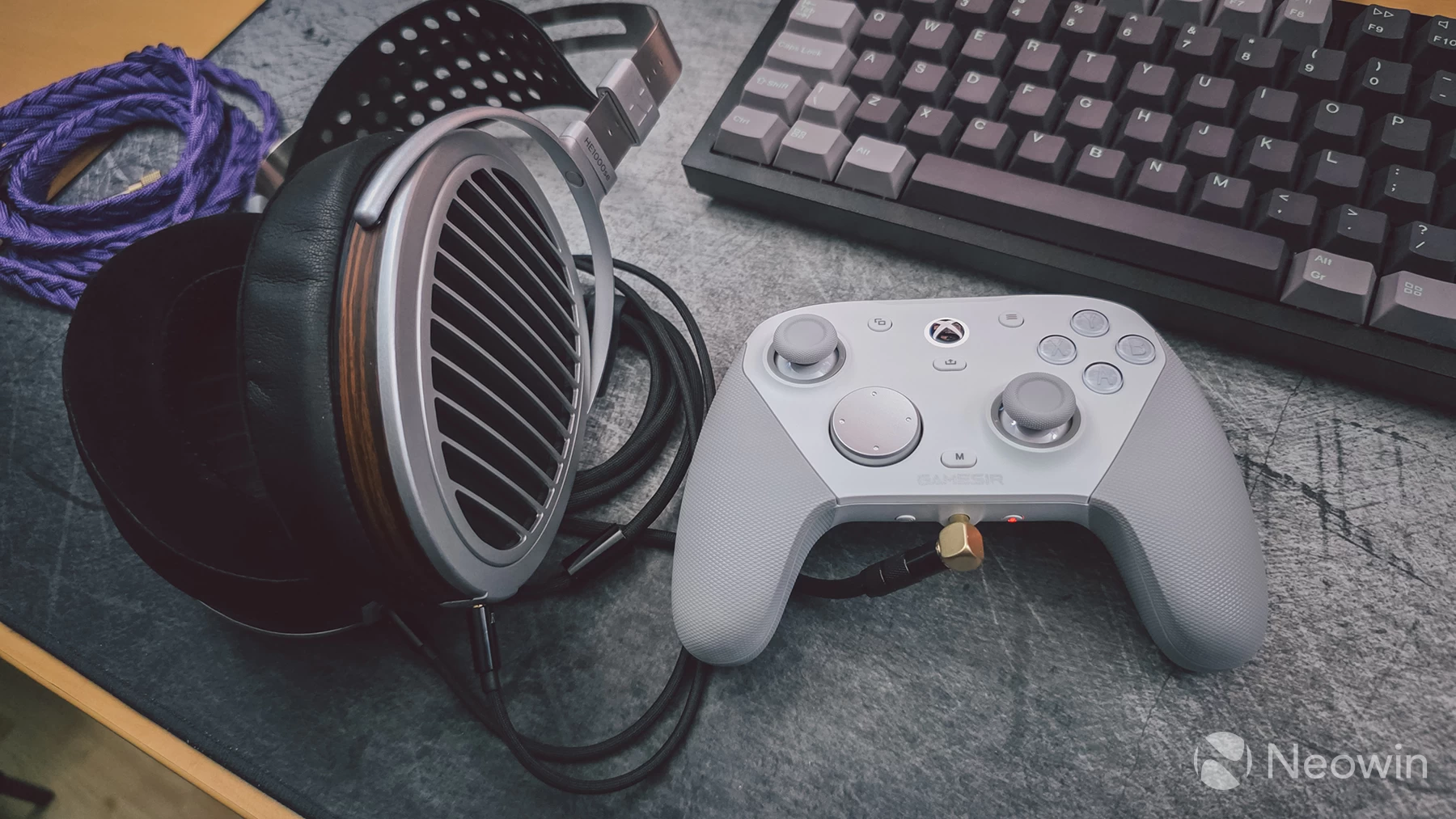
Okay, the volume loudness is not as high as what would be possible from a dedicated headphones amp driving headphones like these, but it was loud enough to still be able to enjoy music.
The only drawback is that if you are playing games, then there is audio latency when doing this over the 2.4GHz dongle. To mitigate the latency, you would need to be gaming using a USB cable to the PC.
Conclusion
I"m extremely impressed with the GameSir G7 Pro. It has exceeded my expectations and become my new go-to controller. There isn"t really anything to not like about it, and it even comes with a trick up its sleeve.
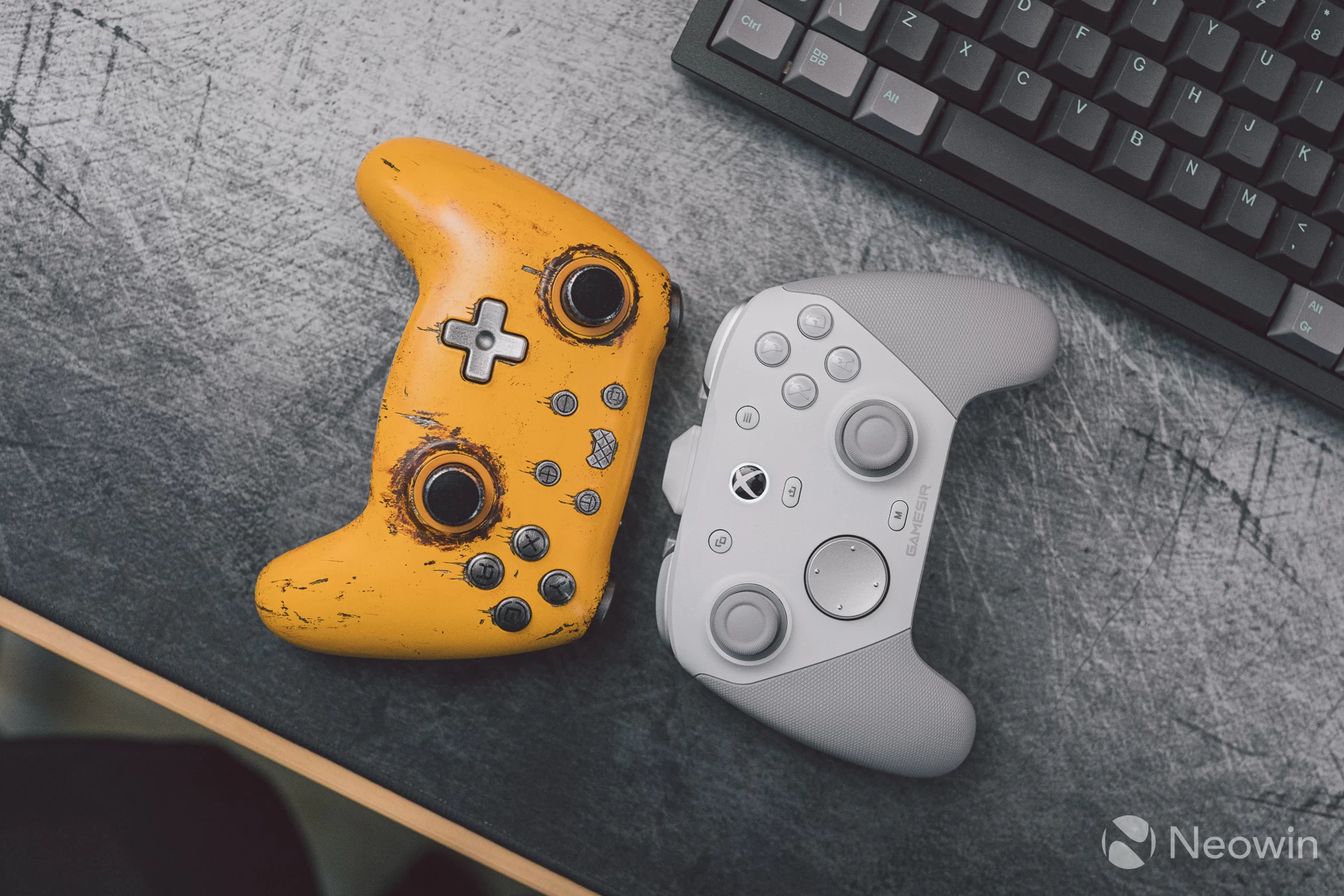
As far as third-party controllers go, this is currently the best available in my opinion, if you are after asymmetrical layouts, of course. A whisper in my ear recently told me that GameSir is releasing a Tarantula Pro 2 soon, so symmetrical stick fans should keep an eye out for that.
The price is higher than what most people would be willing to pay, but bear this in mind, GameSir controllers have onboard memory, keyboard/mouse mapping, motion control for all PC games, software that just works, and a physical controller that looks and feels its price tag, something which cannot be said for many other controllers out there.
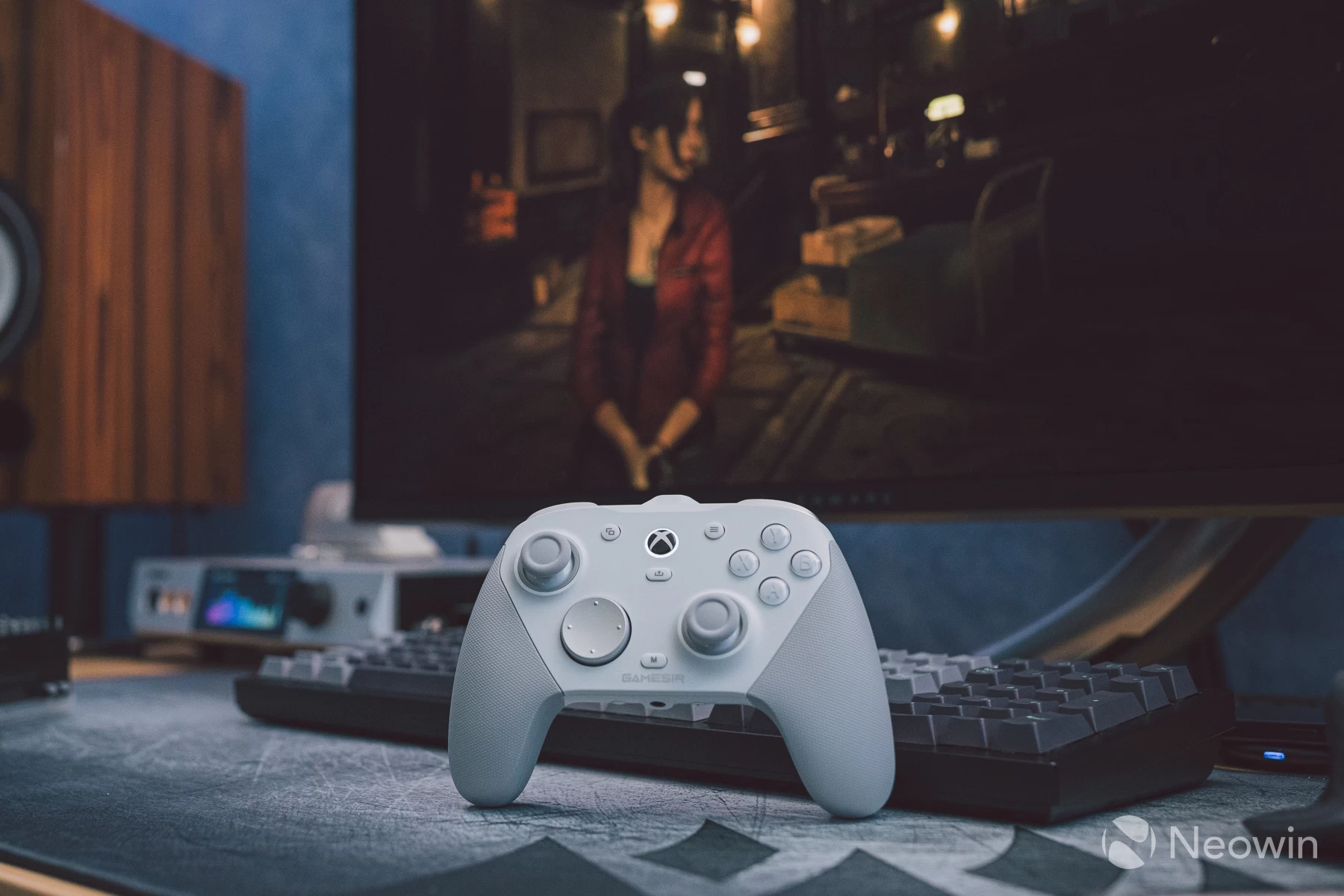
I hope GameSir produces a selection of swappable magnetic covers, as I can see this being a big hit when people get their hands on it, and I look forward to seeing what the competition comes up with to counter it, if they can.
UPDATE - 2025.07.07
There has been some discussion about deadzone and stick drift, it appears that applying a custom curve sets the inner deadzone to 0%, which of course disables the stick filtering, but this time round there is not drift manifesting in games/apps, although the tester tools do see subtle stick activity when idle.
The custom curve I applied which then makes the sticks feels liek DualSense sticks in precision (excellent) looks like this:
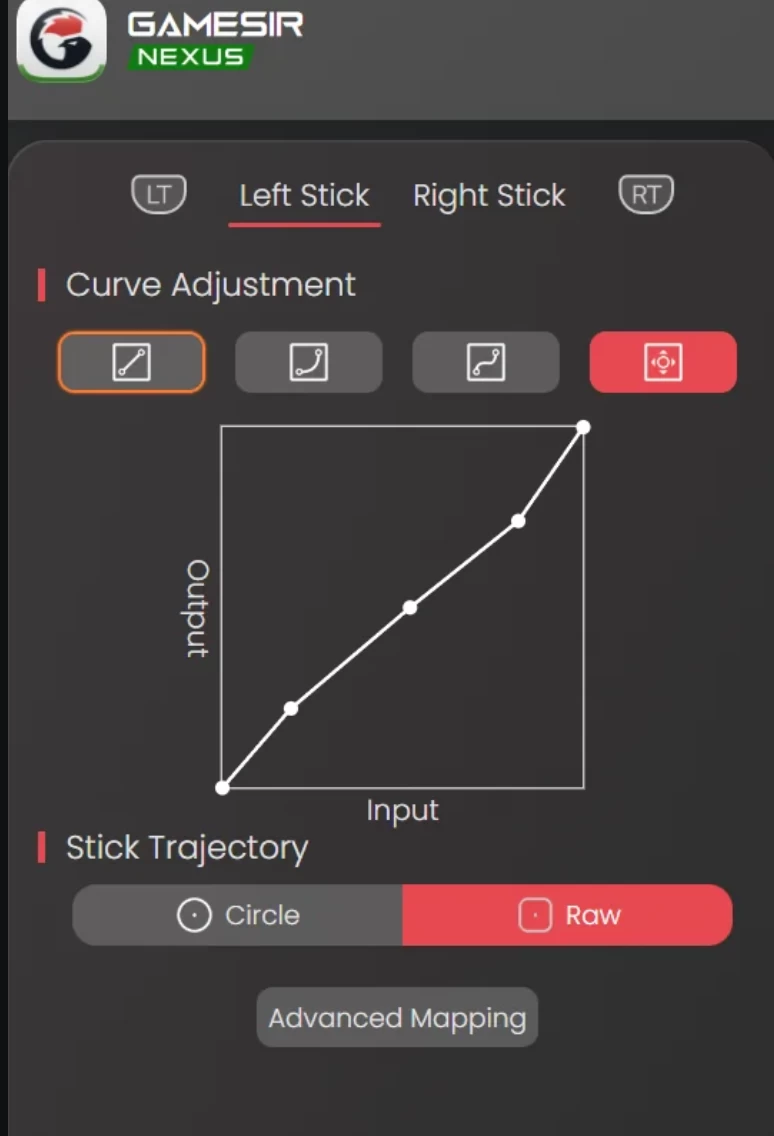
Remember to copy the custom cuirve shape to the other stick, too. The end result in my bounce back test is this:
The problem of stick filtering is now a non-issue, and in the process, the sticks feel more precise and suitabel for competetive play. Result!