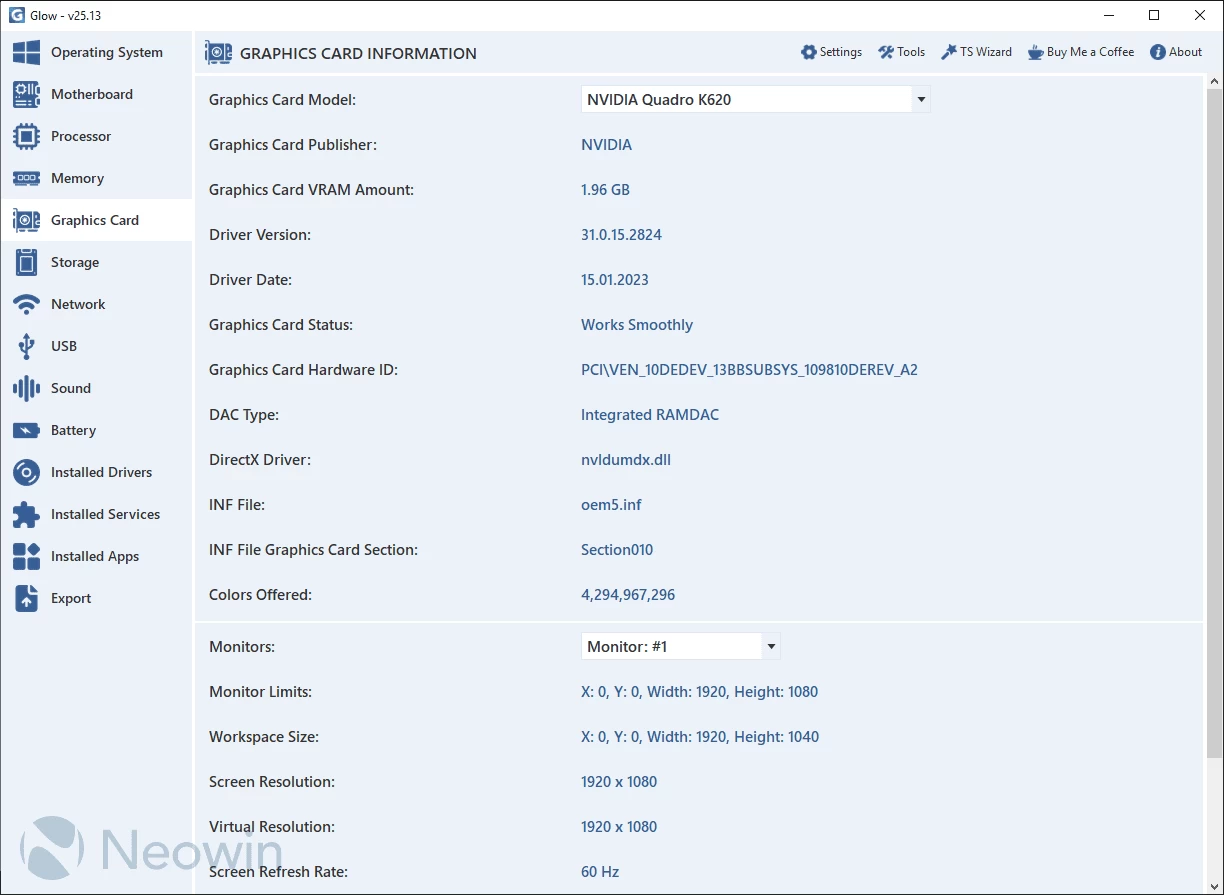
Glow provides detailed reporting on every hardware component in your computer, saving you valuable time typically spent searching for CPU, motherboard, RAM, graphics card, and other stats. With Glow, all the information is conveniently presented in one clean interface, allowing you to easily access and review the comprehensive hardware details of your system.
Glow provides detailed information on various system aspects, including OS, motherboard, processor, memory, graphics card, storage, network, battery, drivers, and services. The well-organized format ensures easy access to the required information. You can export all the gathered data to a plain text file, facilitating sharing with others for troubleshooting purposes.
No installation needed. Just decompress the archive, launch the executable, and access computer-related information. Glow runs on Windows 11 and Windows 10 64-bit versions.
Glow 25.15 changelog:
- The dark theme has been redesigned! It now features a modern yet simple design principle that is easy on the eyes!
- Polish language support has been added.
- Glow"s program size has been reduced by 80%. Glow now occupies as little as 1.4 MB of space. Thanks to @lunter2
- Glow"s RAM usage has been reduced by 45%. Glow now uses very little memory, around 45-50 MB. Thanks to @lunter2
- The System Identity Generation Tool has been added to vehicles. This tool allows you to verify hardware integrity when you deliver your computer or take it in for service. It creates a unique device identity based on system components; the identity automatically updates when parts are replaced, and changes can be reliably detected. It provides a detailed report on which parts have been added and which parts have been removed. Accessible via the CTRL + G shortcut.
- The USB section has been reprogrammed! The source where USB information is read has now been set to a different location that brings more USB devices. This allows the display of devices such as keyboards, mouses, cameras, microphones, etc.
- The USB section has been updated with the USB Device Publisher feature. This feature displays the manufacturer of the selected device.
- The USB section has been updated with the USB Device Driver Version feature. This feature displays the driver version of the selected device.
- The USB section has been updated with the USB Device Driver Date feature. This feature displays the driver date of the selected device.
- The USB section has been updated with the USB Device INF File feature. This feature displays the name of the configuration file (i.e., the *.inf file) of the selected device.
- The USB section has been updated with the USB Device ID feature. This feature displays the ID of the selected device.
- The USB section has been updated with the USB Device Hardware ID feature. This feature displays the hardware ID of the selected device.
- The USB section has been updated with the USB Device GUID feature. This feature displays the unique GUID information of the selected device. It is compatible with Hide Mode.
- The Network section has been updated with the Network Device Driver Version feature. This feature displays the driver version of the selected network device.
- The Network section has been updated with the Network Device Driver Date feature. This feature displays the driver date of the selected network device.
- The DHCP First IP Assignment Time feature has been added to the Network section. This feature shows when your network connection receives an IP address after the computer is turned on.
- The DHCP Assigned IP Renewal Time feature has been added to the Network section. This feature shows when your network connection will send a signal to your network to obtain a new IP address.
- The Sound section has been updated with the Sound Device Driver Version feature. This feature displays the driver version of the selected sound device.
- The Sound section has been updated with the Sound Device Driver Date feature. This feature displays the driver date of the selected sound device.
- An opacity adjustment feature has been added to the Screen Overlay Tool. You can reduce opacity by left-clicking the button in the top left corner, and increase opacity by right-clicking it.
Fixed Bugs
- The issue that prevented the title bar color from changing correctly and promptly while the dark theme was active on Windows 10 systems has been fixed.
- Code errors in the update checking and version control systems have been fixed, resulting in optimizations.
- The issue in the Operating System section where the Windows Defender Core Isolation feature sometimes appeared as "Unknown" on Windows 10 systems has been fixed.
- The issue in the Operating System section where installed Anti-Virus, Firewall, and Anti-Spyware software continued to show as installed even after being removed from the system has been fixed.
- The issue where the Cache Cleaner Tool detected the wrong directory when the user changed the cache directory has been fixed.
- The issue where "NUL" appeared next to the monitor name in programs like Visual Studio Code has been fixed.
- The error causing fields such as the Montiör serial number to display incorrect data due to an error in the index conversion algorithm has been fixed.
- Errors were fixed and optimized by adding missing values in the double-click copy feature.
Note: Always unzip the program before using it. Otherwise you may get an error.
Download: Glow 25.15 | 1.6 MB (Open Source)
View: Glow Homepage | Screenshot