Google Slides and Google Vids are getting two new Gemini-powered image editing features. The first is one that lets you completely replace the background of an image using a simple text prompt, and the second helps you expand an image"s background to fit a different size or shape without squashing or stretching it.
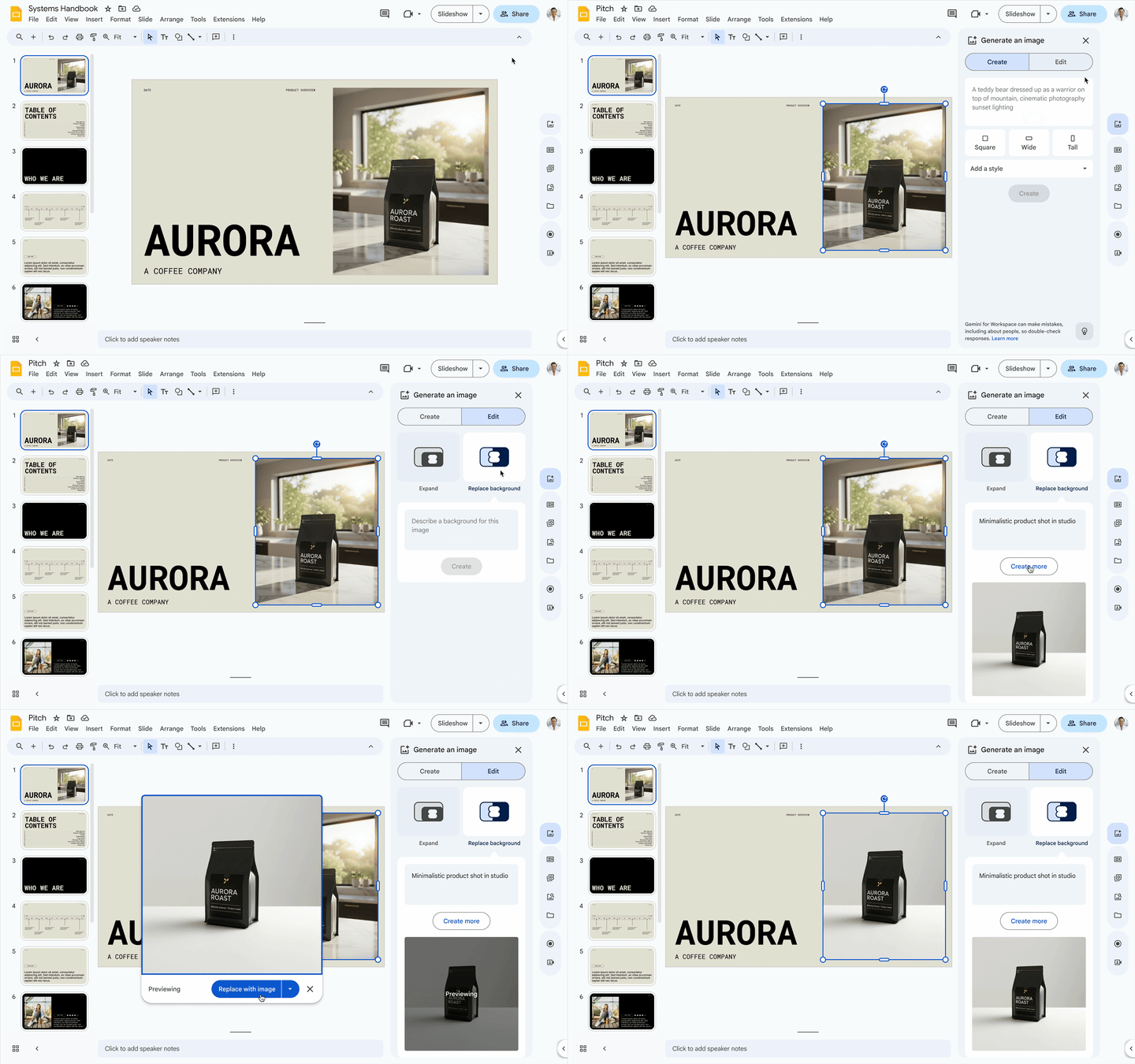
To replace the background of an image in Google Slides, for example, first select the image and either right-click to find "Edit image" or click the "Generate an image" icon. From the side panel that pops up, select "Replace background", then type in a prompt describing what you want.
Google says this feature can come in handy for contextualizing products by placing them in realistic settings, or for standardizing employee headshots by swapping out inconsistent backdrops for a unified one.
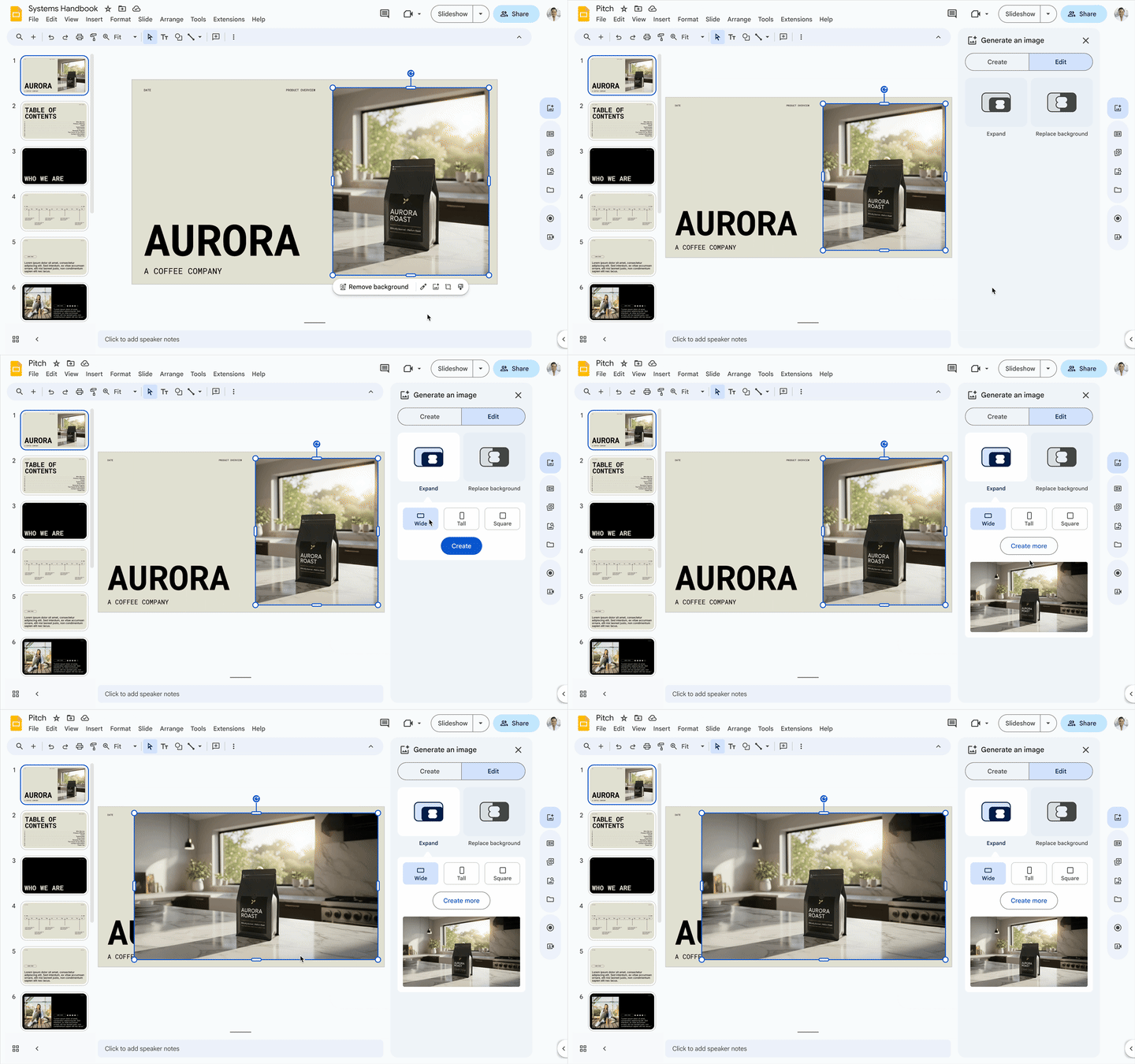
To expand a photo, select the image (just like with the replacement tool), then navigate to the "Generate an image" icon in the side panel. From there, you select the expand feature, pick a new aspect ratio like 16:9 or 4:3, and Gemini will generate a few options for the filled-in background.
This lets you take a small vertical picture and make it a big horizontal banner without distorting the original subject. You can browse the different image options and preview them before inserting one into your presentation.
The rollout is a bit complicated. For domains on Google"s Rapid Release schedule, the extended rollout started about two weeks ago on July 28. For those on the more common Scheduled Release domain, a full rollout can be expected to begin tomorrow, August 14.
These features are available to a number of Google Workspace subscribers: Business Standard and Plus, Enterprise Standard and Plus, and anyone with a Gemini Education, Gemini Education Premium, AI Pro, or Ultra add-on. People with the old Gemini Business and Enterprise add-ons get it as well.
In case you missed it, earlier this year, Google announced it would bake several AI capabilities into Workspace subscriptions without requiring a paid Gemini add-on. This included features like image background removal in Drawing, Slides, and Vids, plus the Studio Look, Studio Lighting, and Studio Sound enhancements in Meet.