Maono contacted me asking if I was willing to test their new PD200W Hybrid Podcasting Microphone. After confirming that I am not really a podcaster, that didn"t seem to matter, so I accepted and received it a week later.
Disclosure: Maono provided a free sample without any editorial input or review pre-approval.
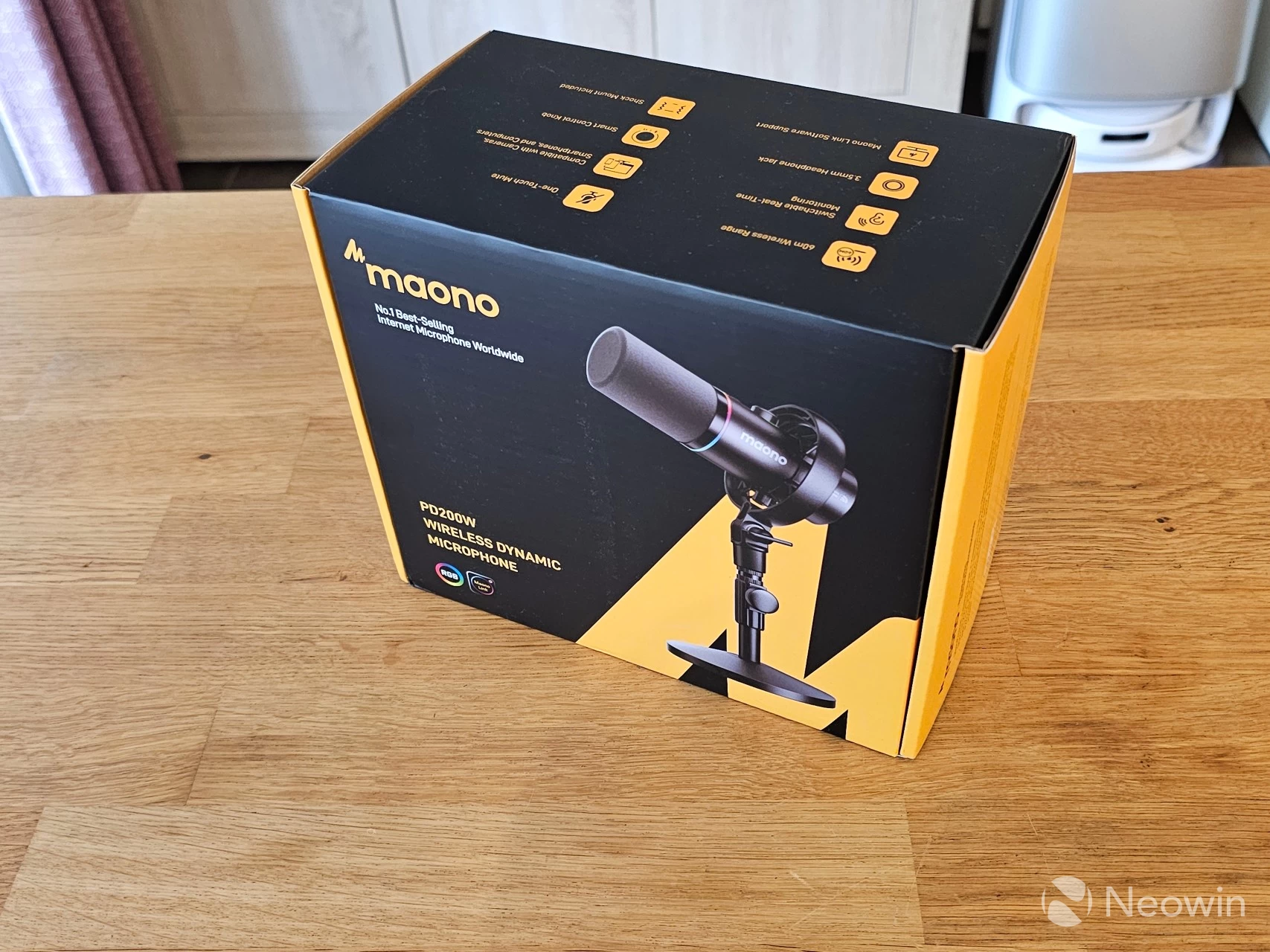
With that out of the way, here are the specs:
| Maono PD200W Hybrid Podcasting Microphone | |
|---|---|
| Bit Depth / Sample Rate: | 24-Bit / 48 kHz |
| Signal-to-noise ratio: | 82 dB |
| SPL max: | 128 dB |
| Frequency response: | 82 dB |
| Noise reduction: | Weak, Medium, Strong |
| Capsule size: | 30 mm |
| Element Type: | Dynamic |
| Connection options: | USB-C, XLR, 2.4 GHz wireless, 3.5mm audio jack |
| Battery: | 2600 mAh, 9.62 Wh |
| Battery life: | 60 hrs (per Maono) |
| Wireless range: | 60 m (per Maono line-of-sight test) |
| Weight: | 374 g (25,04 oz) without Stand, with Stand: 1,084 g (38.23 oz) |
| Stand weight: | 710 g (25,04 oz) |
| Material: | Metal (aluminum) |
| MSRP: | $129.99 (see deal price below) |
The PD200W only comes in black, in case you were wondering why I left that out of the specifications details.
In the twenty-five years I have been doing Neowin, I have only needed a microphone for online meetings, and for that, I have my trusty Logitech Brio 4K Stream. I"ve never needed nor wanted a full podcast-style mic, but it"s something new I am willing to experience.
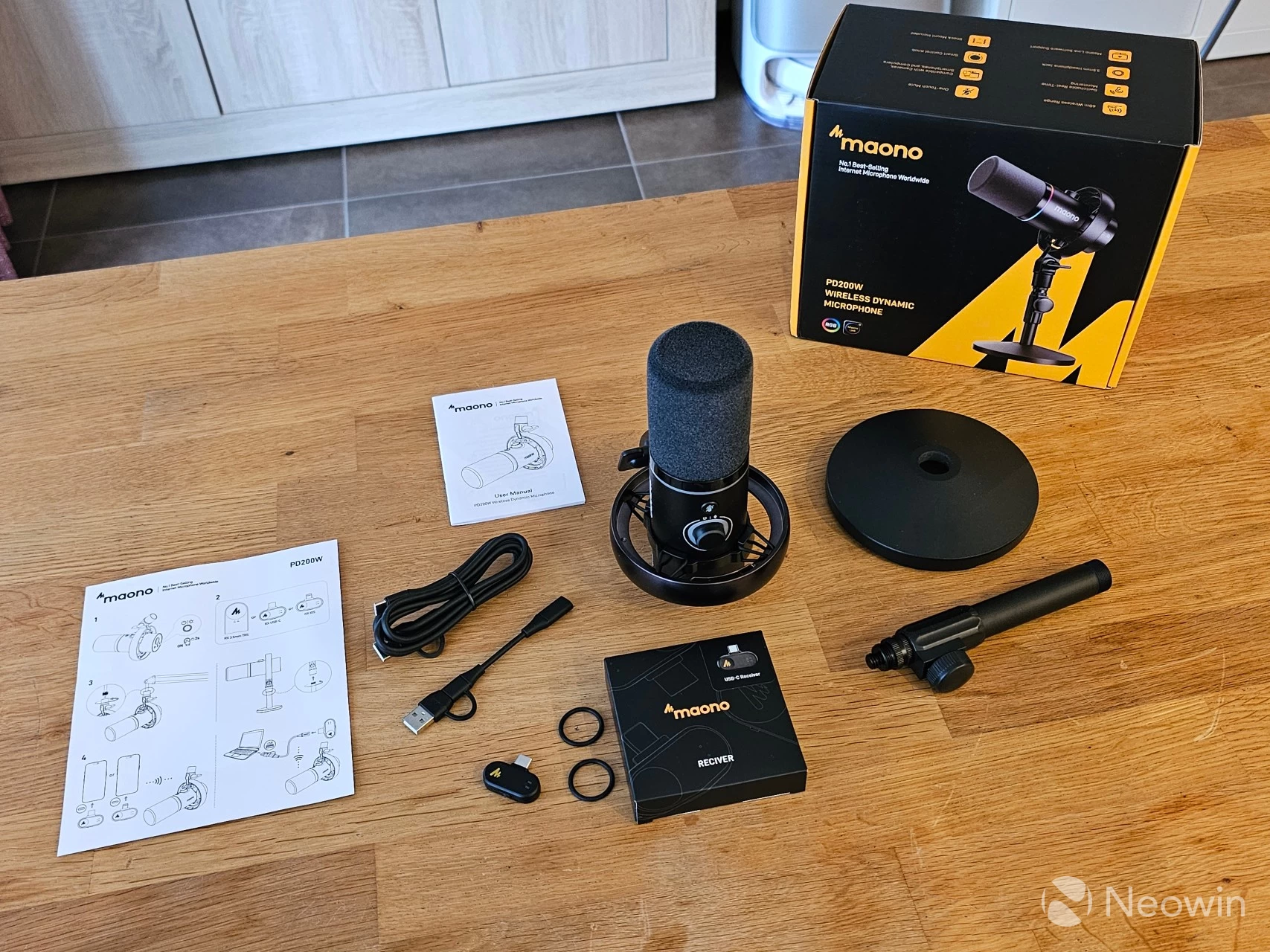
The environmentally friendly packaging contains no plastic. Instead, the microphone sits in a foam cushion, as do the accessories, with the relatively heavy stand placed in a foam cushion below that.
What"s in the box
- Wireless & USB & XLR Microphone
- Desktop Stand
- USB-C to USB-A&C Cable
- Type-C Receiver
- CR2032 battery (not all markets)
- Type-C Adapter Cable
- User Manual
Maono also has the user manual online in English, German, Italian, French, and Spanish.
Design
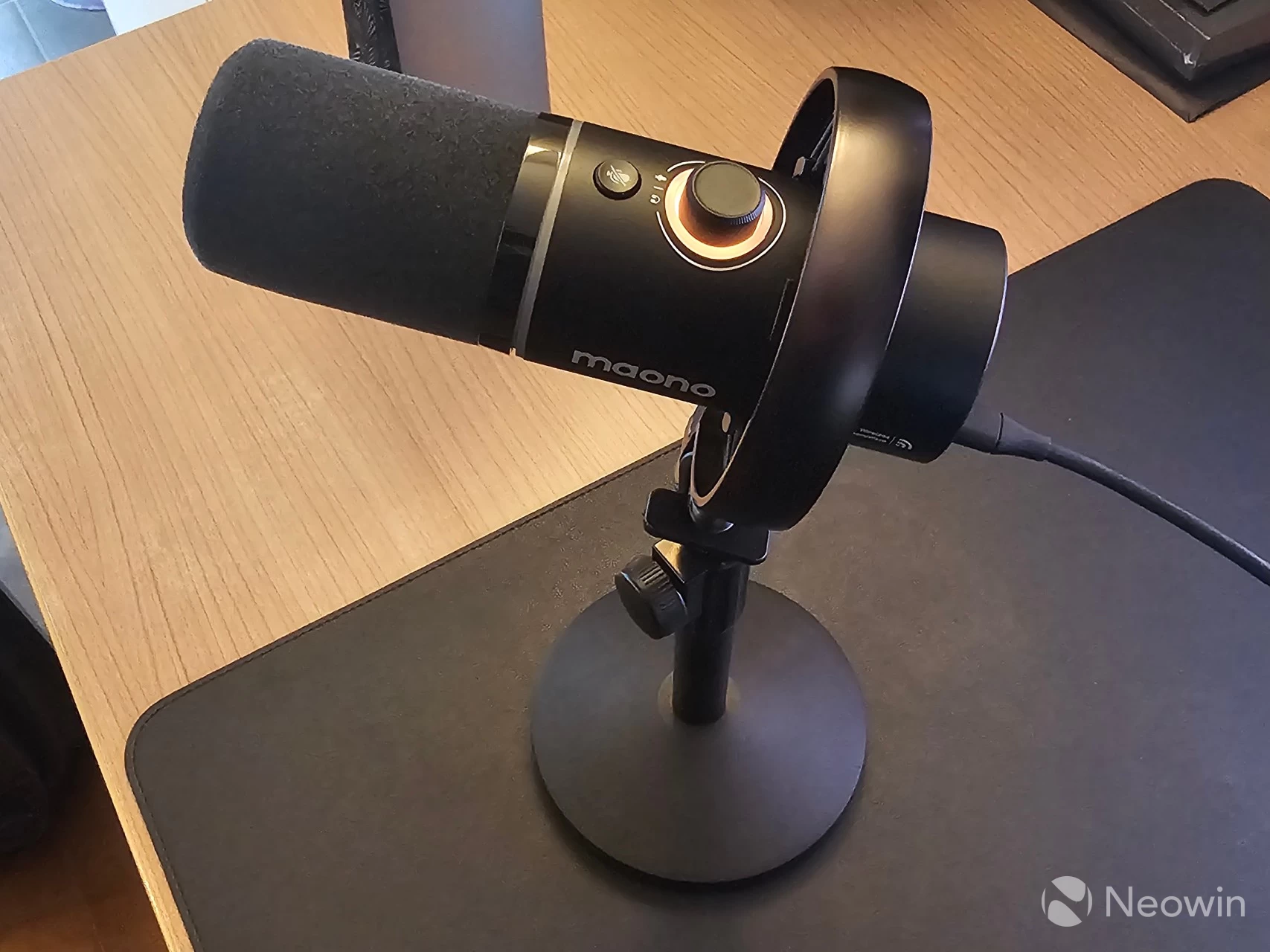
Once the pole is screwed into the Desktop stand, the microphone itself can be screwed onto the top of it through the stand adapter on the microphone, which sits inside a round shock mount with elastic bands (to counter any vibrations). The microphone itself has an aluminum casing and feels quite premium, along with its matte black finishing.
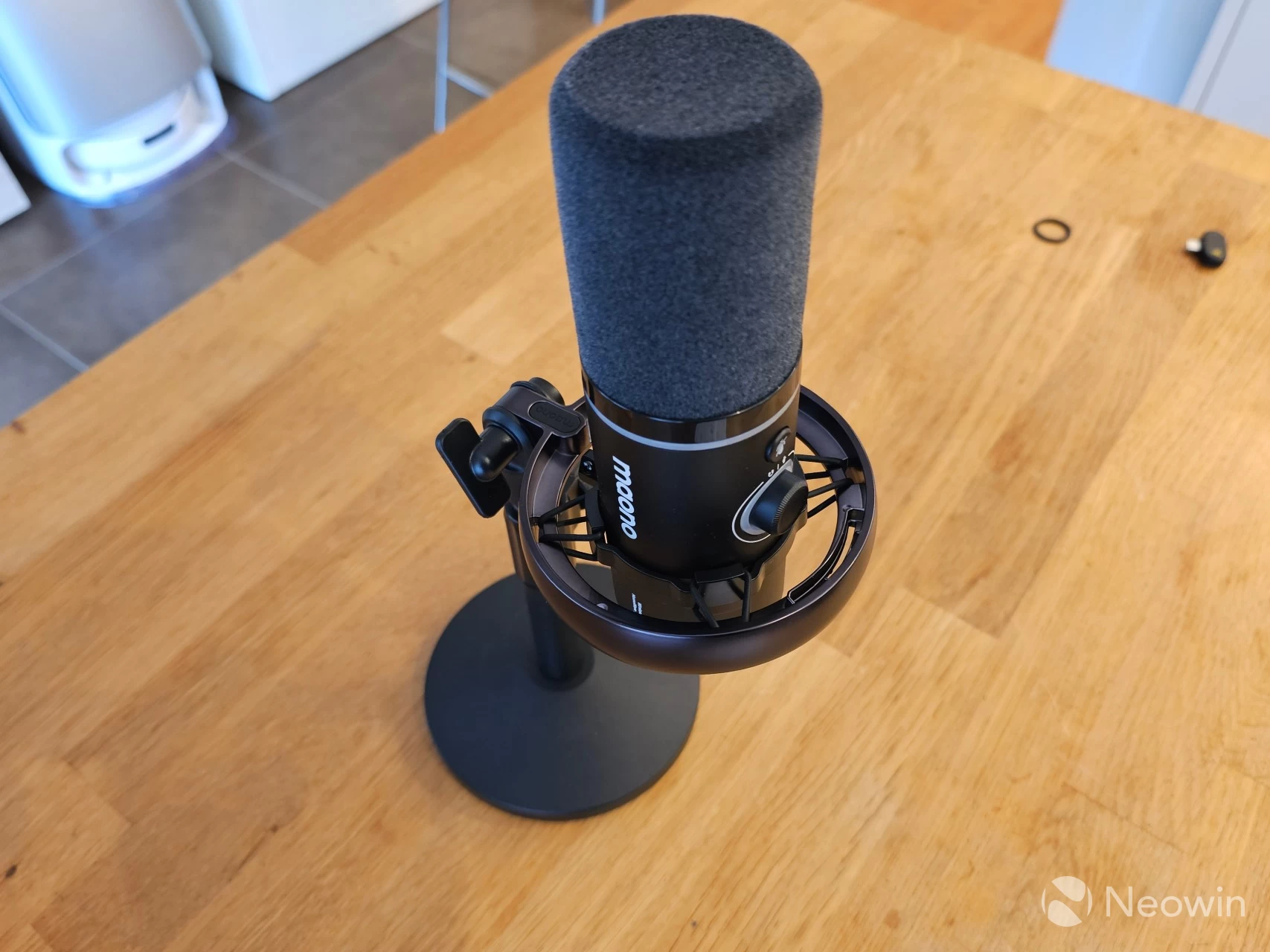
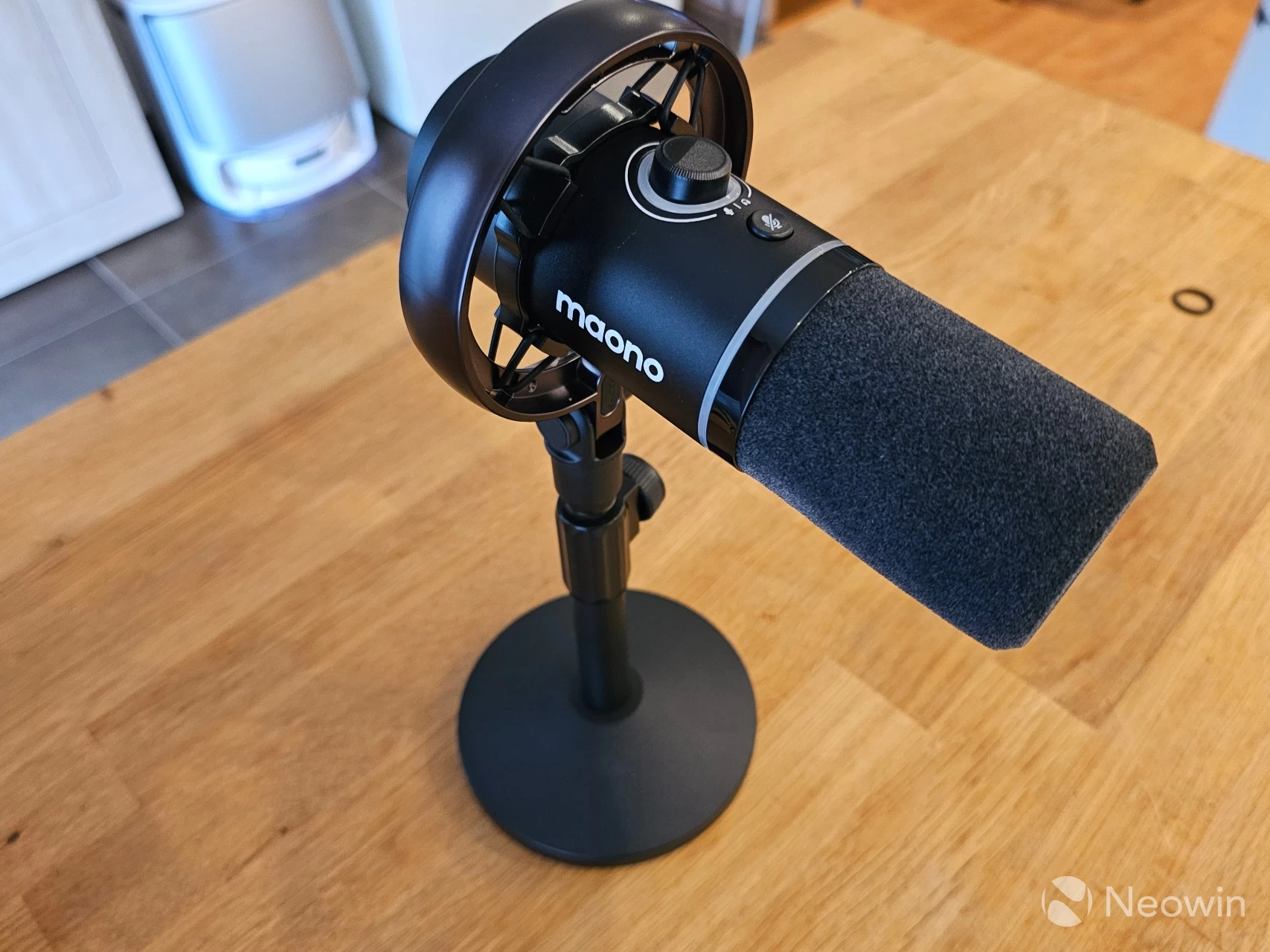
As you can see from the above photos, the mic can be positioned straight up or at any angle downward, with only the pole of the desktop stand restricting any further downward position.
Usage
First, I should talk about the features that I feel are worth mentioning, straight from the website!
- One-touch mute button
- Programmable RGB lighting (hey, some people like it)
- 50m wireless range
- All-metal body
Yes, Maono claims up to 60 meters of wireless range in the specifications, but this was a maximum they were able to test with a "line-of-sight" setup. The 50-meter claim should cover you in most setups.
The mic is plug-and-play in Windows, but you can also control much more through the Maono Link desktop and smartphone apps. Interestingly, before you can download it, you are warned that the app throws up "false positives" in anti-virus software:
NOTICE: Official Statement and Solutions Regarding False Positives of Maono Link by Certain Security Software
Once installed, the program itself is pretty basic and quite easy to use.
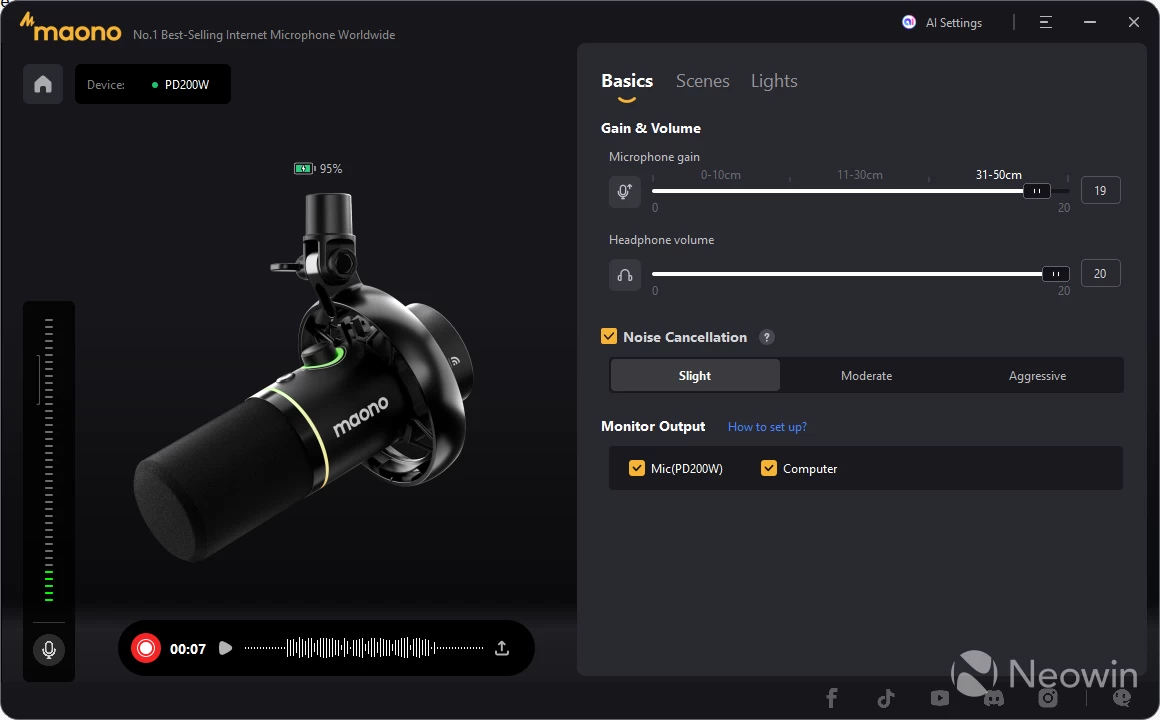
Basics
This page allows you to record yourself and save the audio files as .wav so you can test the different functions. On the right, you can set the Gain volume, Headphones volume, and Noise Cancellation levels, as well as the output through the PD200W headphone port, and/or PC. Seeing as you can"t hear yourself here unless you plug in some headphones, a bit of calibration through this method is a good idea.
| Scenes (Equalizer) | Lights (RGB) |
|---|---|
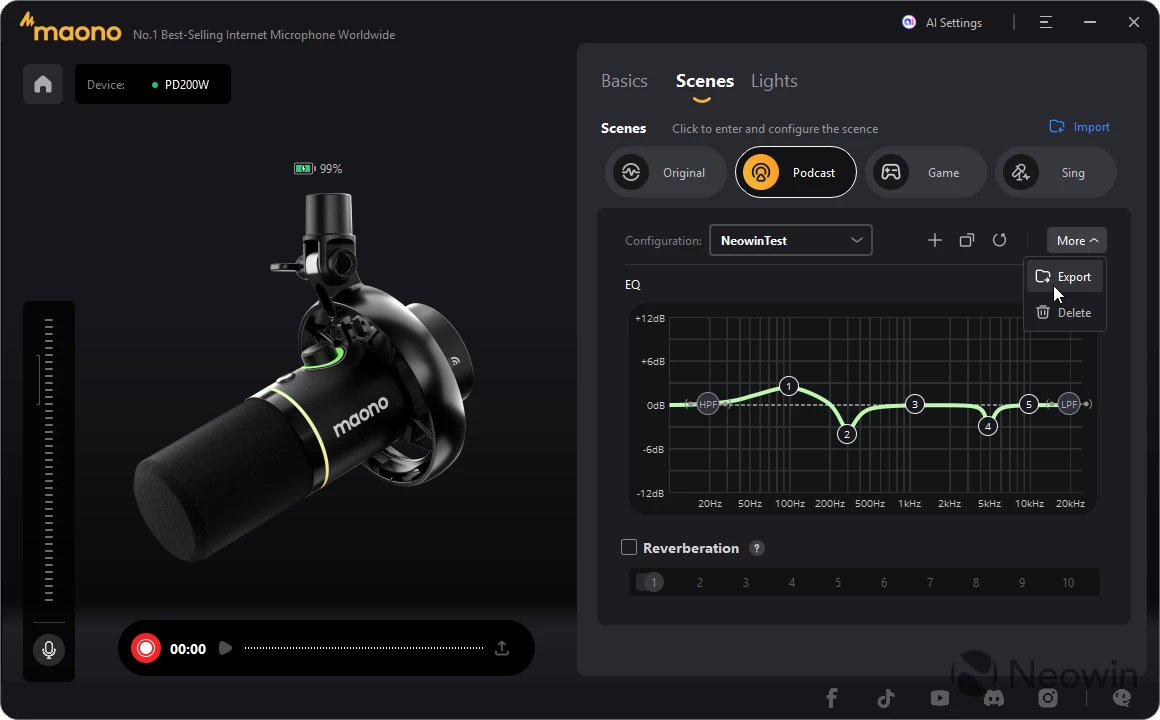
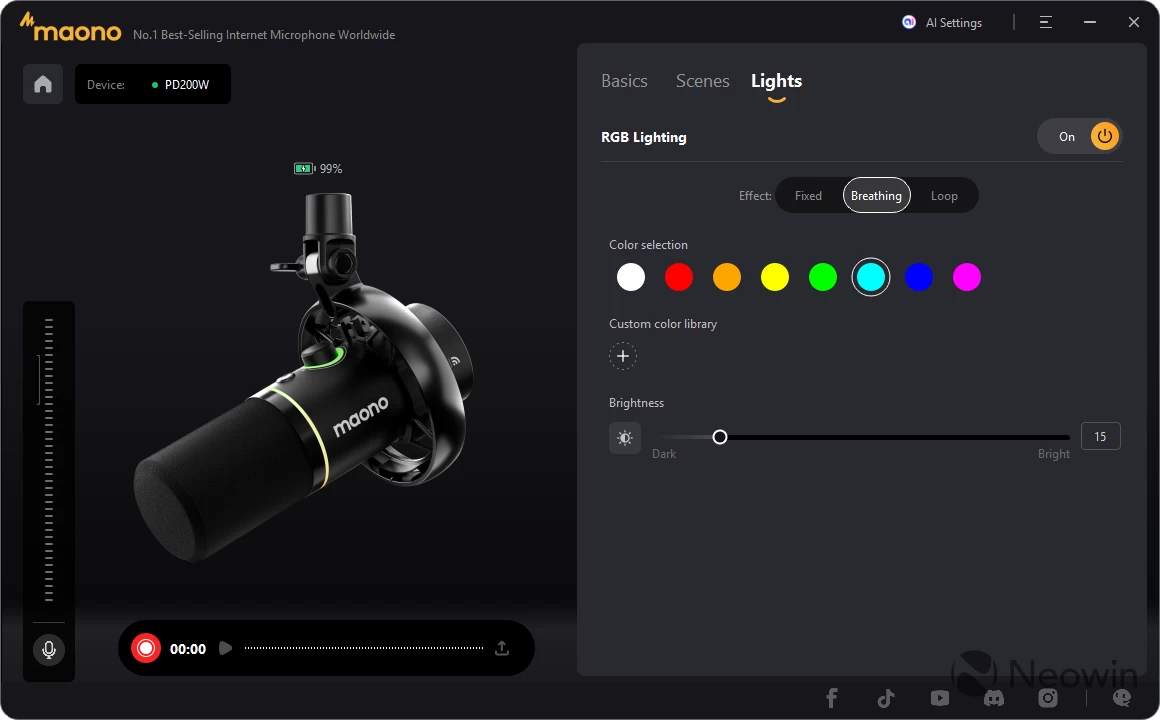
Scenes
The next page is basically an equalizer, allowing you to set some default profiles like Podcast, Game, Sing, or the default Original. There"s also a graphical equalizer below that so you can further fine-tune the profiles, custom ones of which can be saved and exported/imported. So you might have a profile for outside recording, and a different one for inside. Handy...
Lights
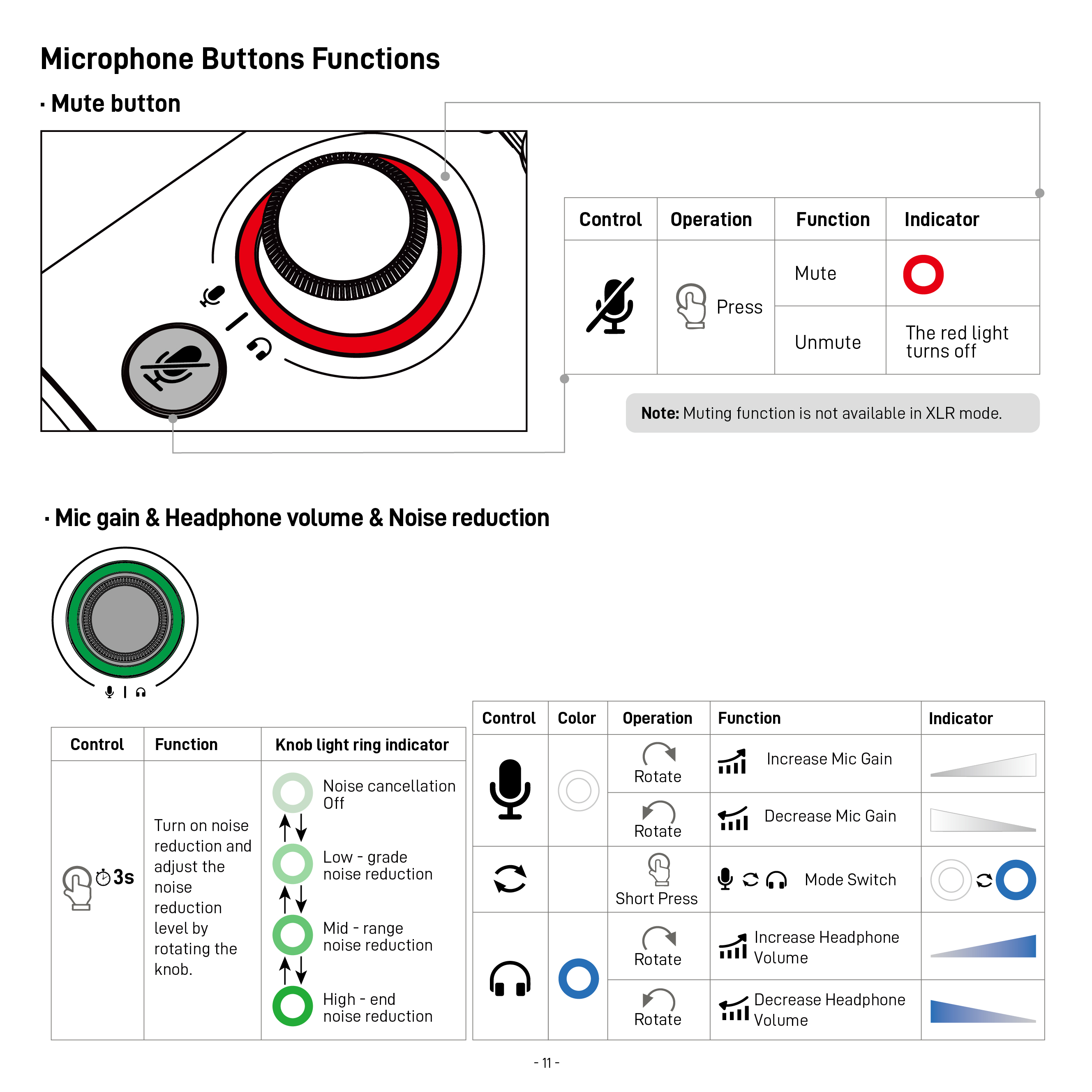
Finally there"s another page which is basically all the RGB settings, for those that hate RGB it can all be turned off except for the knob on the mic which also acts as an indicator for charging, various levels of gain, and volume. The RGB ring around the mic"s base will flash red (the knob"s light indicator too) if the PD200W is muted, though.
The knob on the PD200W is a bit frustrating, though, because it does not have a proper min and max setting for gain control; it just turns forever, so this means you will have better results controlling the gain through the app instead.
Although the user manual does indicate that levels of gain are visually indicated by the knob"s ring light, which turns from a dim light blue color into a stronger light blue depending on the min to max gain. Upon pressing the knob, the knob"s ring will turn solid blue, and headphone volume can be managed, and this also goes from dim to strongly lit.
Mobile app
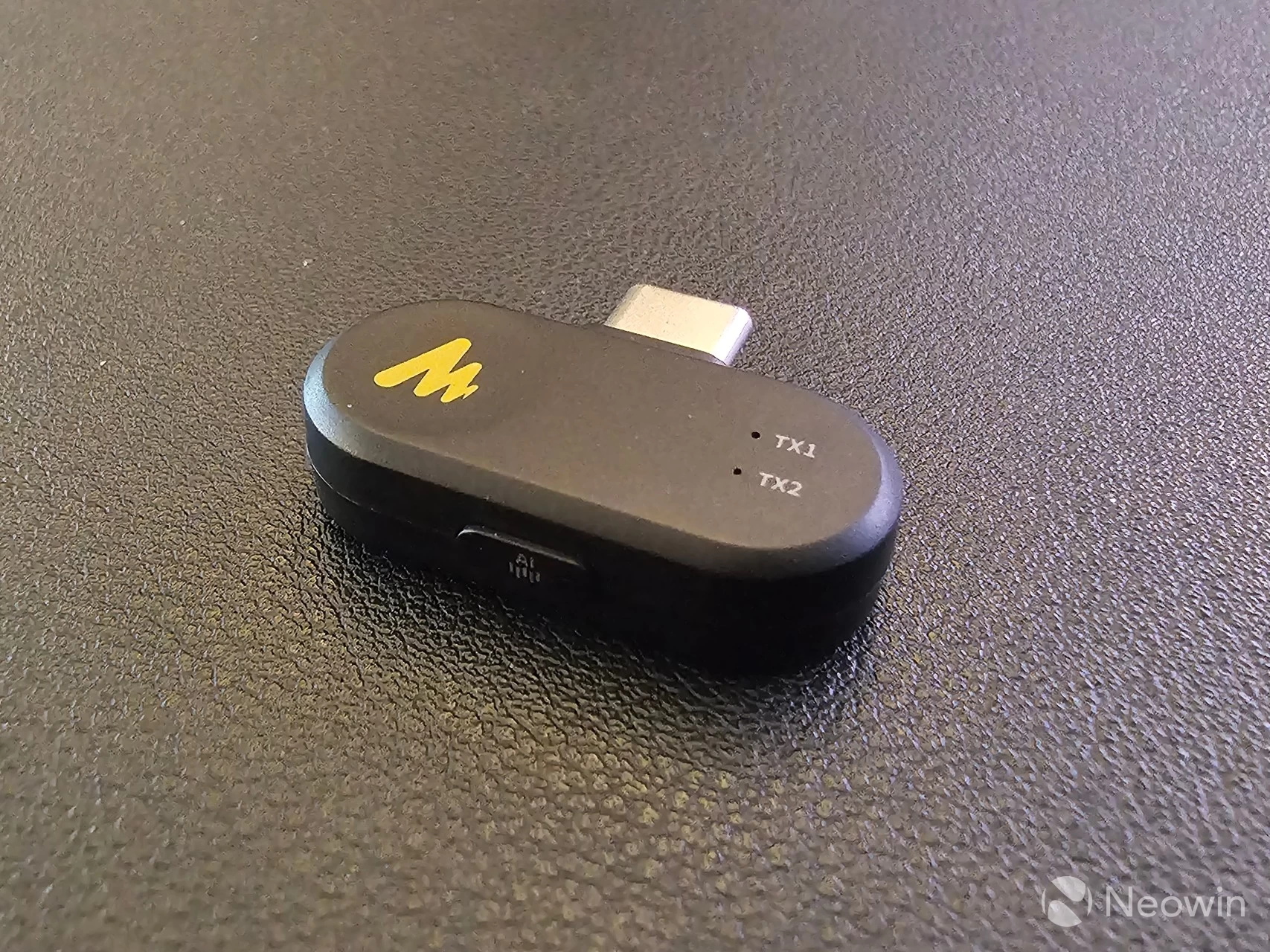
There"s also a receiver to connect the PD200W wireless to a phone with a USB Type-C port.
| Maono Link permission | Start page (devices) |
|---|---|
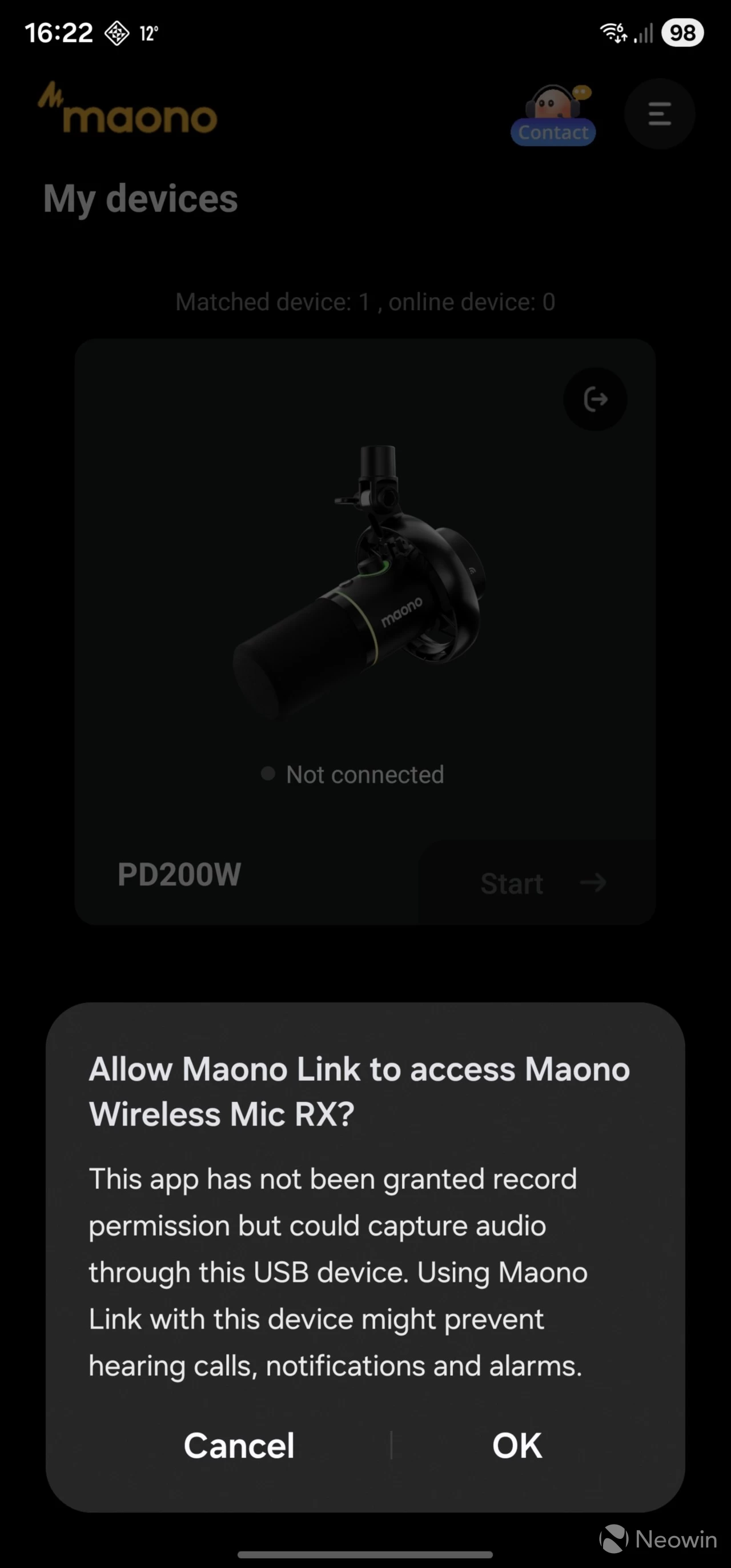
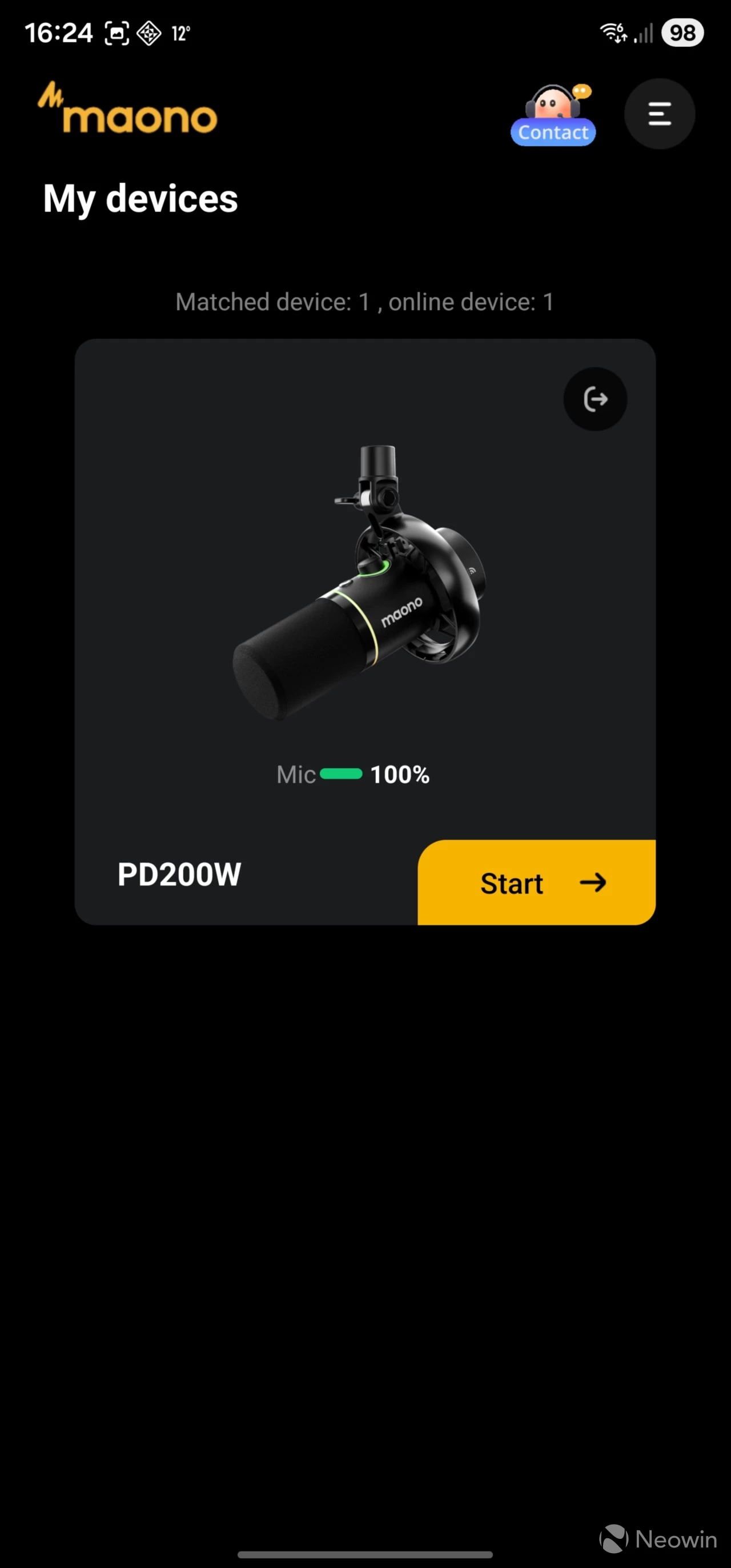
Upon connecting the receiver and then starting the Maono Link app, it asks every time if you want to give it permission to access the "Maono Wireless Mic RX." After you give it permission, you are then transported to the Devices start page, where you can click through the Start button to manage the PD200W.
| Management page | Firmware details |
|---|---|
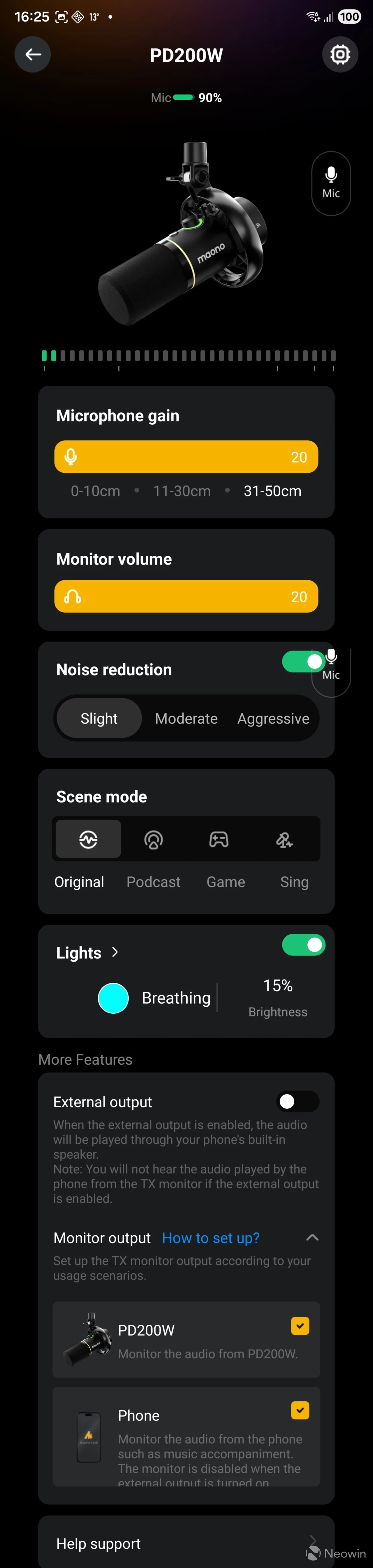
The management page looks similar to the desktop app; however, it is not possible to make any recordings here, which was a bit of a shame. I guess you would have to use dedicated apps for that and give access to the PD200W. The device details, such as the current firmware level, can be viewed through the settings cog on the top right of the management page.
Power
The mic automatically powers up when connected through the USB cable, and can be turned off by holding down the power button on the base of the PD200W for three seconds. In the Off state, holding the power button for 2 seconds turns it back on.
Both the desktop and mobile apps show the (2600mAh) battery level; however, this is not indicated on the mic itself aside from an orange ring when it is charging through the USB lead. The instructions manual indicates that it turns off when fully charged and connected through the USB cable; however, that light turns green instead when the mic is powered off and connected via USB to indicate it is fully charged. The mic is supposed to offer up to 60 hours of battery life, which is not too shoddy.
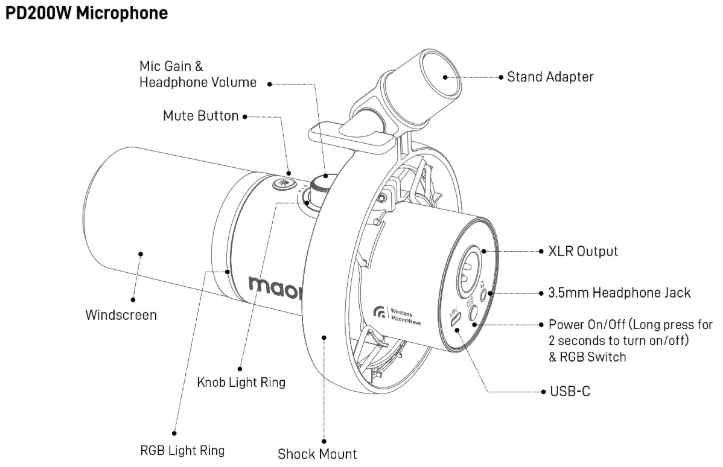
Full instructions on button use can be found here
Practical use
I did a few voice recording tests, which will show why Neowin isn"t an influencer channel on YouTube. My voice is not for the radio.
- Microphone test speaking from 31cm distance, gain set to 31cm, AI noise reduction off:
- Microphone test, speaking directly into it, AI noise reduction off:
- Microphone test speaking from 31cm distance, gain set to 31cm, AI noise reduction on:
- Microphone test, speaking directly into it, AI noise reduction on:
Google Meet
In addition, I had a Google Meet session with an advertiser on Tuesday, December 9, and I asked for feedback about the audio quality with the PD200W positioned about 25 cm (10 inches) away and a bit to the left. According to my Google Meet host, the audio was clear, and there were no dropouts or anomalies.
I normally use my Brio 4K Stream for Google Meet/online meetings, and I never get comments that I am difficult to understand, or that the speech is garbled, the Brio is positioned on top of my Evnia 49M2C8900 at a distance of around 80 cm (31.5-inches).
Conclusion
Giving a verdict is tough because it is my first ever microphone hands-on; I don"t really have a comparison. I never thought once about the mic in my Logitech Brio 4K Stream Edition unless people say they can"t hear me, and only then do I dive into the settings in Windows. However, I will share what I like and didn"t like about the PD200W.
What I liked:
- Premium feeling all-metal build;
- Sturdy and heavy stand;
- RGB lighting is not overwhelming and can be managed/disabled;
- The desktop app is very easy to use and allows you to record voice clips;
- The U.S. discount price is a really great deal at $45 off.
What I didn"t like:
- The knob on the mic turns forever (no min and max);
- The lighting to indicate volume or gain appears to have a delay, and is not clear;
- It"s not possible to record voice clips via the mobile app.
Where to buy
The Maono PD200W is currently discounted by 35% on Amazon U.S. Unfortunately, it doesn"t look like it is discounted in other regions, but I have added the pricing.
- Maono PD200W Hybrid Microphone for $84.99 (was $129.99) on Amazon U.S.
- Maono PD200W Hybrid Microphone for $158.19 on Amazon CA
- Maono PD200W Hybrid Microphone for £129.99 on Amazon U.K.
- Maono PD200W Hybrid Microphone for €149.99 on Amazon DE
As an Amazon Associate, I earn from qualifying purchases.