GNOME 50 landed about two weeks ago with several new features, including Wayland becoming the default, significant performance improvements across the desktop, and a much-improved Nautilus file manager featuring faster thumbnailing and search.
But alongside the improvements came a pretty significant change. GNOME 50 no longer supports accessing Google Drive files via the Nautilus sidebar. The reason for this, according to developer Emmanuele Bassi, traces back to a decaying library called libgdata. This particular piece of code was the communication bridge between GNOME apps and Google"s servers, but it has not seen active maintenance for nearly four years.
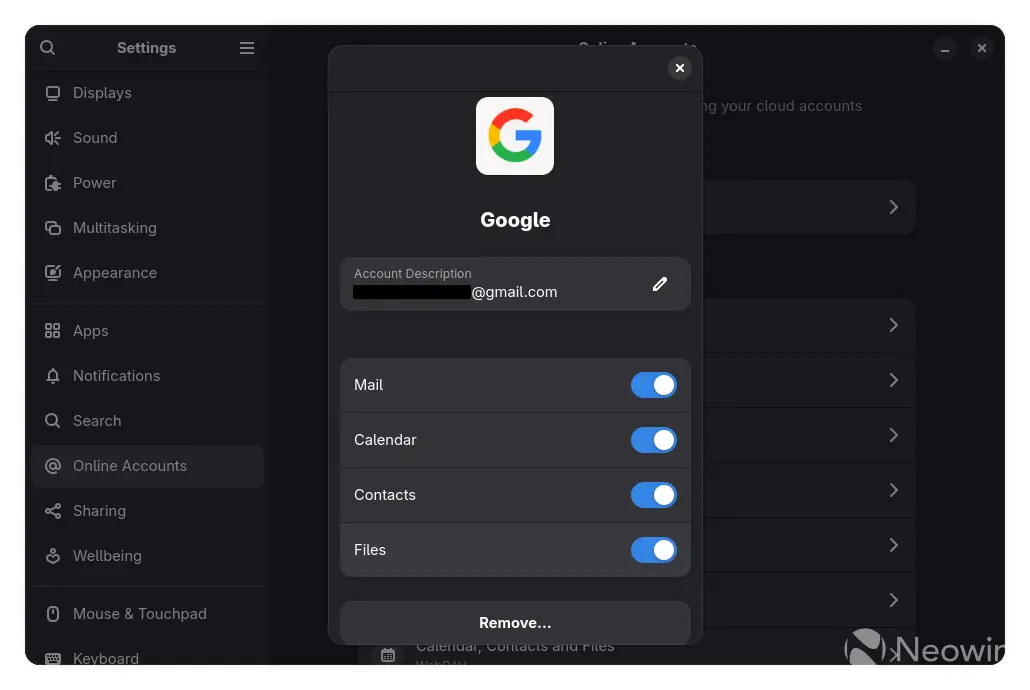
Bassi also mentioned that GVfs, the virtual file system that handles remote storage like Google Drive, disabled its dependency on libgdata about ten months ago as a result of libgdata relying on libsoup2, an equally unmaintained and insecure networking library that GNOME developers had already abandoned for libsoup3 years ago.
As OMG! Ubuntu notes, older builds of Ubuntu 26.04 development versions still show the "Files" toggle in Online Accounts, but attempting to open Google Drive in Nautilus resulted in an "Unable to access [email address]" error.
If you (like me) were a heavy user of the feature, the only real alternatives include using Google Drive"s official web client, which works fine in any browser, or trying something like rclone. This tool can mount Google Drive as a local filesystem and is available in most Linux distribution repositories, though it requires a bit of manual setup outside of the standard Online Accounts interface. Users of older GNOME versions, like those found in Ubuntu 24.04 LTS, will find the integration still functioning, as the removal only impacts GNOME 50 and beyond.
The Nautilus Google Drive integration now joins a long list of features no longer available on GNOME. Going back to GNOME 3.0, the team famously killed the traditional desktop metaphor, removing desktop icons, the taskbar, and even standard minimize or maximize buttons.
Later iterations saw the removal of the general system tray, consolidated application menus, and several popular Nautilus features like dual pane mode and type-ahead search. GNOME 40 swapped out vertical workspaces for horizontal ones.