Eye contact is a pretty big deal for those who often make video calls, and because we do not have webcams in the middle of our screen, we usually appear looking elsewhere during video calls as we try to look at the person on the screen (or ourselves), not directly into the camera. To make video calls more natural, Microsoft, Apple, and other companies implemented their own software-based eye contact-correction systems, but these can never properly replace the real, physical eye contact. The makers of the iContact Pro 4K offer a different approach—just place a webcam in the middle of your screen (sort of).
The iContact Pro 4K is probably the most bizarre webcam I have ever used. At first glance, it appears like a typical webcam: a black plastic brick, but with the camera sticking from the right side instead of being fixed in the middle. How is that supposed to correct eye contact, you may ask. Here is the answer: push the camera, and it swings down on a thin stem in an attempt to position the sensor closer to your eye level. Pretty wild.
The retractable arm or stem is 107 mm or 4.2 inches long, and it is spring-loaded, so that it can snap to the working or resting position with no need for precise adjustments. The mechanism also works as a privacy cut-off. When you move the arm up, the camera disconnects entirely, to the point of not showing in Windows Settings (there is a white LED that turns on when the camera is in active use). This is not as good as having a physical privacy shutter, so you will have to trust the iContact Pro 4K with its ability to cut off the mics and camera. Interestingly, iContact would gladly sell you a dedicated camera cover for $8. The fact that this plastic thingy is not included with the $189 camera feels like a joke.
It was a bit disappointing to see the camera turning its microphones off when "closed," because this forces you to "open" it when you only want to use the microphones. During a few weeks with this webcam, I trained myself to ignore it during calls, but keeping it on the screen all the time was way too distracting.
Having to swing the arm every time you want to use the camera or the mics also raises the question of longevity. While the camera overall is well-made and does not feel cheap, the arm is thin, and it feels quite fragile. I did not find any claims on how many twists the hinge can withstand, but you don"t have to be a genius to understand that sooner or later, it will inevitably break. This could have been easily solved by allowing the use of the camera in the "closed" mode for scenarios when you do not really care how you look. Of course, at this point, one could just buy a regular webcam, but it"s still something I feel like is important to mention.
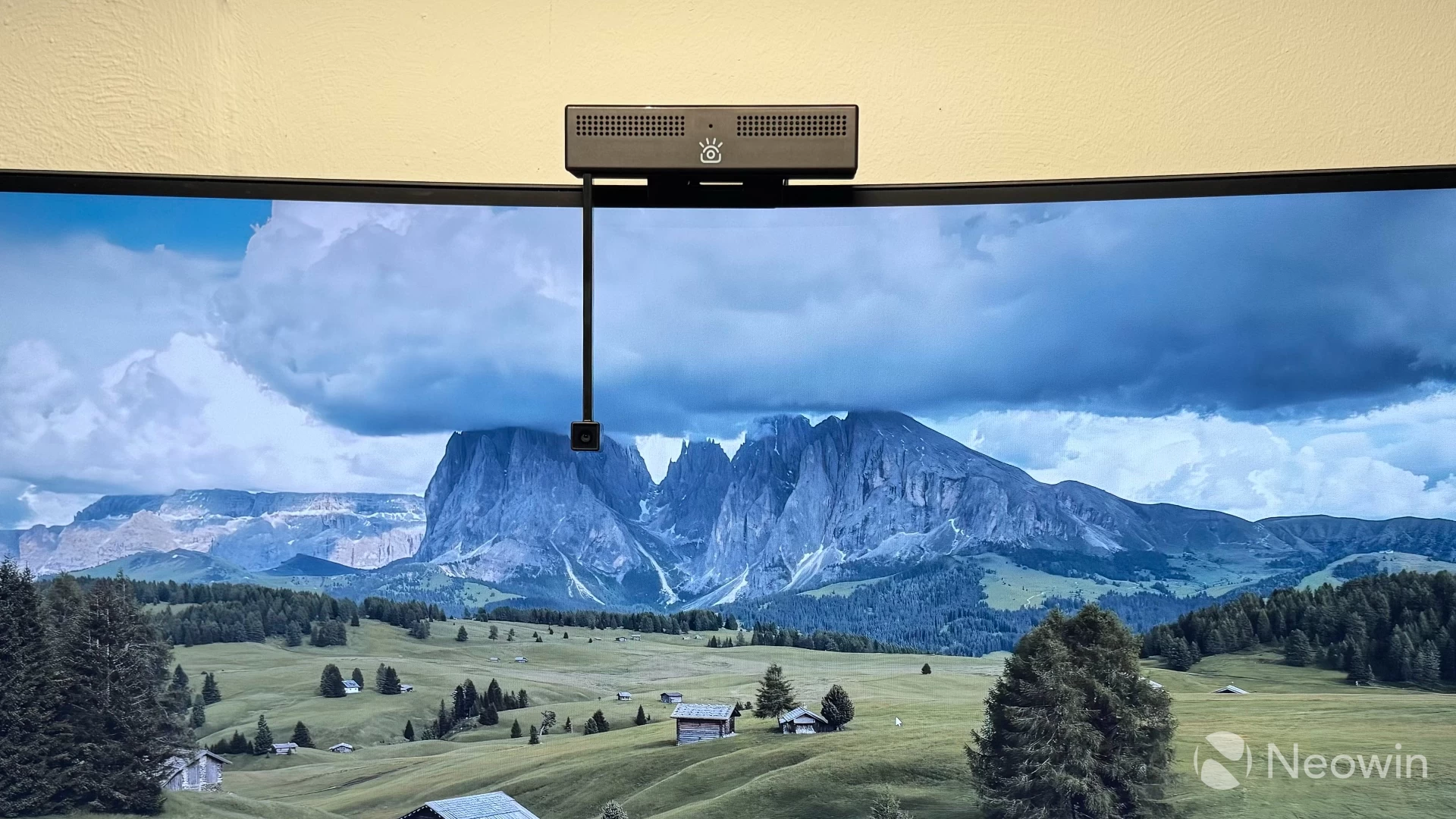
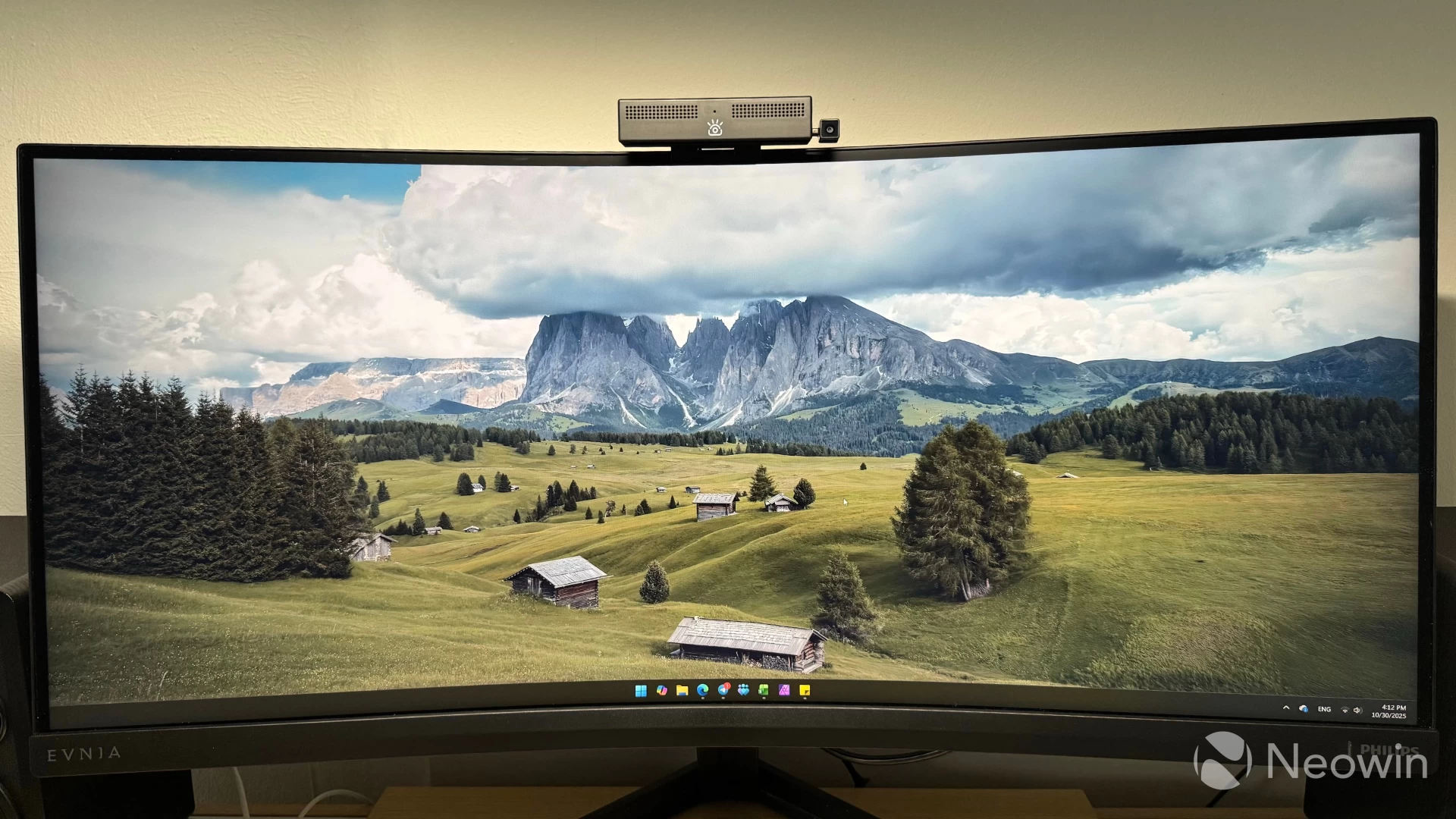
Does this concept fix the eye contact problem? Yes, it does. At first, the arm looks too small to make any difference, but in reality, 4.2 inches is enough to make you look more natural during a call, especially when you align the video call app window. However, even without fiddling around with windows, the arm places the camera at your eye level, which is already plenty enough for a much more natural look, especially if you often have to glance at the screen during calls.
If you are like me and you tend to look at yourself during video calls, the iContact Pro 4K won"t save you from gazing at your screen"s corner, but again, a proper window placement will take care of the problem. The iContact Pro 4K is also a good option if you need to read from a teleprompter when recording a video. Here is what iContact itself says about its product:
"The iContact Camera™ Pro aligns the person you’re speaking with to bring the authenticity of in-person interactions to virtual meetings—enhancing trust, engagement, and memory retention through natural eye contact. Its compact, retractable design and plug-and-play setup make it effortless to use, ensuring you’re ready for every call instantly."
By the way, the company has an entire whitepaper on why it is important to maintain eye contact during video calls and what practical benefits it gives you.
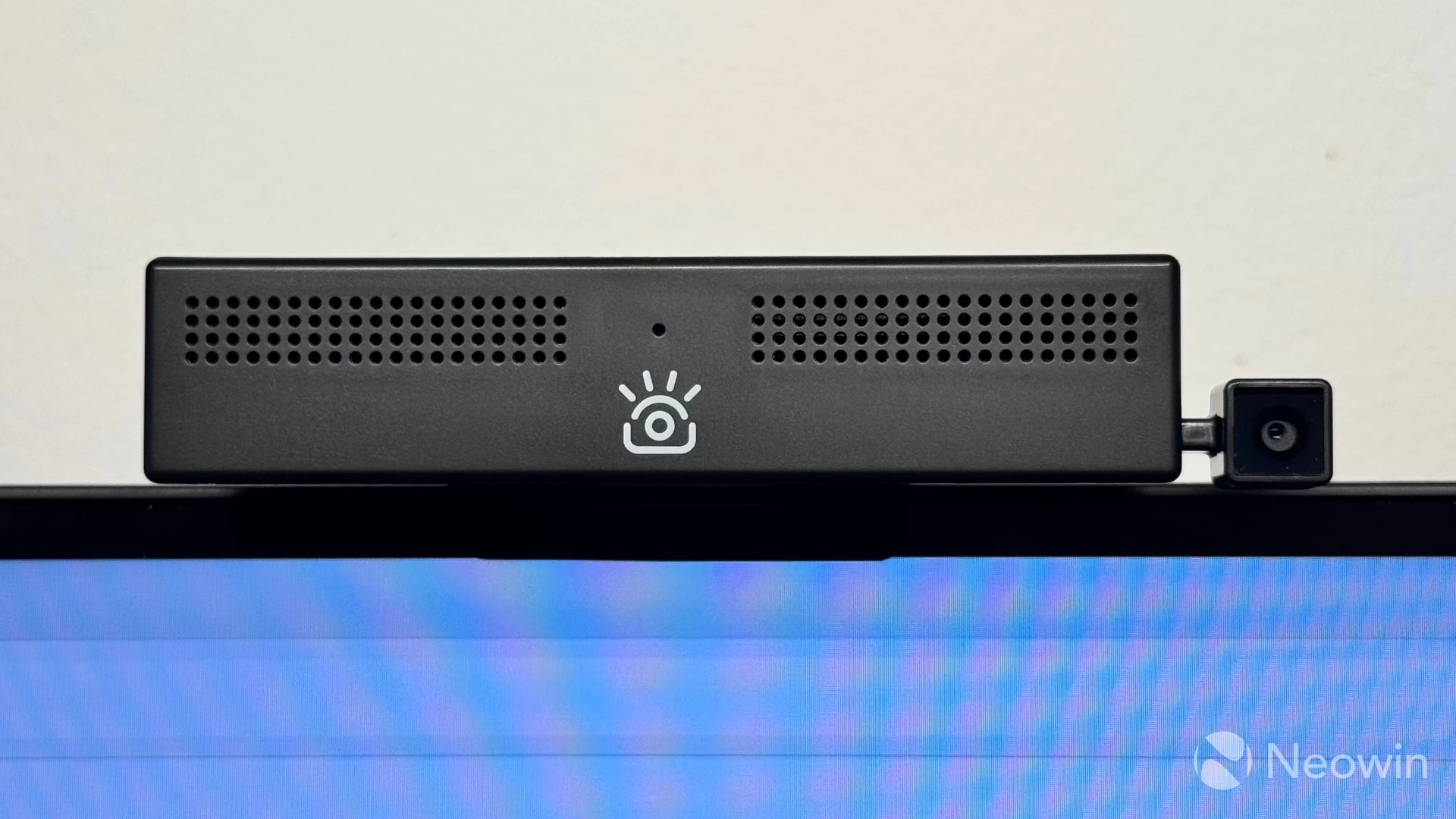
As for the image quality itself, I can say that the iContact Pro 4K is a pretty good webcam, given that developers had to make it as small as possible to minimize distraction when in use. The place where I currently live is pretty dim (the constantly overcast late autumn skies are not helping either), so I am willing to give it some slack.
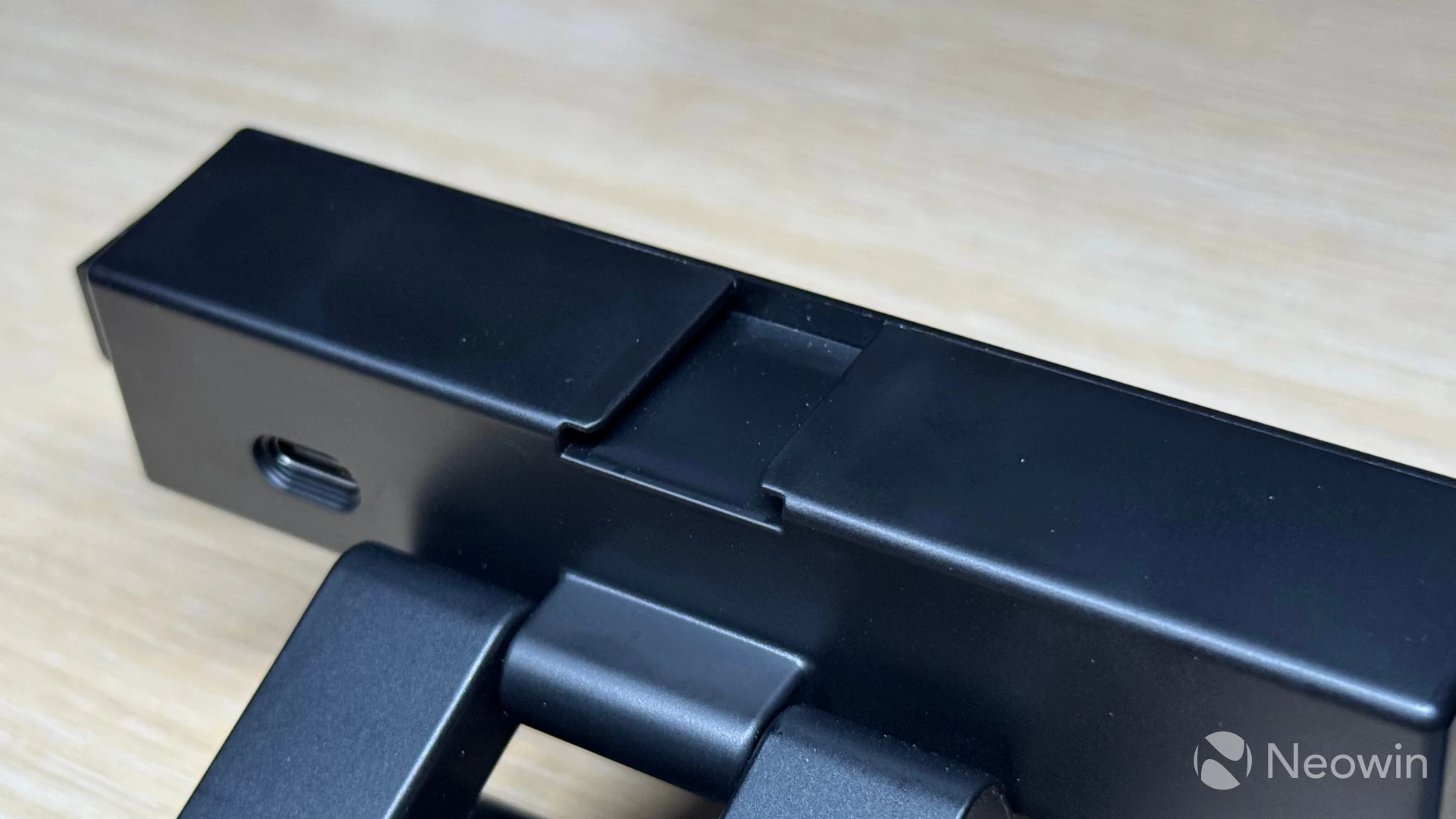
Still, I consider its performance pretty good. Also, you can mitigate the problem with dim environments by purchasing a dedicated light panel. The camera has a place to secure it, which looks like a standard "hot shoe" mount commonly found in digital cameras. Plus, you can tweak the image with a few sliders in the Windows Settings app. The latter lets you adjust zoom, brightness, contrast, sharpness, and saturation.
Here are some video and photo samples (beware of heavy Eastern European accent):
And here is what eye contact looks like (normal, "regular webcam," and when looking at myself during calls):



For reference, here is the spec sheet:
| Image Sensor | 13MP Sony IMX258 |
|---|---|
| Supported Resolution | 4K 30 FPS, 1080P 60 FPS, 720P 60 FPS |
| Field of View | 65-degree with 2x digital zoom |
| Auto focus | Closed-loop auto focus with manual focus support, automatic light correction |
| Audio | Dual beamforming mics with noise-reduction capabilities |
| In the box | The camera with a universal mount, a USB-C 2.0 cable, a USB-C to USB-A adaptor (mine arrived without one), and a quick start guide. |
Finally, let"s talk about software and its quirks. The camera app for Windows and macOS (no love for Linux) has a lot of useful settings, but most of them have zero effect on the image you get in apps like Zoom, Teams, etc. For example, background blur works great in the Camera Control app, but no matter what I tried, I just could not make it work in any third-party application. The same goes for text overlay, microphone settings, etc. I can confidently say that at this point, the app is borderline broken, and it needs some serious work. After installing it from the official website, I received an update. Still, it did not fix any of the issues I encountered, which is a shame, considering that there are plenty of actually useful features and tweaks.
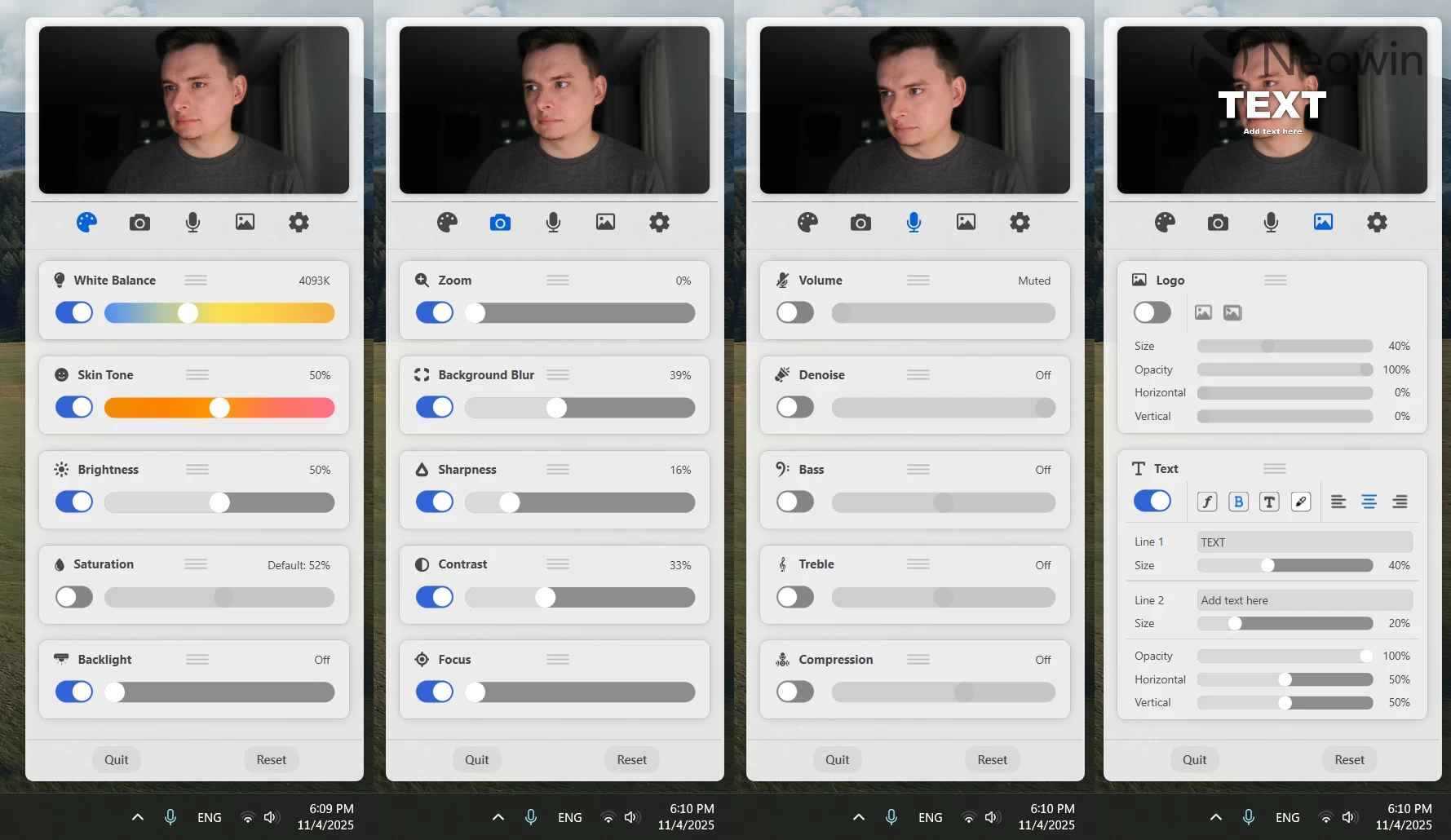
However, the most annoying bug is when opening the app, it resets the microphone level to just 15% in Windows Settings, even though it is set to 100% in the app itself. This nearly mutes the camera, making it impossible for other people to hear me during a call. The only way to fix the audio problem was to uninstall the app altogether and set the microphone volume in the Windows Settings app. I assume this is a software-only bug, so I hope developers will be able to fix it in a future update.
The iContact Pro 4K Camera costs $189, which is on the rather expensive side of the spectrum. Still, it makes up for that with good image quality, good stereo mics, and, most importantly, a working, albeit quirky, fix for eye contact, if that, of course, is important for you. However, I only recommend going for it if you really care what you look like on video calls. For everyone else, a regular camera will be a more reasonable choice, especially when you factor in Windows 11"s capability to apply Windows Studio Effects to external cameras on systems with compatible NPUs, which are only about to be more common.
Disclaimer: iContact provided the review sample without any editorial input or pre-approvals.
As an Amazon Associate, we earn from qualifying purchases.