Google is making it easier for users to migrate from Dropbox to Google Drive using its new Data Migration Service, which supports copying files, folders, and even their associated permissions. This comes just over a year after the company launched a similar feature for migrating files from OneDrive to Google Drive.
Before you can run a migration, there are a couple of things you need to know. First, this whole operation has to be performed by a super administrator in the Google Admin console.
You are also limited to migrating data for 100 Dropbox users and team folders at a time, so larger organizations will have to run the process in batches. Google also makes it clear that this is a productivity tool, not a legal one, and that companies are responsible for their own compliance needs, so you should back up anything required for legal holds before you start.
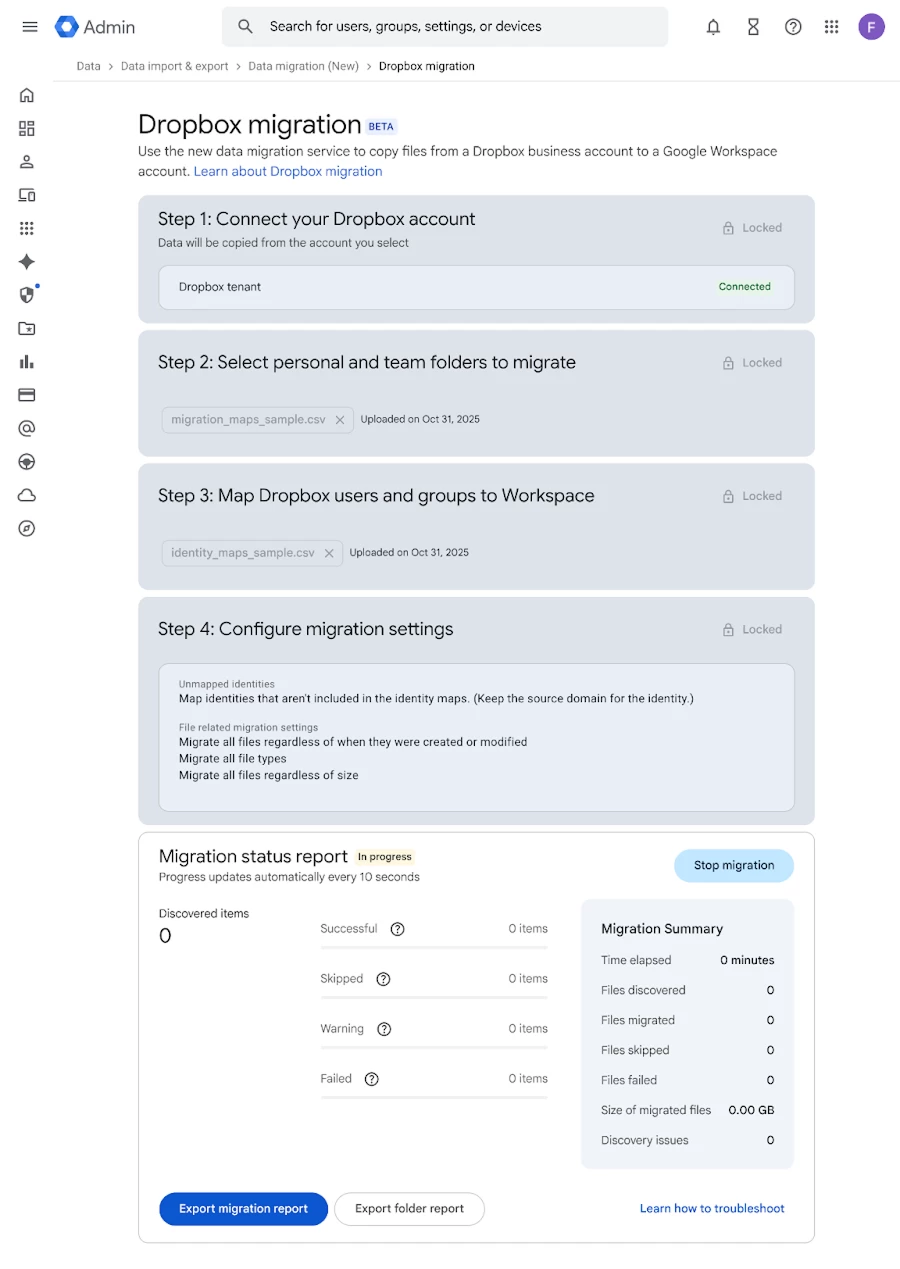
To copy data using the new service, an administrator must first navigate through the Google Admin console to Menu > Data > Data Import & Export> Data Migration (New). From there, you connect to the Dropbox Business account using a Team Administrator"s credentials.
The core of the process relies on mapping out the migration using a bunch of CSV files. You create one file to specify which Dropbox folders to copy and another to map user identities from Dropbox to Google Workspace.
When you are setting up those CSV files, make sure you get the columns right. The folder mapping file requires a column for the Source DropboxValue, which will contain the email address for a user"s personal folder or the folder path for a team folder.
You will also need a Target Drive FolderID to specify which shared drive a team folder migrates to, and a Target GUser column with a Workspace email address to assign ownership. The separate identity map CSV is simpler, connecting source Dropbox user emails to destination Workspace emails.
This feature is available to the following Google Workspace subscribers:: Business Starter, Standard, and Plus; Enterprise Starter, Standard, and Plus; Essentials Starter, Enterprise Essentials, and Enterprise Essentials Plus; Education Fundamentals, Standard, and Plus; and Nonprofits. The feature may take up to 15 days from the announcement for it to appear in all admin consoles.