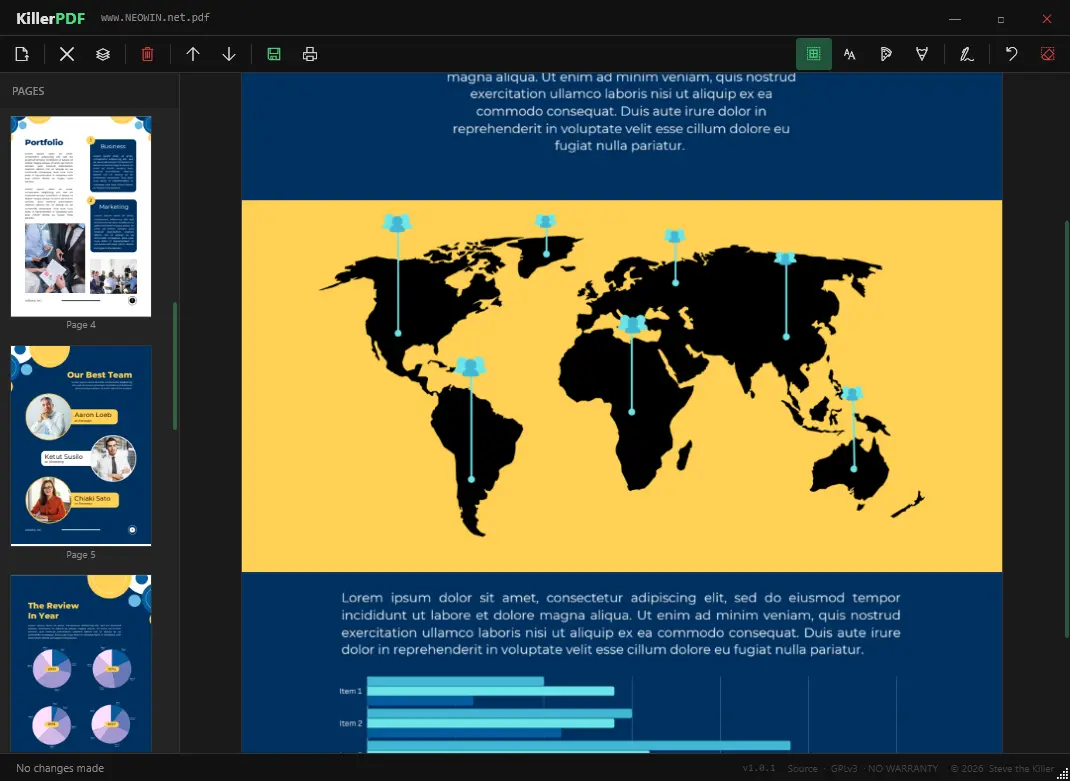
KillerPDF is a lightweight, portable PDF editor for Windows built for users who want full control without subscriptions, installers, or telemetry. It runs as a single executable, making it ideal for USB use and field work. You can view PDFs with smooth PDFium rendering, navigate quickly with thumbnails, zoom, and shortcuts, and reorganize pages using drag-and-drop. It supports merging multiple PDFs, splitting documents, and extracting selected pages.
KillerPDF also allows inline text editing with font matching to preserve the original layout, plus annotations like text boxes, freehand drawing, highlights, and reusable signatures. You can search full text, copy content easily, and print documents with flattened annotations.
Designed as a free and open alternative to bloated PDF tools, it works fully offline on Windows 10/11 x64. No runtimes install. Everything needed is inside the EXE (targets .NET Framework 4.8, which ships with every supported Windows release).
KillerPDF key features:
- High-quality PDF rendering via PDFium
- Edit PDF text inline (double-click to modify text)
- Page thumbnails and fast navigation with zoom and shortcuts
- Merge multiple PDFs into one
- Split PDFs and extract selected pages
- Drag-and-drop page reordering
- Font matching to preserve original document appearance
- Text boxes for notes
- Freehand drawing tools
- Highlight overlays with adjustable color, size, opacity
- Undo actions and clear per-page annotations
- Create, draw, and save reusable signatures
- Click-to-place signatures anywhere
- Full-text search with highlighted results
- Drag-select or Ctrl+A to copy text
- Print with annotations flattened
- Portable single-file app (~10 MB)
- No installer, no admin rights required
- No account, no telemetry
KillerPDF 1.3.0 changelog:
New features
- Image signatures - import a PNG, JPG, or BMP as a reusable signature instead of drawing one. Stored alongside drawn signatures and flattens into the PDF on save.
- Close File (Ctrl+W) - close the current document without quitting the app. Prompts if there are unsaved changes.
- Unsaved-changes protection - the title bar marks dirty files with * and prompts before closing or opening a new file if edits haven"t been saved.
- Full-document Find - Ctrl+F search now scans the entire PDF and cycles through all matches, not just the current page.
- Zoom presets - dropdown in the toolbar with quick presets (50%, 75%, 100%, 125%, 150%, 200%). Scroll-wheel zoom also syncs the box, including non-preset levels.
Fixes
- Scrolling past the bottom of a page now advances to the next page; scrolling past the top goes back.
- Dropping a PDF onto the window after a file is already open now works correctly.
- Owner-password-protected PDFs now open correctly (previously only user-password was handled).
- Dragging the title bar while the window is maximized now correctly restores and moves the window.
- Delete confirmation now reads "Delete 1 page?" or "Delete 2 pages?" instead of "Delete N page(s)?".
- Signature delete button showed a rectangle glyph instead of an X.
Polish
- All dialog boxes (confirmations, prompts, errors) are now fully dark-themed via a custom dialog window.
- Create Signature dialog has a proper dark custom chrome title bar with a red X close button.
- Button hover states and page thumbnail hover in the sidebar are now green instead of the default Windows blue.
- Toolbar icons overhauled: Open Folder, Close File, Move Up, Move Down, Extract Pages, and Merge PDFs all use cleaner glyphs.
KillerPDF 1.3.1 fixes:
- Print fails with "No application is associated with the specified file for this action" on systems where Edge is the default PDF handler. Now uses WPF-native rendering and PrintDialog instead of the shell print verb.
- Zoom dropdown selected value showed in blue instead of green.
KillerPDF 1.3.2 fixes:
- Windows Program Compatibility Assistant popup on first launch (added app manifest with Win10/11 compatibility declaration).
- Default PDF viewer prompt now skips if KillerPDF is already the default handler.
- Default PDF viewer prompt now uses the dark KillerDialog instead of a native Windows message box.
Download: KillerPDF 1.3.2 | 6.0 MB (Open Source)
Link: KillerPDF Home Page | Github | Screenshot