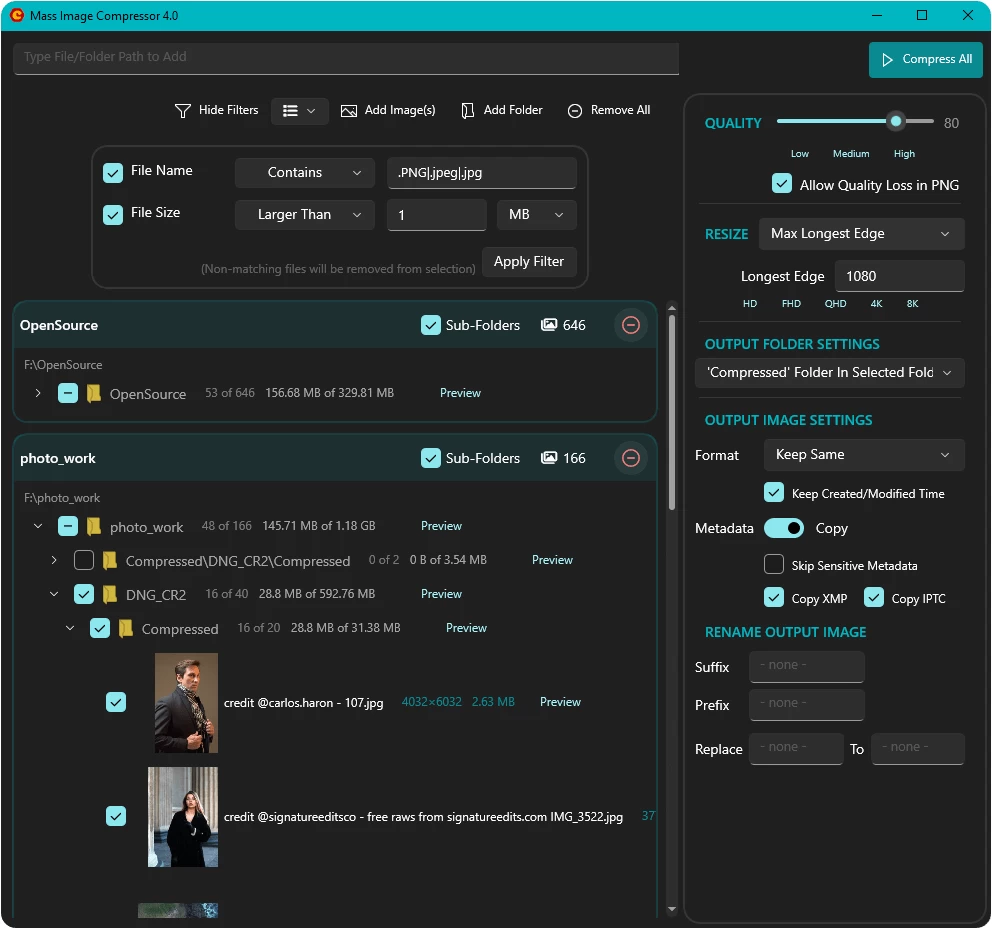
Mass Image Compressor is a fast and easy-to-use Windows app that helps you compress, resize, and convert large sets of images quickly.
The tool supports various formats including JPEG, PNG, WebP, AVIF, and GIF (including animated images), and offers precise control over output quality, image dimensions, and file naming schemes. You can reduce file sizes while keeping good quality, change image dimensions, and rename files in batches.
Users can filter or preserve metadata such as EXIF, IPTC, and XMP—including selectively removing GPS or serial number information. With features like drag-and-drop, Explorer integration, multiple output folder options, and lossless optimization tools like OxiPNG and pngquant, Mass Image Compressor is ideal for photographers, designers, and developers.
Features
- Compress multiple folders and files in one go (including optional subfolders)
- Seamless Windows Explorer integration via the "Send To" menu
- Advanced metadata copy settings (EXIF, XMP, IPTC) with filtering (e.g., strip GPS, serial numbers)
- Full support for Animated Images (GIF, PNG, WebP)
- Output to modern formats like WebP and AVIF
- Regex filters for filenames and size-based exclusions
- Suffix/Prefix options and filename text replacement for output files
- Powerful Preview UI with pixel-level image comparison (CTRL + T)
- Robust and faster RAW image support
- Multiple flexible output destination modes:
- Replace original files
- Output to specific folder
- Store next to original with suffix/prefix
- Inside a Compressed subfolder
Flexible resizing:
- By percentage
- Long edge, fixed width/height
- Frame-based for print or responsive image sets (1x/2x/3x)
Mass Image Compressor 4.2.0 release notes:
- Up to 8x faster file scanning when loading large folders. Improves multi-core efficiency.
- Skip if Compressed: avoids re-writing files that already exist at the output location.
- Smarter filters UI: explicit glob (.jpg|.png) and regex modes, no more “Apply Filter” button, and a clear “filter summary” indicator.
- Broader format support + safer preview (skip images that can’t be viewed/compressed) and dependency updates.
Stability Improvements
- Skip showing corrupt images in preview. [crash prevention]
- Installer cleans older version before installing new one. Cached settings like window size and previous compression settings are untouched.
- VC Runtime issue resolved.
- Other minor stability improvements in UI.
Download: Mass Image Compressor 4.2.0 | 97.1 MB (Open Source)
Download: Mass Image Compressor Portable | 131.0 MB
View: Mass Image Compressor Home Page | Github | Screenshot