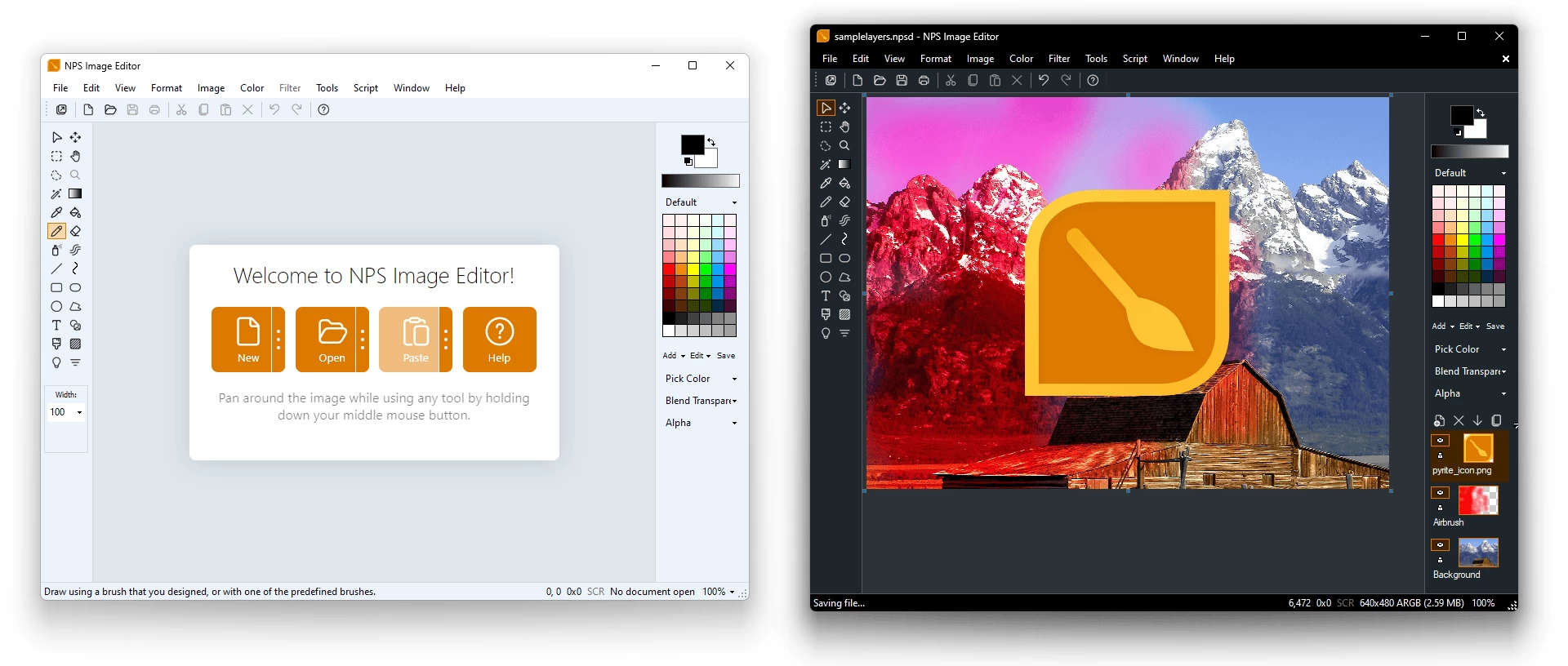
NPS Image Editor is a multi-layer image editing program for Windows that is perfect for pixel art, screenshots, drawing, and light photo editing. It also includes a standalone color picker tool for web development! NPS Image Editor and Color Picker is a unique image editing application that is perfect for pixel art and photo editing.
NPS Image Editor provides you with the familiar simplicity of Microsoft Paint while offering far more functionality, including support for transparency, filters, custom brush shapes, and more. It"s optimized for pixel art and simple image edits. The color picker can be used on its own to manipulate colors and easily copy/paste them into other programs.
NPS Image Editor requires Windows 10 or newer with .NET Desktop Runtime 8 and WebView2 Runtime, both installed automatically if missing. Version 4.1 adds native ARM64 support on Windows 11, while Windows 10 on ARM may still work but isn’t officially tested.
Why choose NPS Image Editor?
- Familiar yet powerful – classic Paint-like design with pro-level tools
- Layers & blending – full support for masks, transparency, and 33 blend modes
- Filters & effects – nearly 50 built-in options plus custom filter support
- Animation-ready – edit GIFs and spritesheets with frame control
- Pro color tools – advanced picker, multiple color spaces, and dynamic palettes
- Creative toolbox – shapes, gradients, clone stamp, brushes, text, and more
- Pixel & game art friendly – tiled editing, offset, ripple delete, and alpha control
- Customizable workspace – grids, zoom, palettes, and personalized workflow
NPS Image Editor – key features:
- Familiar, Paint-like interface with advanced editing power
- Multi-layer editing with blending modes and masks
- Nearly 50 built-in filters and effects, plus custom filters
- Animation support for GIFs with frame-by-frame control
- Spritesheet import/export for game development
- Screenshot and pixel-art friendly tools (tile, offset, ripple delete)
- Customizable workspace with grids, zoom, and swatches
- Full 8-bit alpha transparency and keyed transparency
- Advanced color picker (standalone, multi-monitor support)
- Multiple color spaces: RGB, HSV, HSL, HWB, Lab, HCL, XYZ, CMYK, YUV
- Saved color palettes and harmonies (triadic, grayscale, web-safe, etc.)
- Color Resolution Engine (CRE) with dynamic expressions and formats
- Selection tools (rectangular, freeform, magic wand, inversion, cropping)
- Fill tools (bucket, multi-fill, tolerance, color cycling)
- Shape tools with Béziers, borders, and fills
- Text tool with fonts, wrapping, alignment, rotation, and transparency
- Gradient tool with free-angle placement
- Clone stamp for retouching and object removal
- Wide range of brushes: standard, custom, animated, airbrush, spraypaint, textured
NPS Image Editor 4.4.1.7573 release highlights:
Text Effects
- Added new text effects: Outline, Shadow, Glow, Sponge, Gradient
- Added text background effects: Solid, Rounded, Average Color, Blur
Scripting Improvements
- Introduced a brand-new script editor — build, edit, and run scripts instantly
- Removed Script Manager from the Script menu (still available via Component Manager)
- Added script looping: Repeat and ForEach Layer
- New Pop Art sample script included
Multi-Layer Usability
- New operations for multiple layers: show/hide/unlock all, center all, set all properties, reverse
- Added Merge to Average
- Added Import/Export Layers to Folder
- Added background color in frame mode to distinguish alpha regions
- Disabled Flatten in frame mode
- Added option to apply filters to all layers
Miscellaneous Improvements
- Undo step queue for smoother small drawing operations on large images
- Input prompt:
- Ctrl+Enter – accept multi-line
- Ctrl+M – toggle single/multi-line
- Enhanced debugging tools for document state
- Transparent Color mode threshold set to 128 for consistency
- Fixed GIF saving when multiple transparent colors are present
- Added GC heap size info in System Information for better RAM tracking
- Updated tips
Bug Fixes
- Fixed multiple crashes and undo-related issues
- Improved Gradient tool, Bezier, and Rounded Rectangle tools
- Fixed layer property bugs and metadata loss on undo
- Corrected Merge Down, Flatten, and Transparent Color behavior
- Prevented invalid operations during animation playback
- Fixed Reverse Order crash and other animation timing bugs
- Improved palette handling, Indexed Color operations, and menu consistency
- Fixed update channel drift between builds [full release notes]
Download: NPS Image Editor 4.4.1.7573 | 8.8 MB (Freeware)
Download: NPS Image Editor Portable | 12.9 MB
View: NPS Image Editor Website | Screenshot