Microsoft has announced that basic plans in Microsoft Planner can now use custom backgrounds, generated by AI. The backgrounds are generated based on the name of your plans, helping you distinguish between them once you choose a background. This has been a hotly requested feature ever since Microsoft launched its new Planner app.
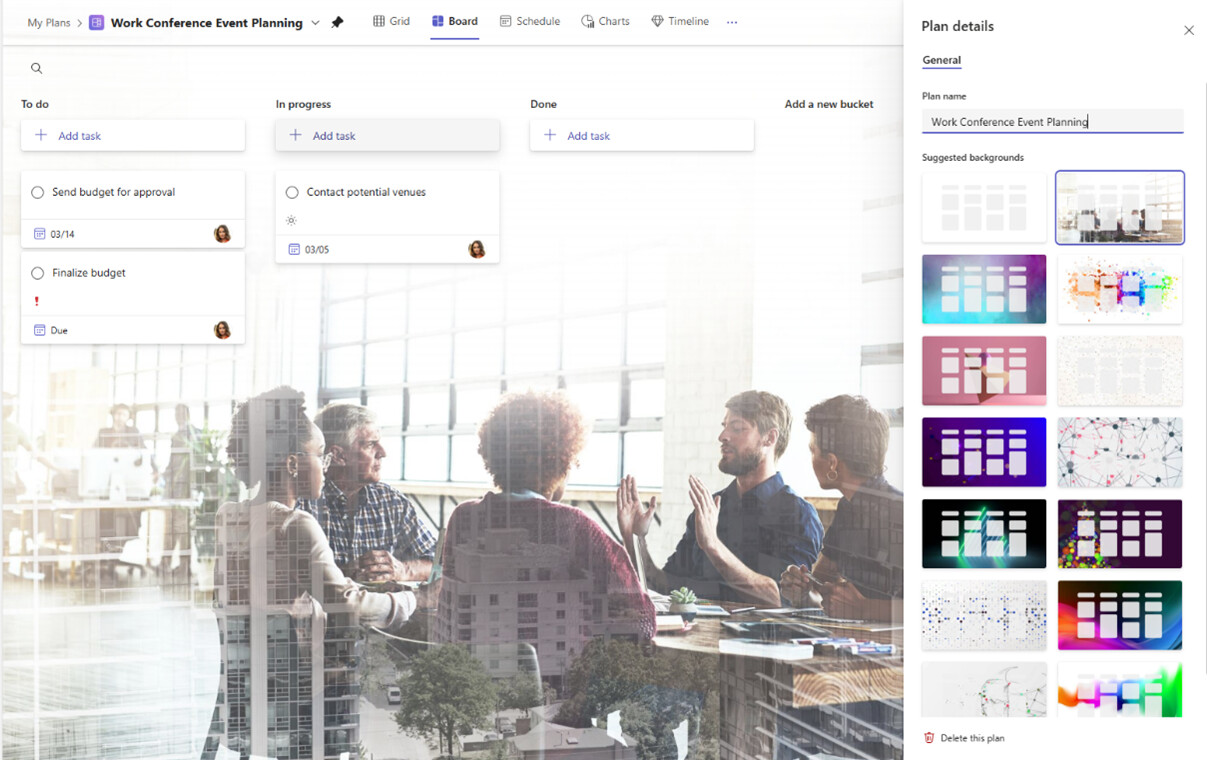
To get started adding a custom background, just follow these steps from Microsoft:
- Open the plan details of any basic plan by either selecting the plan name or the dropdown menu next to the plan name in the header.
- The Plan details pane will open to the right with suggested backgrounds tailored to your plan.
- Select the background you want to apply.
The Windows maker said that the new custom backgrounds are available in the Planner app in Microsoft Teams and Planner for the web. If you decide to give it a go, and run into any issues or have suggestions for improvements, press More (the question mark) in the upper right corner, then Feedback.
For anyone who hasn’t used it, Planner is a virtual task manager tool within the Microsoft 365 ecosystem. It allows teams to create, assign, and organize work. By using this tool, businesses can increase collaboration within their teams and better track task progress.