
Microsoft announced the long-awaited update for Planner. The new update is rolling out to users of basic plans in both Planner in Teams and Planner for the web. It refreshes the interface, introduces some new features, and sets the tone for Microsoft to integrate more things in the future.
One of the biggest additions is task chat, which replaces the old task comments interface with real-time discussions. Users can now chat about their projects, all with mentions, emojis, rich text formatting, and notifications. The chat feature is available to all users on Basic plans.
Another new feature is the Goals view. This one will, you guessed it, allow you to set objectives by connecting tasks to shared goals. In the Goals interface, you can assign specific tasks to it, set due dates, and change goals status. Goals view is available to users on Basic plans who also have a Planner premium license or Microsoft 365 Copilot subscription, so it’s not free for everyone.
Planner now looks like a modern app, thanks to the design refresh. The interface now looks cleaner than ever before, with significantly less visual clutter. Microsoft also promises faster performance.
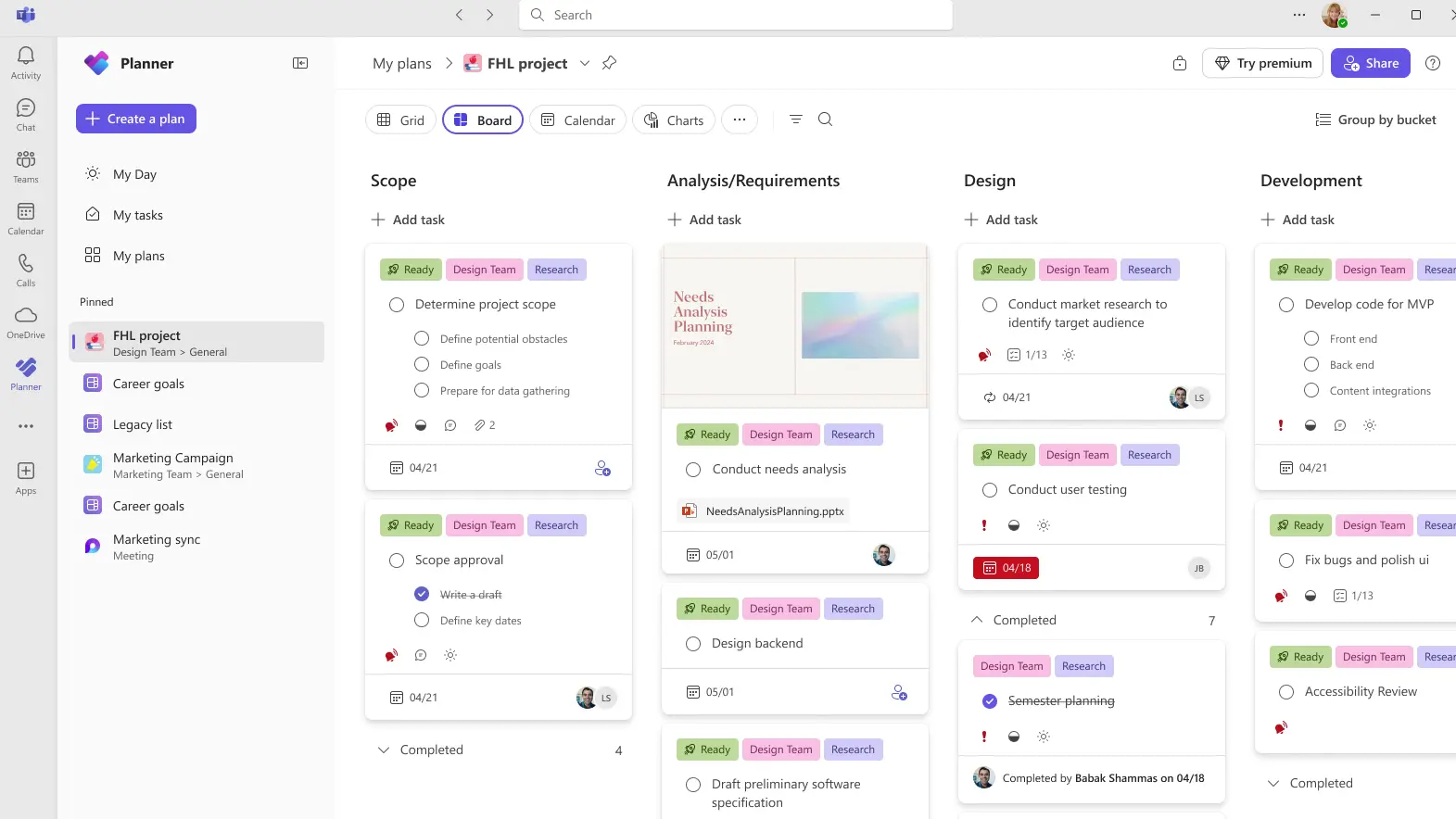
As initially reported, the new Planner update also removes some legacy features. For starters, iCalendar feeds are going away, which means your Planner tasks will no longer sync with Outlook, Google Calendar, or Apple Calendar. Additionally, the introduction of the chat feature also redesigns the comment system. Old comments are not visible on task cards anymore, and if you want to see them, you have to click a link that opens a separate Outlook page for the group mailbox.
The rollout is starting now and should reach all basic users over the coming weeks. Microsoft says this update prepares Planner for future updates, which will include the Project Manager agent, the AI assistant for Planner, currently in Public Preview. So, just like it does with every other service, Microsoft will also integrate more AI features into Planner.
You can check the full details about the new Planner update and Microsoft’s plans for the future of this service on the Planner Blog.
Update: Just minutes after publishing the article, we"ve come across the first complaints about the update. Namely, a few users of the Tech Community forums have pointed out that Planner now imposes a strict limit of just 36 characters on checklist items, down from 100, which was the previous limit:
Hello, I"ve noticed significant issues following today"s visual layout changes in Planner (rolled out around Feb 20, 2026). While the new UI looks refreshed, it seems to have introduced a stricter character limit on checklist items (subtasks) when using Power Automate, breaking existing flows.
Key details:
- Manual entry still works fine: I can create checklist items up to 100+ characters directly in the Planner UI without issues.
- Power Automate flows now fail: Any checklist item exceeding 36 characters triggers an error in the "Add a checklist item" or similar Planner connector actions. Previously, the limit was reliably 100 characters.
- Impact: This renders automations unusable for detailed subtasks, forcing manual workarounds or truncation - which defeats the purpose of automation.
We still don"t know if this is just a glitch that was shipped with the new update, or if the new limit on checklist items characters is intentional. We"ll update the article with a potential workaround or further details once we know more.