While Windows 11"s File Explorer is pretty good at handling various archives these days, thanks to more format support, dedicated apps like WinRAR or 7-Zip are still much better in terms of features and performance. NanaZIP, a popular fork of 7-Zip, is a great app for working with compressed files, and with the latest preview update, it became even better.
NanaZIP 6 Preview is now available for download, and with it, developers implemented more XAML-based UI parts. In other words, the app now features more native Windows 11 elements. The latest additions include a reworked address bar, status bar, properties and information dialogs, and a new progress dialog.
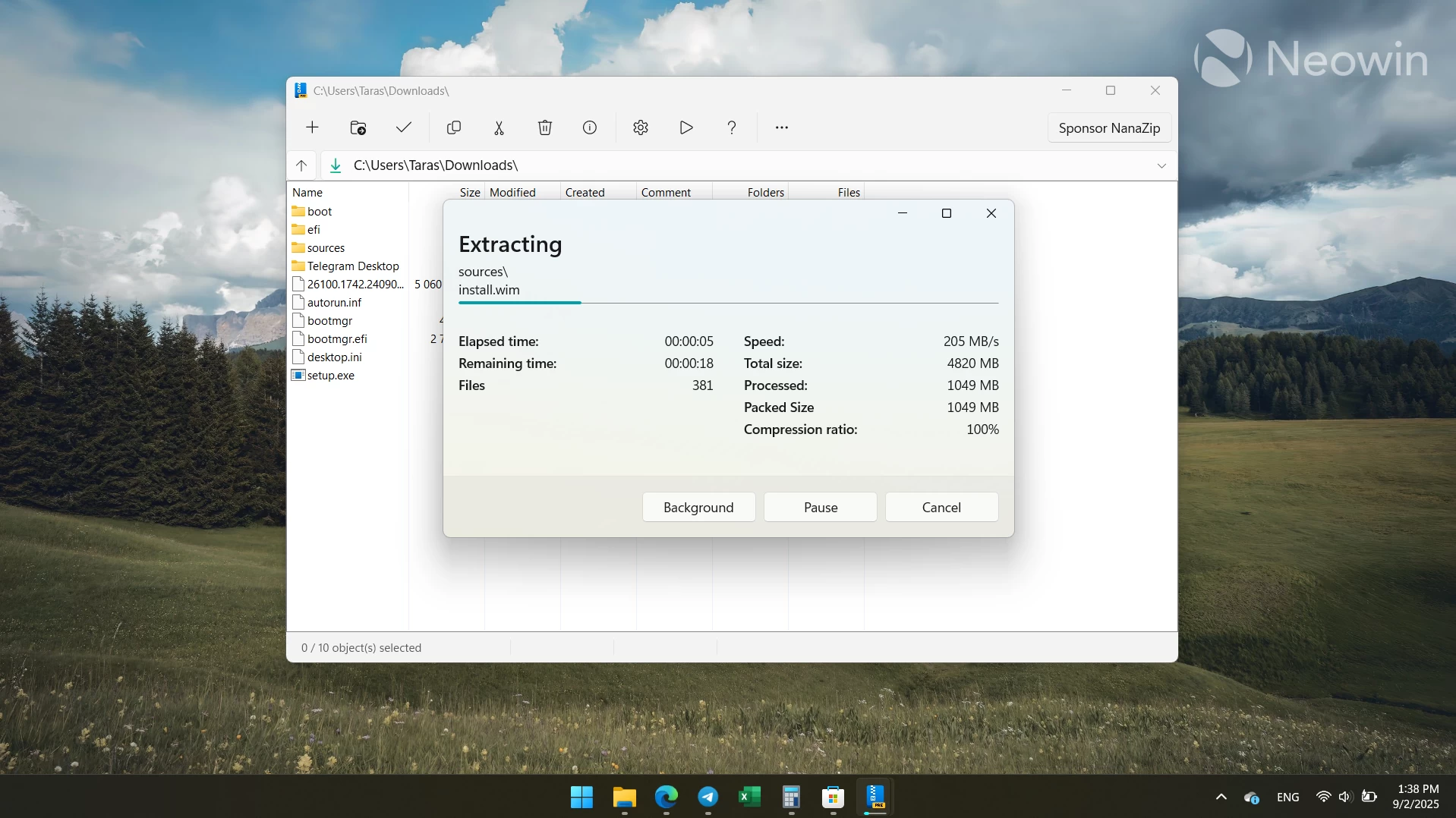
Other noticeable changes in NanaZIP 6 include a new "Extract-on-open" feature, which automatically extracts the compressed file when you open it (standard behavior in operating systems like macOS and iPadOS). If you do not like this behavior, you can skip extract-on-open by holding the Shift key when opening an archive. Alternatively, NanaZIP lets you disable the new feature for good in settings.
Also, NanaZIP 6 now has file associations for CBR, CBZ, and ASAR formats, faster performance on startup, the Zstandard decoder instead of 7-Zip mainline"s implementation (this improves reliability and reduces potential vulnerabilities), plenty of various fixes, improved localizations, and some changes to the system requirements. The latter now mandates 64-bit versions of Windows 10 2004 (build 19041 and newer) or Windows Server 2022 (build 20348 or newer). The latest update removed all the 32-bit components from the app.
You can find the rest of the changelog for NanaZIP 6.0 Preview on GitHub. If you are curious to give the app a try, get it from the Microsoft Store or GitHub. The stable NanaZIP release is available in the Microsoft Store via this link.