Microsoft has two new Windows 11 preview builds for Windows Insiders this Friday. In the Dev Channel, the company is shipping build 26200.5710 (KB5062676), and in the Beta Channel, users can download build 26200.5710 (KB5062676). Both updates share the same changelog with the same new accessibility features on Copilot+ PCs, a new slowdown logging system, and more.
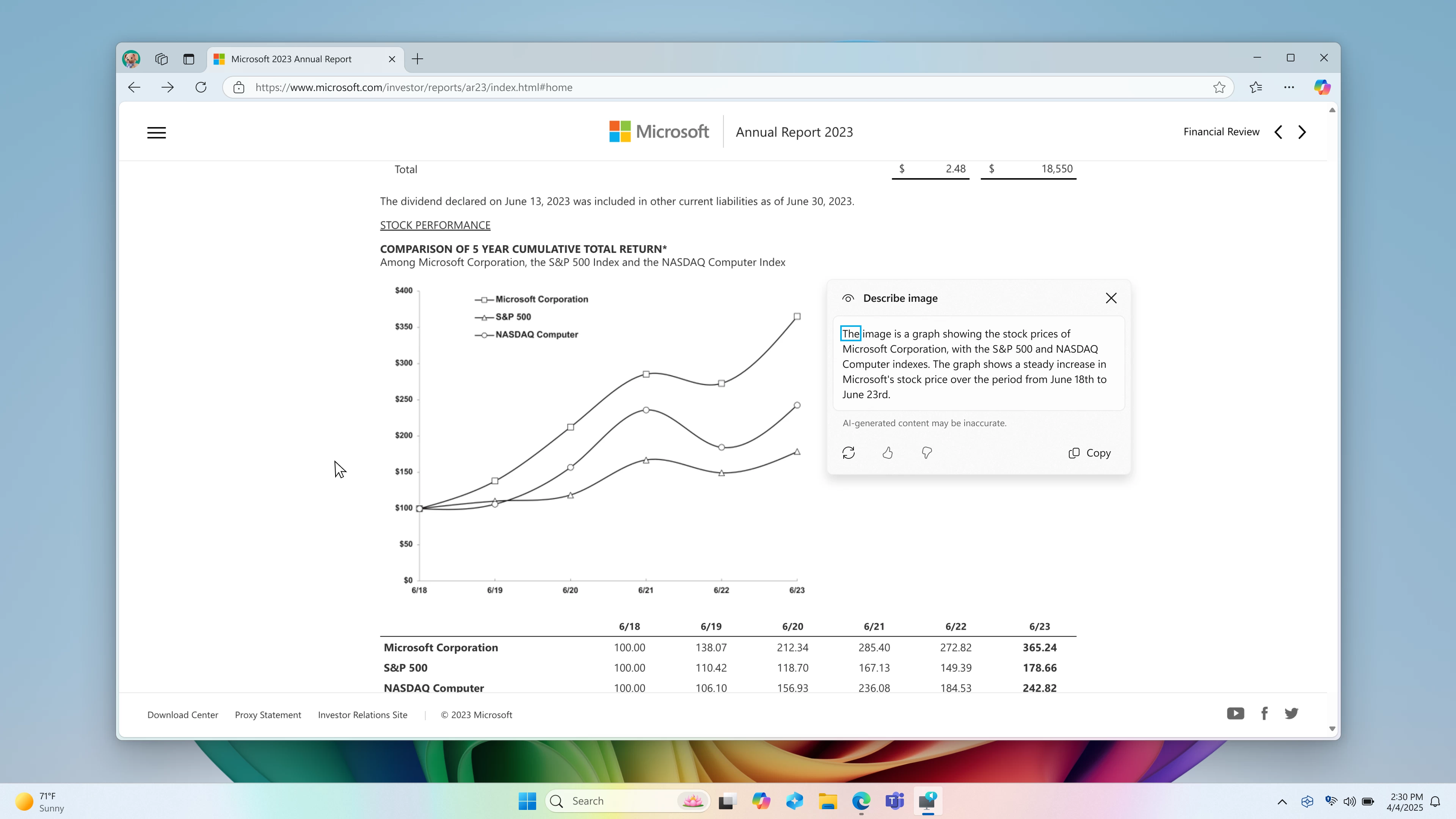
Starting today, Windows Insiders with Intel and AMD-based Copilot+ PCs can try AI-powered image descriptions in Click to Do. Windows 11 uses on-device processing to generate image descriptions for a quick overview of the visual content. In addition to people with visual disabilities, this change helps other users in generating alt text, summarizing graphs and charts, etc.

A similar feature is now available in Narrator on AMD and Intel-based Copilot+ PCs. Narrator now uses AI to provide users with rich image descriptions. Here is an example: "The image is a graph showing the stock prices of Microsoft Corporation, with the S&P 500 and NASDAQ Computer indexes. The graph shows a steady increase in Microsoft’s stock price over the period from June 18th to June 23rd." You can regenerate, like/dislike, and copy the generated description.
Another important change in today"s updates is the new slowdown logging system. Windows 11 preview builds now log your PC"s performance dips, and Feedback Hub automatically attaches them when you report system sluggishness in Feedback Hub. Here is how Microsoft describes it:
As part of our commitment to improving Windows performance, logs are now collected when your PC has experienced any slow or sluggish performance. Windows Insiders are encouraged to provide feedback when experiencing PC issues related to slow or sluggish performance, allowing Feedback Hub to automatically collect these logs, which will help us root cause issues faster. Use the Desktop > System Sluggishness category when filing feedback to allow Feedback Hub to automatically pick up these logs. These logs are stored locally (%systemRoot%\Temp\DiagOutputDir\Whesvc folder) and only sent to Microsoft via Feedback Hub when feedback is submitted.
Here is the rest of the changelog with all the improvements and fixes:
- [Click to Do (Preview)] The following changes and improvements are rolling out for Click to Do on Copilot+ PCs:
- We are trying out a change that removes the search box in the top bar of Click to Do.
- [Lock screen]
- We’re updating lock screen widgets experience for Windows Insiders in the Dev Channel, with widget suggestions to help you easily discover more widgets. This feature can be enabled or disabled with the “Discover widgets” toggle under Settings > Personalization > Lock screen. Please note this experience is still being refined and will change in future flights.
- [Settings]
- You can now visit the Settings > Privacy & security > Text and image generation to see which third-party applications recently used generative AI models provided by Windows. This page gives you visibility into the specific apps leveraging local Windows provided generative AI models and allows you to control which apps are permitted to use them—putting you in charge of your device’s AI experience. The UI is present in this flight today, however the functionality will light up in a upcoming flight.
- Text and image generation settings page with recent activity highlighted in a red box for seeing which apps use generative AI models provided by Windows.
- Fixes gradually being rolled out to the Dev Channel with toggle on*
- [Notification Center]
- Fixed an issue where if you’d enabled the clock in Notification Center it might result in the Notification Center content getting clipped.
- [Other]
- Fixed an underlying issue with dbgcore.dll, which could lead to explorer.exe and some other apps crashing recently.
And here is the list of known bugs:
- [General]
- Some Windows Insiders may experience a rollback trying to install this update with a 0x80070005 in Windows Update. We’re working on a fix for Windows Insiders impacted. If you are impacted, using Settings > System > Recovery > “Fix issues using Windows update” may resolve the issue.
- You may see multiple error pop ups about unexpected elements when opening Group Policy Editor.
- [Start menu]
- The following are known issues for Windows Insiders with the new Start menu:
- Using touch to navigate the new Start menu may not work reliably. For example, it currently does not support the swipe-up gesture.
- Drag and drop capabilities are limited from “All” to “Pinned.”
- [Live Captions]
- [NEW] Live captions may crash when attempting to use live translation on a Copilot+ PC.
- [Xbox Controllers]
- Some Insiders are experiencing an issue where using their Xbox Controller via Bluetooth is causing their PC to bugcheck. Here is how to resolve the issue. Open Device Manager by searching for it via the search box on your taskbar. Once Device Manager is open, click on “View” and then “Devices by Driver”. Find the driver named “oemXXX.inf (XboxGameControllerDriver.inf)” where the “***” will be a specific number on your PC. Right-click on that driver and click “Uninstall”.
- [Click to Do (Preview)] The following known issues will be fixed in future updates to Windows Insiders:
- Windows Insiders on AMD or Intel®-powered Copilot+ PCs may experience long wait times on the first attempt to perform intelligent text actions in Click to Do after a new build or model update.
- [Input]
- The Microsoft Changjie Input method doesn’t work properly in this build – not able to select words. Reverting to the previous version of the IME in Settings should mitigate the issue while we work on a fix.
You can find the announcement post for the Dev build here and for the Beta build here.