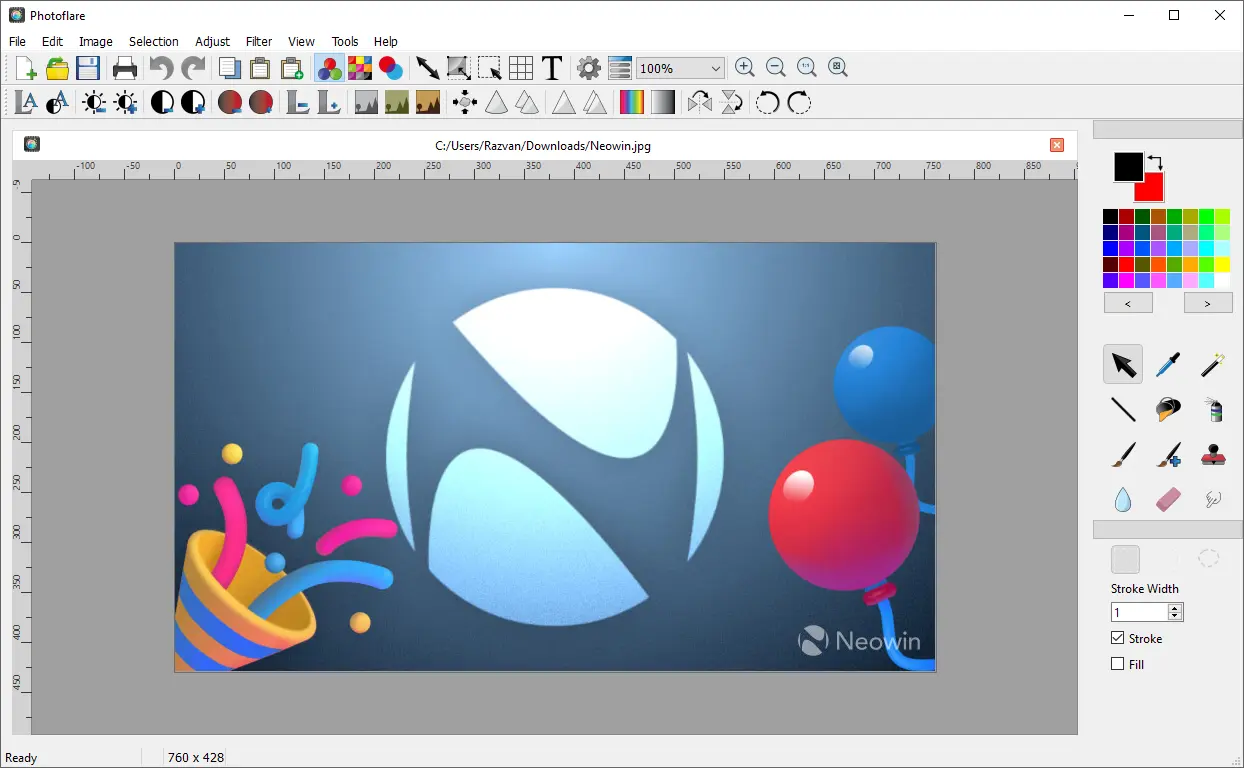
Photoflare is a cross-platform image editor with an aim to balance between powerful features and a very friendly graphical user interface. It suits a wide variety of different tasks and users who value a more nimble workflow.
The application includes essential editing features such as cropping, resizing, rotating, and color correction, along with creative tools like filters, brushes, text overlays, and batch processing. Its clean, intuitive interface helps users complete tasks efficiently, whether editing screenshots, enhancing photos, or applying effects. With a strong focus on simplicity and speed, PhotoFlare is a practical choice for everyday image editing and lightweight graphic design tasks.
Photoflare key features:
- Precise cropping, resizing, and canvas adjustment tools
- Layer-free but designer-friendly workflow for quick compositions
- Customizable paint brushes for sketching and detailing
- A wide range of image filters for creative visual styling
- Colour grading and tone adjustments for artistic control
- Text overlay tools with configurable fonts and styling
- Batch processing for applying design effects to multiple images
- High-quality sharpening, blur, and edge-enhancement tools
- Easy background cleanup with selection and fill tools
- Export support for multiple formats suited for web and print
- Fast interface optimized for rapid creative edits
- Open-source flexibility for designers who prefer lightweight tools
Photoflare 1.7.0 release notes:
- v1.7.0 is the biggest PhotoFlare release to date, migrating to Qt 6 and bringing new selection tools, dark mode, rulers, a reworked paste workflow, and dozens of stability and quality-of-life fixes plus G"MIC integration and a plugin system for power users.
Changelog:
G"MIC Integration
- Full G"MIC filter suite now available via the Filters menu, adding hundreds of professional-grade filters and effects
Tools & Selection
- Lasso freehand selection shape (#492)
- Ellipse selection shape added to the Pointer tool (#76)
- Move selection with mouse and arrow keys (#32)
- Pan the canvas when zoomed in (#391)
- Draw straight lines by holding Shift (#65)
- Scale and rotate pasted images before committing (#283)
UI & Workspace
- Dark icon theme with automatic dark mode detection (#494)
- Rulers on the canvas (#497)
- Zoom controls added to the toolbar
- Grid settings button in the toolbar (#288)
- Copy, paste, and paste as new image added to the toolbar (#489)
- Resize by percentage in the resize dialog (#260)
- Save and restore panel/widget layout between sessions (#398)
- Restore selected tool, primary/secondary colours on launch
- Drag and drop files to open them
- HiDPI display scaling (#168)
Batch Processing
- Multiple source folder/path selection (#112)
- New filters available in the Batch dialog
- File format validation before processing (#327)
Notable Fixes
- EXIF metadata now preserved and displayed on save (#496)
- Tools no longer operate outside the active selection area (#417)
- Smudge tool effect working correctly again (#416)
- Text alignment corrected (#284)
- Paintbrush strokes are smoother (#302)
- Transparent erasing works correctly with the Eraser tool (#58)
- Print to PDF no longer clips part of the image (#375)
- Titlebar icons display correctly on Wayland (#134)
- Panel flickering on Windows resolved (#228)
- High memory usage with large thumbnail sets fixed (#350)
- Dust reduction with frame no longer creates artifacts (#390)
Under the Hood
- Canvas performance improvements (#330)
- Bucket fill now runs on a background thread (#410)
- Undo history pruning fixed (#405)
- Numerous smaller stability and crash fixes
Download: Photoflare 1.7.0 | Portable | ~30.0 MB (Open Source)
Links: Photoflare Home Page | Github | Screenshot