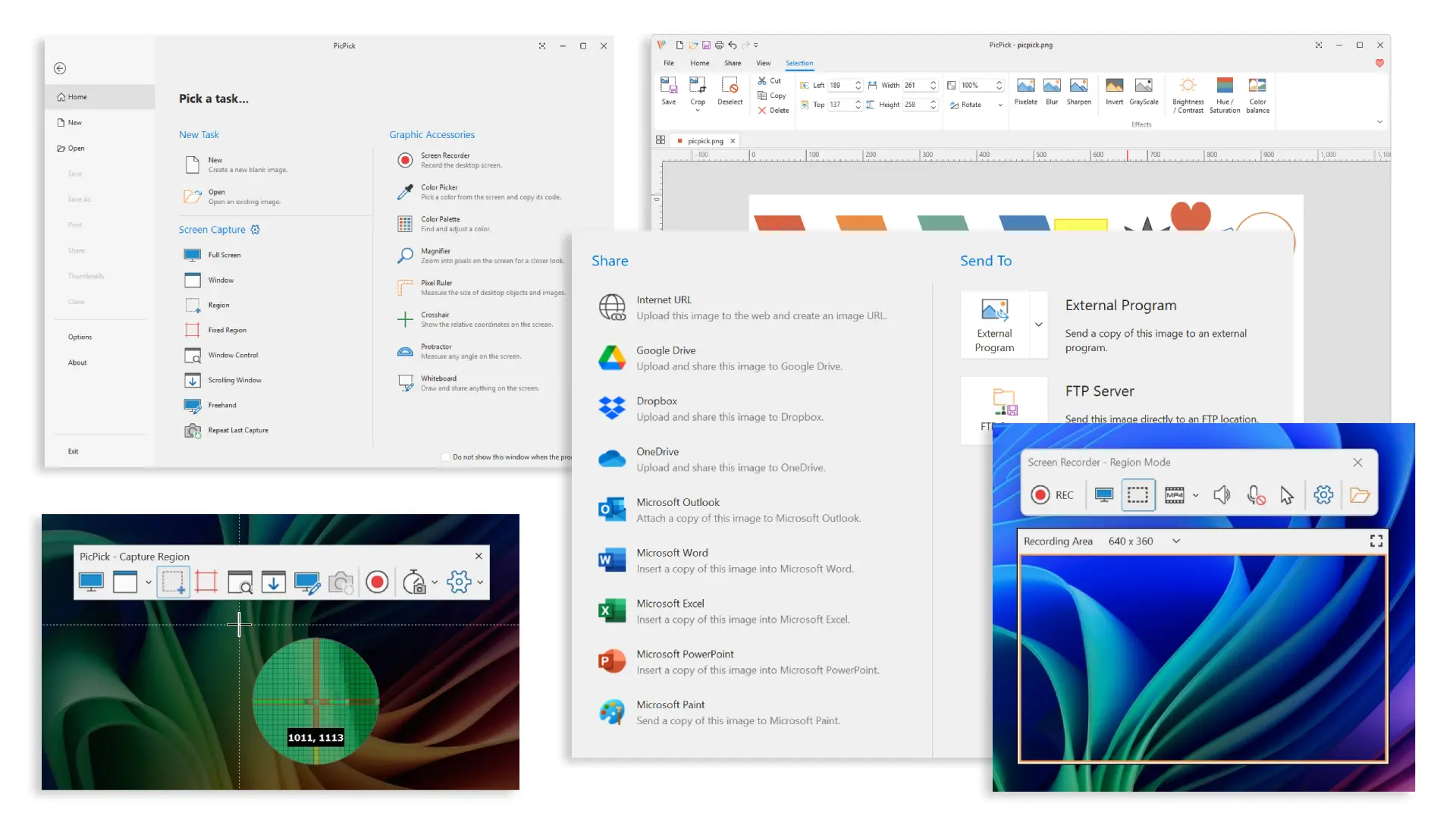
PicPick is user friendly and full of features for creating your image, suitable for software developers, graphic designers and the home user. It is a powerful all-in-one screen capture and productivity suite, this tool brings together screen capture, recording, annotation, and design utilities in a single, streamlined experience. Built for efficiency and precision, it supports full-screen, active window, scrolling page, fixed region, and freehand capture modes — all accessible via fully customizable hotkeys. With multi-monitor support, auto-save, and intelligent file naming, it’s designed to adapt seamlessly to any workflow, from casual screenshots to professional documentation.
From full screen recordings to pixel-perfect screenshots, PicPick is the only tool you need — powerful enough for pros, simple enough for everyone.
Flexible screen recording with audio, custom regions, and advanced capture controls
Screen recording is just as flexible, allowing you to capture full screens, individual windows, or custom regions with both system audio and microphone input. Whether you"re creating tutorials, software demos, or walkthrough videos, the built-in recorder delivers adjustable frame rates and quality settings, saving output directly to local files for instant use. Features like delayed capture, repeat last capture, and a dedicated capture widget ensure speed and convenience when timing matters most.
Advanced ribbon-style image editor for professional screenshot annotation and editing
Beyond capture and recording, the integrated image editor transforms screenshots into polished visuals. With a ribbon-style interface, users can annotate using text, arrows, shapes, callouts, stamps, and freehand drawing tools including pencil, brush, marker, airbrush, and calligraphy. Advanced editing options like crop, resize, fill, erase, and retouch give full control over every detail, eliminating the need for external editing software.
Powerful image effects and filters
To further enhance visuals, built-in effects and filters allow quick enhancements such as blur, mosaic, drop shadows, frames, watermarking, grayscale, and color adjustments including brightness, contrast, hue, and saturation. Additional tools like sharpen, invert, rotate, and flip make it easy to refine any image to a professional standard in seconds.
Instant sharing and export to Cloud, Office apps, and social platforms with one click
Sharing and exporting is equally flexible, with one-click support for cloud services like Google Drive, Dropbox, OneDrive, Box, FTP servers, email, and social media platforms. Users can also export to clipboard, PDF, printer, Office apps like Word, PowerPoint, Excel, or even external programs, ensuring seamless integration into any workflow.
This software is provided as freeware for personal use only. In this case, you are granted the right to use this program free of charge. Otherwise, you need to pay for a license for commercial use.
PicPick 7.5.0 changelog:
- Updated the user interface with a newly redesigned look and feel
- Improved readability in Dark Mode
- Added a timestamp watermark feature
- Added 33%, 66%, and 150% zoom presets
- Enhancement to remember separate colors for the last used drawing, text, and shape tools
- Changed the thumbnail view button to always appear on the tab
- Added a "Paste in New Tab" feature (Ctrl+Shift+V)
- Added a “Delete File” option to the tab menu.
- Fixed an issue where saved files were not added to the Recent Documents list
- Improved usability of the Backspace key
- Improved the Number Stamp so its text color automatically adapts to the background
- Improved the ruler with automatic DPI detection
- Improved the image editing tools to allow changing ruler units
- Fixed an issue where the recorder icon was repeatedly added to the Windows taskbar settings
- Fixed an issue where the print functionality was not working properly
Download: PicPick 7.5.0 | 80.9 MB (Free for personal use only)
Download: Portable PicPick 7.5.0 | 79.2 MB
View: PicPick Home page | Screenshot