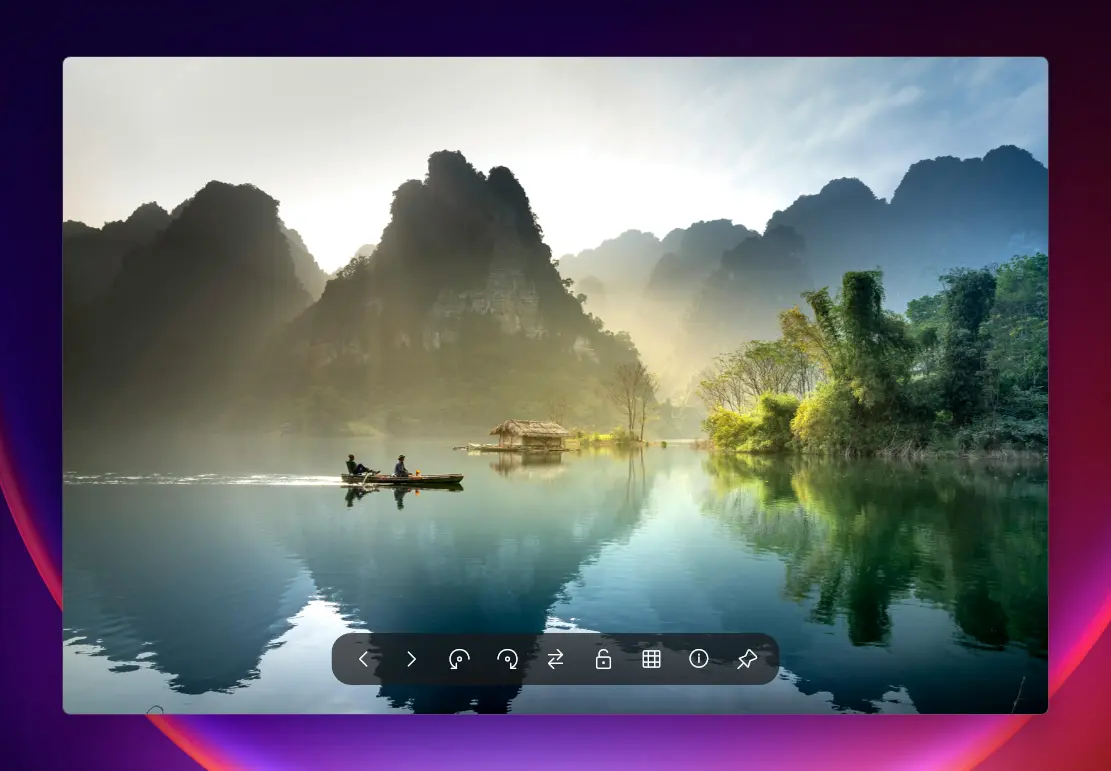
QuickView is the fastest image viewer for Windows, designed to open all your photos instantly. It supports popular formats like WebP, AVIF, JPEG XL, PNG, JPEG, TIFF, RAW, and PSD, making it perfect for photographers, designers, and everyday users. With lightning-fast load times and zero-lag previews, QuickView handles everything from small icons to massive 8K images effortlessly. Drag and drop files to view them instantly, zoom and pan smoothly, and enjoy a clutter-free interface built for speed and simplicity.
QuickView also makes managing and analyzing images easy. You can preview thousands of photos instantly, view real-time color and brightness, and check image details without slowing down your computer. It automatically fixes common file issues and works perfectly offline, so your images stay private. QuickView supports multiple languages, is portable, and requires no installation.
QuickView key features:
- Blazing Fast Loading – Open images instantly with zero lag.
- Modern Format Support – View WebP, AVIF, JPEG XL, and more.
- RAW File Ready – Handle photos from all major cameras effortlessly.
- Classic Format Friendly – Supports PSD, PNG, JPEG, TIFF, and BMP.
- Drag-and-Drop Convenience – Open files instantly without menus.
- Multilingual Interface – Works in English, Chinese, Japanese, German, Spanish, and Russian.
- Portable & Lightweight – Single executable, no installation required.
- Mass Image Preview – Instantly view thousands of images with HUD Photo Wall.
- Real-Time Color Tools – RGB histograms and color analysis overlays.
- Accurate Metadata – View EXIF and file information instantly.
- Smart File Fixes – Automatically repair incorrectly saved files.
- Fast or Full-Quality Toggle – One-click RAW preview adjustment.
- Smooth Navigation – Zoom, pan, and scroll without slowdowns.
- Privacy Focused – Fully offline operation keeps your images secure.
QuickView 5.2.1 changelog:
QuickView v5.2.1 focus on modern motion formats and deep visual personalization, delivering our most refined "Geek Glass" experience yet.
Full Animation Support
QuickView now provides a high-performance viewing experience for modern and classic animation formats.
- Universal Formats: Full hardware-accelerated support for .gif, .webp, .apng, and .avifs.
- Frame Inspector: Pause animations and use Alt + Arrow Keys to step through frames with precision.
Deep Personalization
Overhauled the theme engine to give you absolute control over your environment.
- Theme Modes: Choose between Dark, Light, or Automatic (system-synced) UI modes.
- Accent Customization: Pick custom accent colors and text colors to match your workflow.
- Ambient Dimmer: A configurable overlay that dims the background when interacting with menus or galleries to focus the eye.
Professional Animation Debugger
Designed for artists and performance enthusiasts.
- Dirty Rect Indicator: Toggle a dedicated debug button in animation mode to visualize the exact pixel regions currently being updated on the GPU. Enable in Settings > Visuals > Professional Tools.
Reliability & UX Enhancements
- HDR Color Fix (#131): Optimized the linear rendering path to ensure HDR images no longer appear "washed out" on HDR-enabled displays.
- JXL Stability (#137): Resolved a regression in the JPEG XL decoder causing memory leakage during rapid page-turning.
- Sharp Initial Scaling (#127): Fixed a bug where 1080p images could appear slightly blurry on native 1080p monitors.
- Right-Click Drag Zoom (#132, #129): Introduced professional vertical drag zooming by holding the Right Mouse Button.
- Natural Metadata: Improved EXIF parsing performance and accuracy for modern camera brands.
QuickView v5.2.3 changelog:
QuickView v5.2.3 is an emergency maintenance release focusing on performance reliability, security software compatibility, and Titan engine stability.
Security & Compatibility (#149)
- Completely refactored self-registration and update-checking mechanism to eliminate false positives in Microsoft Defender and other AV software.
- Idempotent Registration: QuickView now uses an O(1) INI-based check to verify registration status at startup, bypassing redundant registry operations.
- Idle Maintenance: Heavy registry updates are now deferred to a background task that only triggers when the system is truly idle.
Performance Optimization (#145)
- Animation Fast-Scan: Restored high-performance static viewing for PNG, GIF, and JXL by implementing a "magic-byte" pre-scanner that identifies static files before they enter the animation engine, avoiding unnecessary CPU overhead.
- Unified Decoding Pipeline: Consolidated various decoding paths into a robust LoadBufferUnified model, improving memory management for massive images.
Titan Engine Stability
- Context Menu Fix: Resolved a regression where the context menu could appear empty when prefetching massive images in Titan mode.
- MMF Animation Probe: Fixed an issue where large animated WebP files (MMF-based) would occasionally fail to play correctly.
- Idle-Based Prefetch Trigger: Replaced fixed startup timers with a robust 500ms continuous idle detection system, ensuring prefetch tasks don"t compete with the initial image load.
Other Fixes
- Startup Resilience: Fixed a rare race condition and deadlock when opening massive files as the very first action after installation.
- HDR Accuracy: Improved peak luminance detection and tone mapping for monitors with incomplete WinRT Advanced Color reporting.
Download: QuickView 5.2.3 | ARM64 | ~3.0 MB (Open Source)
View: QuickView Website | Github | Screenshot