GEEKOM is back with a Mini PC that has been out for a while, but since they offered it for review and the price to specs is quite nice at the moment, I decided to put it through its paces.
With that out of the way, first a disclaimer: GEEKOM provided this sample without any editorial input or review pre-approval. Now some specifications:
| GEEKOM AX8 Max | ||
|---|---|---|
| Dimensions | ||
| Weight | 810 g / 1.52 pounds | |
| CPU | AMD Ryzen 7 8745HS (8C/16T, 16MB L3, 3.8-4.9 GHz, TDP 54W) | |
| Graphics | AMD Radeon 780M (12 CU"s, 2900 MHz) 12 RDNA 3 Graphics Cores @ 2700MHz 768 shading units / stream processors (12 CUs), 48 texture mapping units, and 32 ROPs | |
| NPU | No | |
| Memory | 32GB Dual-channel DDR5 5600 MT/s ADATA SODIMM | |
| Storage | 1 x M.2 2280 PCIe Gen 4 x4, WPBSN4M8-1TGP 1TB | |
| Operating System | Windows 11 Pro 25H2 | |
| Bluetooth | Bluetooth v5.4* | |
| Ethernet | 2x Realtek Gaming 2.5GbE Controller | |
| Wireless LAN | MediaTek MT7922 M.2 Wi-Fi 6E LAN card | |
| Rear I/O ports | 2 x Ethernet RJ45 2.5 Gbit/s | |
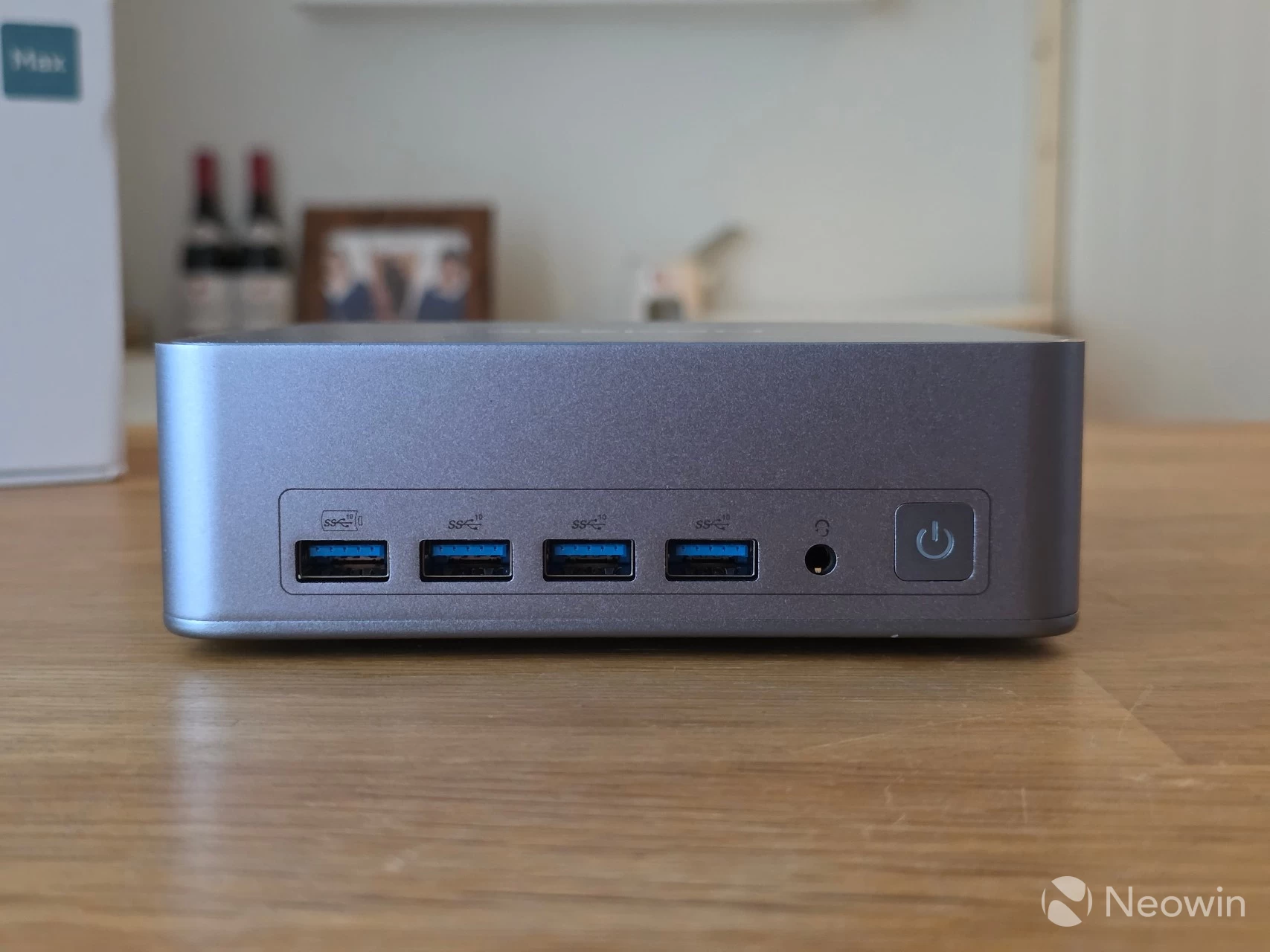
| Front I/O ports | 4 x USB 3.2 Gen 2 Type-A (10 Gbps) 1 x 3.5 mm headphone jack | |
| (Bio) Security | No | |
| SD Card slot | No | |
| Kensington Lock | Yes | |
| Power | 19V/6.32A, (120W External PSU) | |
| MSRP | $849 (discount price at the end of the review) | |
Product page specs and imagery don"t match the product
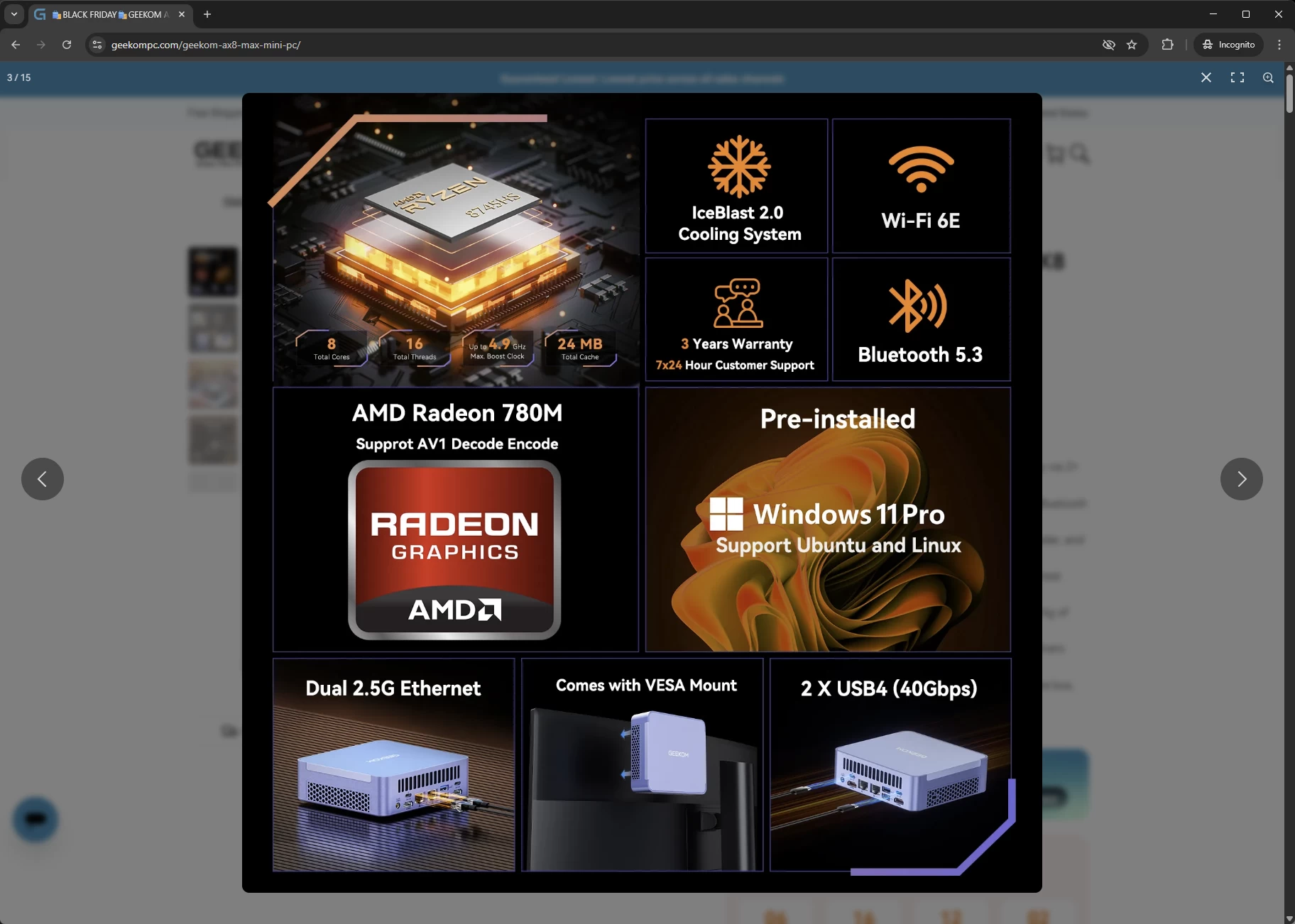
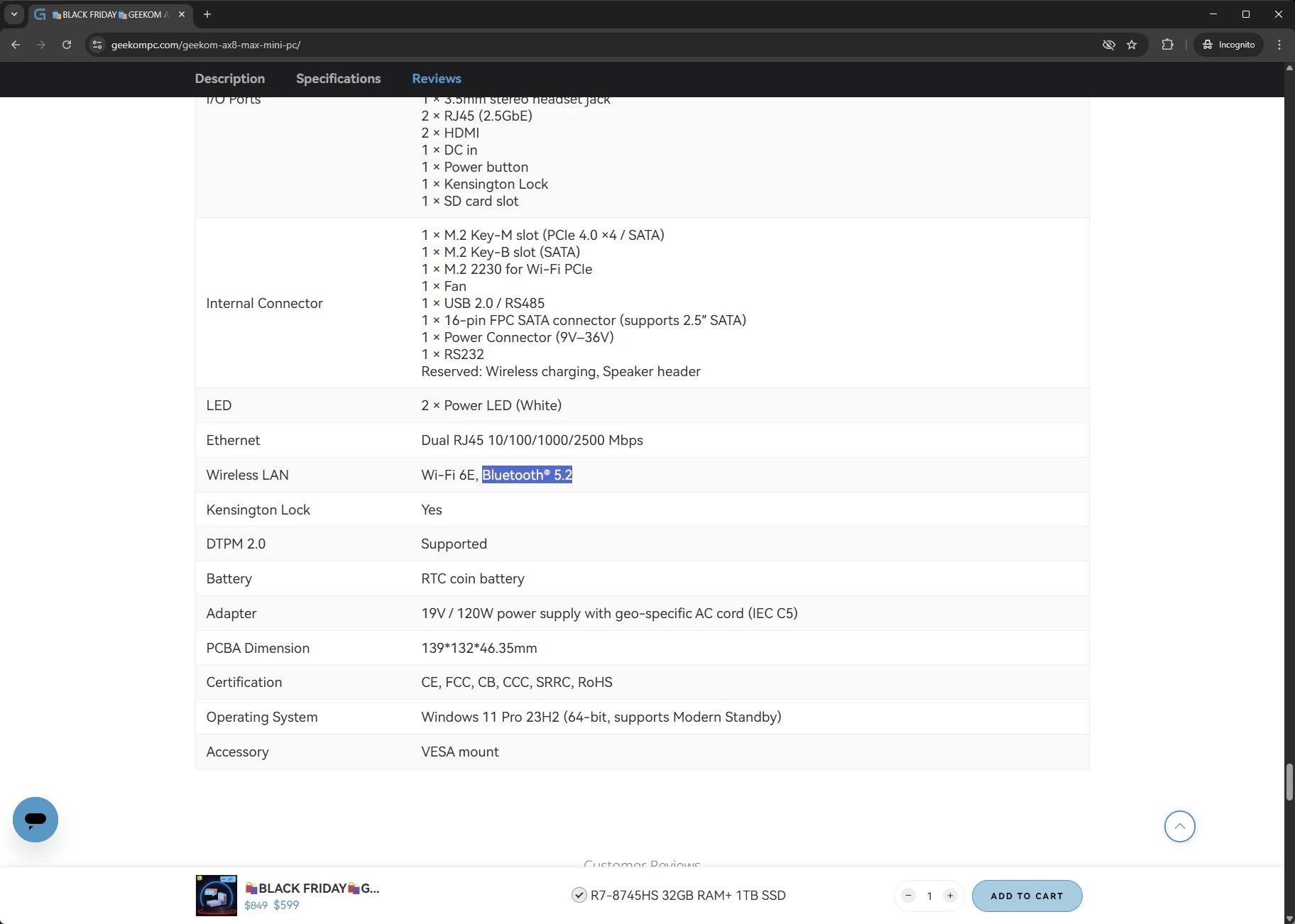
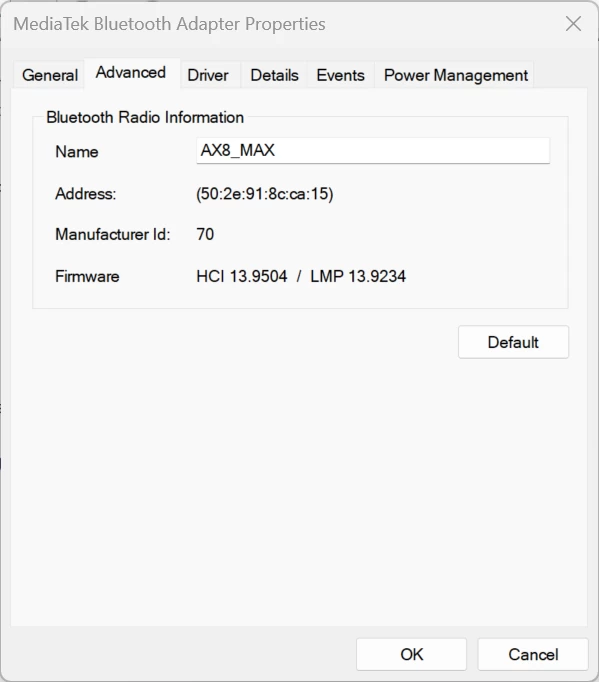
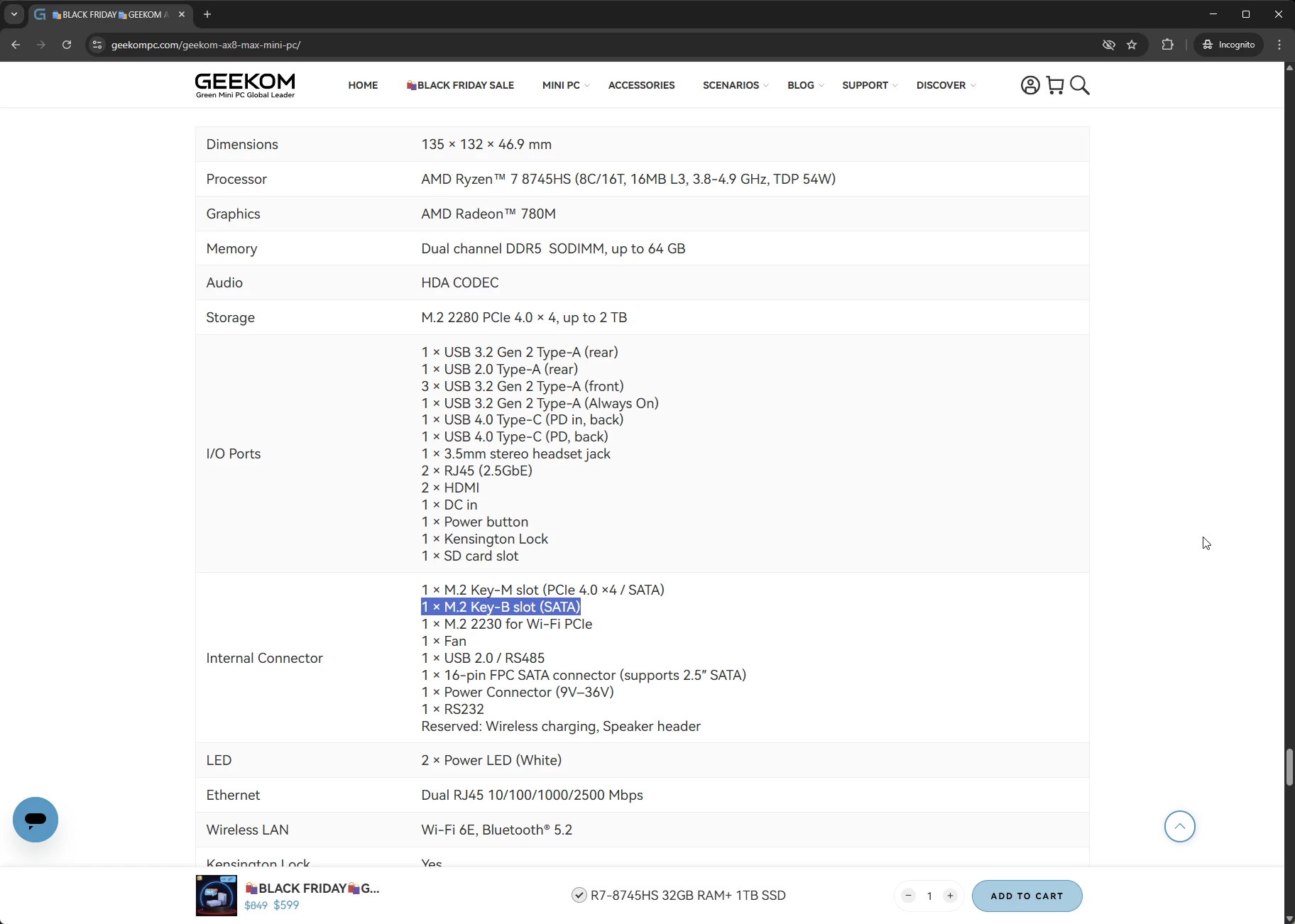
Are ya ready, kids? Okay, bear with me. According to the official product page and the promotional imagery, the AX8 Max includes Bluetooth 5.3. Jump to the specs, and it says Bluetooth 5.2; however, checking the Bluetooth adapter in Device Manager shows that it is Bluetooth 5.4! LMP 13 represents Bluetooth 5.4, not a great start. But wait, it gets worse, because the product specs page also claims that there is an M.2 SATA slot, but there isn"t, I checked. In addition, the specs also claim there is an SD card slot, which is not present, so I guess whoever threw that page together didn"t bother to check the specifications fully, as most are correct. I passed this on to my contact.
Introduction
The AX8 Max is powered by the in Q2 2025-released Ryzen 7 8745HS. What"s more, it is a China-only Hawk Point family chip that never received an official launch. Targeted at gaming and productivity laptops but widely used in mini-PCs, too, the 8745HS features 8 cores (16 threads thanks to SMT support) running at up to 4.9 GHz, along with the still fairly capable Radeon 780M iGPU. There is no NPU here. As an APU meant for use within China, this Ryzen 7 should be fully compliant with the Chinese government-approved cryptography standards.
However, overclockability is limited on this chip since the multiplier is locked. On the graphics front, the 8745HS includes a Radeon 780M integrated GPU with a max GPU frequency of 2900 MHz across 12 cores. It has been said that the iGPU is equivalent to the NVIDIA GeForce GTX 1650 in gaming and synthetic benchmarks. Other highlights include DDR5 memory at 5600 MT/s, WiFi 6E, Bluetooth 5.4, and a Kensington Lock.
AI PC?
Nope.
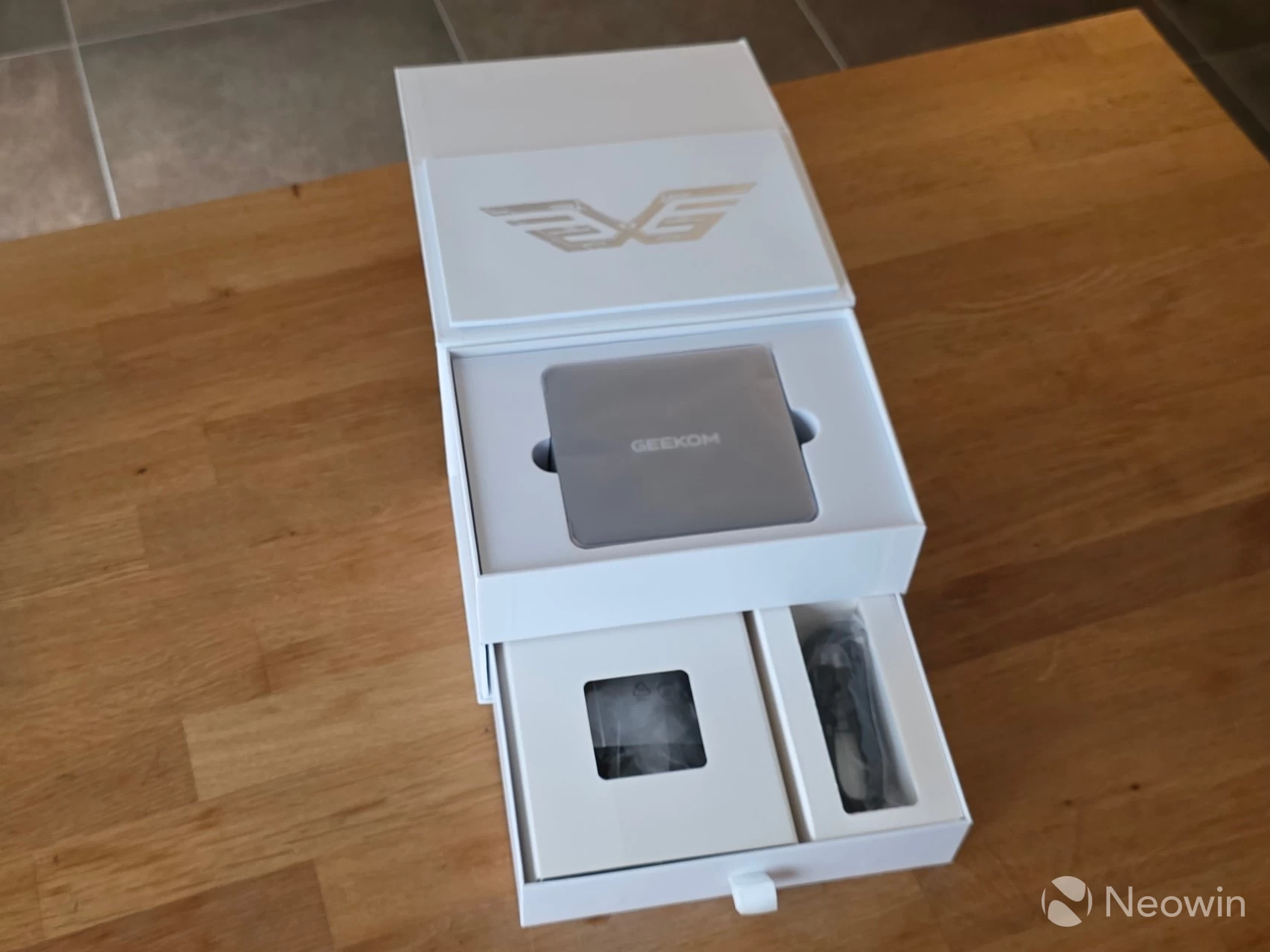
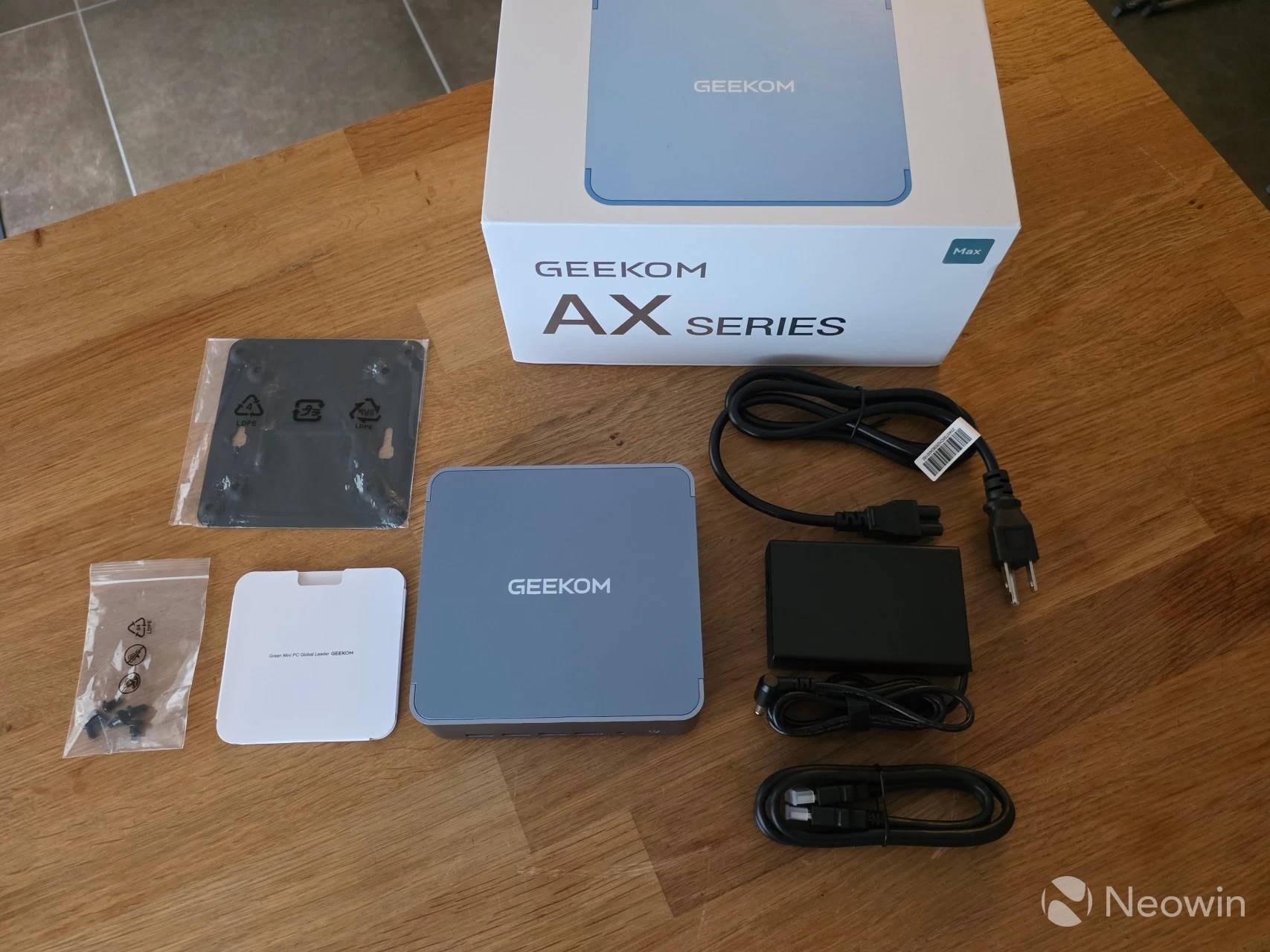
The packaging is a bit of a different experience from what I am used to. The box lid flap can be lifted off revealing the AX8 Max sitting in a foam cushion, below that is a small booklet of documentation. Below the top cushion compartment, there is a drawer, which, when slid out, reveals two compartments with the other components such as the power brick and lead, HDMI cable, a bag of screws, and the VESA mount plate.
What’s In The Box
- 1 x GEEKOM AX8 Max Mini PC
- 1 x HDMI Cable
- 1 x VESA Mount
- 1 x Power Adapter (19V/6.32A)
- 1 x bag of screws
- 1 x User Guide (Online link*)
Design
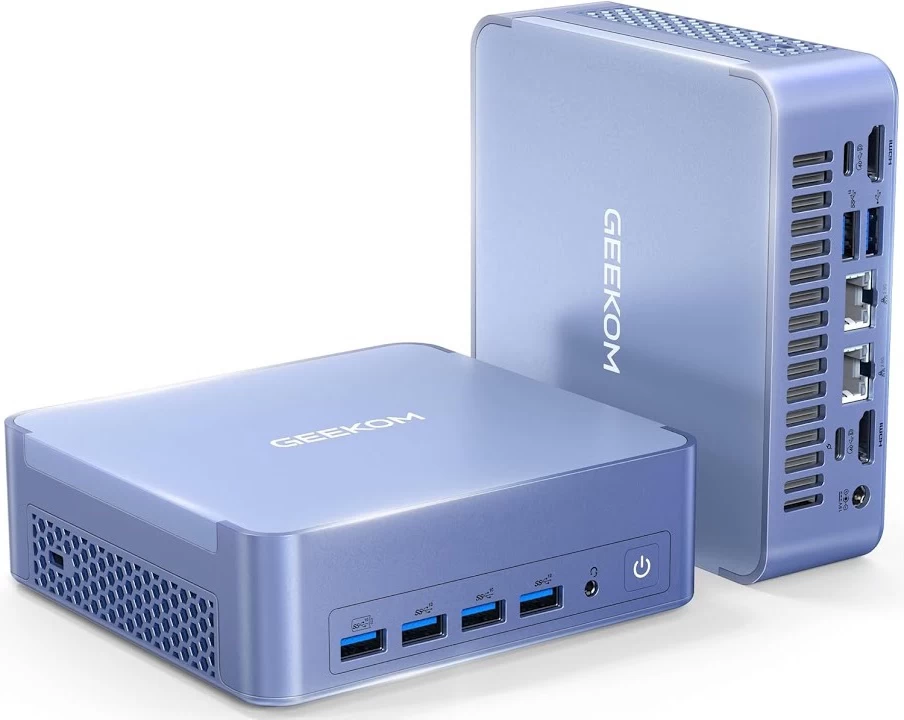
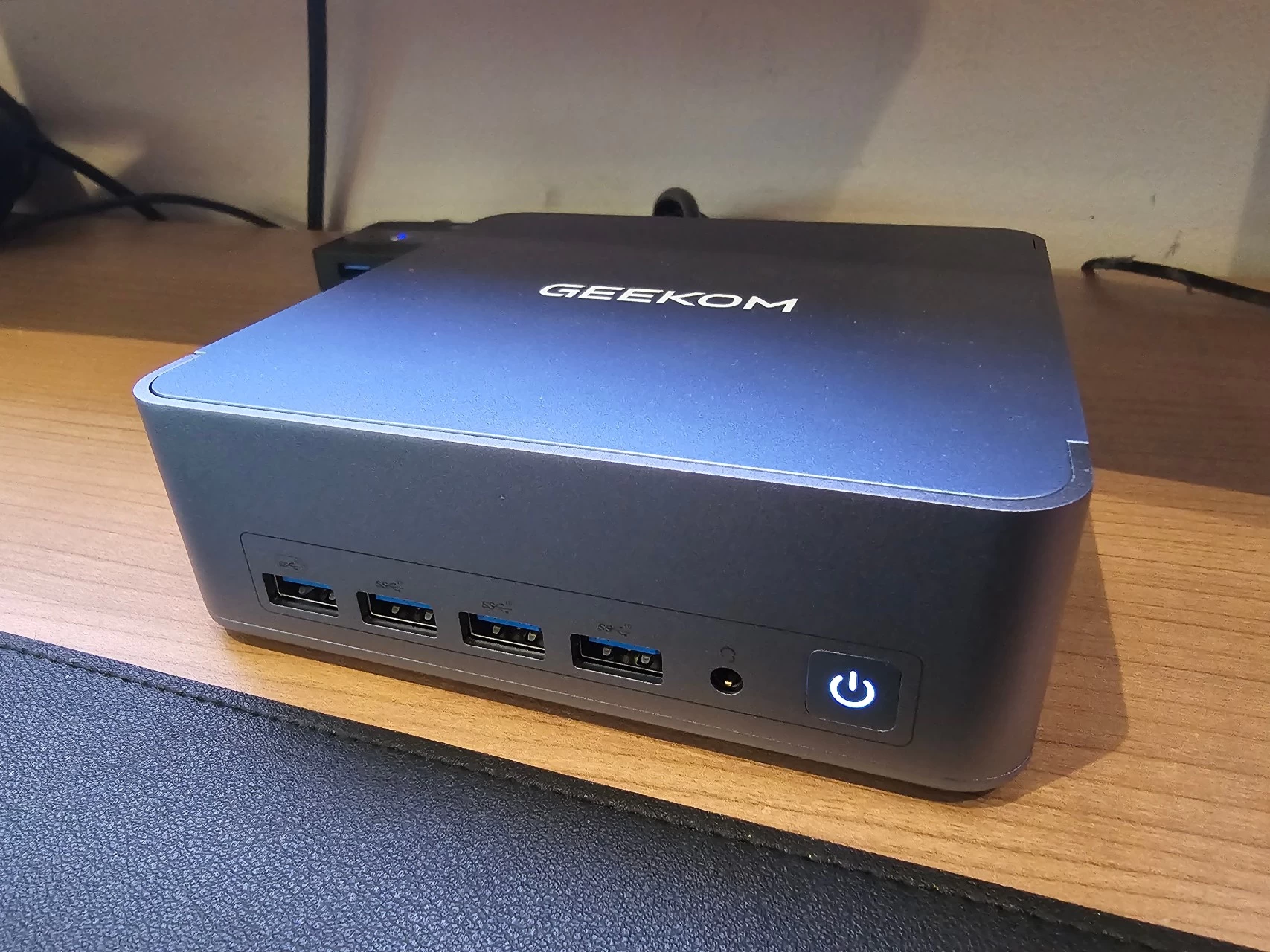
The AX8 Max"s design is basically the same as others in the A series, right down to the ports (on the rear), because on the front, there are two additional Type A USB ports. It is a similar weight and retains a good heft to it; while not being heavy, it isn"t light either. It definitely gives off a premium and balanced feel to it. All the edges and corners, except for the bottom edges of the Mini PC, are rounded, so it is comfortable to hold and move around. It must be noted that GEEKOM did not include the correct specifications section on the official product page, and I could not find the official weight, so I weighed it myself, and it came to 810 grams; all of that weight is thanks to the all-metal frame and housing.
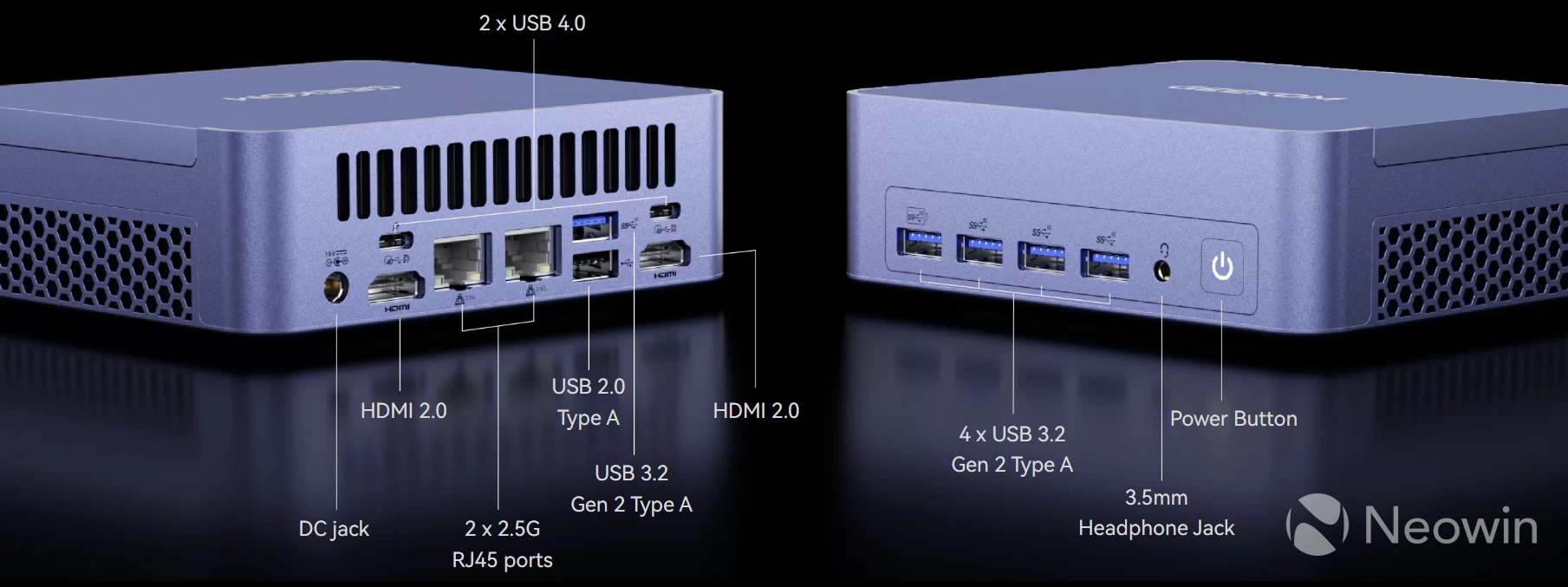
Although the AX8 Max also includes two USB 4.0 ports (Type-C), unfortunately, these are still located on the back of the Mini PC. I can only imagine this decision was made to make the front of the AX8 Max look more uniform with its ports; however, having the option for Type-C and USB Type-A on the front of the Mini IT11 is what made it great. The Mini PC still includes five USB3 Gen 3.2 ports and one USB 2.0 port, that"s two more than other A series Mini PCs I have tested, and these extra ports are located on the front, one of which is an "Always on" port for powering external devices while the Mini PC is powered off.
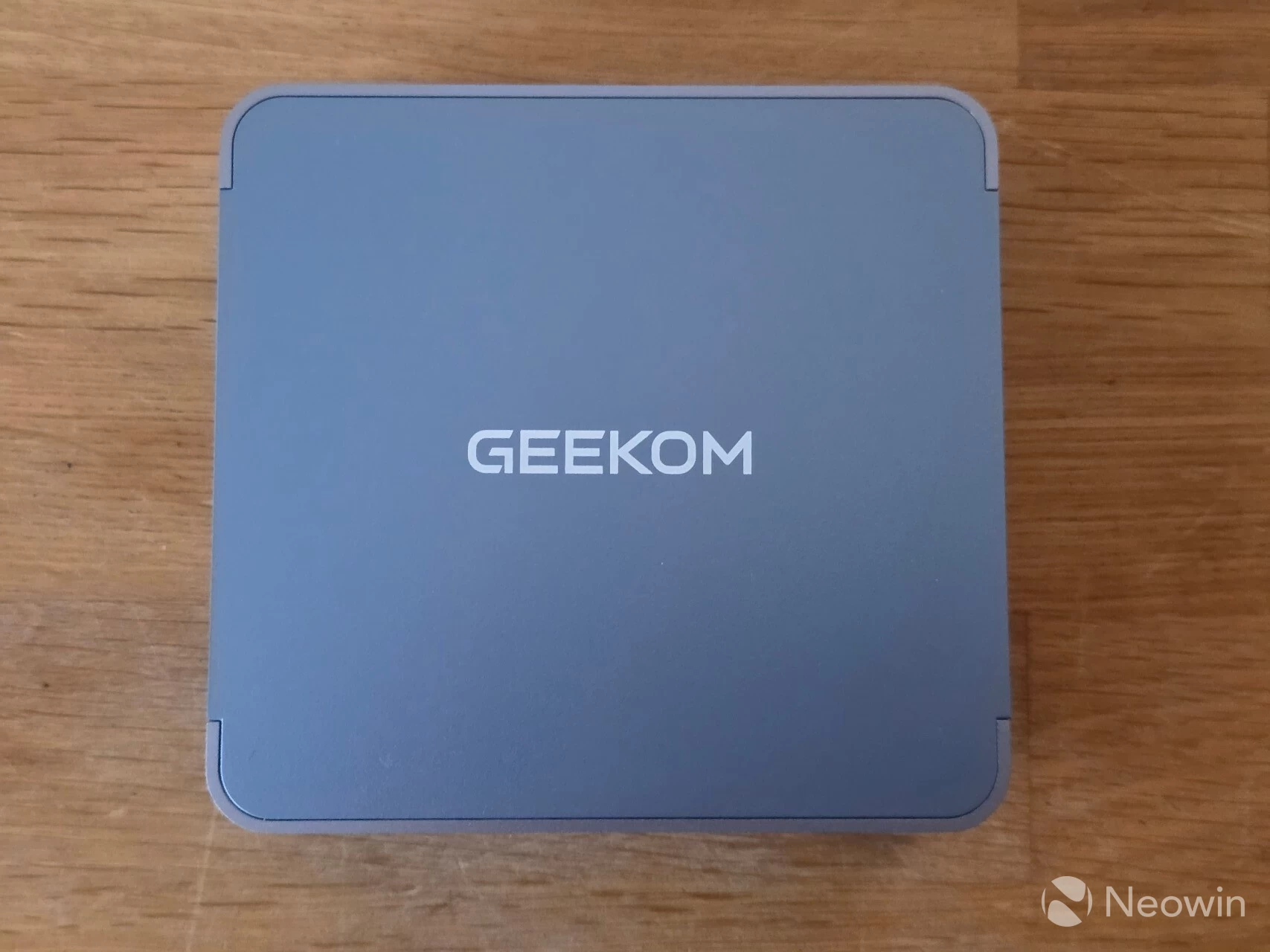
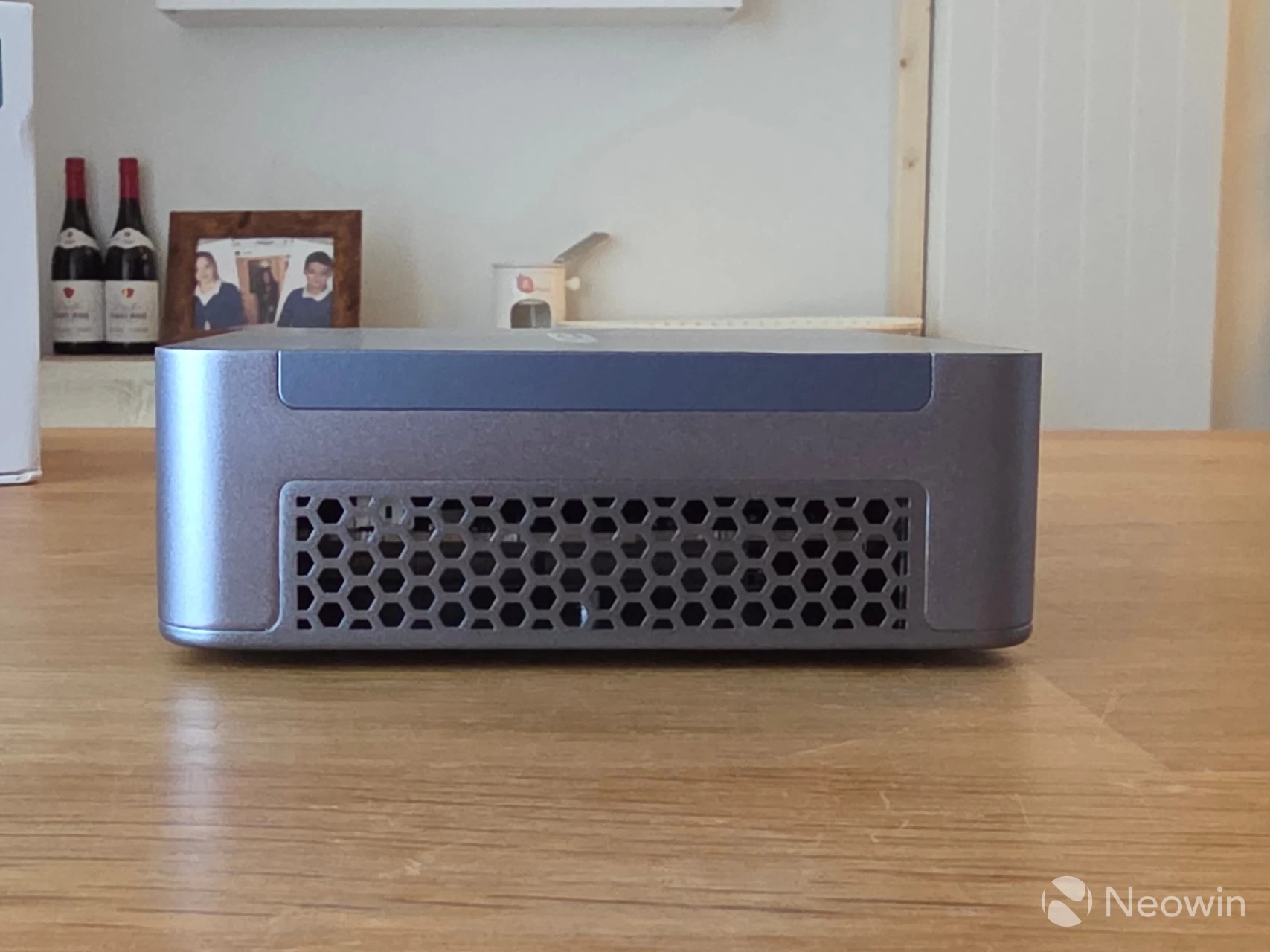
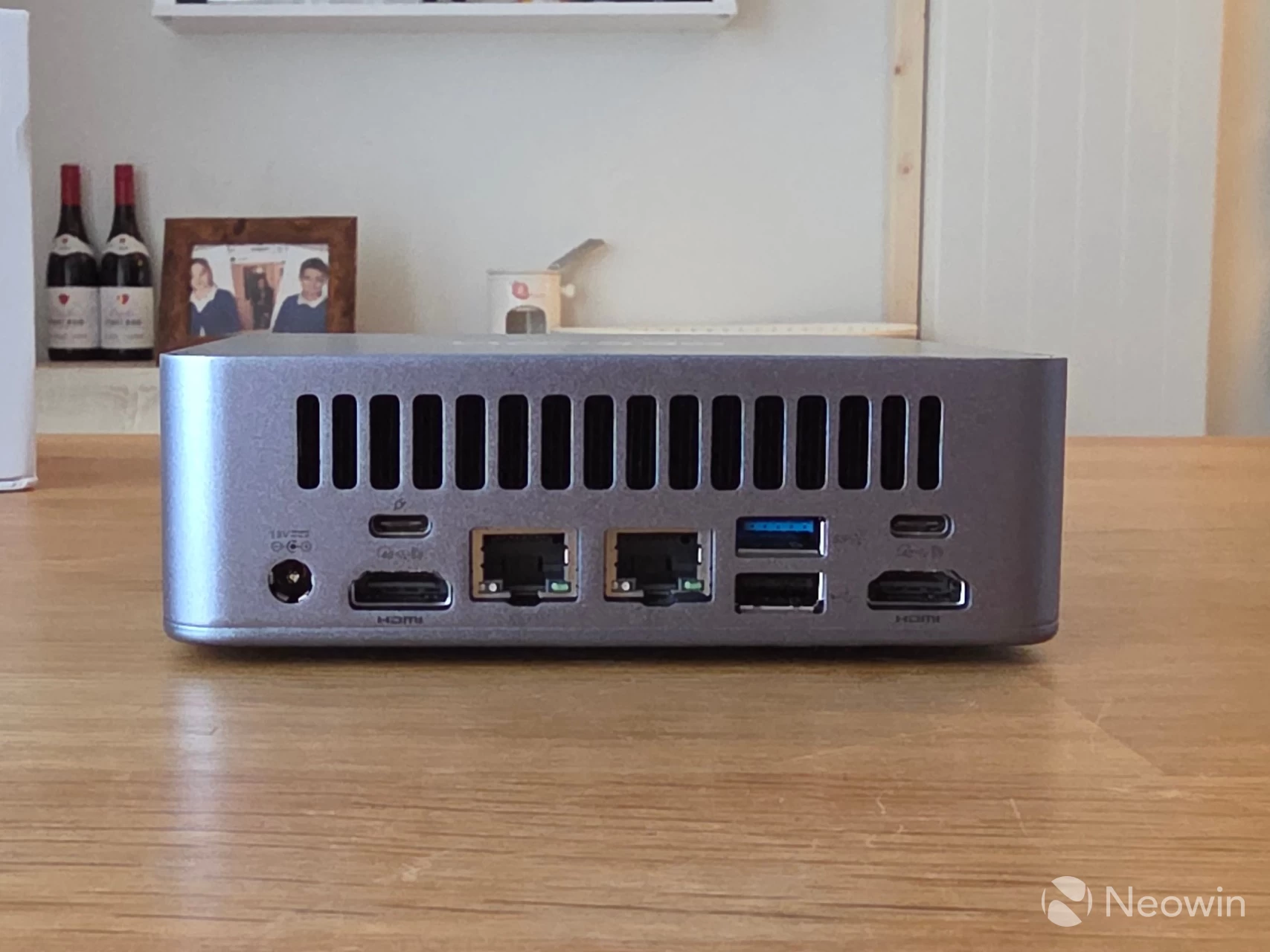
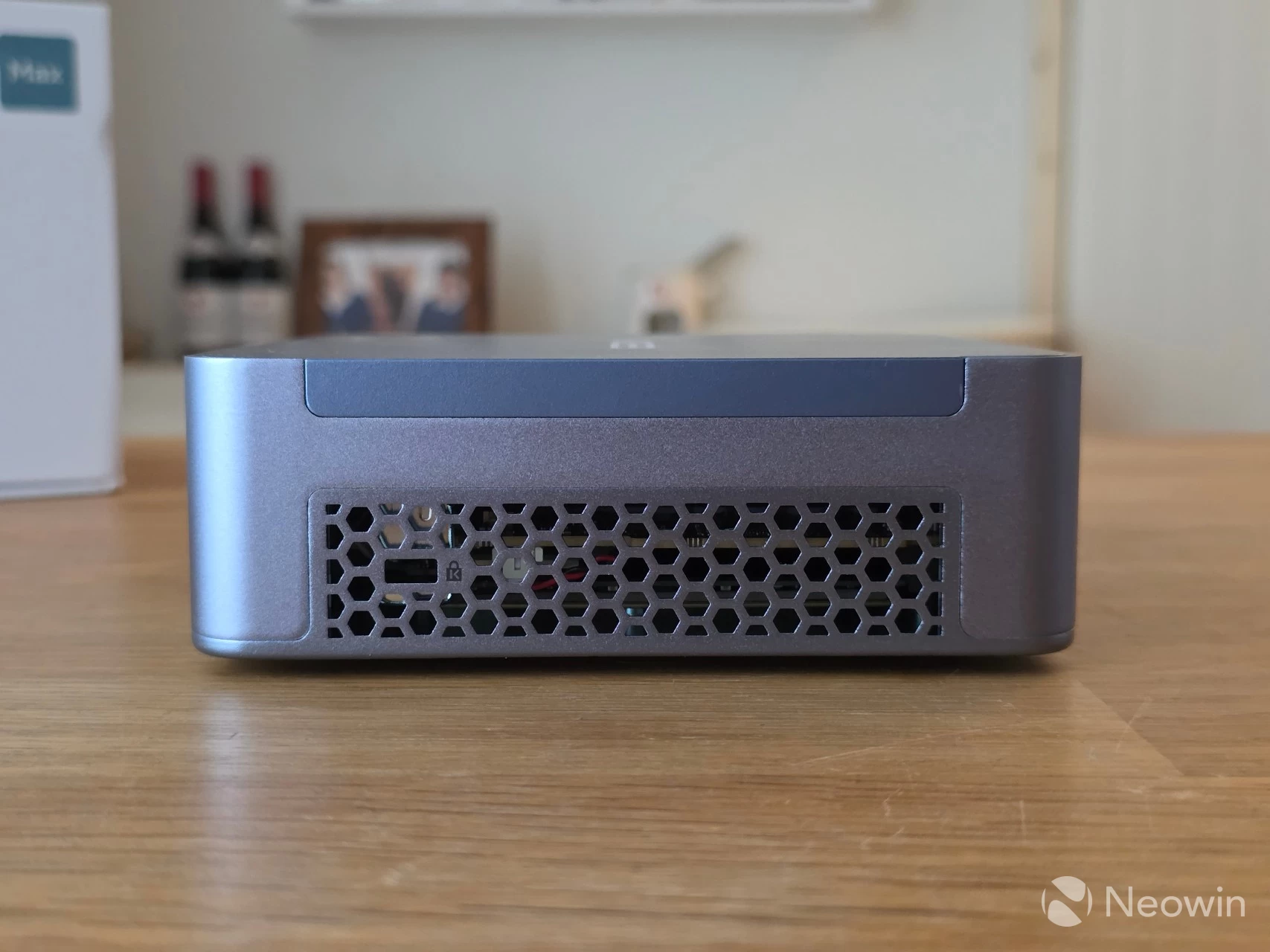
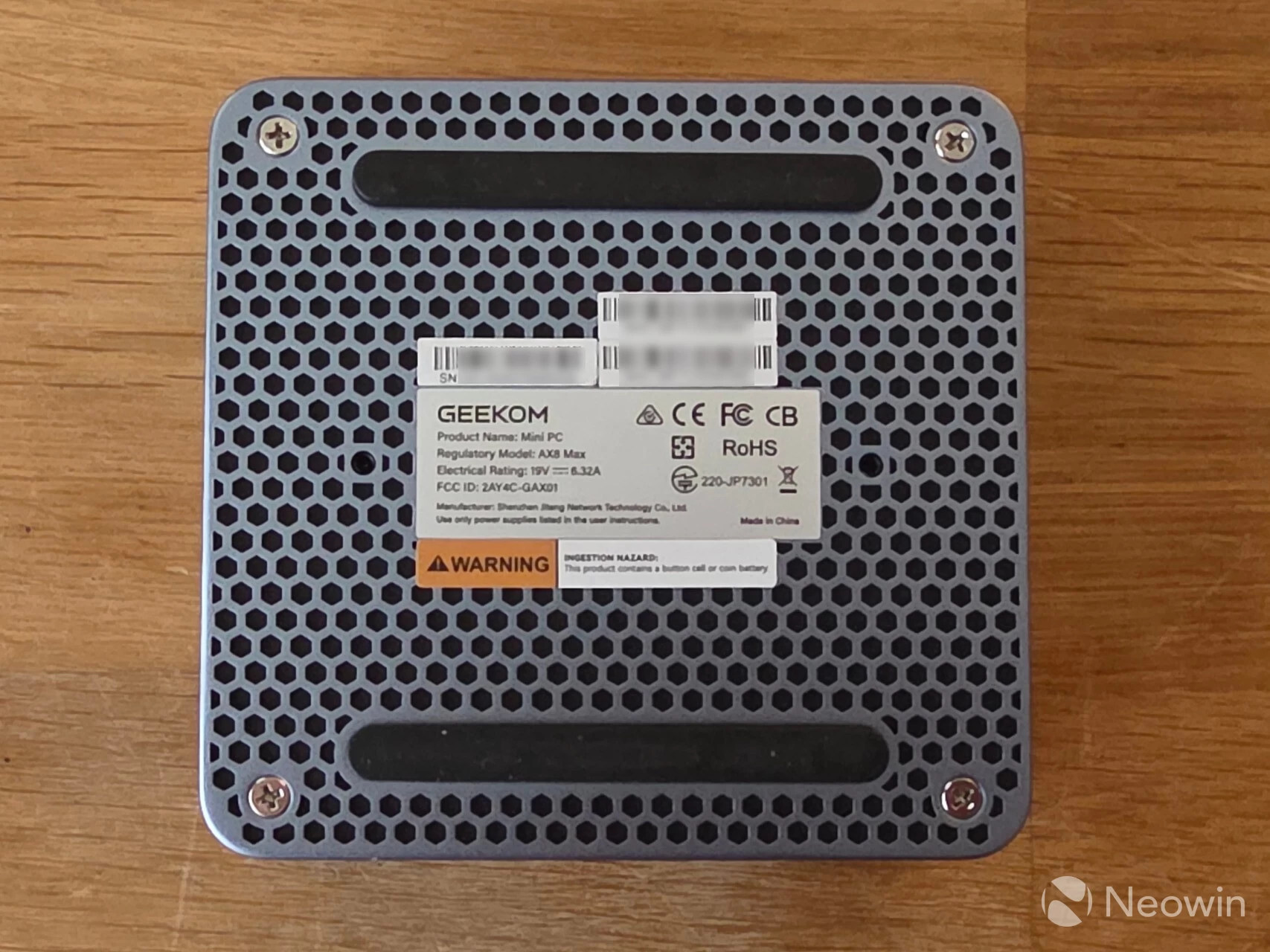
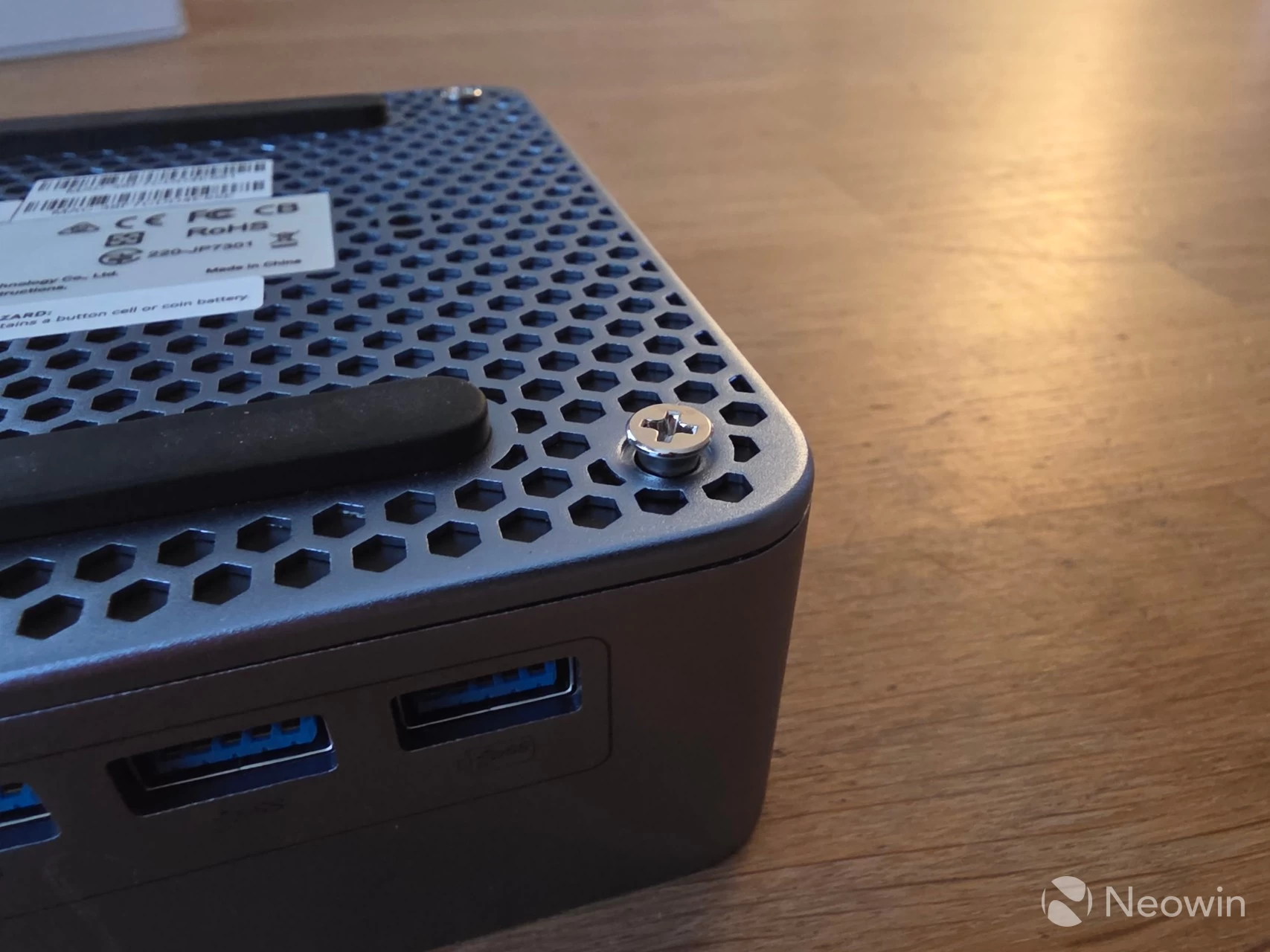
As far as looks go, it has a fully blue metallic exterior, and it"s not a fingerprint magnet. GEEKOM does not say what materials are used for the exterior other than a "reinforced full-metal chassis" exterior. The product page claims that the AX8 Max can withstand over "200kg of pressure without bending," but we wouldn"t recommend loading heavy objects on top of it anyway; it supposedly gives protection against accidents and falls. It doesn"t feel cheap and isn"t flimsy either, and even when the base is removed, it remains sturdy.
Like other Mini PCs I have tested, it"s physically possible to directly attach four screens to the AX8 Max using the two full HDMI 2.0 ports, along with the two USB 4.0 ports, both of which have Power Delivery to power an external portable monitor.
Regarding connectivity, around the back, there are two 2.5 GbE ports, a single 3.2 Gen 2 port, two HDMI ports, along with two USB 4.0 ports and a barrel port for power. Around the front, there are four USB 3.2 Gen 2 ports, a 3.5mm headphone jack input, and the Power button.
As you can see from the images above, you can affix a Kensington lock on the left side, too.
Teardown
No review I do would ever be complete without some sort of teardown.
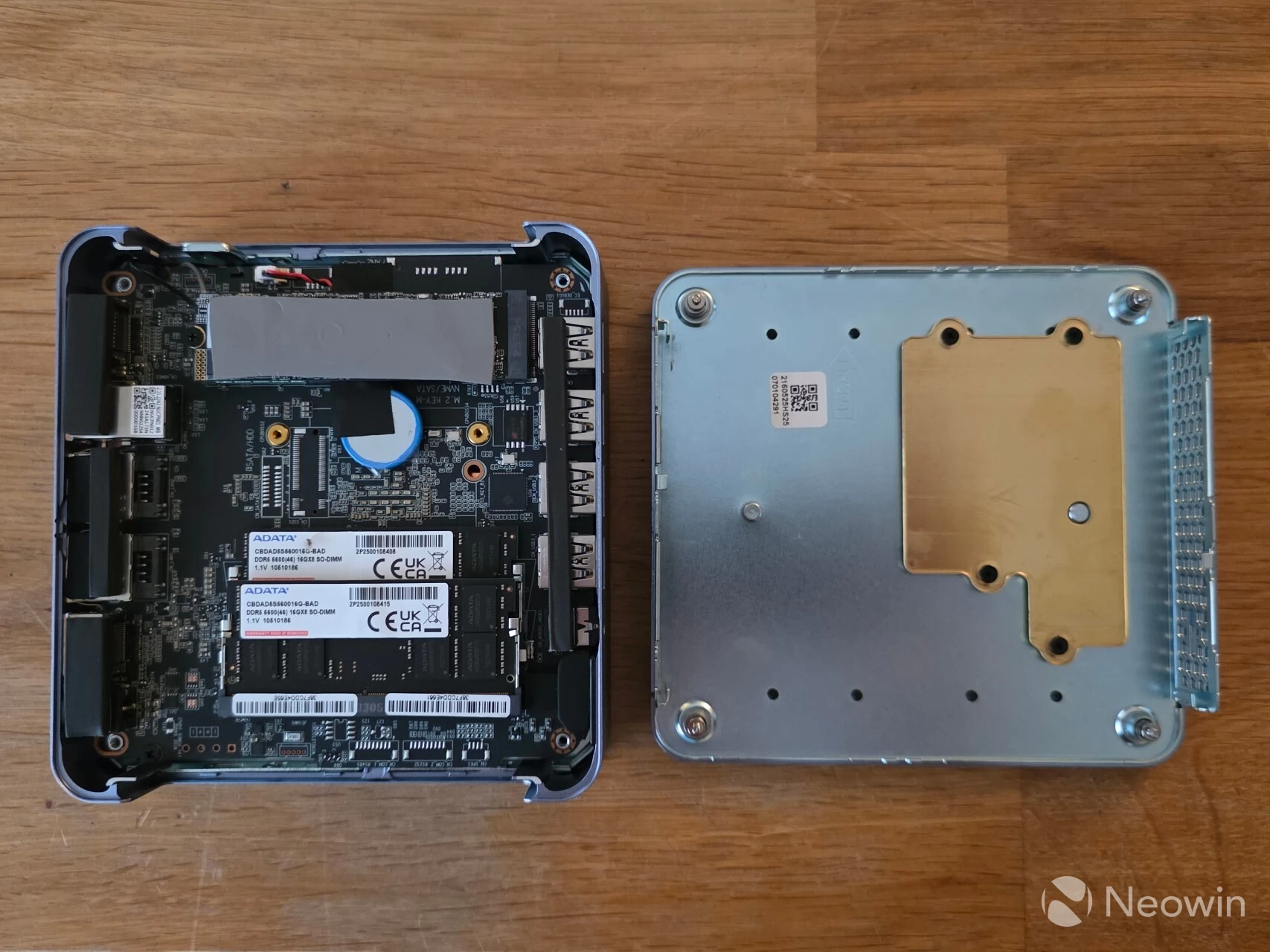
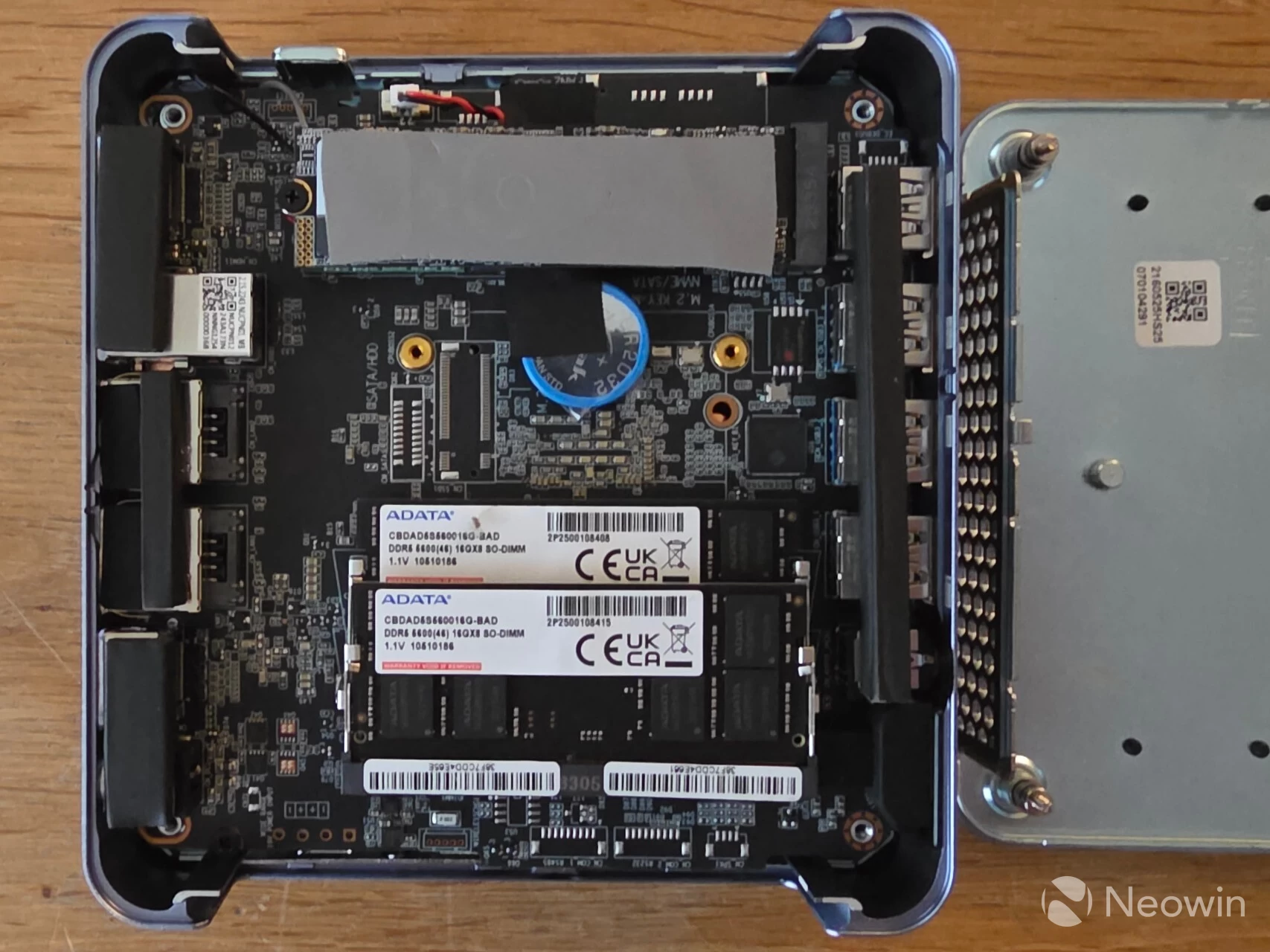
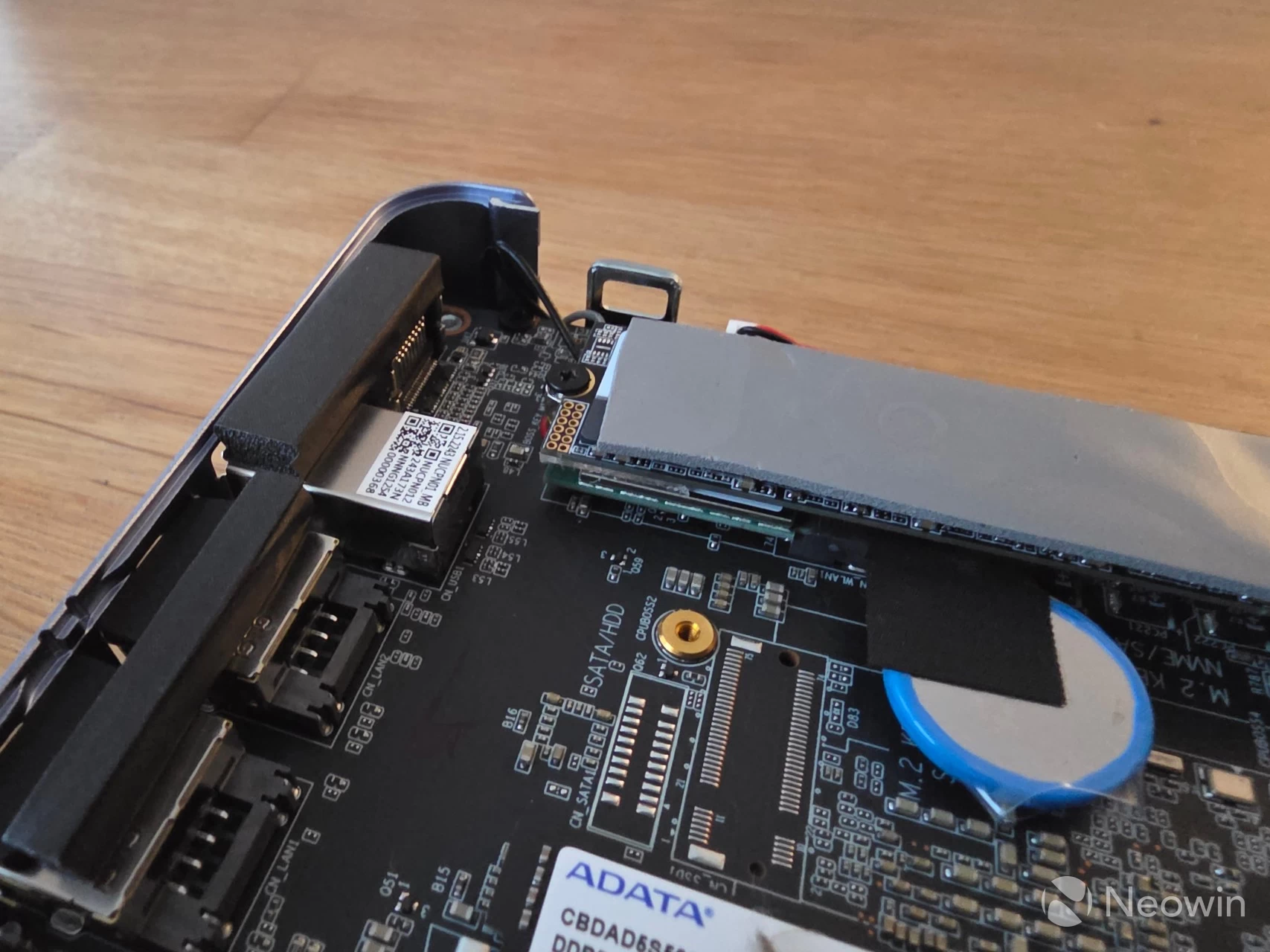
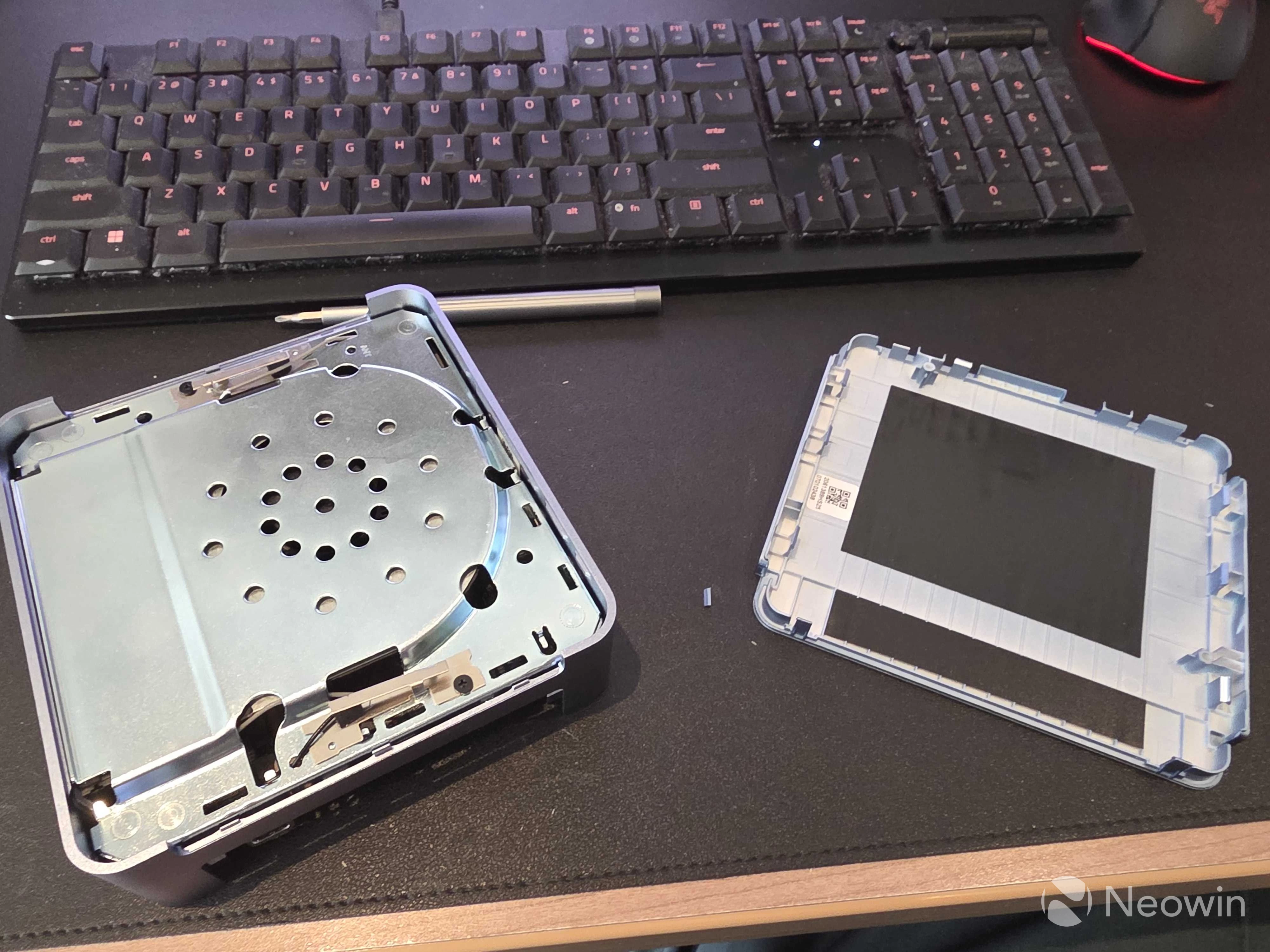
Opening the AX8 Max is quite easy:
- Unscrew the four Phillips screws (these stay in the chassis);
- Carefully prise apart the chassis, holding onto the side grills (wiggle it out a bit).
As you can see from the above images, which can be enlarged when clicked on, there is ample room to manage the SODIMMs and 1 TB SSD, so you can swap them out for something else if you want. As previously mentioned, although the specifications suggest that an additional M.2 (B-key) SATA drive can be added, there is no connector present to do so.
Usage
BIOS
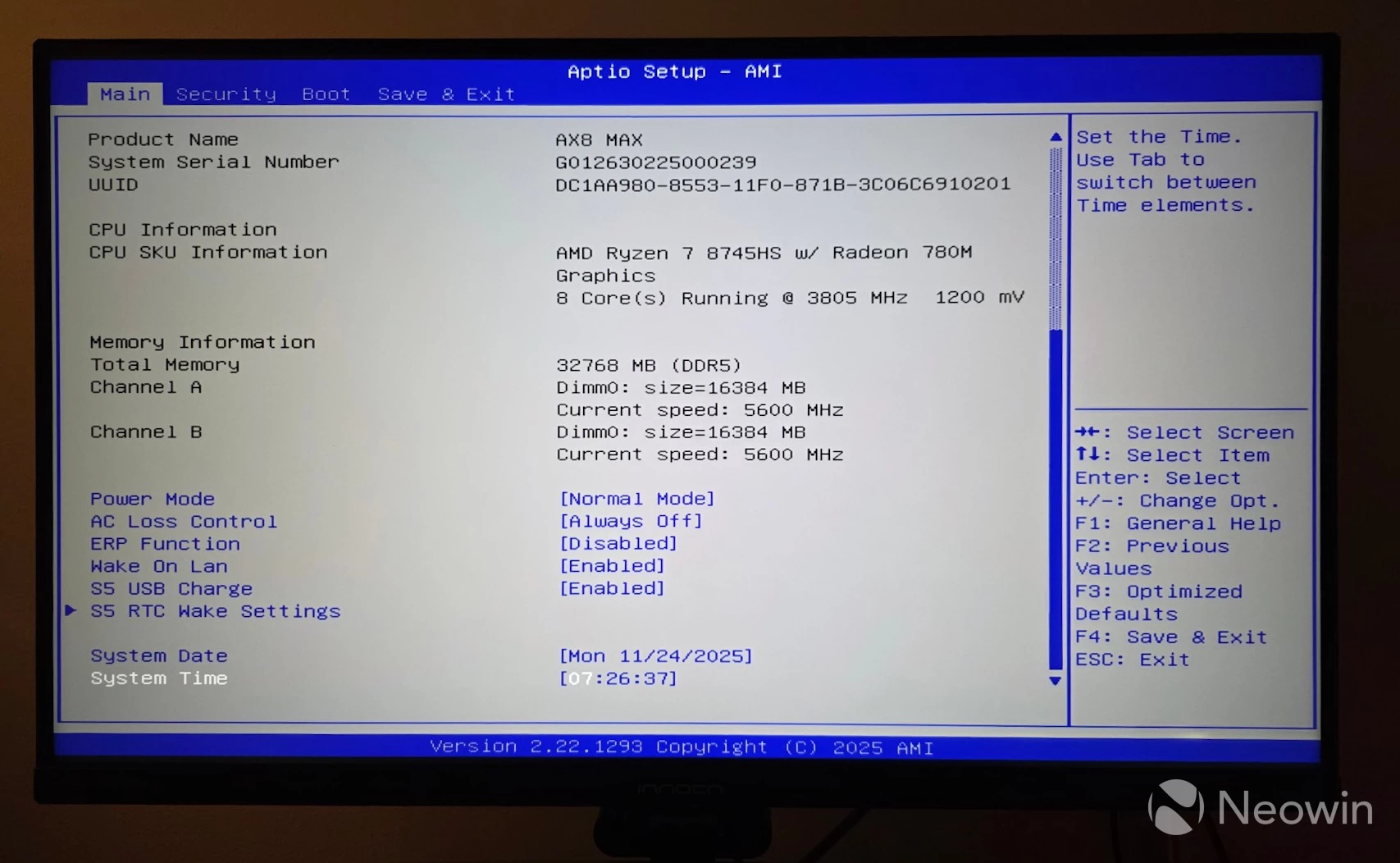
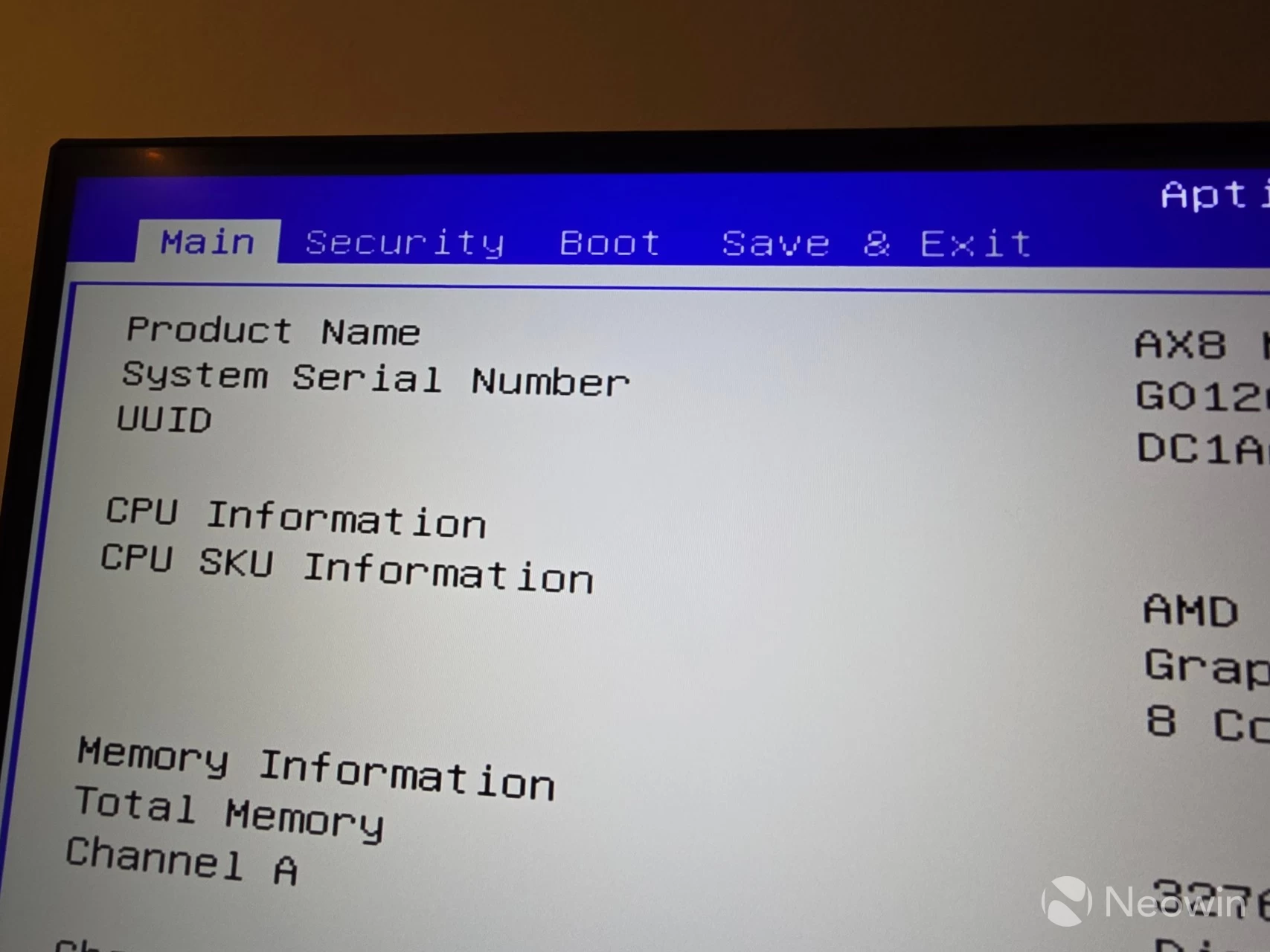
The AX8 Max includes an AptiBIOS, which is not completely locked down; however, there is very little in the BIOS to manage (1), (2) there is no Advanced tab, so no tweaking for you! You can only manage the Security and Boot order. The memory reports the correct 5600MT/s speed, and everything else looked in order, though.
Setting up the AX8 Max
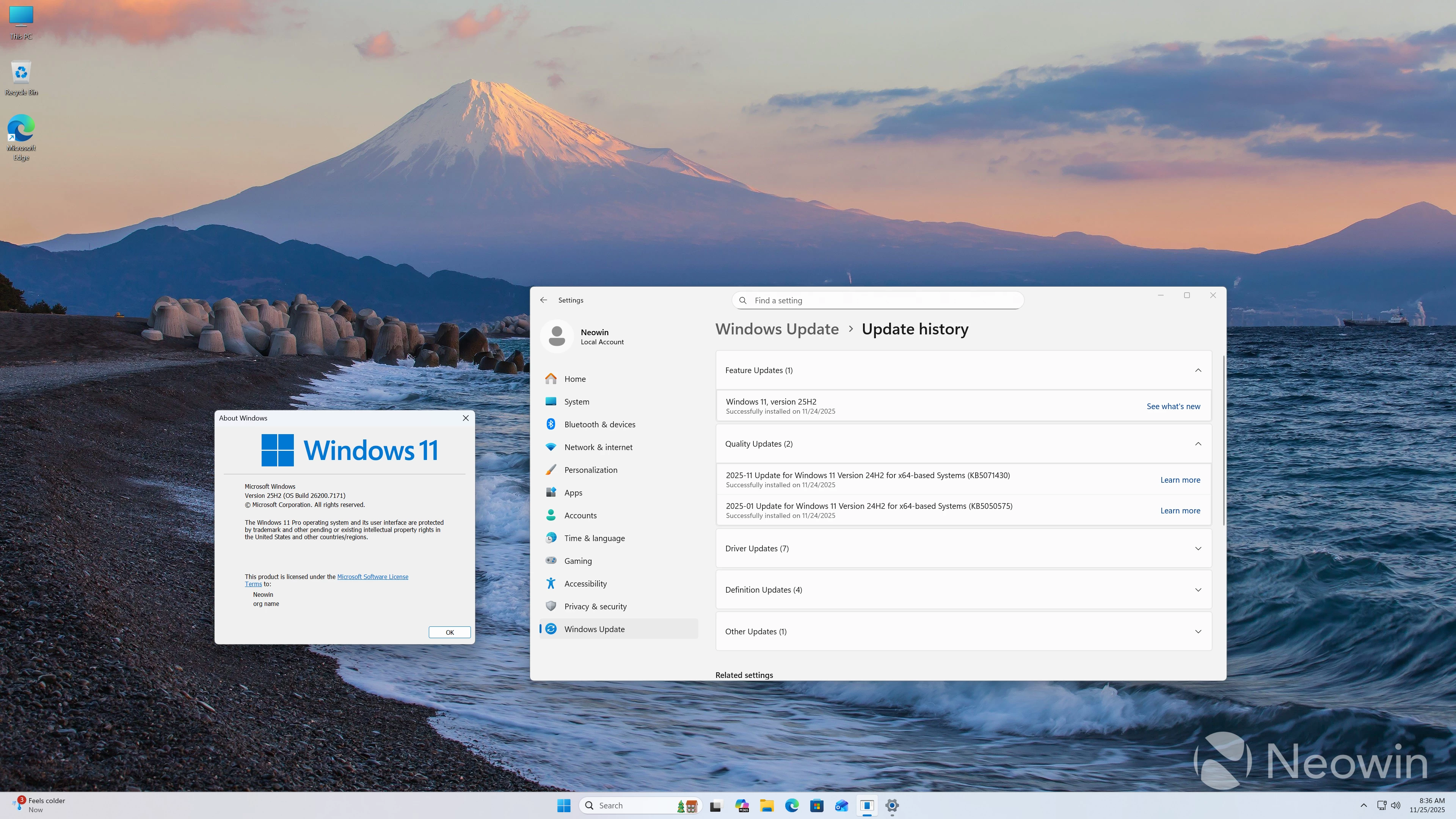
On first boot, you are prompted to complete the setup of Windows 11 Pro, meaning you do not have to fork out for a license, which is nice. After the setup is finished, I am happy to report that it does not come with any bloatware installed. The OOBE also installs several updates to Windows 25H2 26200.7171.
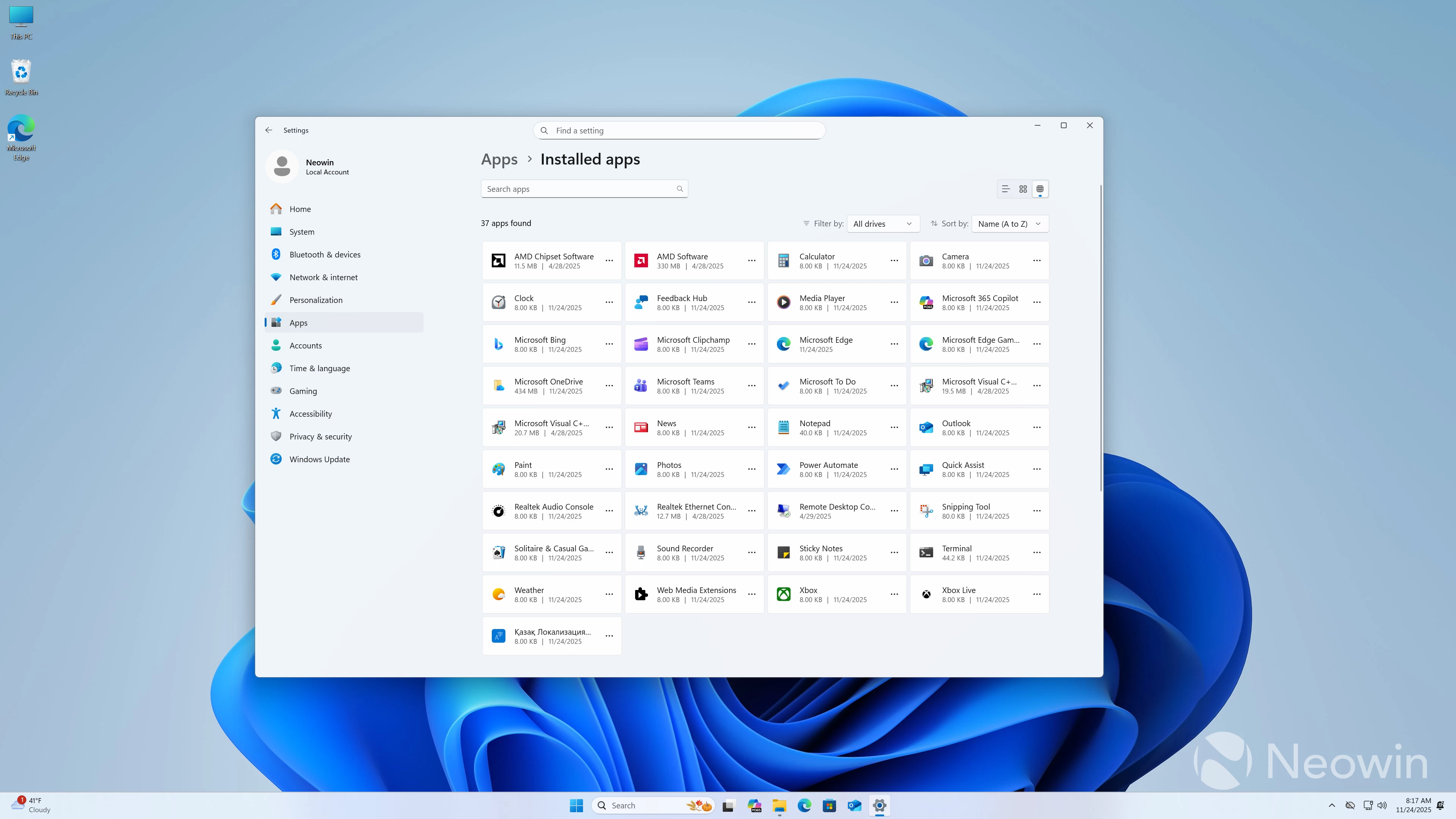
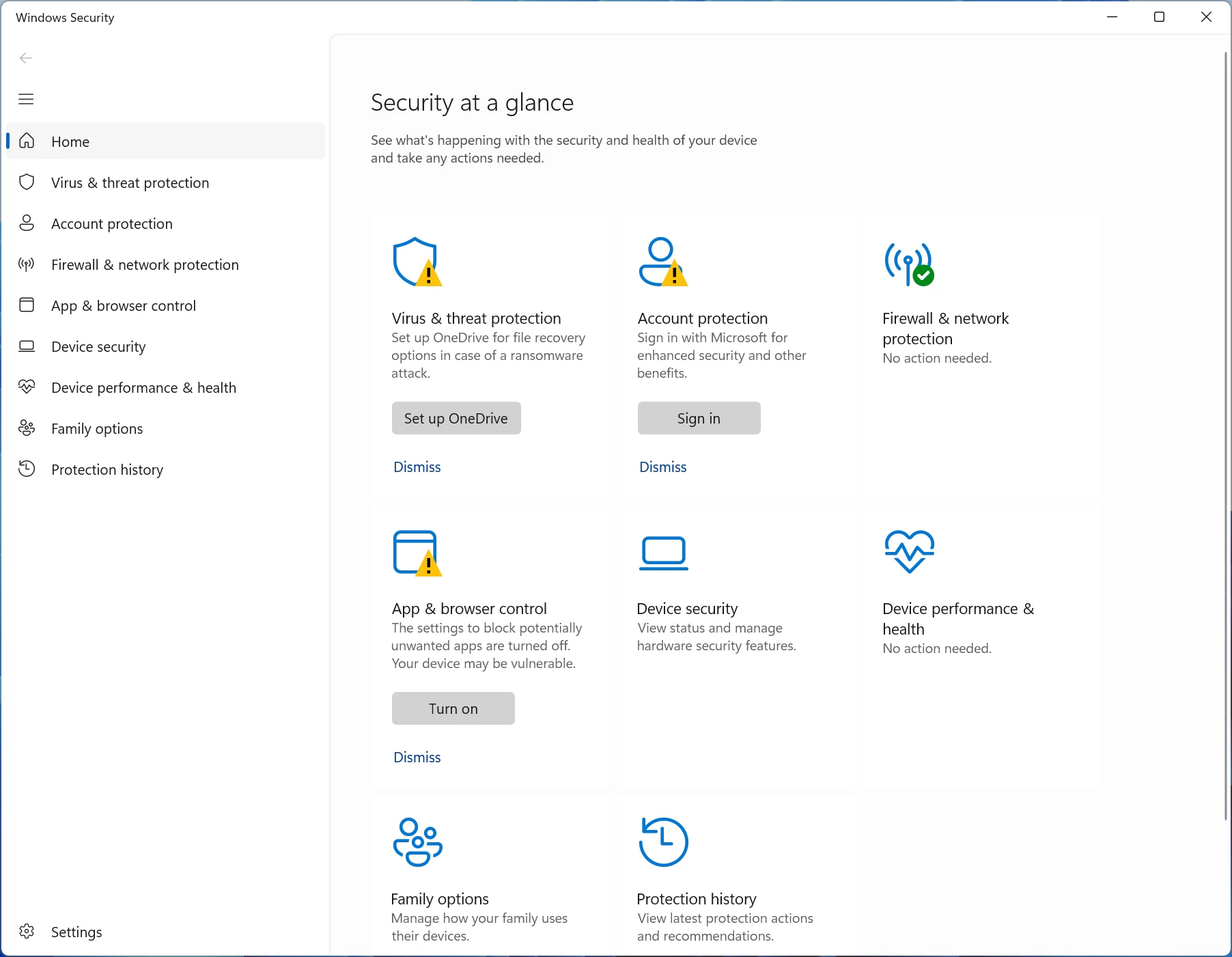
Before starting with benchmarks, I checked Windows Security, which gave several alerts, which ended up being because OneDrive was not setup and because I was not logged in with a Microsoft account (unsure how these two things affect PC security but hey ho,) after dismissing them I checked Device Security > Secured-core PC (which gave an alert that not all features were enabled) and saw that Memory Integrity and Firmware Protection were disabled out of the box. Memory Integrity being disabled appears to be a default setting for GEEKOM Mini PCs. I enabled it anyway and restarted. I tried to enable Firmware Protection, but it wasn"t possible. I had the same issue with the MINIX ER937-AI that I reviewed earlier this month, which required a repair package that I was able to apply last week to get it enabled.
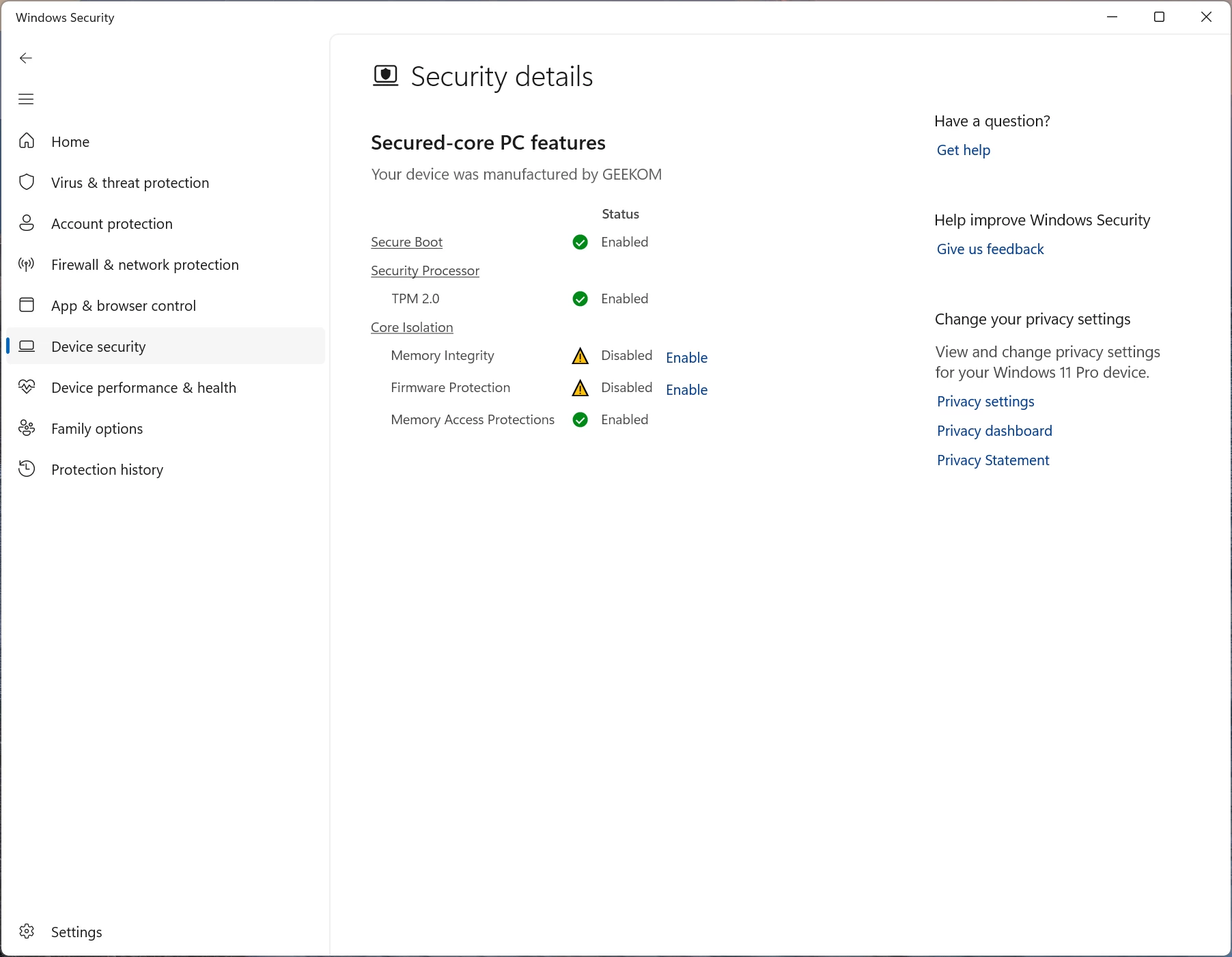
After informing my contact of the issue, I received a link to update the BIOS from V1.22 to V1.26, and after applying the BIOS update and installing the DRTM Driver, Firmware Protection was enabled. The A8, A8 Max, AE8 Max, and AX8 Max all appear to be affected by the Firmware Protection bug, so you will need to apply the relevant BIOS update and DRTM Driver to fix the issue.
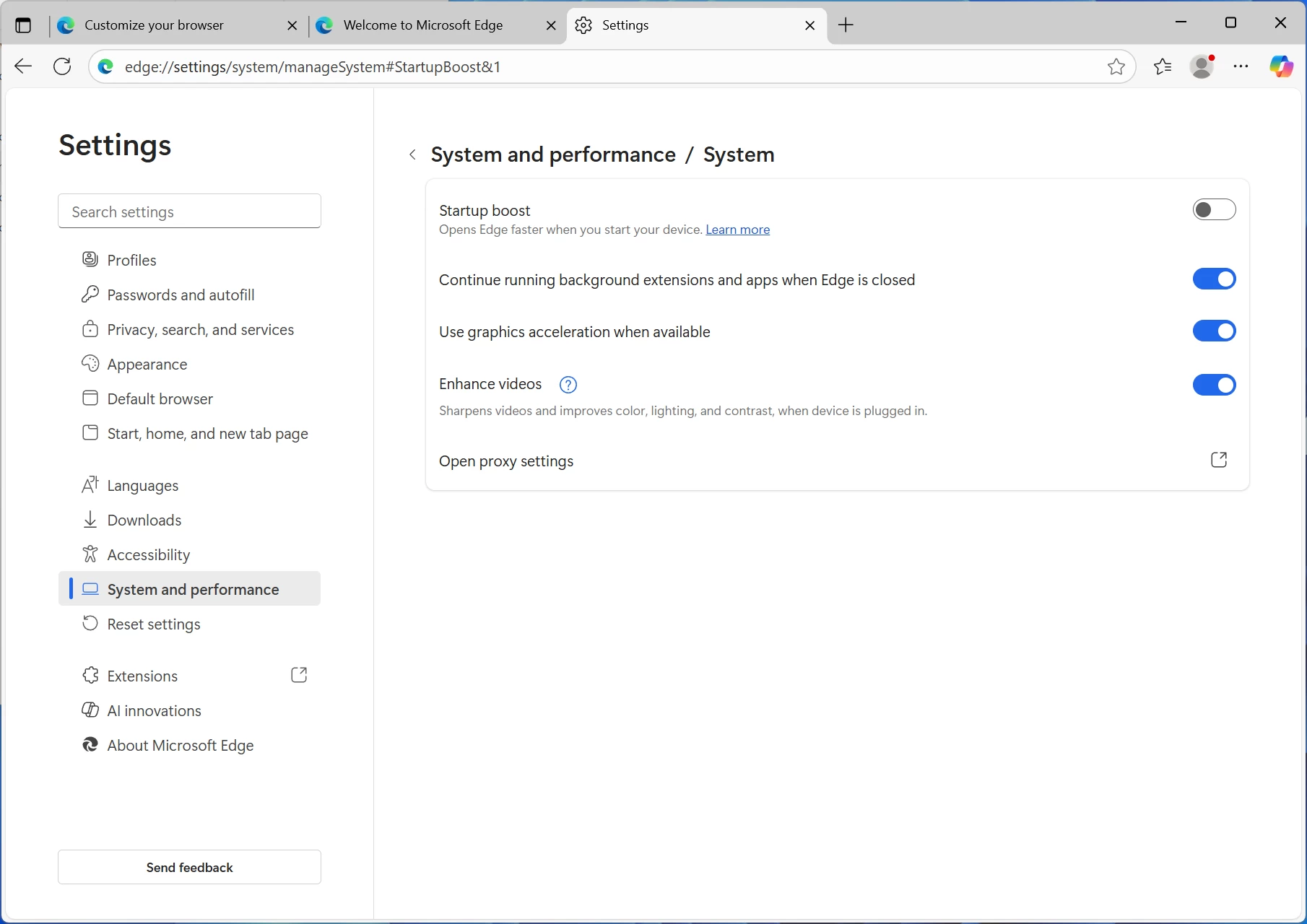
I also disabled Copilot and Edge browser Startup boost so that Edge wasn"t running in the background during benchmark tests, and I disabled OneDrive from startup programs via Task Manager.
Benchmarks
With that out of the way, and because people like that sort of thing, I ran some benchmarks and compared them with a couple of other GEEKOM Mini PCs, one with a Ryzen 9 HX370 Mini PC, and the other with a Ryzen 9 8845HS. The AX8 Max is running Windows 11 Professional 25H2 build with the latest (November 2025) updates, and the latest AMD Graphics and Chipset drivers (25.11.1 and 7.06.02.123).
For the benchmarks, I used Cinebench 2024, 7-Zip, AS SSD, and CrystalDiskMark. 3DMark, PCMark 10, Procyon (Windows ML for CPU and GPU, and AMD Ryzen AI for NPU) was provided to Neowin by UL Solutions; Primate Labs Inc. provided us with commercial versions of Geekbench 6, and Geekbench AI.
3DMark Time Spy tests gaming capability with DX12 graphics performance. PCMark tests are a mix of CPU and real-world productivity tests, such as using an office suite, web browsing, light photo/video editing, and making conference calls. Cinebench stresses the entire CPU as it is a multi-threaded rendering test. Geekbench is a synthetic benchmark that is great for a quick look at the potential performance across a wide range of workloads.
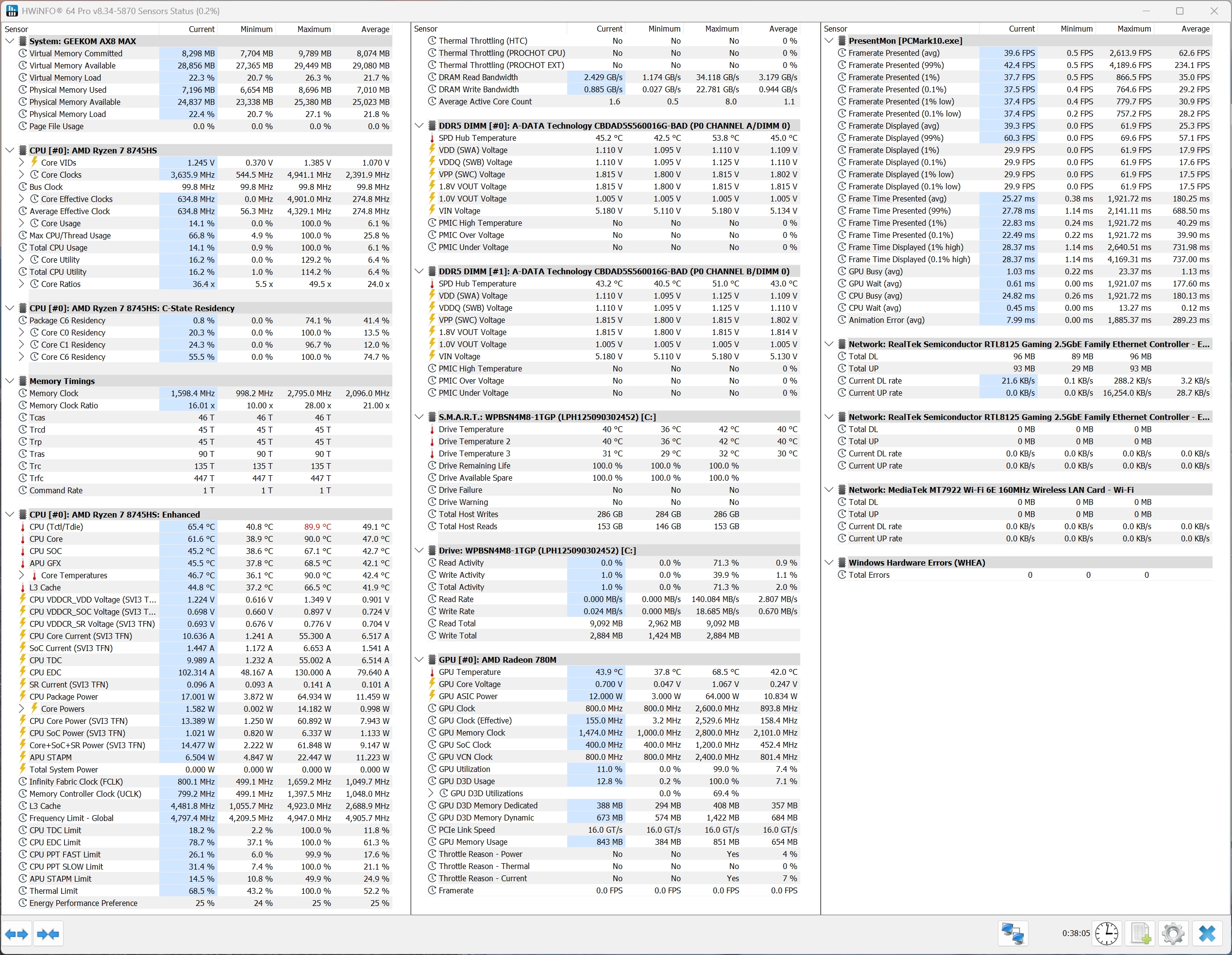
I also used HWiNFO to monitor hardware sensors and temperature readings.
| GEEKOM AX8 Max Ryzen 7 8745HS | GEEKOM A9 MAX Ryzen AI 9 HX370 | Geekom AE8 Ryzen 9 8945HS | |
|---|---|---|---|
| 3DMark: Time Spy Steel Nomad Light Steel Nomad Fire Strike Wild Life | 3,033 2,611 468 7,557 17,208 | 3,732 3,293 518 8,579 20,773 | 3,343 2,915 499 |
| PCMark 10: Standard Extended test | 6,985 6,835 | 7,762 7,675 | 7,488 7,423 |
| Procyon: Windows ML CPU | 165 186 - | 129 255 788 | 125 219 - |
| Geekbench 6: Single Multicore Compute (OpenCL) | 2,587 12,882 29,068 | 2,885 15,196 39,233 | 2,662 13,468 31,707 |
| Geekbench AI | Single, Half, Quantized | Single, Half, Quantized | Single, Half, Quantized |
| ONNX CPU ONNX DirectML OpenVINO NPU | 4457, 1980, 8695 6938, 10587, 5339 6184, 5998, 17357 | 4229, 2100, 7774 7596, 12469, 5730 6197, 6177, 16420 | 4503, 1978, 8823 7301, 11678, 5499 6394, 6329, 17840 |
| Cinebench 2024: Single Multicore | 103 912 | 120 1,146 | 107 938 |
| 7-Zip | 104,321 | 123,551 | 102,259 |
Geekbench AI scores are in the following order (left to right): Single Precision, Half Precision, Quantized.
As was to be expected, the Ryzen 7 8745HS falls below the Ryzen 9 8945HS in Cinebench 2024 single-core and Multicore, but it can hold its own even against the Ryzen AI 9 HX370, besting it particularly in some of the 3DMark scores.
However, neither quite measures up to the Intel Arc 140T in the GEEKOM IT15, which is a discrete graphics card. It is noteworthy here that Intel graphics is not quite as efficient as AMD Radeon in terms of driver overhead and other similar optimizations. As such, the real-world performance may be closer than what we see here in 3DMark synthetics.
Gaming
Although the AX8 Max does not have a dedicated GPU, the iGPU falls around 14% lower than the GTX 1650, but also sips 60W less power. It is possible to run some titles at 1080p with the settings turned way down, and of course, it goes without saying that Ray tracing and Path tracing would need to be disabled.
Final Fantasy XV
To gauge the capability of the 12CU Radeon 780M integrated graphics processor (iGPU), I ran the standalone Final Fantasy XV Windows Edition Benchmark on different resolutions at the Standard Quality preset to see what kind of gaming performance one can expect from the onboard GPU.
For comparison, an MSI A15 Thin laptop was used that packs a Ryzen 7 7735HS APU with a 12CU Radeon 680M iGP, as well as the 16CU 890M of the Ryzen AI 9 HX 370 inside the Geekom A9 Max.
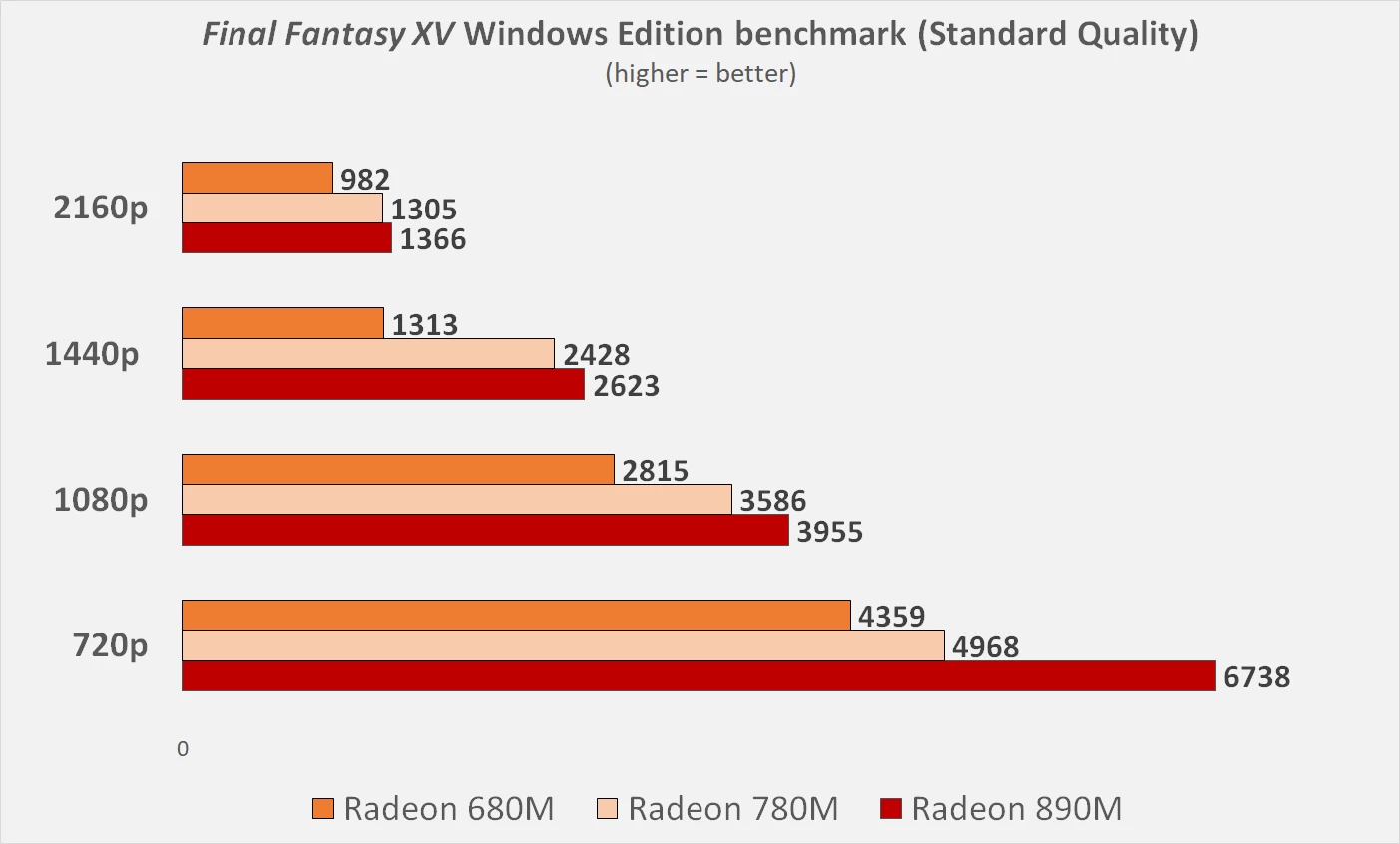
We start off 720p, which was the only resolution on which the 680M achieved playable 30+ fps performance. The 890M was the fastest as it managed to easily break 60 average fps with a score of 6738, while the 780M was at 50 fps.
At 1080p and above, we observed an interesting trend. The 890M, despite being much faster than the 780M at 720p, started to lose its lead. As you can see in the image above, the 890M gets progressively worse as we move up the resolution stack.
While it may seem puzzling at first, what is most likely happening here is that the four extra CUs on the 890M simply do not have the memory bandwidth required to fully stretch their legs. Thus, DDR5-5600 RAM is evidently not enough for the more powerful 890M, at least in cases where the game is bandwidth-starved.
The 780M, though, continues to maintain its lead over the 680M, indicating the VRAM bandwidth in its case is plentiful.
Cyberpunk 2077
Running Cyberpunk 2077 at the default detected settings in 4K with Ray tracing set to Low returned an average fps of around eight, which is basically unplayable.
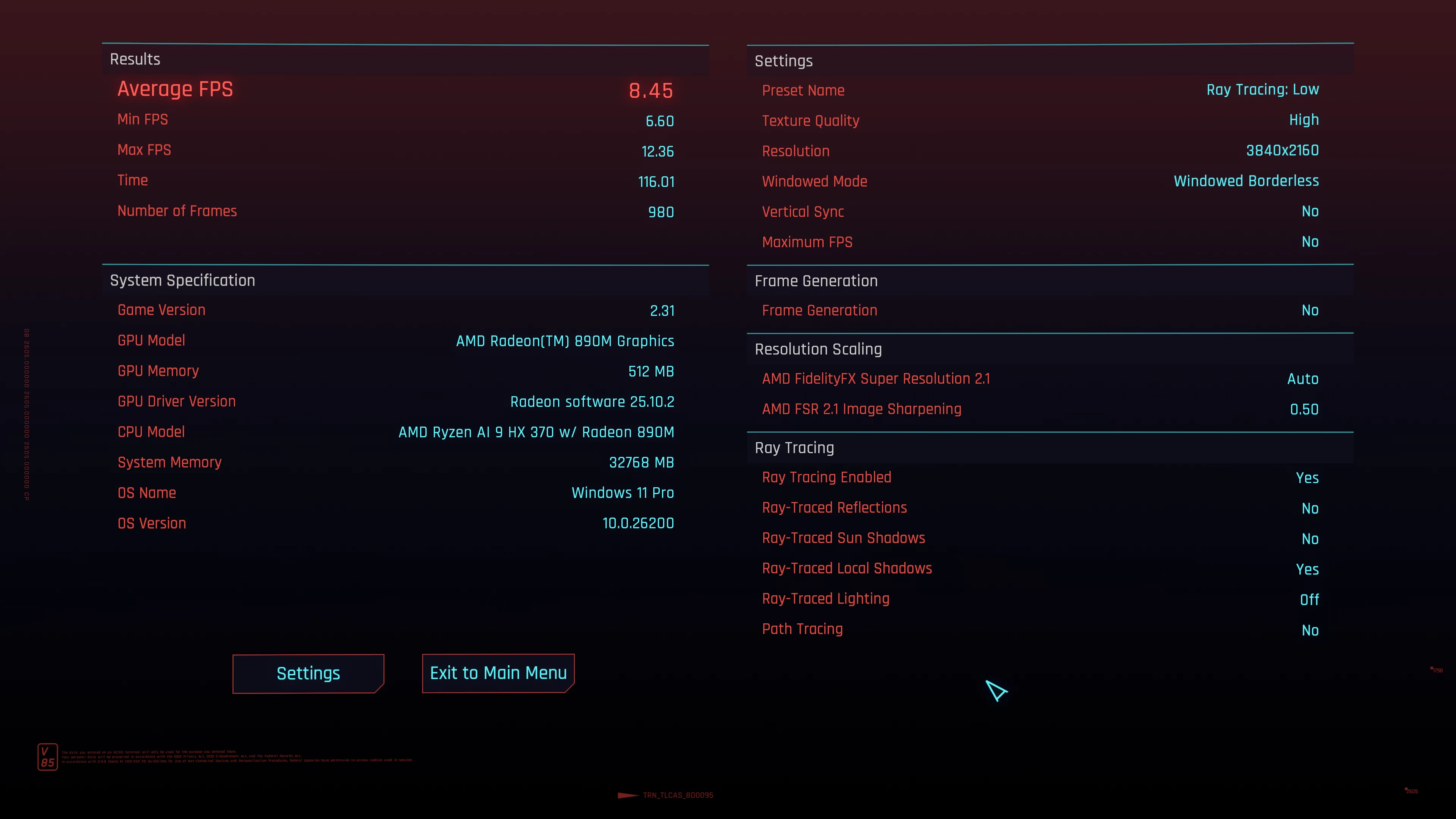
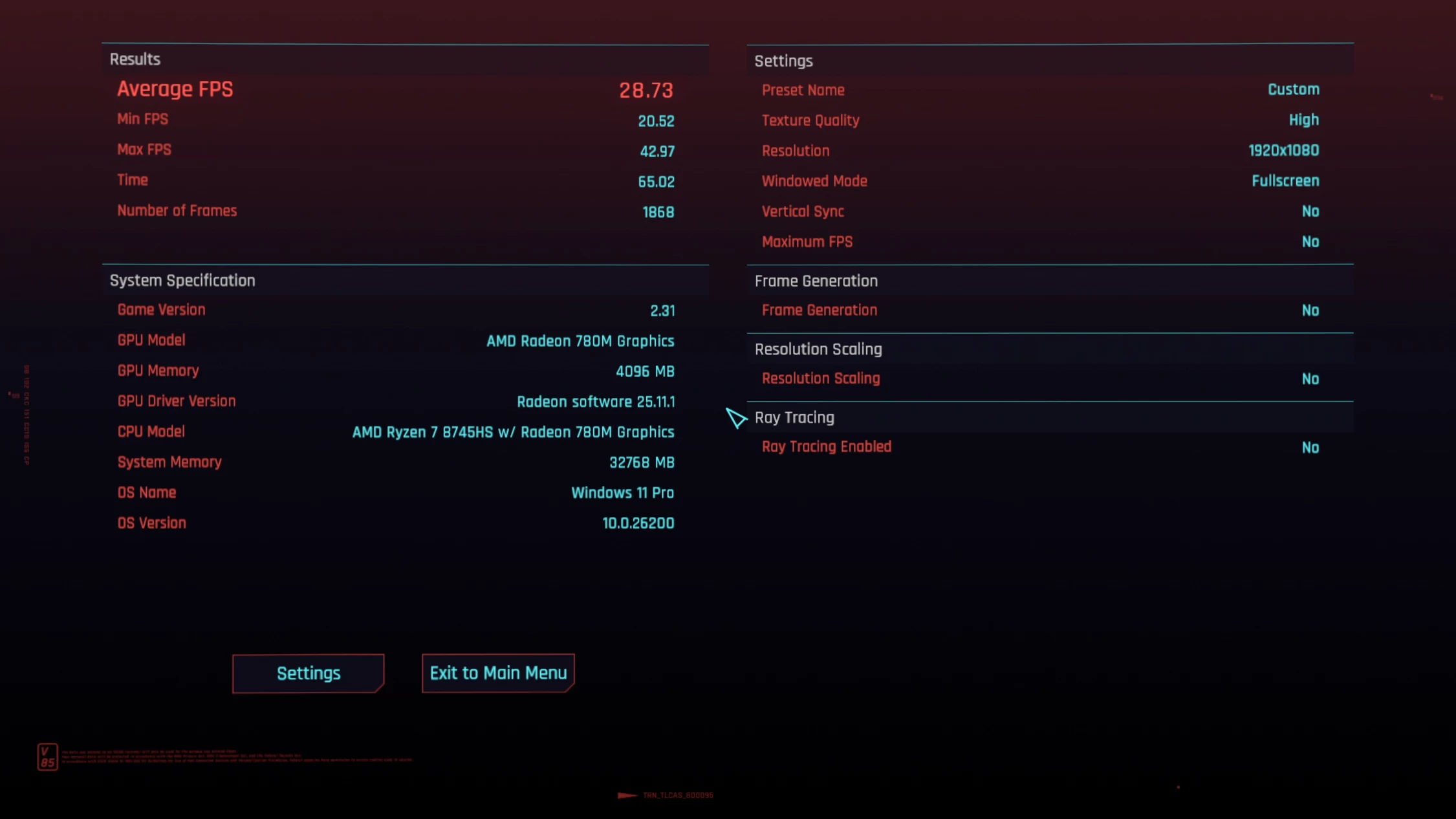
So I turned the settings way down, disabling Ray tracing, and all other graphics-heavy settings, bumped Textures to High (textures don"t impact GPU core performance) and changed screen resolution to native 1080p (FSR was off), resulting in a barely playable 20-42fps with an average of around ~29 (image above). However, there was quite a bit of screen tearing and stuttering going on.
Well, see for yourself:
Bear in mind that my video recording software captures at around 30fps, so frames are being dropped. So if you fiddle around with the quality settings a bit, it is possible to game at 1080p on this Mini PC, even on AAA titles.
Browser Performance (result is best to worst)
| Browser | Low | High |
|---|---|---|
| Edge | 25.3 | 25.8 |
| Chrome | 25.0 | 25.9 |
| Firefox | 19.8 | 20.2 |
Next up, I tested browsing performance using Speedometer 3.1. Speedometer provides a value and also a range showing the lowest and highest scores after three runs, as indicated in the chart above by the two scores for each browser. There"s barely any daylight between Edge and Chrome, however Edge edges out Chrome on the low and Chrome bests Edge on the high, leaving Firefox in the dust by around 5.2 points on the low, and 5.6 behind on the high, respectively, while Edge, with 0.3 on the low and -0.1 on the high, is slightly ahead of Chrome for the winner.
Disk performance
I also tested the SSD"s capability using AS SSD and CrystalDiskMark.
| AS SSD | CrystalDiskMark |
|---|---|
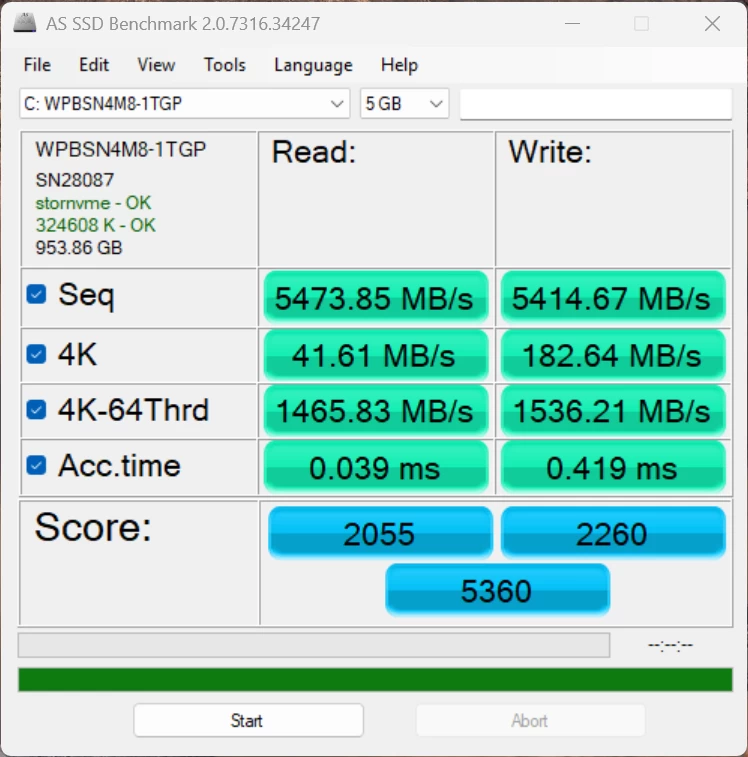
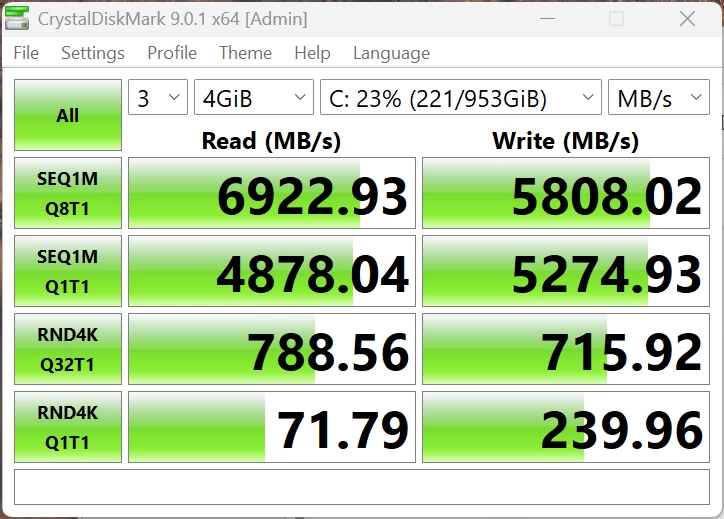
The Wodposit 1TB WPBSN4M8-1TGP is rated for 7000/6000 MB/s read/write, and you can see that it falls just under its own rating; however, on PCIe 4.0 X4, I have no complaints about this SSD. It also has a great rating if you search for it in other benchmarks, so you can"t really go wrong here.
3DMark Storage Benchmark
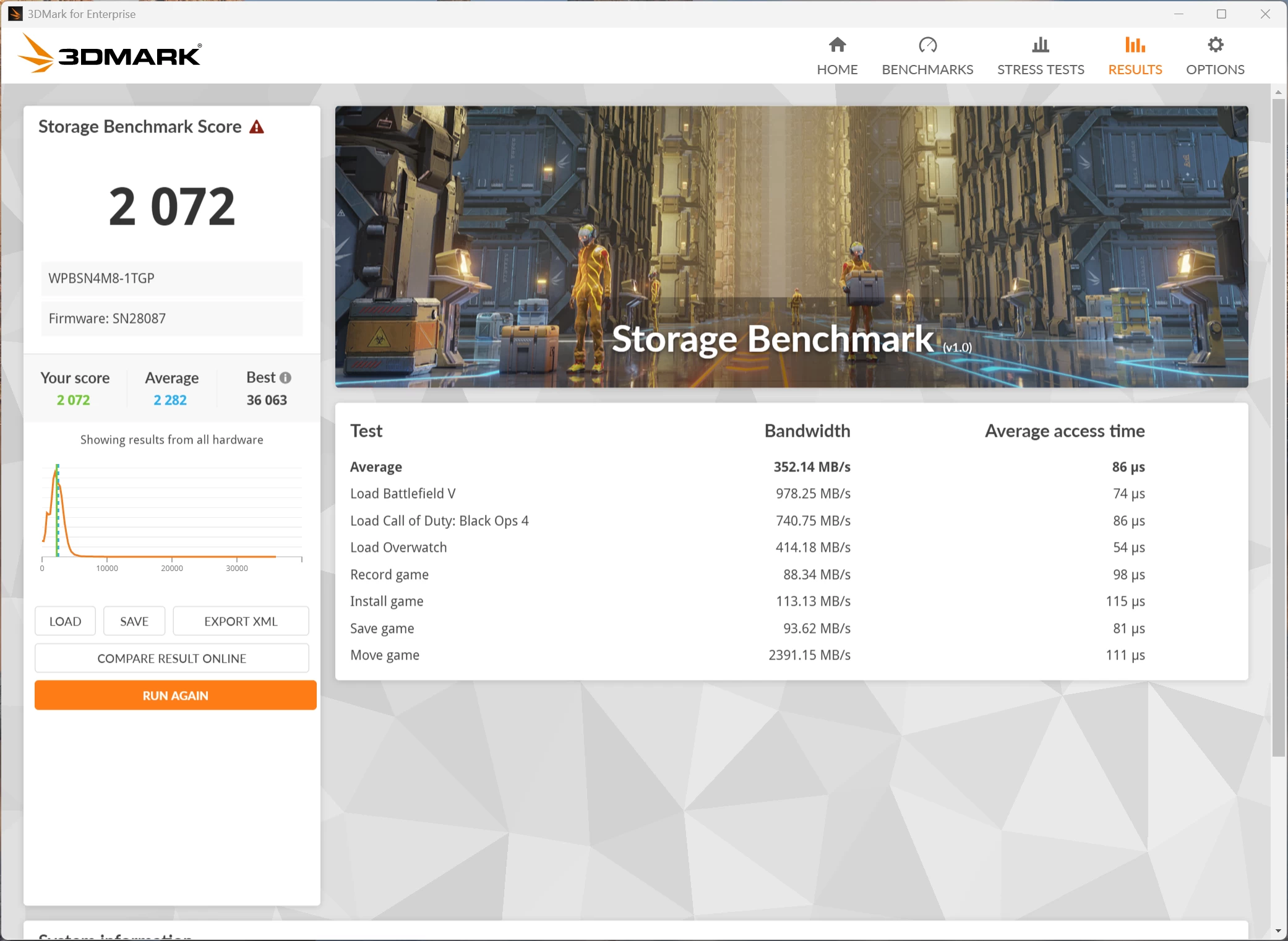
Next, I ran the Storage Benchmark, which is a component test that measures the performance of the Wodposit SSD, particularly for gaming, using real-world gaming-related activities like loading games and recording gameplay. As you can see, this SSD falls just below the average of all those tested, but it is no slouch by any means.
Heat
Despite running all of the above benchmark tests, the AX8 Max did not get hot (or even warm) to the touch, and no annoying noises were coming from the single fan that cools the unit. The Highest CPU temperature recorded was during the PCMark 10 Extended test, where the CPU Core reached 90 °C.
Infrared thermal imaging
| Top | Bottom |
|---|---|
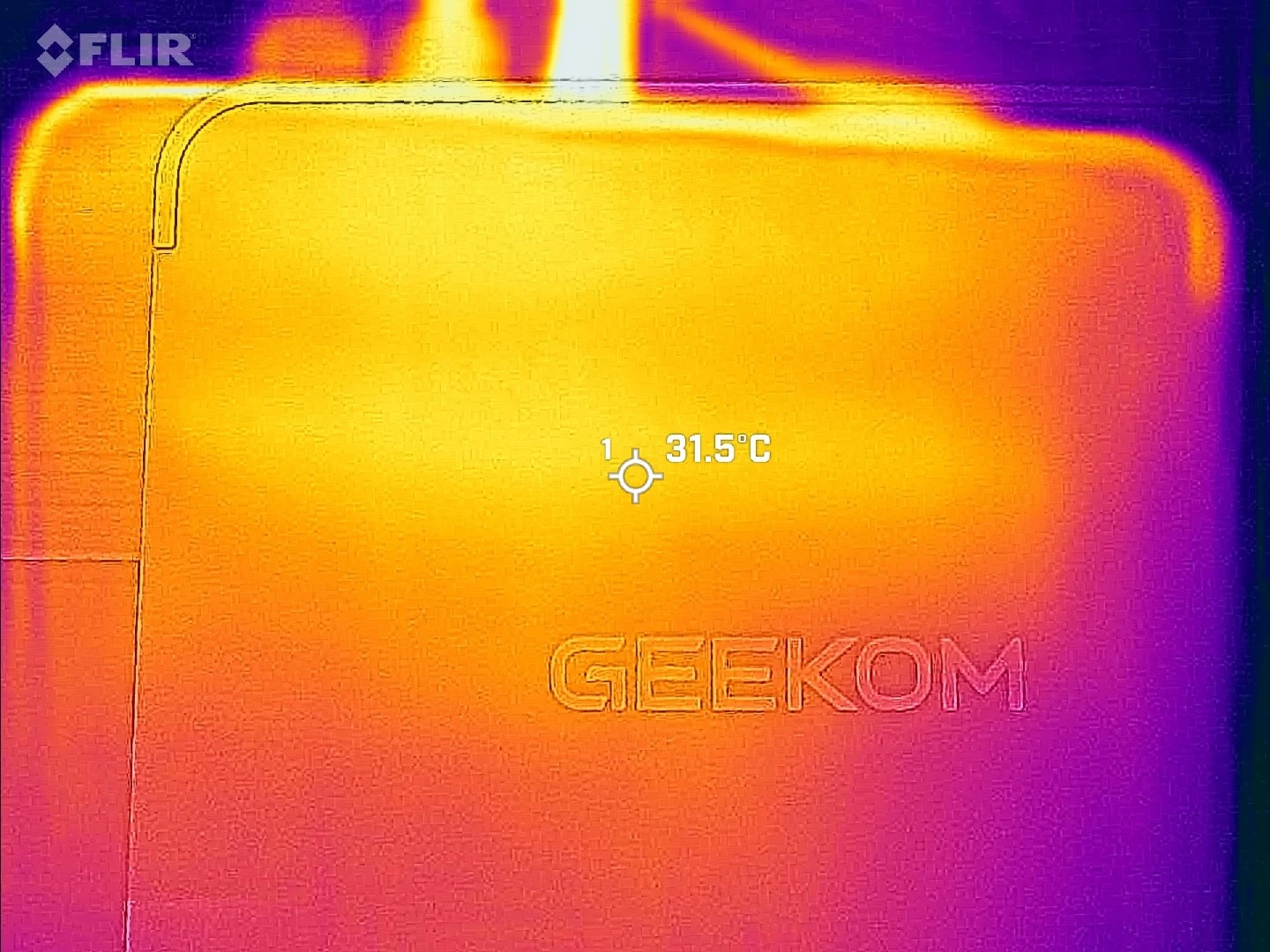
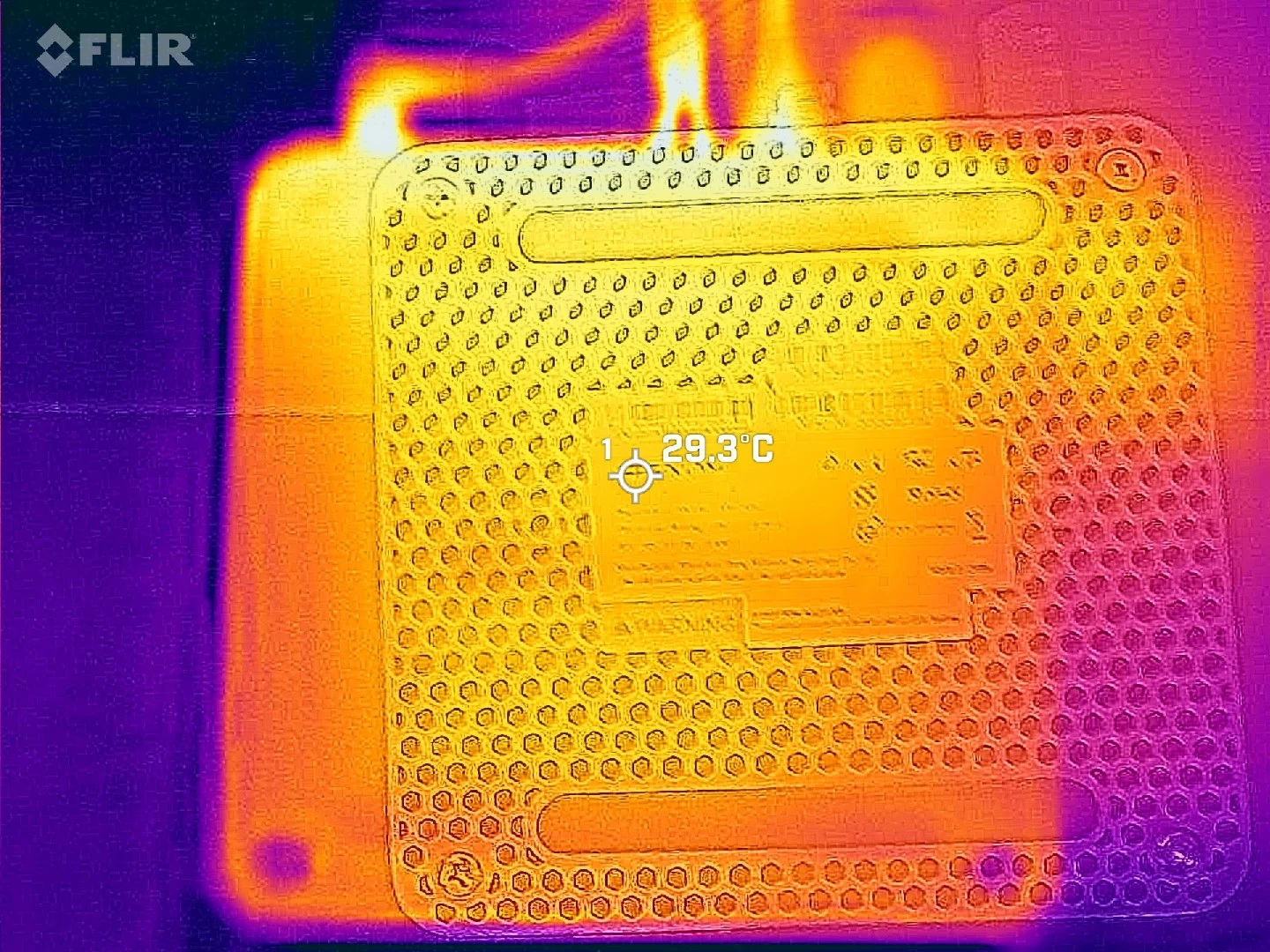
Despite all this, the outer shell never exceeded 32 °C while I was pointing my FLIR ONE Gen 3 thermal camera at a hotspot on the bottom while running a 3DMark Fire Strike test. The bottom of the Mini PC even showed a more uniform max temp of 29°C across the whole plate, while on the top, it was more concentrated towards the back.
Power draw
During my testing, I also kept an eye on the power draw using a Green Blue energy meter.
| in Standby | in Hibernation | Windows 25H2 idle |
|---|---|---|
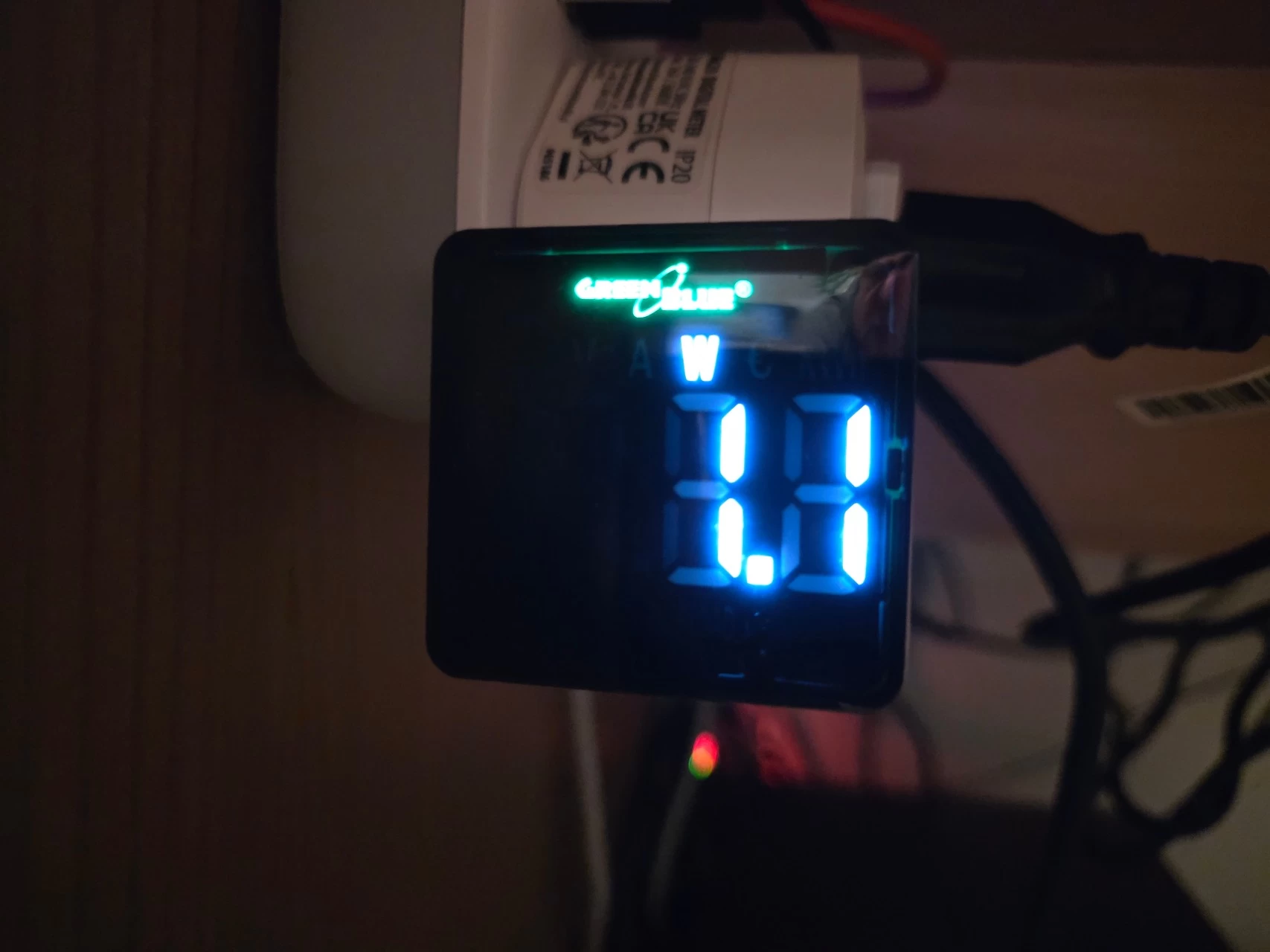
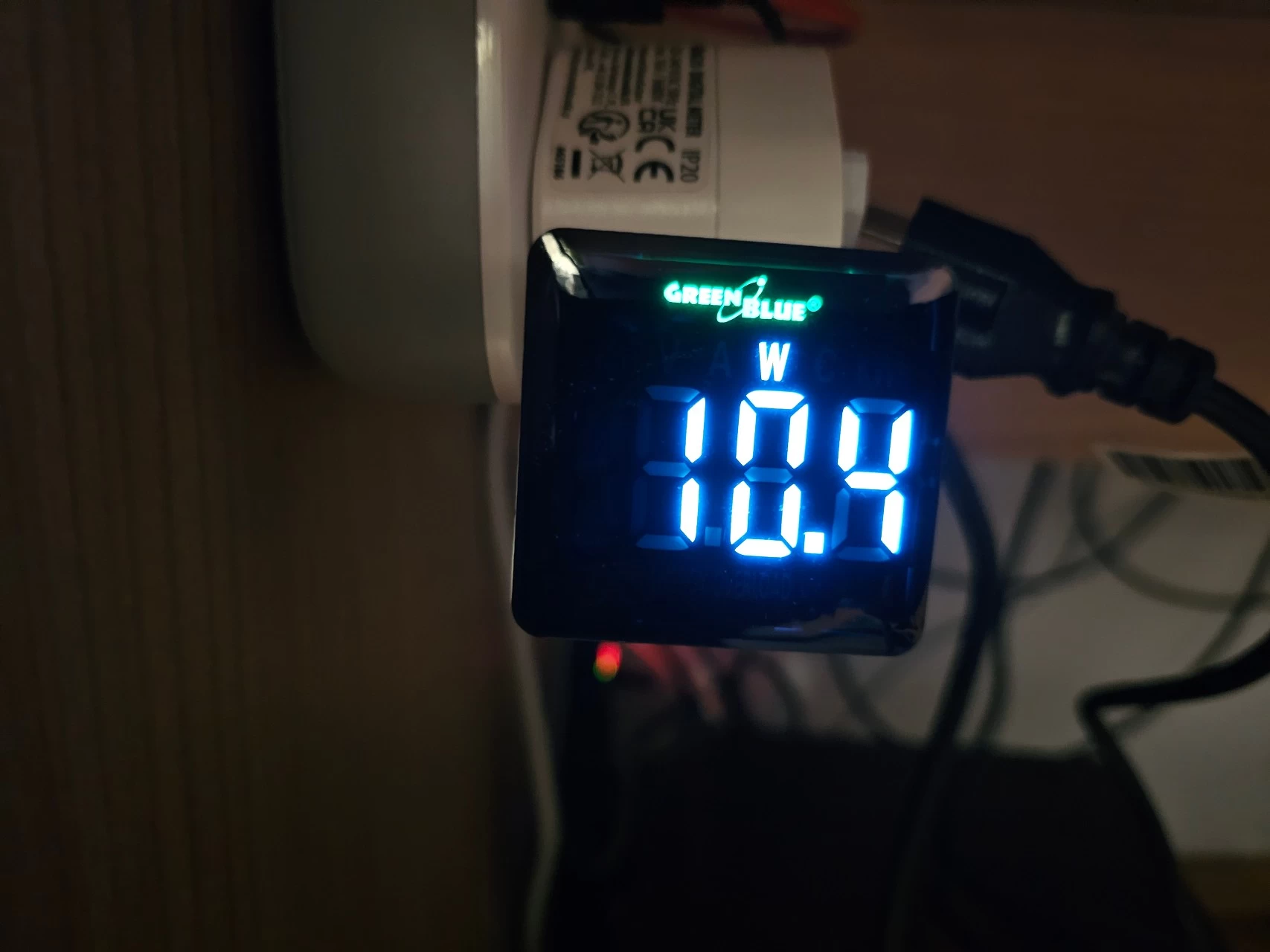
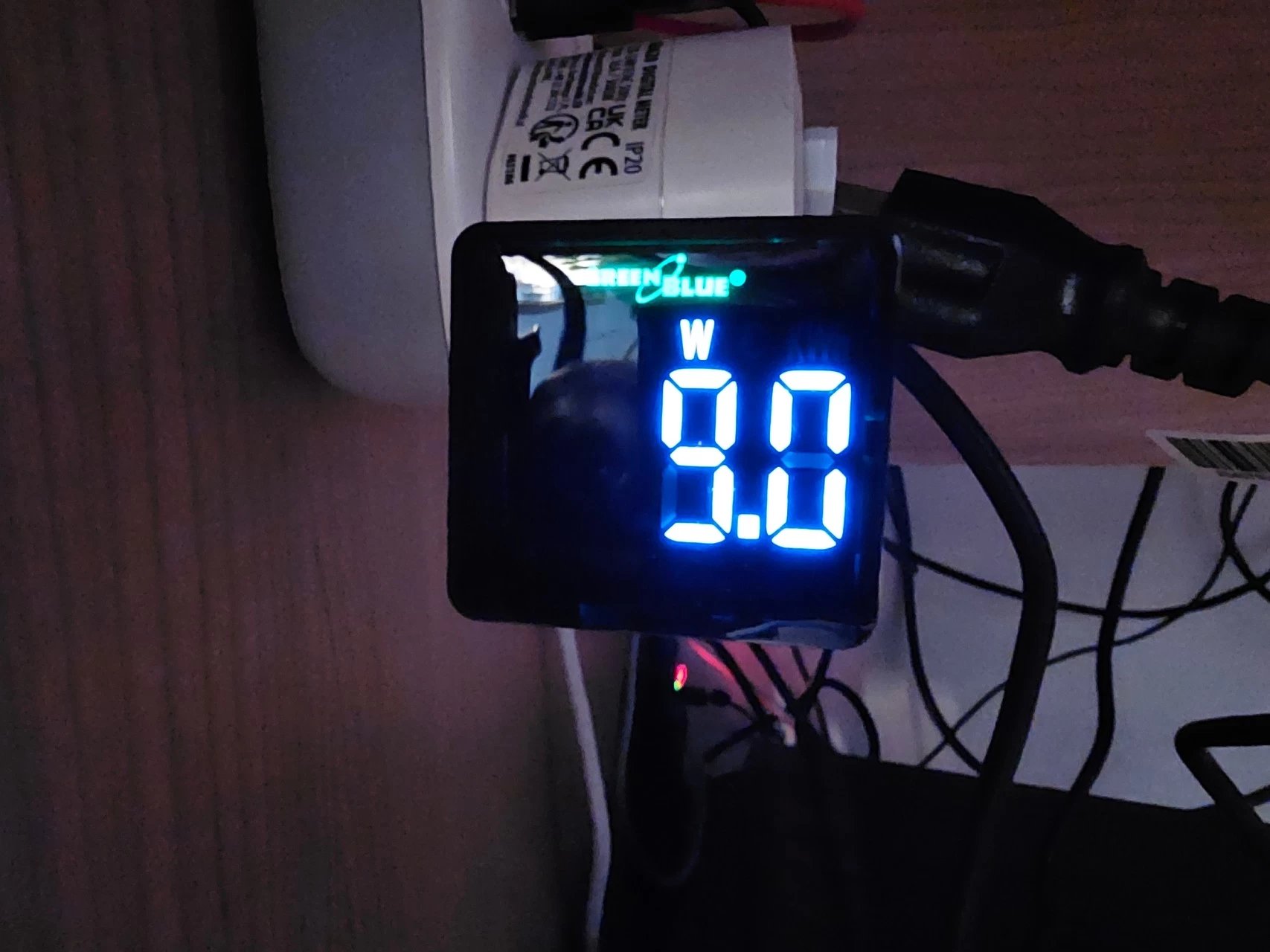
As you can see above, when powered off, it draws between 1.0 and 1.2W in Standby. In Hibernation, I was seeing around 10-11W, and the Mini PC stayed warm, which might indicate that the fan was turned off. When turned on and idle with no apps opened and just sitting in the Windows desktop, the draw was between 8.4-9.0W, which is strange; not only was the Mini PC cooler, it drew less power than in Hibernation. Maybe someone can explain this to me?
| Cinebench 2024 | Windows Update (peak) | 3DMark Fire Strike |
|---|---|---|
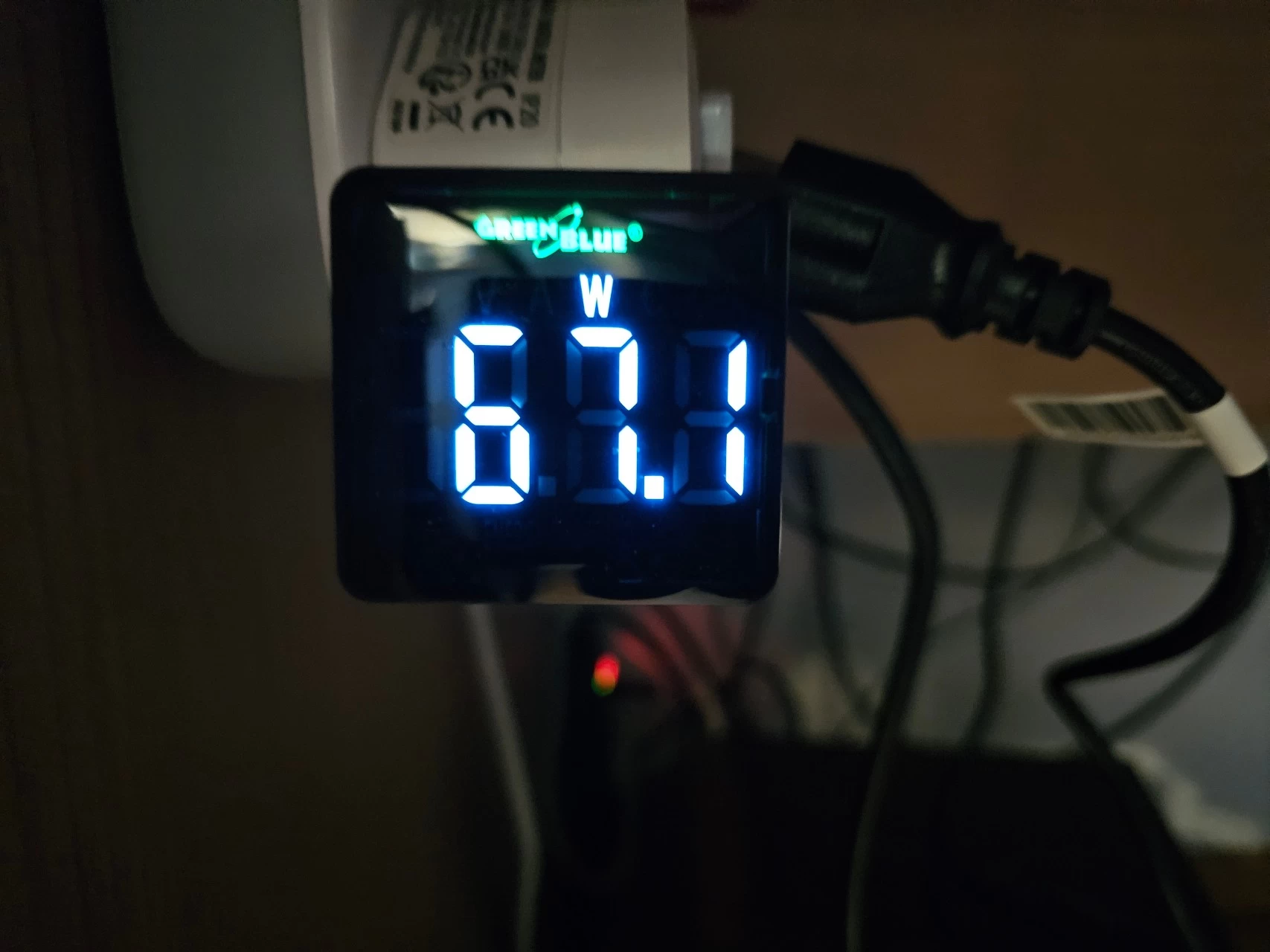
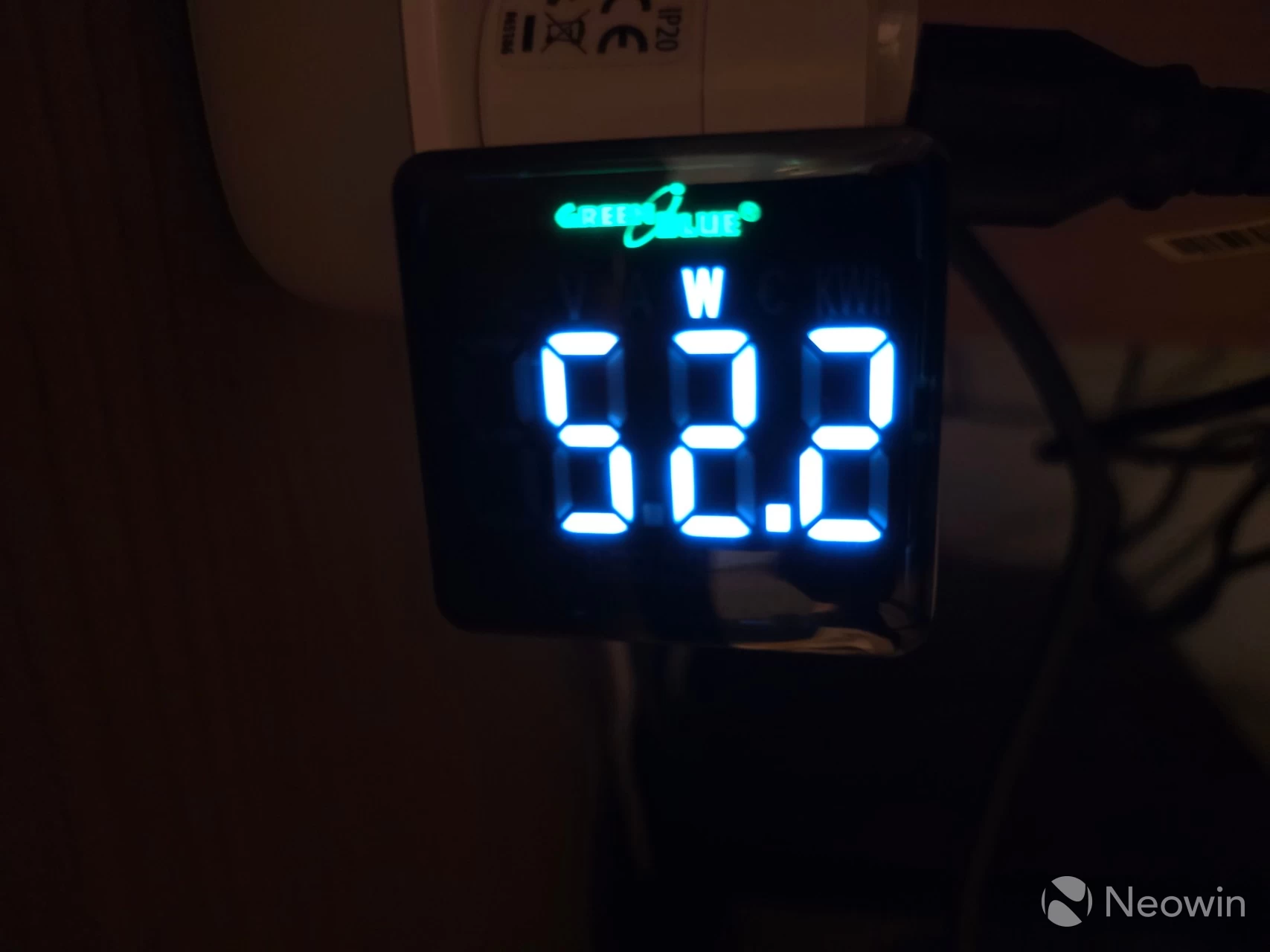
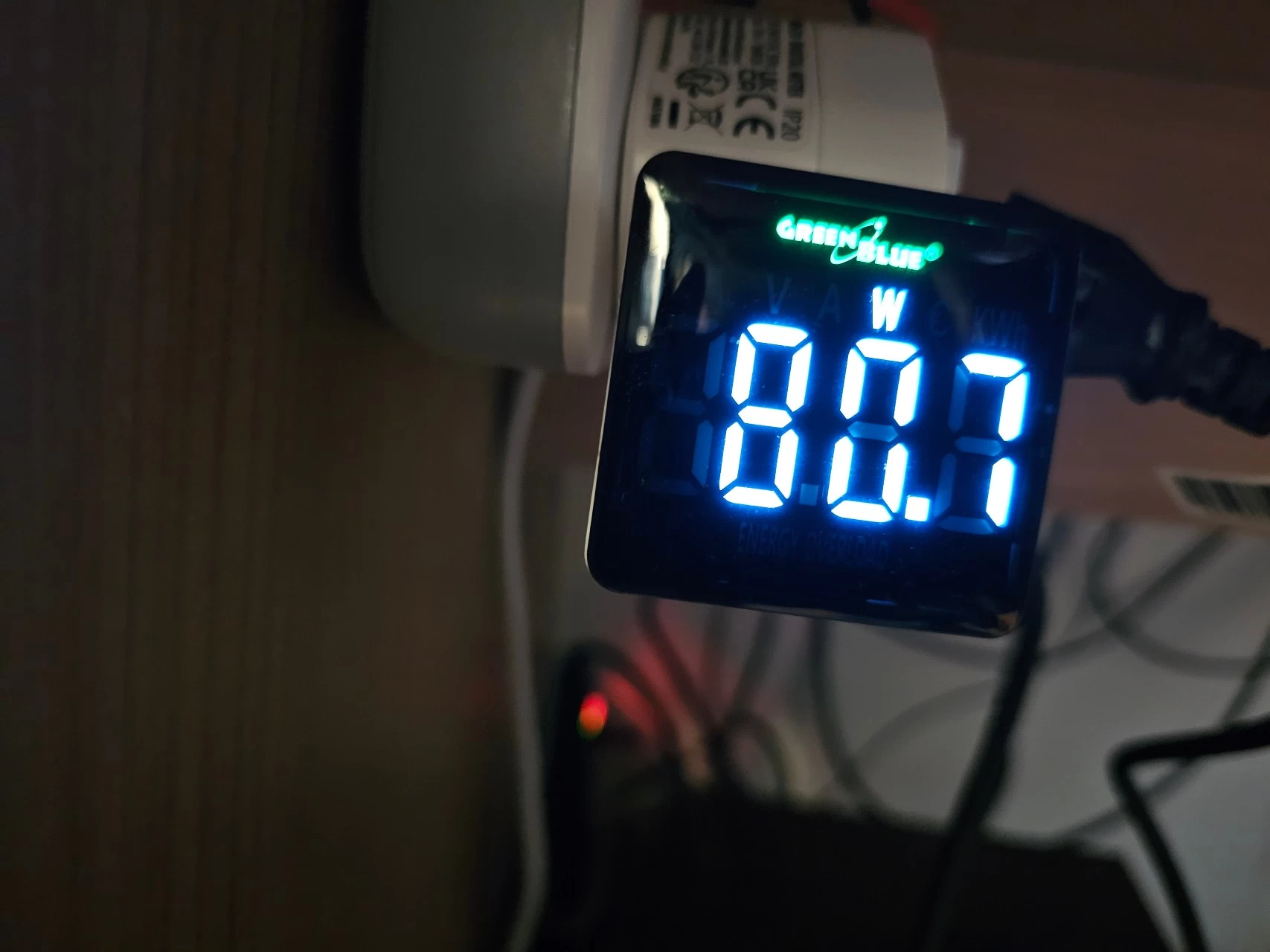
Next, I measured the maximum power draw when running the Cinebench 2024 test, which relies mostly on CPU access. I also measured power usage during the OOBE Windows Update and saw a peak of 52.2W, and finally, 81.1W (lower was photographed) was measured when running the 3Dmark Fire Strike benchmark.
Conclusion
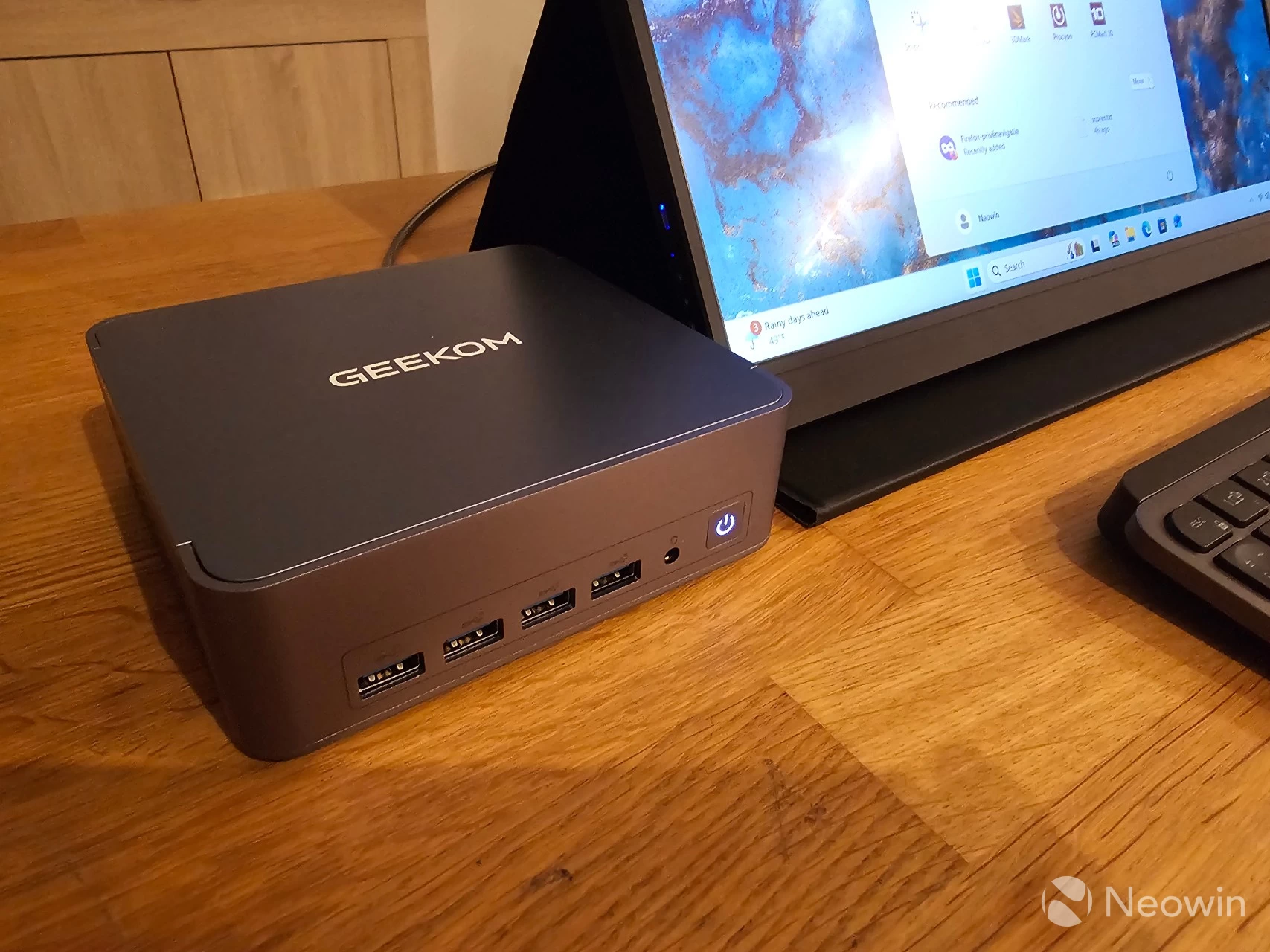
I"ve said it time and time again, I love these Mini PCs. They simply aren"t gaming PCs, though, so you will not be able to enjoy graphically intensive games on them. For that, you need a dGPU along the lines of the mobile Nvidia 4060, AMD 7600 (XT), or better. However, it absolutely is suited for light gaming (Radeon 780M is roughly equivalent to GTX 1650), and as an office workstation. Perhaps it"s a good solution for a student with limited living space, with the ability to pack this into a backpack for a portable solution. This thing isn"t taking up much room; you can even screw it to the back of a screen if it has VESA support with the included mount plate.
In a world that is apparently too stingy for phone manufacturers to include a power lead and charger for their flagship phones, GEEKOM has provided all of the cables and tools necessary to get started straight away, along with a Windows 11 Pro license and a booklet with instructions on how to access the internals.
When it comes to Mini PCs, the market is saturated with crap, so you really have to be on the lookout and study the specs properly. One trick I have seen often is Mini PCs utilizing old tech, sometimes two generations behind. This Mini PC will let you connect to four displays, whereas cheaper solutions will be limited to two screens.
The good
Overall, we have a quick, quiet and rather cool Mini PC that includes a really good Wodposit SSD on PCIe 4.0 X4, both USB 4.0 ports also work to deliver power to an external monitor over just the Type-C USB cable, and it has a premium metal build.
The bad
There"s not a lot to dislike about this Mini PC, I still would prefer to see Type-C around the front of Mini PCs, so i will continue to dock a point for that omission. I also think that these brands should do a better job of making user documentation and support more easily accessible from the product page. Although GEEKOM"s support pages are extensive, they are buried in a "Download Center" footer link. I also had to discover through my contact about the BIOS update to fix the Firmware Protection issue, and the product page also lists incorrect specifications for this Mini PC.
Would I recommend?
For the discounted price (of around $500, see below), yes.
Where to buy
Assuming you"ve made it this far, at an MSRP of $849, the AX8 Max is not cheap, even if we consider that GEEKOM currently has it discounted by $250, bringing the price down to $599 on the official website. However, it is Black Friday weekend right now that lets you save even more.
- GEEKOM AX8 Max on the official U.S. website for $509.15 with code BKCME15
- GEEKOM AX8 Max on Amazon U.S. for $502.55 (30% off)
- GEEKOM AX8 Max on official UK website for £559.20 (was £699) with code BFSMax
Our stories may contain affiliate links for products/apps where Neowin is paid an affiliate fee if you complete a purchase via those links.