Jump to the Nov 23 update here.
MINIX is a brand new to me, and they sent over the ER937-AI, which is a fully qualified Copilot+ PC to test. MINIX have been around since 2004 and are based out of Hong Kong, China. They currently produce Mini PCs as well as CarPlay, Chargers, portable monitors, and an Android set top box and have a favorable 4.5 score on TrustPilot.
With that out of the way, first a disclaimer: MINIX provided a free sample without any editorial input or review pre-approval. Now some specifications:
| MINIX ER937-AI | ||
|---|---|---|
|
Dimensions |
|
|
|
Weight |
935 g / 2.06 pounds | |
|
CPU |
AMD Ryzen AI 9 HX 370, 12C, 24T (Base 2.0 GHz, Boost 5.1 GHz) 24 MB L3 Cache, TDP 65W |
|
|
Graphics |
AMD Radeon 890M (16 CU's, 2900 MHz) | |
| NPU | 50 TOPS (dedicated) with a combined 80 TOPS | |
|
Memory |
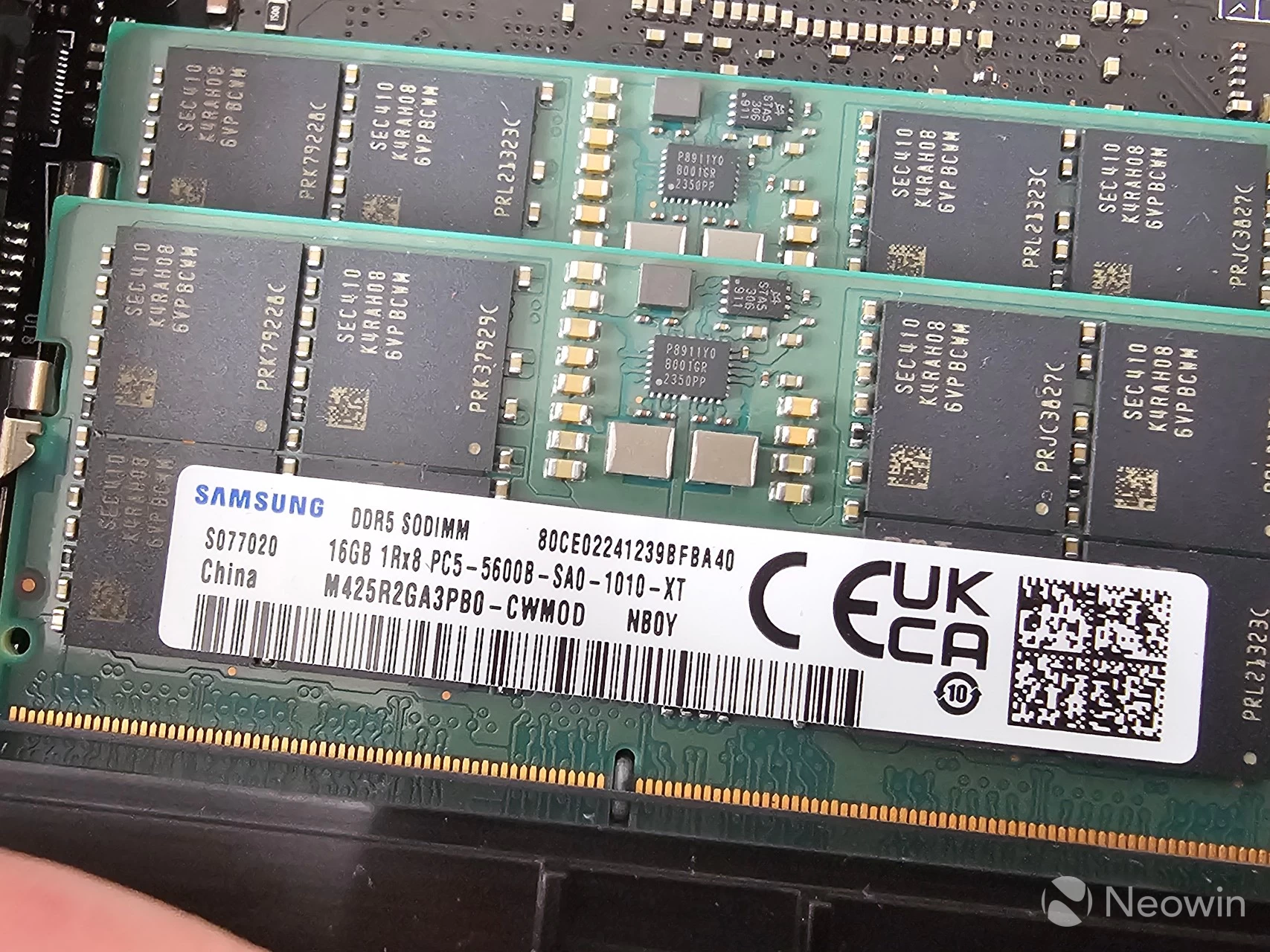
32GB Dual-channel DDR5 5600 MT/s Samsung SODIMM | |
|
Storage |
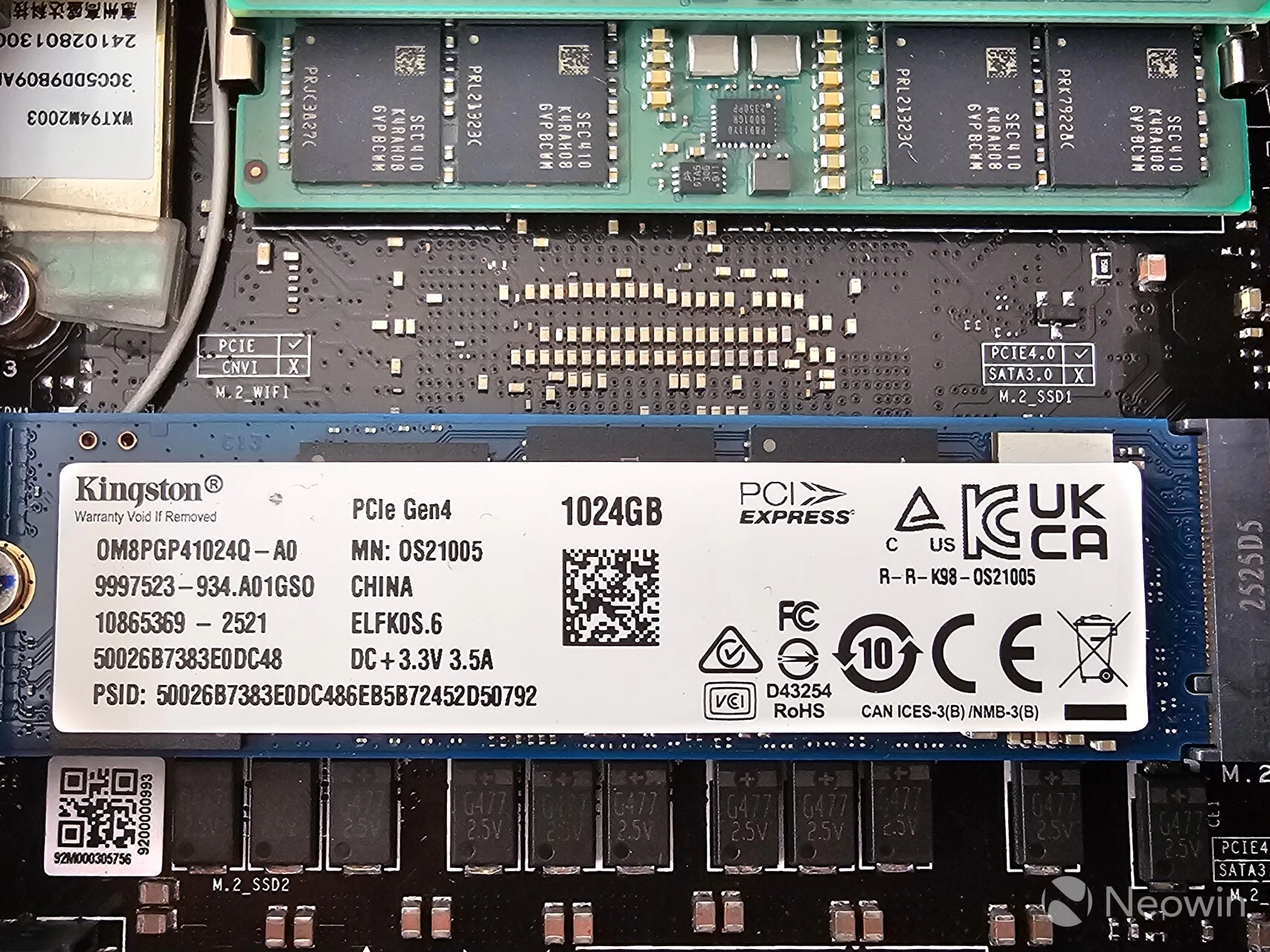
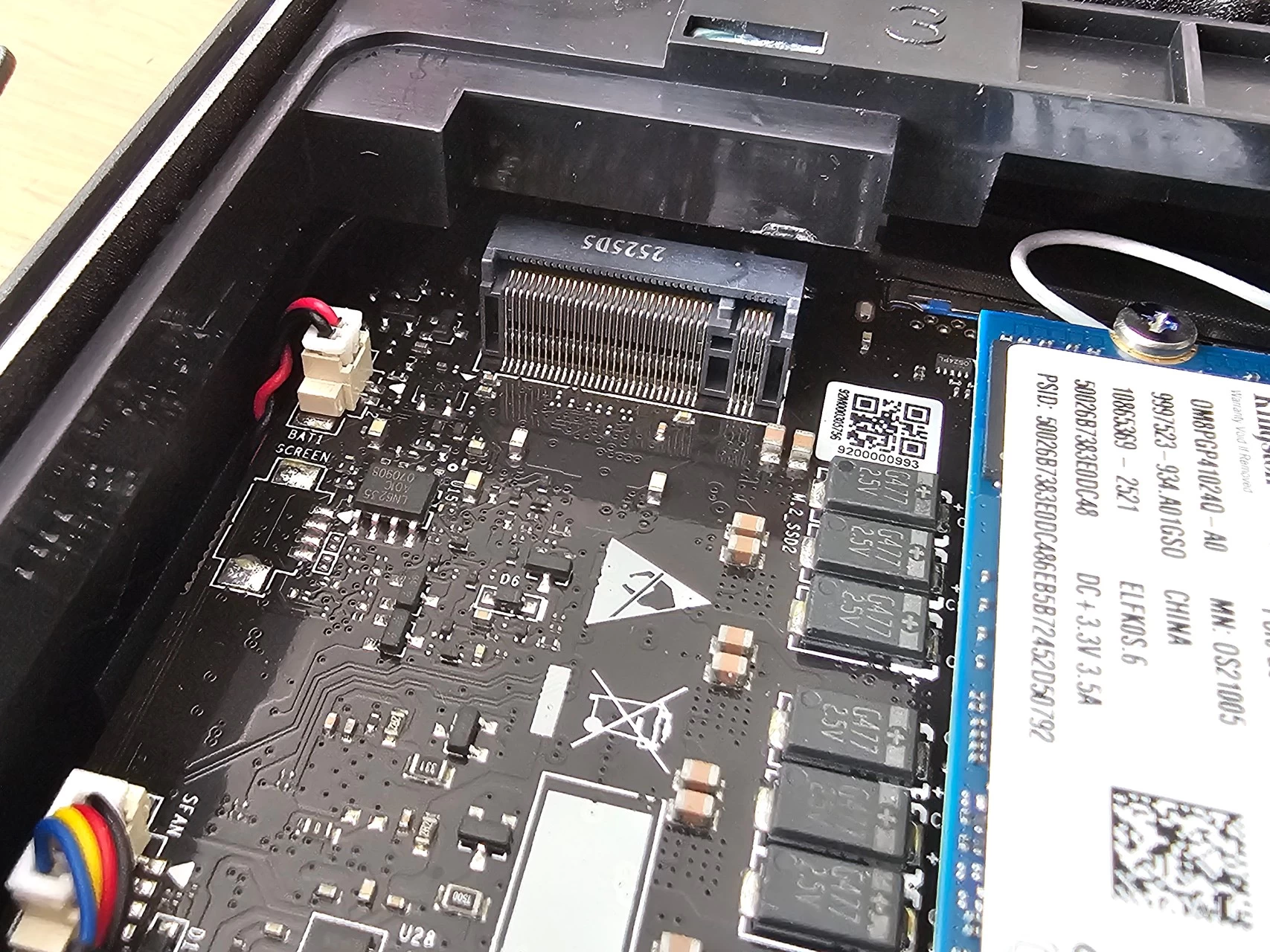
1 x M.2 2280 PCIe Gen 4 x4, Kingston OM8PGP41024Q 1TB 1 x M.2 2230 PCIe Gen 4 x4, Unpopulated |
|
|
Operating System |
Windows 11 Pro 24H2 | |
|
Bluetooth |
Bluetooth v5.4 | |
|
Ethernet |
2x Realtek Gaming 2.5GbE Controller | |
|
Wireless LAN |
MediaTek MT7925 M.2 Wi-Fi 7 LAN card | |
 |
||
|
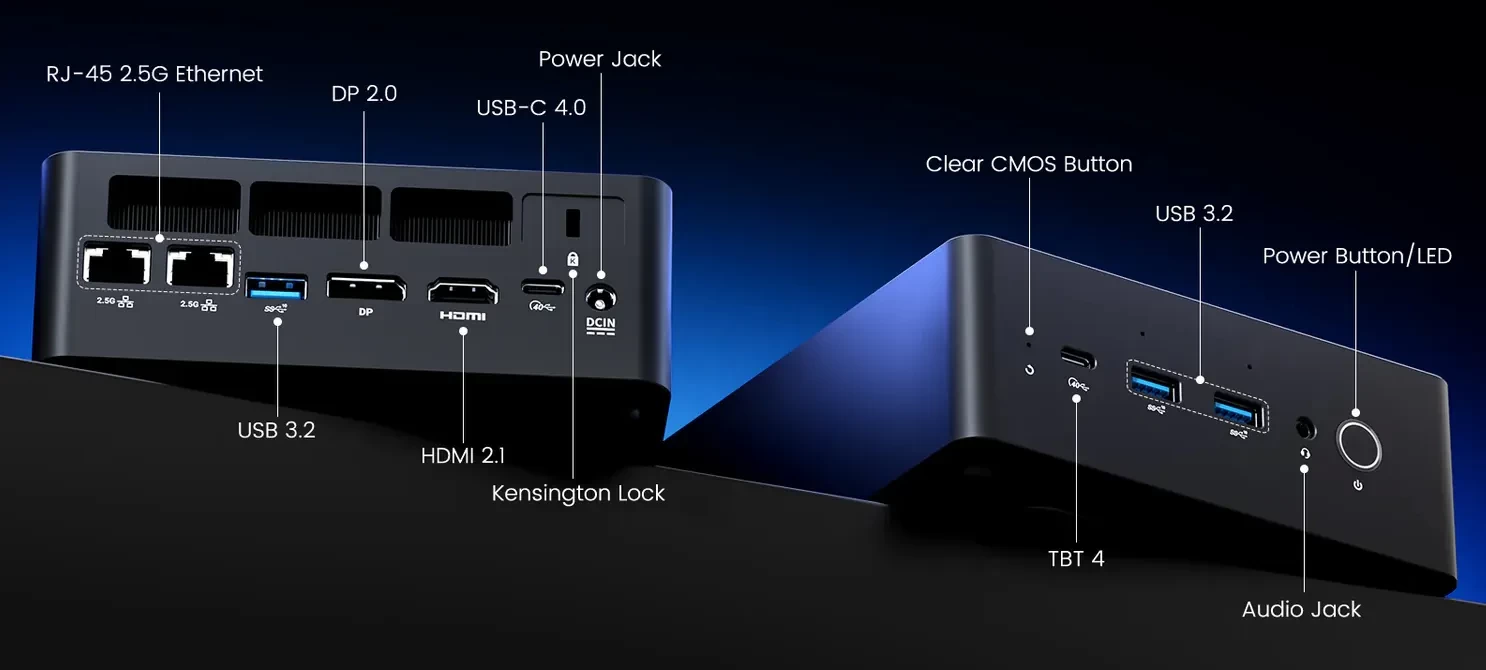
Rear I/O ports |
2 x Ethernet RJ45 2.5 Gbit/s |
|
| Front I/O ports | 1 x Thunderbolt 4 Type-C 2 x USB 3.2 Gen 2 Type-A (10 Gbps) 1 x 3.5 mm headphone jack |
|
| Thunderbolt 4 | Power Delivery (PD) Input: Supports 100W power input Power Delivery (PD) Output: Provides 15W power output for charging Data Transfer: Up to 40Gbps for high-speed data transfer Display Output: Supports 8K@60Hz video output |
|
| Security | Fingerprint reader in power button (Windows Hello) | |
| SD Card slot | No | |
| Kensington Lock | Yes | |
| Power | 19V/6.32A, (120W External PSU) | |
|
MSRP |
$1,395.99 | |
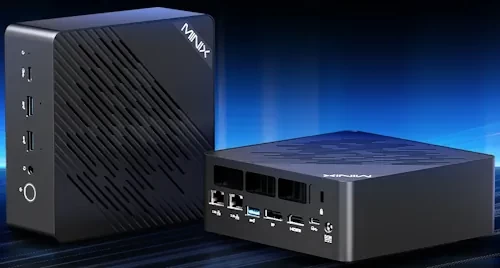
The ER937-AI is powered by the July 2025-released AMD Ryzen AI 9 HX 370 mobile CPU built on the Zen 5 architecture with Socket FP8. Thanks to AMD Simultaneous Multithreading (SMT), the 12-core count is effectively doubled, to 24 threads. It runs at a base speed of 2.0 GHz and can boost to a max turbo frequency of 5.1GHz. However, overclockability is limited on this chip since the multiplier is locked. On the graphics front, the HX 370 includes a Radeon 890 M integrated GPU with a max GPU frequency of 2900 MHz across 16 cores. It has been said that the iGPU is equivalent to the NVIDIA GeForce GTX 1650 or GTX 1070 in gaming and synthetic benchmarks. On the AI front, the HX 370 features a dedicated NPU (50 TOPS) and is rated at up to 80 TOPS, combining CPU cores, GPU cores, and NPU. Other highlights include DDR5 memory at 5600 MT/s, WiFi 7, Bluetooth 5.4, and a Kensington Lock.
AI PC?
This qualifies as a Copilot+ PC thanks to the dedicated NPU delivering up to 50 TOPS, and as previously mentioned, with help from the CPU and iGPU cores, it is capable of a combined 80 TOPS.
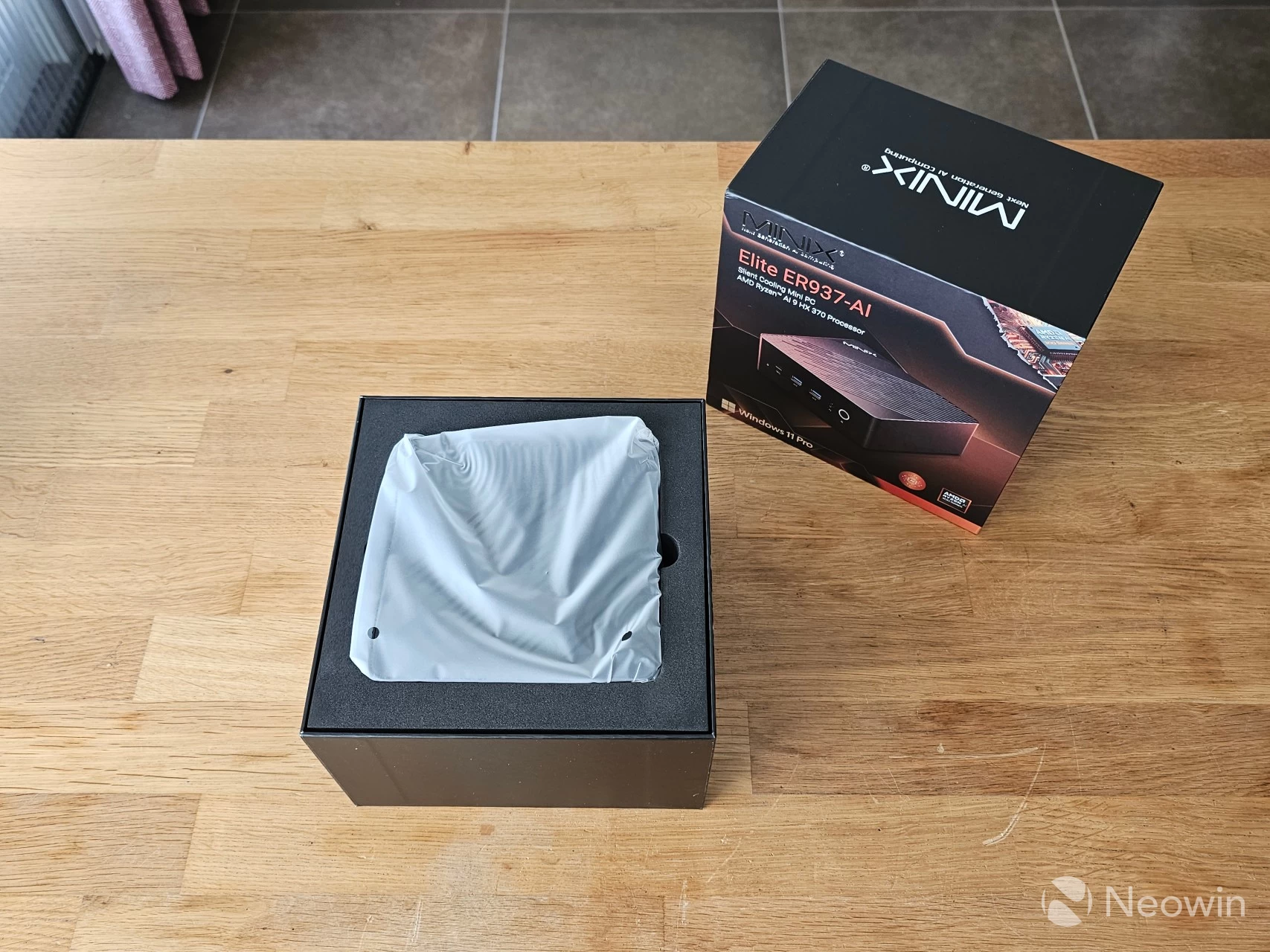
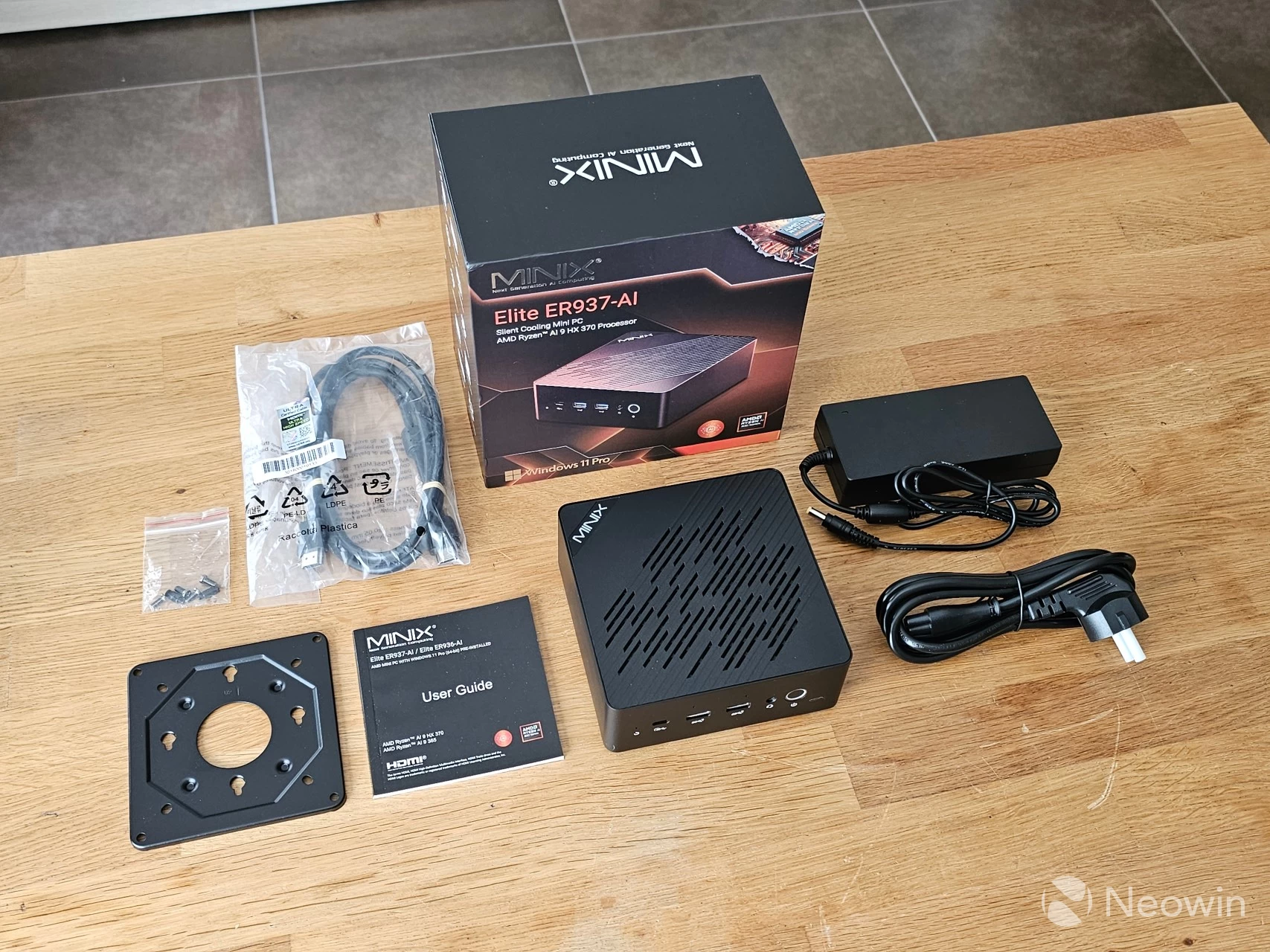
The packaging and build are similar to other Mino PCs that I have reviewed. I can tell you that it still exerts the same premium feel as you pull the top of the box off to reveal the Mini PC sitting inside the foam mold interior. Once you have the PC out, the VESA plate on the bottom of the foam cushion. After removing the mold cushion, you are greeted with an User Guide. Below that, and after removing the cardboard "shelf", you can find the other components, such as the power lead, HDMI cable, a bag of screws, and the instruction manual.
What’s In The Box
- 1 x MINIX ER937-AI Mini PC
- 1 x HDMI Cable
- 1 x VESA Mount
- 1 x Power Adapter (19V/6.32A)
- 1 x bag of screws
- 1 x User Guide (Online link*)
The above linked online manual is an external web site. I did give feedback to my contact expressing disappointment that the online manual is not linked anywhere on the official website, and will update when they get back to me.
Design
The ER937-AI's design is similar to other Mini PCs from different brands, as you may have seen, this thing weighs almost a kilo, that's because it is a fully metal build, so it retains a good heft to it; while not being overly heavy. It definitely gives off a premium and balanced feel to it. All the edges and corners, except for the bottom edges of the Mini PC, are rounded, so it is comfortable to hold and move around.
As far as looks go, it has a fully dark gray exterior, and it's not a fingerprint magnet. MINIX does not say what materials are used for the exterior but it is clear that it is all metal. As a result It doesn't feel cheap and isn't flimsy either.
|
|
|
|
|
|
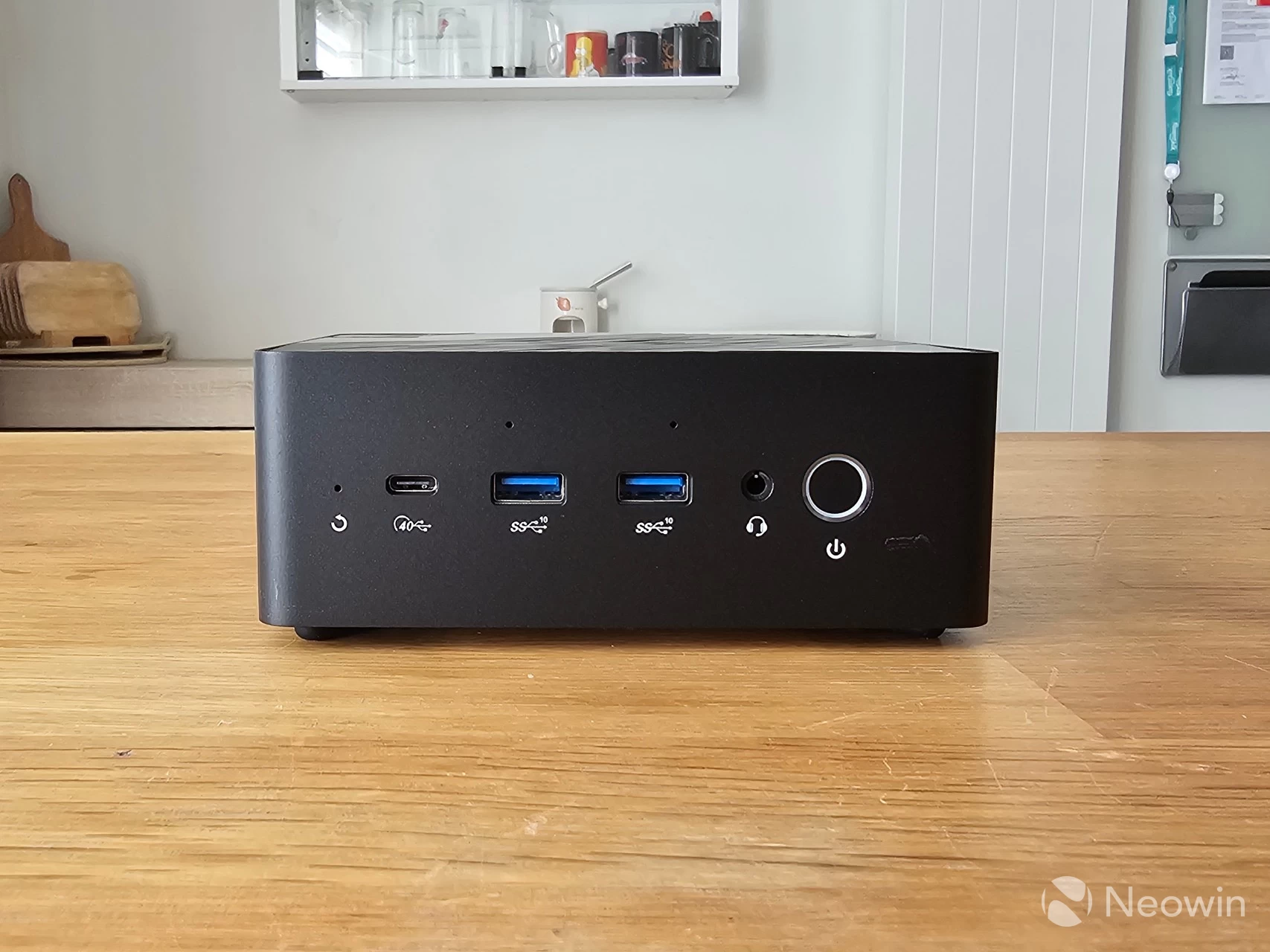
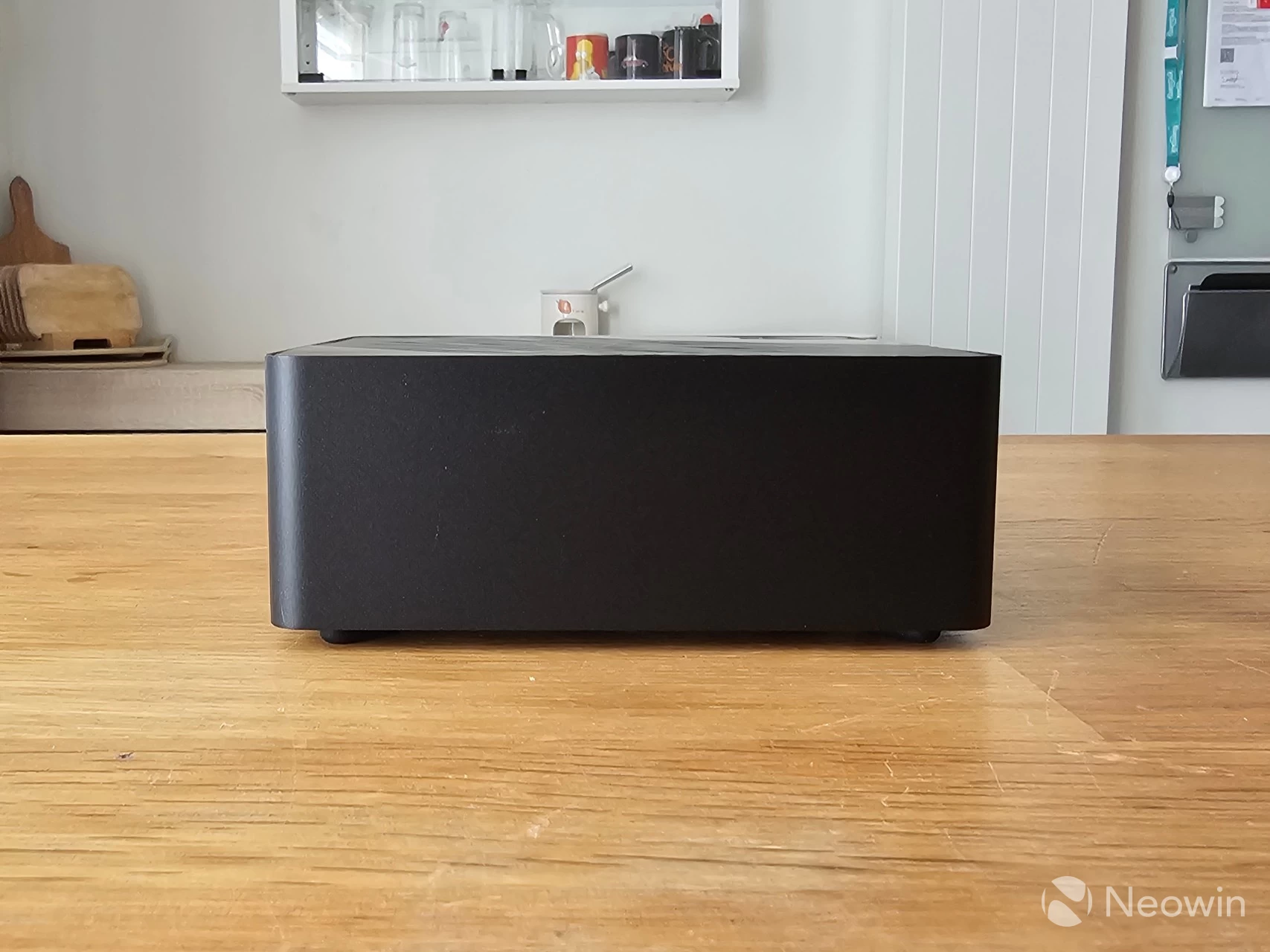
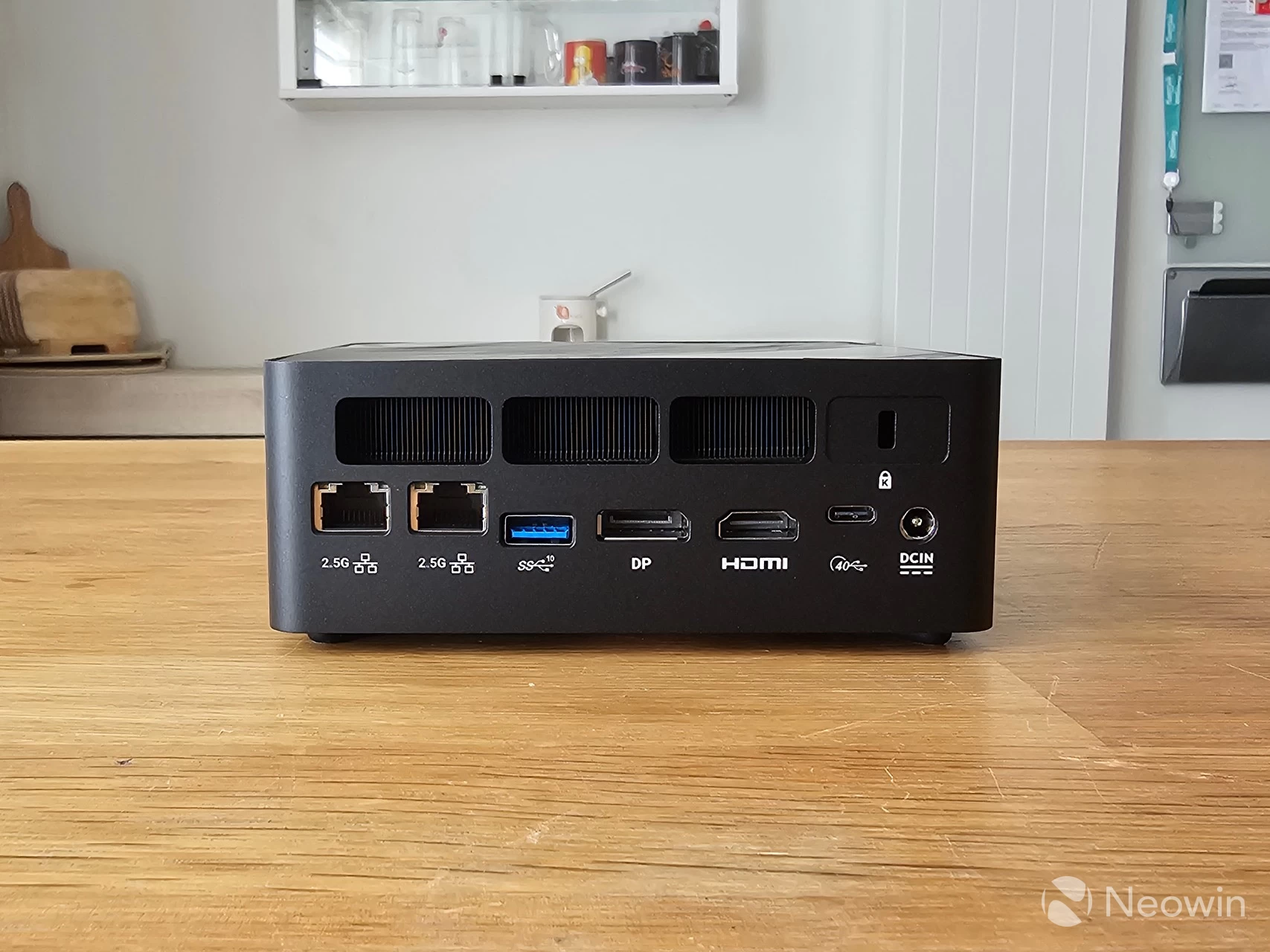
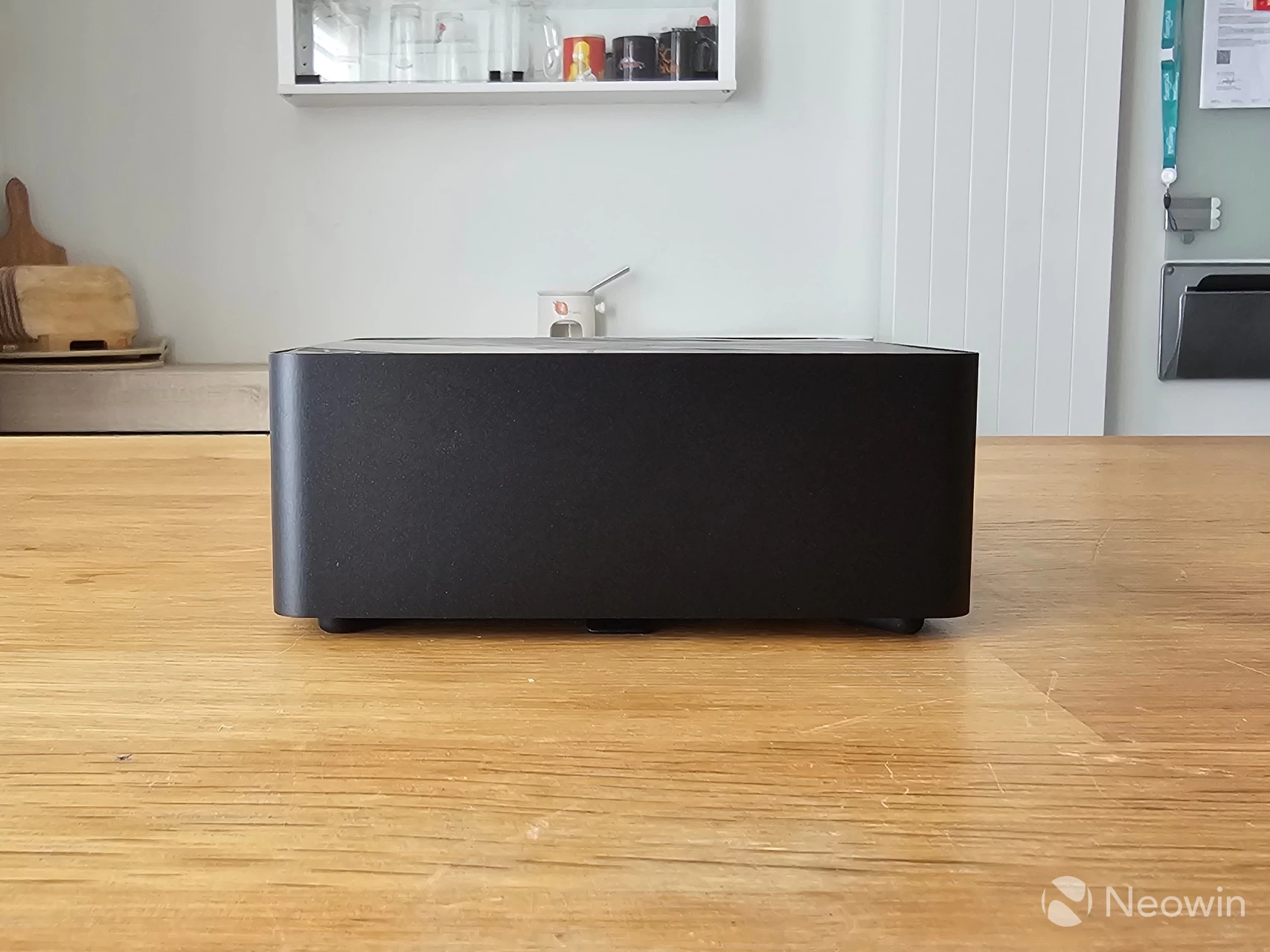
Like other Mini PCs I have tested, it's physically possible to directly attach four screens to the ER937-AI using the two full HDMI 2.1 and DisplayPort 2.0 ports, along with the two Thunderbolt 4 ports, both ports have Power Delivery to power an external portable monitor.
Note: At the time of writing the DP 2.0 function of the TB4 ports were not working, I have reached out to MINIX for help with this.
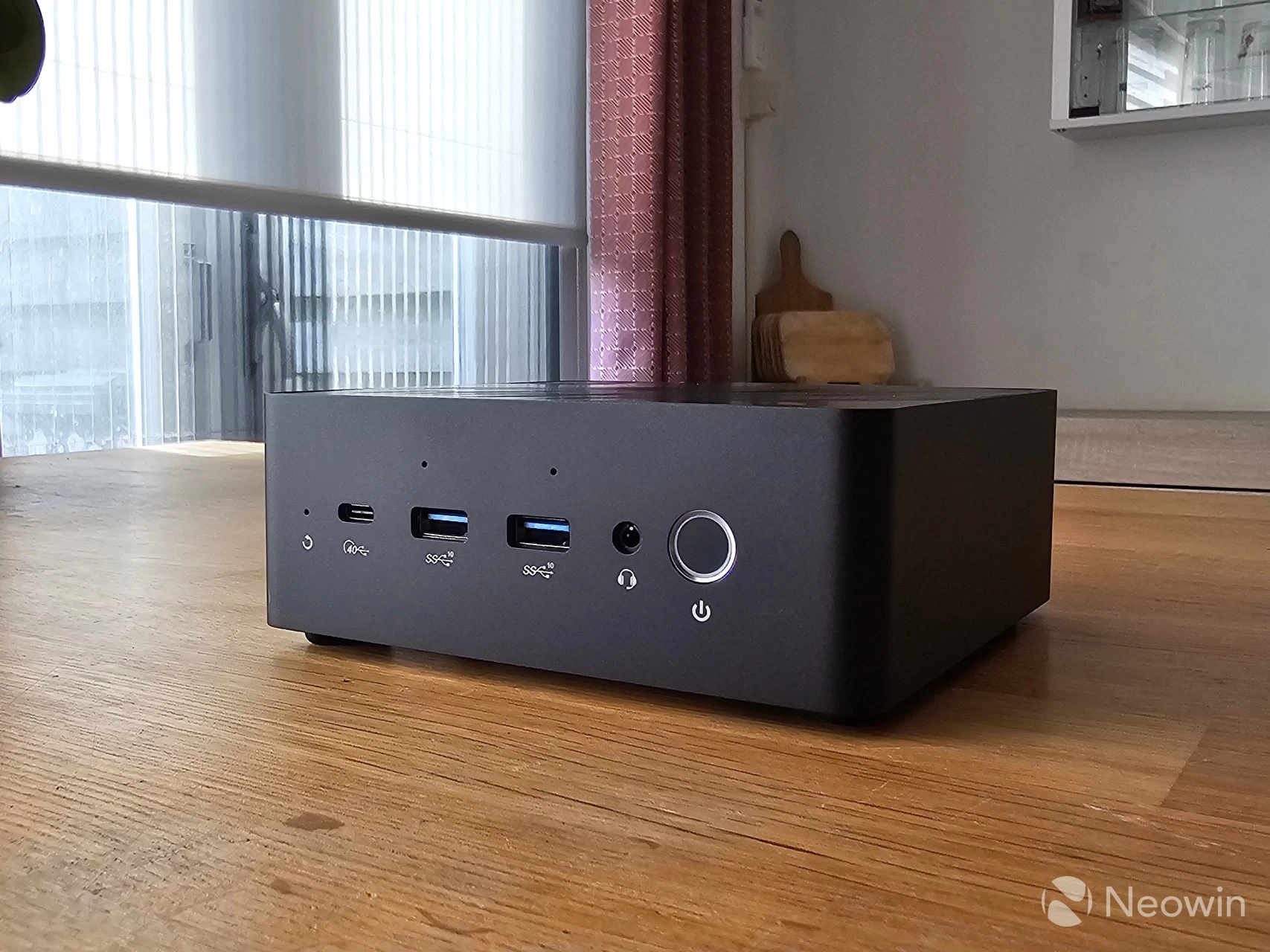
Regarding connectivity, around the back there's two 2.5 GbE ports, a single 3.2 Gen 2 port, an HDMI and DisplayPort, along with a Thunderbolt 4 port and barrel port for power. Around the front, there's another Thunderbolt 4 port with two USB 3.2 Gen 2 ports a 3.5mm headphone jack input and the Power button which doubles as a fingerprint reader.
As you can see from the images above, you can affix a Kensington lock on the back too.
It's nice to see a full Thunderbolt 4 port on the front, which means you can connect a screen on the front too should you ever need to, this is an option that is very rare on the Mini PCs I have tested.
Teardown
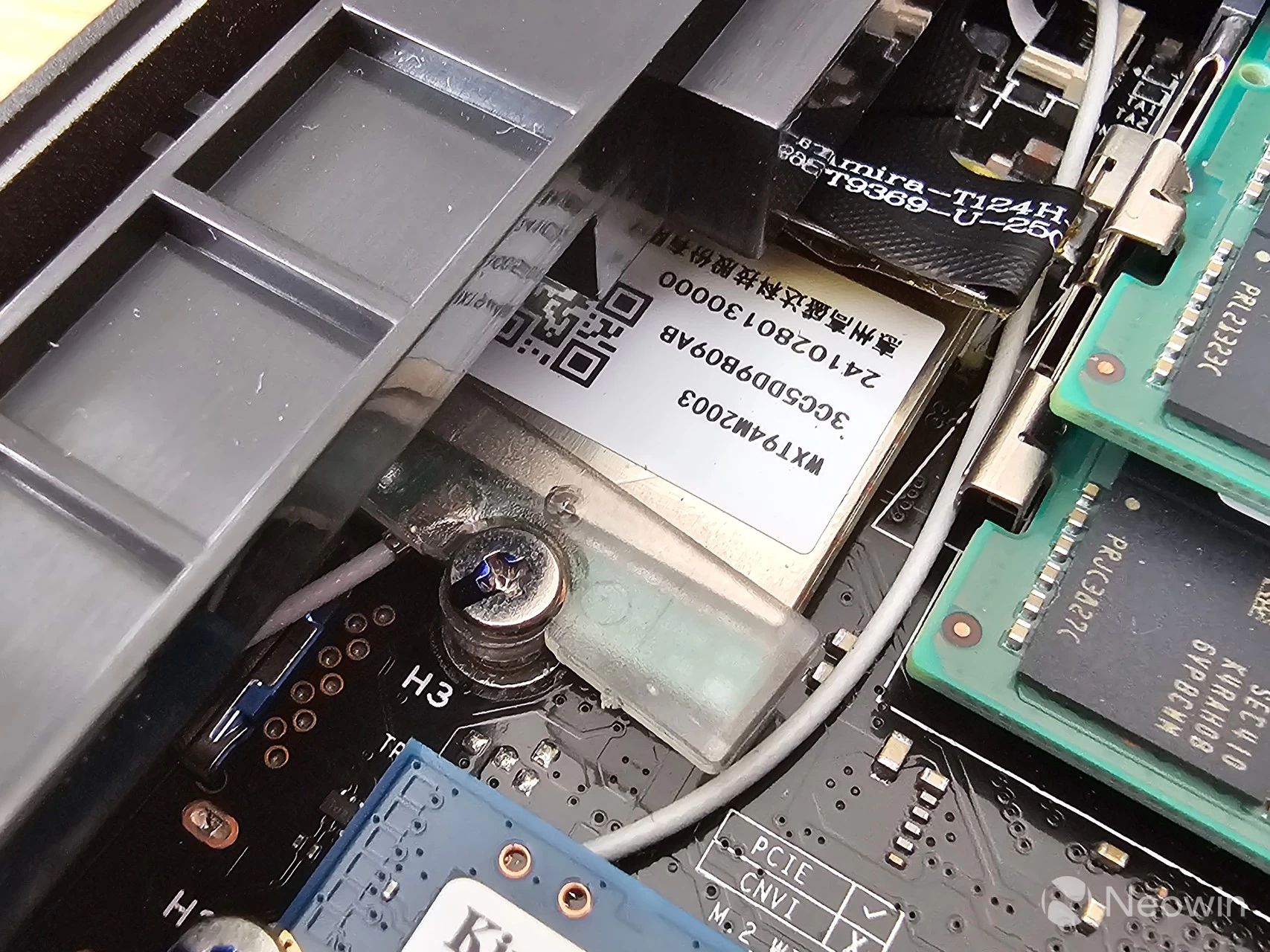
No review I do would ever be complete without some sort of teardown, well I can happily report that the ER937-AI does not require any tools to manage the SSD(s) and SODIMMs.
|
|
|
|
|
|
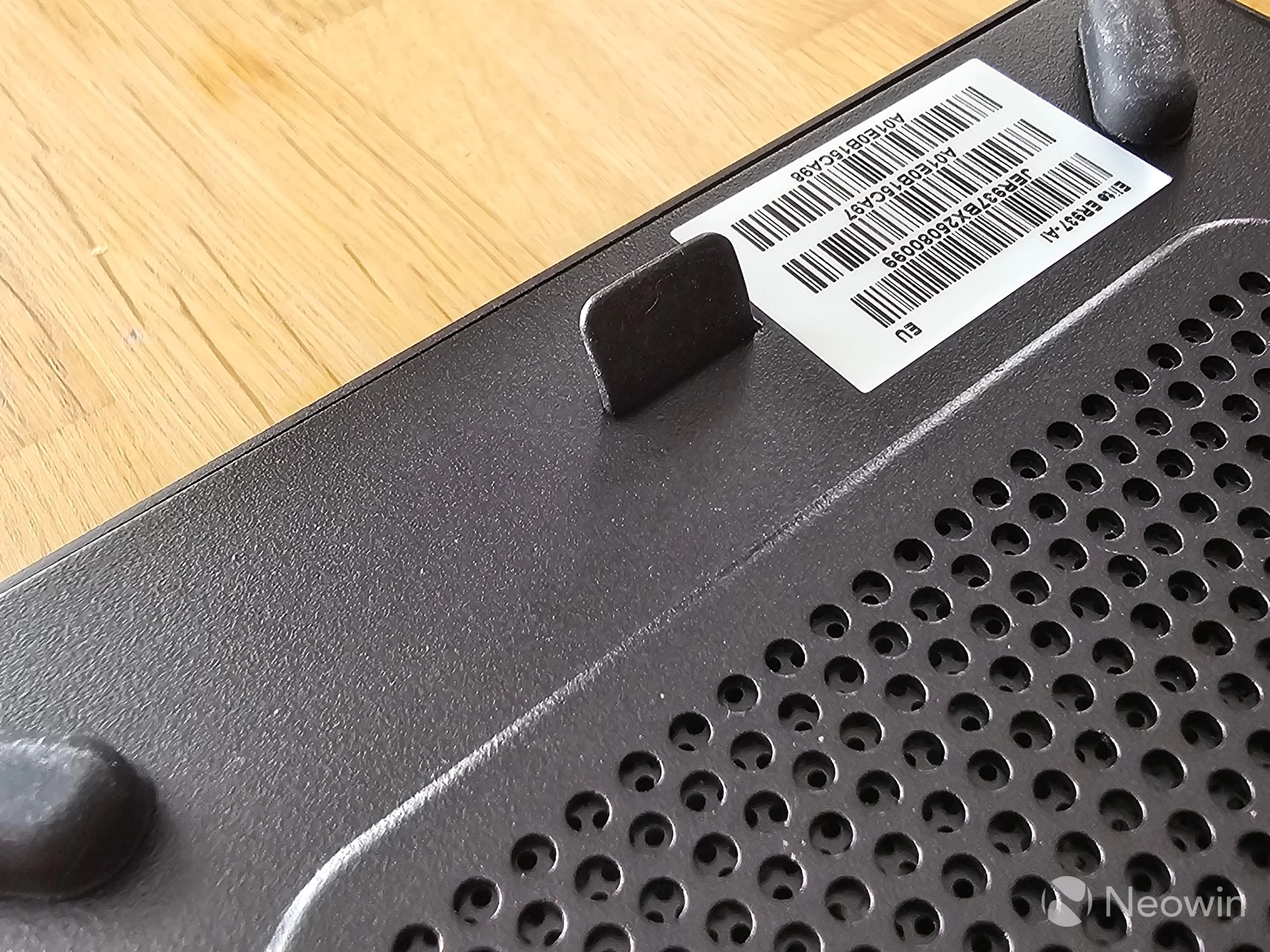
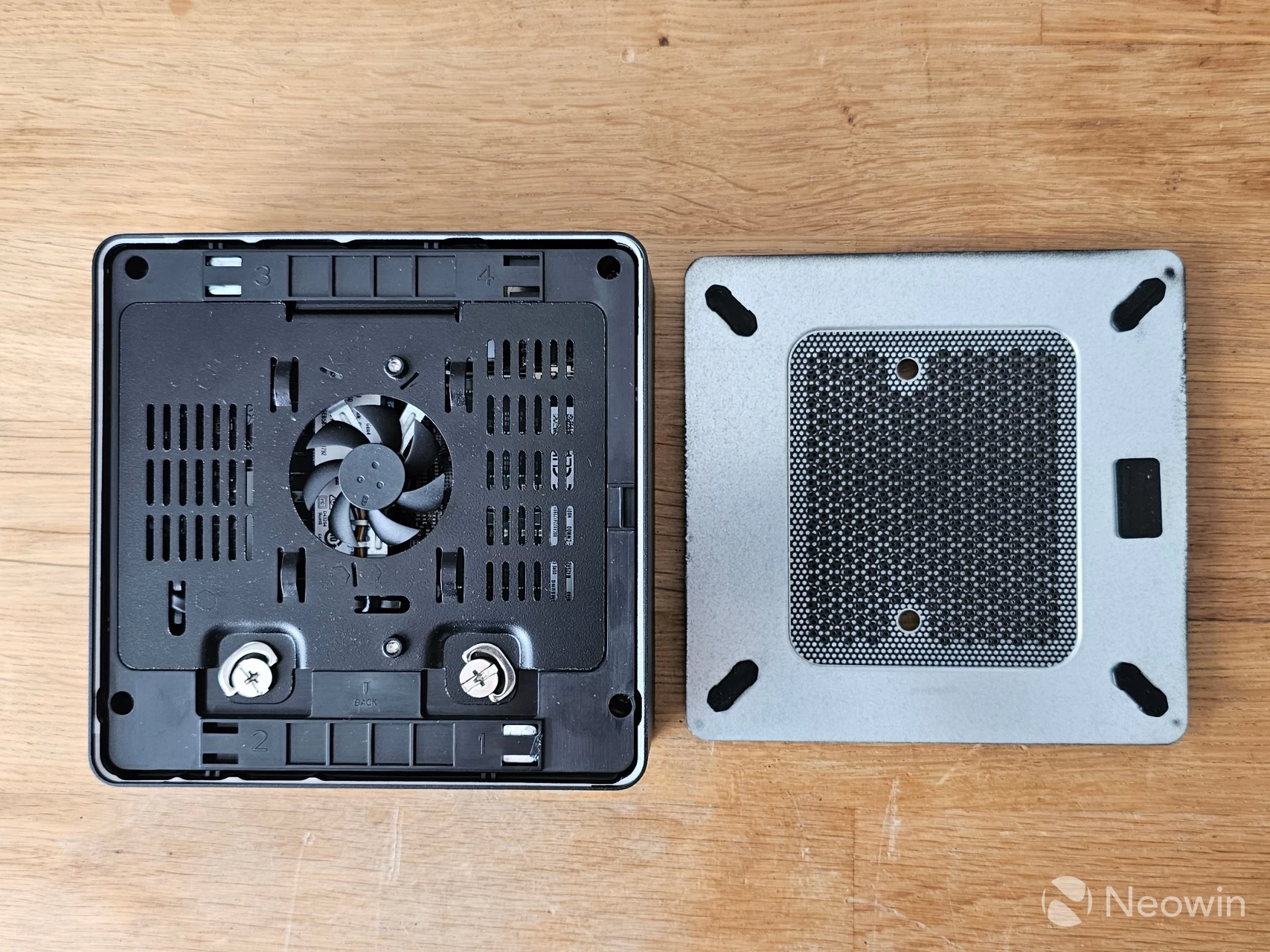
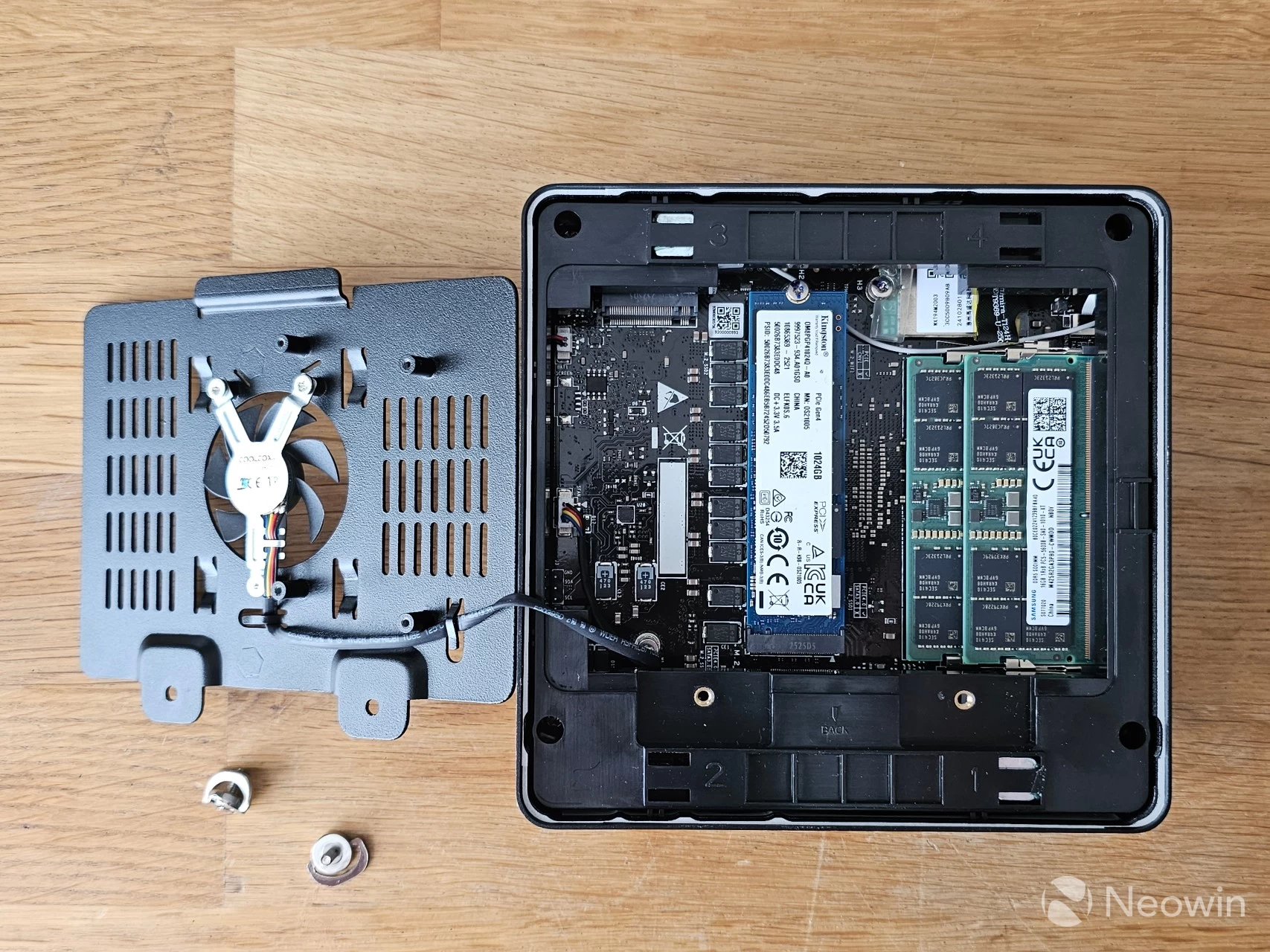
To access the ER937-AI is is quite easy, and as I stated does not require any tools:
- Lift the rubber flap and pull to remove the magnetic bottom plate;
- Undo two screws, lift out metal dust cover (beware of fan cable);
- Now you can access the M.2 slots and memory!
As you can see from the above images, which can be enlarged when clicked on, there is ample room to manage the SODIMMs and Kingston 1 TB SSD, so you can swap it out for something else if you want. The ER937-AI includes an option to add a second NVMe SSD as well.
|
|
|
|
|
|
Usage
BIOS (Thunderbolt 4 DP issues?)
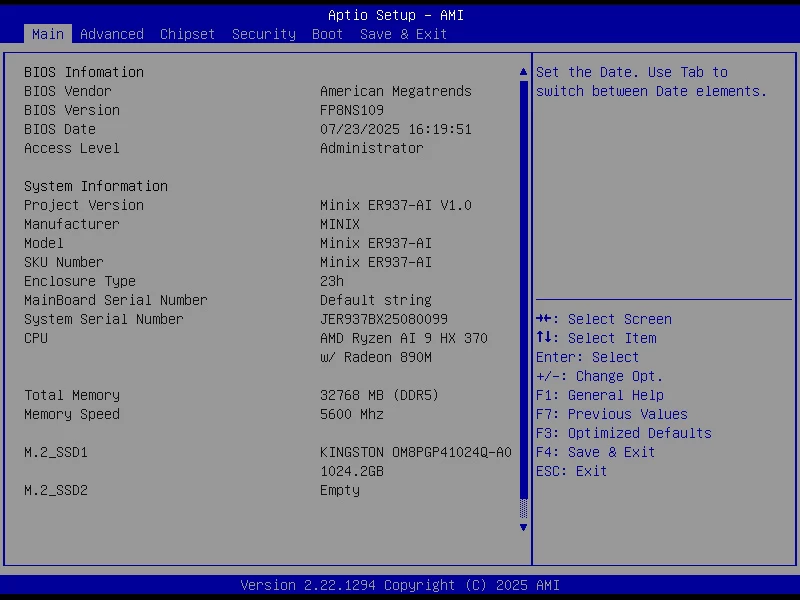
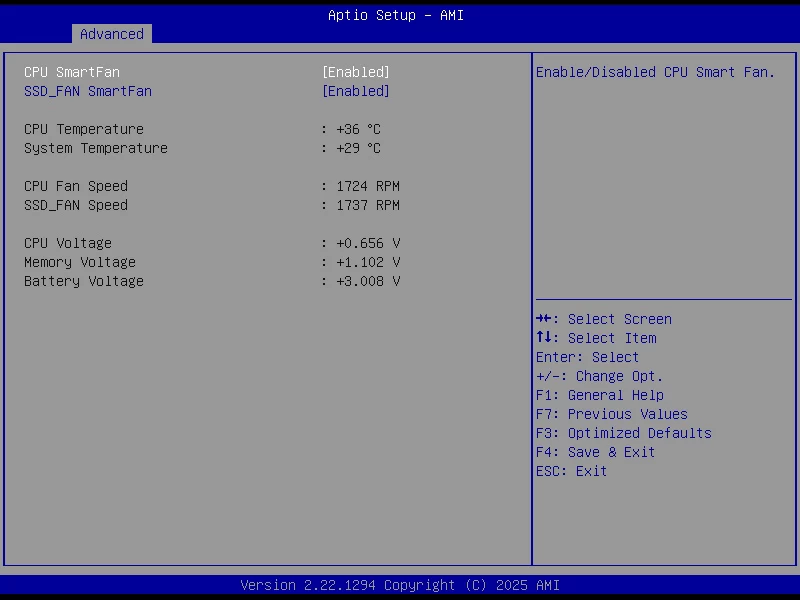
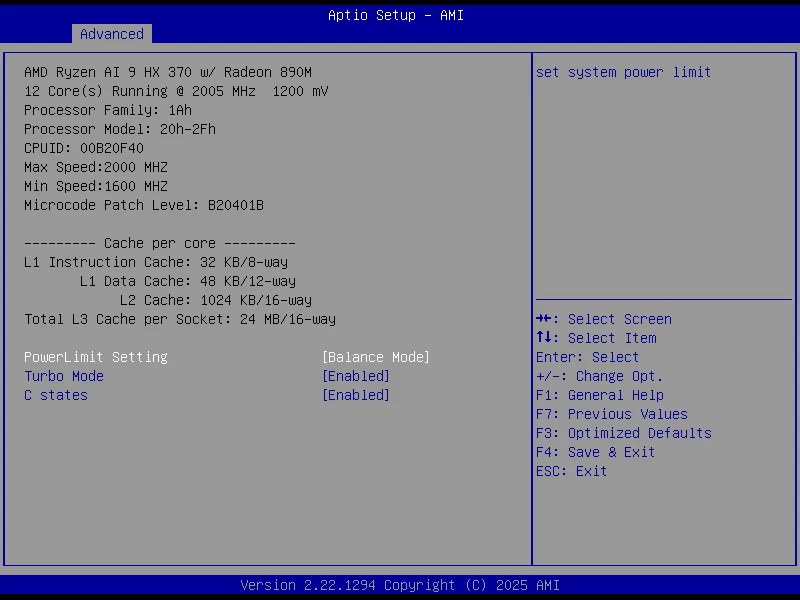
The ER937-AI includes an AptiBIOS, which is not completely locked down; however there is very little in the BIOS to manage (1), (2), (3) I was unable to get a picture through multiple cables on my external ZSCMALLS 17.3-inch 144Hz portable monitor through both of the TB4 ports, one of the suggestions I found online was to look for a setting like "DDI to TBT" or similar and ensure it is enabled to allow Thunderbolt ports to use DisplayPort Alternate Mode, but this is not present in the BIOS, so I am guessing this is a firmware issue which I have passed back to my contact.
I also checked for updated firmware and drivers, and there is a newer BIOS available than the FP8NS109 loaded onto the ER937-AI (FP8NS110) but as is the case with many Chinese brand hardware product sites, there is zero guidance on how to do this. The official MINIX community forums has some help for Intel Mini PCs, but this includes typing in a bunch of commands that likely do not apply to this AMD system, and to boot there are zero topics in the AMD Mini PCs (ER936-AI, ER937-AI, ...) forums, so I decided to create one asking for assistance.
Setting up the ER937-AI
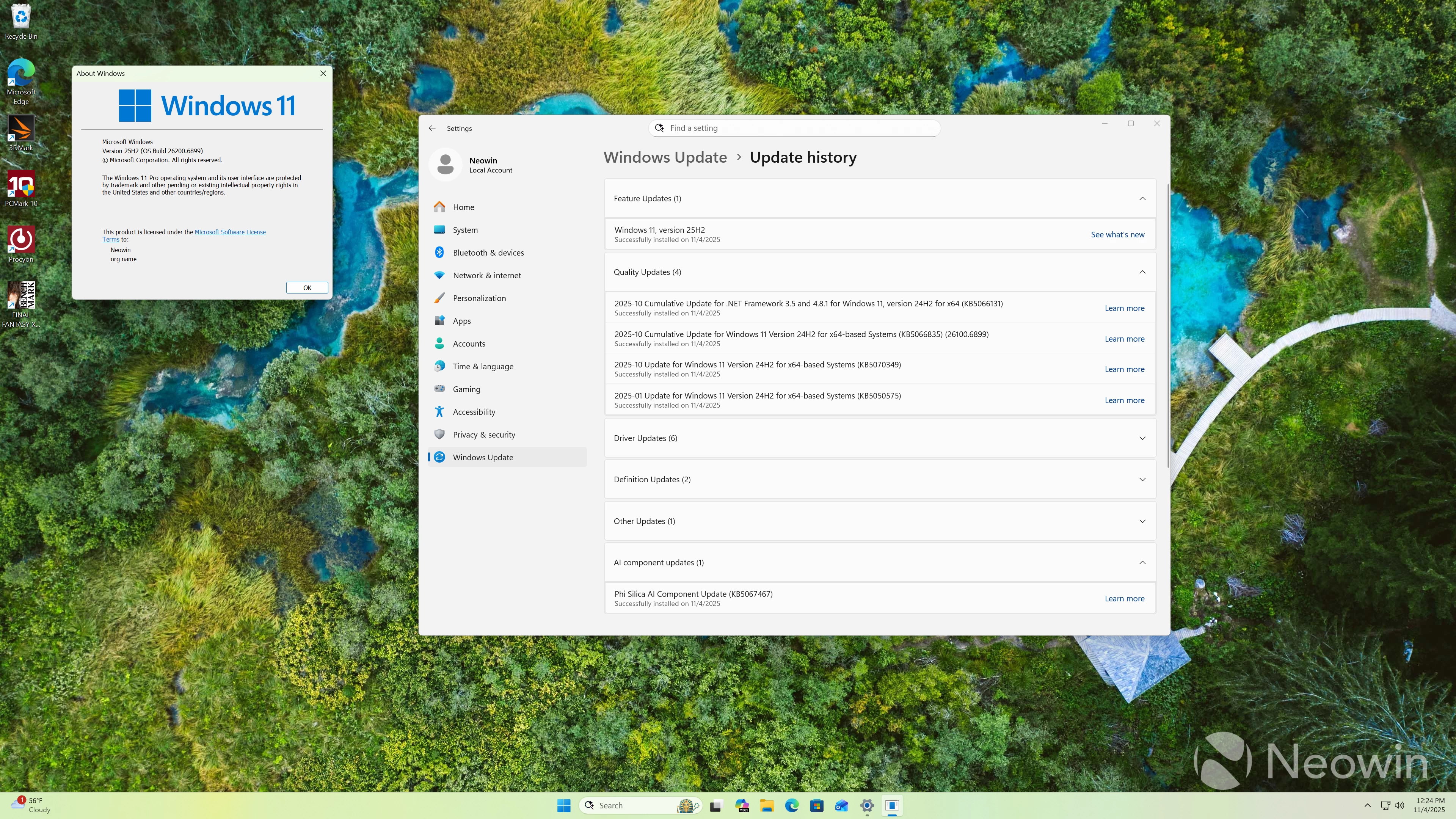
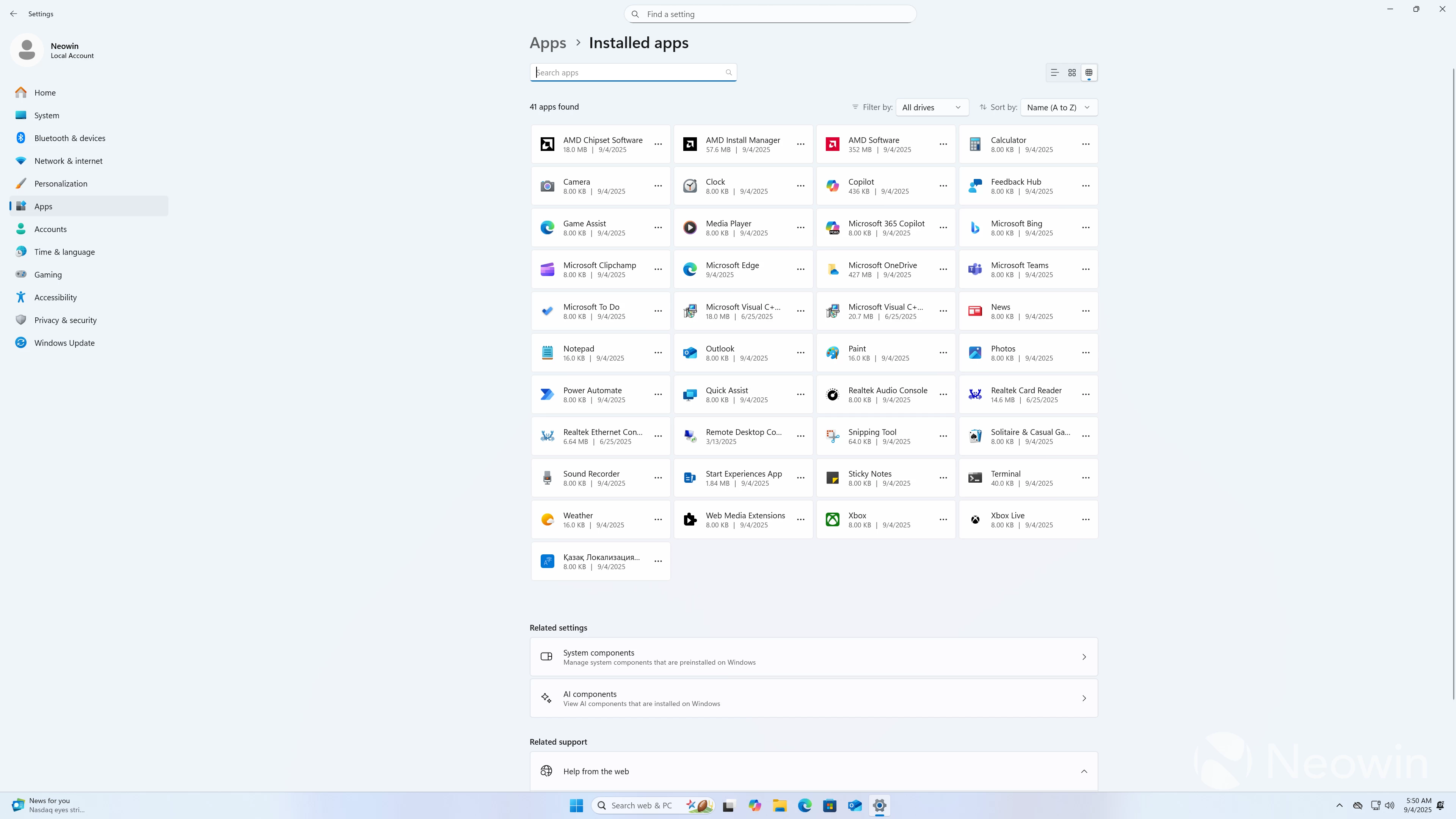
On first boot, you are prompted to complete the setup of Windows 11 Pro, meaning you do not have to fork out for a license, which is nice. After the setup is finished, I am happy to report that it does not come with any bloatware installed. The OOBE also installs several updates to Windows 24H2 26100.6899 and after that the enablement package for 25H2 is offered.
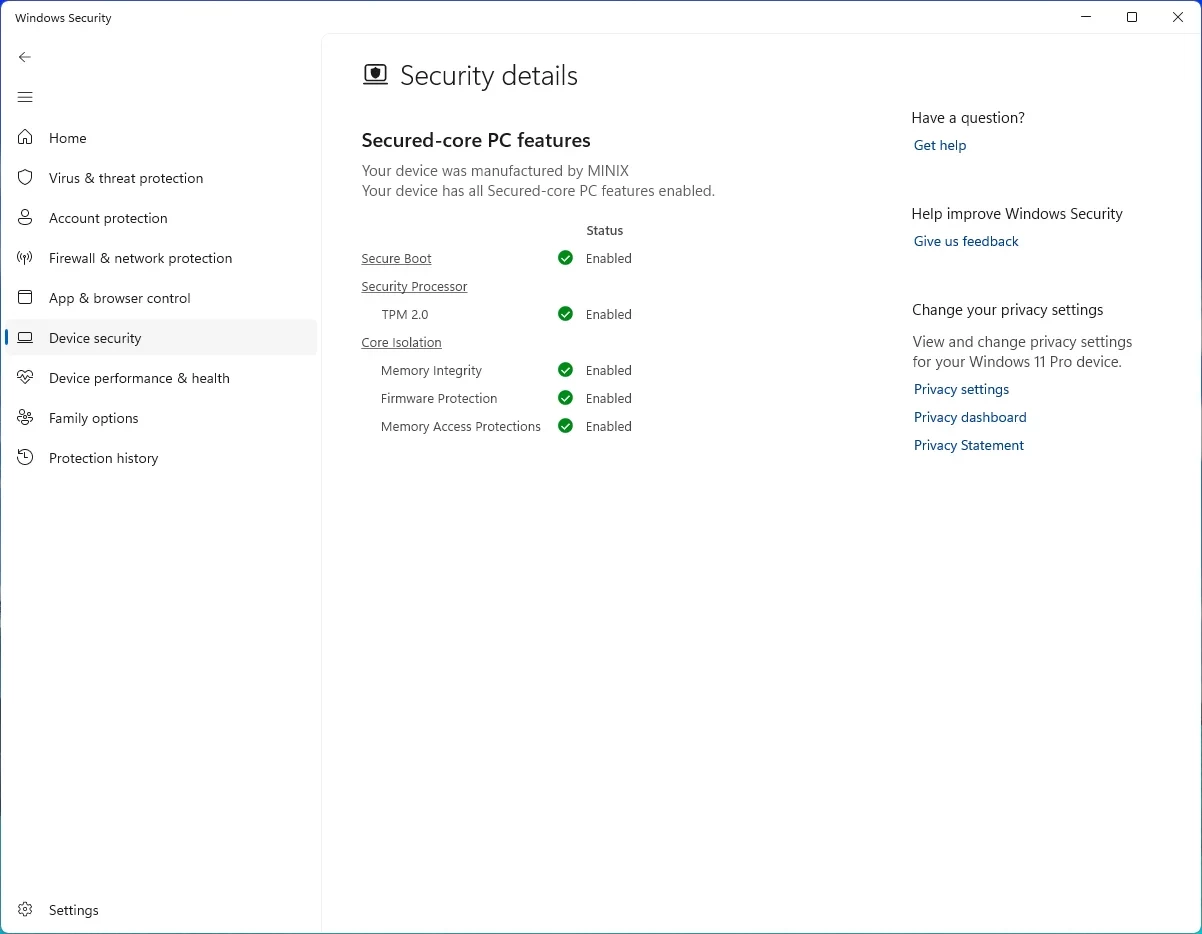
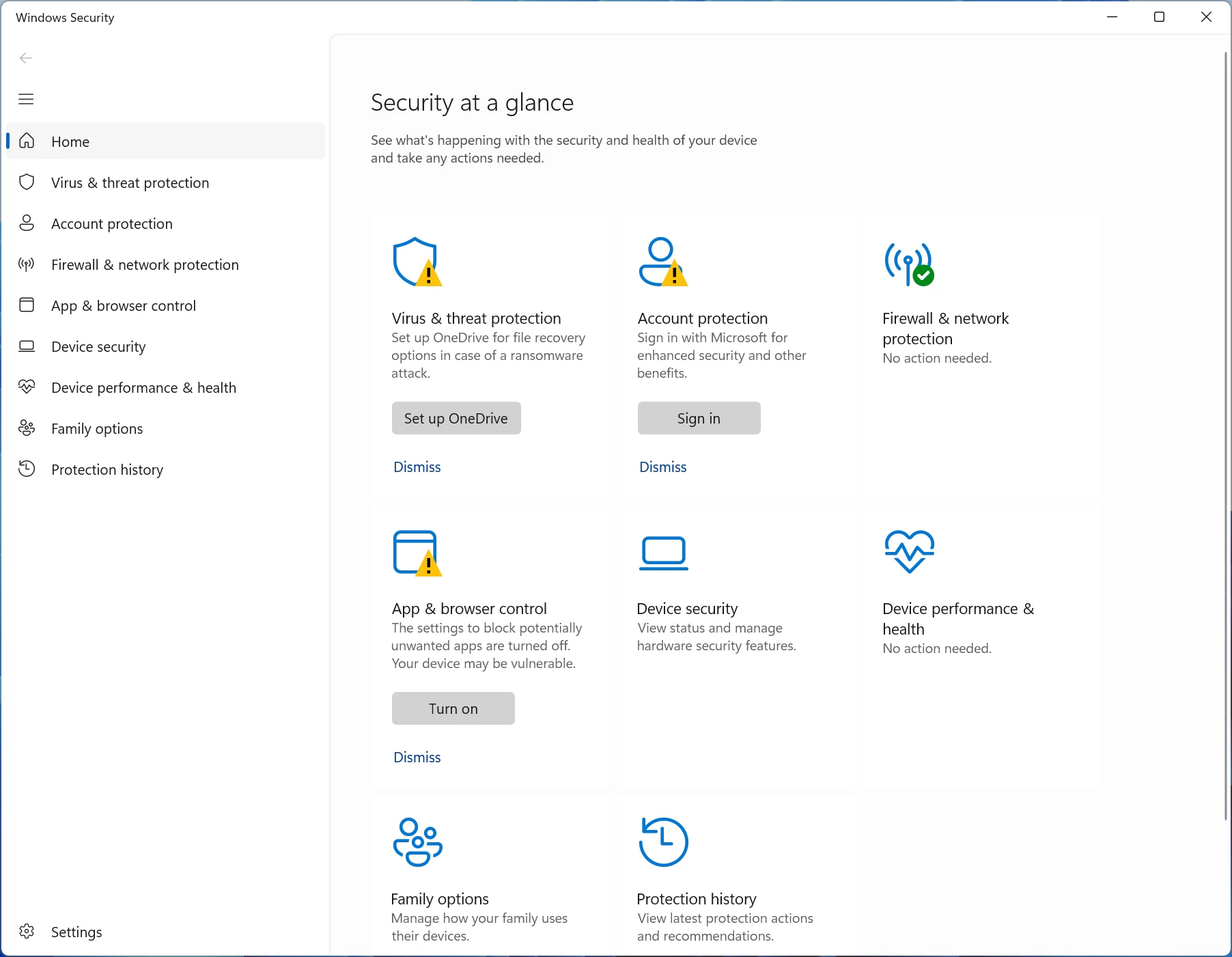
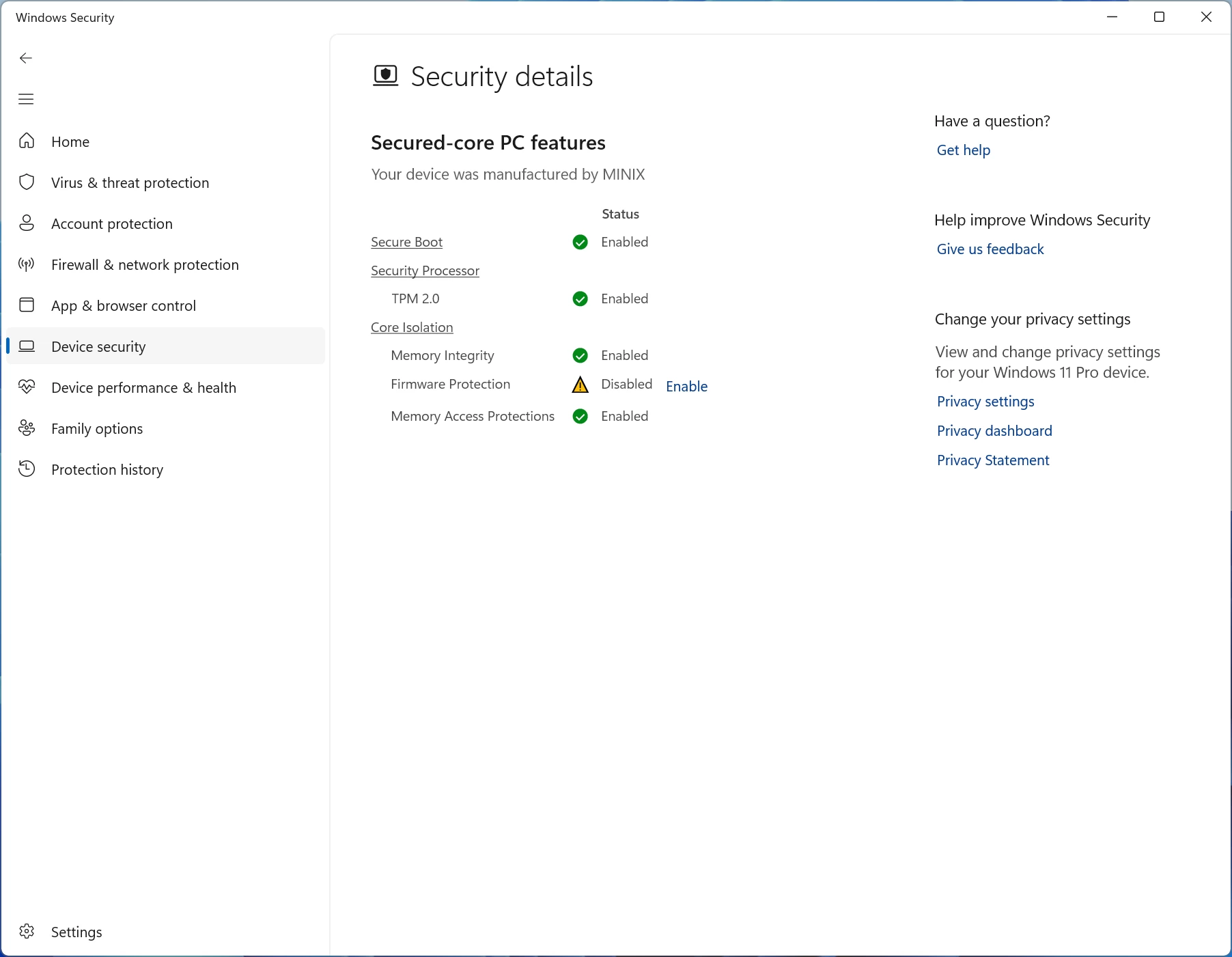
Before starting with benchmarks, I checked Windows Security, which gave several alerts, which ended up being because OneDrive was not setup and because I was not logged in with a Microsoft account (unsure how these two things affect PC security but hey ho,) after dismissing them I checked Device Security > Secured-core PC (which gave an alert that not all features were enabled) and saw that Firmware Protection was disabled out of the box, I tried to enable the setting (thinking it to be Kernel-mode Hardware-enforced Stack Protection that needed enabling) but after restarting, the Firmware protection setting still showed as disabled. I asked my contact why this was disabled and will update with the response when I have it.
Update Nov 23: MINIX support got back to me roughly a week and a half later through their official forums with a repair package which included the BIOS update to and an executable to enable firmware protection, after which it was applied the firmware protection became enabled. They also noted the following about the repair package
ER936-AI also can be fixed with same package.
Enabling Firmware Protection through the EoM tool is irreversible.
DisplayPort 1.4 Alternate Mode still doesn't work
However, the BIOS update did not fix the issue with the Thunderbolt 4 ports not powering and showing a picture to my external portable monitor, the same one I use on all Mini PCs to verify the full data rate DisplayPort 1.4 Alternate Mode capabilities of TB4.
I purposely waited until this weekend to update because I did ask for an update about the broken TB4 ports, but received no response from MINIX in their forum or from my contact at MINIX.
--- END OF NOV 23 UPDATE ---
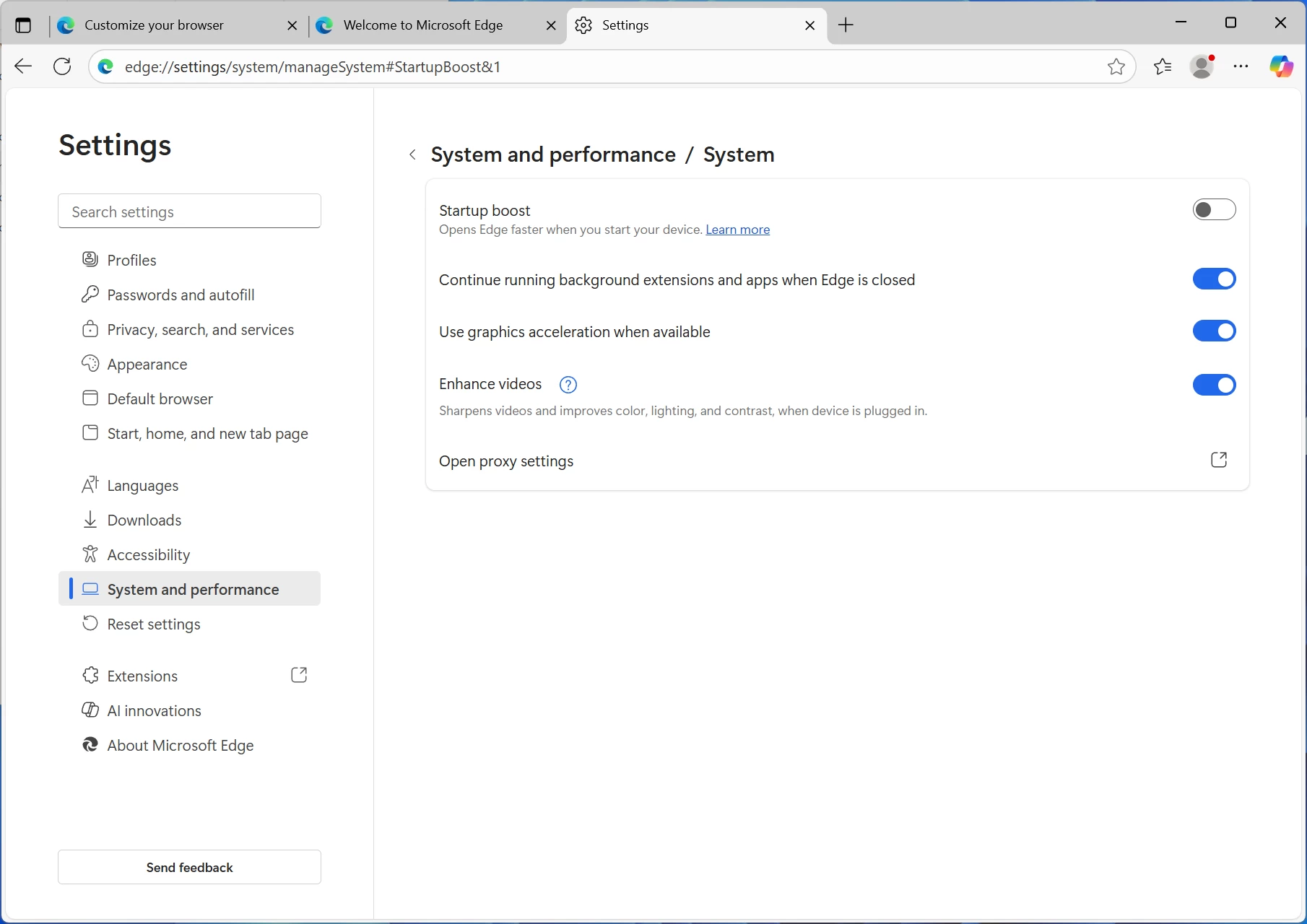
I also disabled Edge browser Startup boost so that Edge wasn't running in the background during benchmark tests, and I disabled OneDrive from startup programs via Task Manager.
Benchmarks
With that out of the way, and because people like that sort of thing, I ran some benchmarks and compared with another Ryzen 9 HX370 Mini PC, as well as AMD's Ryzen 9 8845HS. The ER937-AI is running Windows 11 Professional 25H2 build with the latest (October 2025) updates, and the latest AMD Graphics and Chipset drivers (25.10.2 and 7.06.02.123).
For the benchmarks, I used Cinebench 2024, 7-Zip, AS SSD, and CrystalDiskMark. 3DMark, PCMark 10, Procyon (Windows ML for CPU and GPU, and AMD Ryzen AI for NPU) was provided to Neowin by UL Solutions; Primate Labs Inc. provided us with commercial versions of Geekbench 6, and Geekbench AI.
3DMark Time Spy tests gaming capability with DX12 graphics performance. PCMark tests are a mix of CPU and real-world productivity tests, such as using an office suite, web browsing, light photo/video editing, and making conference calls. Cinebench stresses the entire CPU as it is a multi-threaded rendering test. Geekbench is a synthetic benchmark that is great for a quick look at the potential performance across a wide range of workloads.
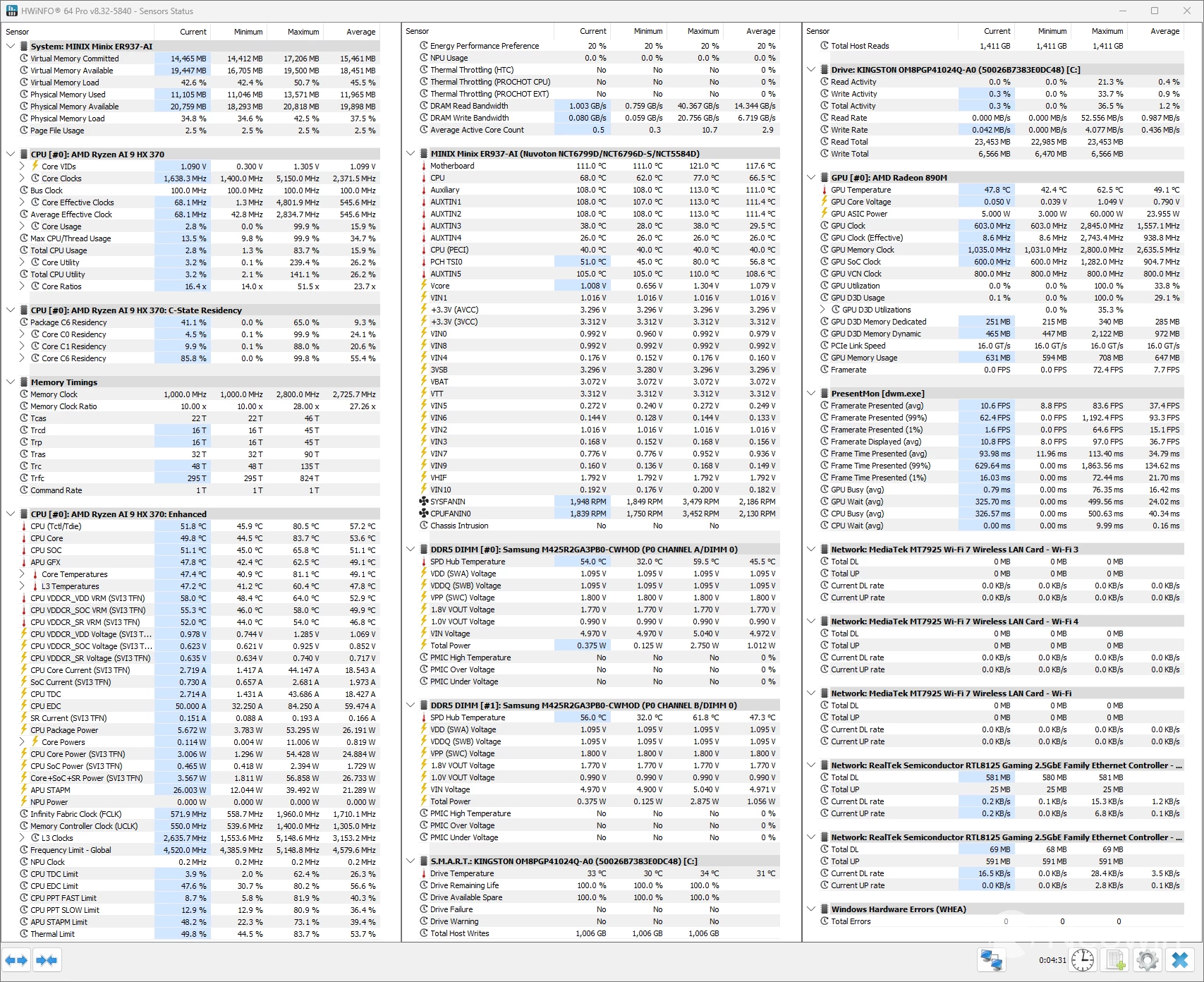
I also used HWiNFO to monitor hardware sensors and temperature readings.
|
MINIX ER937-AI Ryzen AI 9 HX370 |
GEEKOM A9 MAX Ryzen AI 9 HX370 |
Geekom AE8 Ryzen 9 8945HS |
|
|---|---|---|---|
| 3DMark: Time Spy Steel Nomad Light Steel Nomad Fire Strike Wild Life |
3,452 2,735 481 7,442 20,014 |
3,732 3,293 518 8,579 20,773 |
3,343 2,915 499 |
| PCMark 10: Standard Extended test |
7,205 7,327 |
7,762 7,675 |
7,488 7,423 |
|
Procyon: Windows ML CPU |
118 211 1,723 |
129 255 788 |
125 219 - |
| Geekbench 6: Single Multicore Compute (OpenCL) |
2,805 14,174 34,952 |
2,885 15,196 39,233 |
2,662 13,468 31,707 |
| Geekbench AI |
Single, Half, Quantized |
Single, Half, Quantized |
Single, Half, Quantized |
| ONNX CPU ONNX DirectML OpenVINO NPU |
3838, 1827, 7394 6880, 11498, 5298 5447, 5355, 14227 |
4229, 2100, 7774 7596, 12469, 5730 6197, 6177, 16420 |
4503, 1978, 8823 7301, 11678, 5499 6394, 6329, 17840 |
| Cinebench 2024: Single Multicore |
114 1,164 |
120 1,146 |
107 938 |
| 7-Zip | 118,842 | 123,551 | 102,259 |
Geekbench AI scores are in the following order (left to right): Single Precision, Half Precision, Quantized.
The newer HX 370 easily beats the Ryzen 9 8945HS in Cinebench 2024 single core and Multicore, as AMD here takes advantage of its Simultaneous Multithreading (SMT), which Intel dropped in 2024.
With its extra GPU horsepower, 16 CUs on the 890M vs 12 CUs on the 780M, I expected the Ryzen AI 9 HX370 to dominate the 8945HS as the former is 38% better TFLOP-wise, but that was not the case. It appears that we were held back by memory bandwidth on this occasion since both of them have been paired with 5600 MT/s system memory.
Neither quite measures up to the Intel Arc 140T in the GEEKOM IT15, which is a discrete graphics card.
It is noteworthy here that Intel graphics is not quite as efficient as AMD Radeon in terms of driver overhead and other similar optimizations. As such, the real-world performance may be closer than what we see here in 3DMark synthetics.
The NPU on the Ryzen AI 9 HX370 is seriously impressive. In Procyon, it is over twice better than the Intel 285H's NPU and we can probably guess from the specs that 8945HS would have been three times slower.
I did notice that the Geekom A9 Max performed significantly better in 3DMark tests than the MINIX ER937-AI despite both having the same APU (same integrated graphics) and both of them being configured identically with dual-channel DDR5-5600 memory.
We could not quite put our finger on it as the chip did not appear to thermal throttle or power throttle.
Gaming
Although the ER937-AI does not have a dedicated GPU, the iGPU nearly matches a dedicated card like the GTX 1070, so it is possible to run some titles at 1080p with the settings turned way down, and of course it goes without saying that Ray tracing and Path tracing would need to be disabled.
Final Fantasy XV
To gauge the capability of the 16CU Radeon 890M integrated graphics processor (iGPU), I ran the standalone Final Fantasy XV Windows Edition Benchmark on different resolutions at the Standard Quality preset to see what kind of gaming performance one can expect from the on-board GPU.
For comparison, an MSI A15 Thin laptop was used that packs a Ryzen 7 7735HS APU with a 12CU Radeon 680M iGP.
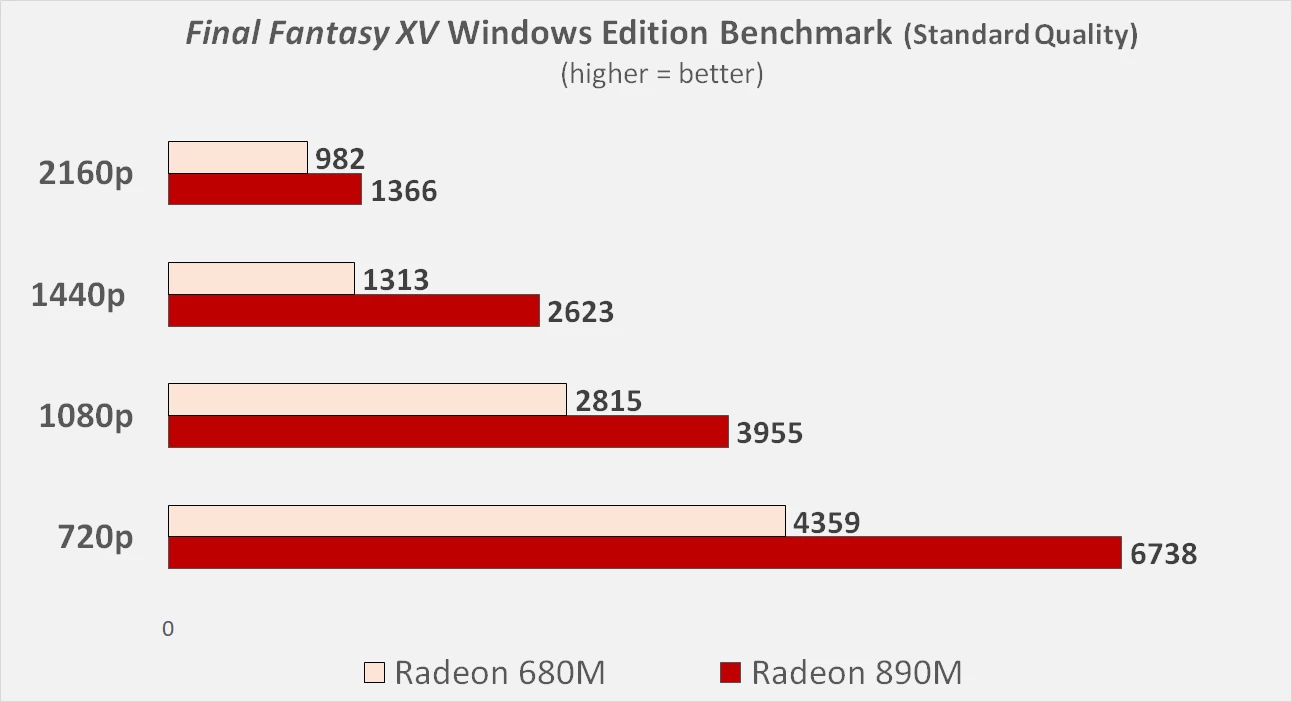
We start off 720p which was the only resolution on which the 680M achieved playable performance. The 890M managed to break 60 average fps with a score of 6738, while the 680M almost reached 45 with 4359 points. Thus the 890M was 54.6% faster than the 680M on 720p. TFLOP-wise wise the 890M should be around 75% better than the 680M. However, since integrated graphics uses the on-board system memory, it is easy to understand why we are not seeing even better performance as the 890M is likely memory bandwidth-limited. This also explains the high RAM usage while running the FFXV tests. Still, a ~55% advantage is nothing to complain about.
Following that, on 1080p, the 890M was 40.5% better than the 680M. Quite unexpectedly, the 890M actually manages to extend its lead over the 680M at 1440p to 100%, exceeding even what the TFLOP specs suggest. This indicates that the 680M was overwhelmed at this resolution for some reason but I am not exactly sure why. Maybe some game asset at this particular resolution was too difficult for the 680M to render.
Again at 4K, the 890M is 39% faster, which is more in line with what we should be expecting.
So for any AAA gaming on the 890M, it looks like 720p, or 1080p (lower settings) is the best bet if you don't want to turn too many settings down. You can expect close to 60 fps on many relatively new titles (outside of ray tracing). Another option is to run upscaling in supported games.
Cyberpunk 2077
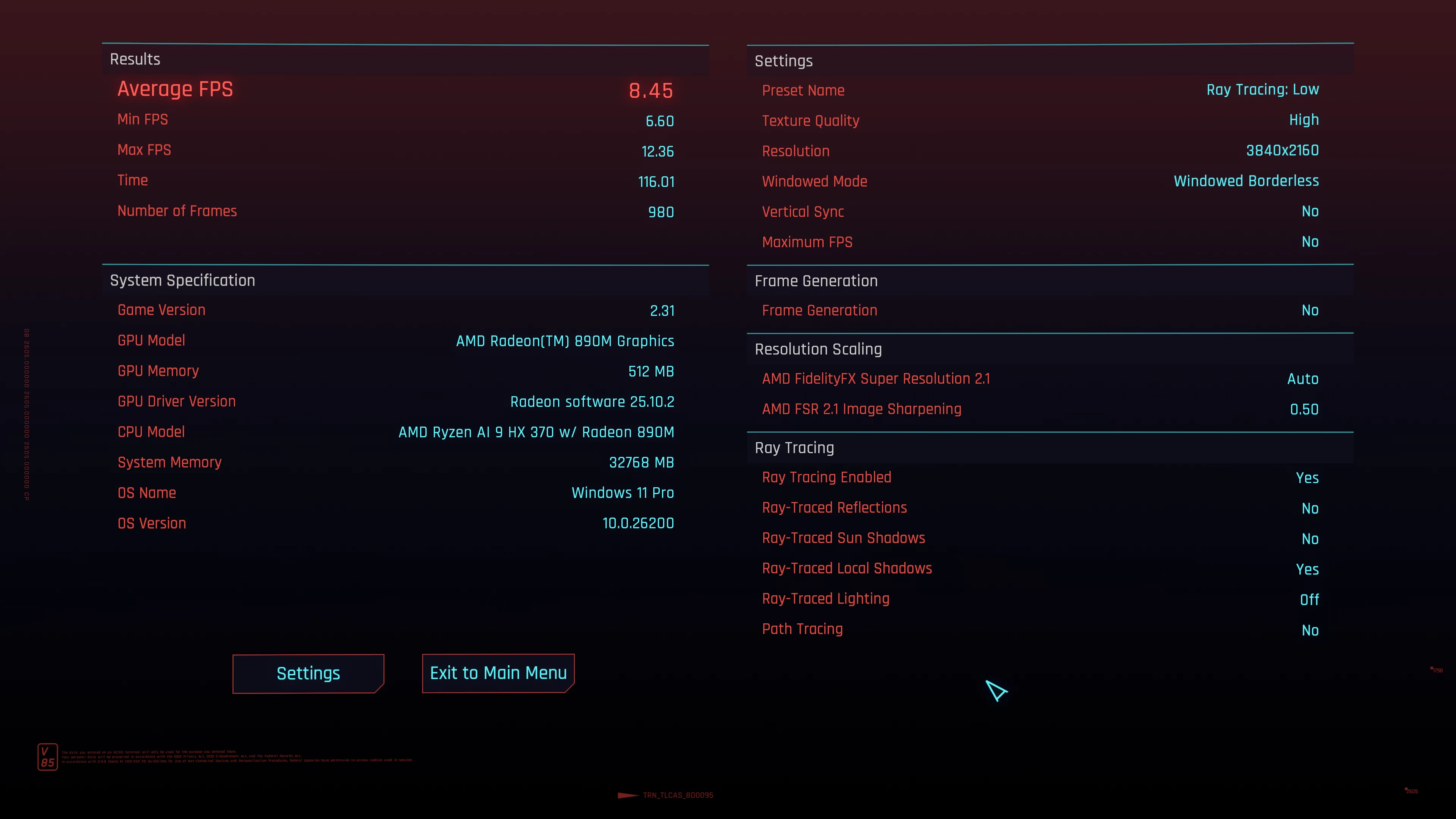
Running Cyberpunk 2077 at the default detected settings in 4K with Ray tracing set to Low returned an average fps of around eight which is basically unplayable.
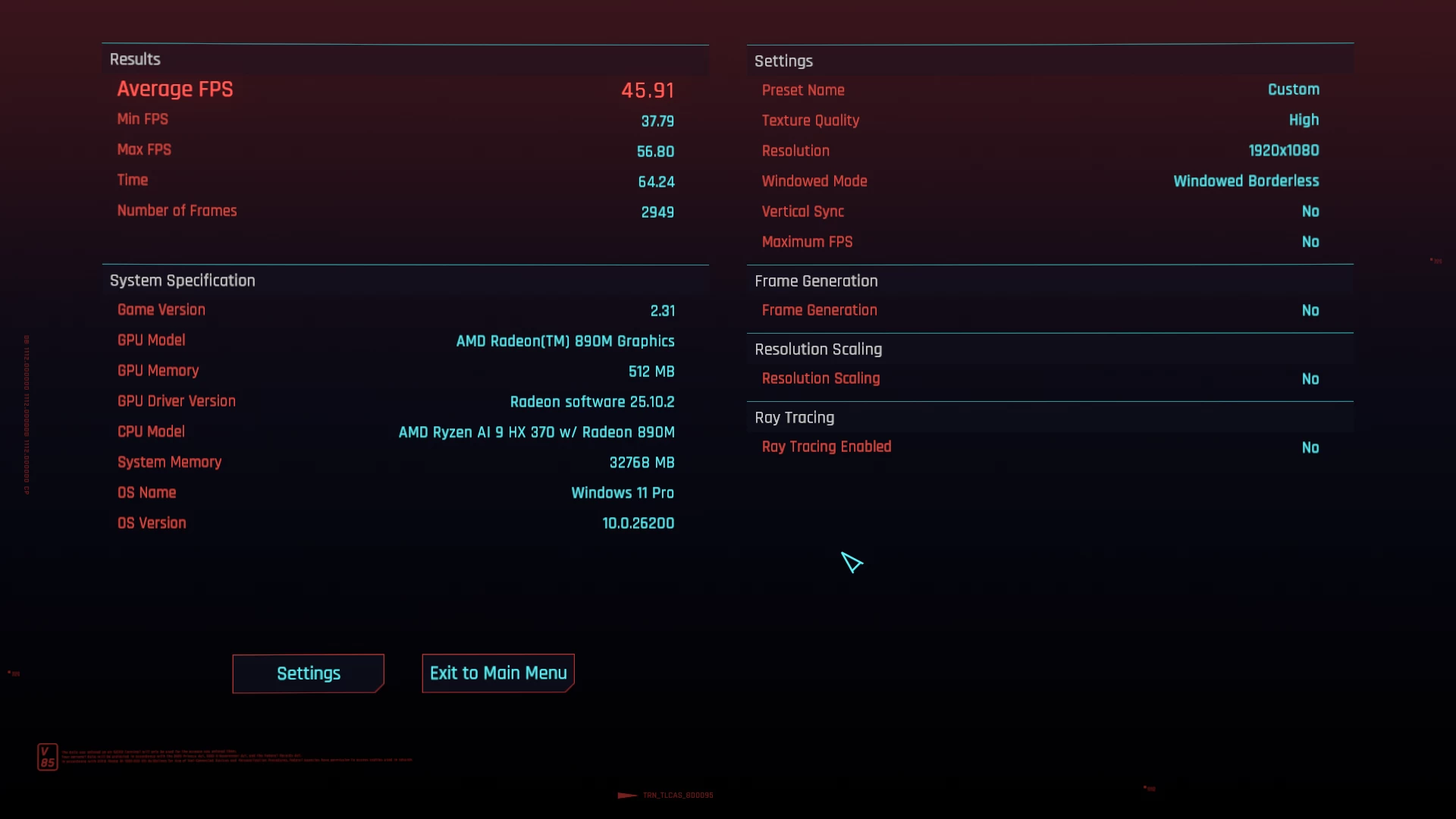
So I turned the settings way down disabling Ray tracing, and all other graphics-heavy settings, bumped Textures to High (texels don't impact GPU core performance) and changed screen resolution to native 1080p (FSR was off), resulting in a much more playable 45-46fps (image above). However there was quite a bit of screen tearing and minor stuttering going on.
Well see for yourself:
Bear in mind that my video recording software captures at around 30fps so frames are being dropped. So if you fiddle around with the quality settings a bit, it is possible to game at 1080p on this Mini PC even on AAA titles.
Browser Performance (result is best to worst)
| Browser | Low | High |
|---|---|---|
| Edge | 34.1 | 35.0 |
| Chrome | 33.8 | 34.7 |
| Firefox | 26.9 | 27.0 |
Next up, I tested browsing performance using Speedometer 3.1. Speedometer provides a value and also a range showing the lowest and highest scores after three runs, as indicated in the chart above by the two scores for each browser. There's barely any daylight between Edge and Chrome, however Edge edges out Chrome on the low and high scores, leaving Firefox in the dust by 7.2 and 6.9 on the low, and 8 and 7.7 on the high, respectively, while Edge, with 0.3 on the low and high, is slightly ahead of Chrome for the winner.
Disk performance
I also tested the SSD's capability using AS SSD and CrystalDiskMark.
| AS SSD | CrystalDiskMark |
|---|---|
|
|
|
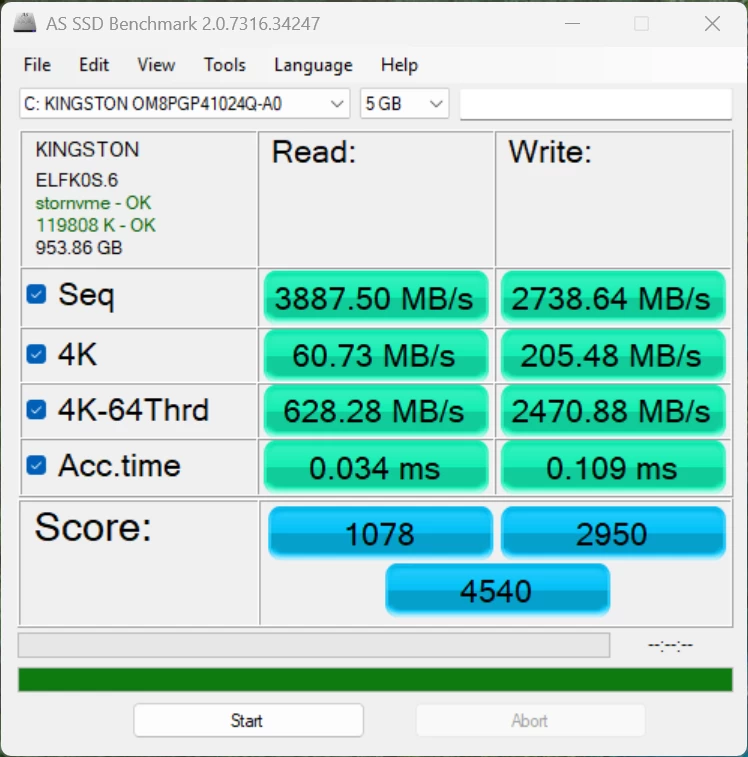
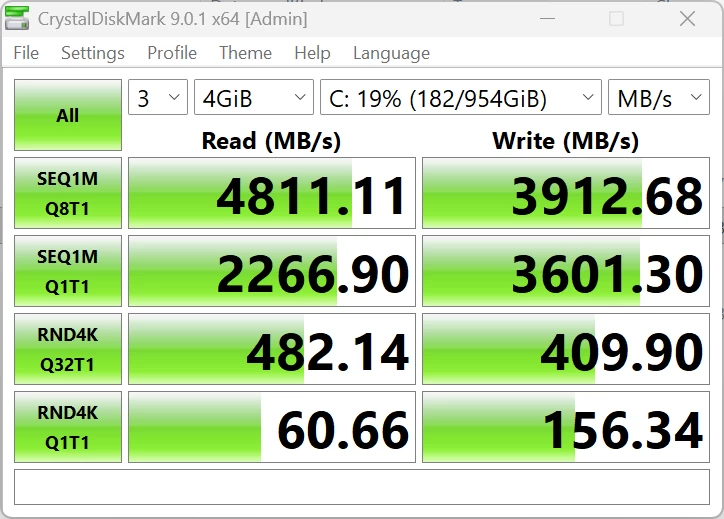
The 1TB Kingston OM8PGP41024Q is rated for 4499/3450 MB/s read/write and although it exceeds that in our testing with CrystalDiskMark, it is far lower than the 2TB Lexar NQ7A1 2 TB SSD with an official rating of 6000/5200 MB/s read/write, which scored 6249/5501 (R/W) in the GEEKOM A9 Max.
3DMark Storage Benchmark
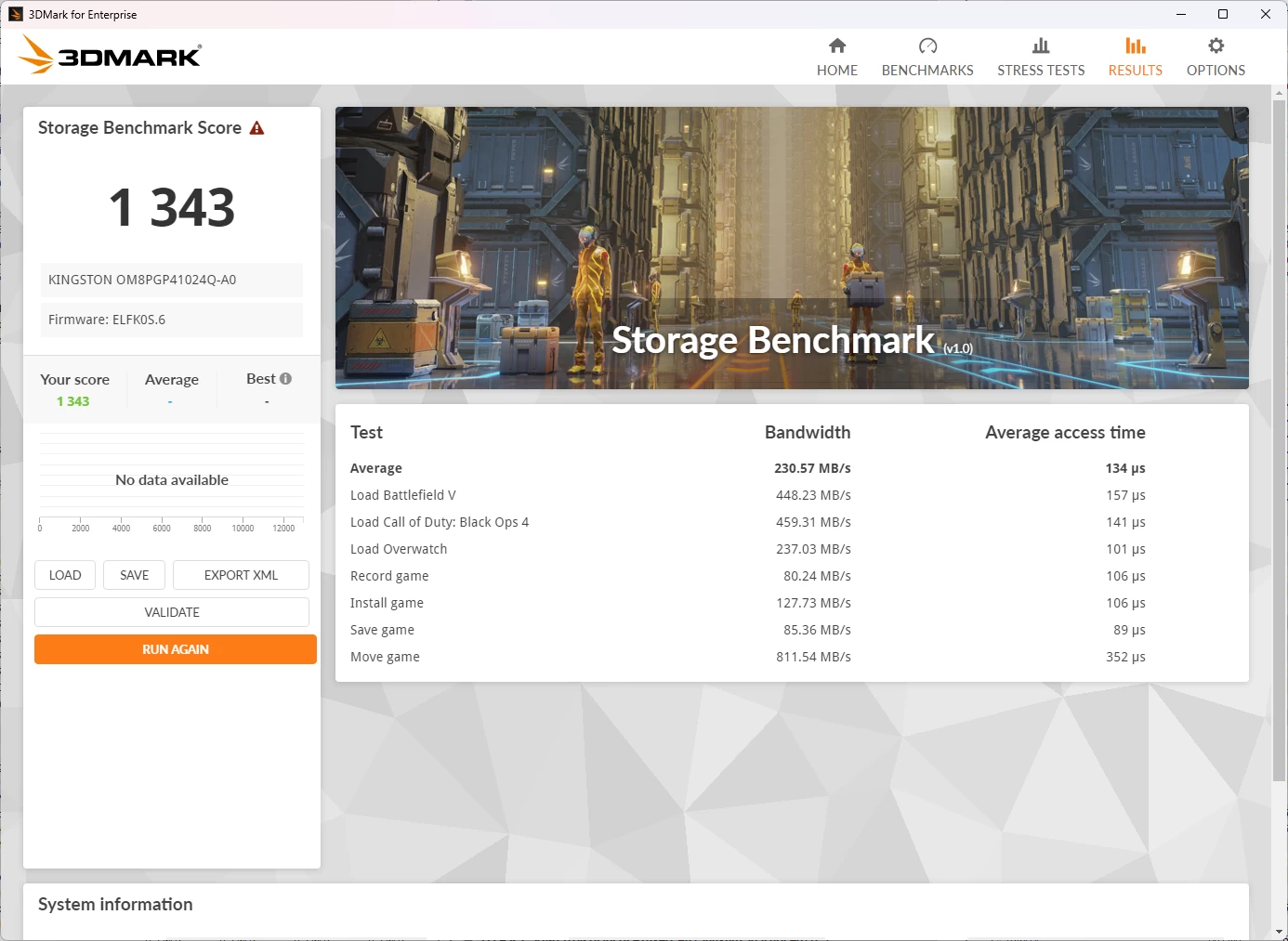
Next I ran the Storage Benchmark, which is a component test that measures the performance of the Kingston SSD, particularly for gaming, using real-world gaming-related activities like loading games and recording gameplay. As you can see this SSD is not blazing fast by any means.
So maybe this is one thing to take into account, cloning the drive to something a bit quicker.
Heat
Despite running all of the above benchmark tests, the ER937-AI did not get hot (or even warm) to the touch, and no annoying noises were coming from the single fan that cools the unit. The Highest CPU temperature recorded was during TimeSpy (HwINFO: 62.5 °C), where the CPU Core reached 83.7 °C.
You should ignore the AUX (PSU) and motherboard measurements reporting over 107C on the above linked screenshot, a mouse hover confirms that HwINFO cannot retrieve the sensor data correctly, and the PSU is actually outside of the Mini PC, I also confirmed it was not even warm to the touch.
Infrared thermal imaging
| Top | Bottom |
|---|---|
|
|
|
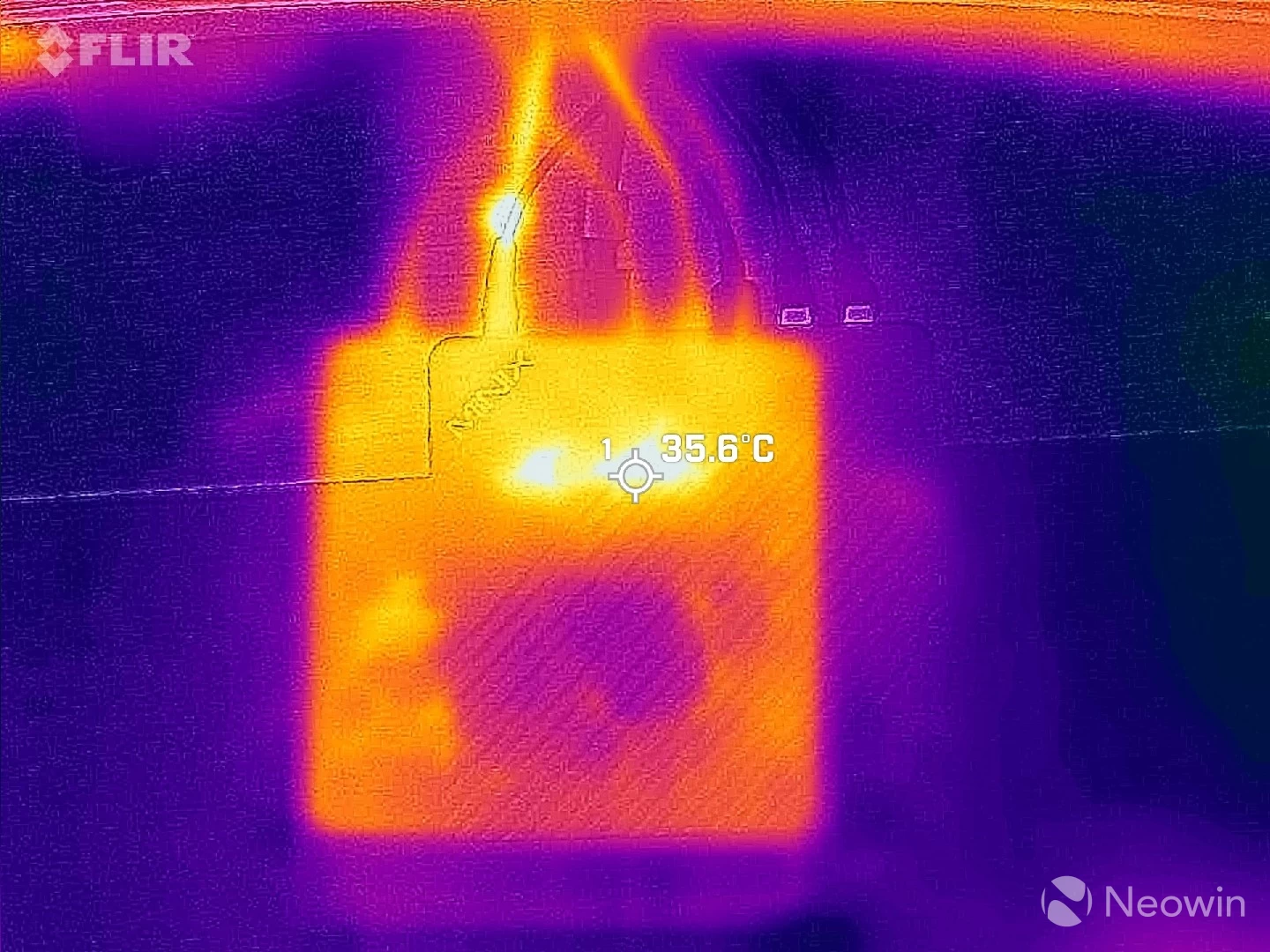
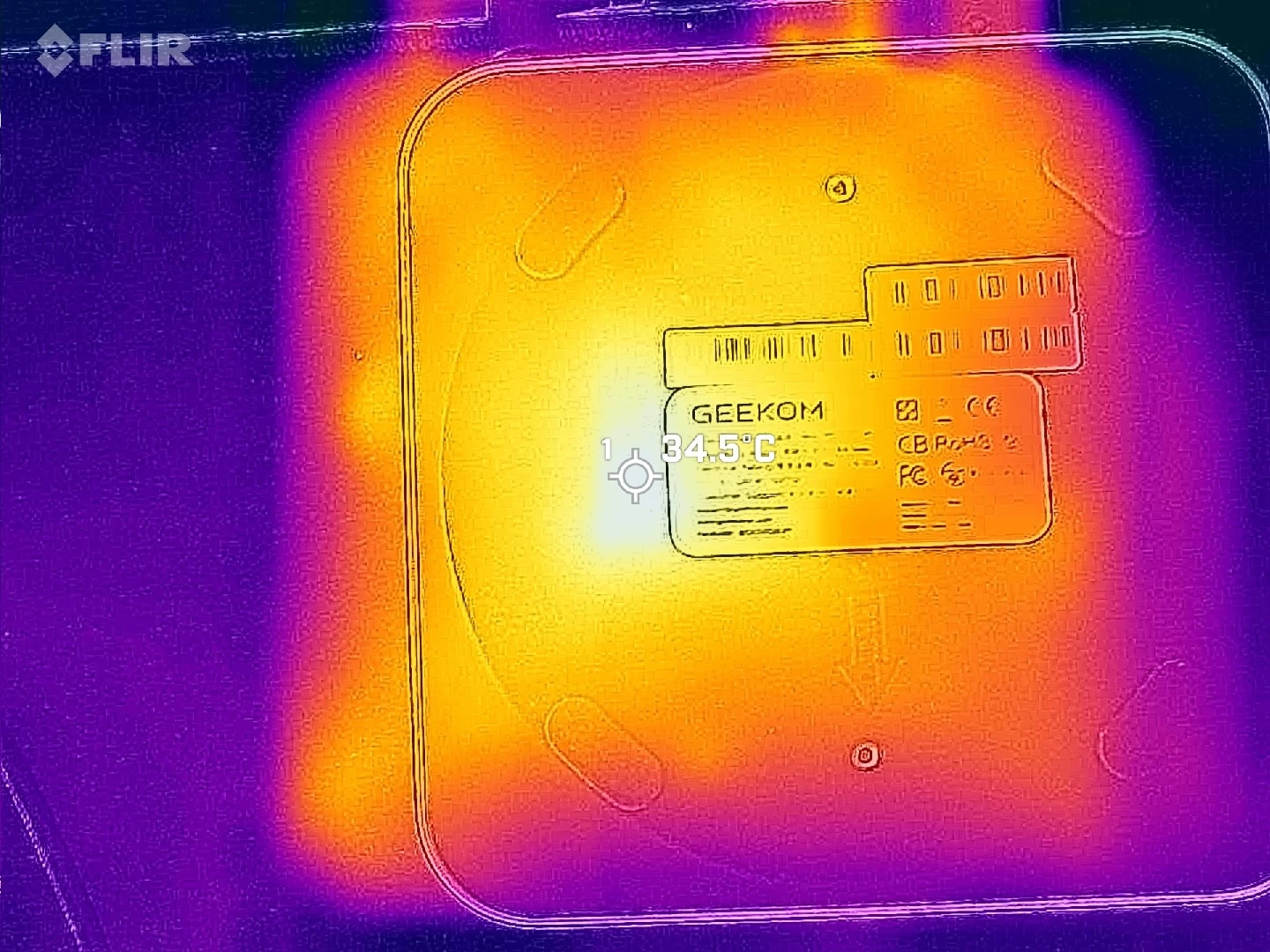
Despite all this, the outer shell never exceeded 35 °C while I was pointing my FLIR ONE Gen 3 thermal camera at a hotspot on the bottom while running a 3DMark Time Spy test. The bottom of the Mini PC even showed a more uniform max temp of 29°C across the whole plate, while on the top, it was more concentrated towards the back.
Power draw
During my testing I also kept an eye on the power draw using an Green Blue energy meter.
| in Standby | idle (Windows 11 25H2) |
|---|---|
|
|
|
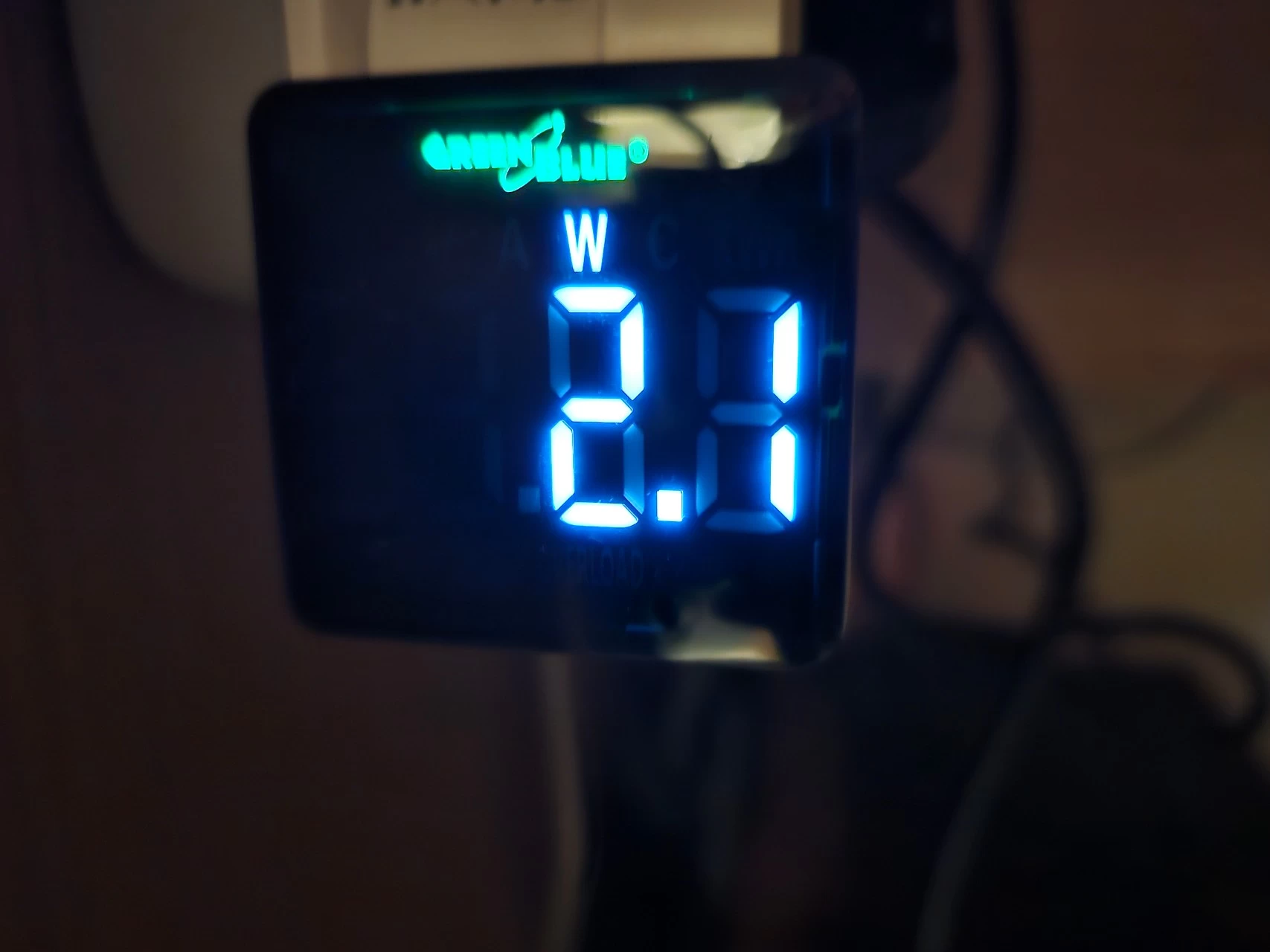
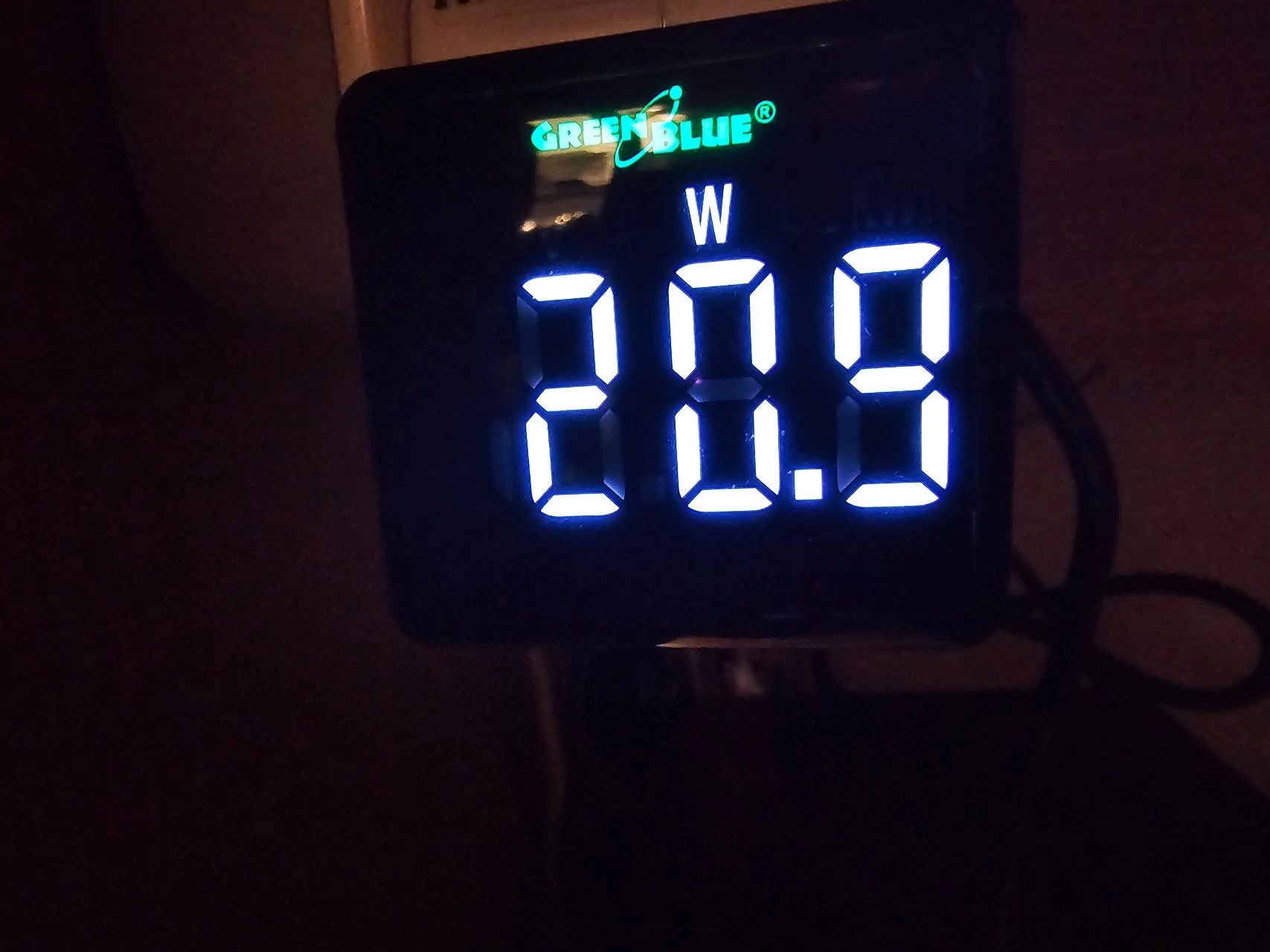
As you can see above, when powered off it draws between 2.0 and 2.2W in Standby. When turned on and idle with no apps opened and just sitting in Windows desktop, the draw was a consistent 20 to 21W.
| Cinebench 2024 | CrystalDiskMark | Cyberpunk 2077 |
|---|---|---|
|
|
|
|
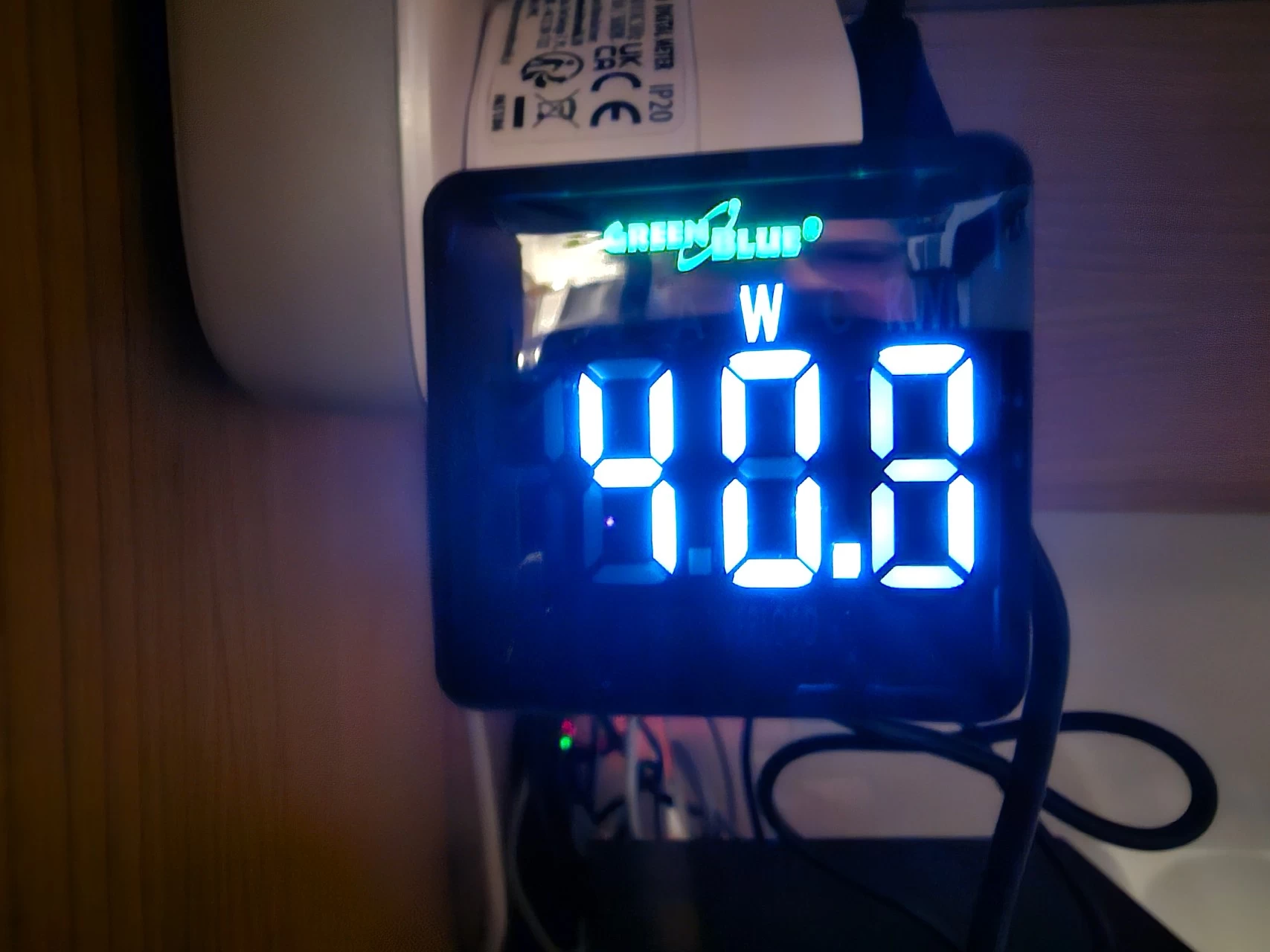
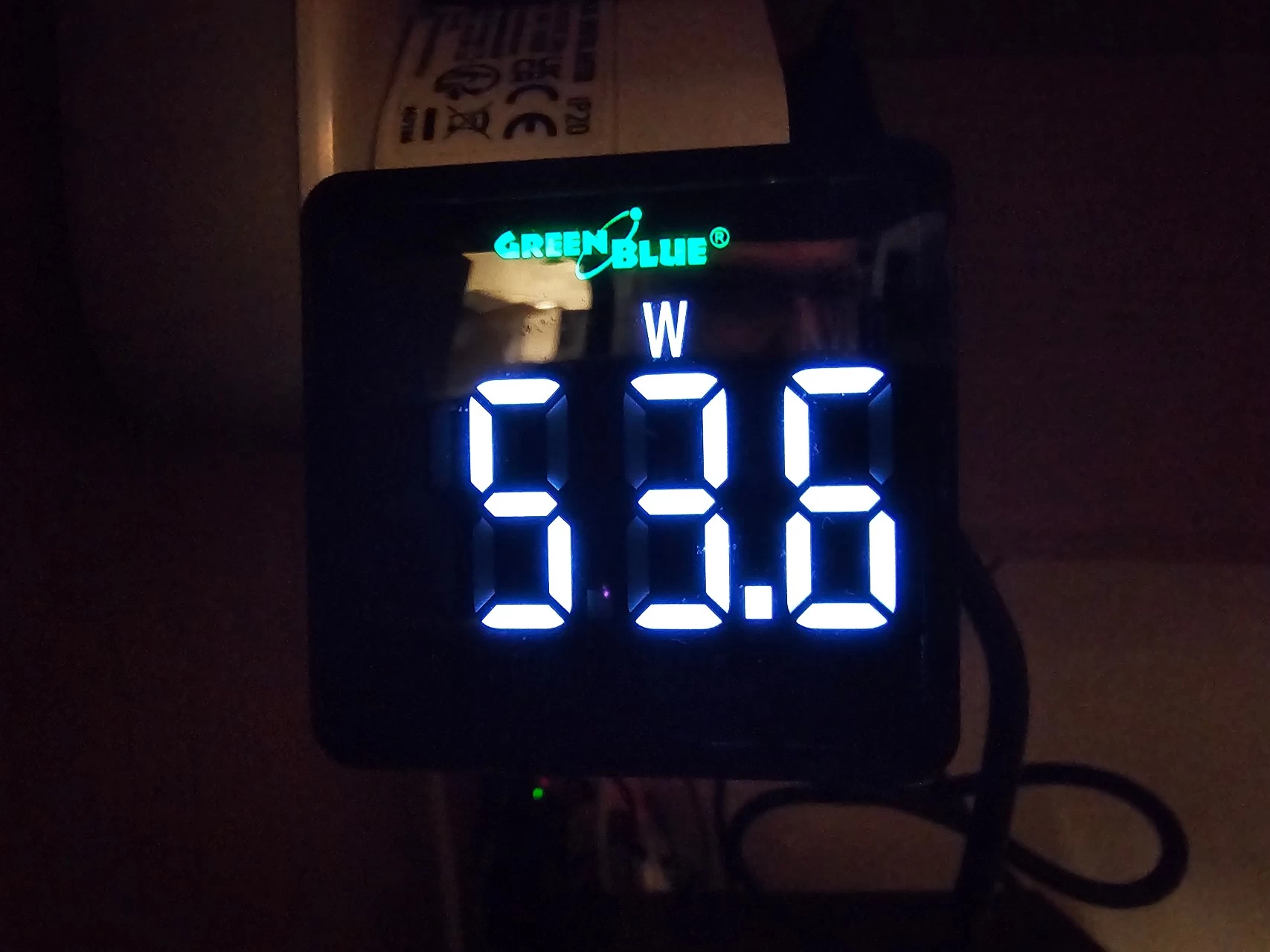
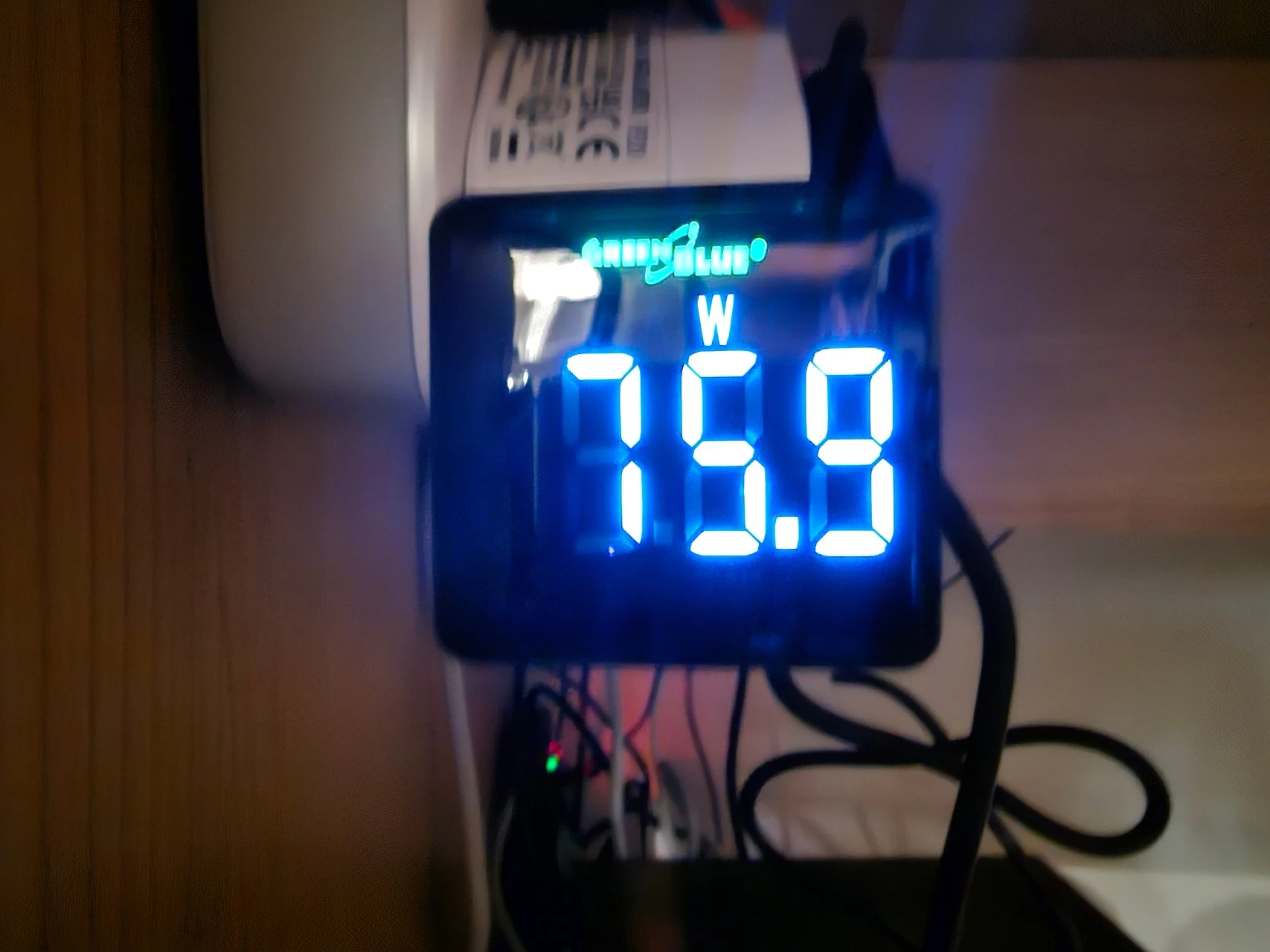
Next I measured the maximum power draw when running the Cinebench 2024 test, which relies mostly on CPU access. Coupled with drive access in the CrystalDiskMark test, the power draw was higher at a maximum of 53.6W, and finally 75.9W was measured when running the Cyberpunk 2077 benchmark, which is one of the heavier games that is playable on this Mini PC at 1080p.
Conclusion
I've said it time and time again, I love these Mini PCs. They simply aren't gaming PCs, though, so you will not be able to enjoy graphically intensive games on them. For that, you need a dGPU along the lines of the mobile Nvidia 4060, AMD 7600 (XT), or better. However, it absolutely is suited for light gaming (Radeon 890M is roughly equivalent to GTX 1650/1070 dGPU), and as an office workstation. Perhaps it's a good solution for a student with limited living space, with the ability to pack this into a backpack for a portable solution. This thing isn't taking up much room, you can even screw it to the back of a screen if it has VESA support with the included mount plate.
In a world that is apparently too stingy for phone manufacturers to include a power lead and charger for their flagship phones, MINIX has provided all of the cables and tools necessary to get started straight away, along with a Windows 11 Pro license and a booklet with instructions on how to access the internals.
When it comes to Mini PCs, the market is saturated with crap, so you really have to be on the lookout and study the specs properly. One trick I have seen often is Mini PCs utilizing old tech, sometimes two generations behind. This Mini PC will let you connect to four displays, whereas cheaper solutions will be limited to two screens.
The good
I really love the tool-less management of SSDs and memory in the ER937-AI, other Mini PC makers should take note, the Windows Hello-compatible fingerprint reader is also a nice touch (see what I did there?) and worked as expected. The dual Thunderport 4 port offerings is great too, with one on the back and on the front! I've been saying in almost every Mini PC I do that a Type-C port should always be on the front of these devices, and that's what we have here.
The bad
There's not a lot to dislike about this Mini PC, perhaps the pricing which I find a bit steep at just under $1400, and the fact that a weak Kingston 1TB NVMe SSD (OM8PGP41024Q-A0) (priced around $72 to $74) was included. At this price I would expect nothing less than 2TB and a drive that is a bit quicker than the rated 4499/3450 MB/s read/write that we see here, it matters a lot in benchmarks. I also think that these brands should do a better job with making user documentation and support more easily accesible. There is no online guide, and although there's a BIOS update there is zero guidance on how to flash it correctly included in the ZIP file, of which the README.TXT is in Chinese.
Where to buy
Assuming you've made it this far, at an MSRP of $1,395.99, the ER937-AI is not cheap, even if we consider that MINIX currently has it discounted by $134 bringing the price down to $1,262 on the official website. However there's a much better deal over on Amazon until Nov 10 that lets you save a whopping $477.99 off the price. At the end of the day it still works out cheaper than the GEEKOM A9 MAX which is $999 right now on Amazon.
- MINIX ER937-AI on the official website for $1,261.99 (with coupon applied at checkout)
- MINIX ER937-AI on Amazon US for $919 (with in-page coupon, expires Nov 10)
Our stories may contain affiliate links for products/apps where Neowin is paid an affiliate fee if you complete a purchase via those links.











9 Comments
Load the comments and join the conversation!
Read the comments, ask the editors questions, show respect and join the conversation.