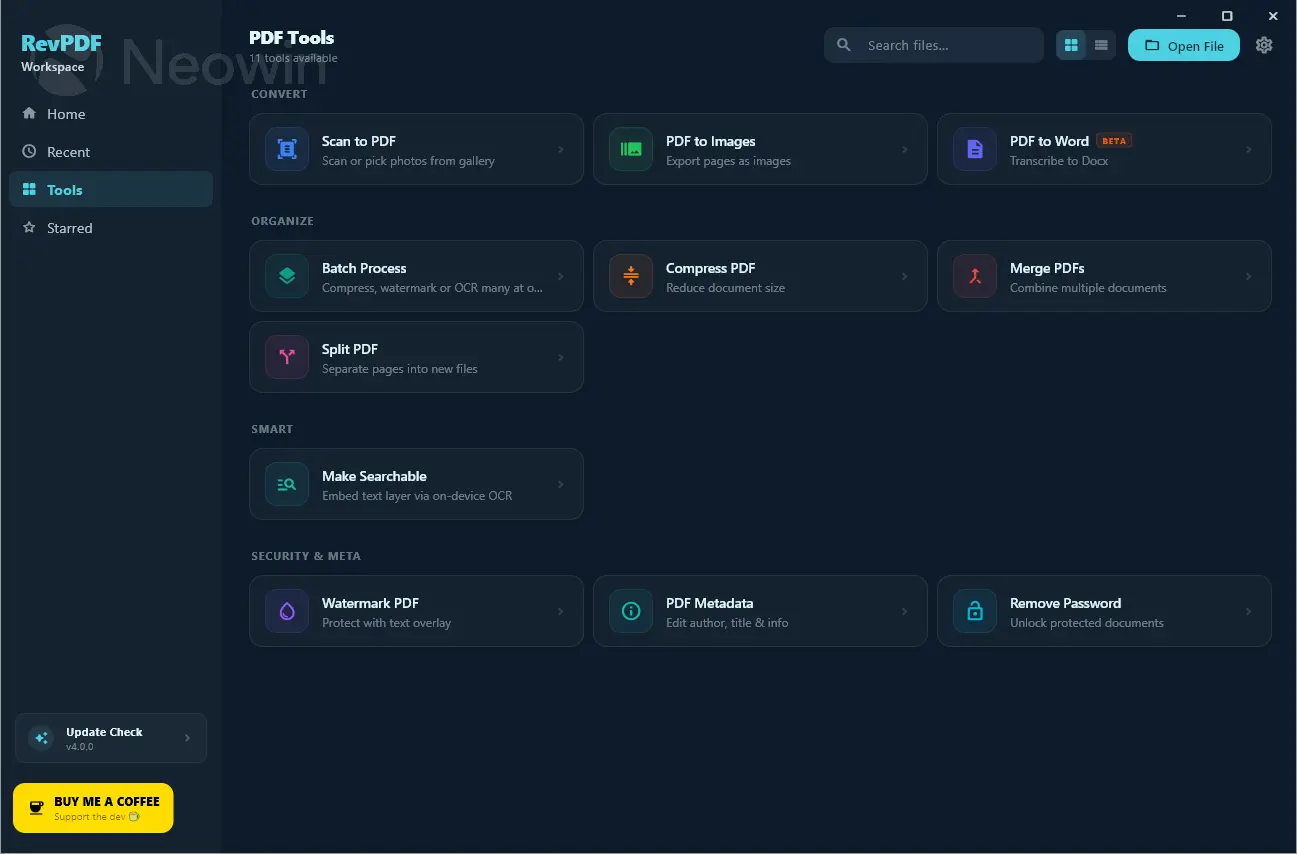
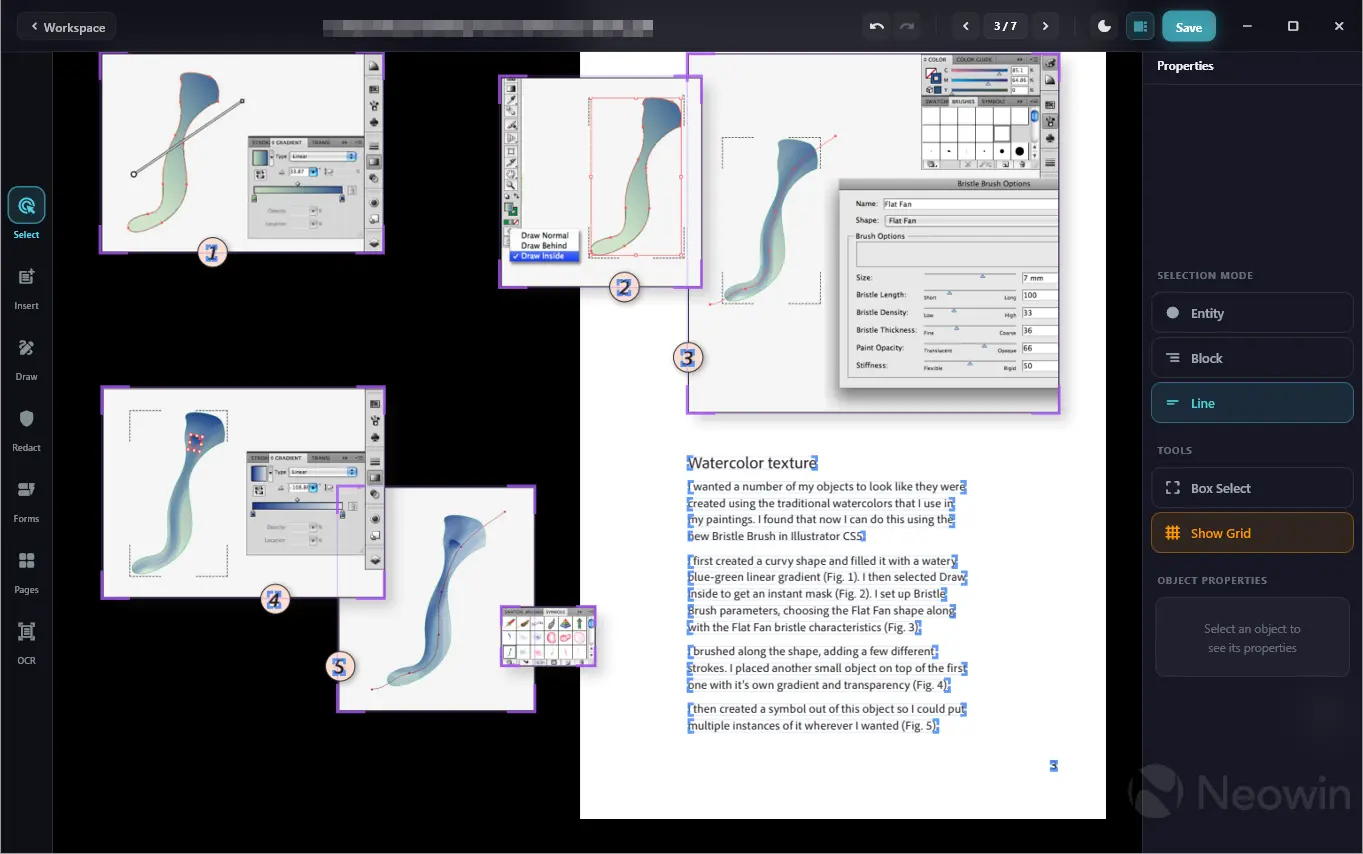
RevPDF is a free, fully offline PDF editor for Windows, macOS, and Linux that lets you edit text and images directly inside PDF files — no internet connection, no account, and no cloud uploads required. Unlike bloated alternatives that demand subscriptions and constant connectivity, RevPDF fits in under 60MB on desktop while delivering a complete editing toolkit: annotate, redact, sign, compress, split, merge, convert, and reorganize pages, all processed locally on your device. Smart font matching ensures edited text blends seamlessly with the original, and multi-language support includes RTL scripts such as Arabic and Hebrew.
Where most PDF editors force you to choose between features and simplicity, RevPDF manages both. You can build interactive forms from scratch with text fields, checkboxes, and dropdowns, permanently redact sensitive data before sharing, draw freehand on contracts and diagrams, and add custom watermarks — all without a single file leaving your machine.
Edit Text and Images Directly Inside PDFs
RevPDF supports true inline PDF editing — not just annotation layers on top of a document, but actual modification of existing text and images within the file. A smart font-matching engine identifies the font used in the original document and applies it automatically when you make edits, so changes blend naturally with the surrounding content. You can reposition elements, resize images, and update text across single pages or entire documents.
RevPDF 4.6.5 release notes:
This update focuses heavily on under-the-hood stability, performance tuning, and polishing the user interface.
Here is what’s new in revpdf v4.6.5:
Performance & Stability
- Crash & ANR Fixes: Resolved several critical edge cases causing the app to crash or trigger "App Not Responding" (ANR) dialogs during heavy operations.
- Large File Optimization: Re-engineered our document parser to handle massive PDFs smoothly without hitting memory limits.
- Fluid Navigation: Optimized rendering pipelines for a much smoother scrolling experience and a more responsive element-editing flow.
Bug Fixes
- Password Removal: Fixed an issue where the "Remove Password" feature would fail silently or corrupt the output file on specific encrypted documents.
UI & UX Improvements
- Visual Polish: Cleaned up padding, alignment, and layout inconsistencies across the main workspace.
- Better Layout Experience: Tweaked the workspace layout to make the editing environment feel more natural, spacious, and intuitive.
Download: RevPDF 4.6.5 | 58.4 MB (Open Source)
Links: RevPDF Home Page | Github | Screenshots 1 | 2