RevPDF is a free, fully offline PDF editor for Windows, macOS, and Linux that lets you edit text and images directly inside PDF files — no internet connection, no account, and no cloud uploads required. Unlike bloated alternatives that demand subscriptions and constant connectivity, RevPDF fits in under 60MB on desktop while delivering a complete editing toolkit: annotate, redact, sign, compress, split, merge, convert, and reorganize pages, all processed locally on your device. Smart font matching ensures edited text blends seamlessly with the original, and multi-language support includes RTL scripts such as Arabic and Hebrew.
Where most PDF editors force you to choose between features and simplicity, RevPDF manages both. You can build interactive forms from scratch with text fields, checkboxes, and dropdowns, permanently redact sensitive data before sharing, draw freehand on contracts and diagrams, and add custom watermarks — all without a single file leaving your machine.
Edit Text and Images Directly Inside PDFs
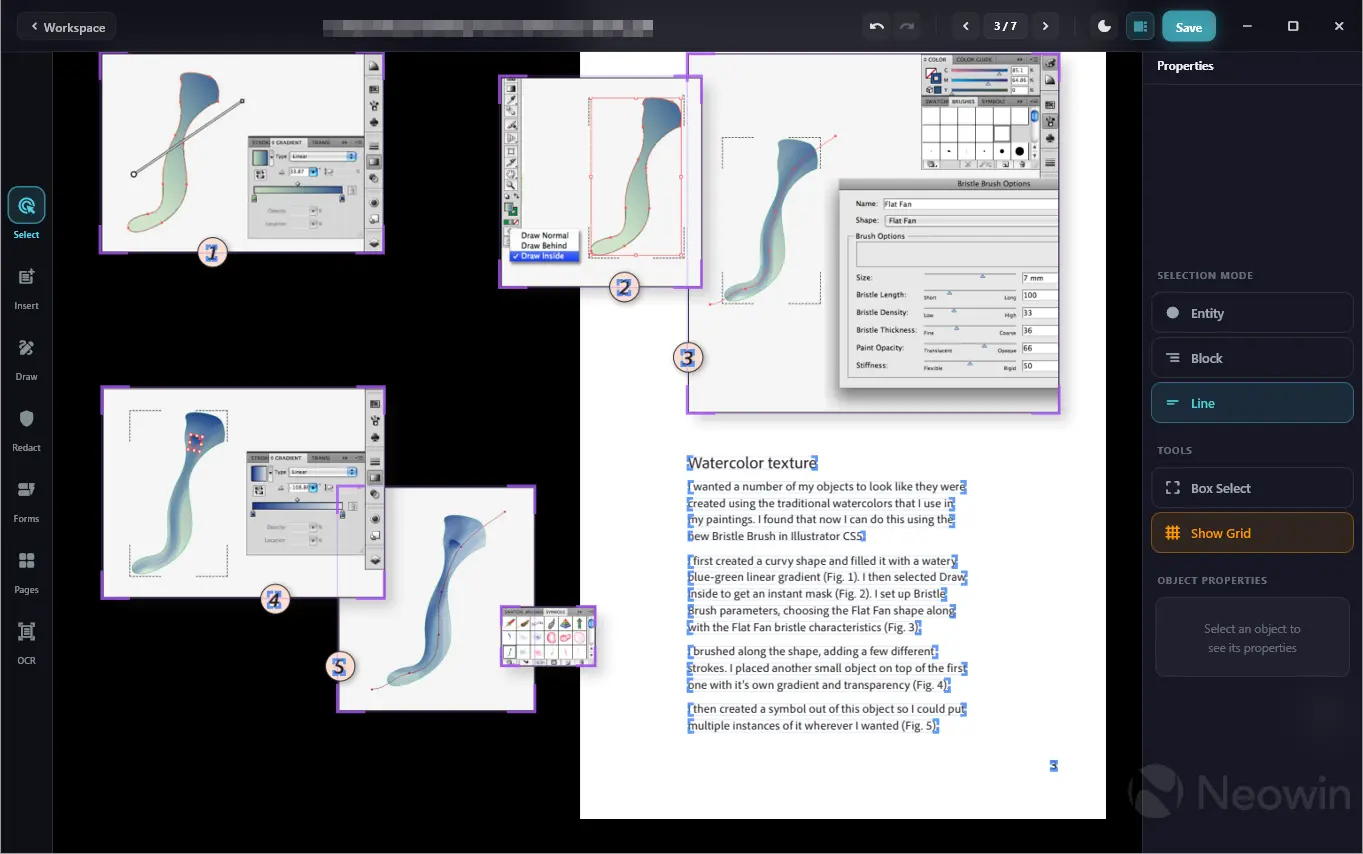
RevPDF supports true inline PDF editing — not just annotation layers on top of a document, but actual modification of existing text and images within the file. A smart font-matching engine identifies the font used in the original document and applies it automatically when you make edits, so changes blend naturally with the surrounding content. You can reposition elements, resize images, and update text across single pages or entire documents.
RevPDF 4.0 release notes:
The biggest RevPDF update yet. Version 4.0 is a ground-up refinement of everything — the interface, the engine, and the feature set. Whether you're on desktop or mobile, RevPDF now feels exactly where it belongs.
What's New
Brand New Native UI
- The interface has been completely redesigned from scratch. On desktop it feels like a desktop app. On mobile it feels like a mobile app. No more one-size-fits-all compromise — each platform gets a UI that's native to it, with platform-appropriate controls, layouts, and interactions throughout.
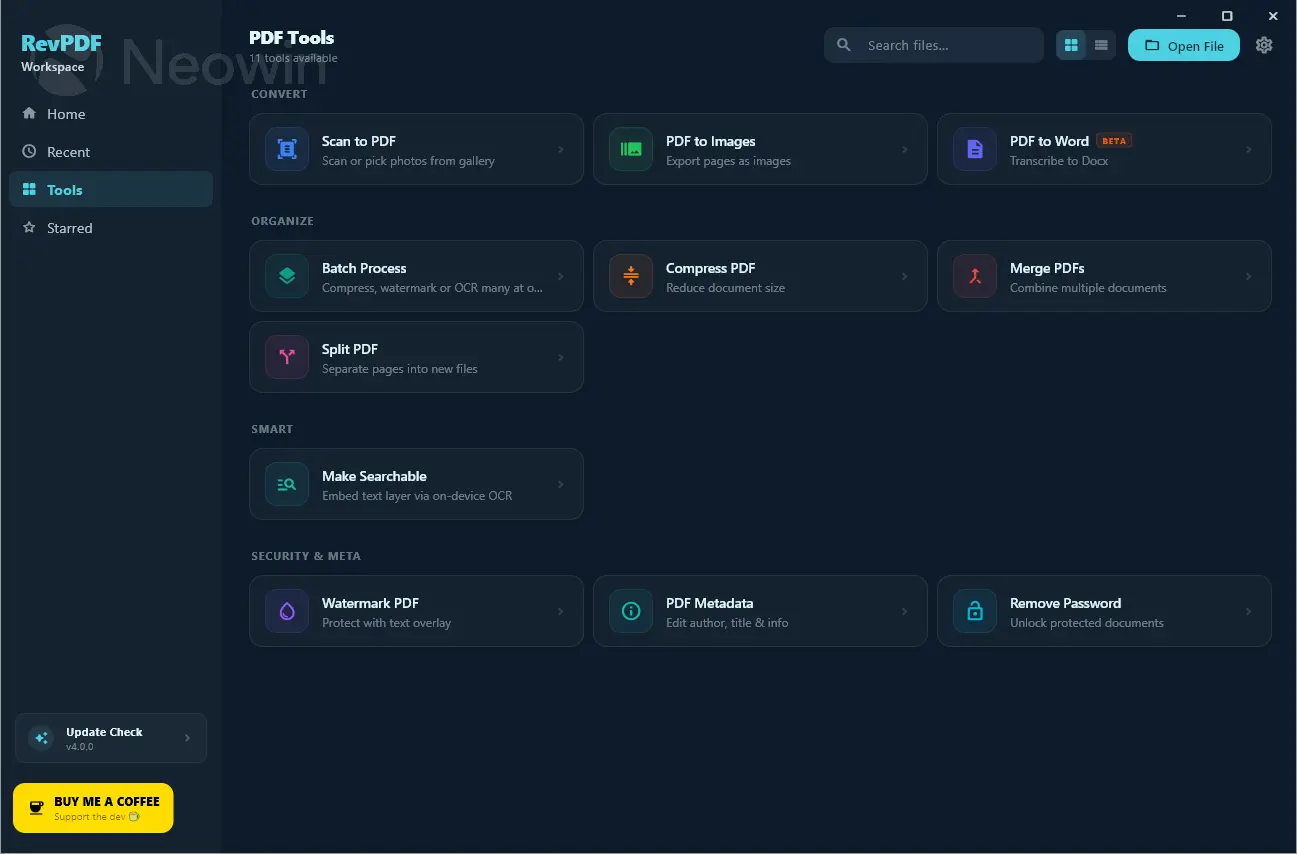
OCR — Make Any PDF Come Alive
Scanned documents and image-based PDFs are no longer read-only. RevPDF 4.0 ships with built-in OCR that:
- Makes scanned PDFs fully searchable
- Converts image text into selectable and copyable text
- Works entirely offline — no cloud service, no API key needed
Note on installer size: Windows and Linux users may notice a slight increase in installer size — this is due to the OCR engine being bundled directly into the app. On macOS, RevPDF uses Apple's native OCR framework, so there's no meaningful size increase on that platform.
Remove PDF Password Protection
- Unlock password-protected PDFs directly inside RevPDF. No third-party tools, no online converters — just open, remove, done.
Improved PDF Scanner (Mobile)
- The built-in PDF scanner on Android and iOS has been significantly improved:
- Native scanner embedded directly into the app — no switching between apps
- Better image editing during the scan flow — crop, rotate, adjust before you save
- Cleaner, faster capture experience
Image Editing in the PDF Editor
- You can now edit images directly on the PDF editor screen. Adjust, replace, or reposition images without leaving your editing flow.
Batch Processing
- Run operations across multiple files at once. Save time on repetitive tasks — compress, convert, watermark, and more in bulk.
Improved Watermark
- The watermark feature has been overhauled with better placement control, styling options, and more reliable output across all PDF types.
Improved Redaction
- Redaction is now more precise and more reliable.
Smoother UI Performance
- Scrolling, transitions, and interactions across the app are noticeably faster and more fluid. The UI has been tuned for responsiveness throughout.
Bug Fixes
- Page reorder — Fixed issues with page reordering not saving correctly
- Default Windows PDF opener — RevPDF now correctly registers and behaves as the default PDF application on Windows
- Intent handling — Improved handling of open-with and share intents on Android, including edge cases with third-party file managers
Download: RevPDF 4.0 | 57.0 MB (Open Source)
Links: RevPDF Home Page | Github | Screenshots 1 | 2
 Get alerted to all of our Software updates on Twitter at @NeowinSoftware

















0 Comments
Load the comments and join the conversation!
Read the comments, ask the editors questions, show respect and join the conversation.