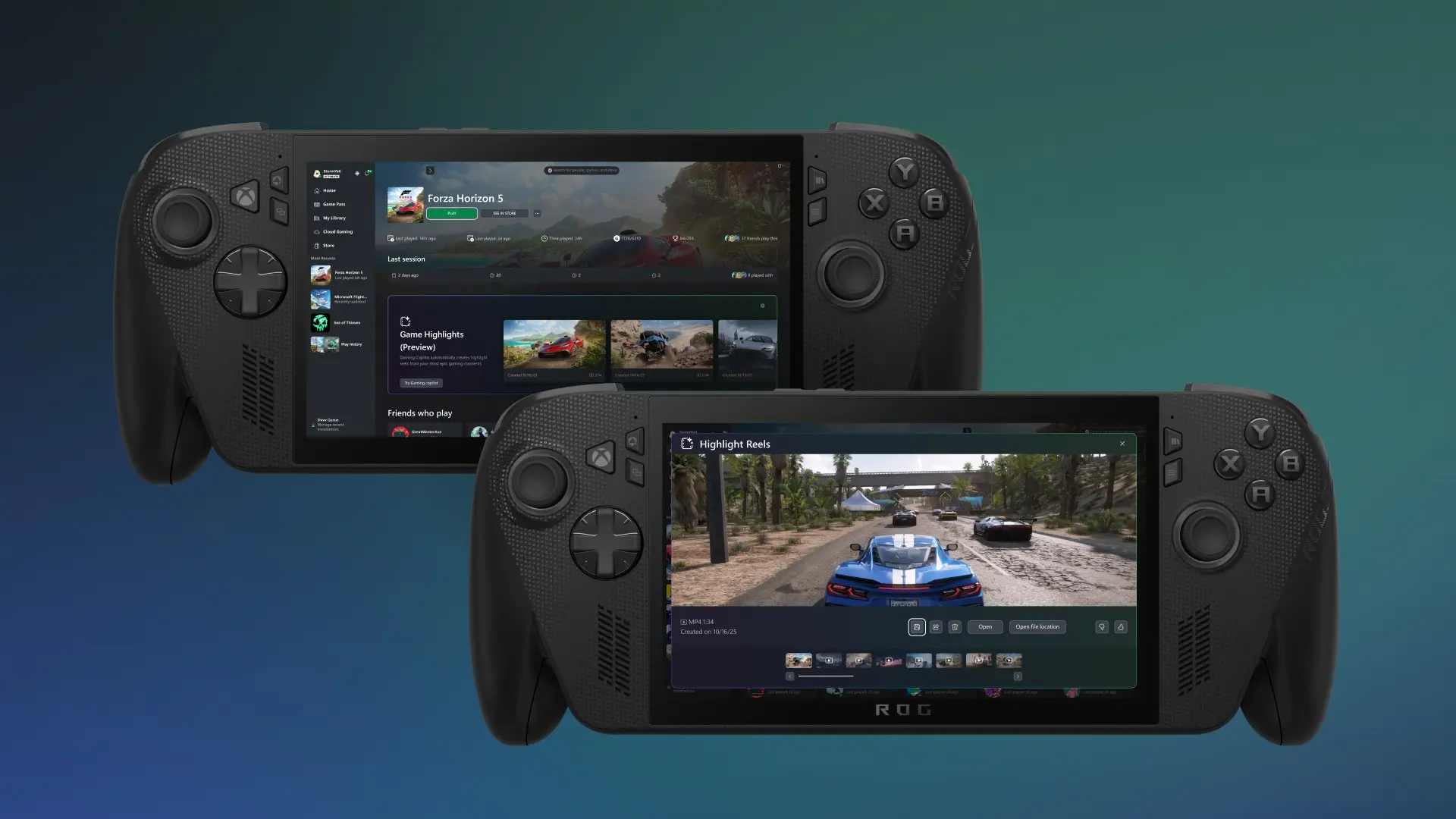
The ROG Xbox Ally handheld devices that Microsoft released in 2025 are continuing to receive new features. Today, Microsoft unveiled the latest addition to be Highlight Reels, which is now entering the public testing phase. This will let the device automatically capture clips of the games you play for sharing without needing to open any panels or press any shortcuts during gameplay.
Microsoft explicitly mentions only the ROG Xbox Ally X variant for testing the feature, meaning the standard Xbox Ally may not be compatible, at least for now. It"s unclear if the company plans to expand the Highlight Reels to more devices, like Windows-powered desktop PCs and laptops, in the future.
"This feature helps you easily capture your standout gameplay moments, like epic boss battles or victories, and share them as short replay clips with your friends online," says Gabriel DesGarennes, Principal Product Manager at Xbox. "With no additional downloads needed, highlight reels allows you to effortlessly clip memorable moments in-game without ever needing to leave your game so you can stay focused on the fun."
Highlight Reels won"t be available on every game at the start. At the moment, the supported games are Among Us, Lies of P, Elden Ring, Overwatch, Fortnite, Palworld, and Forza Horizon 5.
Here are the steps on how to join the Insider program and try out the feature on the ROG Xbox Ally X:
- Join the Xbox Insider Program if you haven’t already: Xbox Insider Home | Xbox Support
- Ensure recording settings are enabled.
- You can do this via Game Bar by navigating to Settings > More Settings > Widgets > Record in the background while playing a game.
- There are other ways you can change this setting:
- Via Gaming Copilot: Navigate to Gaming Copilot > Settings > Capture Settings > Navigate to Capture Settings in Widget
- Via Windows settings: Navigate to Settings > Gaming > Captures > Record what happened
- Jump into one of the supported games
- Gaming Copilot will capture clips of gaming moments while you play. At the end of your gameplay session, a highlight reel will automatically be created using these clips, which you can view and share via Game Highlights (Preview) within the game page of the Xbox PC app
- Be sure to try out the experience and take the survey in the Xbox Insider Hub!
Highlight Reels enters the testing phase just as Microsoft continues to test the Postgame Recaps feature on PC gamers as a whole. This is aimed at giving a quick recap of what you accomplished in the most recent gameplay session, including unlocked achievements, playtime, and other significant events. The two features may be packaged together in the future for supported devices.