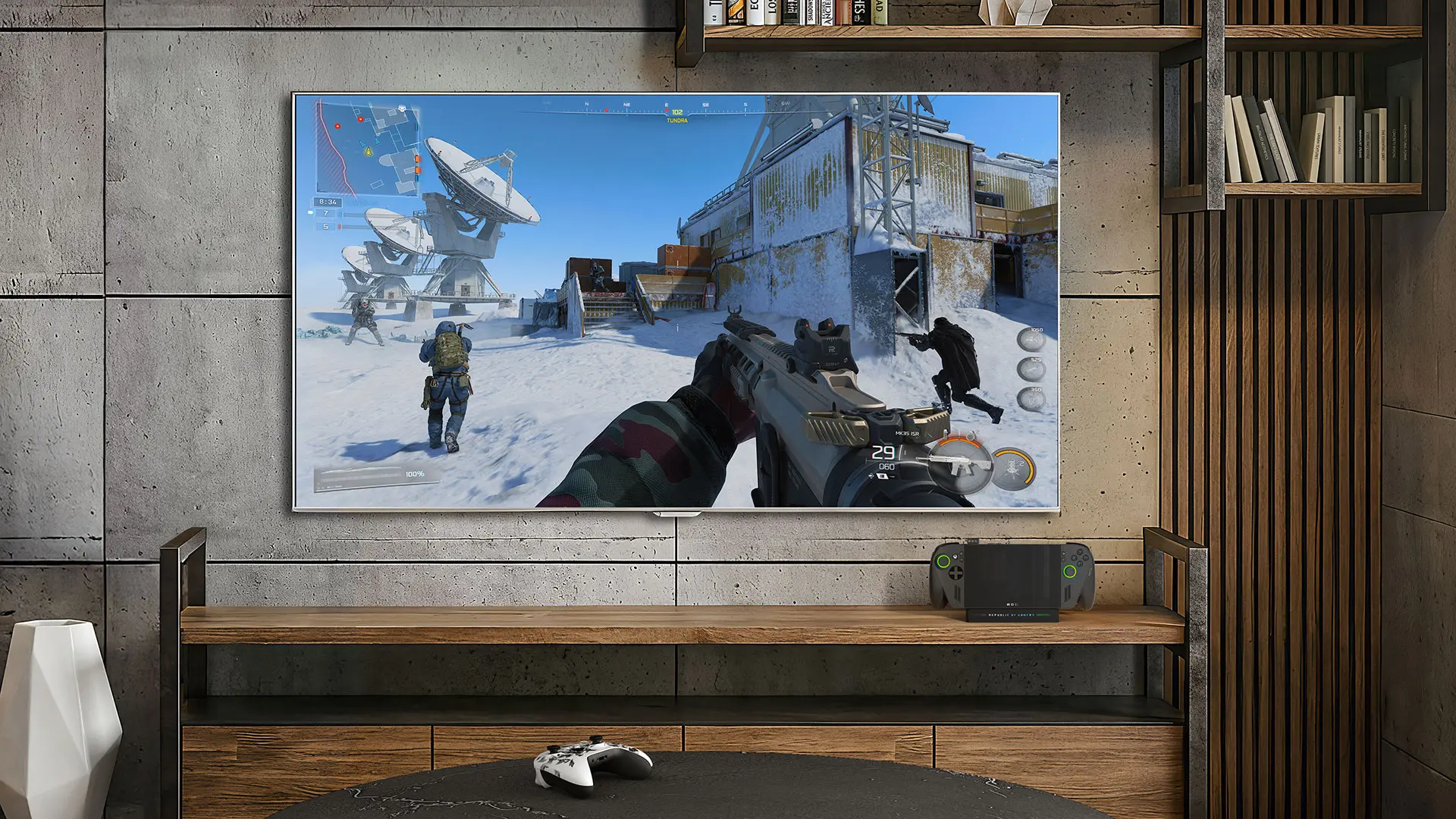
The Xbox handhelds that Microsoft and ASUS brought out last year are getting a slew of updates. The ROG Xbox Ally and Ally X devices are gaining enhancements that improve their docking functionality when connected to TVs, a gamepad cursor, audio upgrades over Bluetooth, a unified library, and more.
Docking improvements are landing first, where the Ally will now turn off its display and move its screen to the TV automatically when plugged in. If it's a smart TV from Samsung, LG, or Vizio, gaming features like low-latency mode and variable refresh rate will be enabled automatically when docked. Display settings on the TV can also be adjusted now using the Game Bar's new Display Widget.
Docking also disables the Ally's built-in controllers when other controllers are paired to the handheld. Moreover, there is now a cursor that appears when using a controller while browsing spaces that don't support gamepads, such as web browsers, music streaming apps, and other storefronts, for easily navigating through them without a mouse.
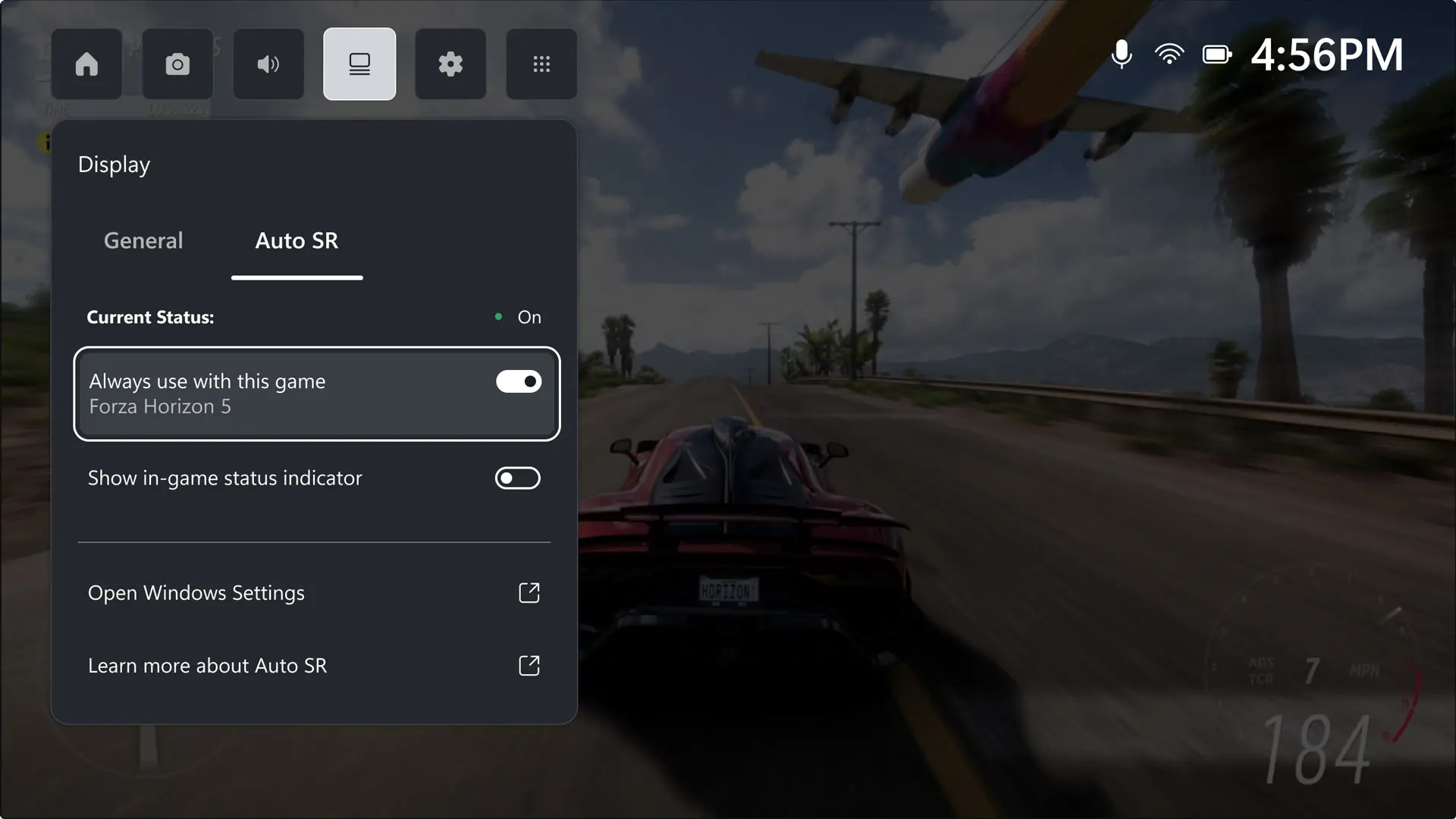
Next, Microsoft is rolling out the Auto Super Resolution feature to Xbox Insiders. Users on the ROG Xbox Ally X can now try it out via the Game Bar before the public rollout.
"For years, players have had to choose between visual quality and performance: turn up resolution and framerate drops or dial it back and the image suffers," says Microsoft's CVP of Gaming Devices and Ecosystem, Roanne Sones. "When docked and connected to an external display, Auto SR changes that equation, delivering 1440p-like detail alongside smooth framerates on larger screens, where every pixel counts."
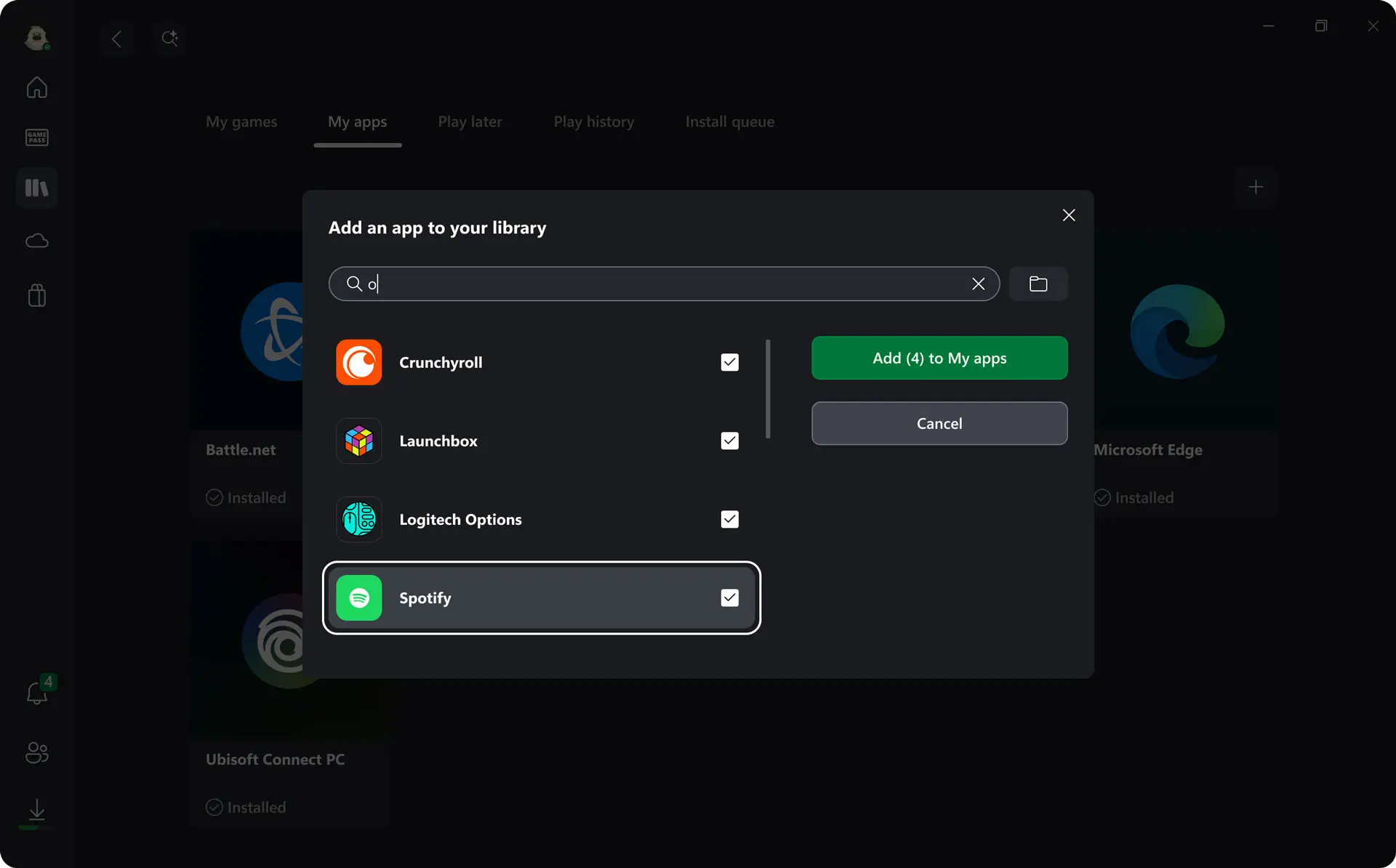
The company also confirmed that Bluetooth LE Audio on the Xbox Ally is now streaming in super wideband stereo voice fidelity when connected to supported devices, while vibration and haptic effects have also been improved across the handhelds. Lastly, the ability to add any app or game to the Xbox app, with personalized names, images, and launch options, for easily launching them, is finally hitting the handhelds too.
Find the complete changelogs of updates hitting the ROG Xbox Ally and ROG Xbox Ally X over here.



















0 Comments
Load the comments and join the conversation!
Read the comments, ask the editors questions, show respect and join the conversation.