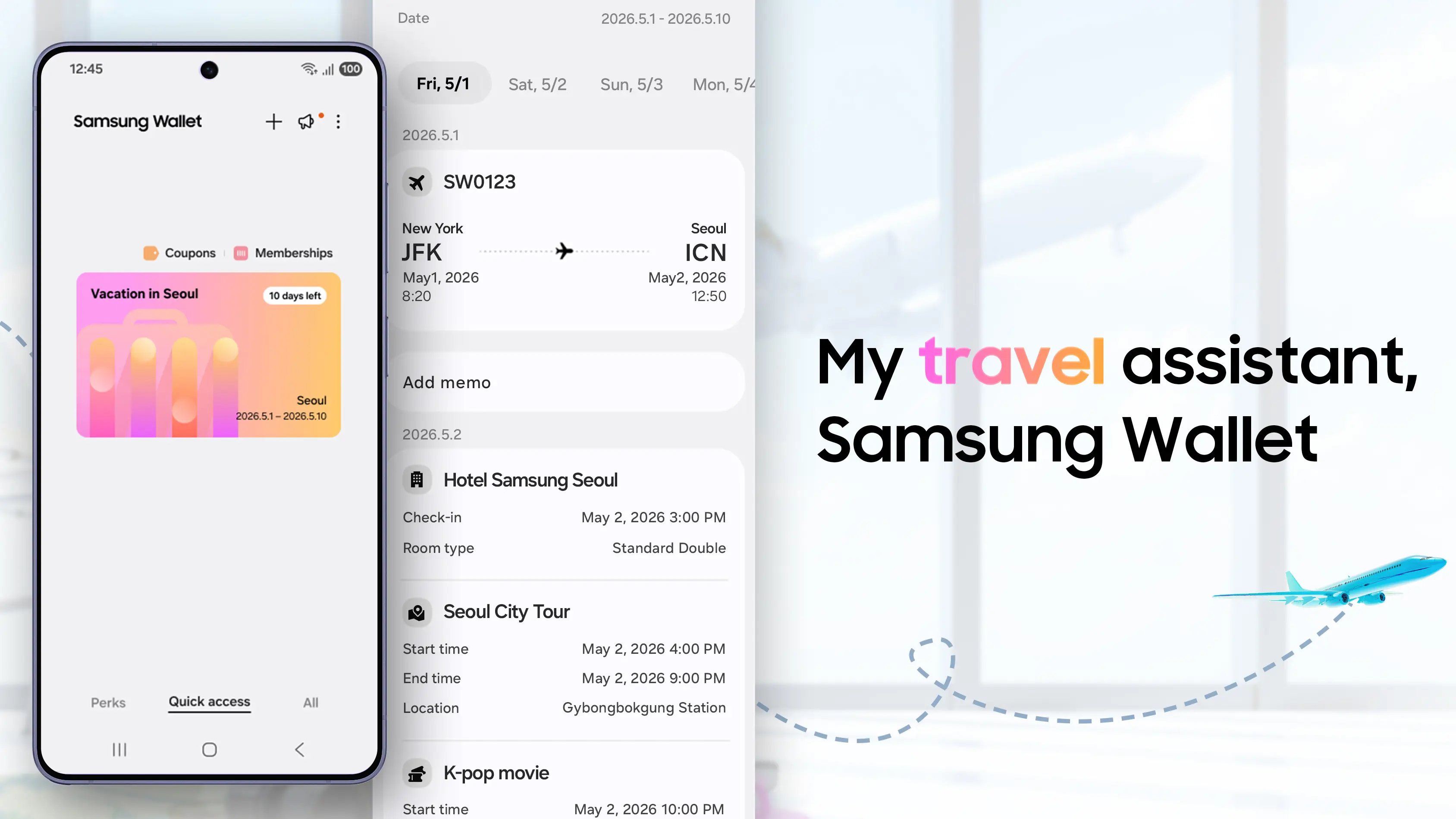
Samsung Wallet is expanding to help you organize and manage your trip itinerary from beginning to end with its new “Trips” feature. With Trips, users get a new Trip timeline that brings all of their travel plans into a single view. This will help to structure busy plans and provide a smoother journey.
When you add eligible items to your Samsung Wallet, Trips will group them together based on the time and location. You can manage bookings such as hotels, flights, car rents, and any activities you plan to do while on your trip. You can also add tickets for other transport modes and events such as buses, trains, theme parks, and sporting events.
The Korean phone maker said that over time it will continue to expand Samsung Wallet with new features and partner experiences, including while travelling.
The new Trips feature is coming to users in Korea, the UK, and the US. To use it in Korea, you must be on version 5.9.32 or higher, and to use it in the UK or US, you must be on versions 6.4.98 and 6.4.97, respectively. This could potentially exclude older Galaxy devices if they are not capable of updating to these Samsung Wallet versions.
This move from Samsung will add competition to the travel management space as these features Samsung has outlined already exist in apps like TripIt and Wanderlog. As Samsung will integrate these features directly into its interface, third-party developers might find it harder to hold onto users who prefer to stick with pre-installed system tools.
The success of Trips will hinge on whether Samsung can pull in tickets from major airlines and global booking platforms. Any friction there and users might decide it isn’t worth the hassle. On the monetary side of things, Samsung could monetize the travel data it collects on users by showing personalized ads or booking recommendations.