Last year, Synology released a new product called the BeeStation, a small device with a single 4TB drive that allowed people to automatically backup their photos and videos from a mobile device to the BeeStation with a minimal amount of effort. At only $199 (now $219), it was a great way to get family members to backup their devices, but it had some shortcomings that you can read about in the review I wrote. I highly recommend taking a look because most of the functionality between devices is the same, and there are pieces I won"t be repeating in this review.
A year later, it"s clear that the BeeStation was a successful product for Synology because they"ve now released BST170-8T, or the BeeStation Plus, as I"ll refer to it throughout this review.
So, what is the BeeStation Plus? At its most basic, it"s a single hard drive inside of an enclosure that, once set up, allows you to access the data from anywhere in the world, but keeps all of your data self-hosted. Think of it like a personal Google Drive. In addition to normal files and images, the BeeStation Plus focuses heavily on pictures and has some AI capabilities to help categorize photos automatically. The main difference between the original and the Plus, from a software perspective, is that the Plus supports running a Plex server so that it can act as a media server in your home as well.
Specifications
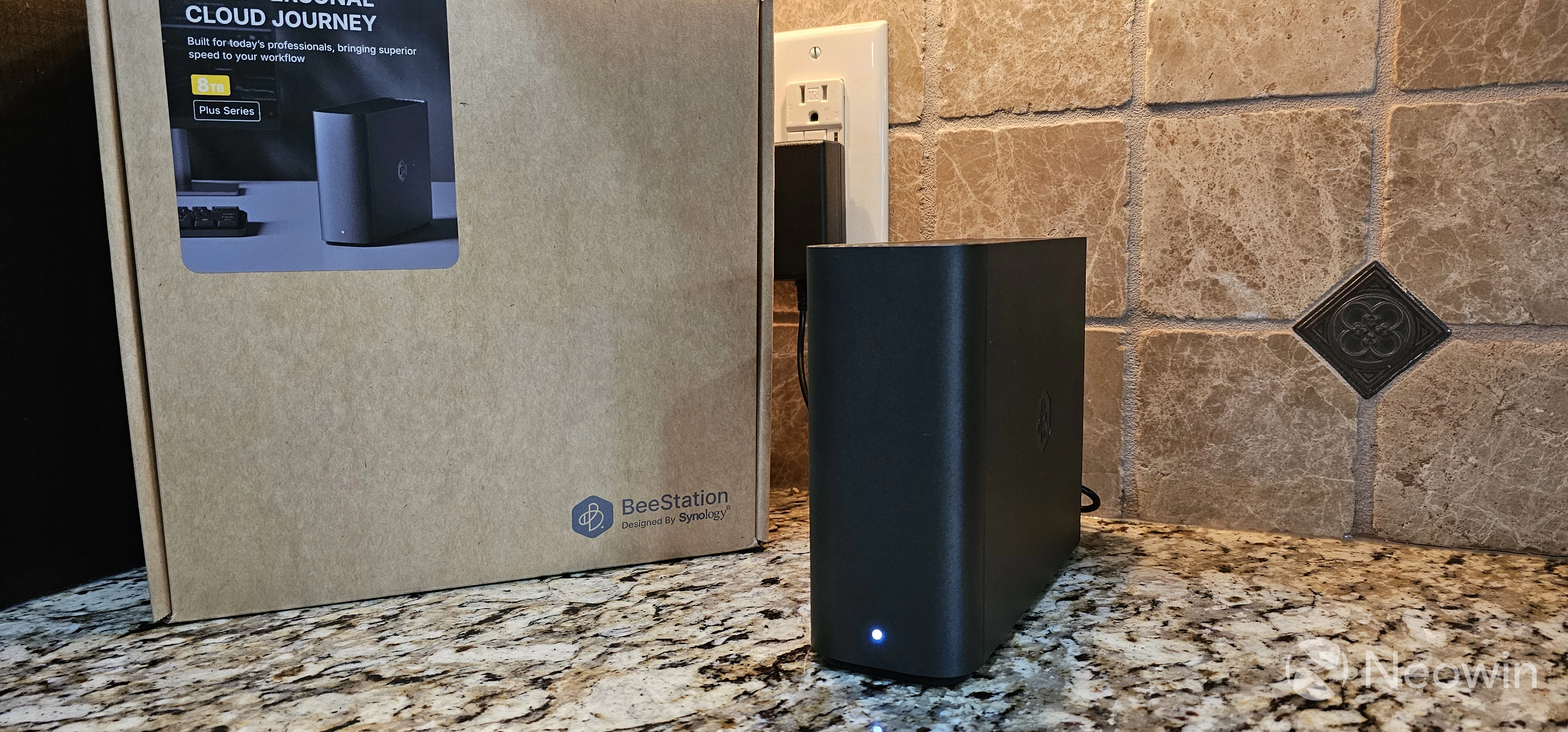
The BeeStation and BeeStation Plus are very similar to each other. In fact, if you put the two devices next to each other, there"s no way to visually identify the difference between the BeeStation and the BeeStation Plus.
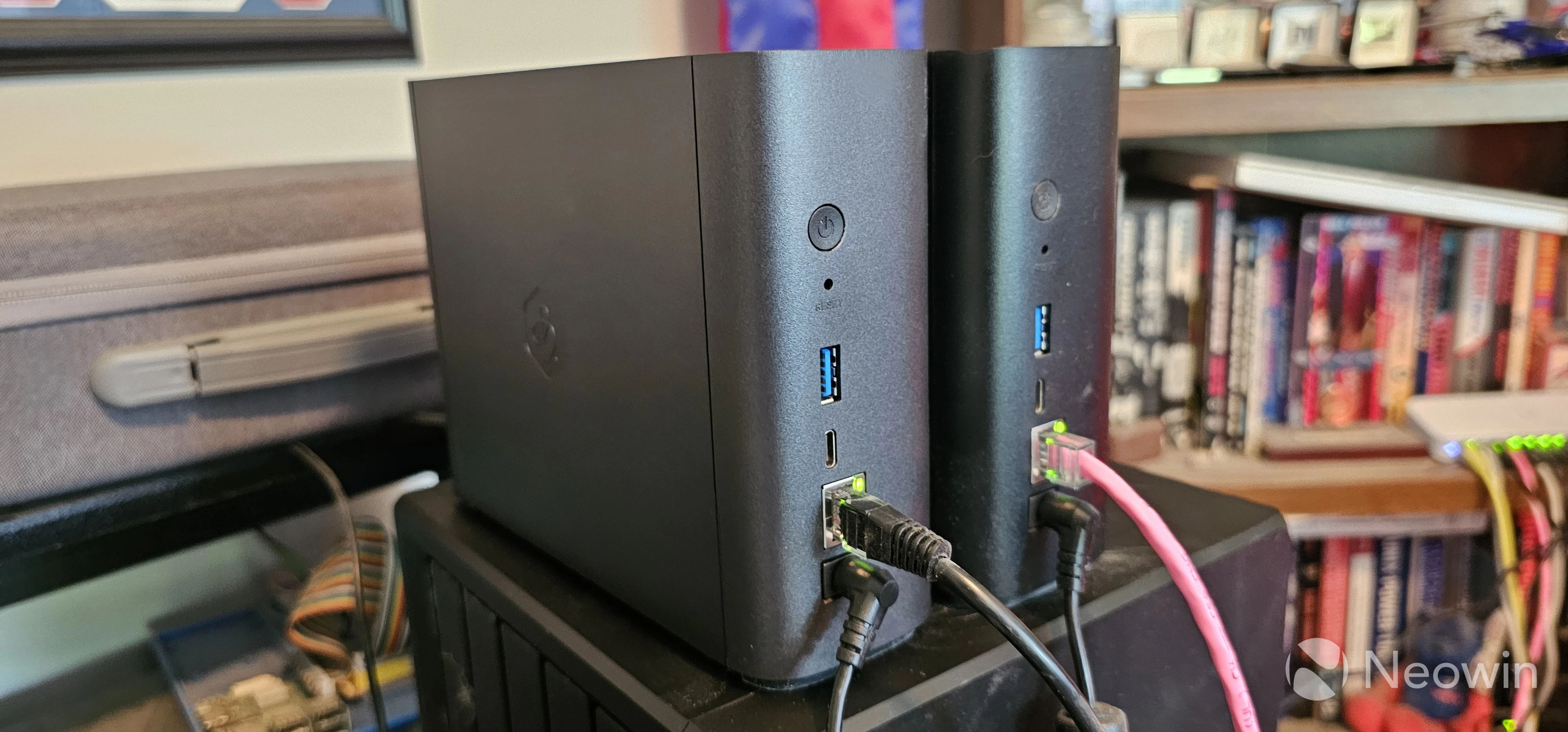
So what"s different between the two models? The CPU is better, the system has more memory, and a larger hard drive, but otherwise is functionally the same.
| BeeStation (BST150-4T) | BeeStation Plus (BST1170-8T) | |
|---|---|---|
| CPU | Realtek RTD1619B | Intel Celeron J4125, Quad-Core |
| Memory | 1 GB DDR4 | 4GB DDR4 (non-upgradable) |
| Disk Capacity | 4 TB (Synology HAT3300) | 8 TB (Synology HAT3310) |
| Network | 1 RJ-45 1 GbE | 1 RJ-45 1 GbE |
| USB Ports | 1x USB-A 3.2 Gen 1 (5Gbit), 1x USB-C 3.2 Gen 1 (5Gbit) | 1x USB-A 3.2 Gen 1 (5Gbit), 1x USB-C 3.2 Gen 1 (5Gbit) |
| Size (H/W/D) | 5.8 x 2.5 x 7.7 inches / 148.0 x 62.6 x 196.3 mm | 5.8 x 2.5 x 7.7 inches / 148.0 x 62.6 x 196.3 mm |
| Weight | 1.8 pounds / 820 grams | 2.65 pounds / 1200 grams |
| Warranty | 3 years | 3 years |
| Price | $219.99 on Amazon | $409.99 on Amazon |
Synology has doubled the storage capacity and quadrupled the RAM, but the major update to the BeeStation Plus is the inclusion of the Intel Celeron J4125. Putting an x86 processor in a personal storage device.
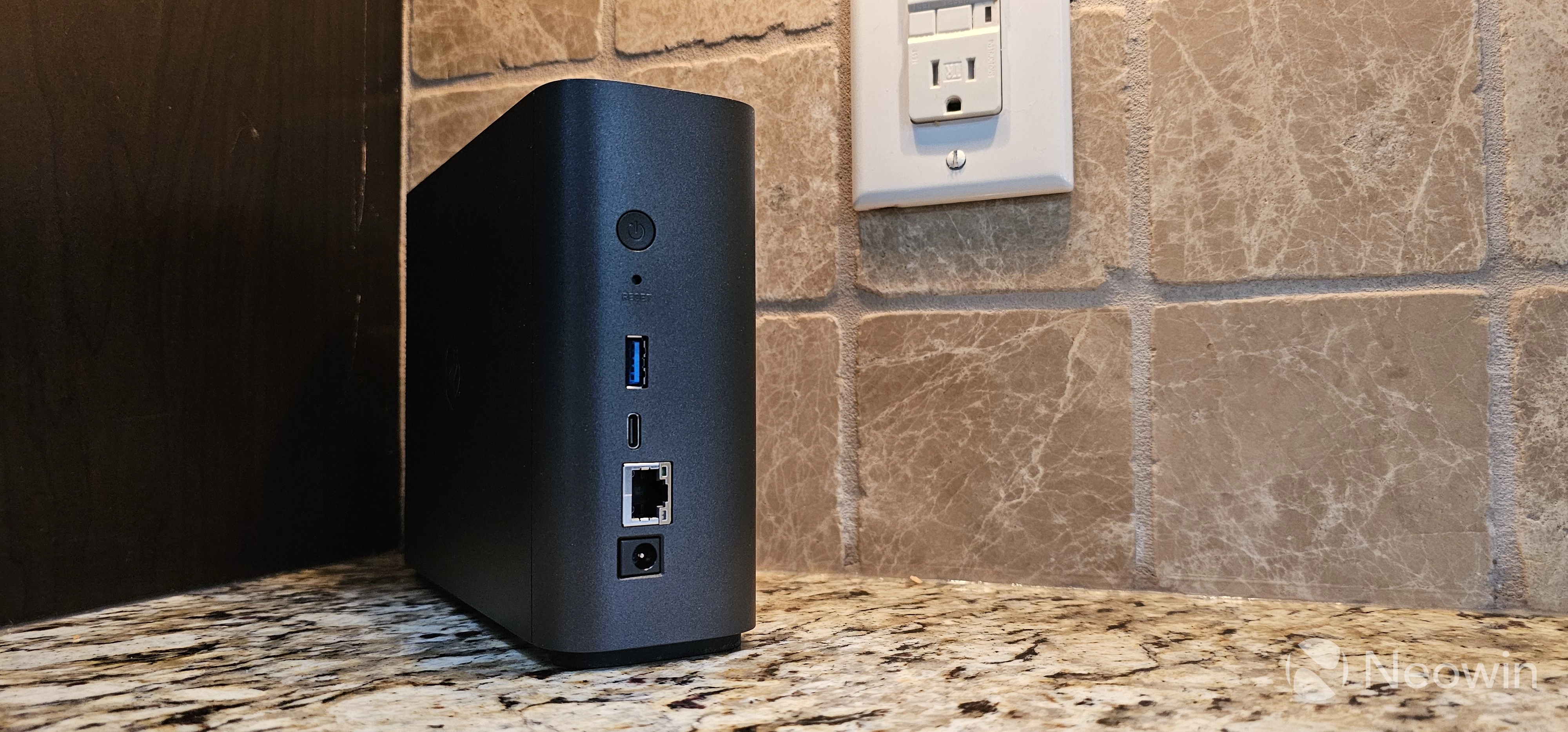
The device still has a single 1GbE port, a single USB-A 3.2 Gen 1 port (5Gbit), and a single USB-C 3.2 Gen 1 port (5Gbit).
There"s a power button and a reset button on the back, and a single activity light on the front.
Noticeably missing is a Kensington lock, something that"s been standard on NAS devices for many years. I suspect that, being a dedicated home device, Synology didn"t see the need to include one.
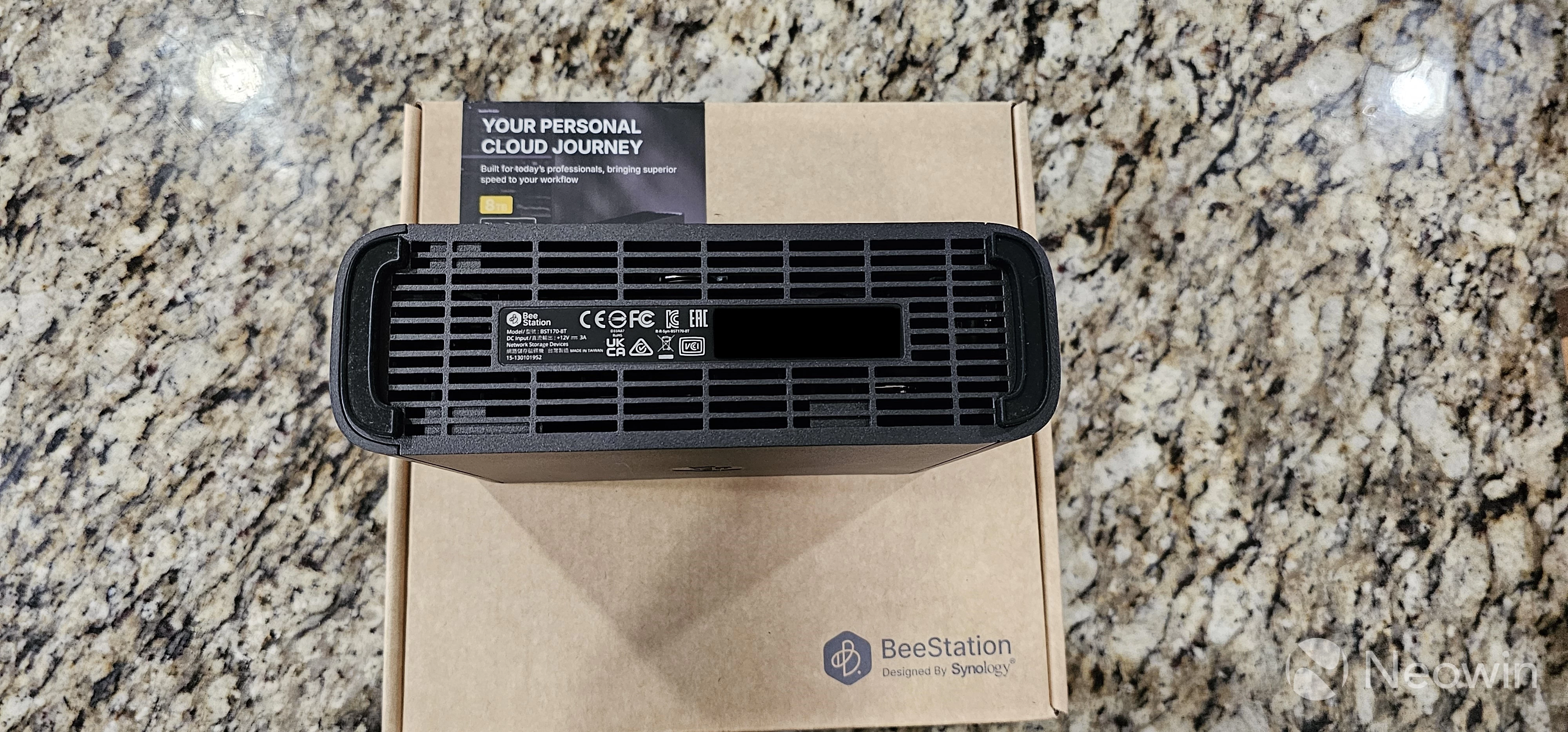
The BeeStation Plus does not include a user-replaceable hard drive as the device has no exposed screws. This makes for a sleek look, but means that users cannot upgrade the system themselves. I"m not sure what this means when the drive dies, but I assume Synology will end up shipping a new unit if it is still under warranty.
Synology DSM vs BSM
If you"ve used a Synology NAS in the past, you"ll know that it runs DiskStation Manager, a full-fledged OS that makes managing storage a relatively straightforward process but still requires a level of technical understanding around building storage pools, volumes, picking disk protection levels, configuring networking, and such.
On the other hand, Synology BeeStations use BSM, or BeeStation Manager. This is similar to DSM, but is stripped down to only the bare minimum in order to streamline usage and make it easy for anyone to set up and manage. If you"re a power user, you might feel a bit constrained, but for "regular" people, the ability to have a server in your house without needing to understand anything is a key selling point of the product.
Hardware Installation
The BeeStation Plus, like its predecessor, was designed to be easy to set up and start using immediately. As such, the hardware installation is a breeze as there"s nothing to do other than connect an Ethernet cable to the RJ-45 port, connect the external power adapter to the device, plug it into the wall, and push the power button. The hard drive comes pre-installed, so there"s nothing else for the user to do.
Initial Setup and Configuration
The initial setup is exactly the same as the original BeeStation, which makes sense since both run the same version of BSM. If you"re interested in seeing the process, check out the review of the BeeStation from last year, since it"s exactly the same.
Applications
The BeeStation Plus supports the same applications as the original - namely, BeePhotos and BeeFiles - so that you can centralize your photos, have AI identify faces and items, and share files across your network or the Internet. I won"t rehash these applications since they"re the same as the previous review.
The BeeStation Plus adds the ability to install Plex in order to use the device as a media server.
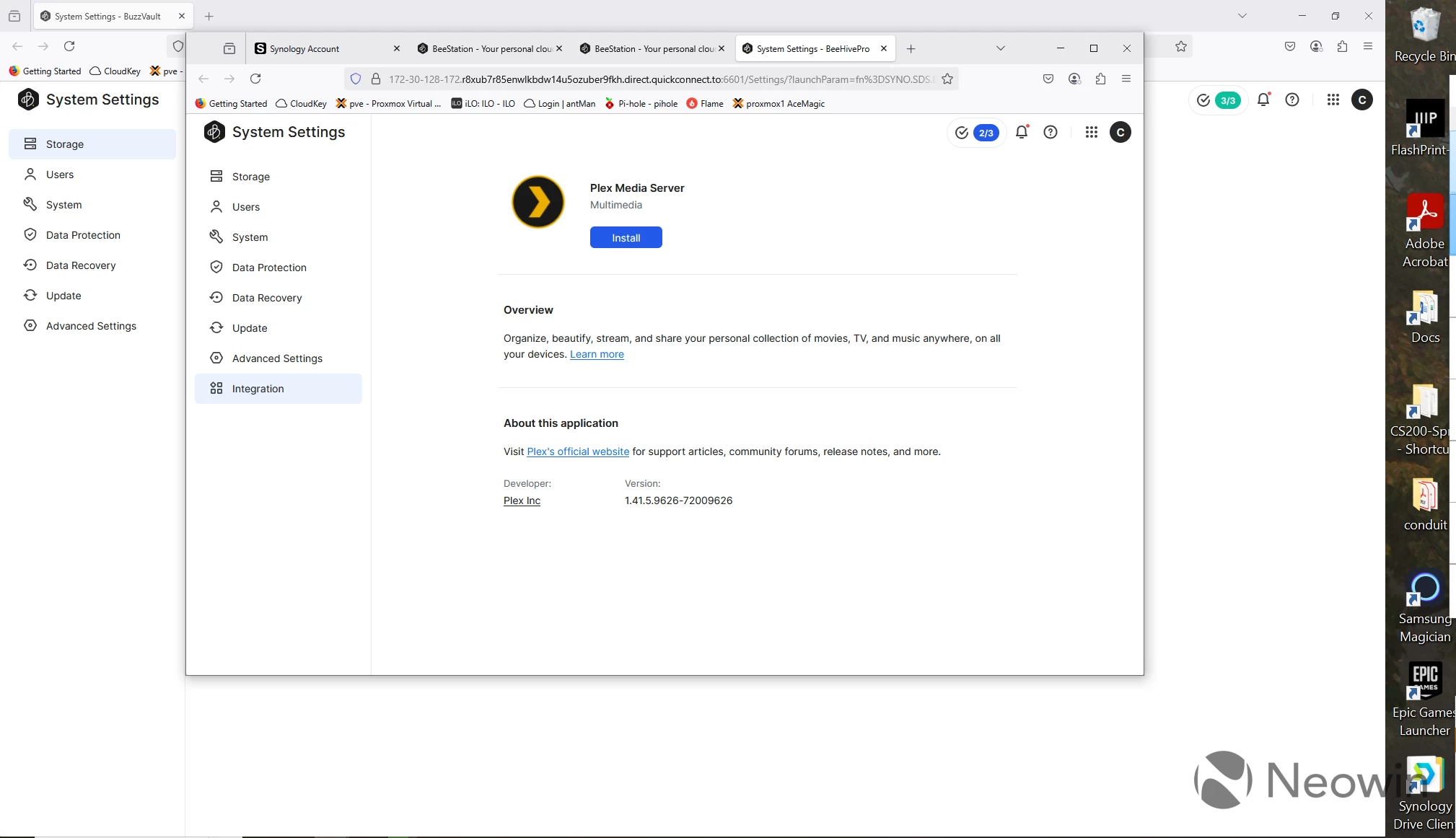
In order to install Plex, go to the System Settings section, click on Integrations at the bottom, and then click the Install button. The version is a little behind the most recent on the Plex server, but it"s relatively up to date. That said, there isn"t a way to manually update the installation. I began my review at the beginning of June, and now, in the middle of July, it"s running the same version of Plex, so it"s something to keep an eye on going forward.
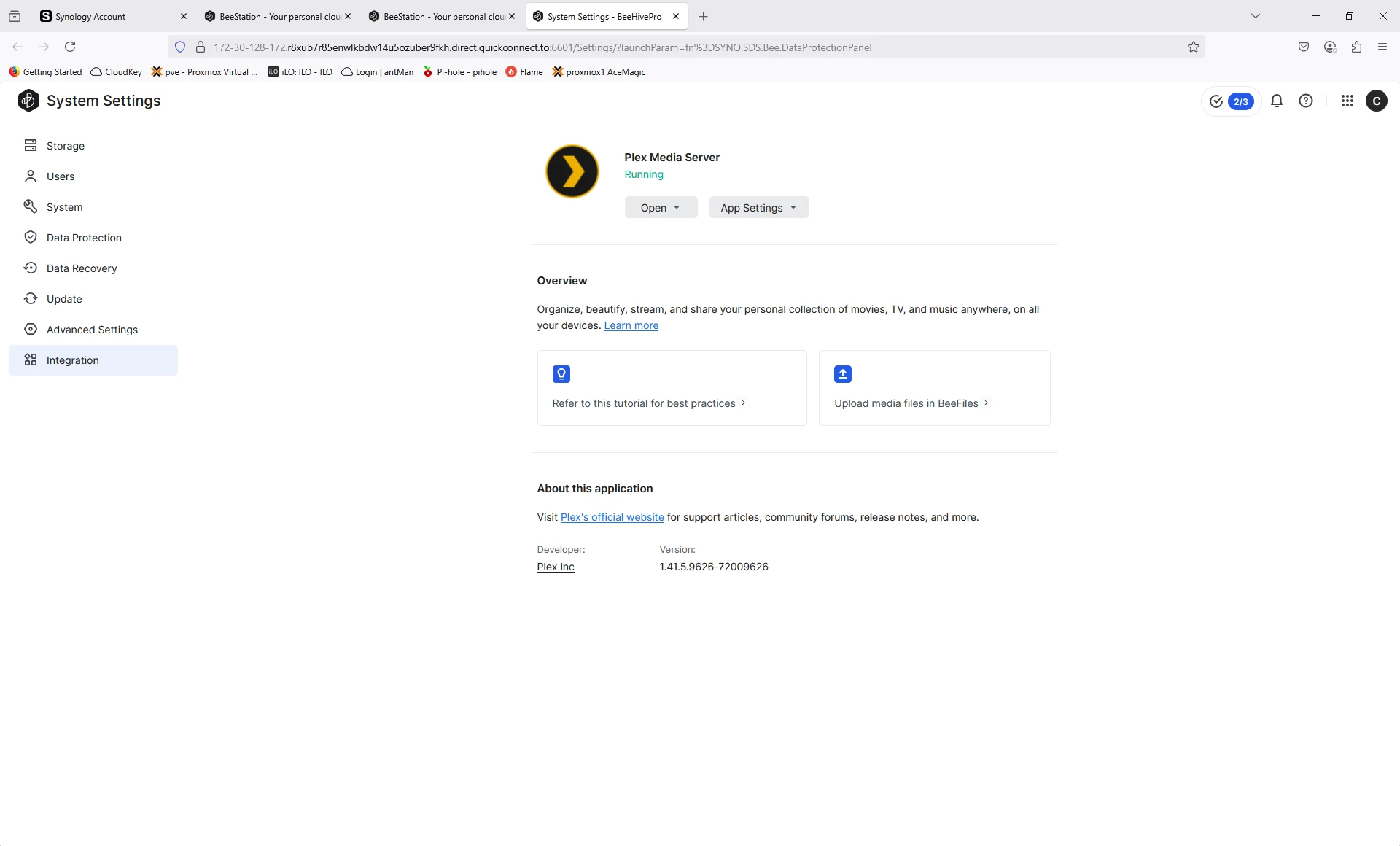
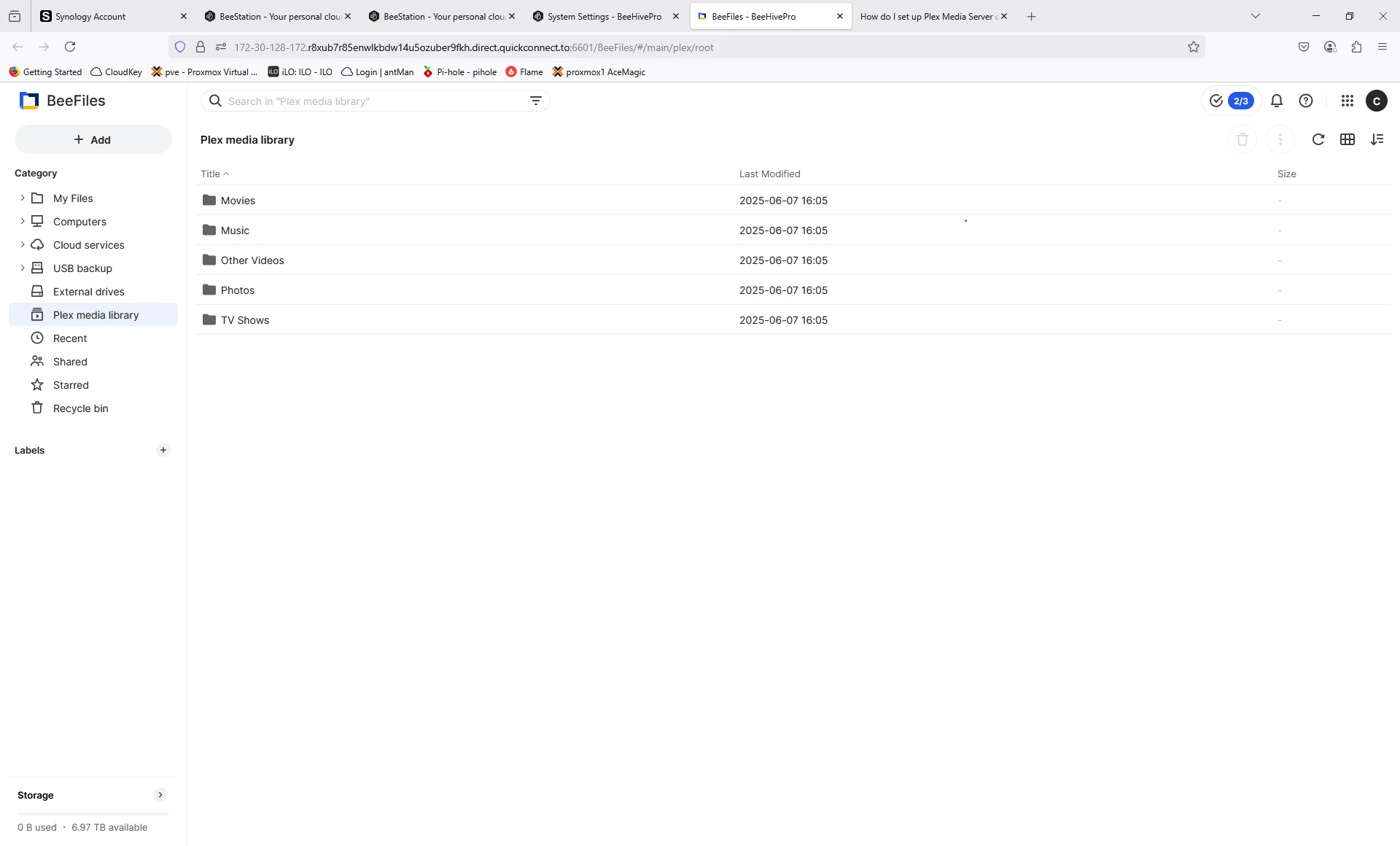
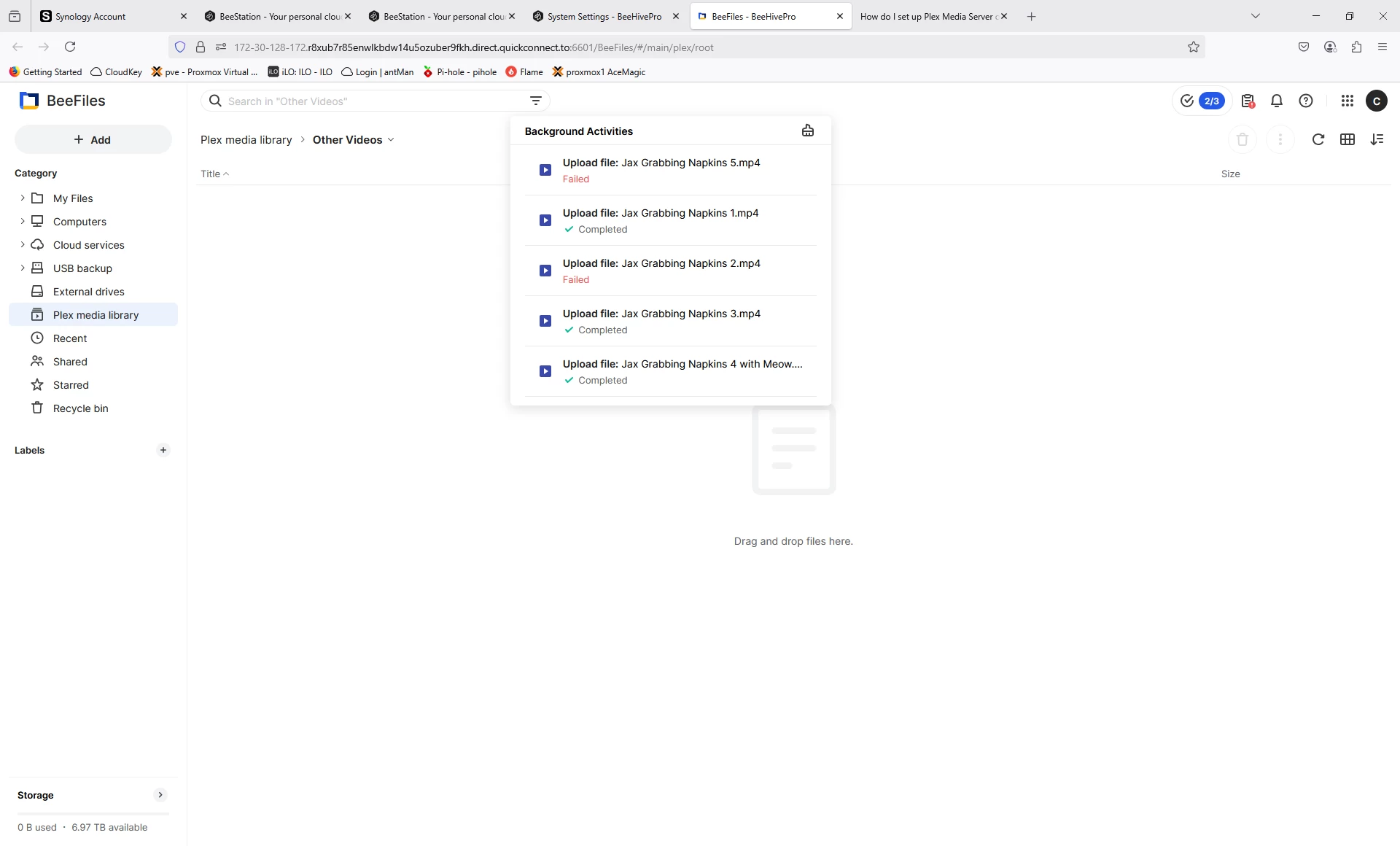
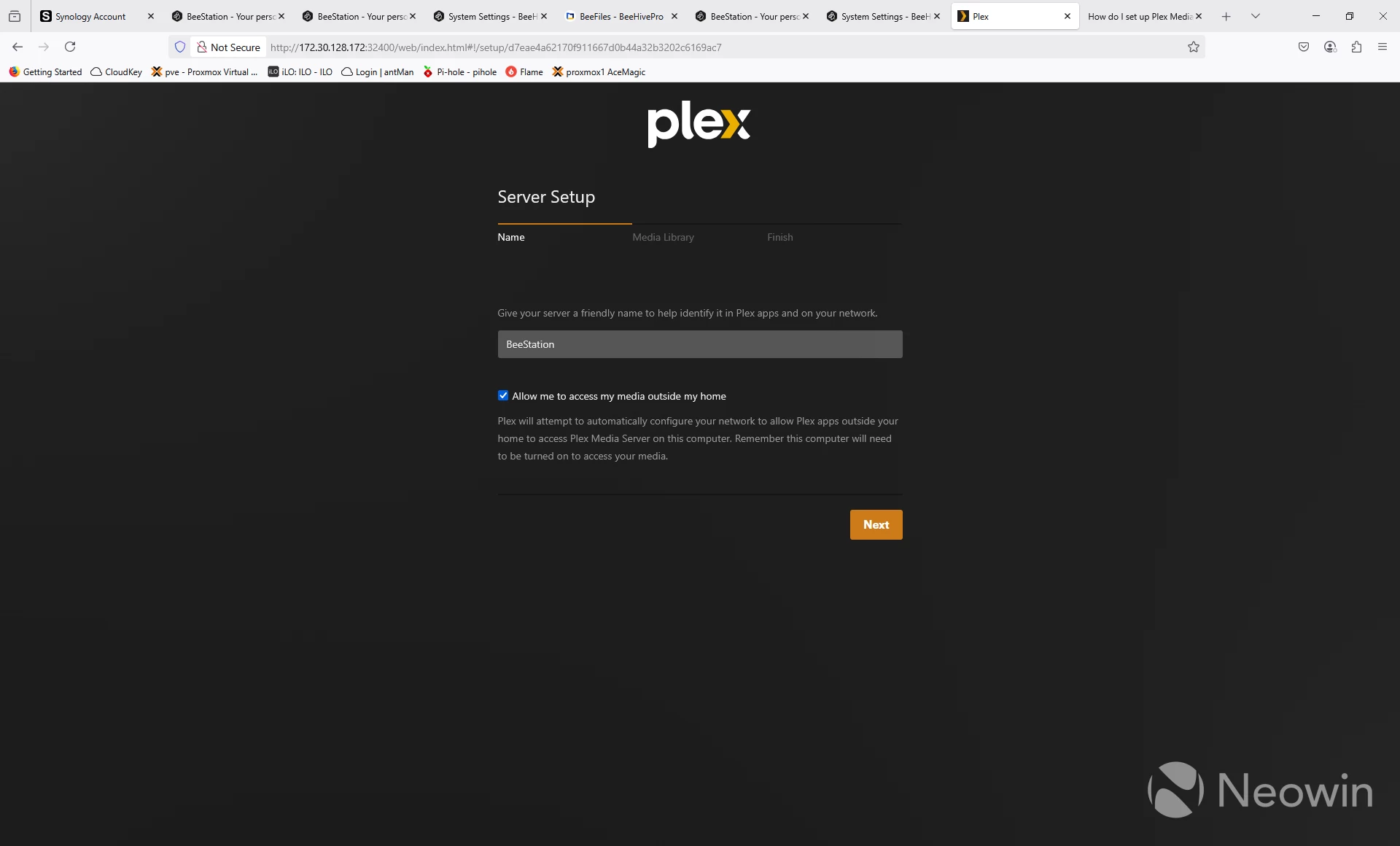
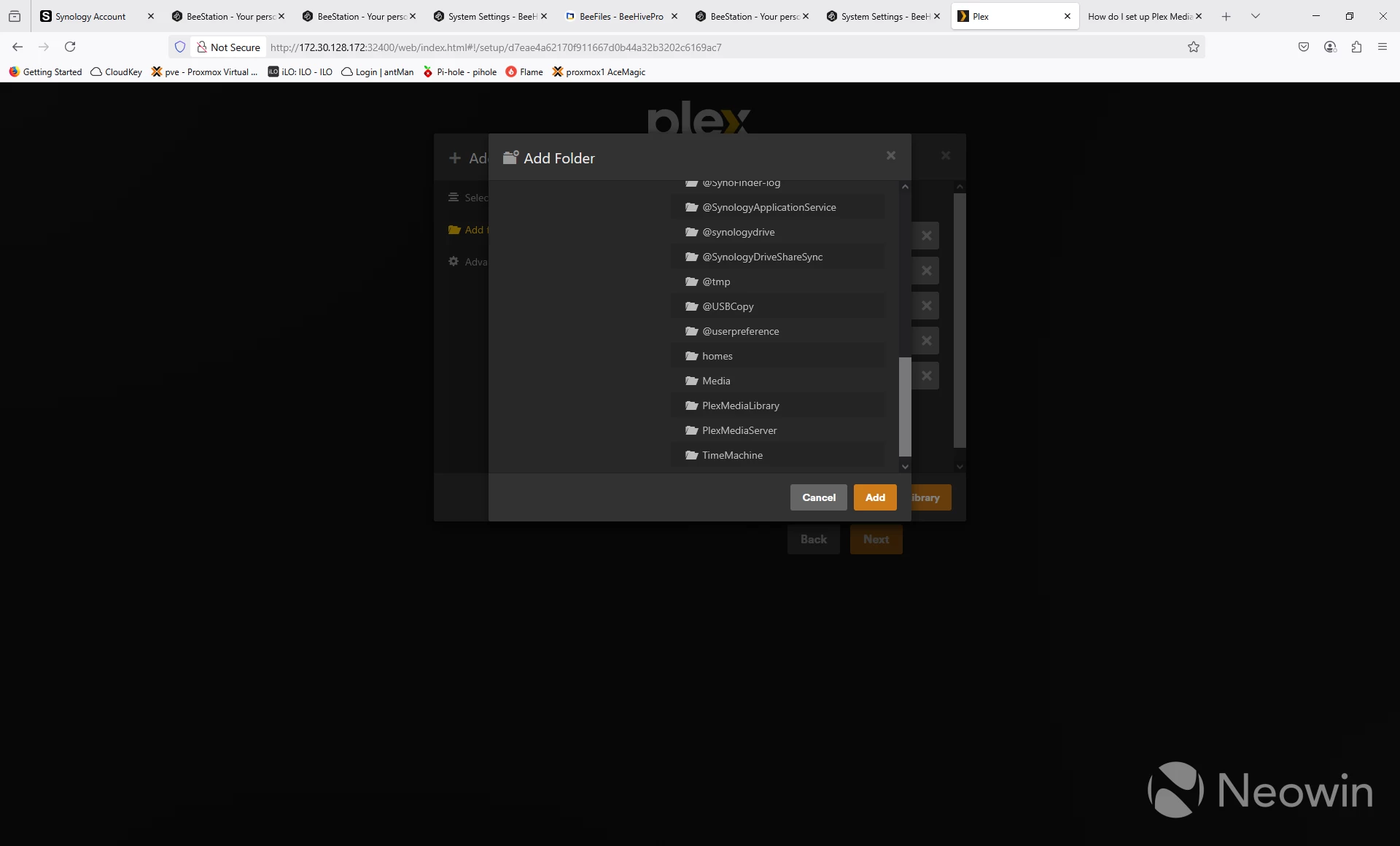
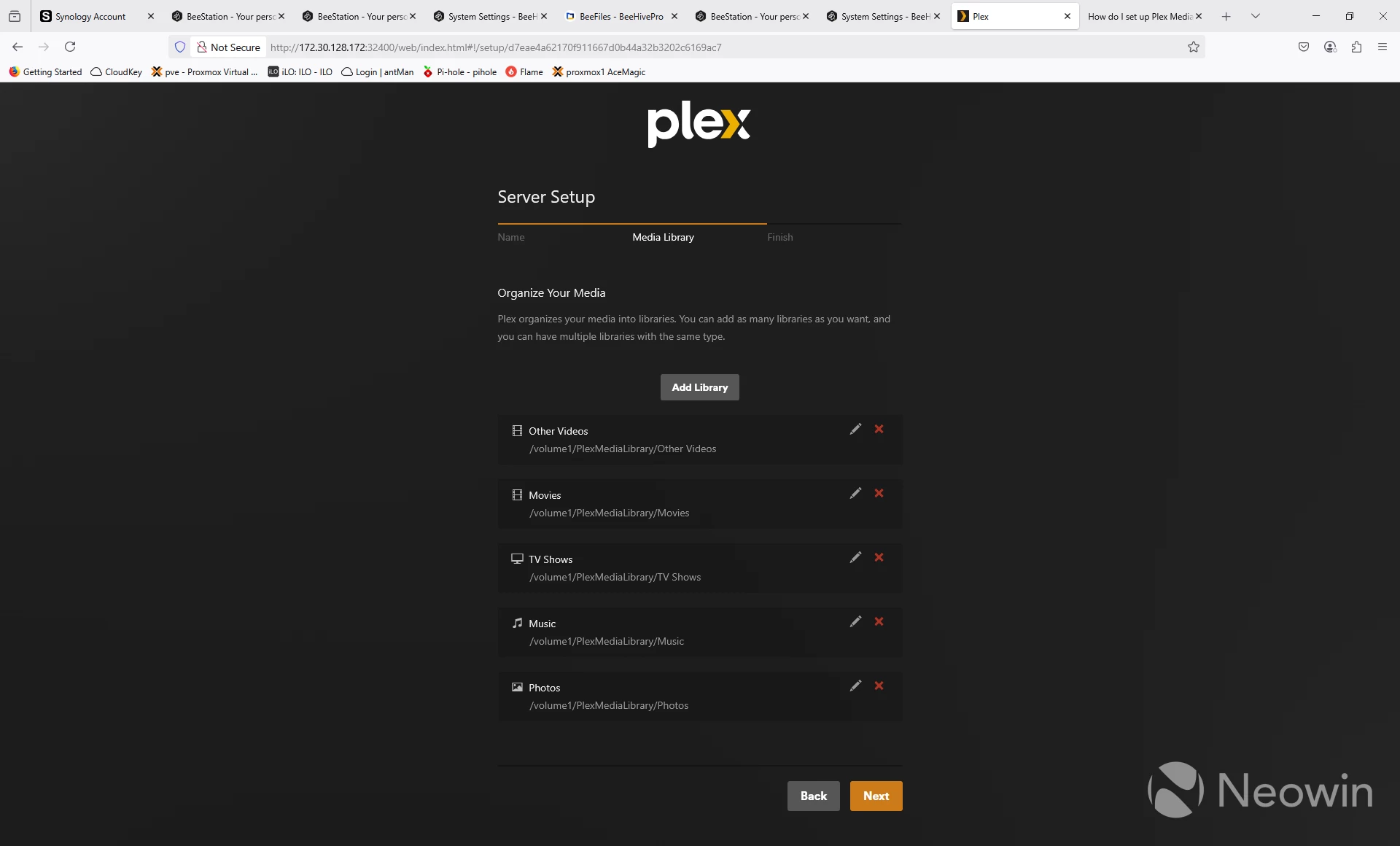
Once Plex is running, there will be a new folder called Plex Media Library where you can upload your media. Then simply use the standard Plex interface to set up a name, configure the libraries, and start sharing your media.
The good news is that, due to the Intel Celeron J4125 processor, you can use hardware transcoding with your videos, assuming you have purchased a Plex Pass. I was able to have a couple of 4k streams transcoding at once, but things started to buffer a bit when I added a third stream.
For those who prefer Jellyfin or Embry, you"re out of luck.
If you"re interested in cutting the cord, take a look at the article I wrote about cutting the cord and replacing it with Plex, HDHomeRun, and a NAS device, something you could do with the BeeStation Plus.
Updates from the original BeeStation
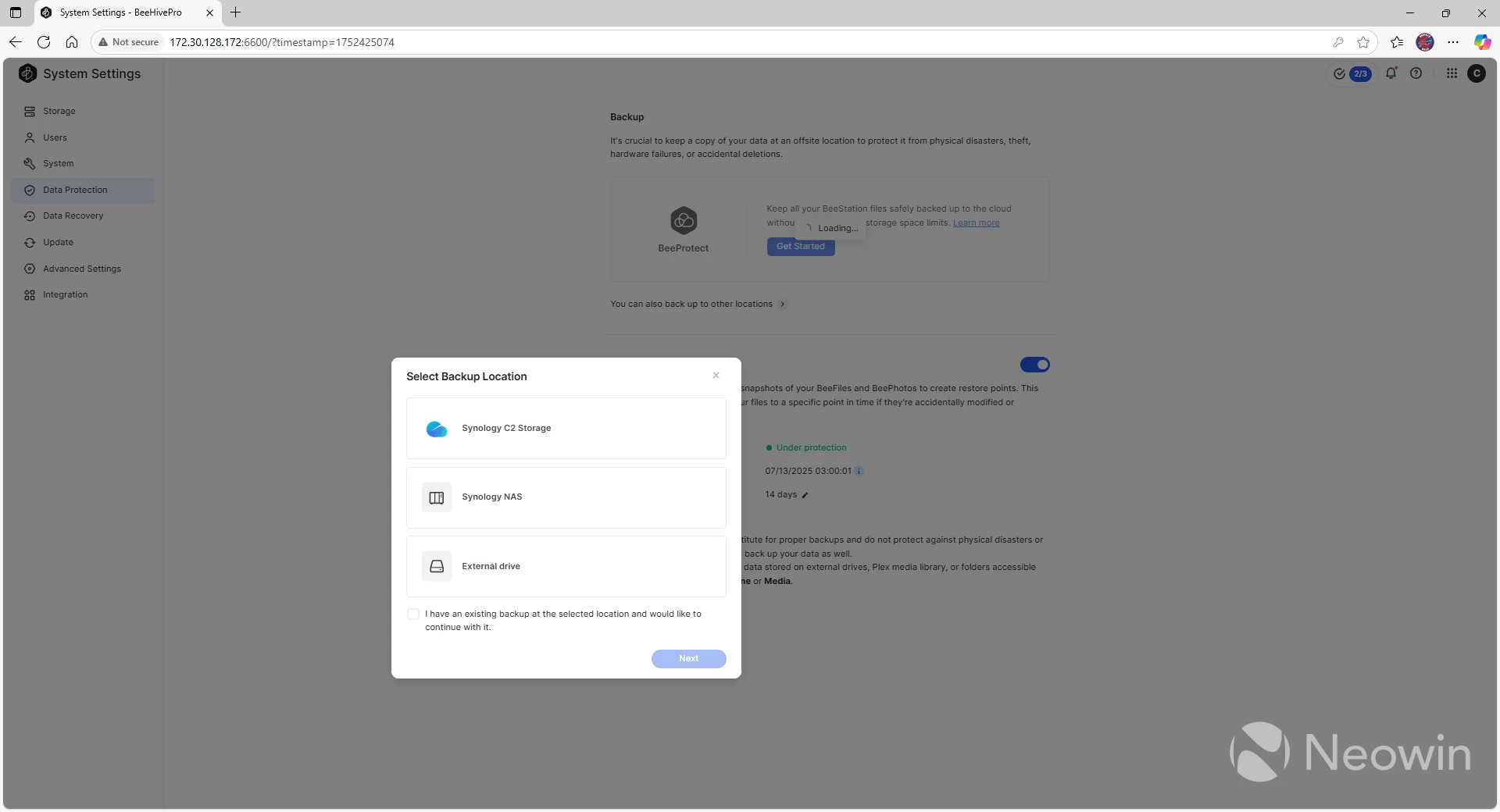
One of the biggest limitations of the original BeeStation was around backups. Your backup options were either a directly connected USB drive or Synology"s C2 Storage system. With the latest version of the BSM operating system, Synology has added the ability to backup to a remote NAS using Hyper Backup, and the company includes comprehensive documentation on the process. This is a welcome upgrade, and, because it"s an operating system function, is available on the original BeeStation as well. Since both BeeStation models have a single hard drive, backups are critical to implement.
Aside from backups, I didn"t see many changes from the original BeeStation. Considering the OS is the same between the two devices, it"s not surprising. The pace of OS releases is also relatively slow: The BeeStation Plus has received only one update in its life, and that was to update the version of BeeFiles, BeePhotos, and add support for Plex. That said, the device is also rock solid. I haven"t seen a single crash and things work the way they"re supposed to, even if it isn"t as full-featured as I would like, but I have to remember that the target market for this device isn"t power users of NAS devices, it"s people who want an easy way to centralize their media and, to a lesser extent, their files.
Limitations
Unfortunately, BSM still has the same limitation it had before regarding using the device as a family media device: Only the user who uploads their data can see it from a filesystem perspective, and there"s no option to change that. My use case was to install software on my wife"s phone so that all of her photos are centrally backed up and I can then manage the photos from the BeeStation Plus, but the way BSM is implemented, nobody but her can see the files. I appreciate that as a base configuration, but I wish there were a way to change it.
That said, there is a workaround, although it"s a bit of a kludge. If you create a Hyper Backup to a USB or remote Synology device, you can then restore that backup and have full access to all of the files. That"s even more of a reason, in my opinion, to let users decide whether the admin can have full access to the uploaded files.
The mobile app still has the same issue, where you can"t create conditional albums. I still can"t figure out why the web application would have more functionality, and it is something I thought Synology would"ve fixed from my last review, but alas, they have not.
Conclusion
The BeeStation Plus (and its predecessor) are pretty cool devices that fit a specific market segment, namely those who want a plug-and-play device to back up their photos. The only real addition the Plus adds over the original is the ability to run Plex on it to act as your central media platform. If you have no interest in videos, the original BeeStation is still a great device that can back up your phone and other devices. If you"re looking for a Plex server and don"t want to mess with building your own server or the extra cost/complications of a dedicated NAS server, the BeeStation Plus is a great solution that will address your needs.
I"m very happy to see that Synology has allowed Hyper Backups between devices now, as being forced into the C2 Storage lane seems counter to those who want to keep control of their own data.
That said, I really wish Synology would open up the permissions to give direct filesystem-level access to everyone"s files. The fact that, a year later, I still can"t set up a Conditional Album to have an entire family"s photos from a vacation be put into a single location is a major failed use case in my opinion.
If you want to use Plex, the BeeStation Plus is a great device for a reasonable price, now available on Amazon for $409.99. If you don"t need Plex and the ability to transcode videos, then save yourself some money and buy an original BeeStation.
As an Amazon Associate, we earn from qualifying purchases.