Microsoft has released two new Windows 11 preview builds. One is available in the Dev Channel (build 26200.5722, KB5062669), and one in the Beta Channel (build 26120.5722, KB5062669), with both sharing a single changelog. Here is what is new.
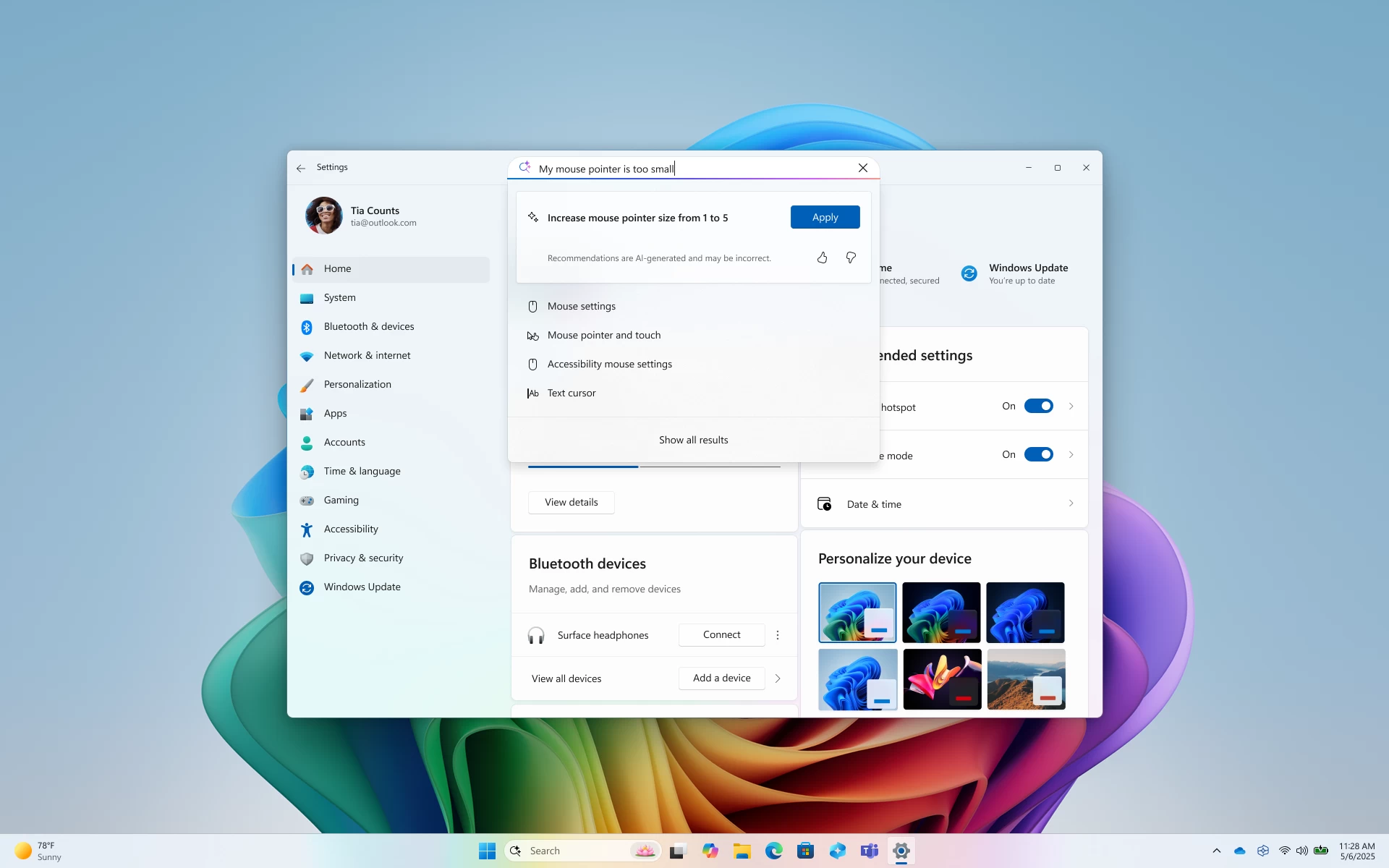
The biggest change in today"s updates is the new agent in Settings for Intel and AMD-powered Copilot+ PCs. It lets you find and adjust Windows settings using natural language, even if you do not know the exact name of the feature you need. You can just tell the Settings app the problem you have, and it will try to fix it for you.
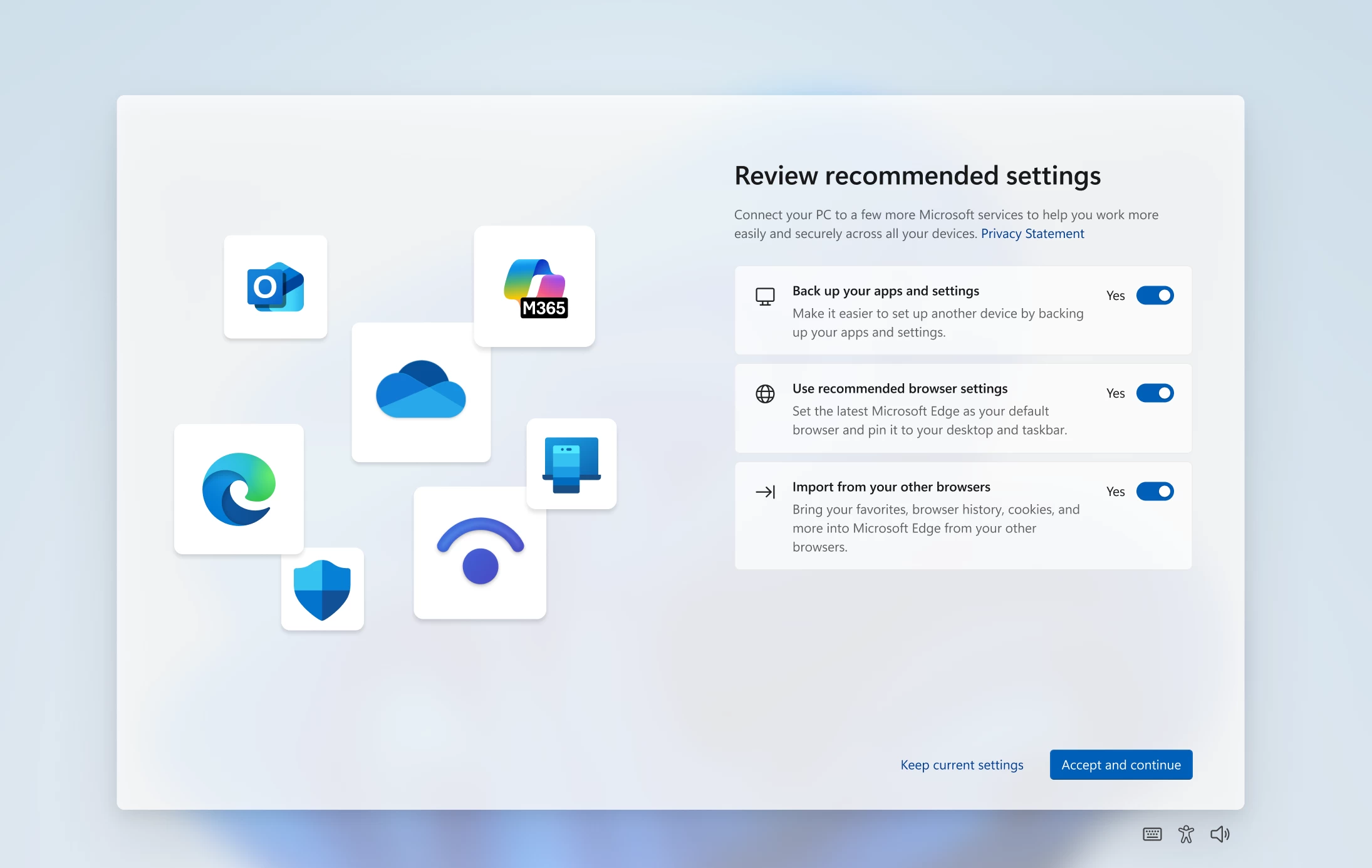
Other changes include updates to the Second Chance Out of Box Experience screen (SCOOBE), which is now a single-page screen with toggles for various settings. Click to Do now has a new tutorial for first-time launches, and the left pane of the search results in the Windows Search box now has a grid view for related images that match your search.
There is one long-requested taskbar feature. If you have two monitors or more, the notification center and the calendar flyout can now be invoked from any display. Also, the recently updated logic for the way Task Manager calculates CPU utilization is once again available for testing.
Here is the list of everything fixed in today"s builds:
- [Taskbar]
- Fixed an issue where the Task View icon in the taskbar might be unexpectedly invisible if you turned it off and back on in Settings (the space was reserved and you could click it to open Task View, but nothing showed in the space).
- Fixed a race condition which could lead to the Widgets icon not displaying in the taskbar although it was enabled in Settings (no space reserved, clicking the area did nothing).
- [Login and lock]
- Fixed an issue which was causing the text for lock screen widgets to be unreadable in some cases because it was white on a light background.
- Did some work to address an underlying issue which could lead to the taskbar being slow to load when unlocking your PC after coming out of sleep. This issue could also have led to the password field and other login screen contents not rendering when transitioning from lock screen to login screen after sleep. If you continue experiencing issues, please report them in the Feedback Hub under Install and Update > Logon hangs.
- [File Explorer]
- Fixed an issue where if you tried to use the unblock open in Properties for a file, it will still show as blocked when you opened Properties the next time.
- [Start menu]
- Fixed an issue for those with the new Start menu where if you used touch to navigate the new Start menu, it wasn’t working reliably. For example, it didn’t support the swipe-up gesture.
- [Input]
- Fixed an issue which was causing the Microsoft Changjie Input method to not work properly in the previous build.
- Fixed an issue which was causing phonetic keyboards, such as the Hindi Phonetic Input keyboard and the Marathi Phonetic keyboard, to not work properly in the previous build.
- [Administrator Protection]
- Fixed an underlying issue where the Xbox app wouldn’t launch when administrator protection was enabled. This may have also impacted other apps too, showing error 0xC0000142 or 0xC0000045.
- [Settings]
- Fixed an issue where under Settings > System > Storage > Disks and Volumes there might show a link for BitLocker drive encryption although it wasn’t supported in that case. Clicking it would result in BitLocker opening and displaying error 0x80004005.
- [Other]
- Fixed an issue causing Insiders to see multiple error pop ups about unexpected elements when opening Group Policy Editor.
- Fixed an underlying issue causing a small number of Insiders to experience a bugcheck with error DRIVER_IRQL_NOT_LESS_OR_EQUAL in the latest builds.
- Fixed an underlying issue impacting installers for certain apps on ARM64 PCs, which could result in a long stall during the installation process.
- Fixed an issue where external graphics cards connected over Thunderbolt were unexpectedly not discoverable in some cases.
And here is the list of known issues:
- [General]
- Some Windows Insiders may experience a rollback trying to install this update with a 0x80070005 in Windows Update. We’re working on a fix for Windows Insiders impacted. If you are impacted, using Settings > System > Recovery > “Fix issues using Windows update” may resolve the issue.
- [Live Captions]
- Live captions may crash when attempting to use live translation on a Copilot+ PC.
- [Xbox Controllers]
- Some Insiders are experiencing an issue where using their Xbox Controller via Bluetooth is causing their PC to bugcheck. Here is how to resolve the issue. Open Device Manager by searching for it via the search box on your taskbar. Once Device Manager is open, click on “View” and then “Devices by Driver”. Find the driver named “oemXXX.inf (XboxGameControllerDriver.inf)” where the “***” will be a specific number on your PC. Right-click on that driver and click “Uninstall”.
- [Click to Do (Preview)] The following known issues will be fixed in future updates to Windows Insiders:
- Windows Insiders on AMD or Intel-powered Copilot+ PCs may experience long wait times on the first attempt to perform intelligent text actions in Click to Do after a new build or model update.