Finder, the stock file manager on macOS, has several handy tools that improve the user experience. One of my favorites is “Quick Look,” a feature that lets you preview a selected file by simply pressing the Spacebar, all without launching the corresponding app. Now, Windows 11 finally has the same thing.
Microsoft recently released PowerToys 0.95, and while the new Light Switch module is the biggest change, my favorite update is one particular improvement for Peek. The latter works just like Quick Look in macOS, but in Windows, you can only trigger it by a combination of two or more keys, which is not as convenient as hitting the Spacebar. With PowerToys 0.95, you can finally invoke Peek with a single key press.
By default, PowerToys 0.95 still uses Ctrl + Space, but the app finally lets you switch to just the Spacebar. While it was possible to remap the trigger shortcut to a different combination, it was not possible to use a single key. If you want to switch from Ctrl + Space to Spacebar, update PowerToys to version 0.95 and then go to Settings > File Management > Peek. Select “Spacebar” from the “Activation method” drop-down.
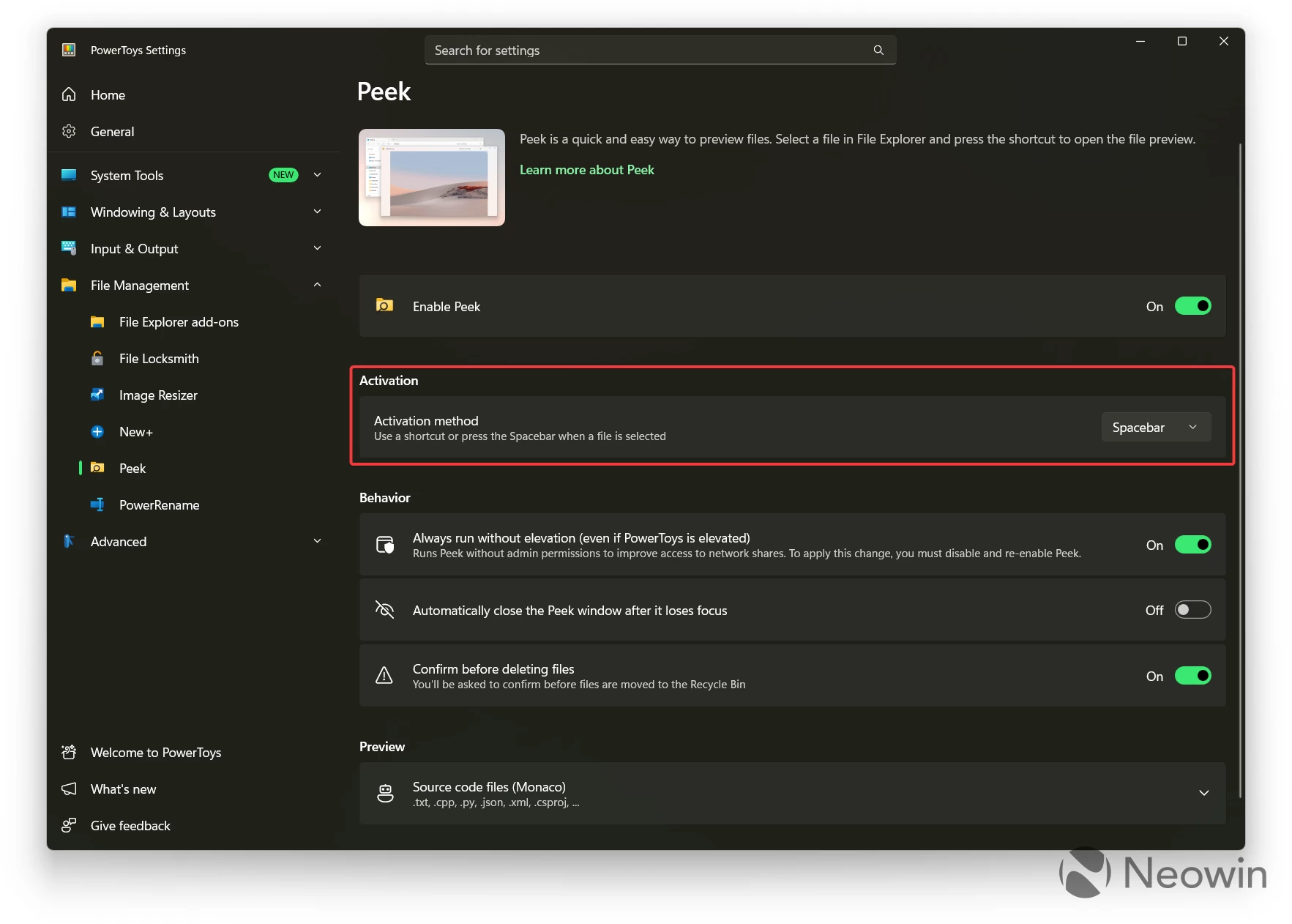
Now, you can select a file in File Explorer and press Spacebar to preview it. PowerToys Peek can handle plenty of different file formats, but you should still set your expectations right. While the most common files, such as photos or videos, open nearly instantly, heavier files might take longer to load.
Neowin recently published a list of PowerToys utilities that Microsoft should make standard in Windows 11 to improve everyone"s experience. After all, PowerToys is still a program you have to know about and install, so many users are missing a lot of cool features simply because they do not know about PowerToys. Peek is one of such features, and with it now being so much better, Microsoft should preach it to all Windows 11 users.