
I frequently rant about Windows 11's inability to switch dark and light mode on schedule or depending on sunset or sunrise. While Microsoft does not seem to care about a feature that every other modern operating system has, its PowerToys team is addressing the missing thing with a new module called Light Switch.
The next PowerToys update, version 0.95, which is expected next month, will bring the new Light Switch module. Its purpose is simple: switch Windows themes depending on a custom schedule or sunrise/sunset.
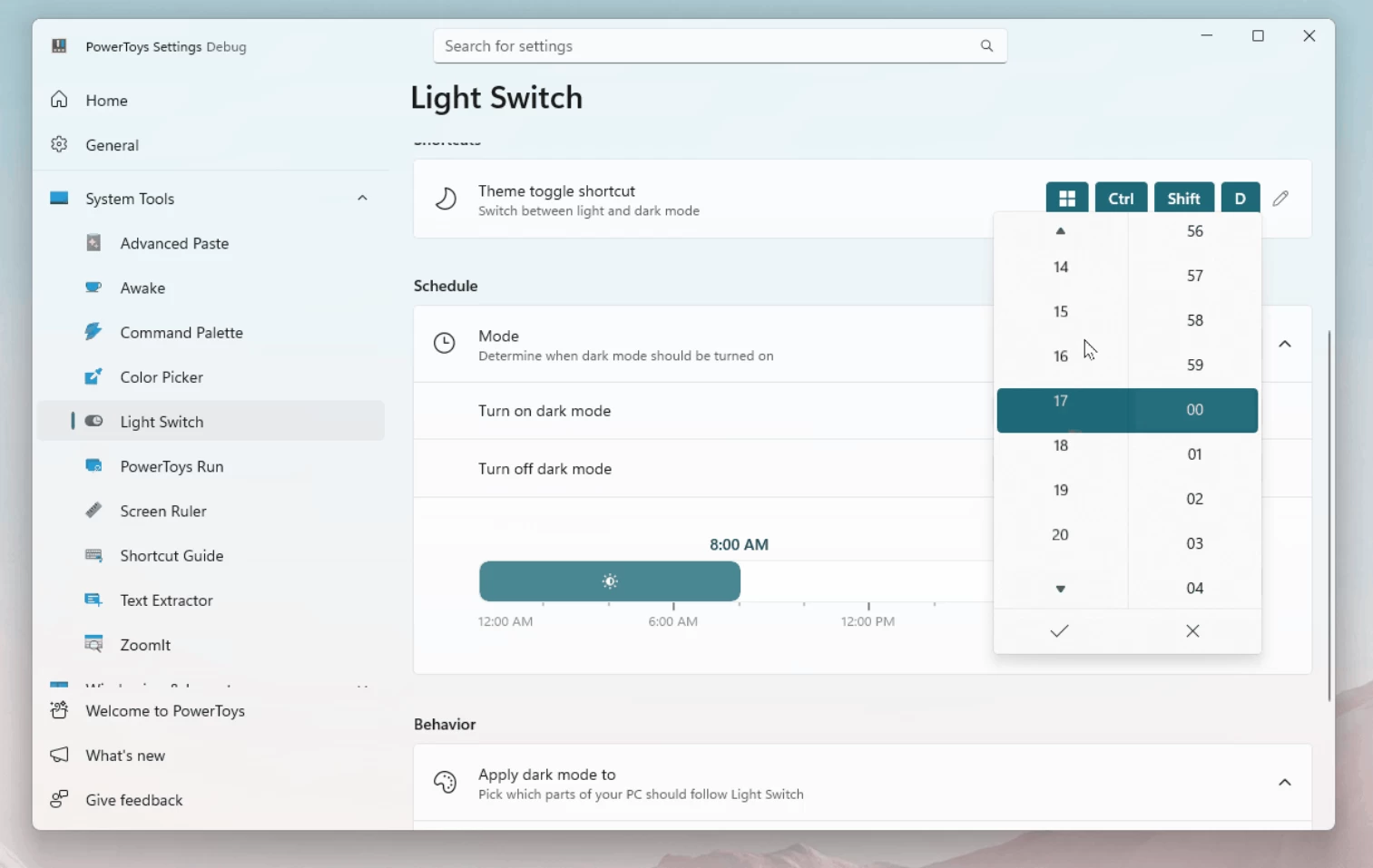
In PowerToys Light Switch, users will be able to set when Windows should switch from dark mode to light mode and vice versa. You can set custom hours or tie it to sunrise/sunset for your current position. But if that is not enough, Microsoft is giving you the option to offset sunrise/sunset time, so you can have dark mode turn on, say, one hour before sunset. Pretty neat.
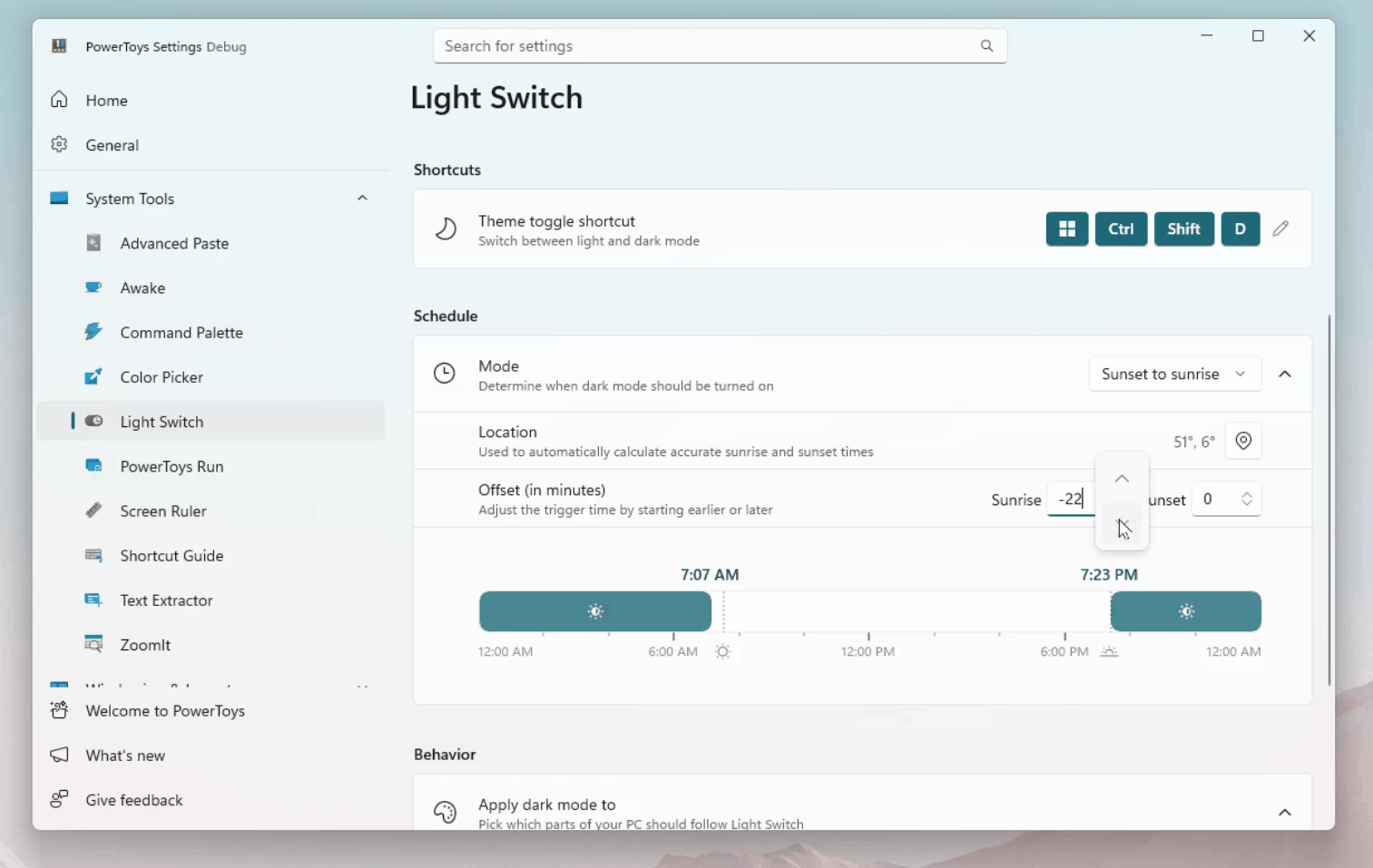
Additionally, there will be a keyboard shortcut for toggling dark/light mode and the ability to specify which parts of Windows should change their looks. I, for one, love my taskbar dark, so it is less distracting, and PowerToys will let me only switch apps, leaving the taskbar in always dark mode.
Light Switch looks to be a very handy module, and it will let me make my PC one app lighter, since I use Auto Dark Mode, a separate app to toggle between light and dark themes. While it is still not as good as having such capabilities built into the Settings app, it is a great place to start. Perhaps, in a few years, automatic theme switching will finally make it to the native level.
You can read more about PowerToys Light Switch in a pull request on GitHub.















14 Comments
Load the comments and join the conversation!
Read the comments, ask the editors questions, show respect and join the conversation.