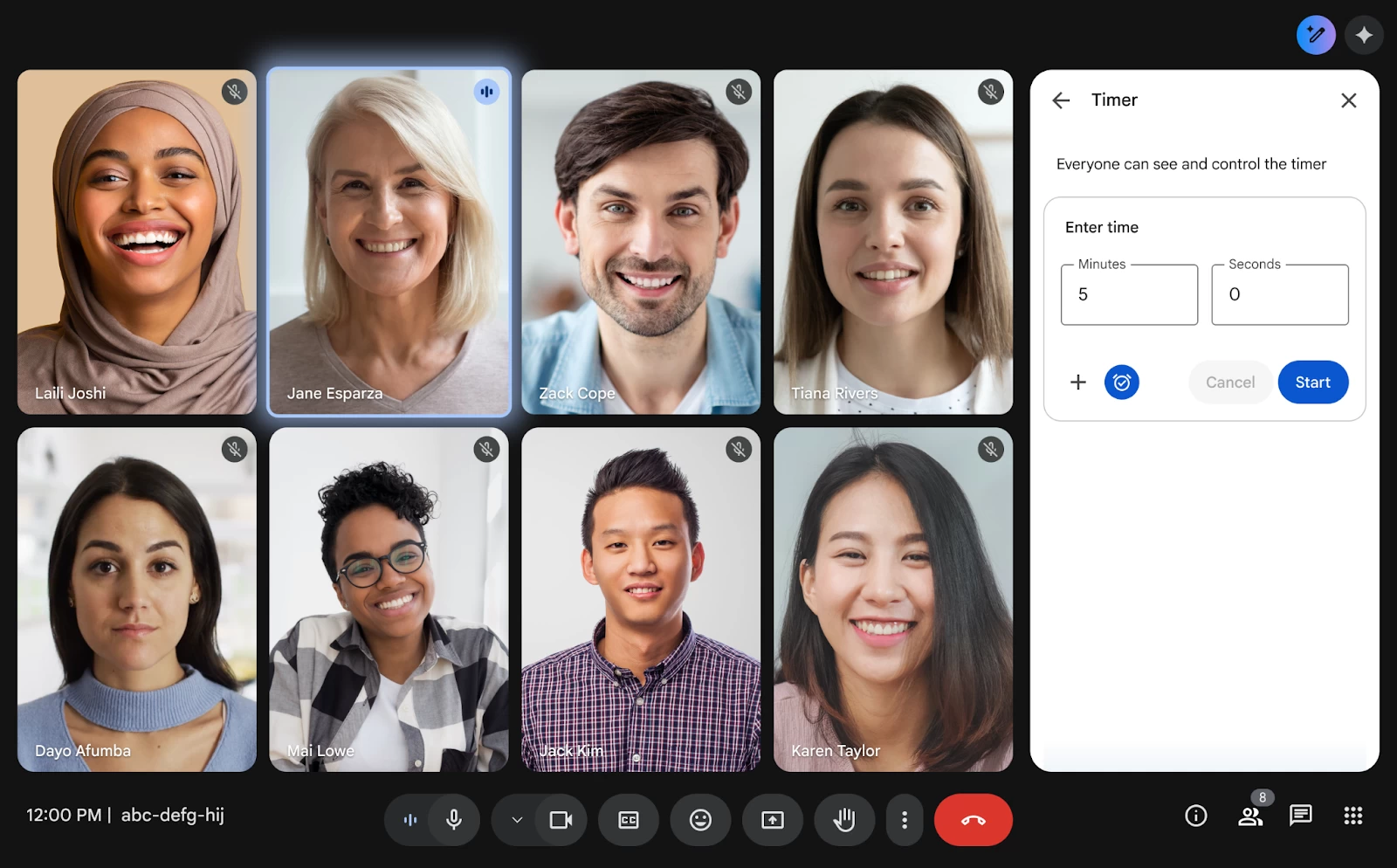
Google is improving its Meet video conferencing platform with a new feature that lets you start timers from the sidebar on the web.
When host controls are on, the meeting host or co-host can start and manage the timer and it will be seen by everyone in the meeting. This helps keep meetings on track and ensures all agenda items are covered. When host controls are off, anyone in the meeting can manage the timer. The timer is (obviously) a useful tool for maintaining focus and improving how time is managed during calls.
To start a timer in Meet, you click on the "Meeting tools" icon in the bottom right corner and then select the "Timer" option. From there, you can set the desired time in minutes and seconds before clicking "Start" to begin the countdown.
Once the timer is running, you have options to pause it, resume it after a pause, or even extend it by one-minute increments. There"s also the option to turn sound notification on or off with the alarm toggle, though this is only available when host controls have been disabled by the meeting"s host.
The feature has started rolling out to all Google Workspace customers, Workspace Individual Subscribers, and users with personal Google accounts on both the Rapid Release and Scheduled Release domains. Google says the feature should become visible to everyone within the next three days.
If you"re an admin, you can verify what release track your organization is on by signing into the Google Admin console at admin.google.com. From there, you navigate to Account, then Account settings, and select Preferences. You will find the "Release preferences" section which shows whether you are on the Rapid or Scheduled release schedule.
In other Meet news, Google recently made it easier to join meetings from any calendar app. When a Google Calendar user creates an event, the Google Meet link is now added directly to the location field of the calendar invite. This makes finding the join link much simpler if you are using a different application like Outlook. In addition to that, Google Calendar can now also automatically detect Google Meet links in incoming invitations from other calendar platforms.