
Google is releasing an update to its adaptive meeting feature that changes how large events are managed. When a meeting reaches its limit for "contributors", or people who can use their camera and microphone, any additional users who try to join are automatically redirected to a live stream instead of being turned away.
According to Google, people sent to the live stream can still participate in Q&A sessions and use reactions, chat, and polls, depending on what the meeting host has enabled. If you want, you can join the live stream directly from the link in the calendar invitation.
Meeting hosts can make a meeting live streamable by first going into a Calendar event, selecting the arrow next to "Join with Google Meet," and then clicking "Add live stream." After that, the host just needs to enable the "Make the meeting adaptive" toggle inside the in-meeting host controls.
The feature is already rolling out to Google Workspace customers on Enterprise Starter, Standard, and Plus plans. It is also available for Education Plus customers and those with the Teaching and Learning add-on. The update has already begun its gradual rollout to Rapid Release domains and will reach Scheduled Release domains starting May 20.
In other Workspace news, Google has started rolling out a massive visual overhaul for the entire Google Workspace suite, including Meet, Gmail, Calendar, and Drive. The redesign arrives six years after the company rebranded G Suite to Workspace and gave every application in the suite a red-yellow-blue-green icon that many users found confusing.
The new icons ditch the four-color mandate in favor of unique shapes and glowing gradients meant to create a distinct identity for each application. The updated Google Meet icon, for instance, is now a camera shape with a yellow-to-orange gradient.
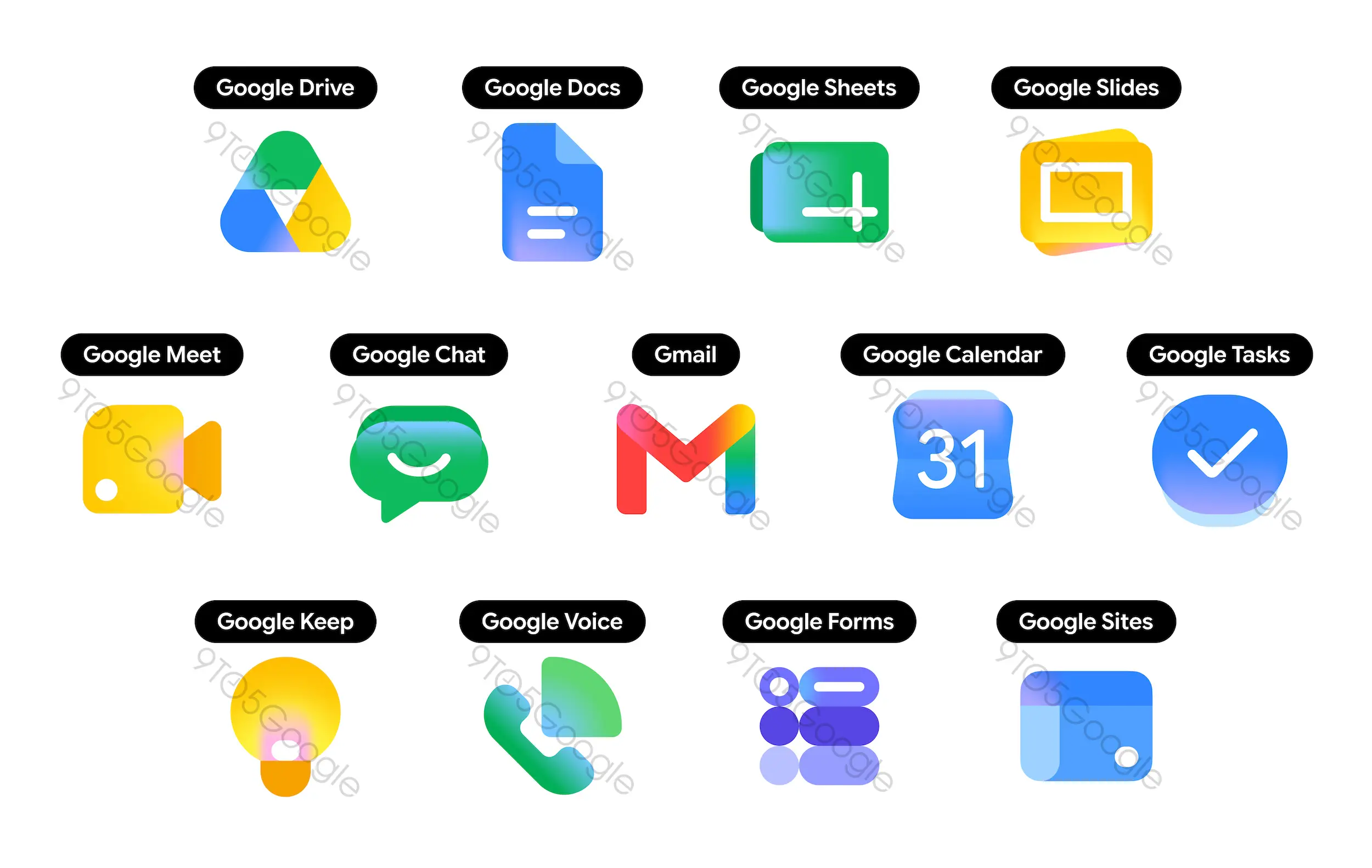
Gmail keeps its M-shaped envelope but shifts to a pink-and-red gradient, while Calendar returns to a more distinct, all-blue flip-calendar design. The changes should make the apps instantly recognizable on a crowded screen.















0 Comments
Load the comments and join the conversation!
Read the comments, ask the editors questions, show respect and join the conversation.