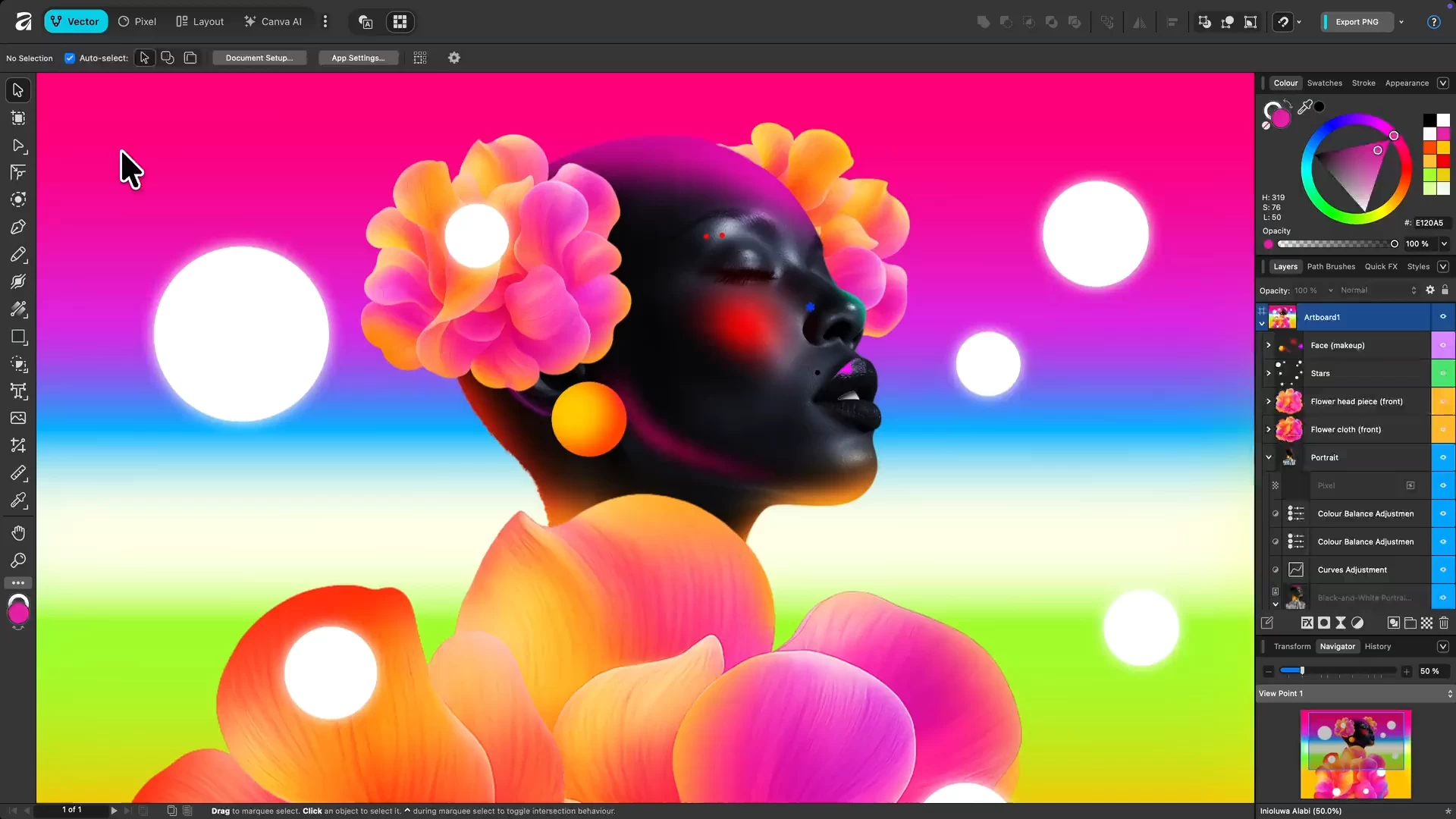
Affinity by Canva is a free, all-in-one creative app combining vector design, photo editing, and page layout in a single platform. Originally developed by Serif, it’s now under Canva, offering professional-grade tools without subscriptions. Users get full access to Pixel, Vector, and Layout studios, plus ongoing updates. Designed for Mac and Windows, it empowers designers, illustrators, and content creators to work faster, smarter, and more creatively than ever before.
Affinity is a unified, high-performance design platform combining vector, raster, and layout workflows. It offers fully non-destructive editing, advanced curve and shape manipulation, artboards, symbols, and seamless integration of pixel and vector content. The photo engine supports RAW editing, compositing, retouching, and batch processing with macro automation. Layout tools include long-form document support, typographic precision, navigational elements, CMYK-ready print, and Data Merge. Canva AI Studio adds generative tools (Fill, Expand, Edit), Depth Map, Super Resolution, and advanced portrait effects, accessible via Canva Pro or higher. Broad file compatibility and customizable workspaces ensure professional-grade efficiency.
Advanced AI features like Generative Fill and Expand are unlocked in Affinity through the Canva AI Studio for users with a Canva premium plan (Pro, Business, Enterprise, or Education).
Affinity is truly free.
Every tool in the Pixel, Vector, and Layout studios is fully accessible, along with all customization and export options—no limits, no payments required. The app also receives free updates with new features and improvements.
Your creativity remains yours.
Affinity stores all your work locally on your device. Canva does not use any Affinity content to train AI or develop features, including anything created with Canva AI tools within Affinity. If you export or upload your work to Canva, you remain in full control. Data preferences can be reviewed or updated at any time in your Canva account settings.
Why is Affinity free?
Curious how this is possible? Here’s the philosophy behind it and how it works.
Affinity 3.2.1.4425 changelog highlights:
The latest Affinity update brings a major leap forward in creative workflows with powerful new AI tools, deeper integrations, and enhanced editing capabilities.
Smarter workflows with AI
- Introducing AI Automation with Claude—describe repetitive tasks in plain language and turn them into reusable scripts. No coding required.
Fully connected Brand Kits
- Brand Kits are now fully integrated across Affinity apps, making it easier than ever to build, manage, and export on-brand assets directly from your workspace.
Designed for modern production
- Bring your designs straight into DaVinci Resolve, with live-linked updates, keyframe animation support, and improved layer control for motion graphics and video workflows.
New creative tools
- Vector Blob Brush & Erase tools for intuitive shape building
- Enhanced typography with image bullets, color fonts, and OpenType upgrades
- One-click hyperlink creation from text
Next-level photo editing
- Capture One integration for non-destructive workflows
- New Texture and Multi Band Sharpen filters
- Advanced RAW processing with new masks and improved tone control
- Powerful AI image generation and editing upgrades
More stable, more reliable
- Hundreds of fixes across macOS and Windows improve performance, stability, and everyday usability. [full release notes]
Note: A free Canva account is required to use Affinity. Your account gives access to Affinity along with other Canva products and features.
Download: Affinity 3.2.1.4425 | ARM64 | ~600.0 MB (Freeware)
Links: Affinity Website | macOS | Screenshot