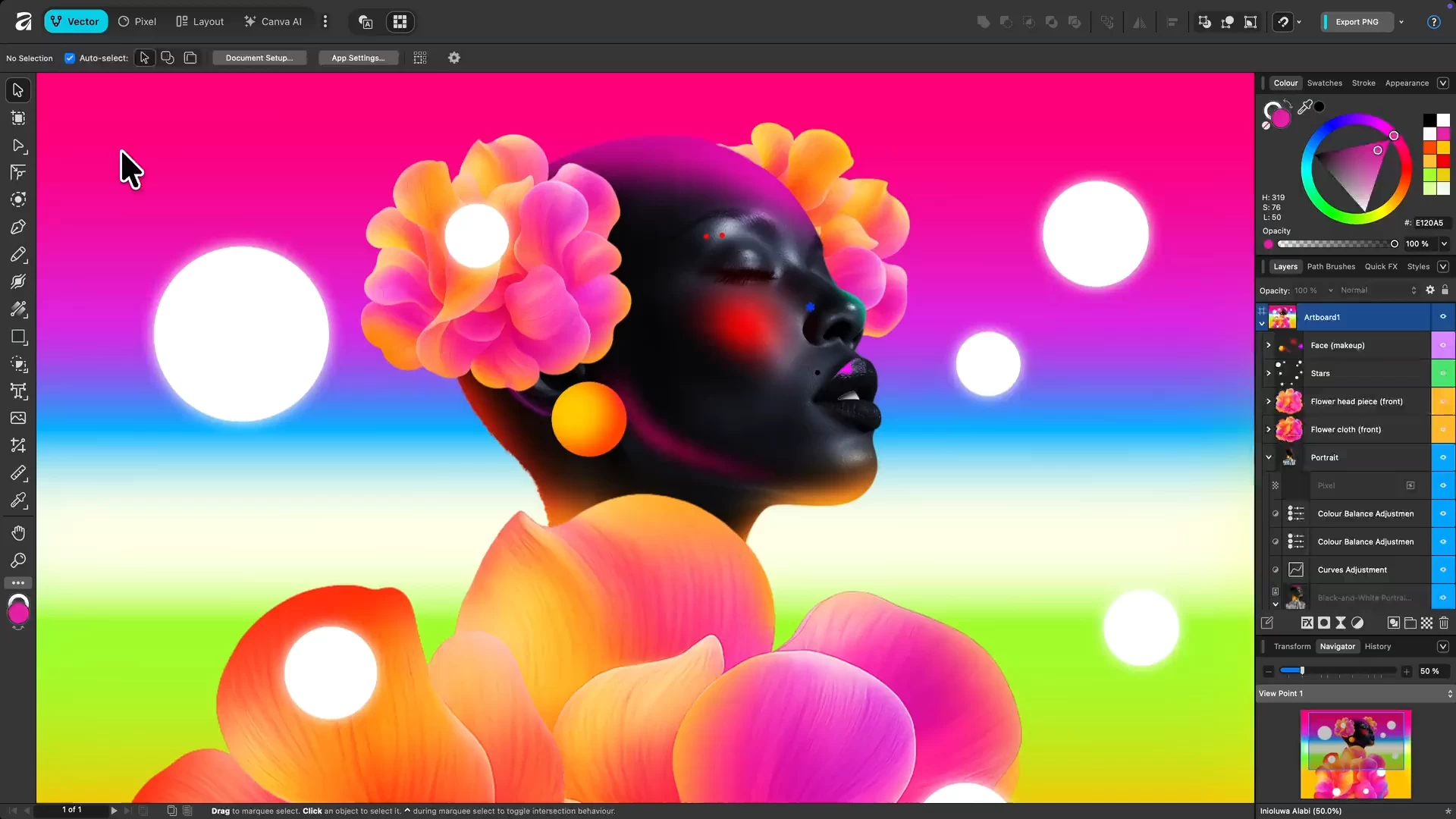
Affinity by Canva is a free, all-in-one creative app combining vector design, photo editing, and page layout in a single platform. Originally developed by Serif, it’s now under Canva, offering professional-grade tools without subscriptions. Users get full access to Pixel, Vector, and Layout studios, plus ongoing updates. Designed for Mac and Windows, it empowers designers, illustrators, and content creators to work faster, smarter, and more creatively than ever before.
Affinity is a unified, high-performance design platform combining vector, raster, and layout workflows. It offers fully non-destructive editing, advanced curve and shape manipulation, artboards, symbols, and seamless integration of pixel and vector content. The photo engine supports RAW editing, compositing, retouching, and batch processing with macro automation. Layout tools include long-form document support, typographic precision, navigational elements, CMYK-ready print, and Data Merge. Canva AI Studio adds generative tools (Fill, Expand, Edit), Depth Map, Super Resolution, and advanced portrait effects, accessible via Canva Pro or higher. Broad file compatibility and customizable workspaces ensure professional-grade efficiency.
Advanced AI features like Generative Fill and Expand are unlocked in Affinity through the Canva AI Studio for users with a Canva premium plan (Pro, Business, Enterprise, or Education).
Affinity is truly free.
Every tool in the Pixel, Vector, and Layout studios is fully accessible, along with all customization and export options—no limits, no payments required. The app also receives free updates with new features and improvements.
Your creativity remains yours.
Affinity stores all your work locally on your device. Canva does not use any Affinity content to train AI or develop features, including anything created with Canva AI tools within Affinity. If you export or upload your work to Canva, you remain in full control. Data preferences can be reviewed or updated at any time in your Canva account settings.
Why is Affinity free?
Curious how this is possible? Here’s the philosophy behind it and how it works.
Improvements and fixes in version 3.0.3.4027:
For all users
- Fix for prompt and path being missing in the PDF Security Password dialog
- Collecting or making a resource linked no longer sets status to "Modified"
- Fix for placing an attached JPG will cause a crash
- Chosen Quick Export formats are remembered for future use
- Fix for Export to EPUB (Fixed layout) crash during file size estimation
- Fix for crash with Pencil Tool and Blend Mode keyboard shortcuts
- Export PDF options are now correctly disabled
- Pages panel now scrolls to the active page and indicates the active page after using "Find"
- Missing files are now detected when storage / network drive is unavailable until file re-open
- Fix for Develop Mask Erase and Gradient tool tooltips not launching Help topics via Learn More button
- Better stability when placing RTF files
- Translation fixes
For Mac users
- Fix for the Tone Map Studio displaying fixed 0 px values
- Fix for the Develop Studio exposure adjustment resetting Exposure to 0 after switching files
- Custom Keyboard shortcuts now correctly load for certain UI languages
- Fix for new Path Brush categories not being shown in Path Brushes Panel
- Closing Help menu's Send Feedback dialog using close button no longer locks up app
For Windows users
- Fix for crash when setting paragraph decorations
- Fix for Resource Manager's Collect feature crashing with files containing embedded documents
- Anchor name now accepts spaces when using Insert Anchor
- Fix for Develop Studio presets and panel layout not being kept when quitting Affinity
- Fix for Quick Export not showing any file formats by default
- Fix for the Font drop-down menu always being white, irrespective of the current Settings (User Interface>Always use white background..)
- Fix for some user fonts causing crashing on app startup
Note: A free Canva account is required to use Affinity. Your account gives access to Affinity along with other Canva products and features.
Download: Affinity 3.0.3.4027 | ARM64 | ~600.0 MB (Freeware)
Links: Affinity Website | macOS | Screenshot
 Get alerted to all of our Software updates on Twitter at @NeowinSoftware

















1 Comment
Load the comments and join the conversation!
Read the comments, ask the editors questions, show respect and join the conversation.