I reviewed a bunch of Cuktech power banks previously, and all of them proved to be reliable and powerful accessories for your phone, laptop, or anything else that charges with a USB Type-C cable. However, I was never a fan of the squared design, which is not the most convenient for carrying in a laptop bag or a backpack. Recently, Cuktech released the 15 Air, addressing my complaint. Here is my review.
Note: Cuktech provided the review sample without any pre-approval or editorial input.
The Cuktech 15 Air belongs to the same power bank family as the 15 SE (check out my review here) and the powerful 15 Ultra (check out my review here). It is a familiar device, with changes focusing mainly on its size and form, battery capacity and chemistry, and the max input/output power.
In the box, you will find the power bank itself, a short 1.15 ft cable with 240W max charging support, a protective pouch with a separate compartment for the cable, and some documents. It is nice to see that Cuktech bundles its power banks with quality cables.
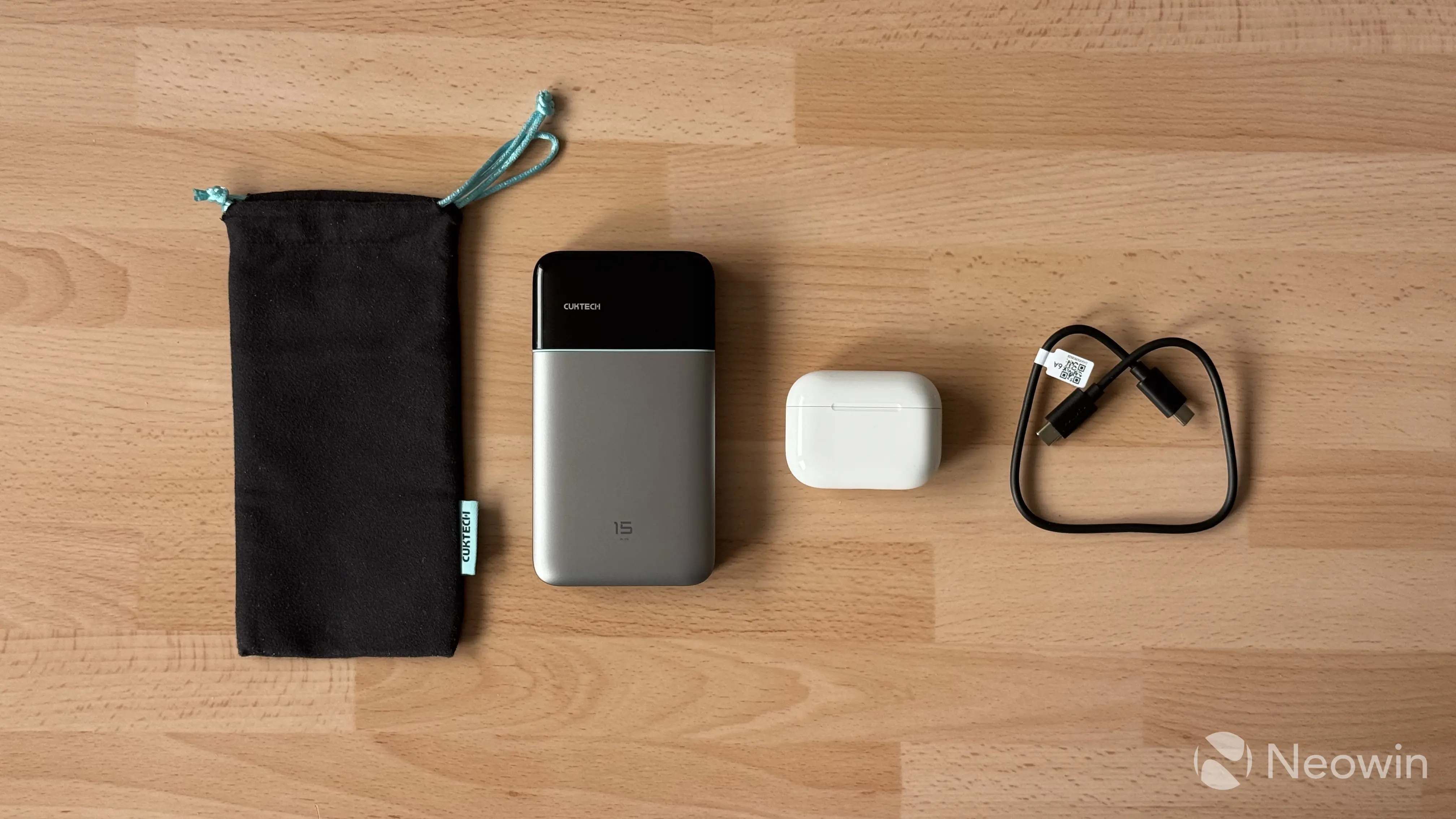
Here are the specs
| Cuktech 15 Air | |
|---|---|
| Color | Silver Gray |
| Dimensions | 5.2 x 2.83 x 0.82 inch 13.21 × 7.19 × 2.08 cm |
| Weight | 10.08 oz 285.9 g |
| Ports | 2x USB Type-C, 1x USB Type-A |
| Charging | 100W max single USB Type-C 5V 3A, 9V 3A, 12V 3A, 15V 3A, 20V 5A |
| Output | 65W max USB-C1: 5V 3A, 9V 3A, 12V 3A, 15V 3A, 20V 3.25A, 5-11V 6.1A, 5-20V 4.5A, 65W max Multi-port: 5V 6A, 9V 9Am 11V 9.1A |
| Protocols | PPS, QC, PD3.1, FCP, SCP, and MiPPS |
| Battery | 57.75 Wh Rated, 58.32 Wh Typical Silicon-carbon battery with GaN charging |
| Price | $79.99 on Amazon |
Design
The 15 Air is a stylish-looking power bank. It has the company"s staple silver gray color with a black texturized back and a glossy black plastic covering part of the front, which has a Cuktech logo and a discrete display. When the power bank is off, the display is completely invisible as it blends with the piano black top of the power bank. I like this design, and you can tell the designers put effort into making the power look and feel premium and expensive. Good job.
I have been testing the 15 Air for several weeks, and despite expecting the glossy plastic to get scratched, it is still in pristine condition. I attribute that to the carrying case where I keep the power bank most of the time.
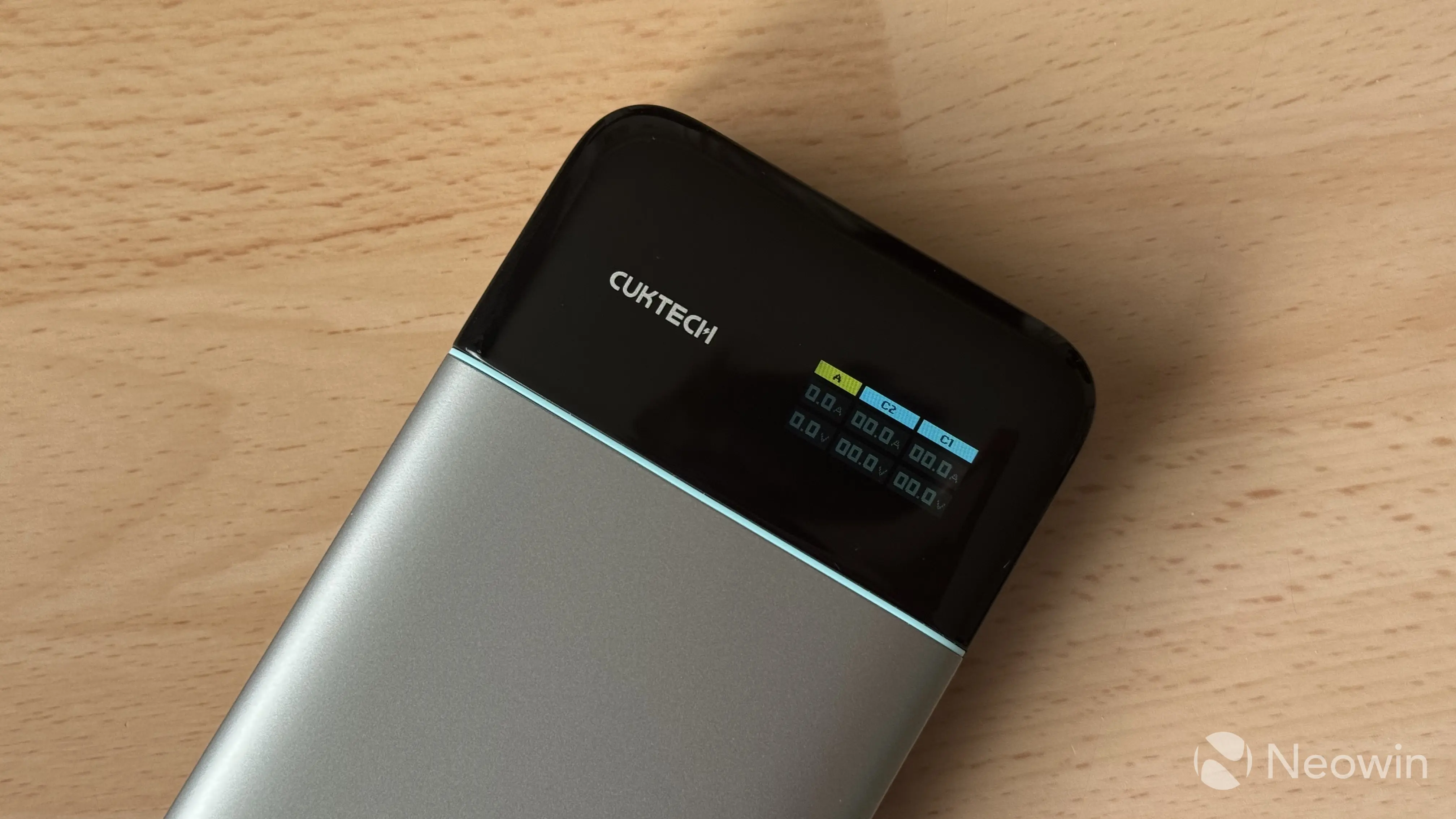
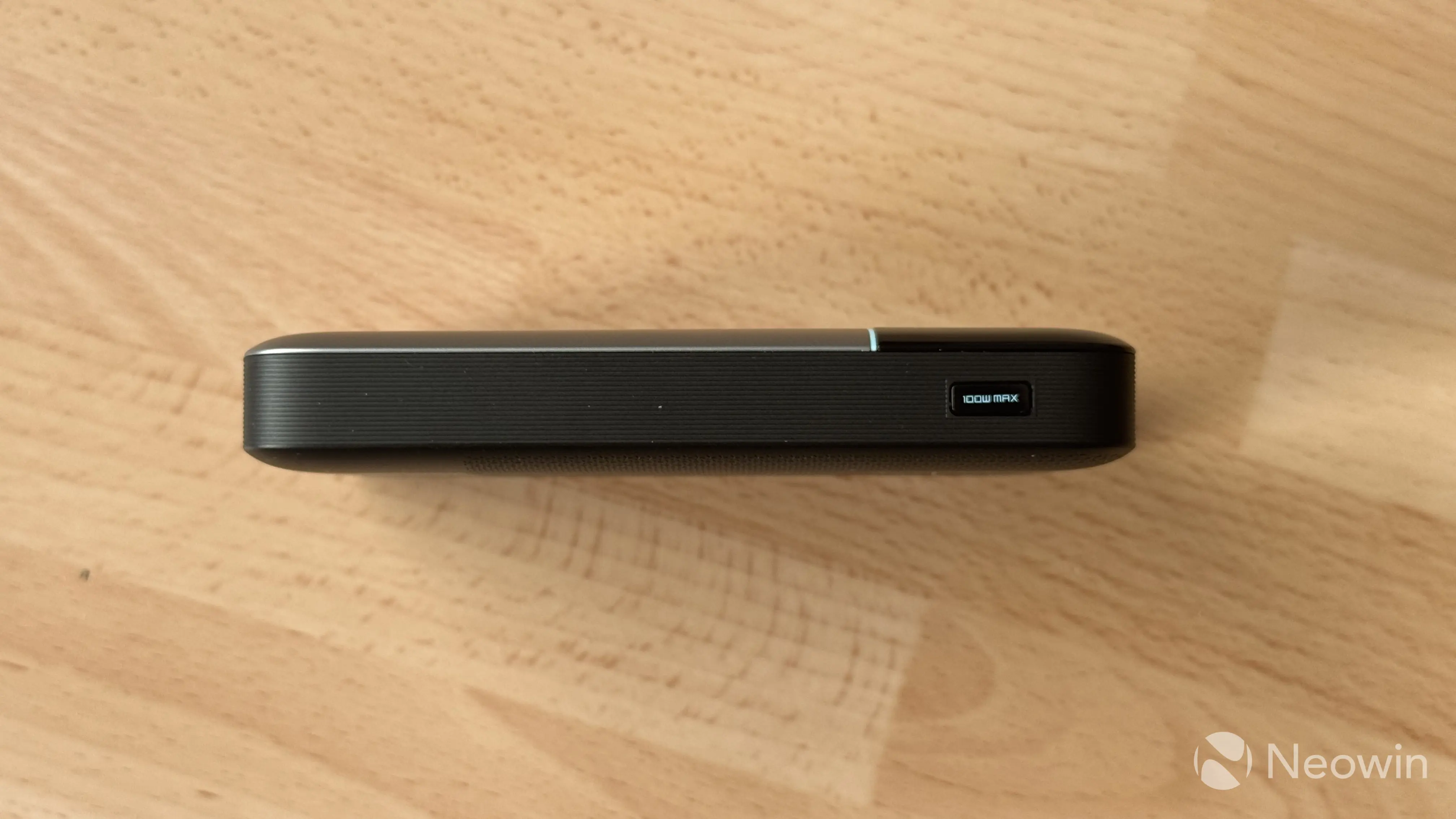
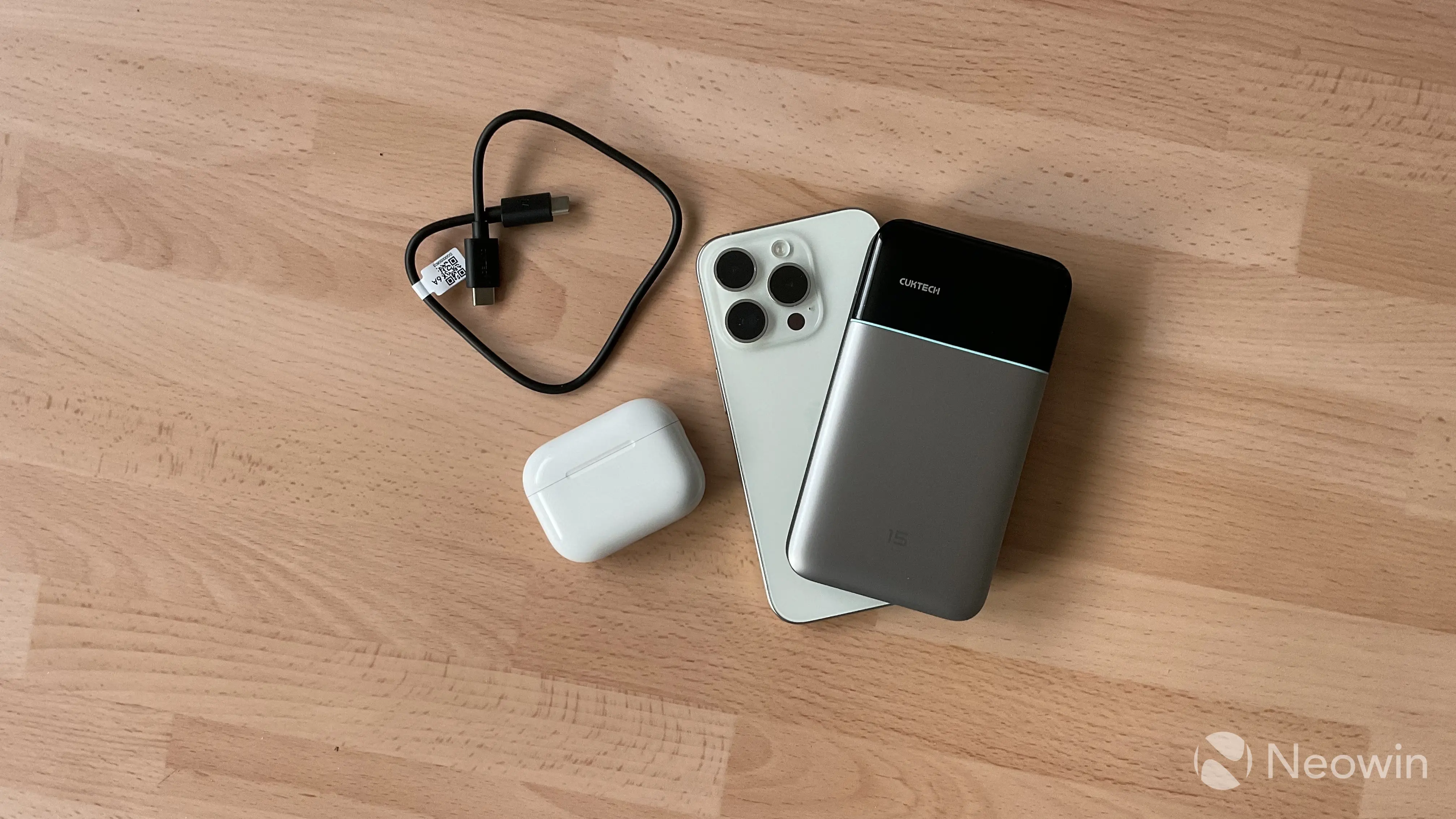
On the right side, there is a single multi-function button with a prominent "100W Max" inscription that indicates the total input/output power. Pressing it once wakes the power bank and turns on the display. Continuous presses toggle between additional views, and a long press lets you change modes for the first port and toggle always-on display mode. You can also hold the button to flip the screen, which is a small but kinda handy feature when the power bank is on the back of your phone. While it is not MagSafe-compatible, its dimensions are just perfect to keep it on the back of a modern iPhone Pro Max when charging. Finally, a double press enables low-power mode for charging stuff like fitness trackers or similar devices with small batteries.
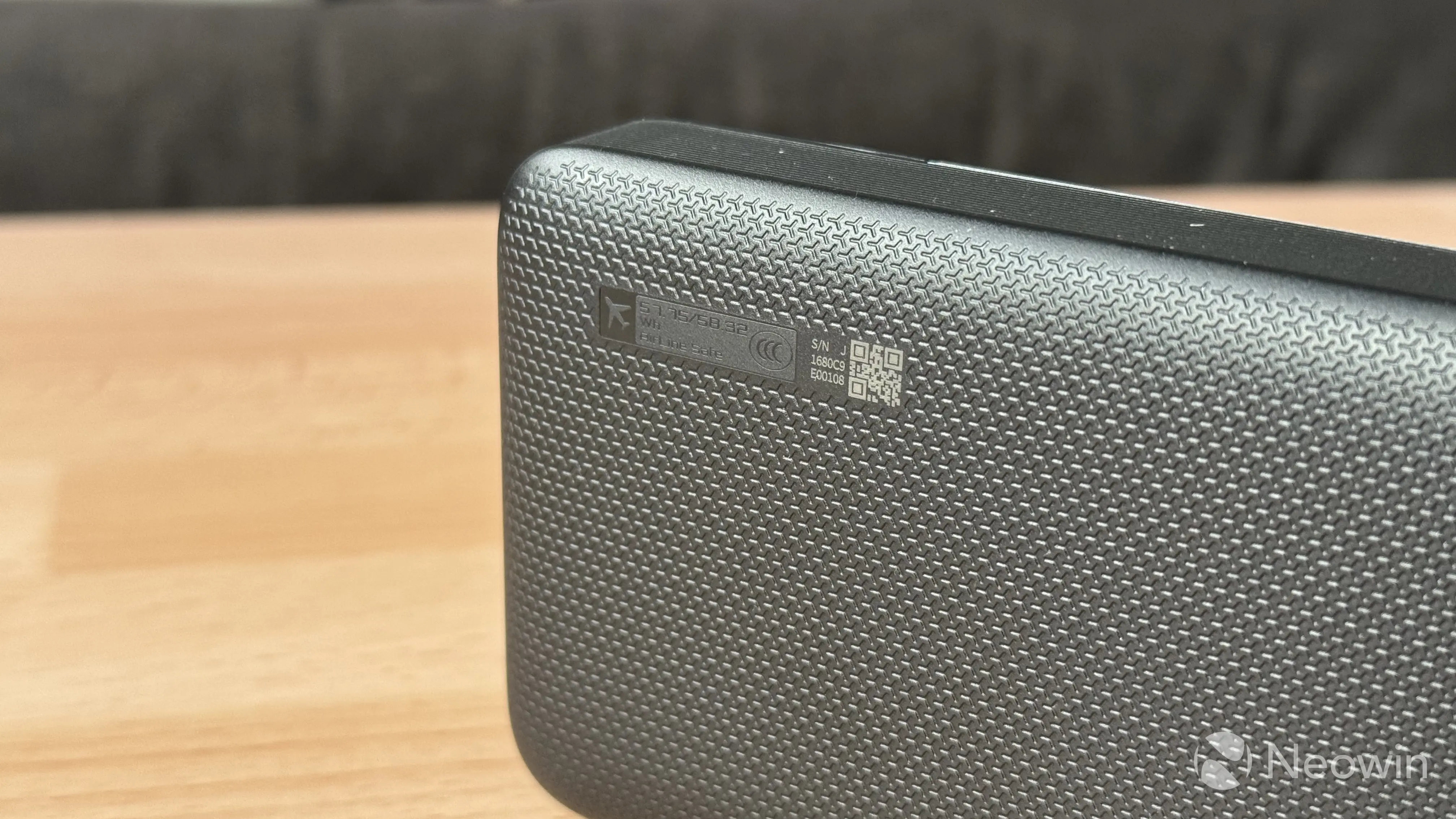
Cuktech"s power banks have their battery capacity written on the back, next to an aircraft icon, indicating that the device complies with the FAA"s 99Wh limit. That means you can take the power bank on a plane without breaking any rules.
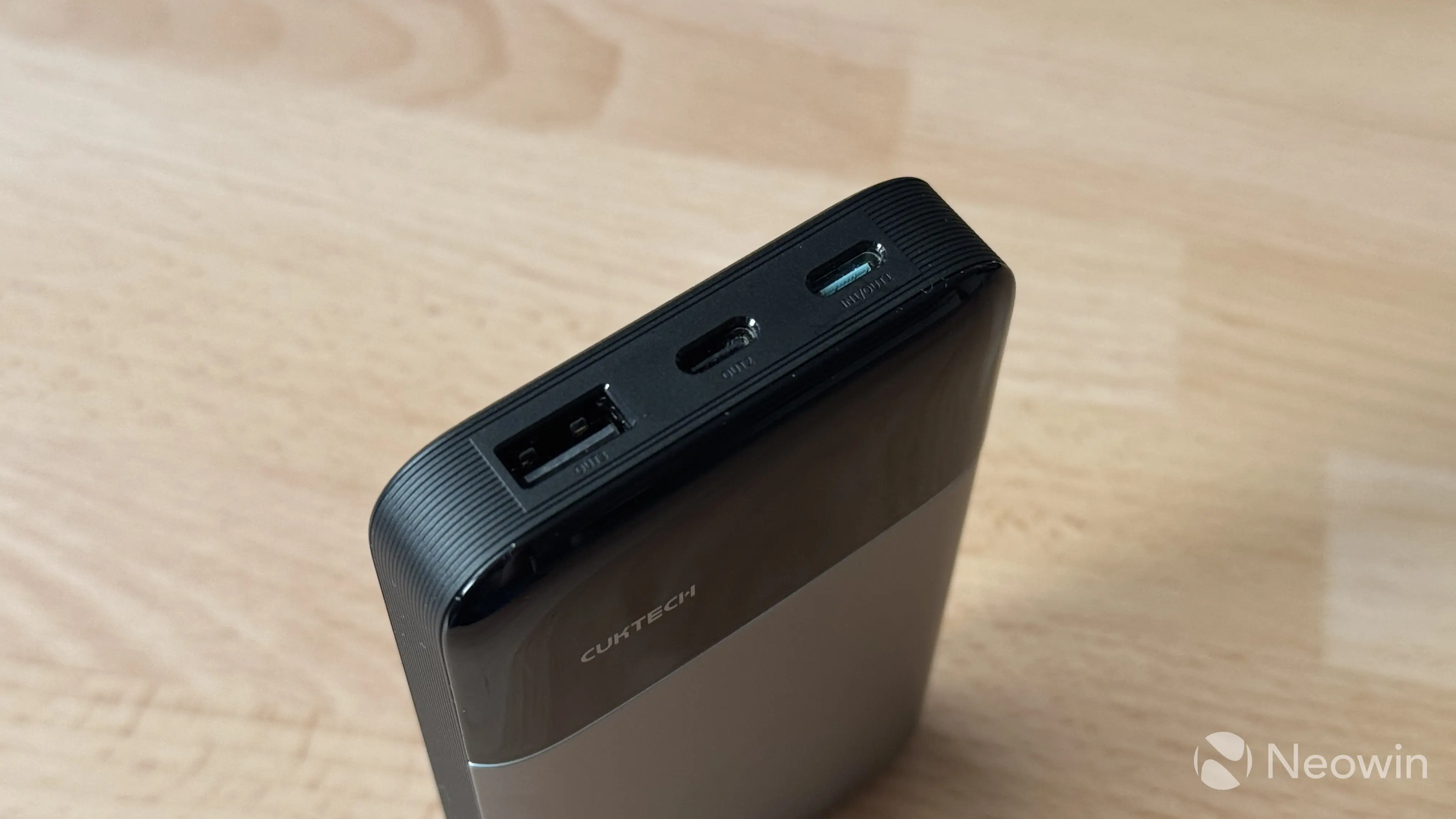
Despite the small size, the Cuktech 15 Air still has three ports: two USB Type-C and one USB Type-A. You can use all three for charging other devices, but only the first port with a cyan connector is for charging the power bank itself. I like these subtle color accents across the device, as they give it a little more character. Plus, you can always see where to plug the power bank to charge.
Overall, Cuktech nailed the design of this one. It looks good, feels good (no cracks, uneven seams, or other defects), and it is overall delightful to use.
Charging the 15 Air
The Cuktech 15 Air does not offer anything extraordinary when it comes to charging it. A single USB Type-C can take up to 100W of power if your power supply can deliver it. Going from dead to 100% at the maximum speed takes about one hour, with the power bank staying at its max input most of the time. Of course, as you get closer to 80%, charging speed begins to throttle, and the last couple of percent are pulled at a puny 5-10W.
Even though the power bank supports fast charging (100W is pretty fast if you ask me), temperatures are completely normal. You can feel the device getting warmer as it pulls power, especially at the maximum power, but nothing extraordinary. Thanks to using Gallium Nitride (GaN), the 15 Air can charge more efficiently and at lower temperatures, plus you get a smaller footprint. However, do not charge it in the case, as this can cause overheating. Even though Cuktech equipped the 15 Air with overheating protection, charging in confined spaces and near flammable materials is ALWAYS a bad idea, regardless of how reliable the device is. If temperatures get dangerously high, you will see a warning message on the screen, and charging will be cut off until temperatures get back to the operational range.
Besides overcharging, the power bank has the following protections: temperature, short-circuit, reset, input/output overcurrent, input/output overvoltage, and overdischarge.
Cuktech uses high-quality materials for its power bank, and they deliver "clean" output, with voltage fluctuations of 30-50 mV, which is considered to be a very good value. The basic rule of thumb is that lower fluctuations are better for battery health in the long term. This makes the A15 Air no different from high-end, premium chargers.
Note that 100W max self-charging is only possible if you use a compatible cable. I tried to charge the 15 Air with a USB cable from my iPad Pro, and it could only reach 65W max. However, the bundled 240W cable has no problem saturating the power input to its maximum capacity.
Charging with the 15 Air
The Cuktech 15 Air is rated for 15,000 mAh or ~57Wh. It uses silicon-carbon batteries, a relatively new technology that can be found in modern smartphones from certain manufacturers. Such batteries have higher power density, allowing manufacturers to increase capacity without compromising on physical size. Cuktech positions this power bank as a phone charger first (laptop charging is also supported), so we will test it with my good old iPhone 15 Pro. As usual, I charged my phone from 10% to 90%, and this gave me the following results:
| iPhone 15 Pro - 10% to 90% | |
|---|---|
| Pass 1 | 100% to 81% (19% consumed) |
| Pass 2 | 81% to 59% (22% consumed) |
| Pass 3 | 59% to 33% (28% consumed) |
| Pass 4 | 33% to 4% (29% consumed) |
With a 12.7 Wh battery in my iPhone, we get about 40.6 Wh of usable power plus the remaining 4%. The rest is wasted on heat and charging inefficiency. As for my 13-inch iPad Pro with the M1 chip, going from 1% to 100% drained the power bank to 11%.
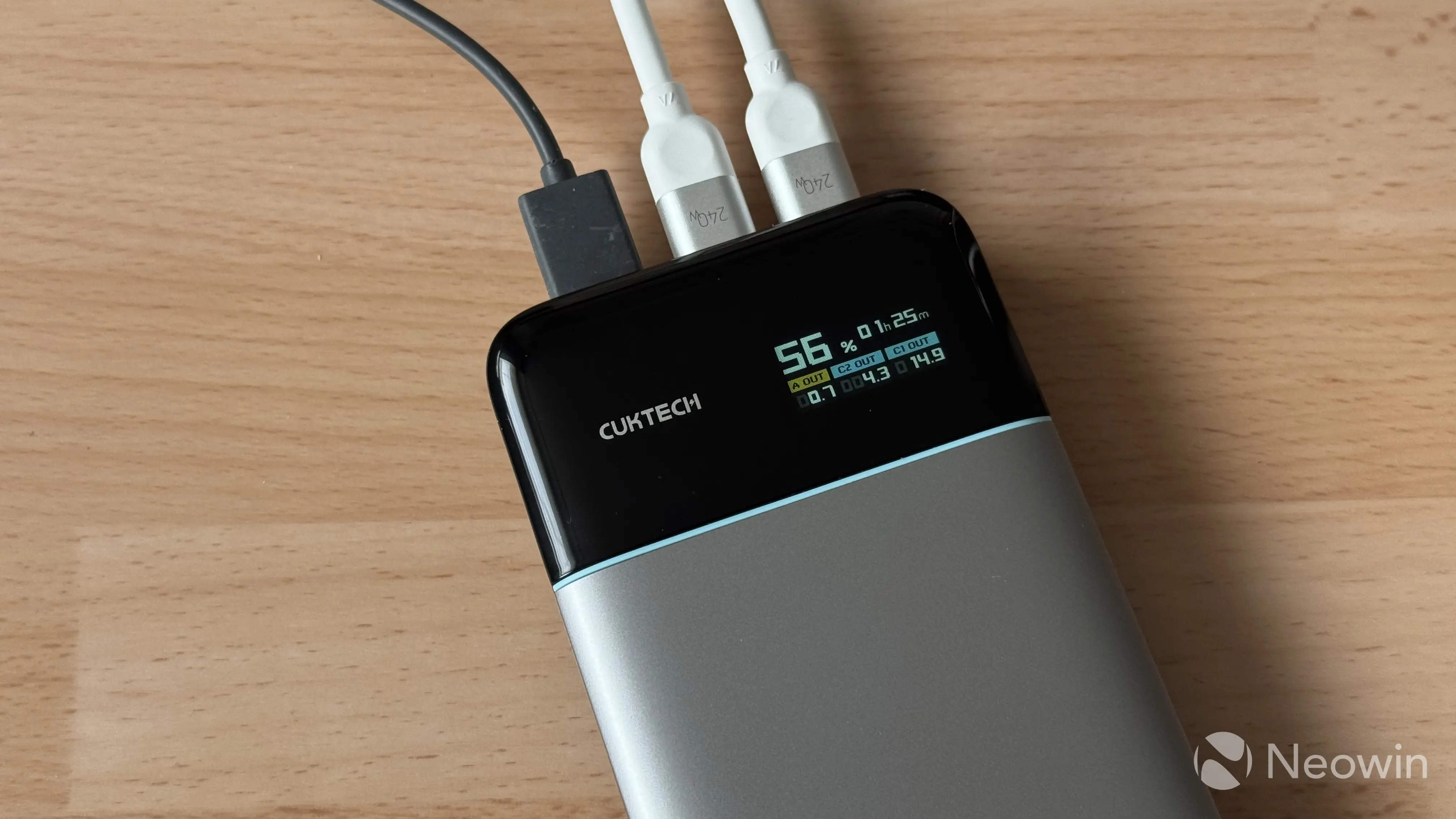
You can charge another device and the power bank itself simultaneously (charging drops to 40W in such scenarios), but keep in mind the following power limitations:
| Single Port | Dual Port | All Ports |
|---|---|---|
| Type-C 1: 65W Type-C 2: 27W Type-A: 18W | Type-C 1 + 2: 45W + 20W Type-C 1 + A: 45W + 18W Type-C 2 + A: 10W + 10W | 45W + 10W + 10W |
As you can see, the power bank distributes its power output reasonably well, giving you enough juice to charge a laptop and a phone. If your laptop accepts 45W charging, you can even charge two more devices, albeit at lower speeds. I am a bit disappointed that the "100W Max" claim only applies to self-charging, and you cannot squeeze 100W to charge a more powerful laptop or a phone.
All the input-output data is displayed on the built-in screen. It can show the following:
- Current charge level down to two decimals
- Estimated charge/discharge time
- Total power output for each port
- Voltage and amps for each port
The display is alright for indoor use, but outside, the brightness is too low for readability.
Conclusion
The Cuktech 15 Air is a solid, well-made power bank. It is on the higher end of the price spectrum, and for $79.99, you definitely can find a lot of higher-capacity power banks. However, the price is justified by the use of high-quality materials and cutting-edge battery tech. Silicon-carbon batteries are rare even in phones, and the tech is only making its way to power banks, so a higher price tag is justified. Of course, time will tell how these batteries will fare, but my several weeks of using the 15 Air proved it to be a good-quality accessory for your laptop, phone, tablet, and other devices. If you trust silicon-carbon batteries and you do not need more than 65W of output, the Cuktech 15 Air is worth it. You can purchase one (or a few) using the link below:
As an Amazon Associate, we earn from qualifying purchases.