
At times, people prefer listening to text documents. To serve such people, Google is introducing a new feature in Google Docs powered by Gemini. This new feature will allow them to listen to audio versions of the documents with a single click.
Since people have a wide variety of listening preferences, Google allows users to customize the Gemini audio experience with different voices and playback speeds.
Google mentioned in its announcement blog post that this new audio feature in Google Docs will help users engage with their content in fresh ways and can improve the accessibility of the documents.
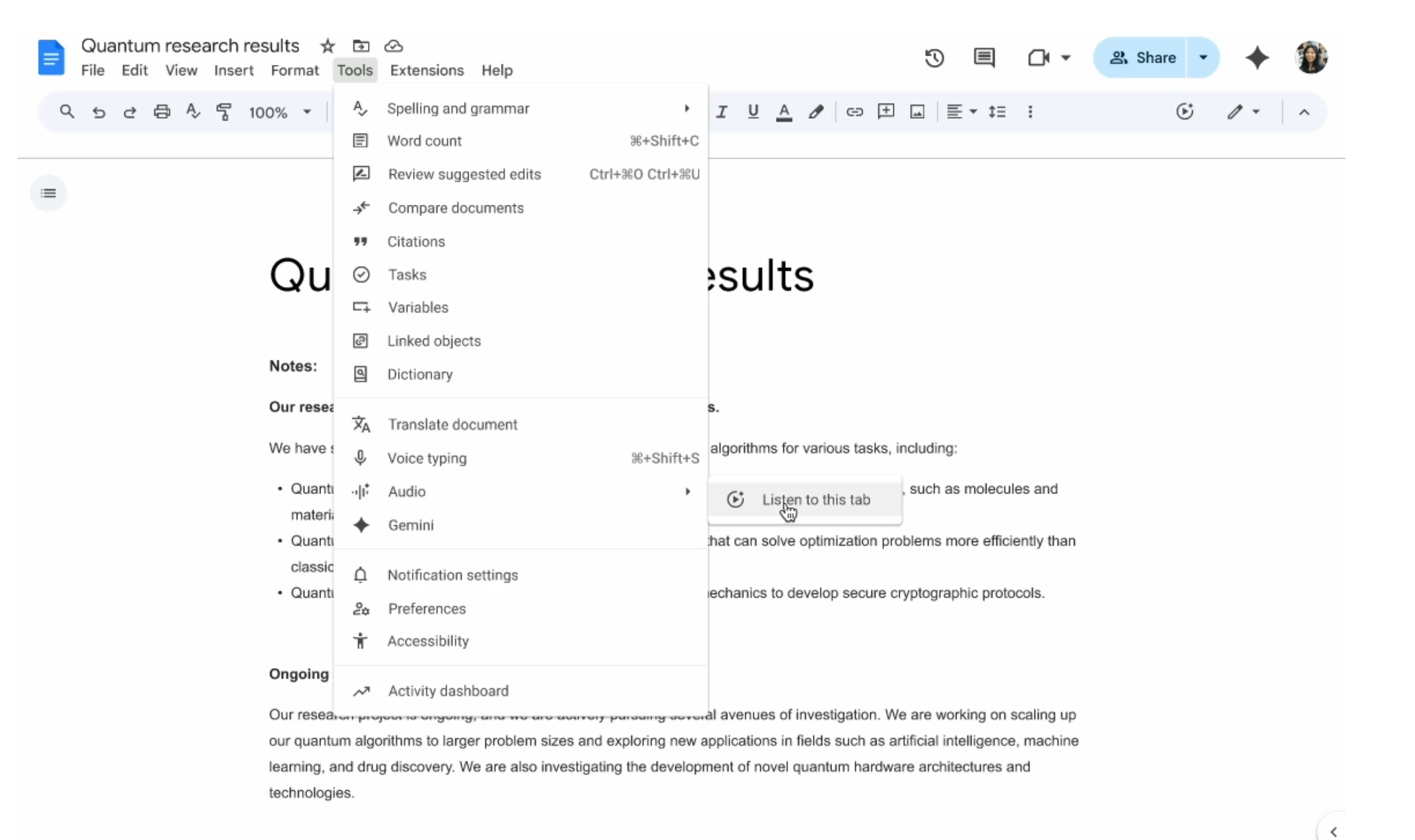
This new audio feature is available for both authors and readers to listen to documents. For readers, they can make use of the new "Listen to this tab" option in the Tools > Audio menu to listen to the contents of the current tab.
For authors, Google has added the ability to add Audio buttons, which are available in the Insert > Audio buttons menu. When a document author does this, a new play button will appear directly in documents, allowing readers to listen to the current tab with a single click without navigating any menus. Authors can also change the label, color, and size of the audio button.
This new audio feature is available only in English and on the Google Docs desktop experience for the following Google Workspace plans:
- Business Standard and Plus
- Enterprise Standard and Plus
- Customers with the Gemini Education or Gemini Education Premium add-on
- Customers with the Gemini Business or Gemini Enterprise add-on
- Google AI Pro and Ultra
As this feature is currently limited to English on the desktop, its future expansion to more languages and mobile platforms will be highly anticipated by the global Google Docs user base.