Google Drive"s "collaborate with Gemini" feature was confined to its web version until now. The search giant announced that it"s pushing a new update to bring Gemini"s collaboration capabilities to the Google Drive apps for Android and iOS.
You might already know that the feature is accessible via the Gemini side panel in Google Drive"s web version. The side panel was added to Google Drive last year and has since been updated to include the ability to discuss specific files, scan uploaded images, and utilize natural language commands to move files.
While explaining the feature in a blog post, Google said that "this integration empowers Drive users of the mobile apps to seamlessly ask questions about their files and folders and receive conversational responses, mirroring the existing functionality available on Drive Web."
Google is bringing similar capabilities to Android and iOS; for instance, you can summarize a long document or an entire folder in Drive to get the main points. You can save time by asking the chatbot to retrieve quick facts about a topic or project without having to find and read the relevant documents in your Drive.
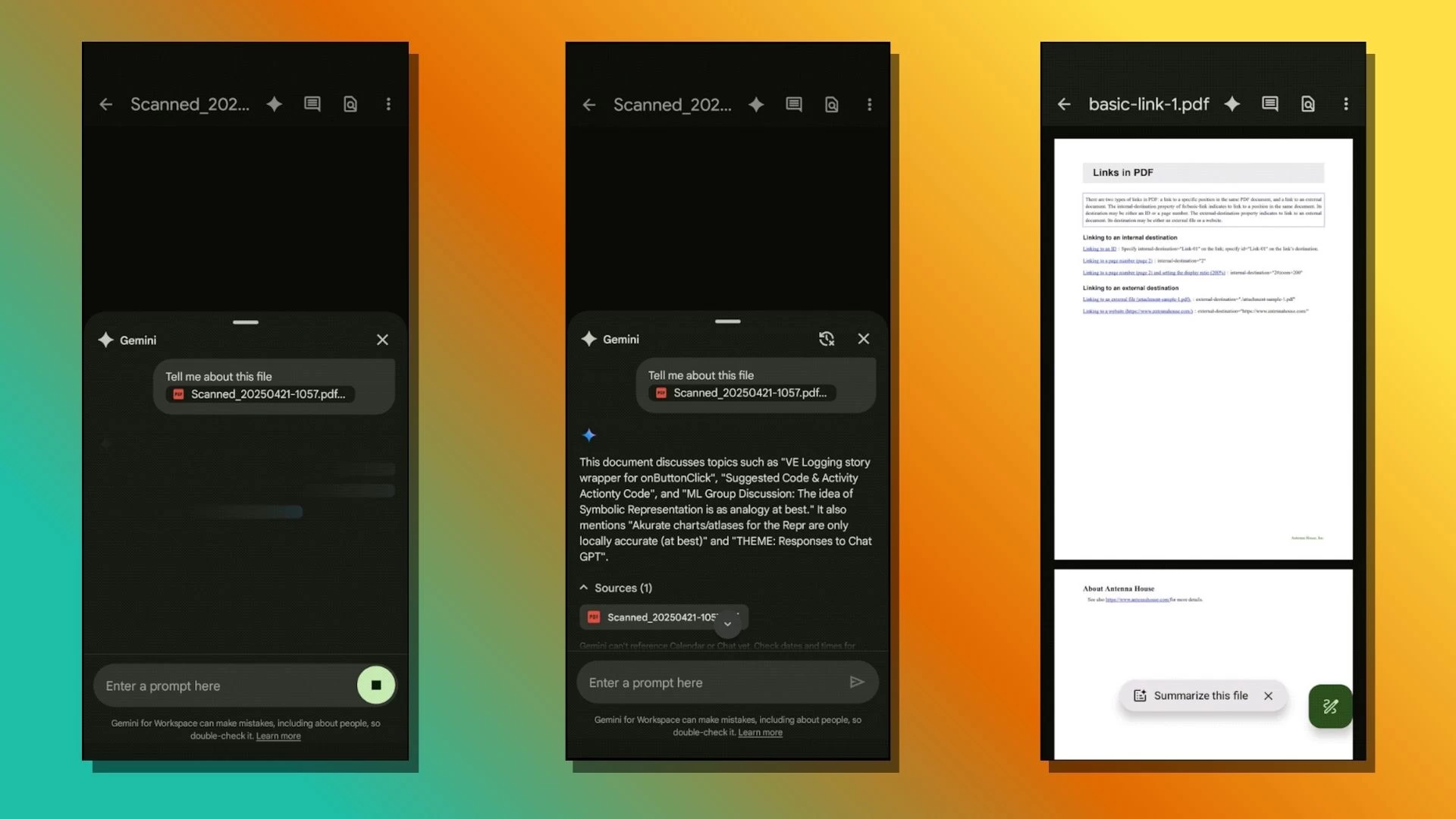
You can also use the feature to discuss topics that require synthesizing information from multiple files across your Drive or a specific folder, find a file or folder, and ask questions about your images.
Collaborate with Gemini is rolling out to Android and iOS users with select Workspace tiers, including Business Standard/Plus, Enterprise Standard/Plus, Google AI Pro for Education, Google One AI Premium, and those who purchased Gemini Business and Enterprise add-ons.
The feature rollout is expected to take approximately two weeks to complete. It builds on the recent updates Google pushed for mobile users. Google Drive"s Android version has been refreshed to add a touch of the Material 3 design language, along with visual updates to the scanned documents preview user interface.