
Google"s generative AI chatbot Gemini is getting some new powers in Google Forms. A freshly-baked AI feature allows the chatbot to suggest relevant question types, question text, and answer options while creating a new form.
Those who use Google Forms will see a "Suggest questions" button at the bottom of a Google Form that contains two or more questions. They can click on the button to generate up to four new questions relevant to their form content.
Users can check the box in the top-right corner of a suggested question to select it and subsequently add it to their form. The search giant wrote in a blog post that Gemini uses existing data from the form to help users expand their forms with the help of context-specific ideas.
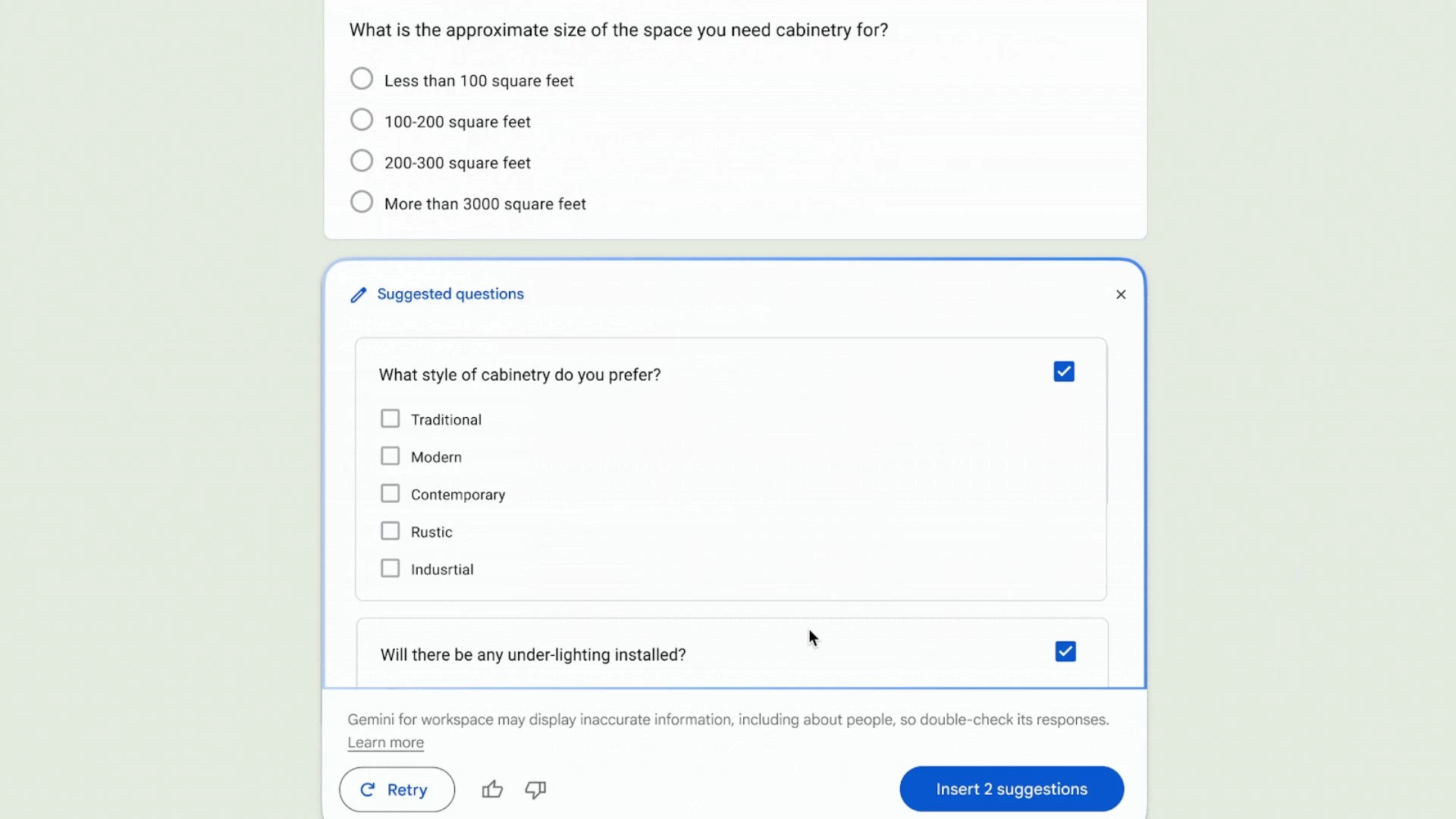
"When creating a form, we know it can often be challenging to decide what question(s) to add next, with this feature, Gemini provides you with new ideas for questions without having to write a prompt," Google said.
However, the Suggest questions feature doesn"t currently support some attributes. It can"t generate questions in multi-section forms and doesn"t support quiz-specific settings while generating questions in quizzes.
The feature has started rolling out to different Workspace tiers, including Business Standard/Plus, Enterprise Standard/Plus, Google AI Pro and Ultra, and users who purchased Gemini add-ons. It will take a few weeks to reach all eligible users.
The AI feature will work for end users as long as they have enabled smart features and personalization. While Google Forms is available in multiple languages, various AI features are currently limited to English.
Google Forms is no stranger to Gemini features, just like other Google apps. People can already use the chatbot to create new forms and generate summaries of form responses. That said, the search giant recently launched a new web portal to highlight fresh Gemini features and one-upped MS Excel with a new AI feature.