So you ditched your Samsung, OnePlus, Google Pixel, iPhone, or other mainstream Android and decided to transition to an HONOR Magic, GT, or X series phone, such as the Magic7 Pro, or Magic V5 that I"ve reviewed this year. Maybe you spent days or weeks wondering why certain notifications fail to alert you, despite having them enabled? Well read on, it"s a real issue and this guide will help you fix some of those annoyances.
Why is it happening?
First of all, the reason it is happening, is because HONOR decides that the out-of-box-experience is one where the phone"s Performance mode is disabled by default; this is also not made known to the end user, so it"s something you have to discover for yourself. A result of that also means that your shiny new Magic7 Pro, or Magic V5 with its Snapdragon 8 Elite underperforms in benchmarks relative to other 2025 flagships with the same CPU. It also means that MagicOS aggressively kills apps in the background completely, which also disables the notifications and Push alerts for those apps.
This is not to be confused with another kind of notification called "Gentle notifications" which is an Android feature that silences notifications, and does not wake the screen when such a notification comes in, it simply places it in the Notifications shade for you to discover yourself.
The fix
First off, HONOR says that Performance mode is available on selected devices only, so if you do not have the setting then your HONOR phone is not throttled by default to save battery life.
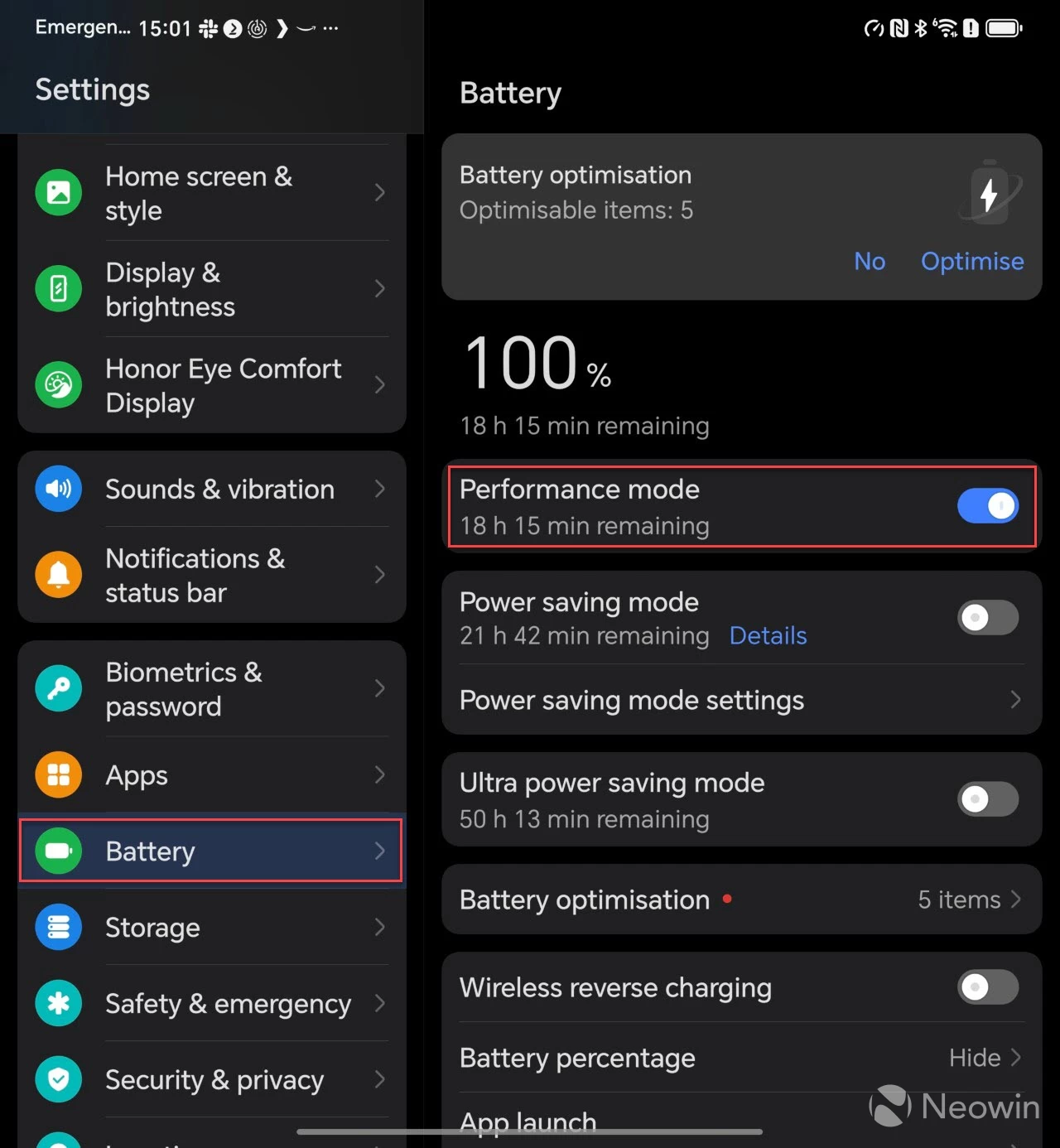
To get around MagicOS aggressively killing apps in the background, enable Performance mode as shown in the above image, and in the steps below:
- Go to Settings, Battery;
- Toggle Performance mode on
Then you should check the apps that are not sending notifications by doing the following:
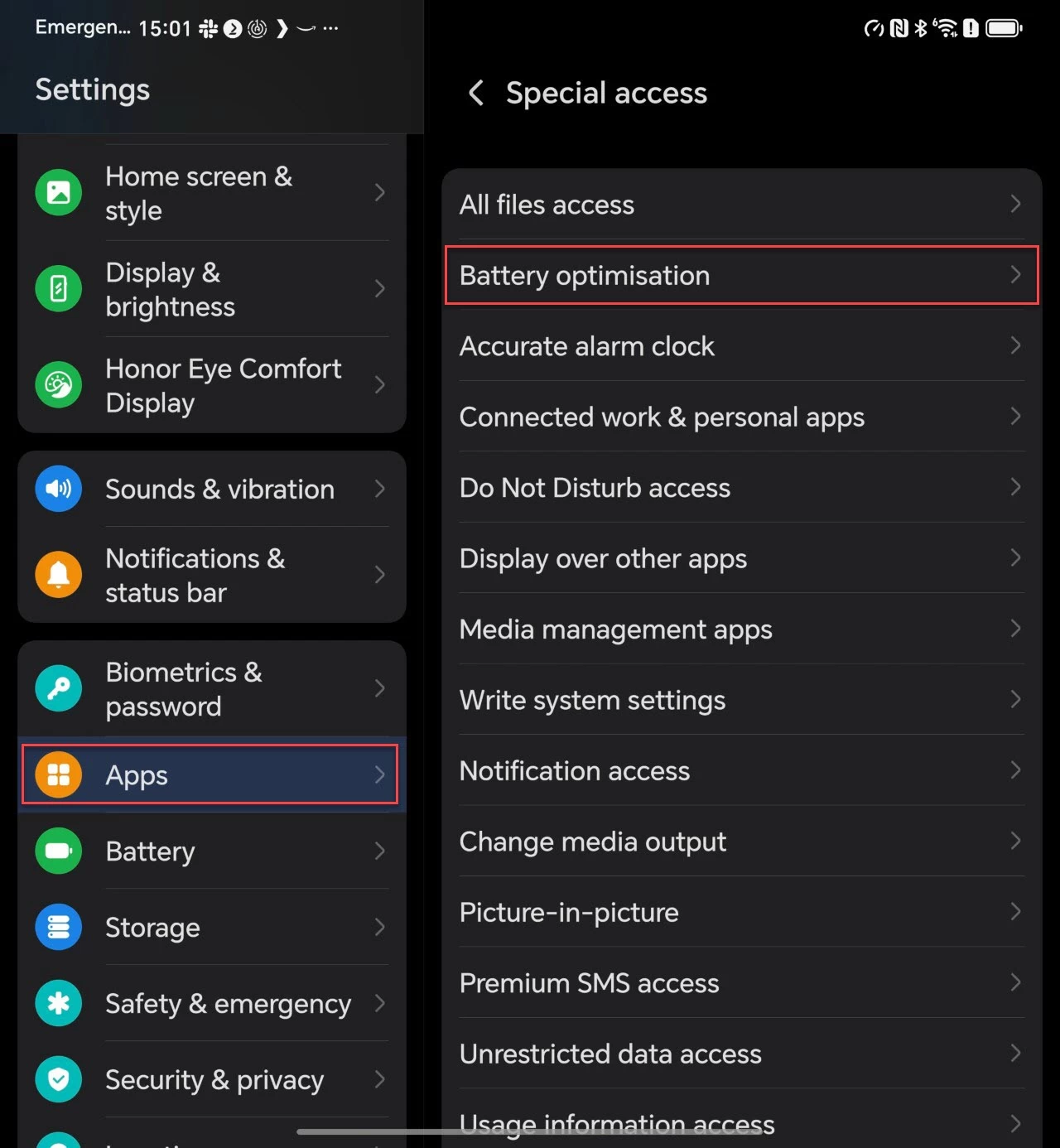
- Go to Settings, Apps;
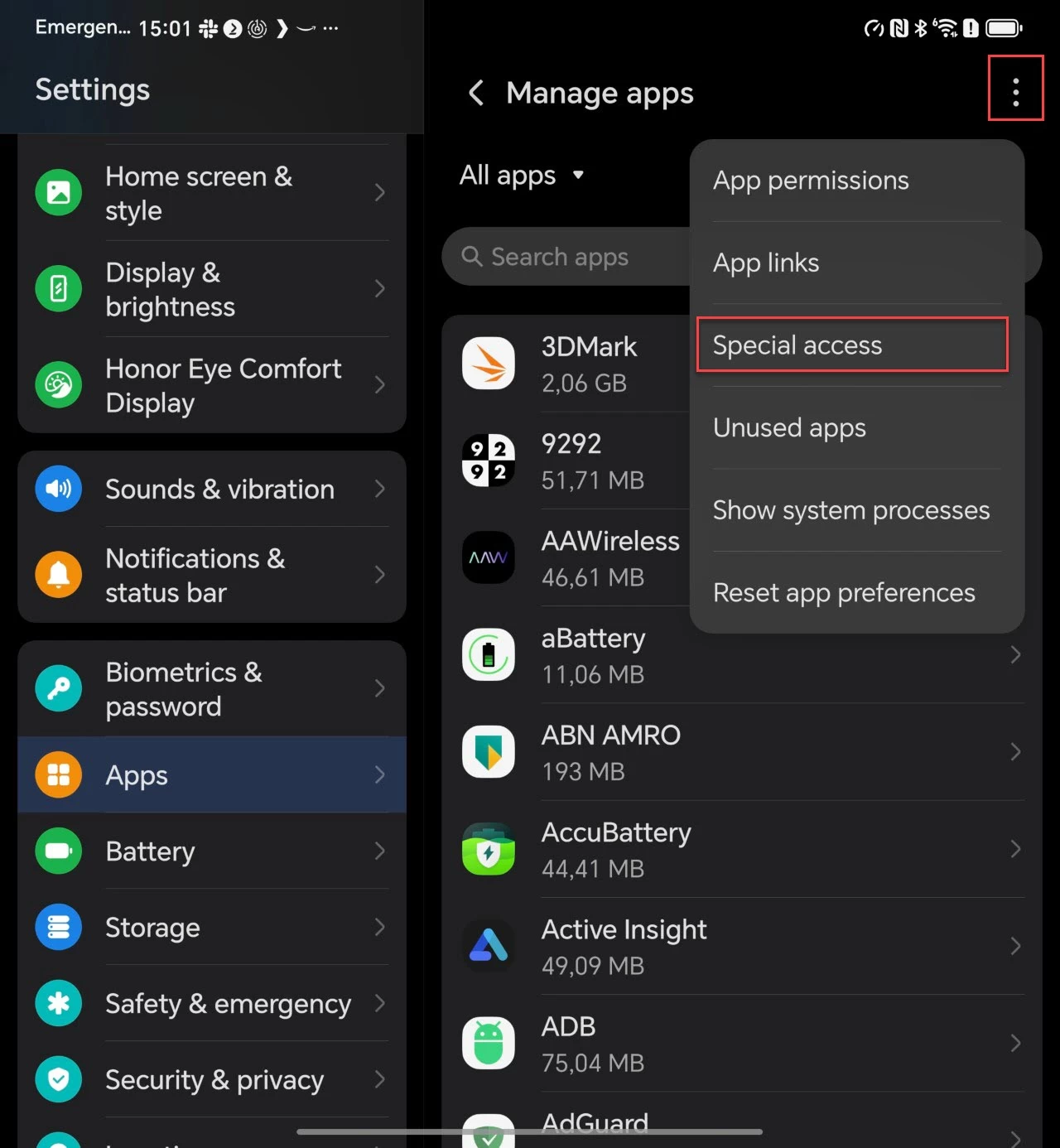
- Manage apps > (top right, three-dot menu);
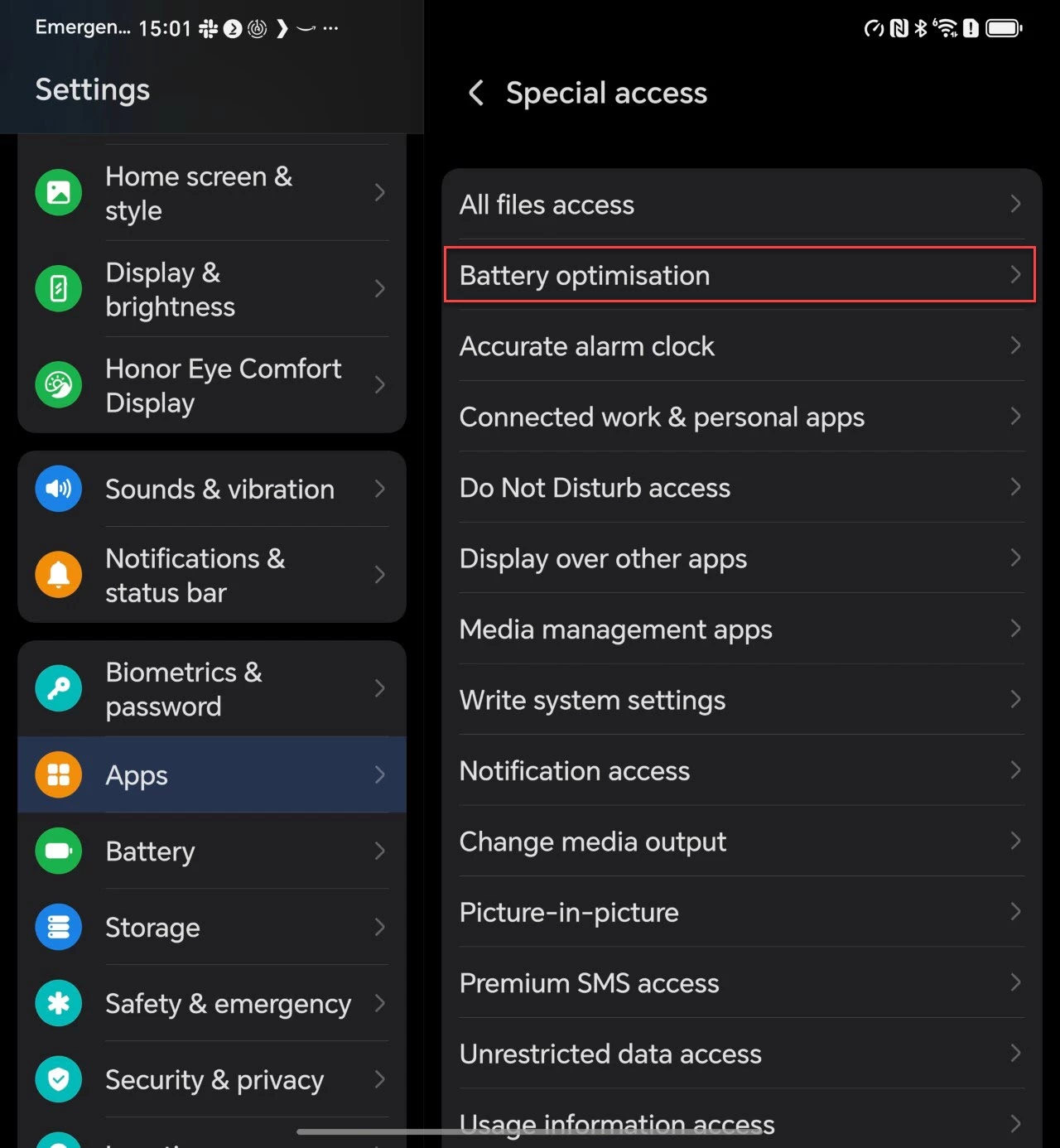
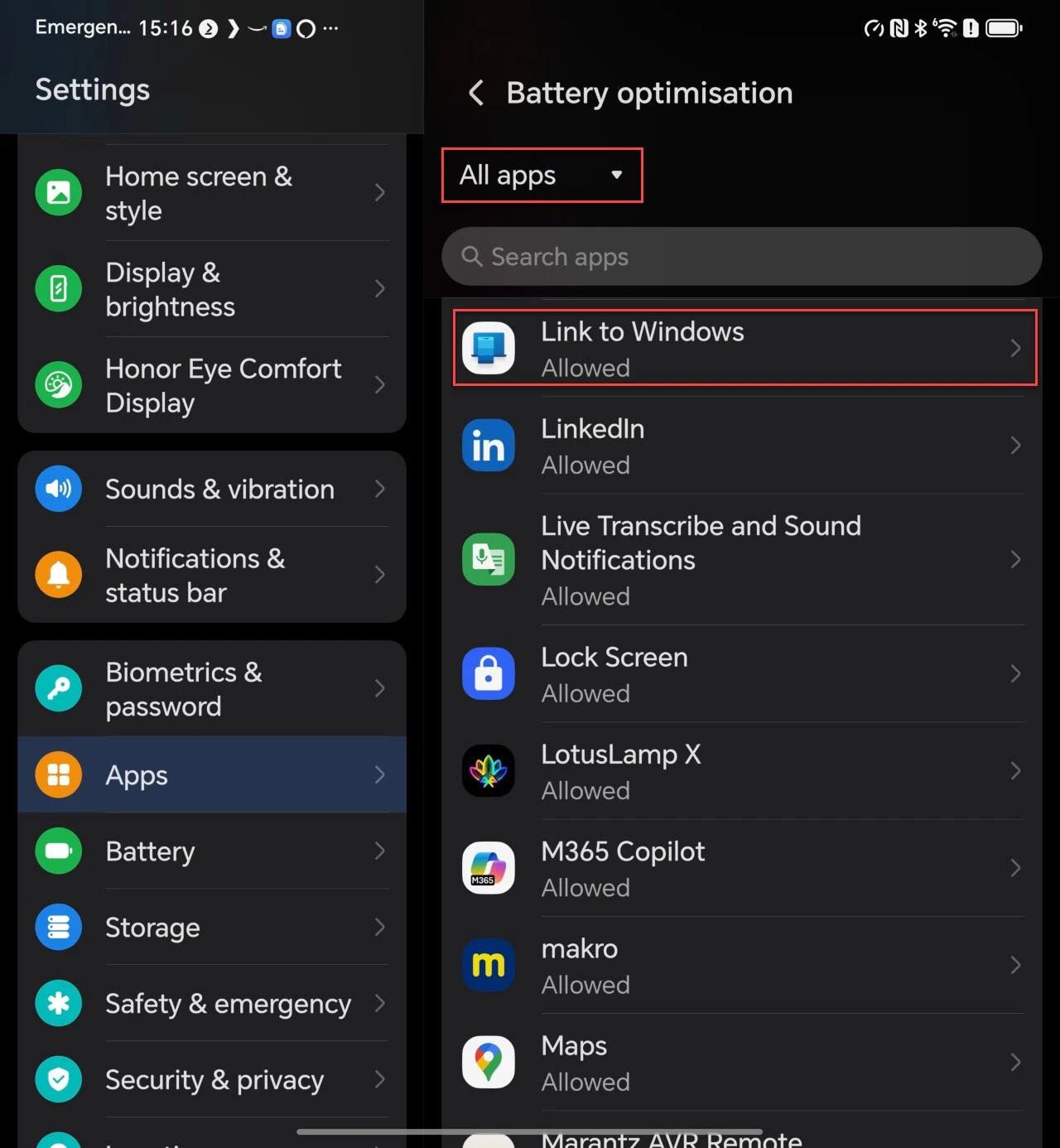
- Special access, Battery optimisation, All apps;
- Search for your app, and tap on it;
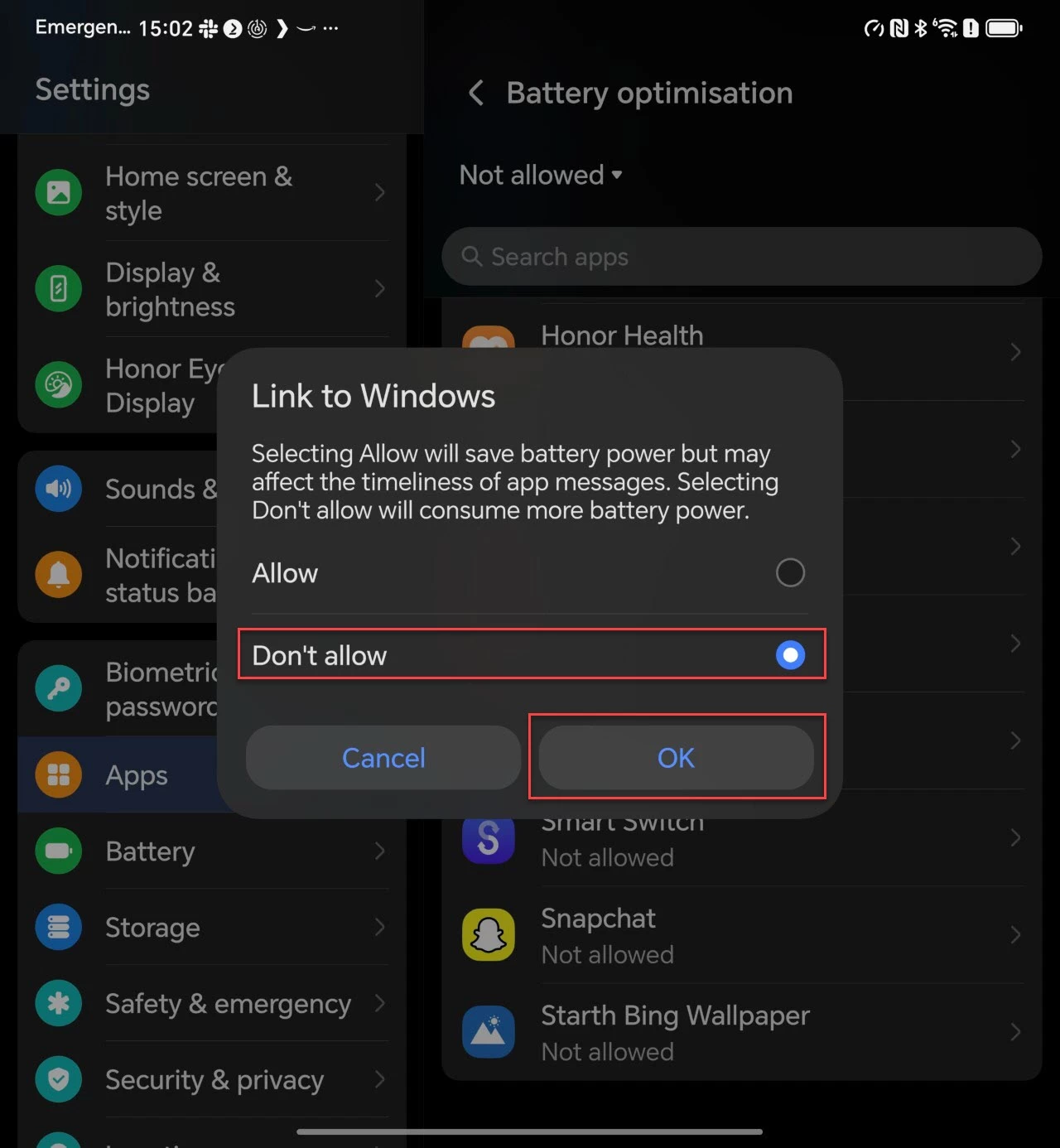
- Select "Don"t Allow" to supposedly stop the phone from killing the app in the background.
The whole process is also shown in the gallery below:
Link to Windows
The above (Performance mode being disabled) also affects Link to Windows, which disconnects with the linked PC frequently and is a major hassle to reconnect. You can read about my experience here, but from my own testing, even enabling Performance mode and App Special Access hasn"t really helped. Although the phone appears to stay connected longer, it will eventually go offline, and weird issues like the image below will happen, like presenting a new QR code to reconnect.
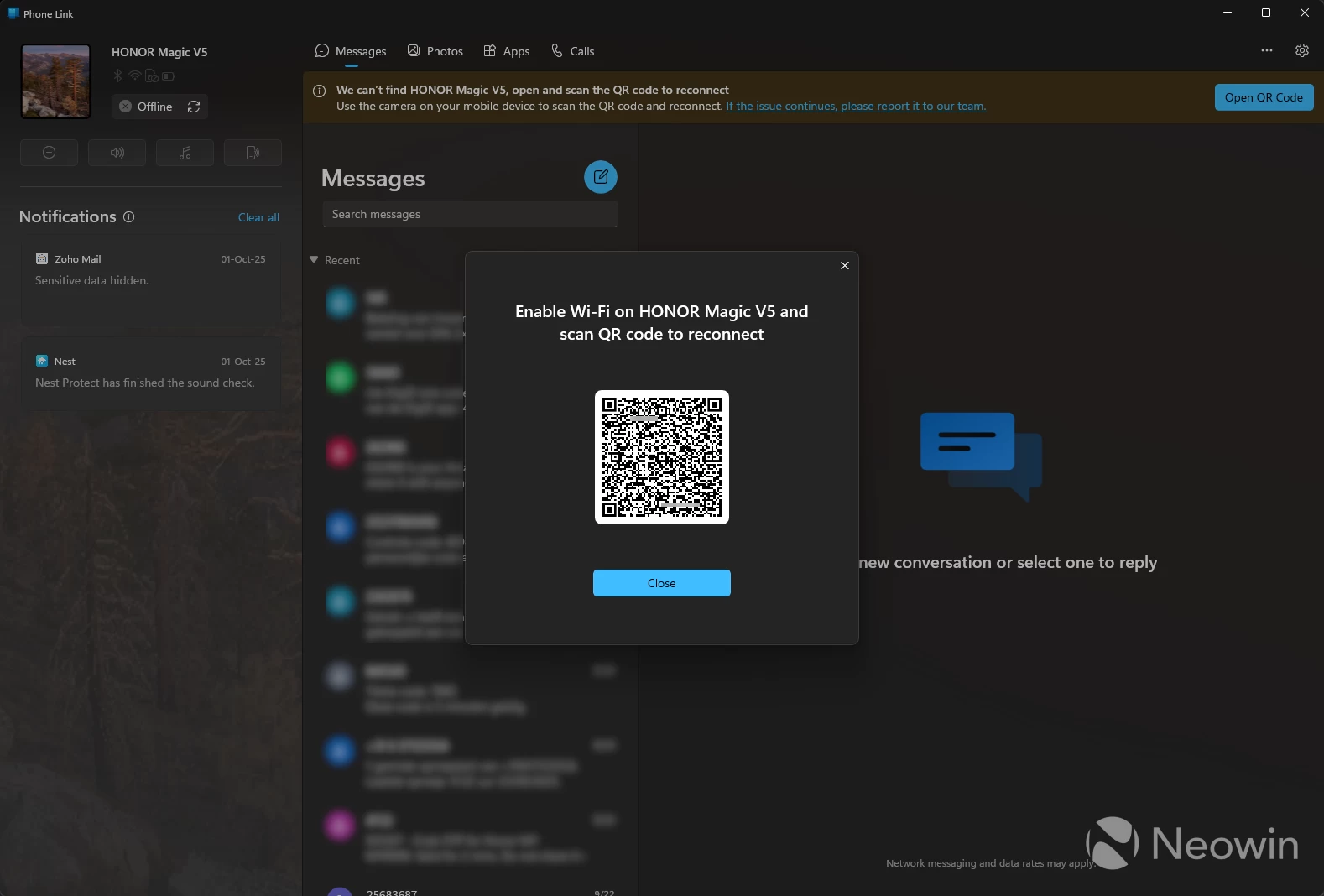
One workaround I discovered was to disable and then re-enable Wi-Fi on the Magic V5 would sometimes get it to reconnect, but if you have discovered a better workaround, please let me know so I can update this guide.
The HONOR Magic series of phones is truly great hardware at an even better price in comparison to the other flagships of 2025. If HONOR can tweak MagicOS to be more productive for the end user that would certainly be welcomed, such as creating an extra step during setup to ask the user if they want Performance mode or not, and what the consequences are for having it enabled or disabled.
A smartphone is your personal digital assistant, so it makes no sense to me to cripple it right out of the box.