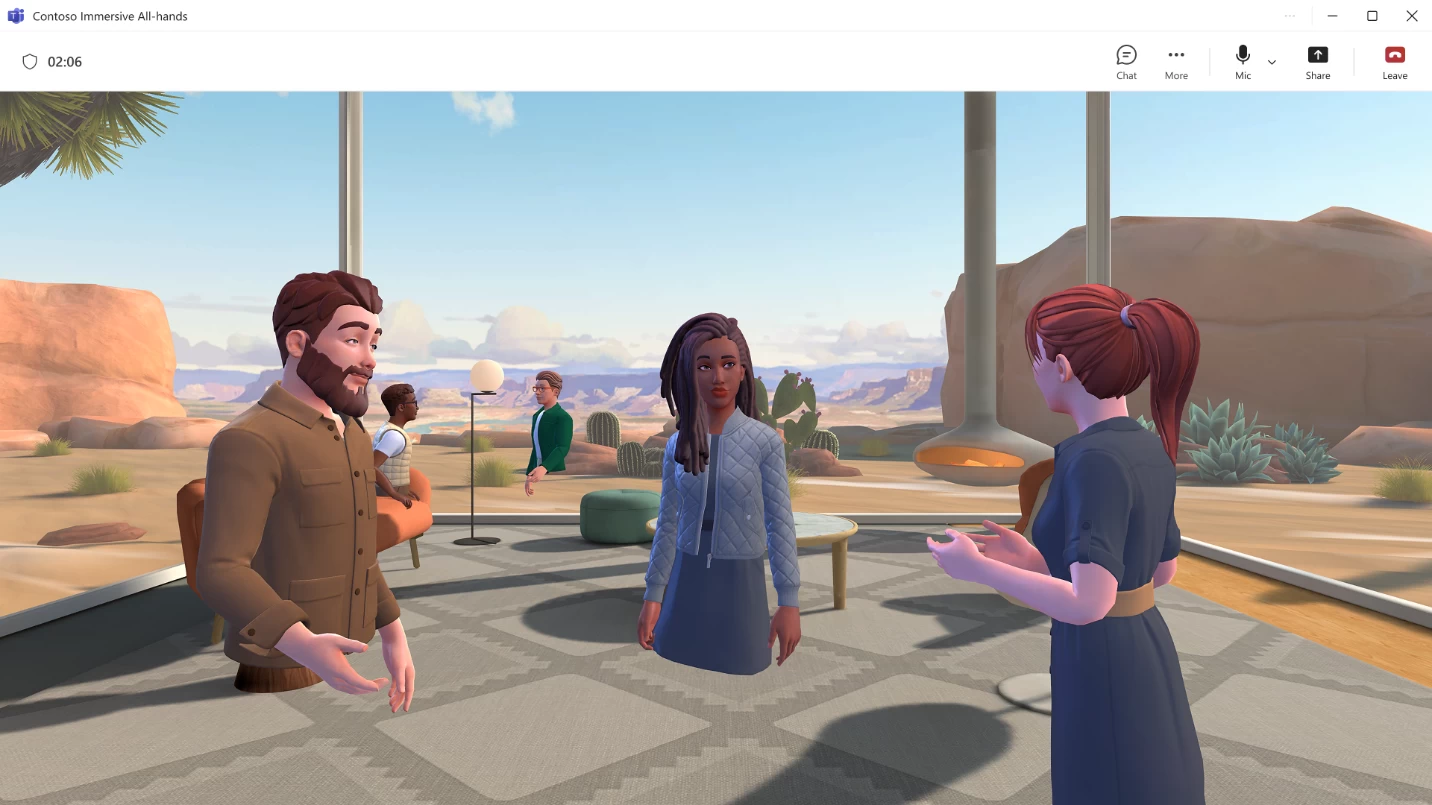
Back in July, Microsoft announced the public preview of immersive events in Teams. This is essentially a 3D space inside the popular online communication platform where users could interact with each other through 3D avatars. It served as an environment where people could collaborate remotely without feeling too disconnected. Now, the Redmond tech giant has announced that immersive events are generally available.
As before, Teams admins can create "branded" immersive events through the built-in Editor uility, allowing them to add company logos, images, and text. It is also possible to use predesigned 3D templates for specific scenarios, if creating a branded event from scratch sounds too tedious. Furthermore, Teams admins have the ability to leverage Action groups to create and trigger dynamic interactions such as animations, music, and switching of visuals, which can be used to create engaging experiences for attendees.
Meetings conducted in this space are accessible through Windows PCs, Macs, and the Meta Quest VR headset. Microsoft says that the experience features "enterprise-ready VR deployment", identity management, security, and privacy powered by Microsoft 365. That said, it is important to note that the host needs a commercial Teams license along with a rather expensive Teams Premium add-on to create immersive events. Meanwhile, attendees only need a regular Teams license. Immersive events can be used to conduct regular meetings, events, all-hands sessions, and more.
Due to the overlap between Teams immersive events and Microsoft Mesh (announced in 2021), the Redmond firm has decided to kill off the latter as a standalone platform. This means that starting from today, customers will no longer be able to attend Mesh events or access the "Immersive space (3D)" view inside Teams. The dedicated mesh.cloud.microsoft website will be disabled as well. But if you are eligible to use immersive events in Teams, creating one is as easy as going to your Teams calendar and selecting Immersive event in the New event window.