This week"s news recap is here, with Microsoft forcing users to the latest Windows 11 version, a new Xbox Games Showcase, a bunch of fresh builds, useful features for Windows Insiders, reviews, and more.
Quick links:
- Windows 10 and 11
- Windows Insider Program
- Updates are available
- Reviews are in
- Gaming news
- Great deals to check
Windows 11 and Windows 10
Here, we talk about everything happening around Microsoft"s latest operating system in the Stable channel and preview builds: new features, removed features, controversies, bugs, interesting findings, and more. And, of course, you may find a word or two about older versions.
If you are running Windows 11 version 24H2 on your PC, get ready for a forced update. Microsoft announced that it is now updating non-managed devices to Windows 11 version 25H2, as it is generally available to all users.
Microsoft released KB5086672, a new out-of-band update that fixes broken update files in the March 2026 non-security update. You can now download it from Windows Update (it is optional) to get the latest features and improvements. Speaking of Windows Update bugs, a new article from a former Microsoft engineer explains why botched Windows updates are not always Microsoft"s fault.
Later this year, Windows 11 is getting a movable taskbar as part of Microsoft"s commitment to fix the operating system (a similar thing is coming to PowerShell, too). After years of asking, users are finally getting the ability to change the default taskbar location. This week, Microsoft revealed an early look at it in a now-deleted post on X. Since the internet remembers, you can still check it out yourself here.
Microsoft formally announced the end of Microsoft Support and Recovery Assistant, a command-line support tool in Windows 10, 11, and Server. The change affects all modern versions (including some unsupported releases), so Microsoft posted guidance on what affected users should do. Also, the company detailed changes to the Windows Security app that reflect recent Secure Boot certificate updates.
We also have two useful guides this week. One describes common mistakes Windows 11 users should avoid when using the operating system. The other one explains how to make Task Manager always on top (it is also getting some useful features) when you want to monitor or troubleshoot your PC.
To finish this week"s Windows 11 section, here are some thoughts on the operating system"s Patch Tuesday updates and how they kill all the excitement around it.
Windows Insider Program
Here is what Microsoft released for Windows Insiders this week:
| Builds | |||
|---|---|---|---|
| Canary Channel | Builds 28020.1797 and 29558.1000 The first build contains a massive rework of Command Line, while the second one has just a single bug fix. Builds 28020.1803 and 29560.1000 Input improvements, a newly redesigned dialog in the Settings app, and other improvements are found in these builds. | ||
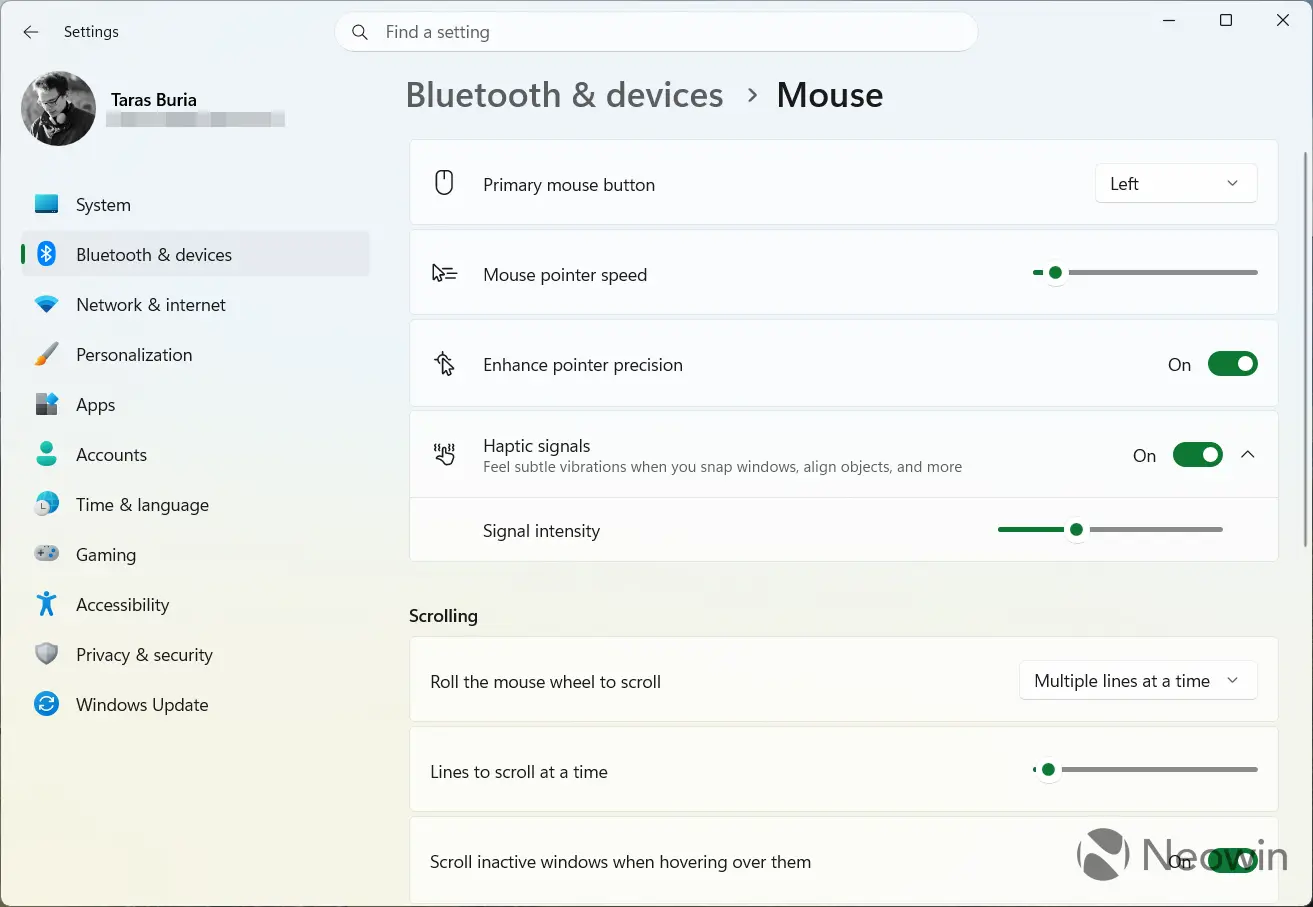
| Dev Channel | This build introduced new features for trackpads and Task Manager, plus a sprinkle of various bug fixes. The second Dev build of the week brought haptic feedback to compatible trackpads and mice (only the Logitech MX Master 4 is currently supported), plus improvements for Xbox mode. | ||
| Beta Channel | This build has the same changelog as build 26300.8142 This build has the same changelog as build 26300.8155 | ||
| Release Preview Channel | No Release Preview builds this week. | ||
A newly discovered change in the latest Windows 11 preview builds shows that Microsoft is about to make it easier to configure hidden features in the operating system. The "Feature Flags" section will let you enable or disable features that are in development without relying on controlled feature rollouts or A/B testing. Microsoft says it will announce the feature next week.
Updates are available
This section covers software, firmware, and other notable updates (released and coming soon) delivering new features, security fixes, improvements, patches, and more from Microsoft and third parties.
This week, we had plenty of feature recaps for Microsoft"s products. The company is now pushing Windows App as a replacement for the old Remote Desktop, and with it, Microsoft highlights some of its improvements, including better connectivity, better file handling, easier access, and more. We also have a recap of all the new features that Microsoft added to Teams, Excel, and Intune. Speaking of Teams, Microsoft is adding a faster way to create automations and removing certain features from Windows 11 and Mac clients.
Microsoft says downloading the new Outlook may be necessary to send emails due to a new nasty bug. Outlook and bugs are literally a match made in heaven. This week, astronauts en route to the Moon experienced issues with both Outlook versions not working. Yikes!
Logitech released a new firmware for the MX Master 4 mouse and the Logi Bolt connector. The main change in those updates is support for Windows 11"s native haptic feedback. Now, when you hover the cursor over certain UI elements, align objects in PowerPoint, or resize windows, the MX Master 4 can give tactile feedback.
Opera Neon, Opera"s agentic AI-powered browser, launched in 2025, received a new feature update this week. The latest release brings the new MCP Connector, which allows AI models to control the browser on your behalf: browse the web, fill forms, take screenshots, and more.
Microsoft is testing a new change for the Edge browser that you may not like. The company is now force-enabling Edge auto-start to improve startup performance, but the good thing is that you will see a warning about it and be able to disable it in settings. It is not just users who are not happy with what Microsoft is doing to Edge. Browser Alliance openly expressed its discontent with forced auto-start.
Here are other updates and releases you may find interesting:
-
Microsoft Copilot is now injecting ads into pull requests on GitHub
-
Microsoft"s Copilot Cowork is now available via the Frontier program
-
UK watchdog to probe Microsoft business software over market dominance concerns
-
Microsoft"s Bing Maps receives its largest address data upgrade in years
-
Samsung Magician SSD software reportedly causes issues on various Windows PCs.
Reviews are in
Here is the hardware and software we reviewed this week
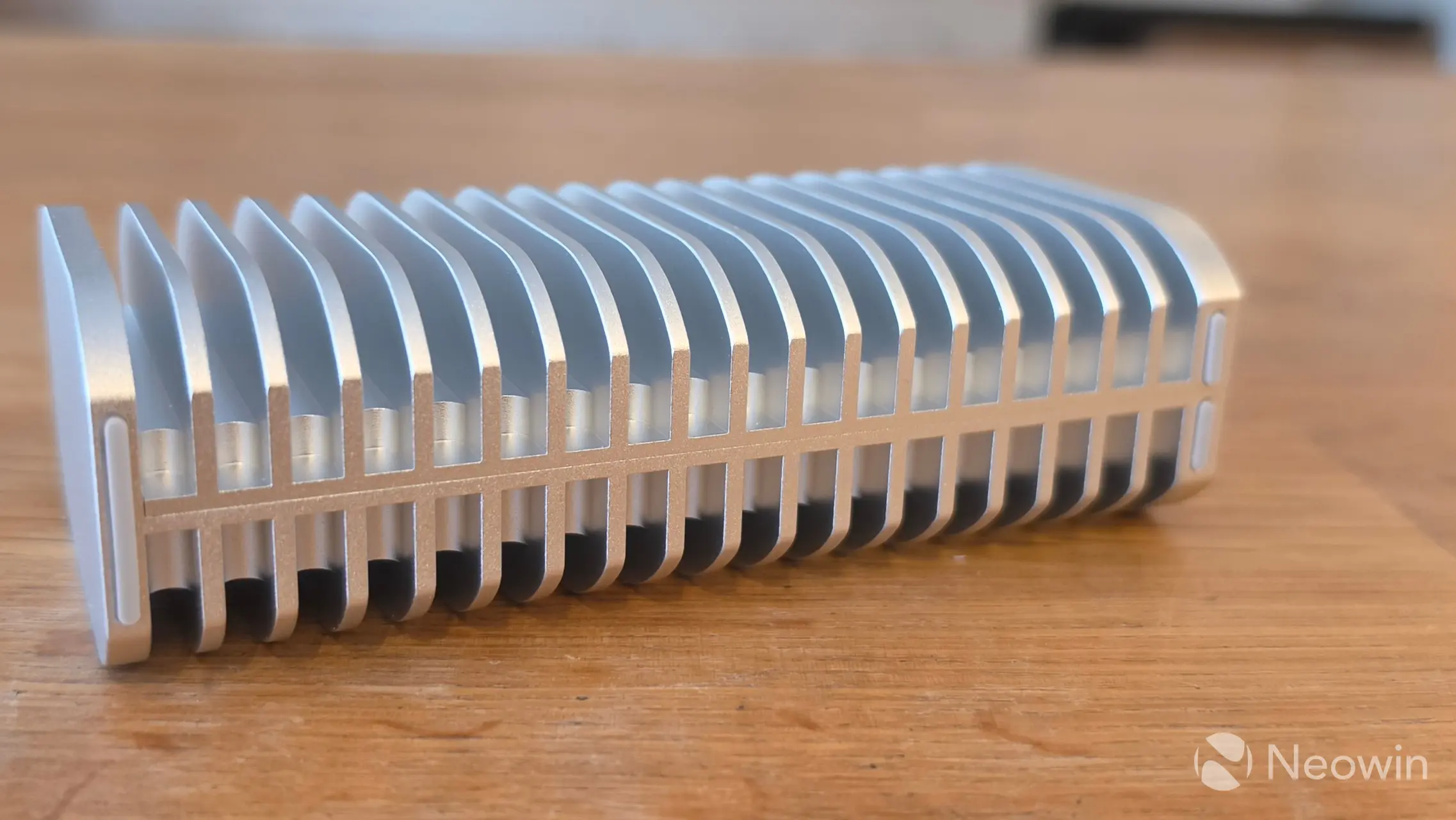
This week, we had a bunch of reviews and hands-on. To start, here is Steven Parker"s quick look at the new Sound Blaster Audigy FX Pro 7.1 sound card from Creative. Shortly after, Steven published his full review of the card. There is also a review of the TerraMaster D1 SSD Pro, a highly durable, all-metal SSD enclosure with premium build quality, good speeds, and low temperatures.
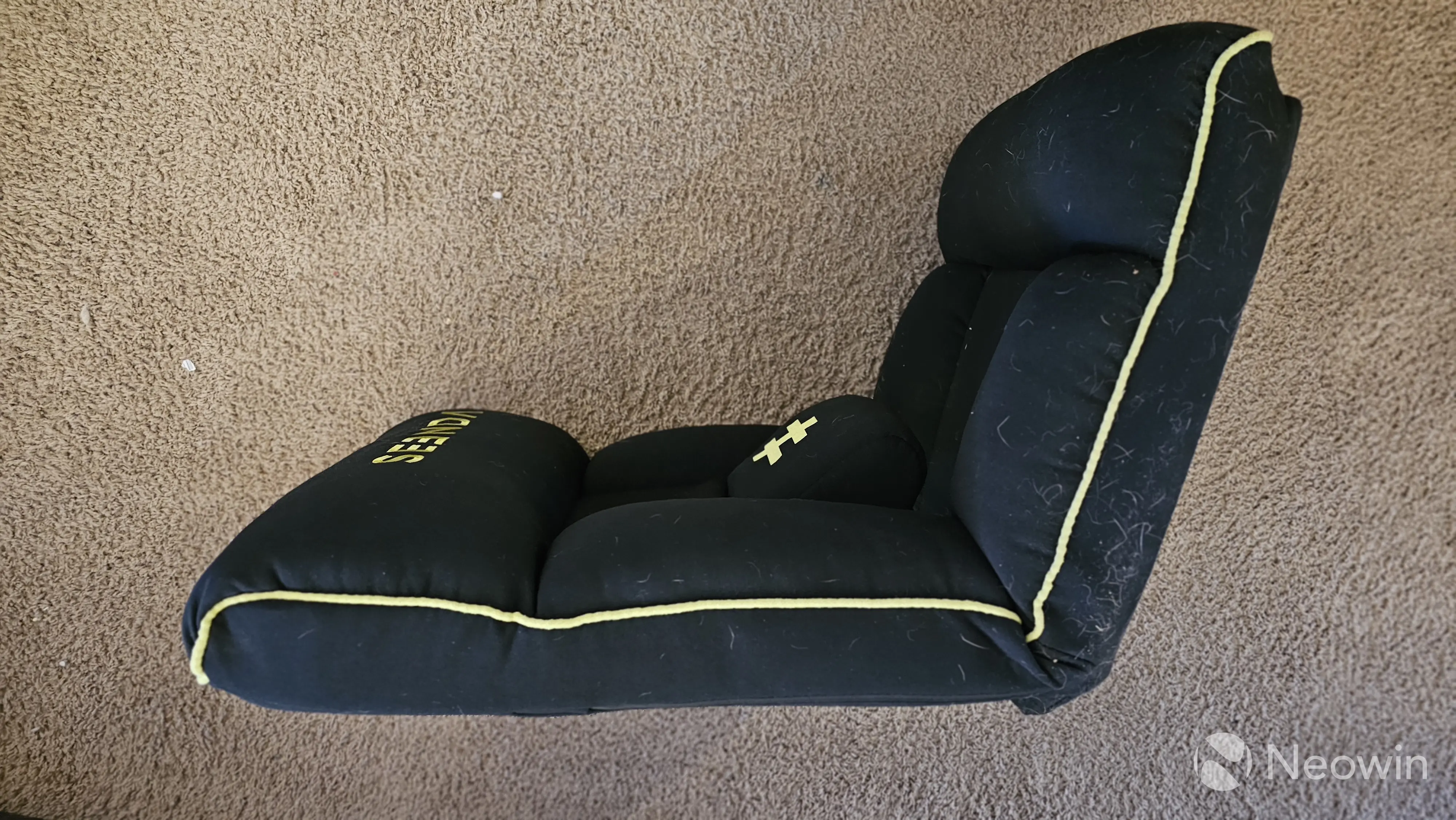
Christopher White reviewed a rather unorthodox product this week, the Seenda GCP-10A Floor Gaming Seat, a comfortable solution for those who play games while sitting on the floor. It is easy to use and store, plus it has great lumbar support, but if you have a pet, you will have quite a lot of fun removing fur.
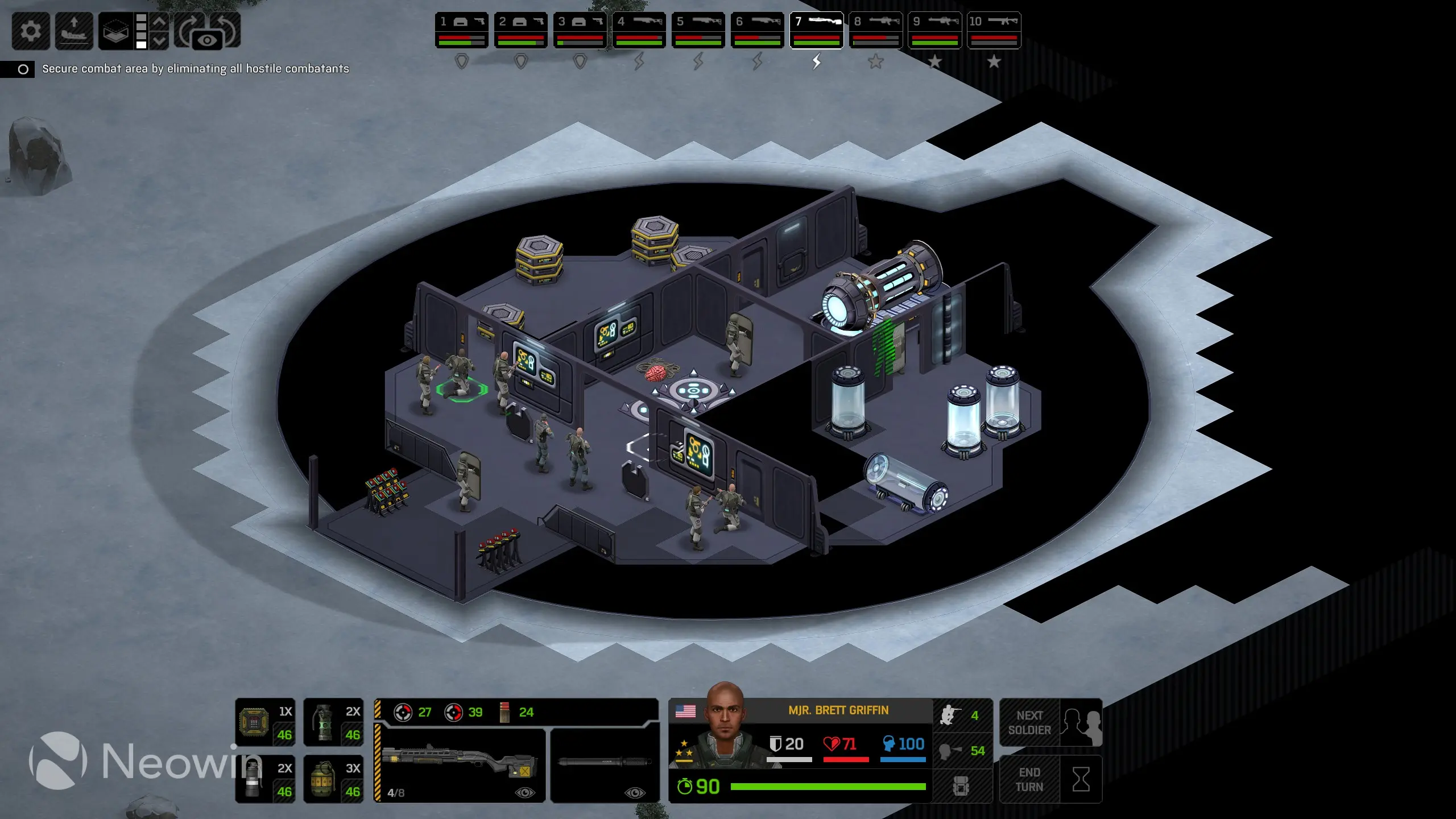
We also have one game review. Pulasthi reviewed Xenonauts 2, a modern take on XCOM with a tough AI, a useful action preview system, satisfying technology progression, and more. However, the game lacks style, its visuals look pretty boring, and the mission variety leaves a lot to be desired.
Finally, we tested Intel"s "secret sauce" for Windows 11 performance improvements in the latest Core Ultra processors.
On the gaming side
Learn about upcoming game releases, Xbox rumors, new hardware, software updates, freebies, deals, discounts, and more.
Microsoft announced a new Xbox Games Showcase. It is coming in June, and the company plans to reveal details about Gears of War: E-Day and more. The game still has no fixed release date, so maybe the showcase will finally shed some light on where gamers can expect the latest entry in the Gears of War universe.

While everyone was mocking NVIDIA"s DLSS 5, the company released DLSS 4.5 with a 6x model. It is now available to try on compatible hardware via the NVIDIA App, allowing you to generate five additional frames for each native. NVIDIA claims that the update delivers 35% more frames than before.
In addition, NVIDIA announced new games for GeForce NOW, its cloud streaming service. The latest additions include Subliminal, Vampire Crawlers, Samson, Replaced, and more.
Finally, here are this week"s Weekend PC Game Deals with the latest giveaways from the Epic Games Store and discounts across other game stores.
Great deals to check
Every week, we cover many deals on different hardware and software. The following discounts are still available, so check them out. You might find something you want or need.
- UGREEN NAS DXP4800 Plus 4-Bay Desktop NAS - $583.99 | 20% off
- AMD Ryzen 5 7600X3D Desktop AM5 processor - $246 | 30% off
This link will take you to other issues of the Microsoft Weekly series. You can also support Neowin by registering for a free member account or subscribing for extra member benefits, along with an ad-free tier option.