It is time to recap the last seven days from the world of Microsoft and take a look at the most interesting stories, including Microsoft fixing the taskbar in Windows 11, better Task Manager alternatives, new Windows 11 preview builds, Notepad vulnerabilities, new Secure Boot certificates, and more.
Quick links:
- Windows 10 and 11
- Windows Insider Program
- Updates are available
- Reviews are in
- Gaming news
- Great deals to check
Windows 11 and Windows 10
Here, we talk about everything happening around Microsoft"s latest operating system in the Stable channel and preview builds: new features, removed features, controversies, bugs, interesting findings, and more. And, of course, you may find a word or two about older versions.
This week, Microsoft released the latest Patch Tuesday updates for supported Windows versions, including Windows 10 and Windows 11. These releases are mandatory, so get ready to see some updates getting installed the next time you restart or shut down your computer. If you are on Windows 11, you will get KB5077181 (versions 25H2 and 24H2) or KB5075941 (version 23H2). For those still on Windows 10, Microsoft released KB5075912. The latter fixed a problem with some PC not being able to properly shut down and more. There are new recovery updates available as well.
In addition, Microsoft fixed a long-standing browser bug in Windows 10, where users could bypass parental controls and launch third-party browsers without Web Filtering. The necessary fix was rolled out as a server-side patch, so there is no need to install any extra updates to get Web Filtering working as it should.
There was also a patch for a much more critical issue. Notepad, an app that used to be a simple text editor for the most basic writing, is now a much more complex piece of software with plenty of extra features, markdown support, formatting, and a lot of AI. As such, the app became less stable, slower, and less secure. This week, Microsoft patched a remote code execution vulnerability that allowed executing malicious code using particularly crafted files. Yikes! To make sure Windows 11 has fewer security incidents going forward, Microsoft is working on a big security update for Windows 11, locking down the operating system by default.
With this month"s Patch Tuesday update, Microsoft started updating Secure Boot Certificates. The original certificates from 2011 are set to expire in June 2026, and Microsoft is now updating certificates in advance to ensure a smooth update experience. If your computer is set to receive updates without any interruptions, there is nothing to worry about, as Patch Tuesday updates will take care of everything. However, Microsoft warns that certain computers might need a firmware update before installing new certificates. You can learn more about that here.
Unfortunately, the February 2026 Patch Tuesday updates do not seem to be the most stable, as there are already reports about critical boot loops and other software nastiness. Microsoft has not confirmed any of those, so the scope of affected devices and the root cause remain unknown.
Speaking of updates. Microsoft changes how Windows handles printer drivers. Microsoft is no longer accepting new printer driver submissions in Windows Update (existing drivers can still be updated), but the change should not cause widespread panic, as there are better alternatives for distributing printer drivers. Vendors can opt for Print Support Apps (PSA) distributed through the Microsoft Store.
Microsoft Store is also getting useful updates. This week, Microsoft announced a new command-line interface for the Microsoft Store, allowing users to browse, install, and update apps, all within Windows Terminal. The new Store CLI is part of Microsoft"s push to give developers and users more tools and control over apps on their PCs.
A new version of the Media Creation Tool is now available. It now downloads the latest Windows 11 release with the February 2026 Patch Tuesday updates. Coincidentally, there are complaints about users not being able to download Windows ISO files, and some speculate that Microsoft is intentionally making things harder so that users opt for the Media Creation Tool app instead of other methods. Odd.

Microsoft has some good news for users who are discontent with Windows 11"s stock taskbar. A new report emerged this week about the company"s plans to address several important issues with the default experience. For one, Microsoft will finally let you resize the Start menu (you can already do that with a nifty third-party mod, see this article for more details). Also, you will be able to change the taskbar orientation (a feature that a former Microsoft executive reportedly "fought hard" to keep) and resize the taskbar. If all goes well, we should see these features in Windows 11 sometime this summer.
Microsoft also shared some important information about Windows 11 version 26H1. This unique release (the only Windows 11 with H1 in its version) has now entered its lifecycle, and Microsoft decided to make a post about important details about the update. As explained before, Windows 11 version 26H1 is only intended for PCs with certain hardware, particularly Snapdragon X2-powered Copilot+ PCs. Existing computers will not receive Windows 11 version 26H1, but the latter also won"t get a typical update patch to this year"s annual update. If you are curious, you can learn more about that here, but for most of the existing Windows 11 users, version 26H1 is of no interest.
If you ever felt like the stock Task Manager in Windows 11 is lacking features, here is some good news for you: the new program called AppControl is like PowerToys for Task Manager. This free app offers a detailed history of everything that is going on with your PC performance-wise. You can track resource load in time, see what apps and processes were running, check CPU and GPU temperatures, create custom notifications for system events, check detailed explanations for each app and process, and do more. This handy tool is free, and it is a must for those who want to better understand their PC behavior.
At the end of this week"s Windows section, here is some useful trivia for you. Raymond Chen, a Microsoft veteran, shared interesting details about the Windows 95 CD and all the extra stuff it included back in the day. Also, here is a guide detailing what the Windows.old folder is, and what you should do with it. Finally, check out this editorial where Usama Jawad rumbles about the deprecated Steps Recorder and why Microsoft should have continued upgrading it, perhaps even with some AI.
Windows Insider Program
Here is what Microsoft released for Windows Insiders this week:
| Builds | |||
|---|---|---|---|
| Canary Channel | The latest Canary build is a rather minor release. It brings built-in Sysmon, a tool that allows you to capture system events that can help with threat detection, and you can use custom configuration files to filter the events you want to monitor. Also, there is better OneDrive integration with the Windows Share UI, and a single fix for the broken desktop watermark. | ||
| Dev Channel | This build is a minor release that introduced two changes: Emoji 16.0 support and a new set of advanced camera settings in the Settings app. Now, you can control more parts of your webcam experience without installing additional software. Bug fixes are included in the update as well, but just a couple. | ||
| Beta Channel | This build is identical to build 26300.7760 from the Dev Channel. | ||
| Release Preview Channel | Nothing in the Release Preview Channel this week. | ||
Updates are available
This section covers software, firmware, and other notable updates (released and coming soon) delivering new features, security fixes, improvements, patches, and more from Microsoft and third parties.
PowerToys received a new update this week. There are no new tools or major additions, except for a single new feature for the new Cursor Wrap module. Still, you may want to get to version 0.97.2, as it fixes various bugs in existing modules, such as Advanced Paste, Command Palette, Image Resizer, Light Switch, and more.
PoweToys is not the only useful app you should have on your computer. If you use virtual desktops, a very handy productivity feature introduced over ten years ago, you should probably add this small tool made by a Microsoft engineer to your software list. The MaximizeToVirtualDesktop (not a very creative name, but still) is a tiny app that brings some virtual desktop conveniences from macOS to Windows. Now, you can maximize an app to a virtual desktop (with a shortcut or an advanced click) and close the app along with its virtual desktop. The app is free, and it is available on GitHub.
There are also two important announcements you should be aware of if you use Microsoft"s Office app. For one, the Send to Kindle feature in the Word app has been discontinued. While you can still send Word documents to your Kindle (do that via the Send to Kindle web app), you cannot do that from the Word app. Microsoft is now removing the feature, and it will get rid of it in less than one month.
The second announcement is about the Office Lens, a once-popular app for scanning documents, straightening the photos, and more. This app debuted back in the Windows Phone era, and it enjoyed a good reputation and solid popularity not just on Windows Phone, but on other platforms as well. Now, unfortunately, the app is six feet under, just like Windows Phone. While you can still use it to scan documents, the app will lose all of its features on March 9. The good thing is that most of the modern smartphones have similar features built into their default camera apps, so the end of the Office Lens app should not be the end of the world. Still a bummer, though.
Continuing with Office news, we have LibreOffice and its non-stop fight with Microsoft for open formats. While it is hardly shocking that a for-profit company in a capitalist country prioritizes profit, LibreOffice argues that proprietary formats and Microsoft"s unwillingness to adopt open-source formatting harm the community, such as scientific data and research, where apps like Excel and Word play a key role.
On the browser side, Microsoft has some bad news for those using Edge on macOS. As it turned out, Microsoft failed to patch a CPU-hogging bug, and the browser can still strain your Mac, increase resource consumption and cause overheating. Microsoft has this problem in the list of known issues in Microsoft Edge, and while the company is working on fixing it, you may want to switch to something else.
Speaking of Microsoft Edge, the software giant is once again in hot water for pushing OEMs to make Edge an exclusive browser on Windows PCs. Brazil"s antitrust regulator, the Administrative Council for Economic Defense (CADE), is investigating 10 major PC manufacturers after Opera"s complaint about Microsoft indirectly forcing OEMs to exclusively pre-install Edge on Windows PCs. Other manufacturers received regulatory letters as well, including Dell, HP, Lenovo, Asus, Acer, Positivo, Samsung, Multilaser, Daten, and LG.
To finish this week"s update section, here is a useful guide detailing how to get rid of AI Overviews on Google Search. This controversial feature has a polarizing reputation among users, and many of them want Google to give them the option to turn AI overviews off. While that is not possible officially, there is a way to remove them on desktop and mobile.
Here are other updates and releases you may find interesting:
- Exchange Online EWS is dying; here is what IT admins can do to prepare.
-
Microsoft updates Windows 11 Validation ISO with WinRE enhancements and more.
-
Microsoft Outlook Mobile now lets you hide declined meetings for a cleaner calendar.
Here are the latest drivers and firmware updates released this week:
- Intel released new Wi-Fi drivers for Windows 10 and 11. The latest release introduced a new feature in advanced settings that allows you to prioritize channel load when roaming or switching between access points. By default, the driver prioritizes access points with better signal strength, but that does not necessarily guarantee faster speeds and a more reliable connection.
- AMD released a new graphics driver preview under version 26.2.1. The update fixes color corruption on certain graphics cards and adds optimizations for Hioh 3 and Yakuza 3. Some known issues remain standing, so make sure you read the release notes carefully.
- NVIDIA updated its new app for PCs. Version 11.0.6.386 arrived as a hotfix for users who can"t launch the app on certain PCs. It also resolved a problem with Advanced Optimus mux switches, a feature that manages which GPU a laptop screen is connected to at a given moment.
Reviews are in
Here is the hardware and software we reviewed this week
Neowin published a bunch of reviews this week, from portable SSDs to DACs, USB drives, and desktop speakers. Steven Parker reviewed the Lexar TouchLock Portable SSD, a compact solid-state drive with some interesting conveniences, such as advanced security, magnetic attachment, and more.
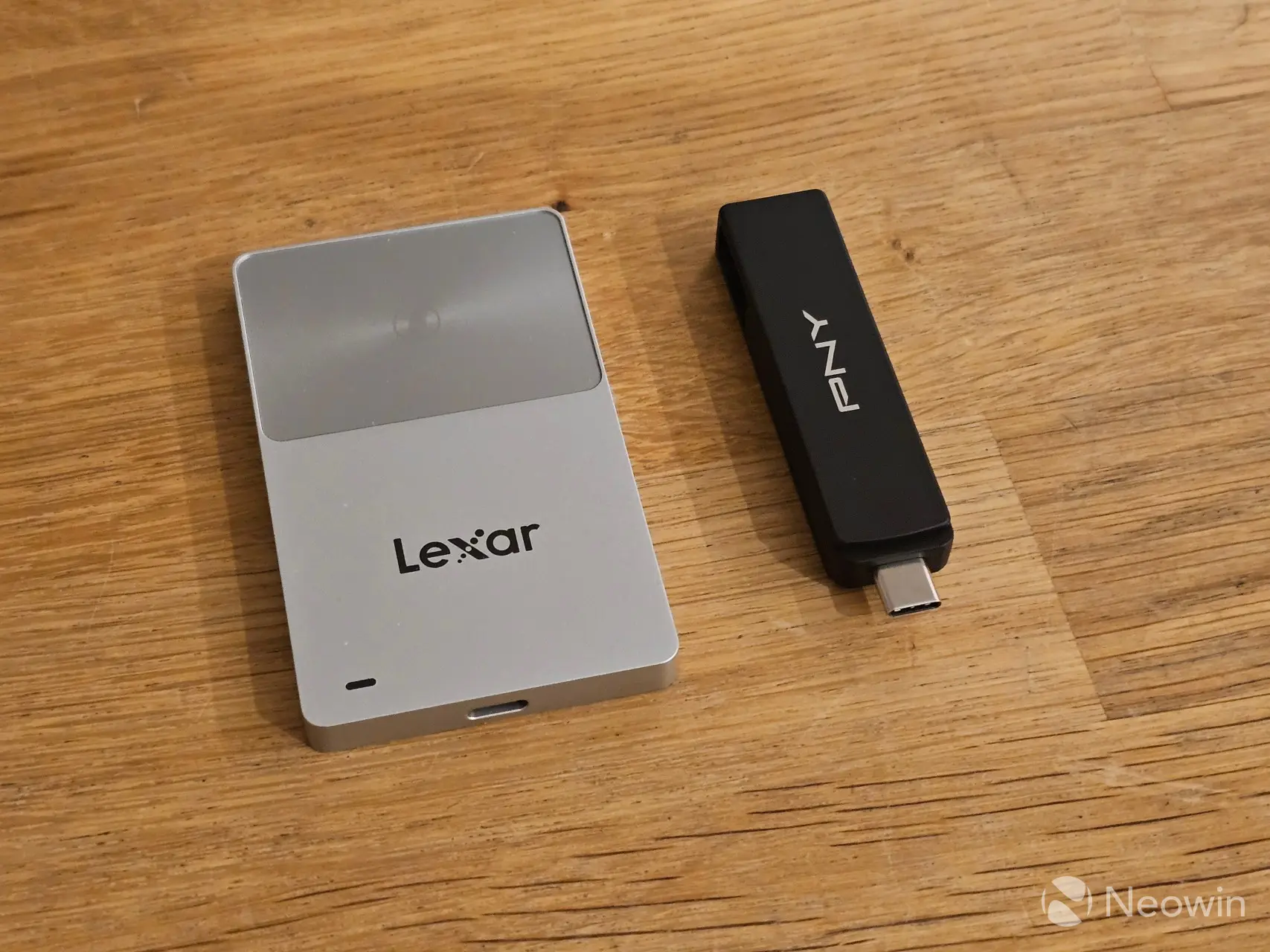
Also, he reviewed the Creative Pebble X Plus, a compact set of desktop speakers from the famous maker of sound cards, and PNY"s Duo Link V3 flash drive with a Type-C and Type-A connector in one device to maximize compatibility.
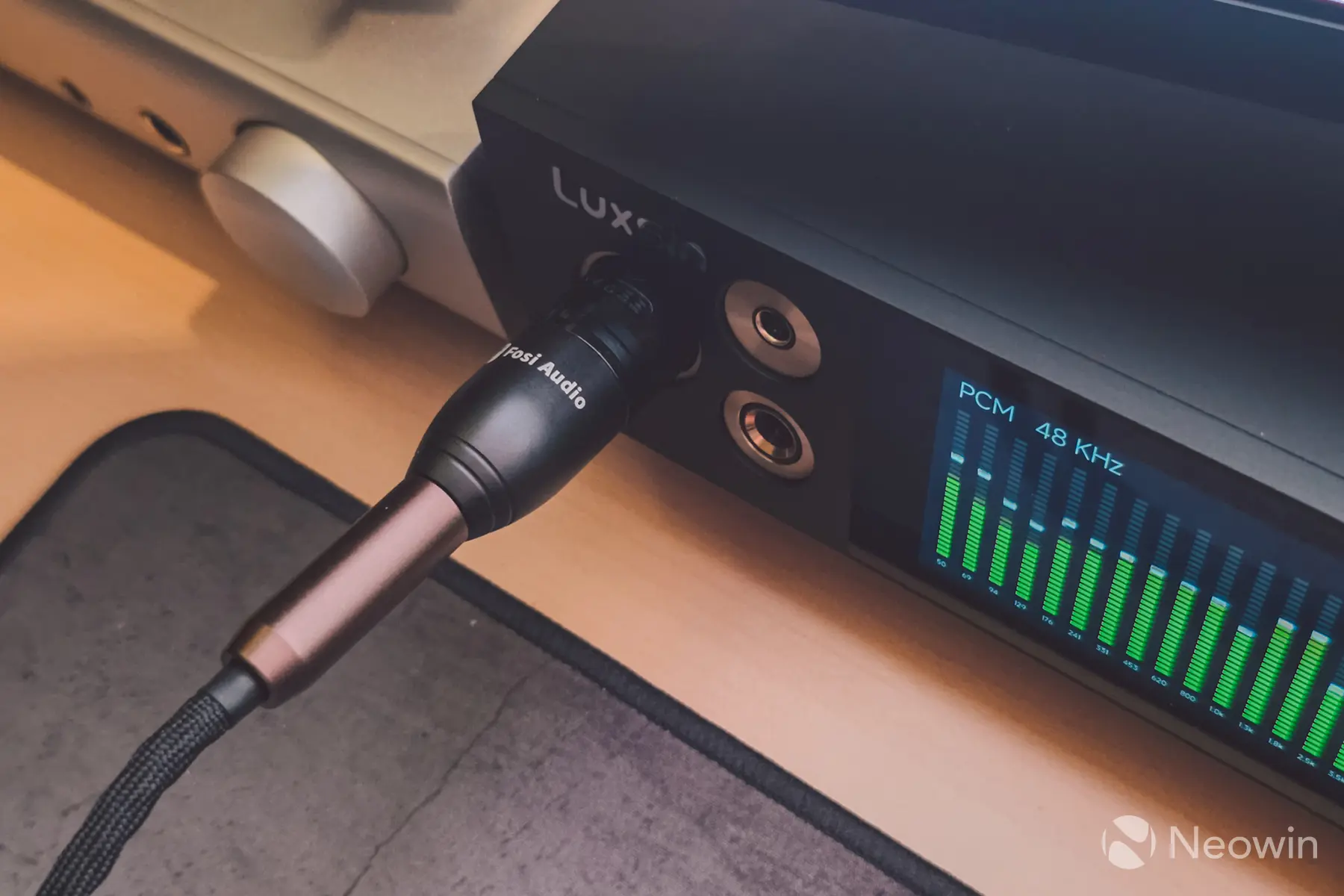
Another review was from Robbie Khan, as he took for a spin the world"s first DAC/amp with an AI-assisted parametric EQ. If that sounds interesting to you, check out the review here.
On the gaming side
Learn about upcoming game releases, Xbox rumors, new hardware, software updates, freebies, deals, discounts, and more.
NVIDIA announced some updates to its GeForce NOW cloud streaming service. After releasing a native client for Linux a few weeks ago, the GPU maker brought GeForce NOW to Amazon Fire TV, giving users one more platform to access games in the cloud. In addition to that, NVIDIA made more games compatible with GeForce NOW, and the latest batch includes REANIMAL, Kingdom Come: Deliverance, Mega Man 11, Street Fighter 30th Anniversary Collection, Disciples: Domination, and more.

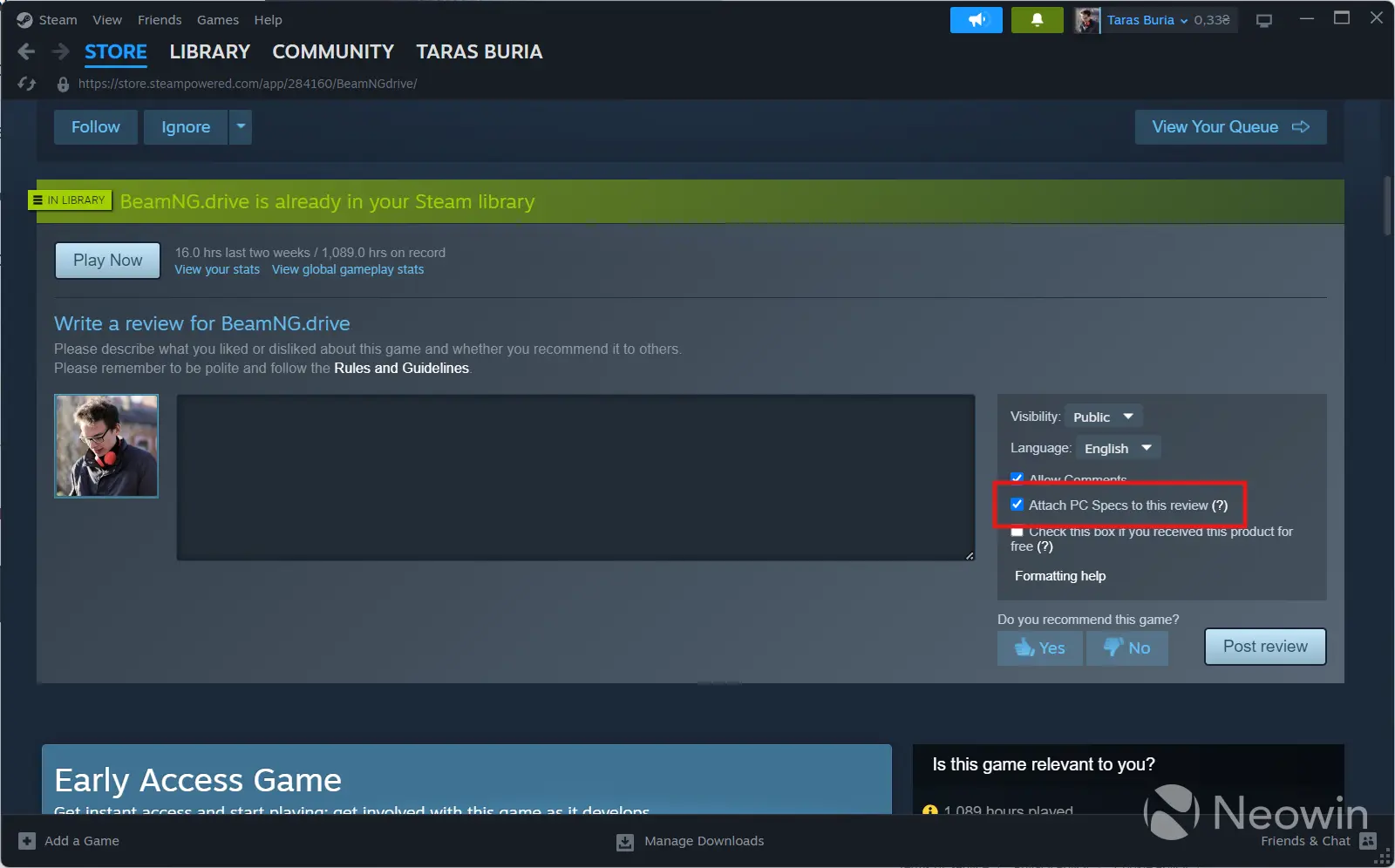
A new beta version of Valve"s Steam client is now available with interesting and useful changes. With the newest release, Steam users can add extra information to their game reviews, namely their PC specs. You can see what processor, GPU, and RAM a particular reviewer used to play the game before leaving feedback. This feature is optional, and if you do not want to let people know that you are playing on a Pentium 4-based PC, you can leave reviews without including any info about your gaming rig.
Sony has some good news for fans of the Metal Gear Solid franchise. Later this year, Metal Gear Solid: Master Collection Volume 2 will arrive on Xbox Series X|S, PC, Nintendo Switch, Switch 2, and PlayStation 5, ending the era of PlayStation exclusivity that started decades ago. Death Stranding 2 is another temporary Sony exclusive that is now heading to PC, with Kojima"s latest product scheduled to arrive in March 2026.
Finally, here is the latest issue of our Weekend PC Game deals series with a new double giveaway from the Epic Games Store, a new Humble Bundle with some horror games, and plenty of other discounts for you to discover.
Great deals to check
Every week, we cover many deals on different hardware and software. The following discounts are still available, so check them out. You might find something you want or need.
- Yamaha SR-B40A Dolby Atmos Sound bar - $229.95 | 43% off
- Edifier M60 Multimedia Speaker - $149.99 | 25% off
-
Beats Studio Buds + $99.45 | 41% off
-
Logitech MX Creative Console - $159.99 | 20% off
-
Anker 100W 3-port charger with smart display - $49.99 | 29% off
-
Samsung Galaxy S26 FE (256GB) - $509.99 | 28% off
-
Samsung Galaxy Tab S10 FE+ 128GB Android tablet - $499.99 | 23% off
-
Bose Ultra open earbuds - $199 | 33% off
-
EF ECOFLOW DELTA Pro 3 Portable Power Station - $1,999 | 46% off
This link will take you to other issues of the Microsoft Weekly series. You can also support Neowin by registering for a free member account or subscribing for extra member benefits, along with an ad-free tier option.