ORICO is a Shenzhen-based Chinese consumer electronics company that started operations in 2009. They specialize in storage, USB, and docking solutions, HDD enclosures, NVMe SSDs, hubs, and chargers. I was offered the chance to take a look at the X50 and put it through its paces; it"s a palm-sized enclosure that supports a single M.2 SSD with USB 4 support.
Before we get underway, here is a disclaimer: ORICO provided a free sample without any review pre-approval.
Here are the full specs of it:
| ORICO-X50 | |
|---|---|
| Model number: | X50-SV-BP |
| Dimensions: | 110 x 60 x 18.7 mm |
| Weight: | 187g |
| Materials: | Aluminum Alloy |
| Max Noise Level: | Noiseless |
| Compatible Disk Types: | PCIe 4.0 x4 NVMe M.2 2280 SSD |
| Raw Capacity: | 4TB |
| Reading Speed (max.) Writing Speed (max.) | 6000 MB/s (Theoretical) 5800 MB/s (Theoretical) |
| Power Consumption: | Not listed |
| Working Temperature: | Not listed |
| Storage Temperature: | Not listed |
| Relative Humidity: | Not listed |
| RAIDs Supported: | Single Disk |
| Certification: | CE, FCC, UKCA |
| Power saving: | Not listed |
| Ports: | USB4 80Gbps |
| Warranty: | 3 Years |
| (MSRP) Price: | $239.99 |
As you can see, the specs list, both online and in the user manual and packaging, is a bit light on details insofar as they only place "theoretical" speeds of the included "Intel chip". There are no details about working or storage temperatures or power consumption, either of which, to me, is inexcusable for a device with an MSRP of $240.
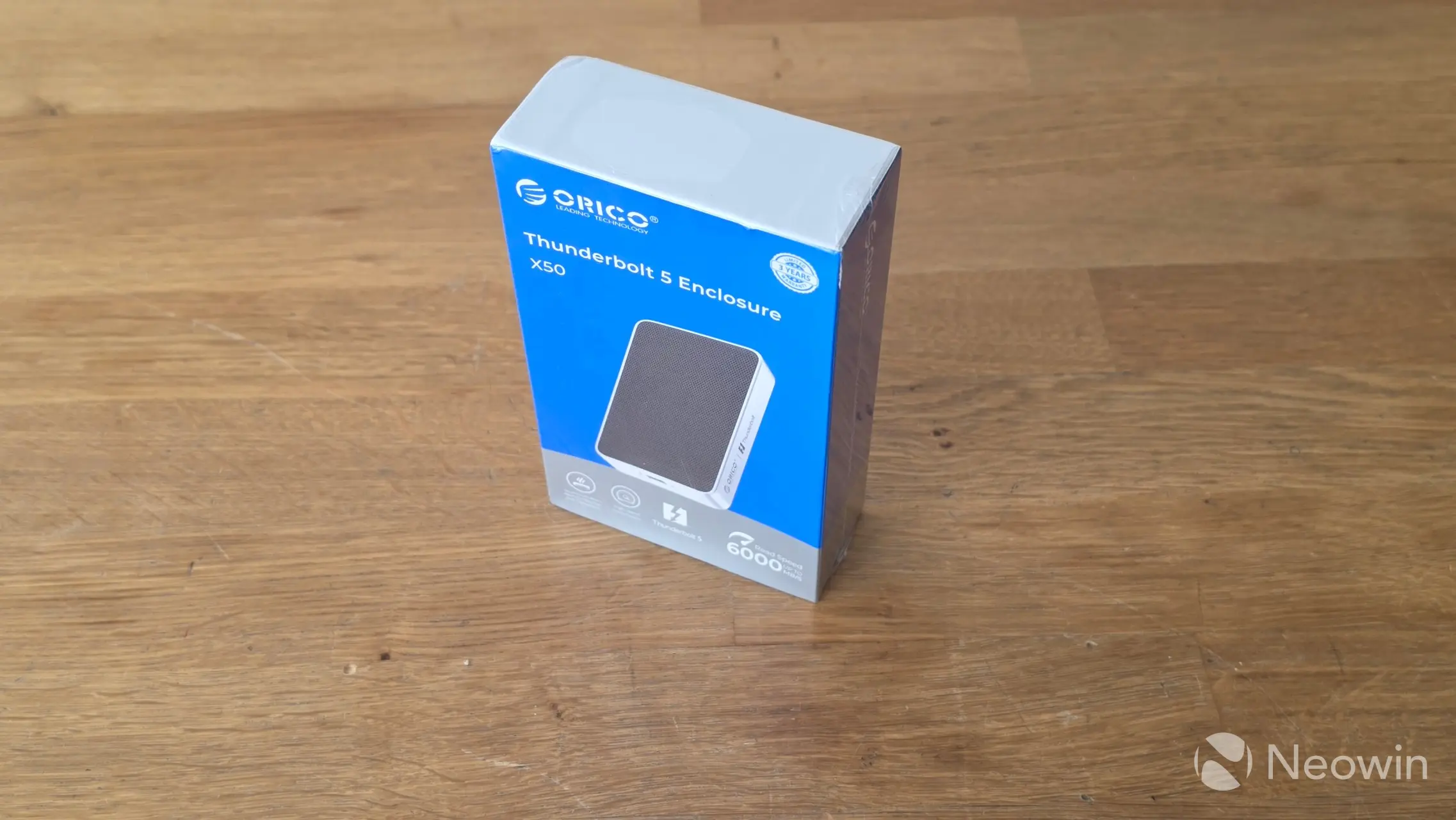
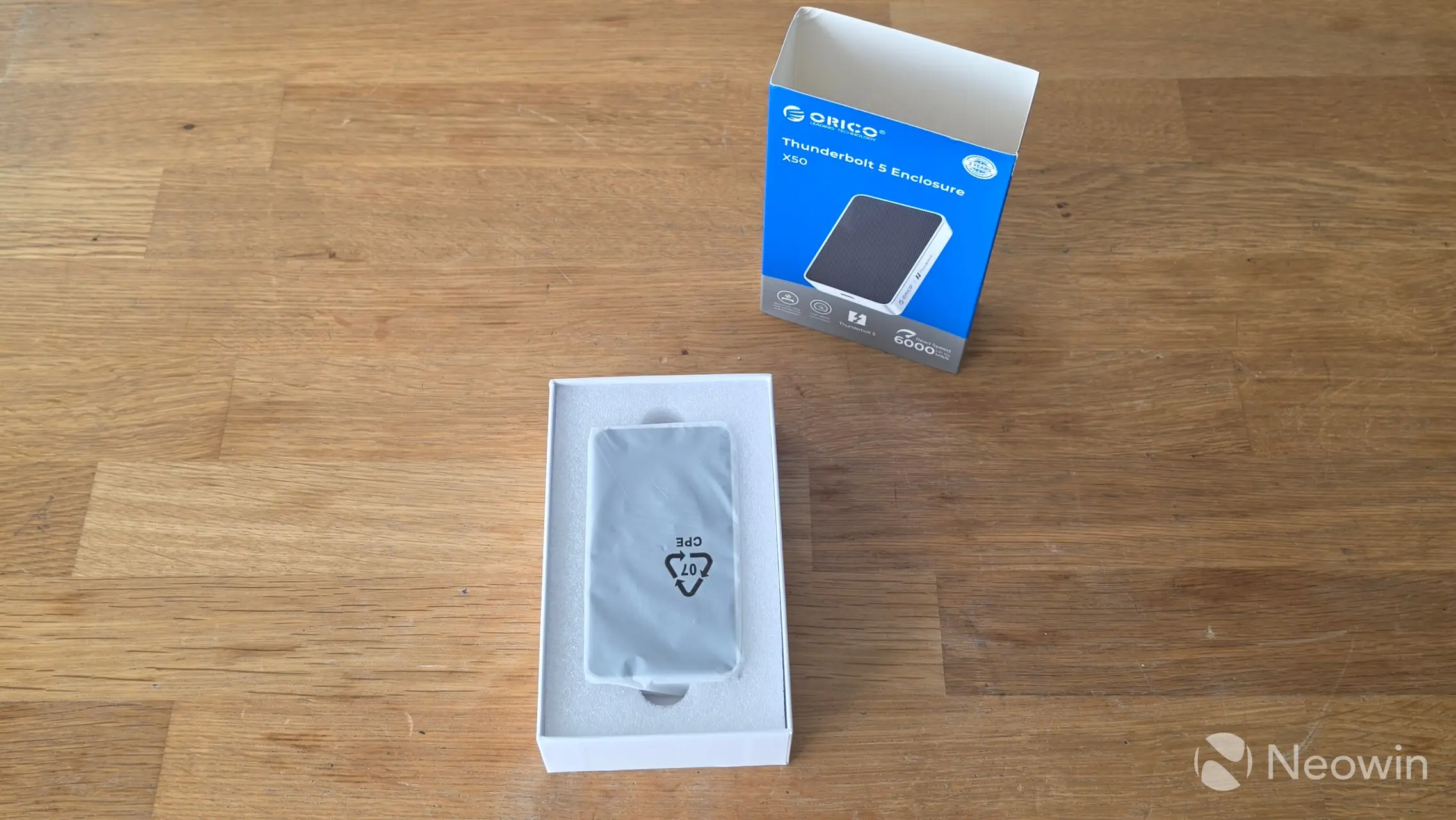
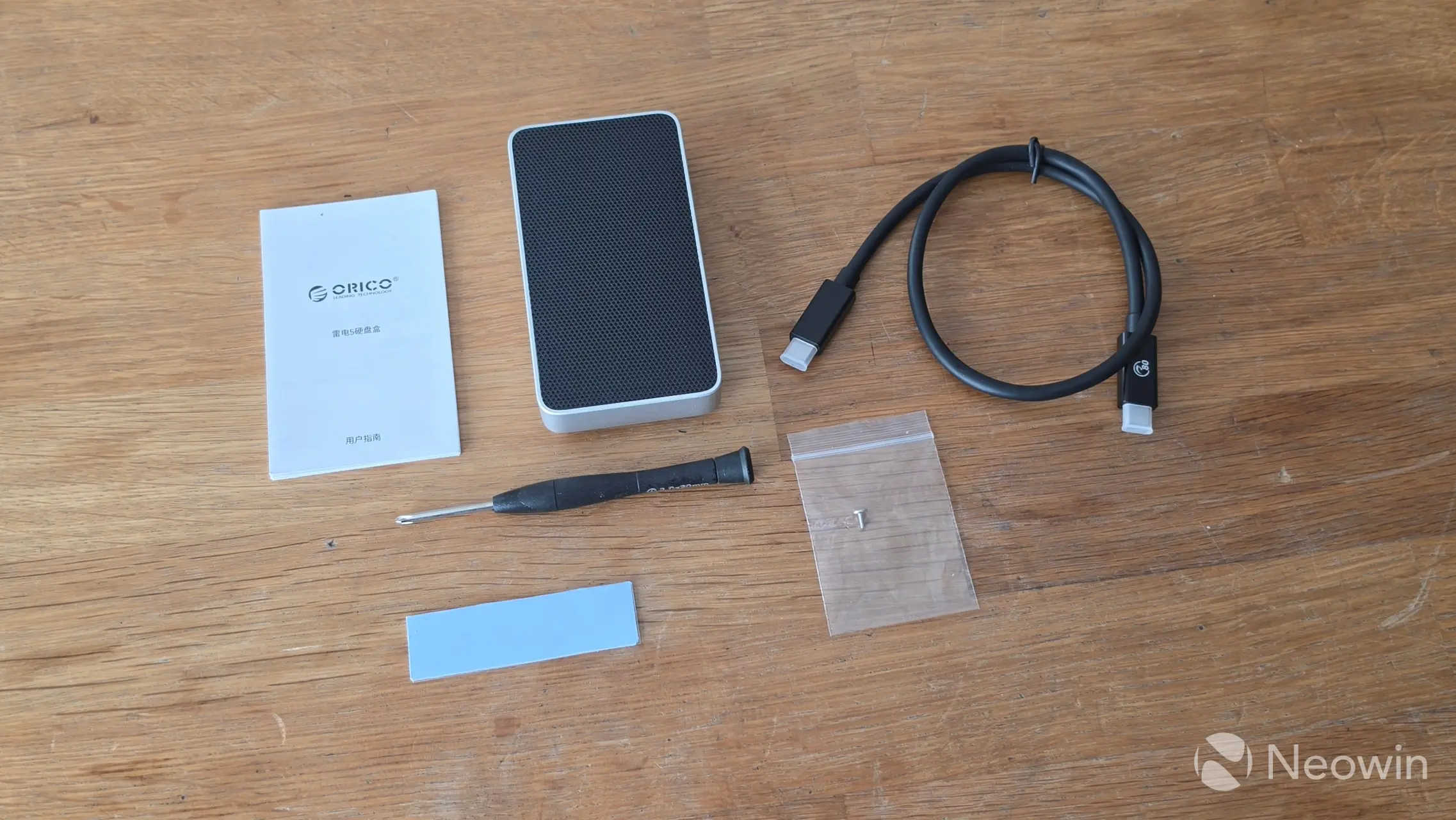
With that out of the way, the ORICO X50 comes in a cardboard box, which, when opened, reveals the SSD enclosure sitting in a foam cushioning in a plastic bag. Below that is another compartment with the accessories.
What"s in the box
- ORICO X50
- USB Type-C cable (C to C) 0.5m
- Screwdriver (magnetized)
- 1x Thermal Pad
- M.2 screw
- Quick installation guide
There doesn"t appear to be an online version of the user manual, the product page does have guidance on how to install the SSD here.
Design
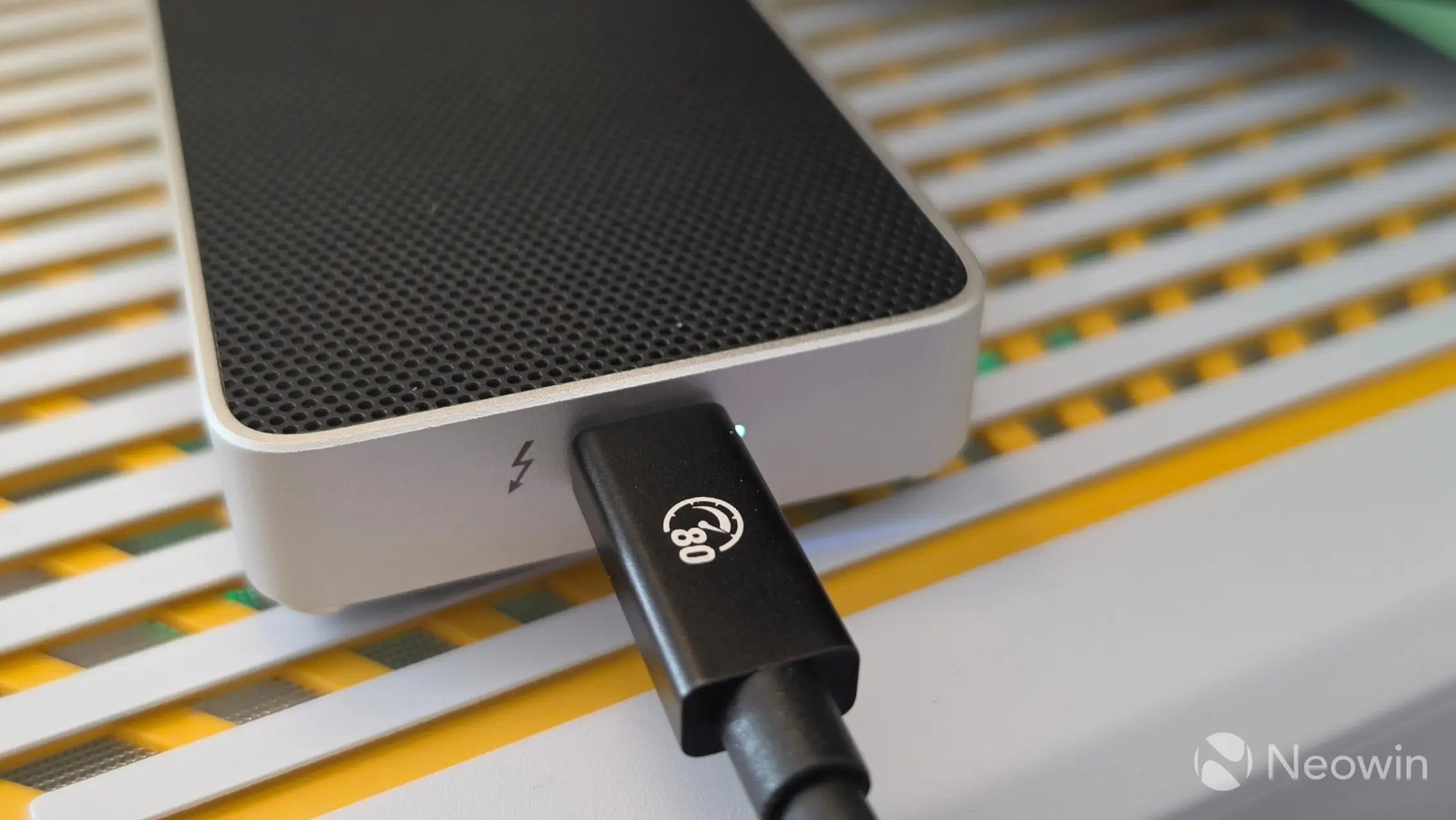
The SSD enclosure is a familiar rectangle design with what looks like a metal grill top to assist with heat dissipation, but it doesn"t function that way; ORICO says that the top of the X50 includes a HydroSkin cooling film under what looks like the top grille. Personally, I think it looks quite nice.
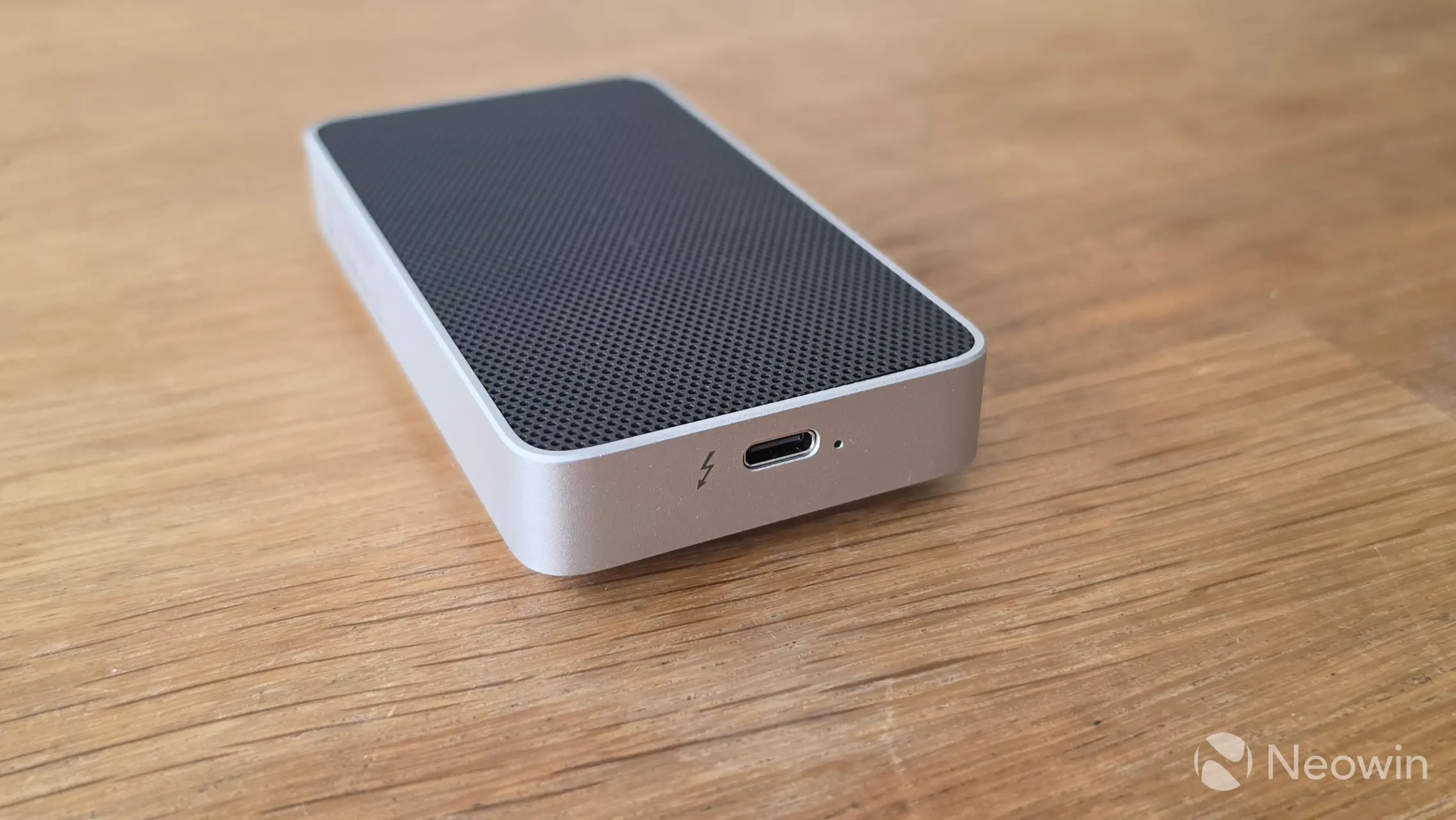
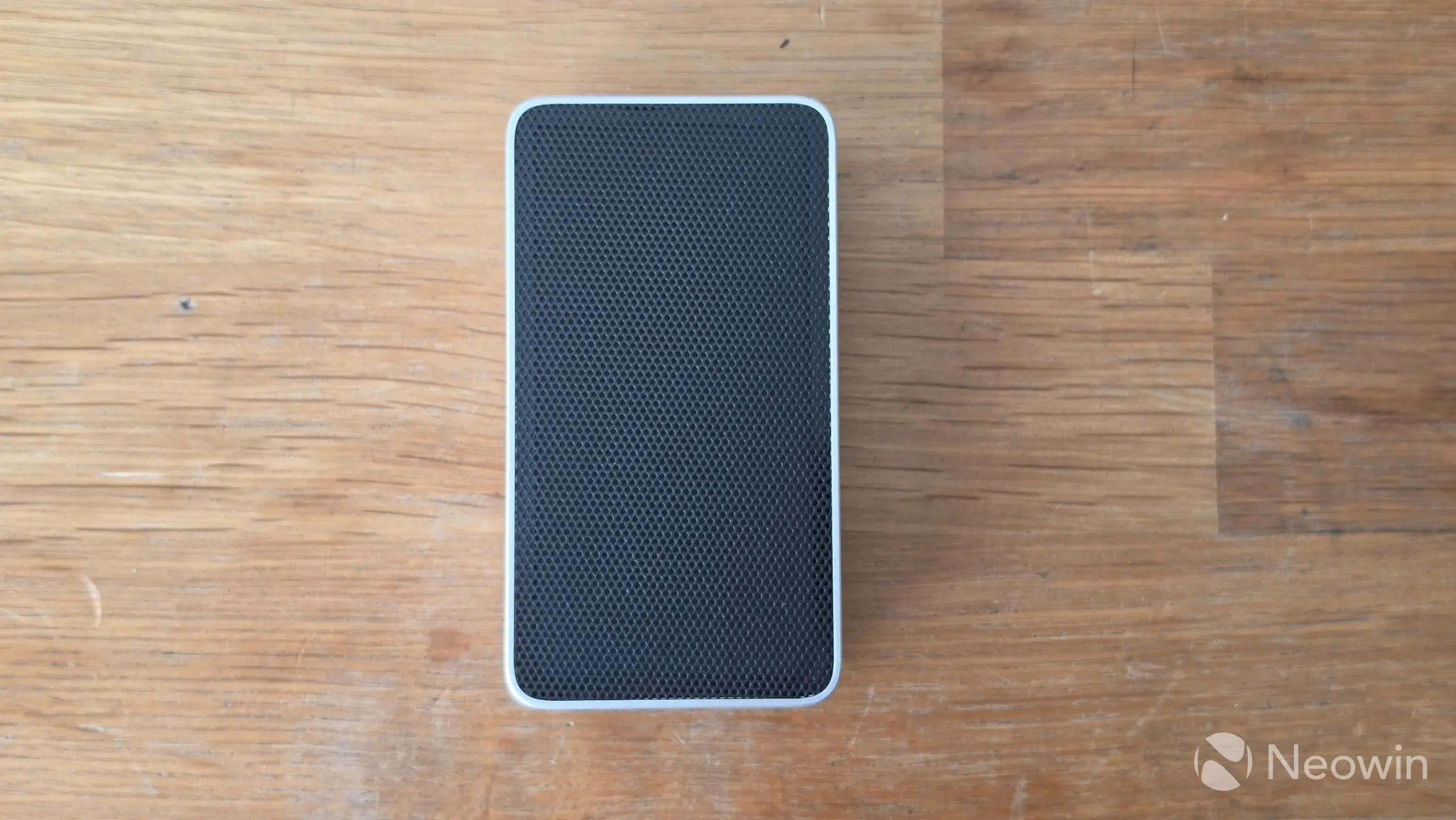
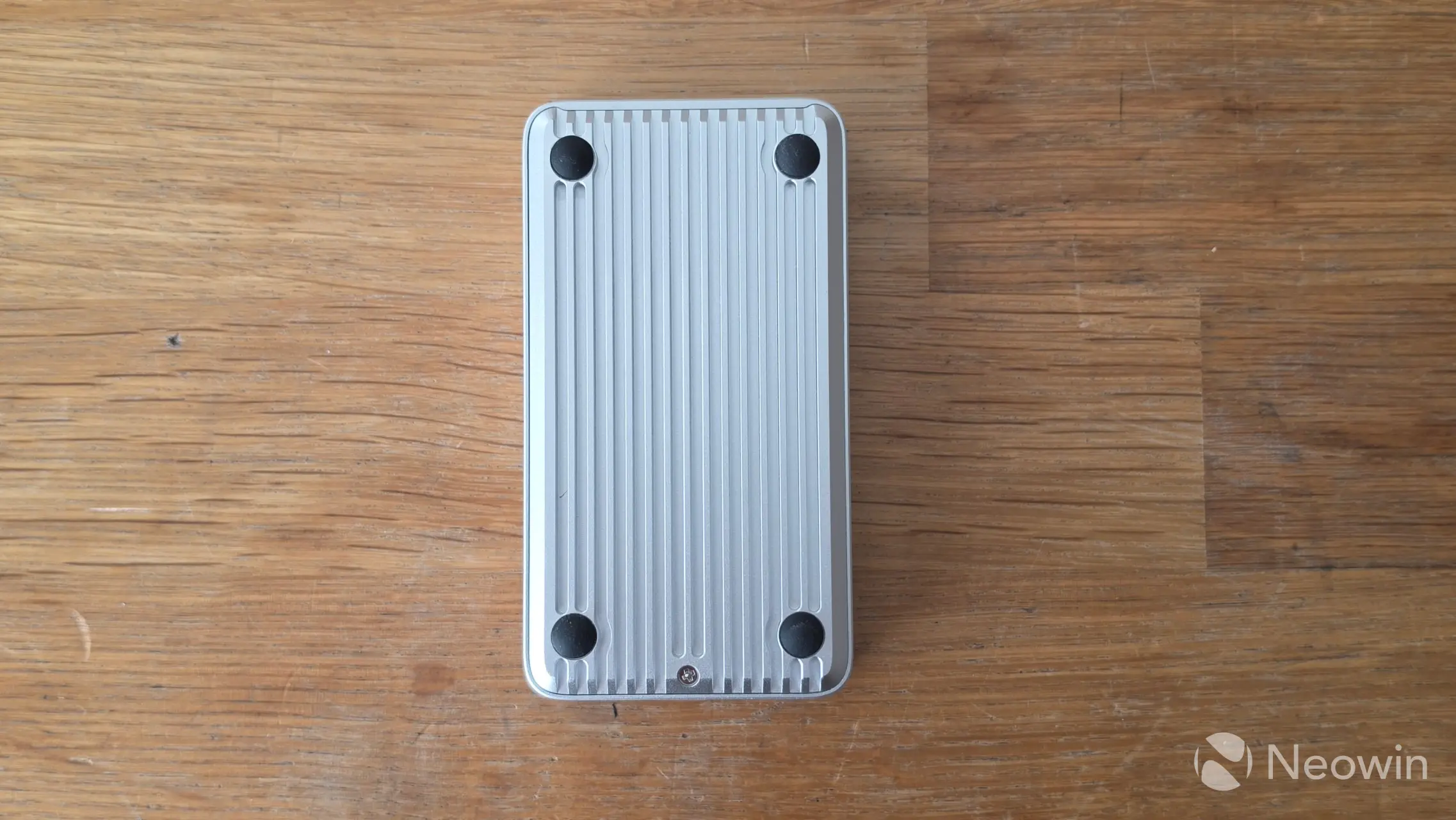
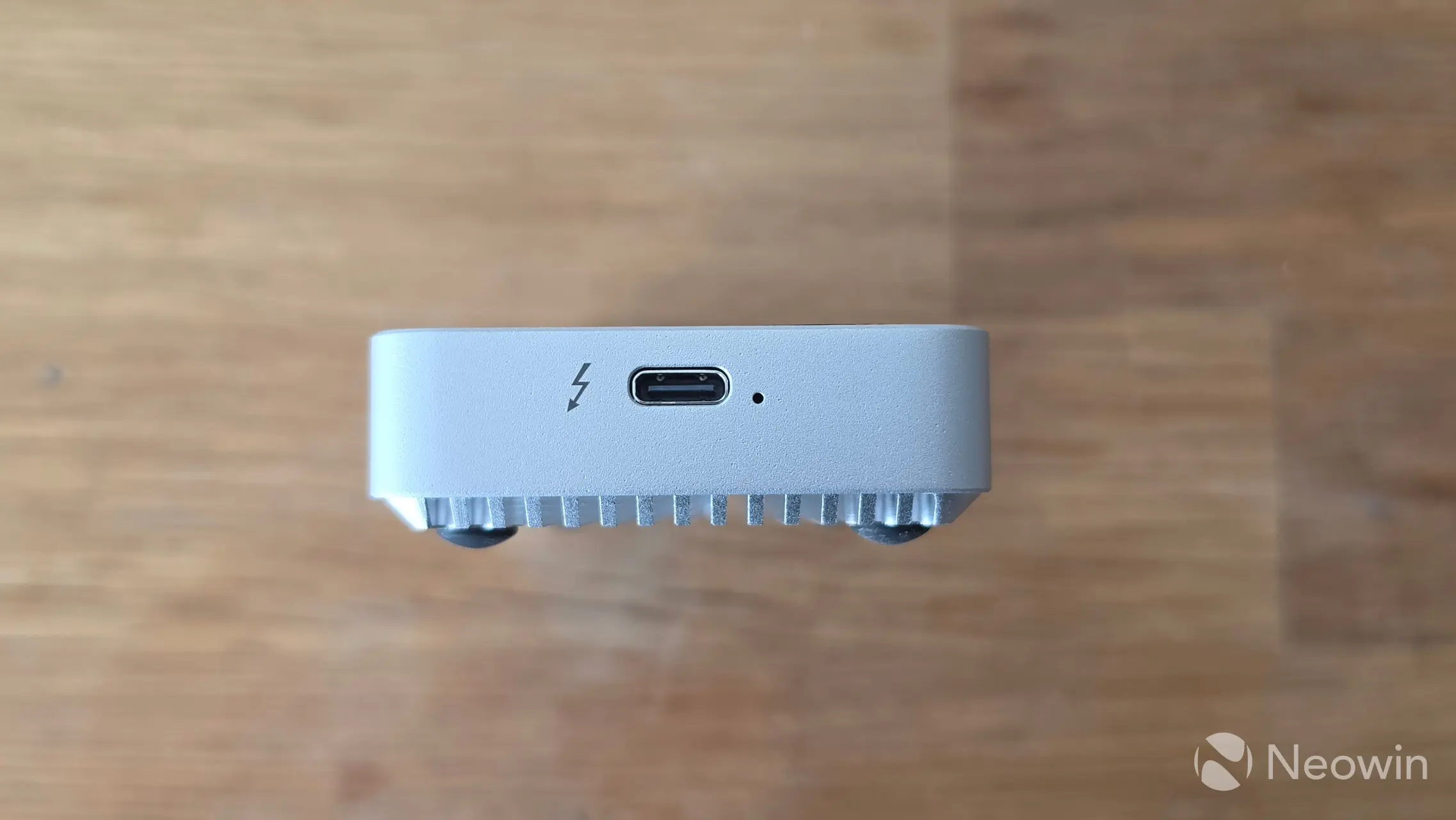
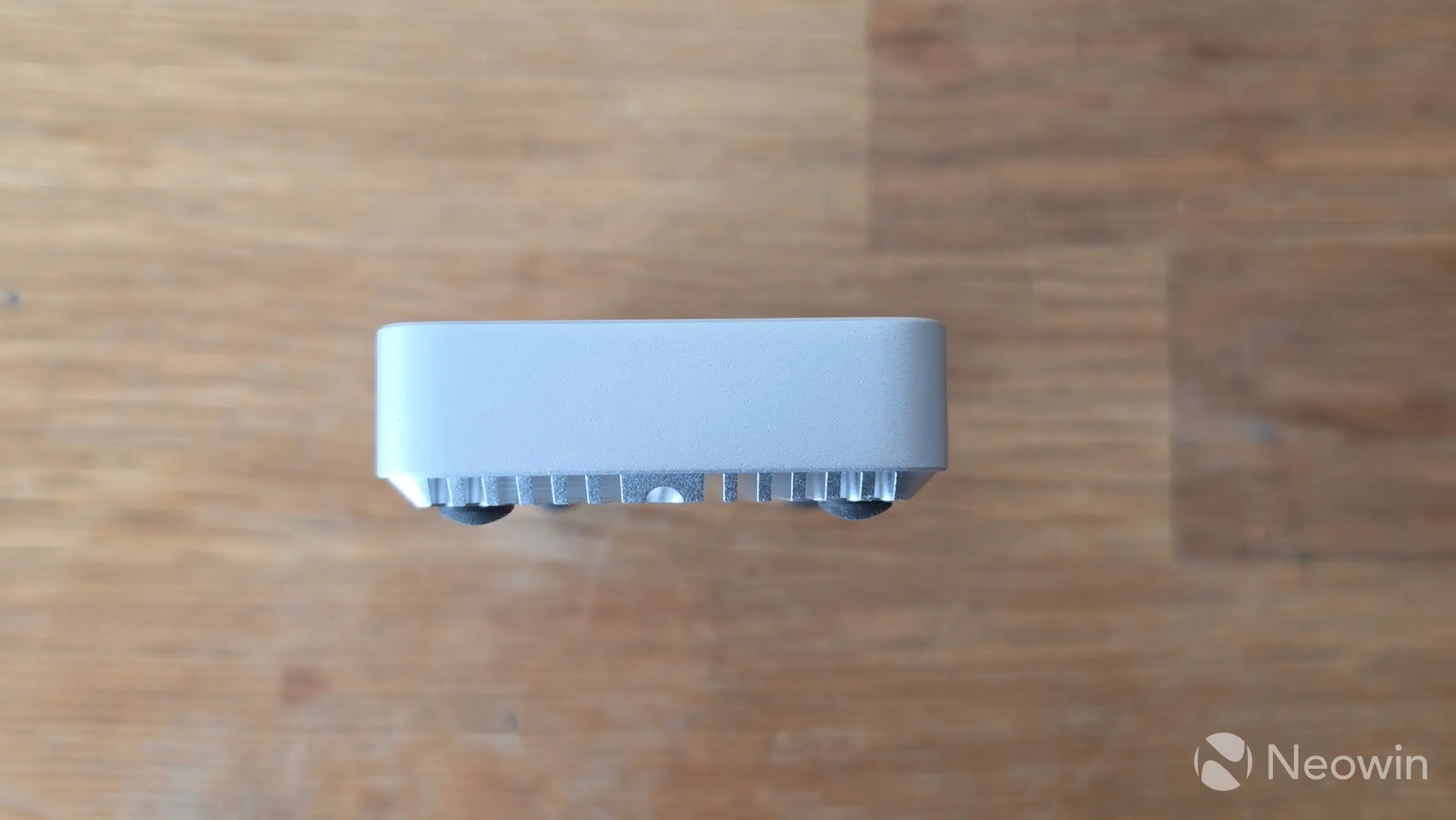
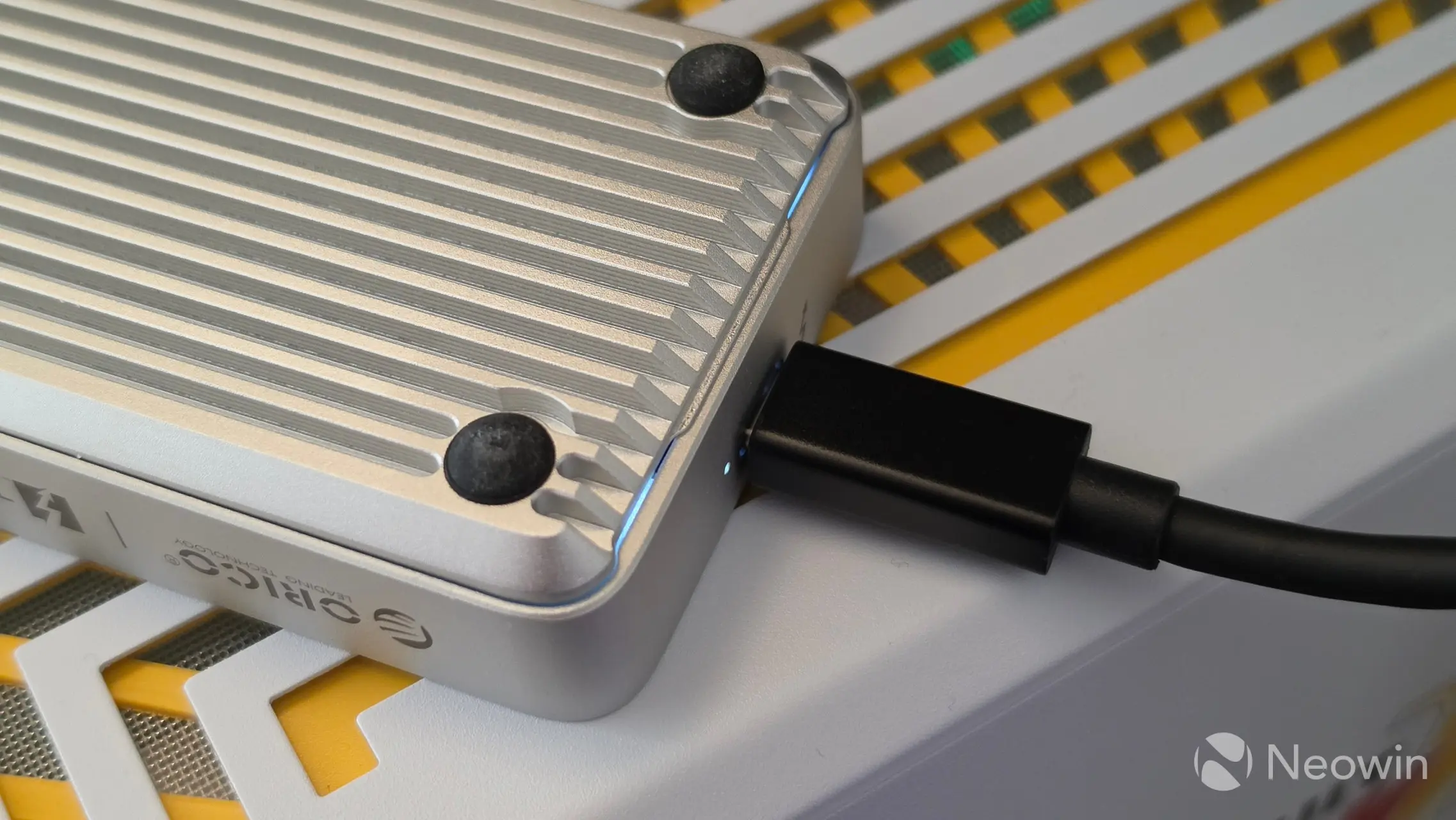
Above, you can see it from all angles. The underside, which comprises an "innovative fin design," has one screw that does not stay in the frame when loosened. On one side, you have the port, flanked by a thunderbolt symbol and an indicator light that does not change color depending on the port speed. Around the other side is completely free of word marks.
It"s also quite lightweight, for example, it weighs just 184 grams versus the 300 grams TerraMaster D1 SSD Pro (also a Thunderbolt 5 SSD enclosure).
Cooling
My contact at ORICO made it a point to highlight the cooling features, and although I tested this myself, I"ll just include what they say on the product page so you can make up your own mind.
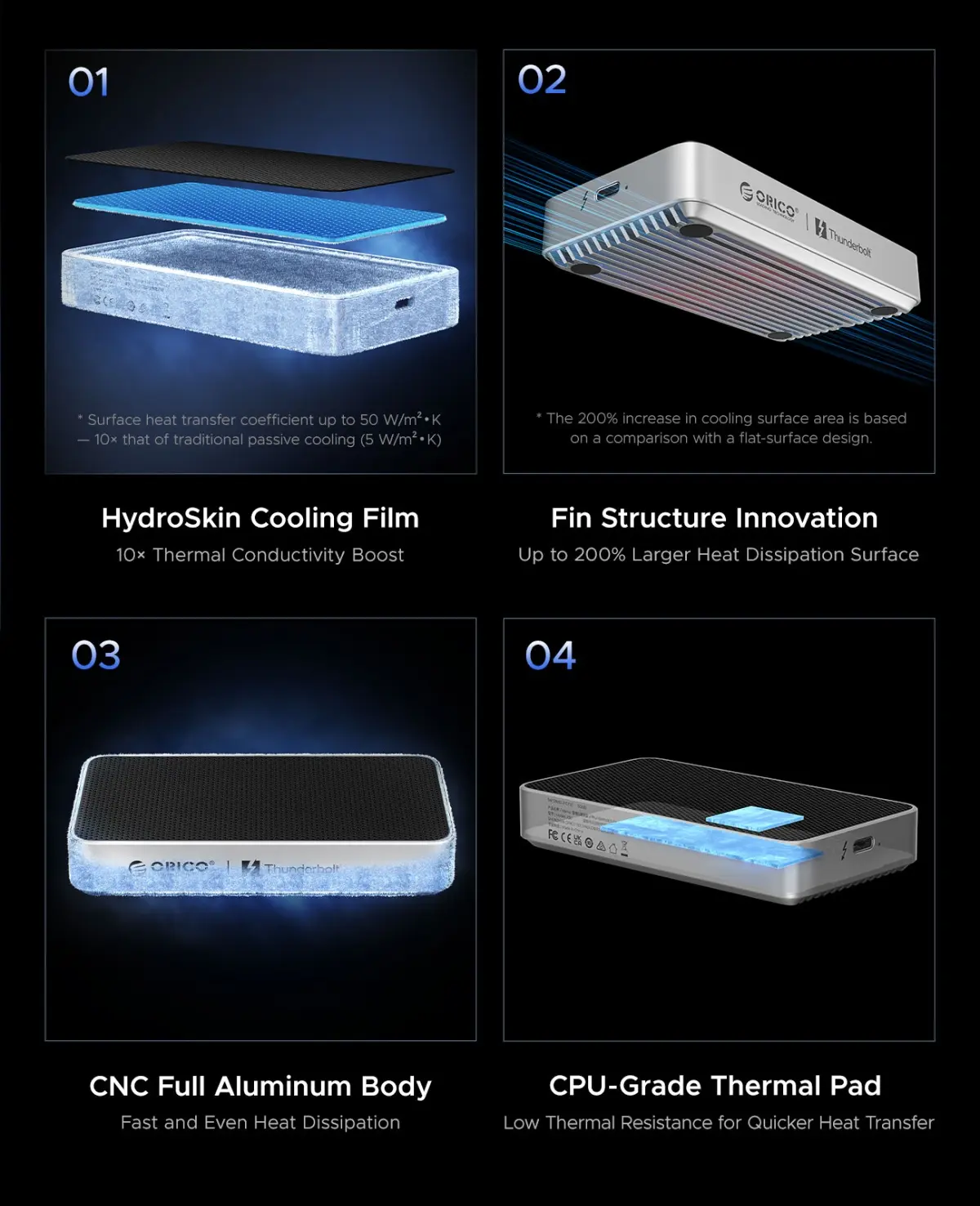
I had to look up what HydroSkin is, and the only reference I could find didn"t seem to apply to the X50.
NRS HydroSkin is a line of lightweight, stretchy neoprene apparel designed specifically for paddlers and water sports enthusiasts to provide thermal insulation without the bulk of a traditional wetsuit. Featuring 0.5mm to 1.5mm Terraprene™ neoprene, it offers mobility, wind protection, and moisture-wicking, suitable for cool water and weather.
I asked my contact if they could provide more details, and they confirmed it has nothing to do with NRS HydroSkin, as detailed in the following reply:
The HydroSkin Cooling Film on the X50 is ORICO"s own product name for a hydrogel-based evaporative cooling membrane applied to the outer surface of the enclosure. It has nothing to do with the neoprene paddling gear you found.
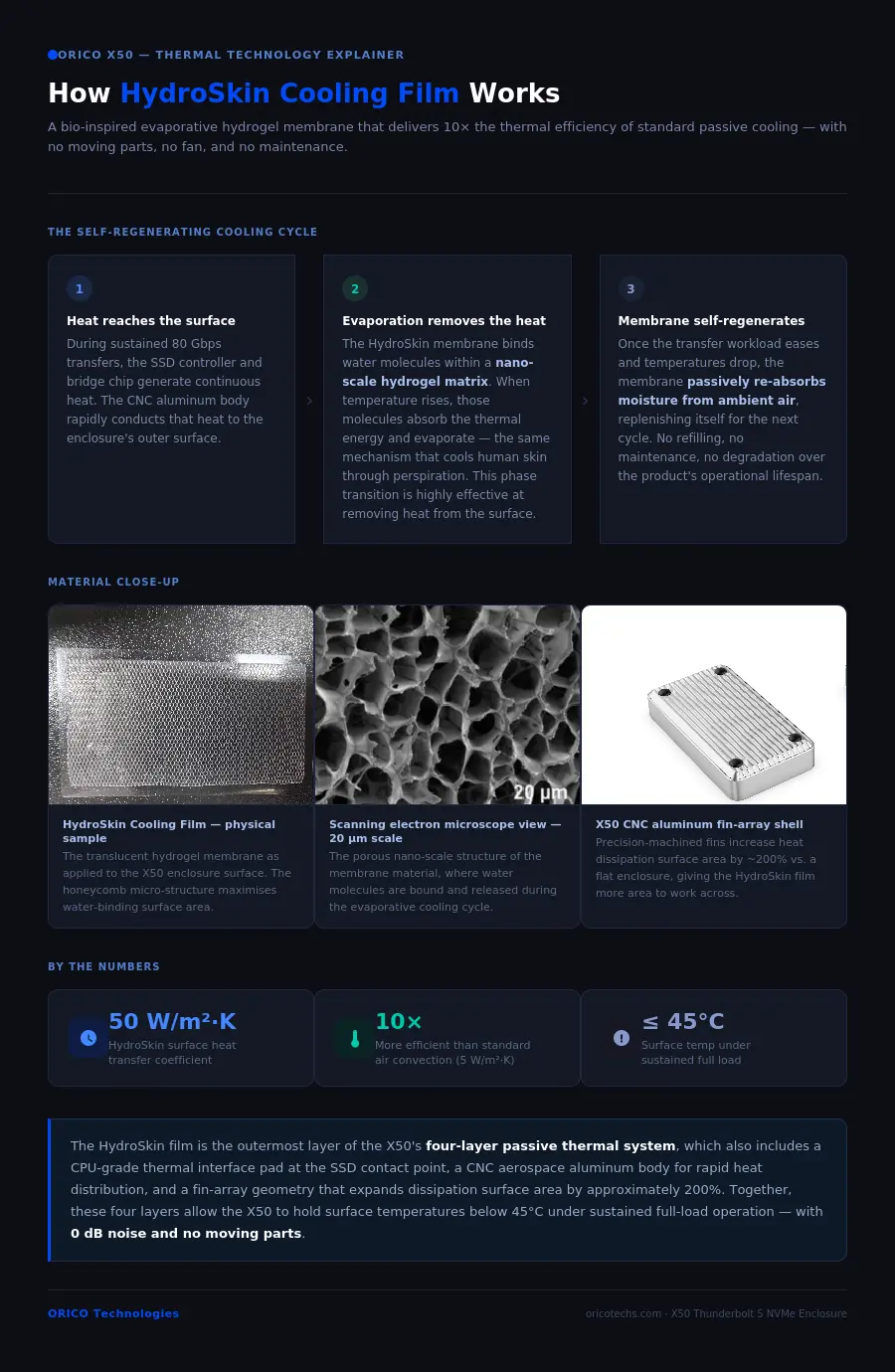
The principle behind it is actually straightforward. The membrane is made from a hydrogel material that retains water molecules within its structure at the nano scale. When the enclosure gets warm during sustained transfers, those water molecules absorb the heat and evaporate — the same physical process that cools your skin when you sweat. That phase change from liquid to vapor is highly effective at removing thermal energy from the surface.
Once temperatures drop and the transfer workload eases, the membrane naturally re-absorbs moisture from the surrounding air and resets itself, ready for the next thermal cycle. No refilling, no maintenance required.
To put the efficiency in numbers: natural air convection on a standard aluminum enclosure surface runs at roughly 5 W/m²·K. The evaporative mechanism on the HydroSkin membrane brings that up to around 50 W/m²·K — about ten times higher. That is why the X50 can sustain temperatures below 45°C under full load without a fan.
My contact also supplied an image further detailing the HydroSkin feature, which you can view here.
Teardown
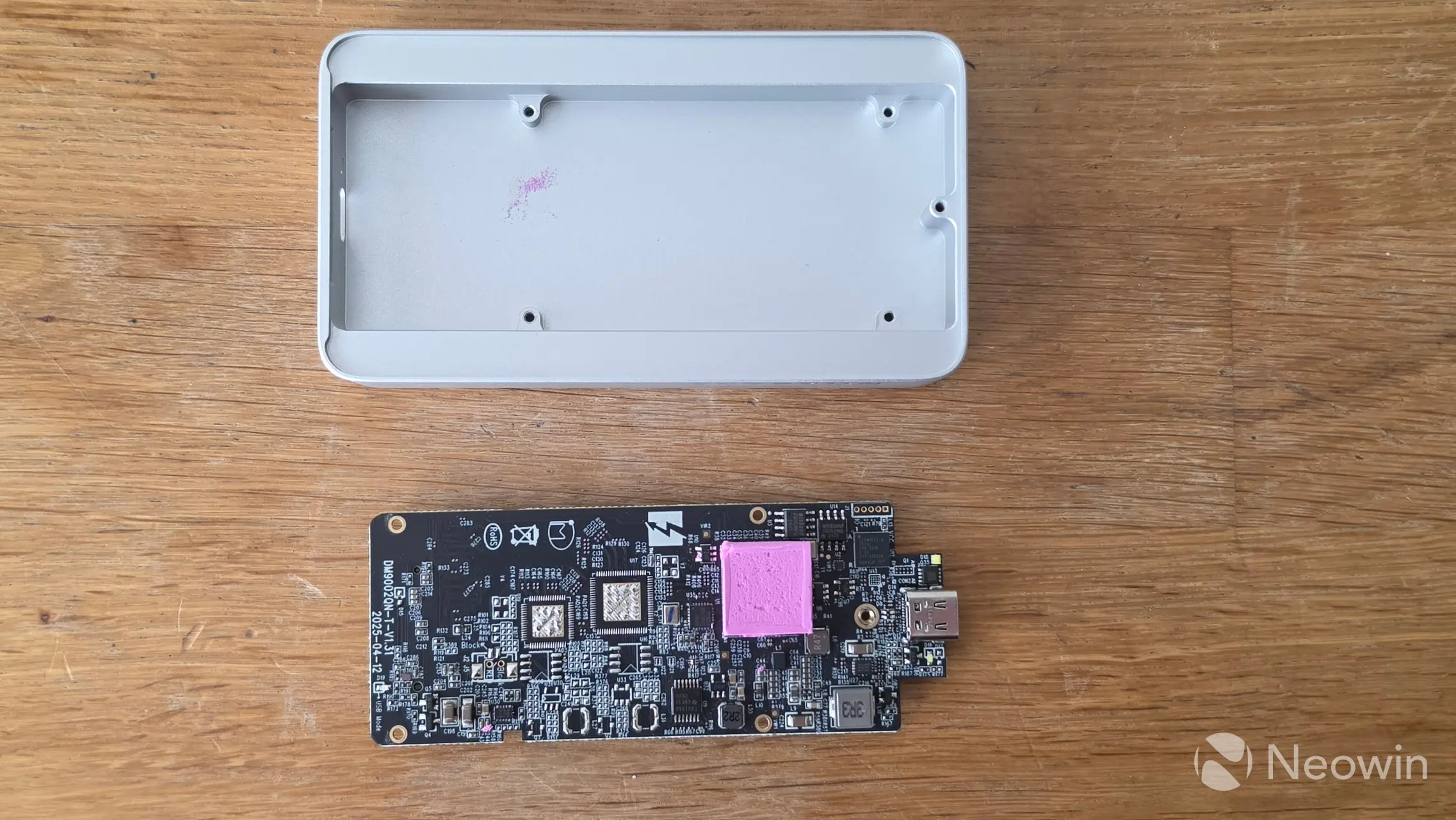
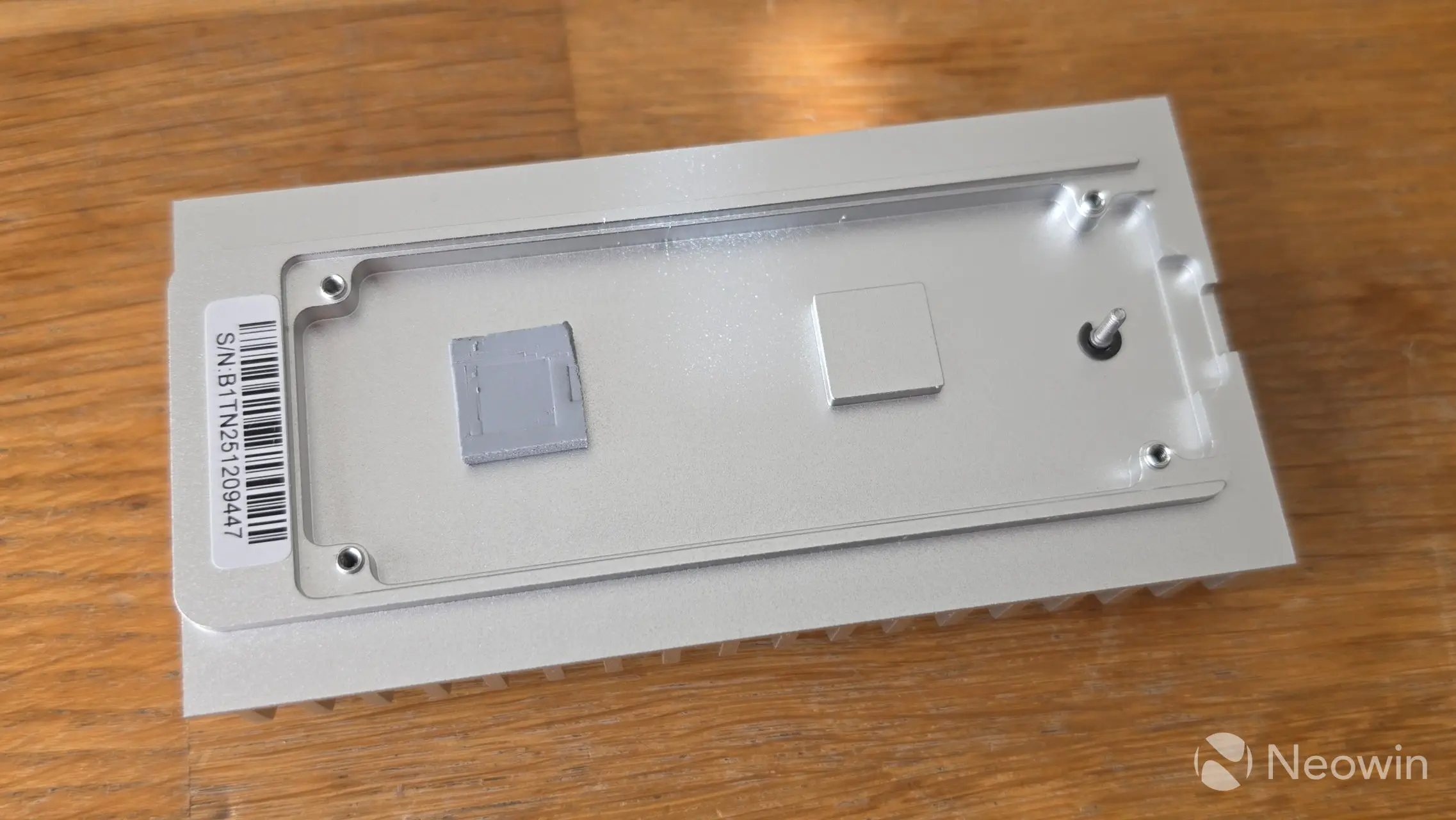
After removing the four screws of the PCB, turning it over, and carefully removing the thermal pad, the Intel JHL9480 Thunderbolt 5 Accessory Controller chip can be seen along with a relatively large amount of SMD capacitors. This ensures voltage stabilization, power failure protection, and data safety. As well as its advertised USB4/Thunderbolt 5 40Gbps x2 speeds, the JHL9480 chip is also backwards compatible with existing USB Type A ports and Thunderbolt 3/4.
There"s no preinstalled thermal pad on the SSD side, although one is included in the box.
Installation
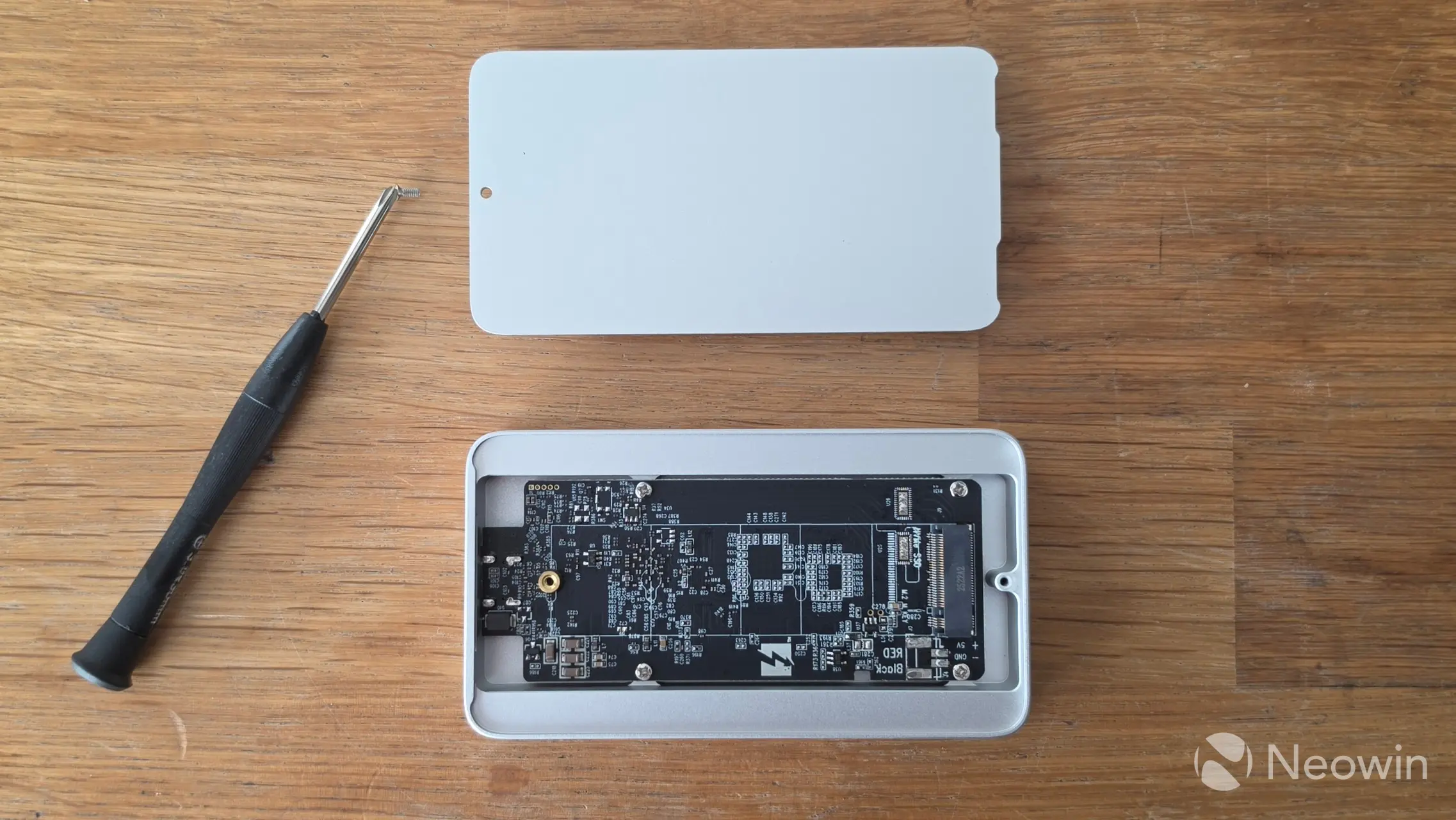
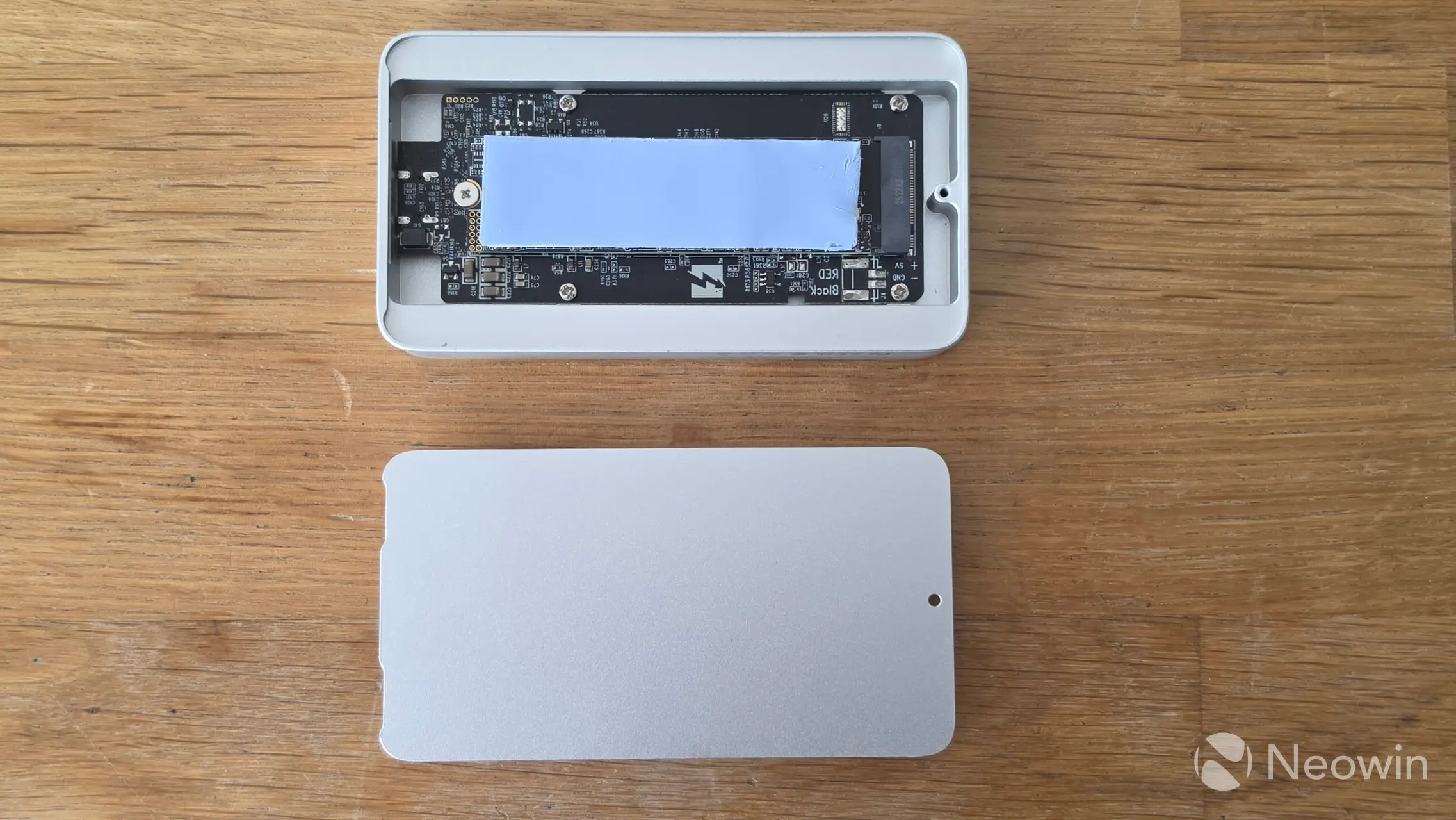
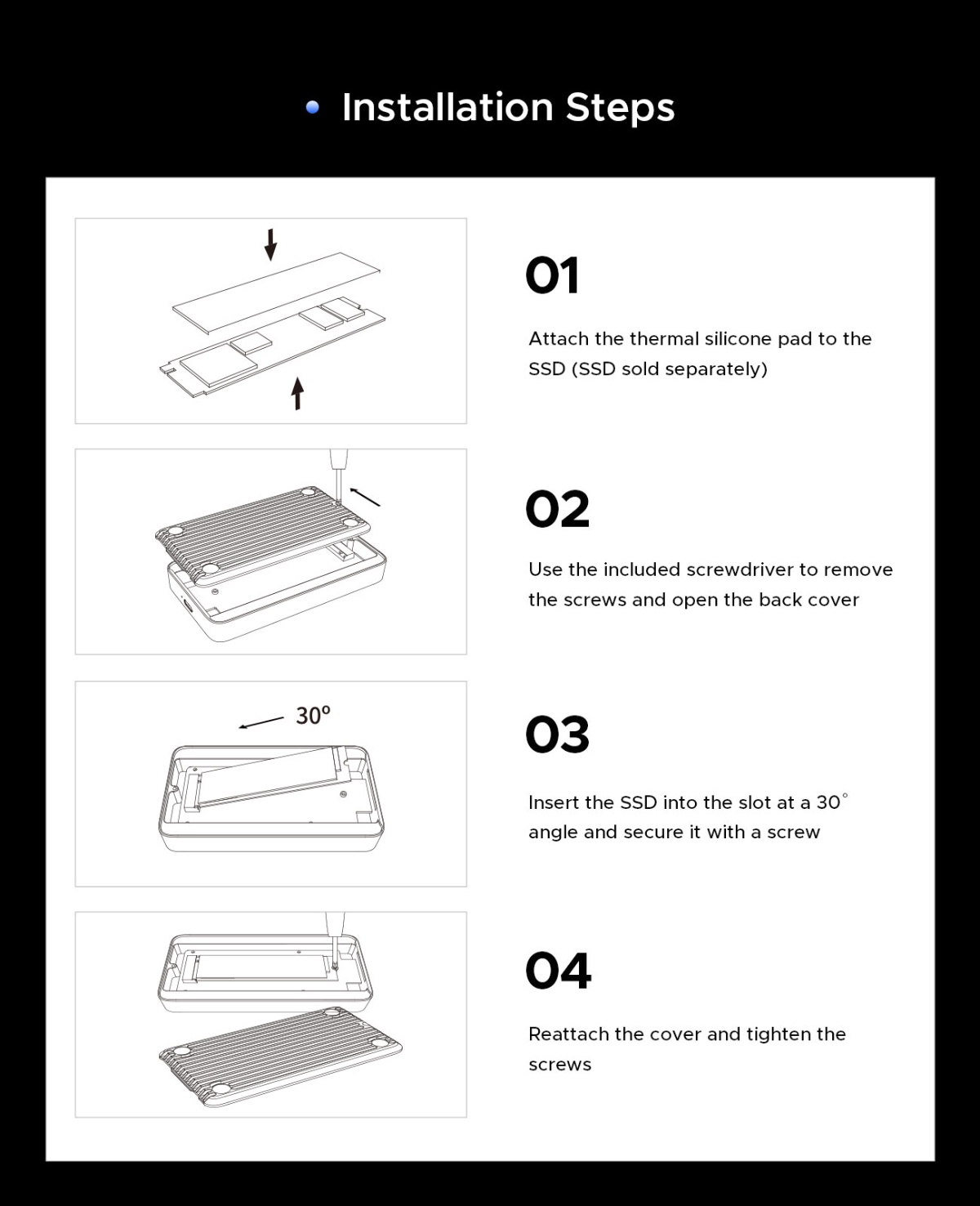
For our review, I used a TEAMGROUP MP44Q 4TB NVMe (PCIe 4.0) (Amazon|Newegg) that TEAMGROUP supplied us with. Installation is simple; just unscrew the Philips screw on the bottom of the ORICO X50 and then slide it out. The bottom plate has a small lip opposite the screw side that helps keep it from falling away easily. This can also make it difficult to remove the bottom plate, because the thermal pad makes contact with it and creates a sticking effect. Once opened, you can install your 2280 M.2 NVMe with an M2 screw. Yes, instead of a latch system, which I am a fan of, it uses a small M.2 screw to fasten the SSD.
Reattach the two pieces and secure with the screw, and plug the provided cable into the ORICO X50 and your USB 4 port.
Again, ORICO provides an image with installation guidance here.
Test System
Our test system consists of the following:
- HYTE Gundam Wing Y70 Touch Infinite (Official|Amazon)
- Intel Core Ultra 7 270K Plus (Amazon|Newegg)
- GIGABYTE Z890 AORUS ELITE WIFI7 ICE (BIOS F19) (Amazon|Newegg)
- Corsair RM1000x SHIFT (Amazon|Newegg)
- ARCTIC Liquid Freezer III Pro 360 A-RGB (White) AIO (Amazon|Newegg)
- Thermal Grizzly KryoSheet - 44x37 (Amazon|Newegg)
- 2x 16GB G.Skill Trident Z5 RGB (7200 MT/s in XMP) (Amazon|Newegg)
- NV5000 2TB NVMe SSD ($299.99 on Amazon or Newegg)
- PNY RTX 5080 (Amazon)
- Windows 11 25H2 Professional Build 26200.7623 (Neowin Deals)
Benchmarks
For our benchmarks, hwinfo.com provided a commercial license of HWiNFO, and UL Solutions provided us with a Professional (commercial use) license for 3DMark.
Drive speed
| CrystalDiskMark 9 | ||
|---|---|---|
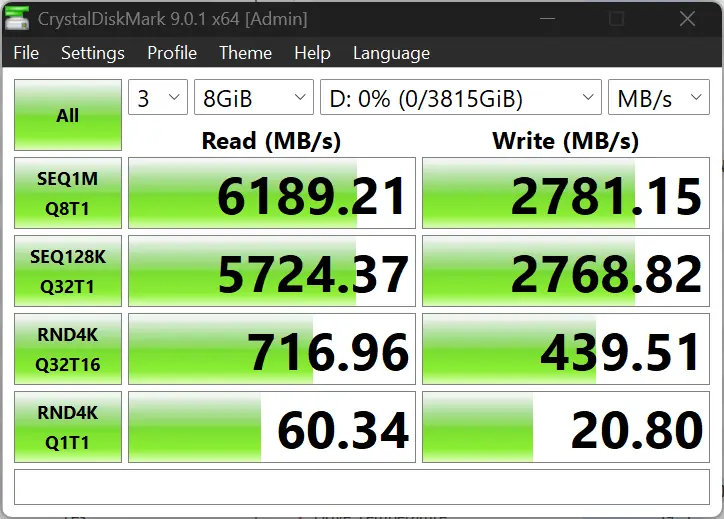
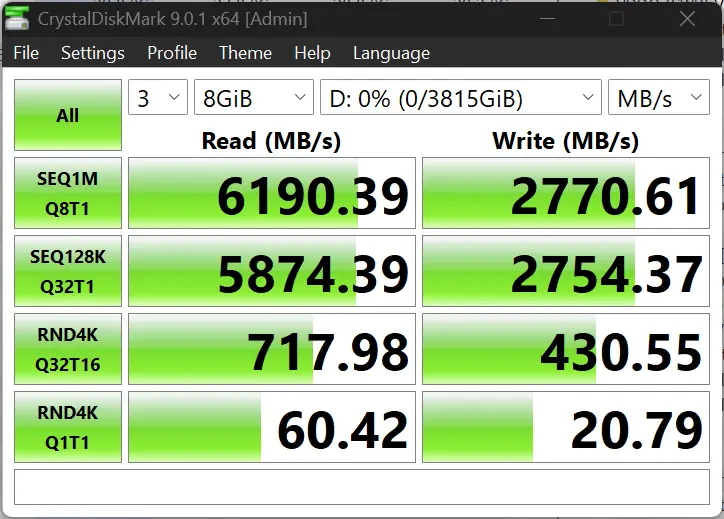
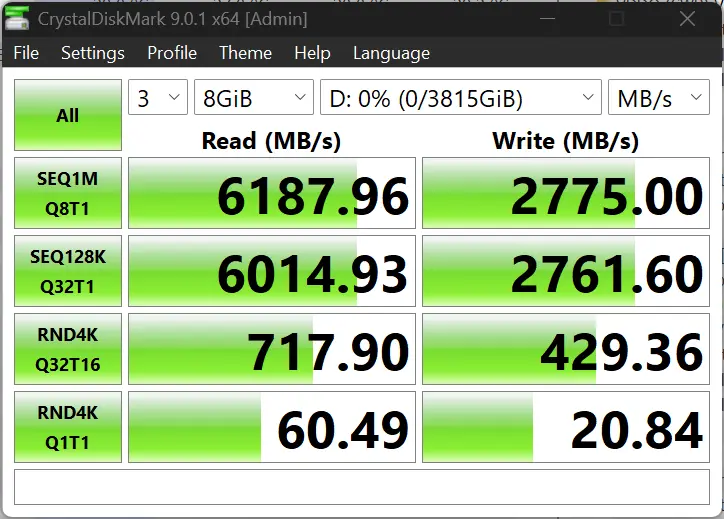
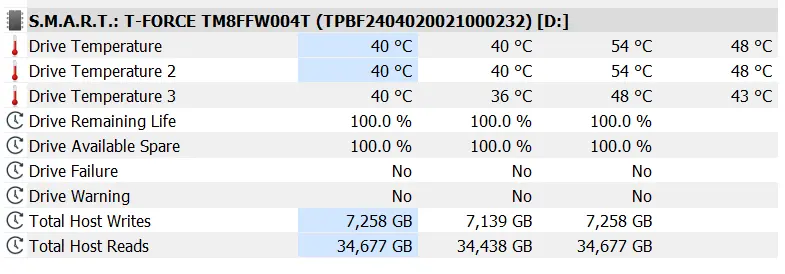
I ran CrystalDiskMark 9.0.1 in Windows 11 with the ORICO X50 attached to a Thunderbolt 5 port three times with an 8GB workload, and also recorded the disk temperature using HwINFO. The outer enclosure reached a max temp of 48 °C with a max 54 °C disk temperature.
CrystalDiskMark numbers show the random reads are great, and the random writes are decent, about what you would expect from a DRAMless drive, and that too off a USB interface, so nothing much to complain about here.
AS SSD
We also did a run of AS SSD, and the performance figures put up are good. The drive has performed as expected in both sequential and random throughputs here, too. The speeds make it a really good option for 4K/8K video editing projects that would benefit from fast transfer speeds and rapid access times; add to that the benefit of the cool temperature.
Aside from that, we also test gaming and how the enclosure can affect it.
Storage
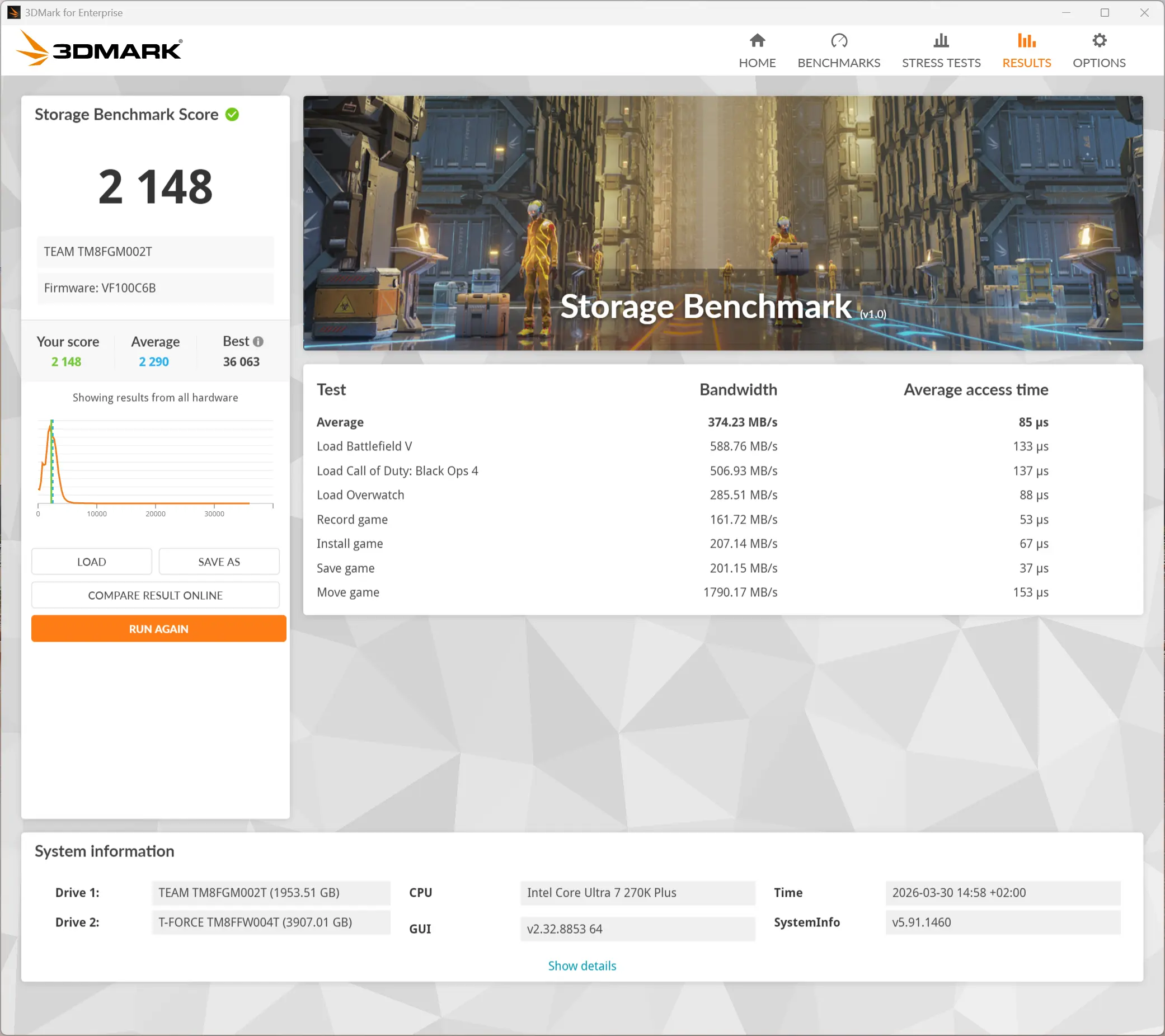
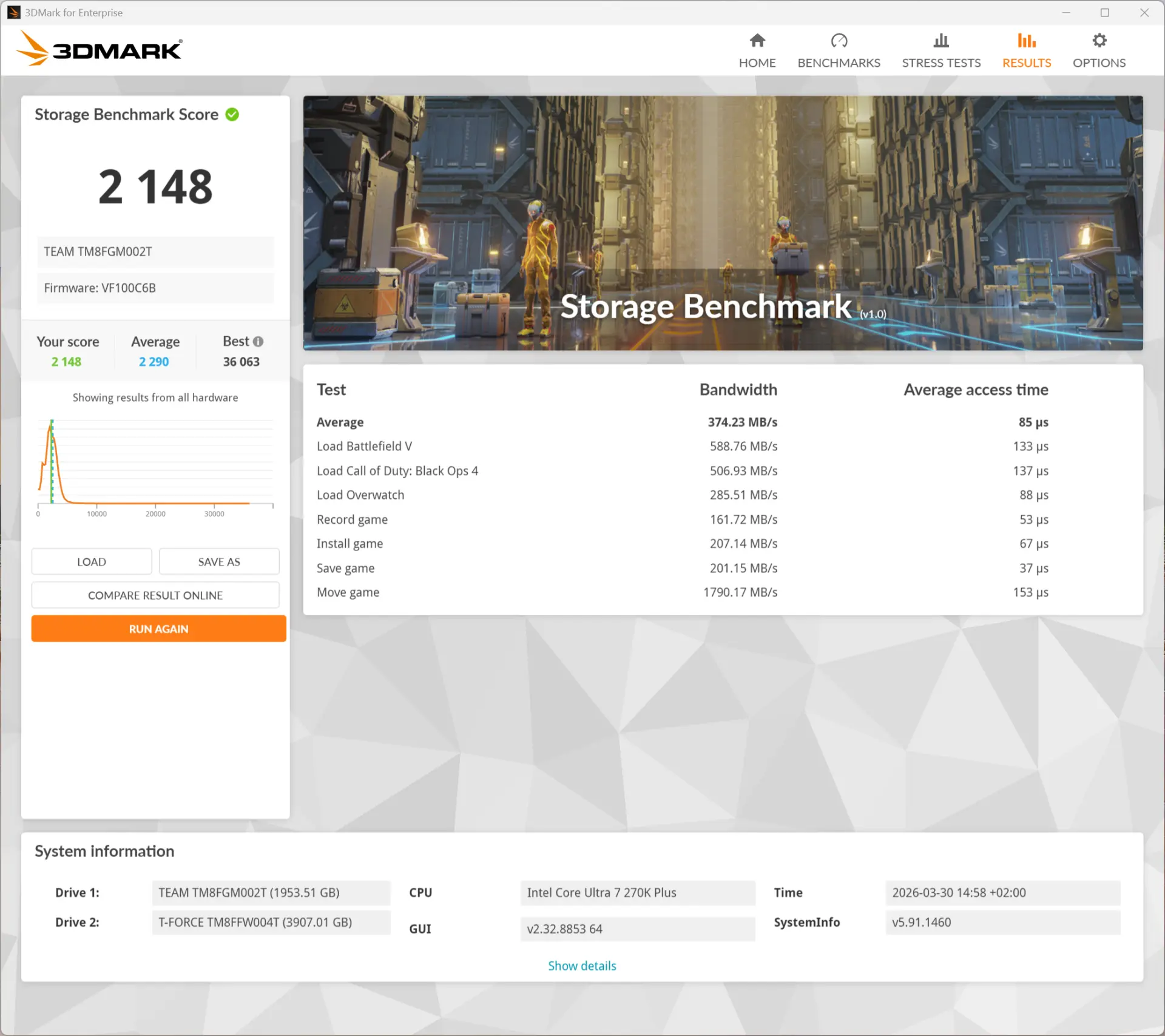
I ran the Storage Benchmark from the 3DMark suite. This is a feature test that measures the impact of the storage disk on the various gameplay actions. It comprises game file copying/moving, installing, loading, 1080p60 OBS gameplay recording, and saving.
As you can see in the data above, the ORICO X50 somehow doesn"t perform as well as the D1 SSD Pro, with the best showing in the "Move Game" test, as it reached just over 1200 MB/s. This shows that in common gaming and related scenarios, even so, the ORICO X50 will still not be a bottleneck.
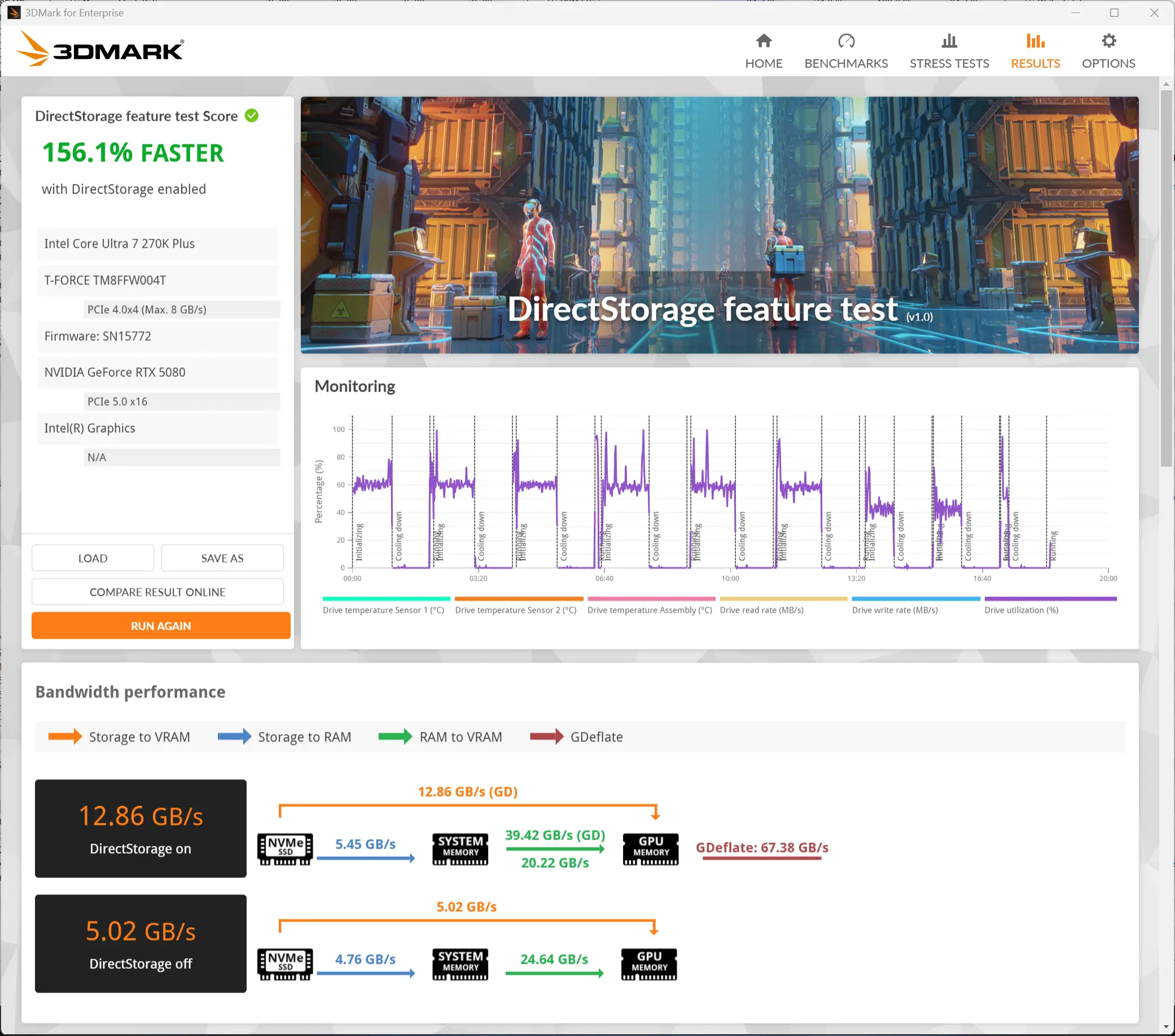
Our final synthetic benchmark was the DirectStorage feature test that measures game data transfer speed with and without DirectStorage. The DirectStorage feature allows faster data movement during gaming by removing as much of the OS overhead as possible, and this leads to faster game asset loading that, in turn, helps to improve the overall gaming experience.
This test did far better, almost matching that of the TB5 D1 SSD Pro, and clearly shows a huge boost in throughput (over two and a half times) with DirectStorage enabled. While that is indeed great, DirectStorage is very much game-dependent, and so the title itself has to support the feature, and unfortunately, its adoption so far has been very limited.
Gaming
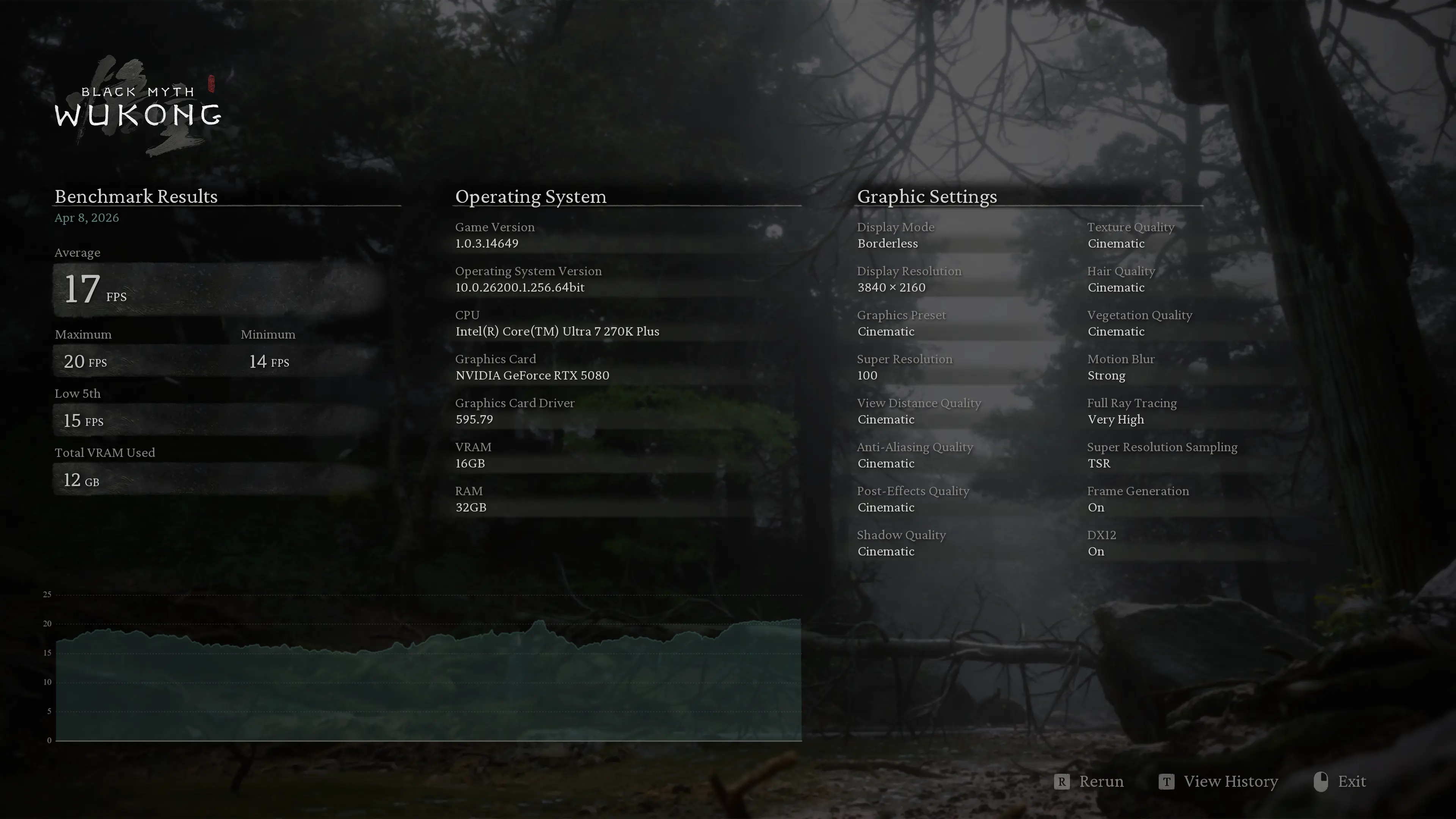
Real-world gaming, you say? Yes. I decided we needed another testing scenario, so I fired up Steam and added a new library location pointing to the ORICO X50. Then I moved Black Myth: Wukong to it, which utilizes high-quality textures heavily, especially in its character models and environment details.
With TSR ON and Super Resolution set to 100, at 4K screen resolution, the title saw the ORICON X50 hit nearly 785 MB/s of data flow rate for textures and game asset streaming/loading.
We have also marked the dedicated VRAM usage on our PNY RTX 5080, where we tested this game. As you can see, at these settings with Super Resolution set to 100, we managed to fill up the entire 16GB buffer of the 5080.
Exceeding this would have put additional strain on the SSD, though it"s worth noting that the scenario is not realistic, as we tested these at settings which are unplayable in real-life for most people, as the framerate averaged 17 FPS. This was more of an academic exercise.
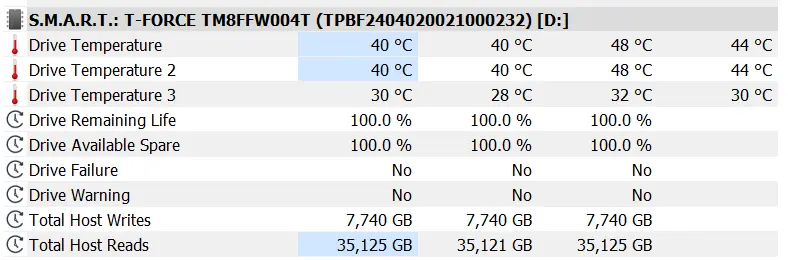
During our Black Myth: Wukong, the temperature of the T-FORCE MP44Q did not exceed 48°C.
Heat
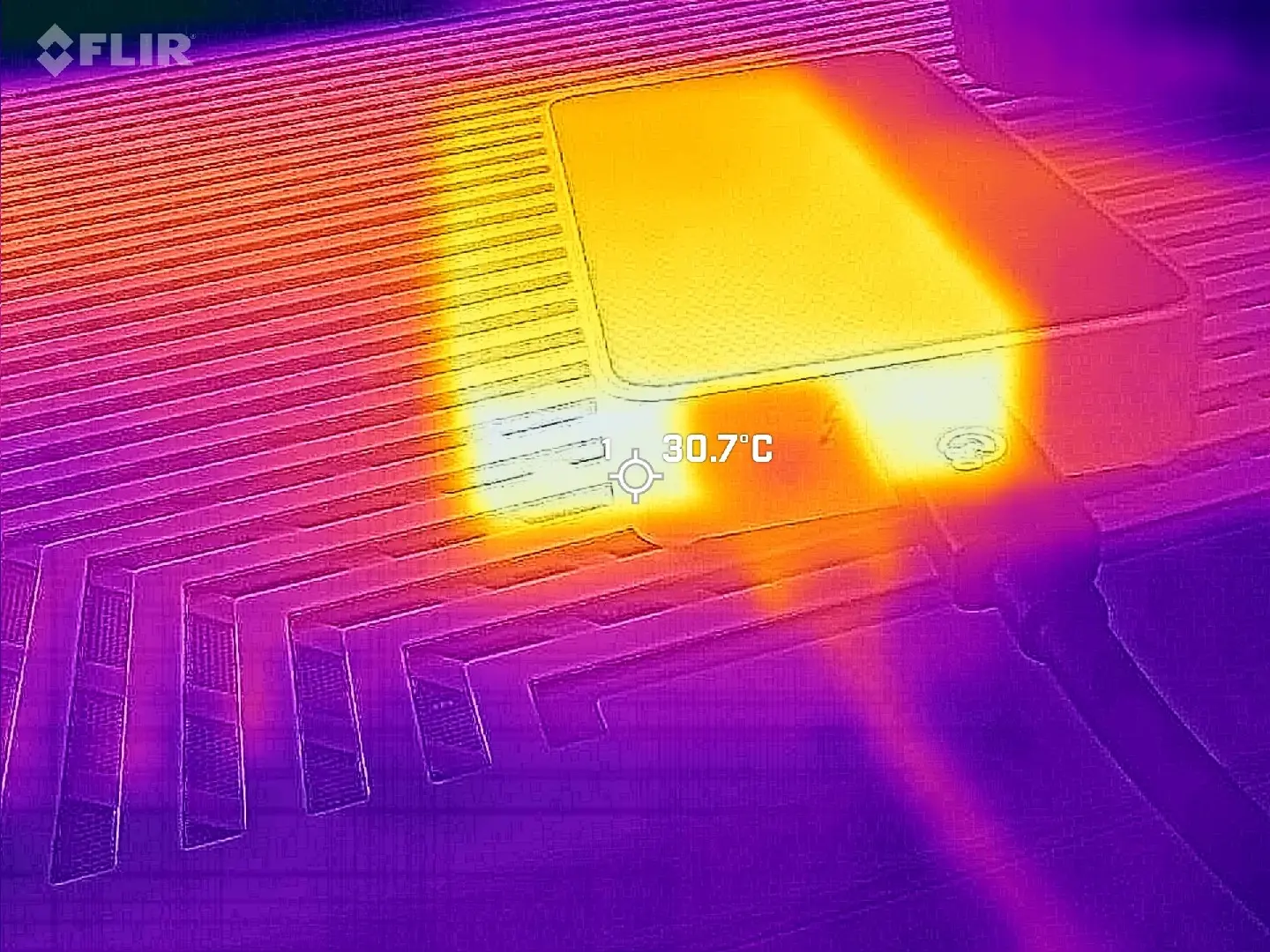
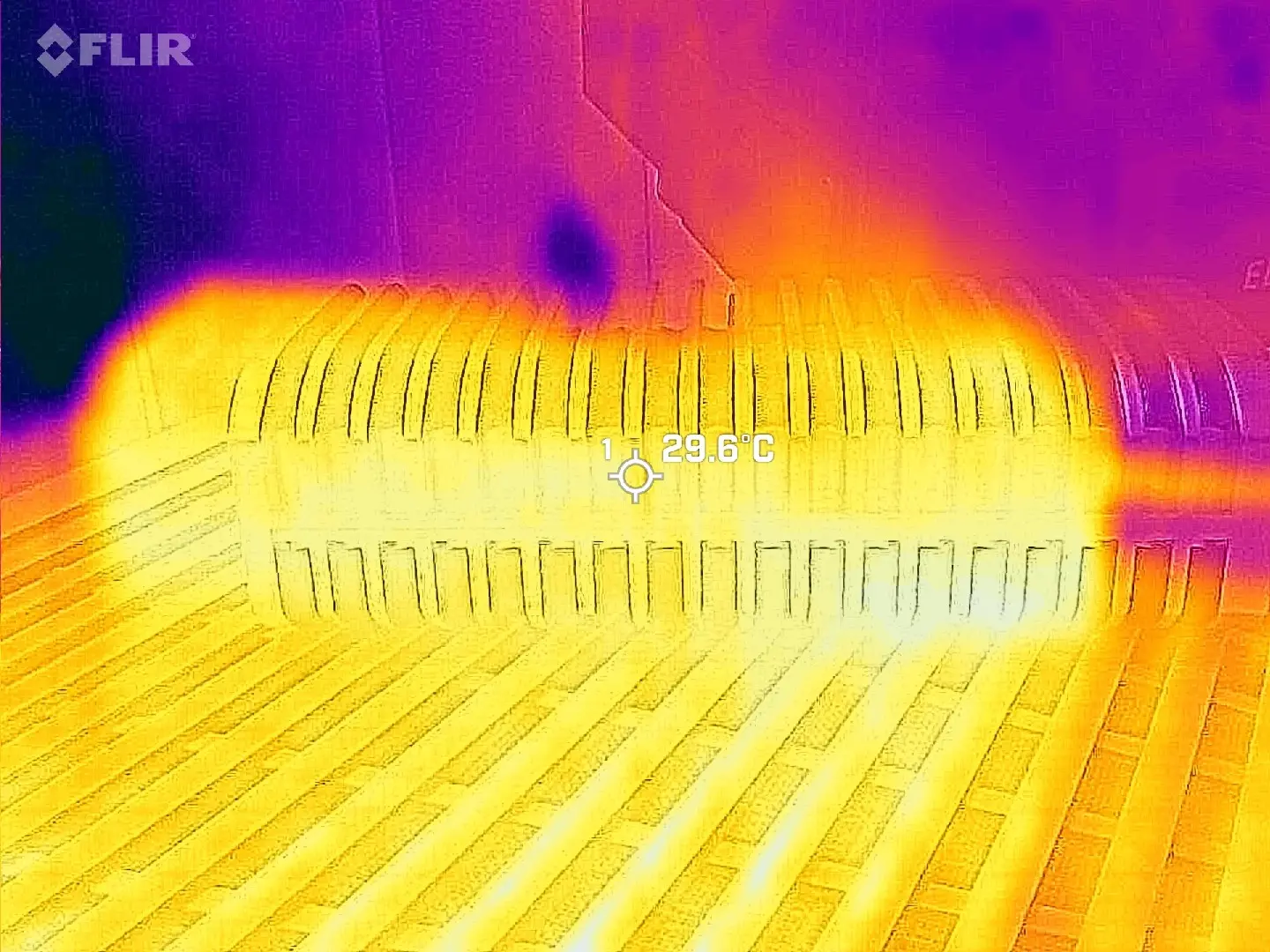
| Port side | Left side |
|---|---|
| Top | Bottom |
|---|---|
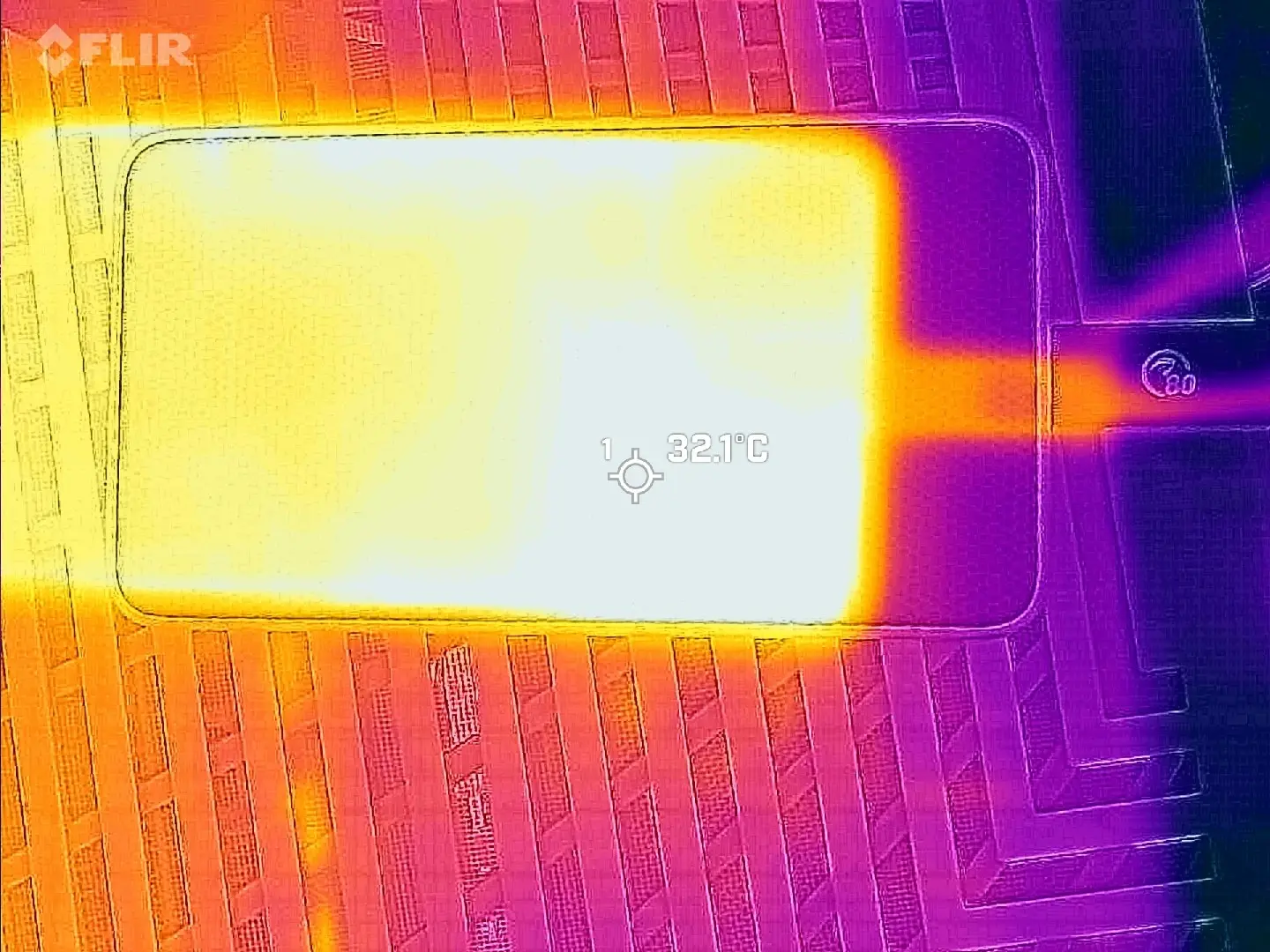
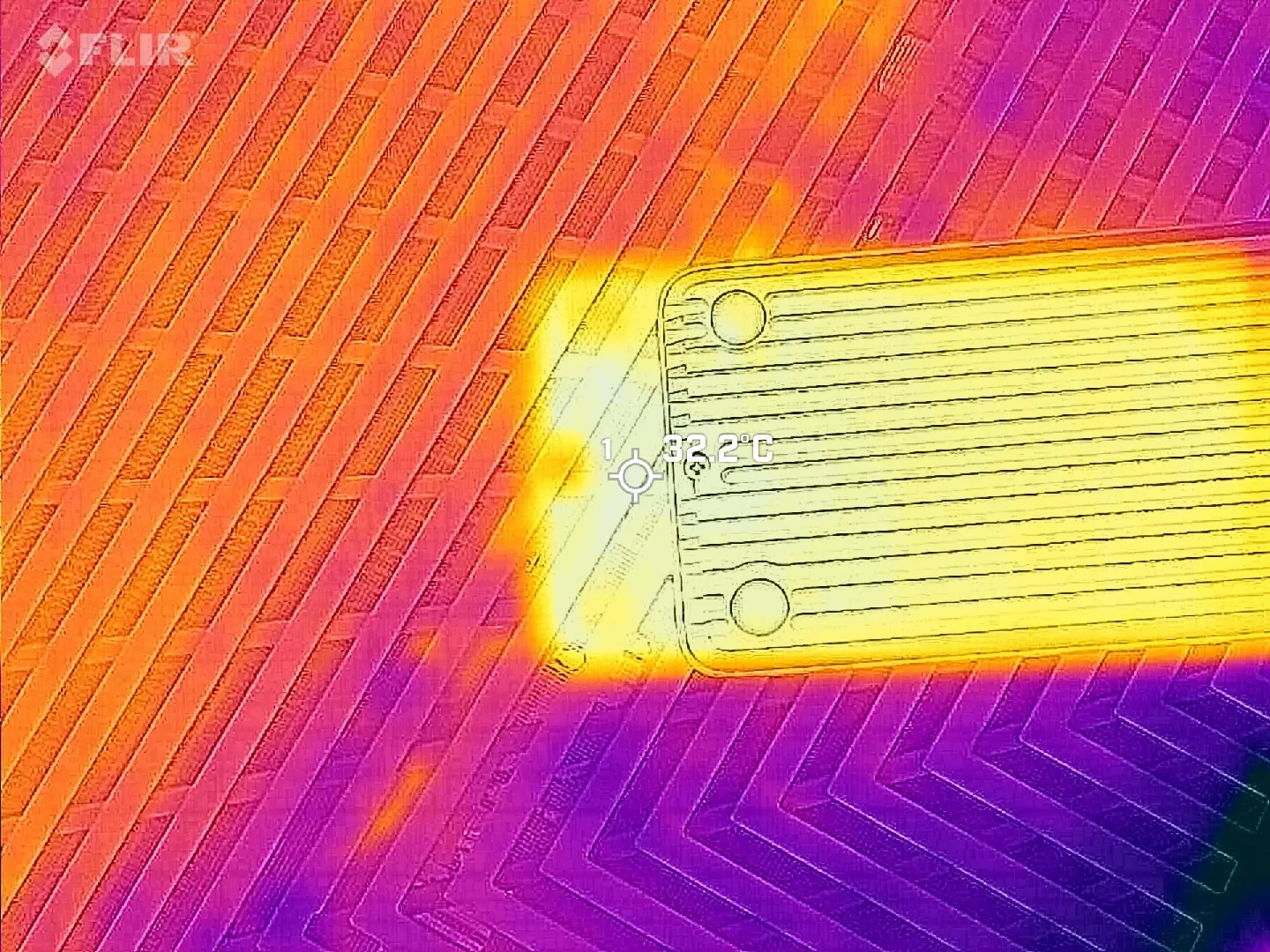
Using my FLIR ONE Gen 3 thermal camera while the benchmark was running, I was not able to record a temperature above 32.2 °C anywhere on the casing (despite HWiNFO recording a much higher max temp of 48 °C inside the enclosure). However, this can possibly be explained below.
| Light leakage! | |
|---|---|
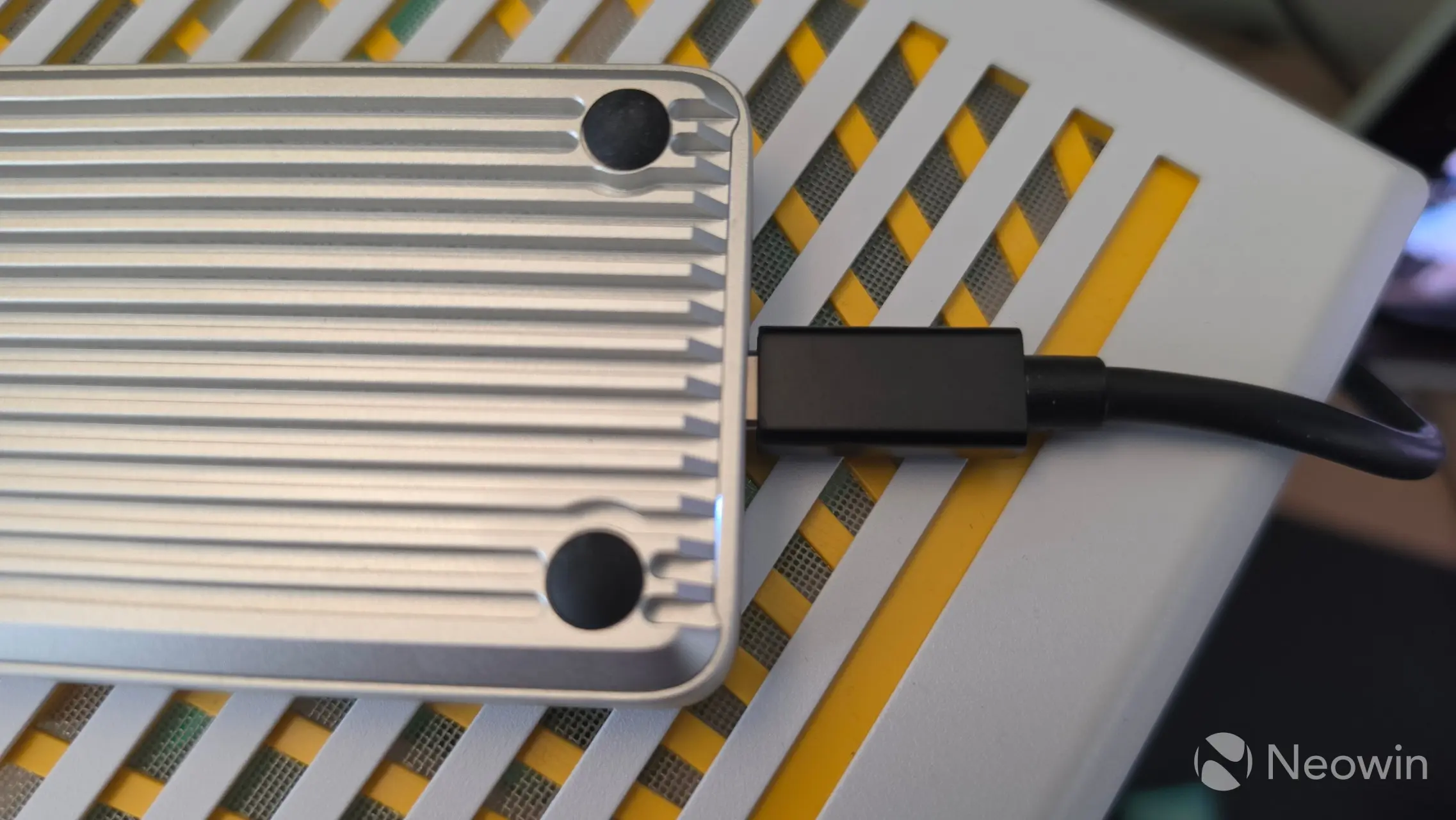
Above, you can see next to the bottom rubber feet that there"s a bit of light/air leakage from the status indicator, meaning it is not "dust tight". I screwed the bottom plate on wrong at first because I didn"t realize the small lip must be inserted first before closing on the bottom plate, this is where I saw even more light leakage and discovered my mistake.
Conclusion
USB 4 SSD enclosures aren"t cheap, and this X50 actually runs more expensive at MSRP. However, just think if you want to buy a (mostly) plastic TB5 enclosure or a full metal one like the X50, and with that, I feel what you get here is an extremely competitive, quality piece of hardware. Not only does it utilize premium materials. At the heart of it all, it utilizes the very good Intel JHL9480 Thunderbolt 5 Accessory Controller chip that has more features than the enclosure can offer (such as up to 240W power delivery, and up to 120Gbps for video transmission).
That, along with it exceeding the advertised speeds of 6000MB/s read and (almost) up to 5800MB/s write, perfectly meets the needs of 8K video editing, along with potentially large amounts of data transfers.
Personally, as I said already, I think it looks nice. It runs a bit warmer than the D1 SSD Pro we tested, and I don"t like how the bottom plate has an air gap. It does have a decent length cable, though at half a meter, and I reckon I can knock off a point for not utilizing a latch system for placing the M.2 SSD. This is especially important given that a sudden slip of the screwdriver could damage the PCB, as everything is exposed on the SSD bay. I would have also liked to see something on the bottom of the X50 that assists with removing the bottom plate, too, because I found I had to wedge a metal nail file in order to get it opened, as a result of the thermal pad getting stuck to the SSD and bottom plate.
Where to buy
The X50 is currently $40 off its $239.99 MSRP on the official store in the U.S. There are discounts in other regions too, 17% off in Europe and the U.K. for a final price of €223,99 and £149, respectively. You can access the other regions by changing the currency (top right globe icon) at the link below
- ORICO X50 for $199.99 on official website (was $239.99)
As an Amazon Associate, we earn from qualifying purchases.