HYTE reached out to me asking if I wanted to check out the Gundam Wing Y70 Touch Infinite, which, at first glance, is a beast of a case. Anyway, after some logistical issues due to my living in Europe (this case is only sold in North America), it arrived at my door earlier this year.
With that out of the way, first a disclaimer: HYTE provided this sample without any editorial input or review pre-approval. Now some specifications:
| Gundam Wing Y70 Touch Infinite | ||
|---|---|---|
|
Dimensions |
|
|
|
Weight + Volume |
11.05 kg / 24.2 lbs g 70.7 L | |
|
Type |
Dual Chamber Mid-Tower ATX Case | |
|
Motherboard |
ITX, mATX, ATX, EATX | |
| Expansion slots | 7 half + 4 full height | |
|
Riser cable |
Yes (PCIE 4.0 x 16) | |
|
I/O |
1x USB-C 3.2 Gen 2, 2x USB-A 3.2 Gen 1, 1x 3.5mm Audio/Mic Combo Jack |
|
| Dust filters | Top, Side, Bottom | |
|
Fans |
|
|
|
Radiators |
|
|
| Max GPU length | 422 mm | |
| Max cooler height | 180 mm | |
| Max PSU length | 235 mm | |
| Storage | 2x 3.5" HDD or 4x 2.5" SSD | |
| Touch Screen |
|
|
| Warranty: | 4 years | |
|
MSRP |
$499 | |
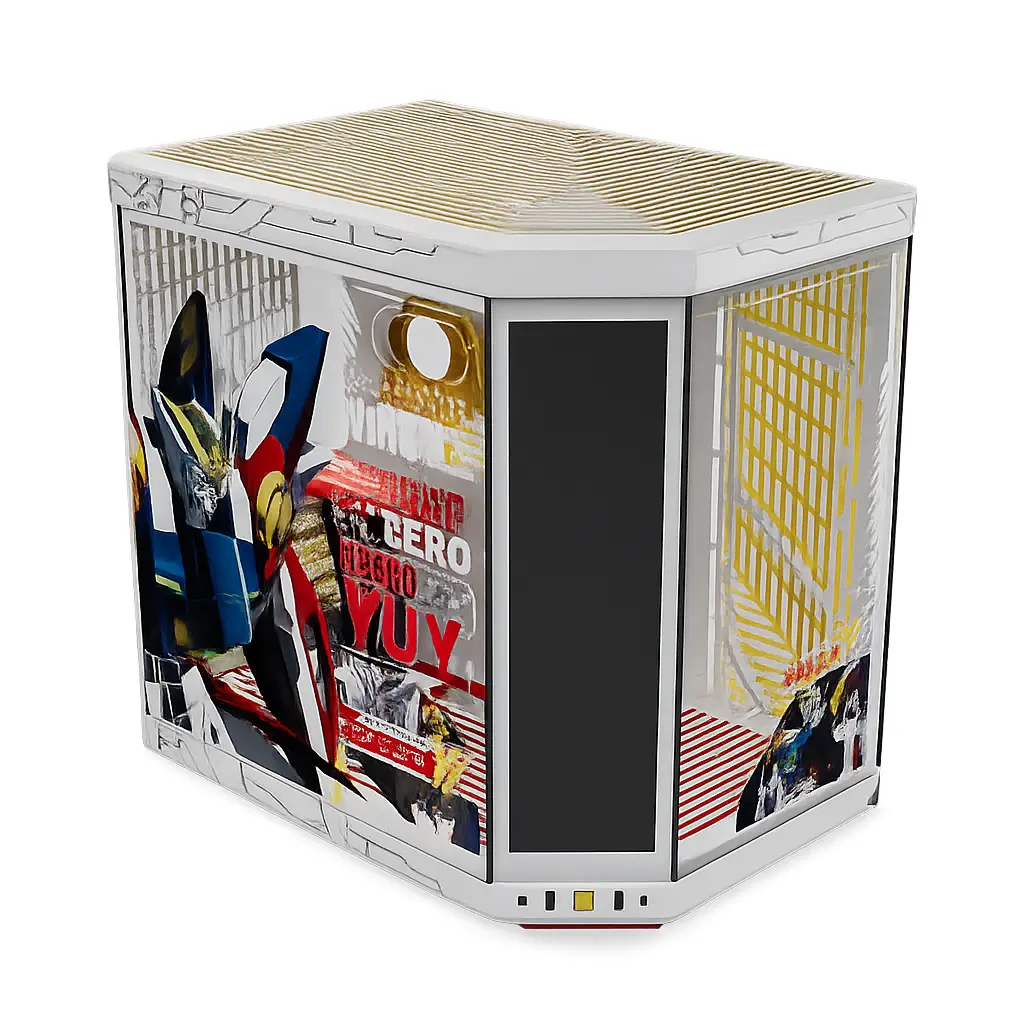
You may be wondering why this Y70 Touch Infinite costs $100 more than the "typical" Y70 Touch Infinite, that is because it is a special edition case based on Mobile Suit Gundam Wing to celebrate their 30th anniversary of the anime, first airing back in 1995. Although it isn't disclosed in the press release or official website, all of these cases are numbered; ours is #0798, but it's unclear exactly how many were made. I have asked my contact and will update if I hear back on the actual number.
Meanwhile, this is what HYTE had to say about their collaboration with Bandai Namco to create the Gundam Wing Y70 Touch Infinite case.
Designed in collaboration with Bandai Namco and the legendary anime “Mobile Suit Gundam Wing”, this isn’t just your ordinary Y70 – the Gundam Wing Y70 Touch Infinite celebrates 30 years of mecha history and is tailored to serious pilots and fans alike.
Introduction
As you can see in the specs, there's plenty of room for expansion. However, you will need to plan ahead due to the seven half-size expansion slots, as the four full-sized slots will (in most cases) be entirely taken up by the GPU due to the riser cable, which cannot be moved outward towards the glass.
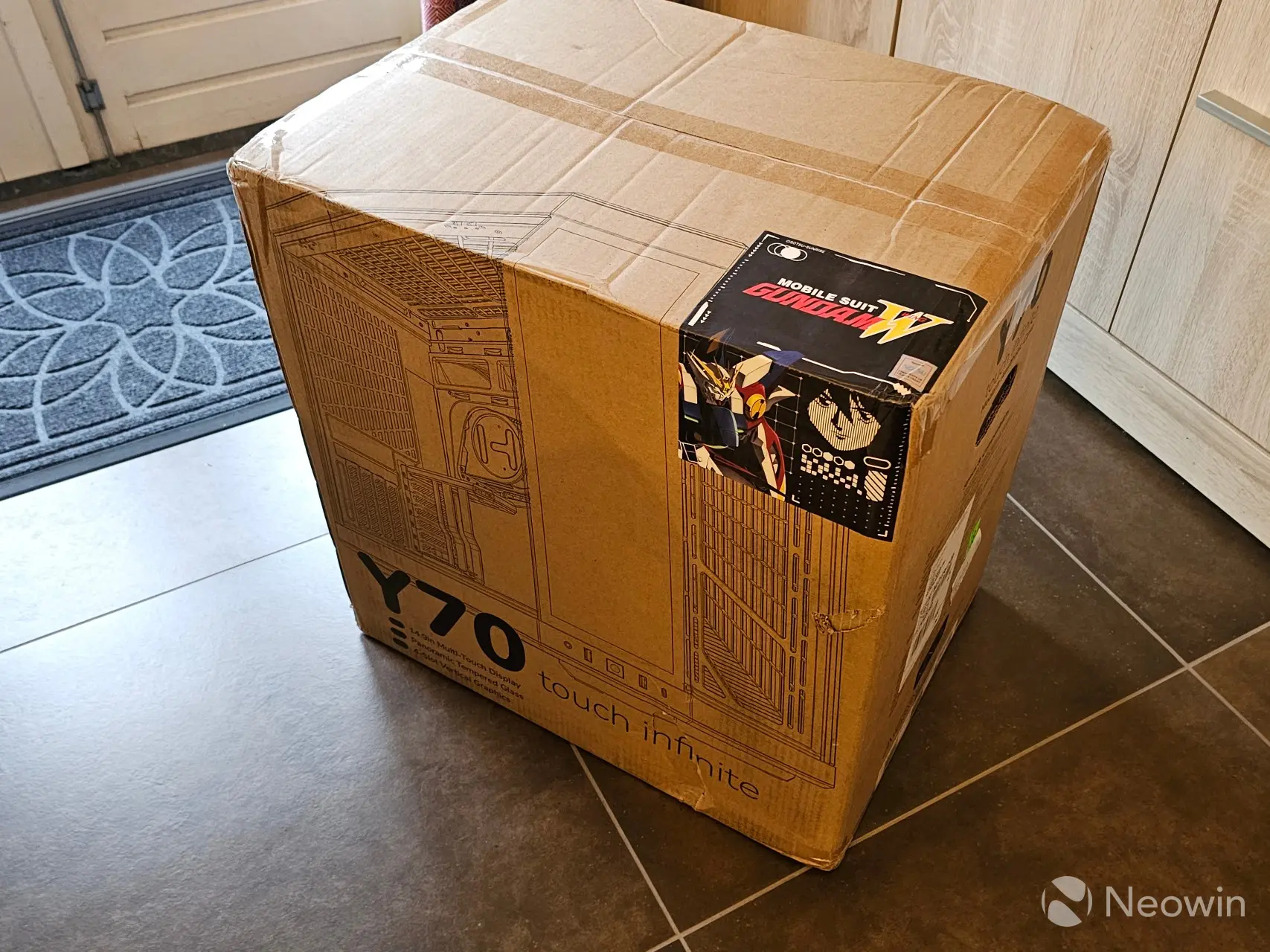
The Gundam Wing Y70 Touch Infinite arrived in a big box, and rather than being a plain brown box, it had the outline of the case printed on it, along with a Mobile Suit Gundam Wing sticker. I was expecting it to be heavy, but it isn't, you'll see why a bit later.
In the box
- Y70 E-ATX Case
- Instructions
- MB and SSD Screws (M3)
- HDD Screws
- PSU Screws
- Standoff socket
- PC Headset Adapter
- DisplayPort Male to Male Cable
- Zip Ties
- Cable Straps
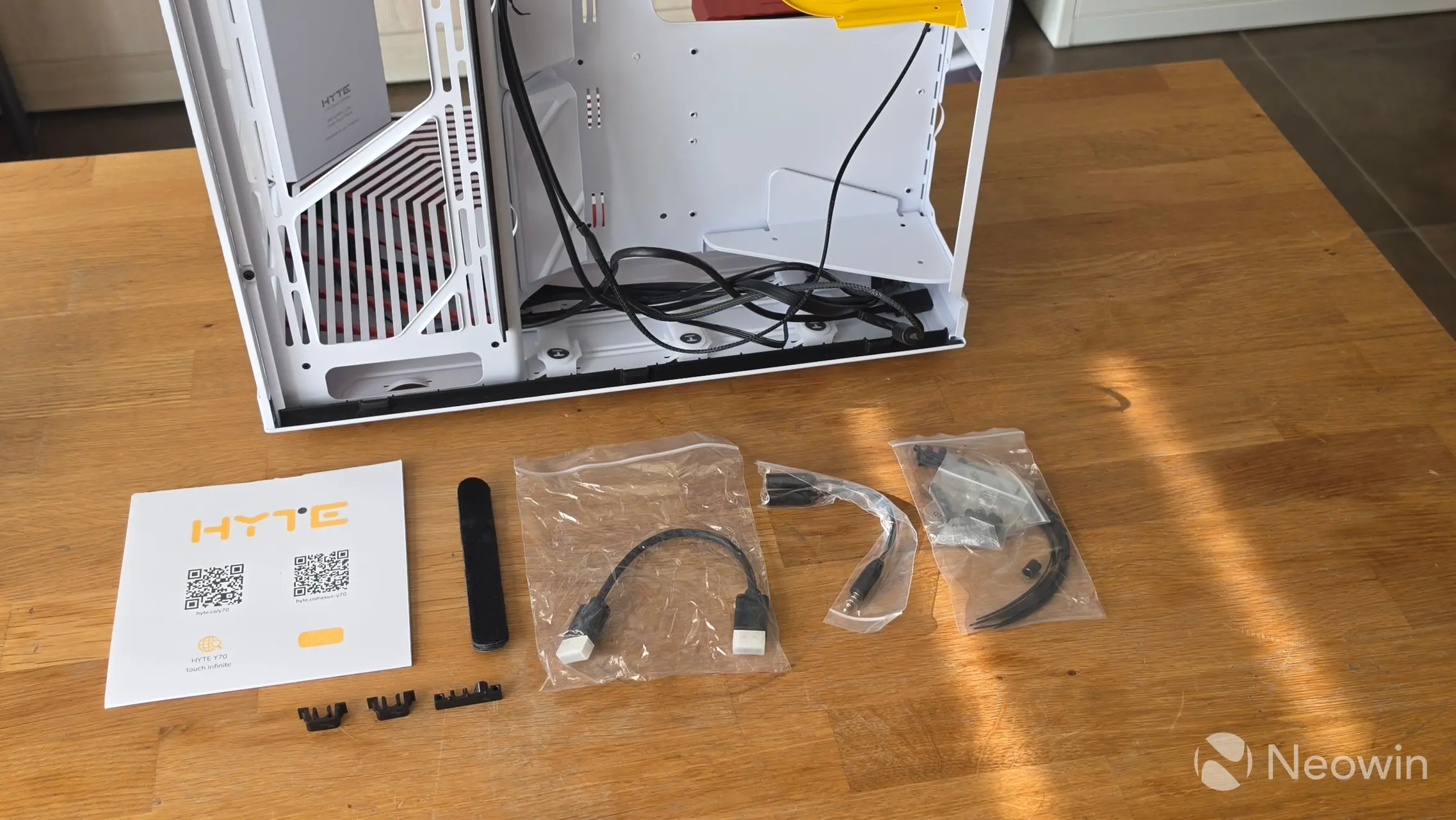
You have everything you need to get started, and happily, the case is pretty much pre-built. There is no requirement to install the screen, and even the riser cable bracket is preinstalled, but as I mentioned earlier, there's only one place it can go, so maybe that's why.
Design
The case is made up from lightweight aluminum, and this is where it really shines, because it truly is not as heavy as you would expect it to be. This is partly due to the top and right side having a metal cover that is almost completely made up of grill lines for airflow, reducing the weight.
|
|
|
|
|
|
|
|
|
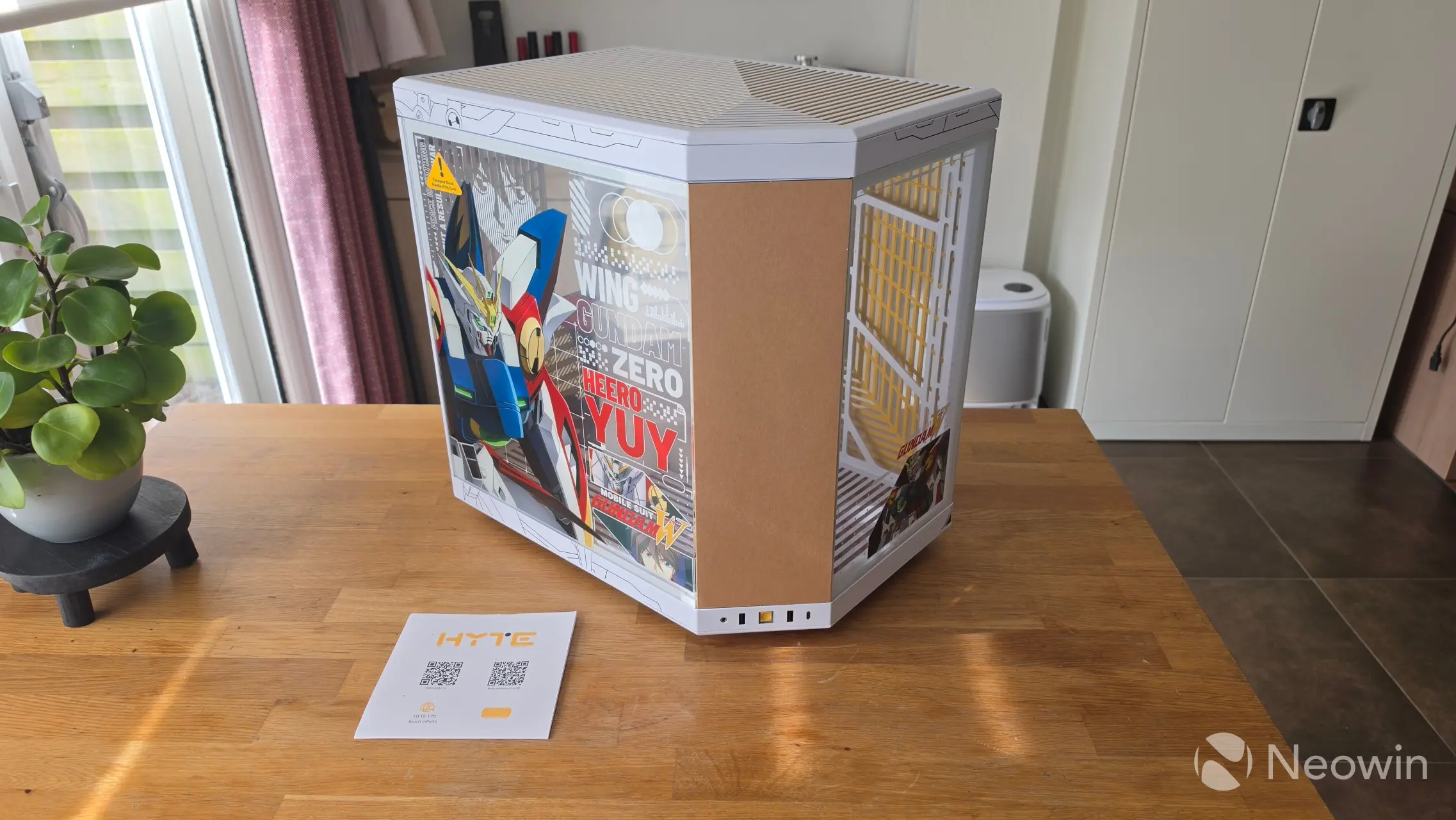
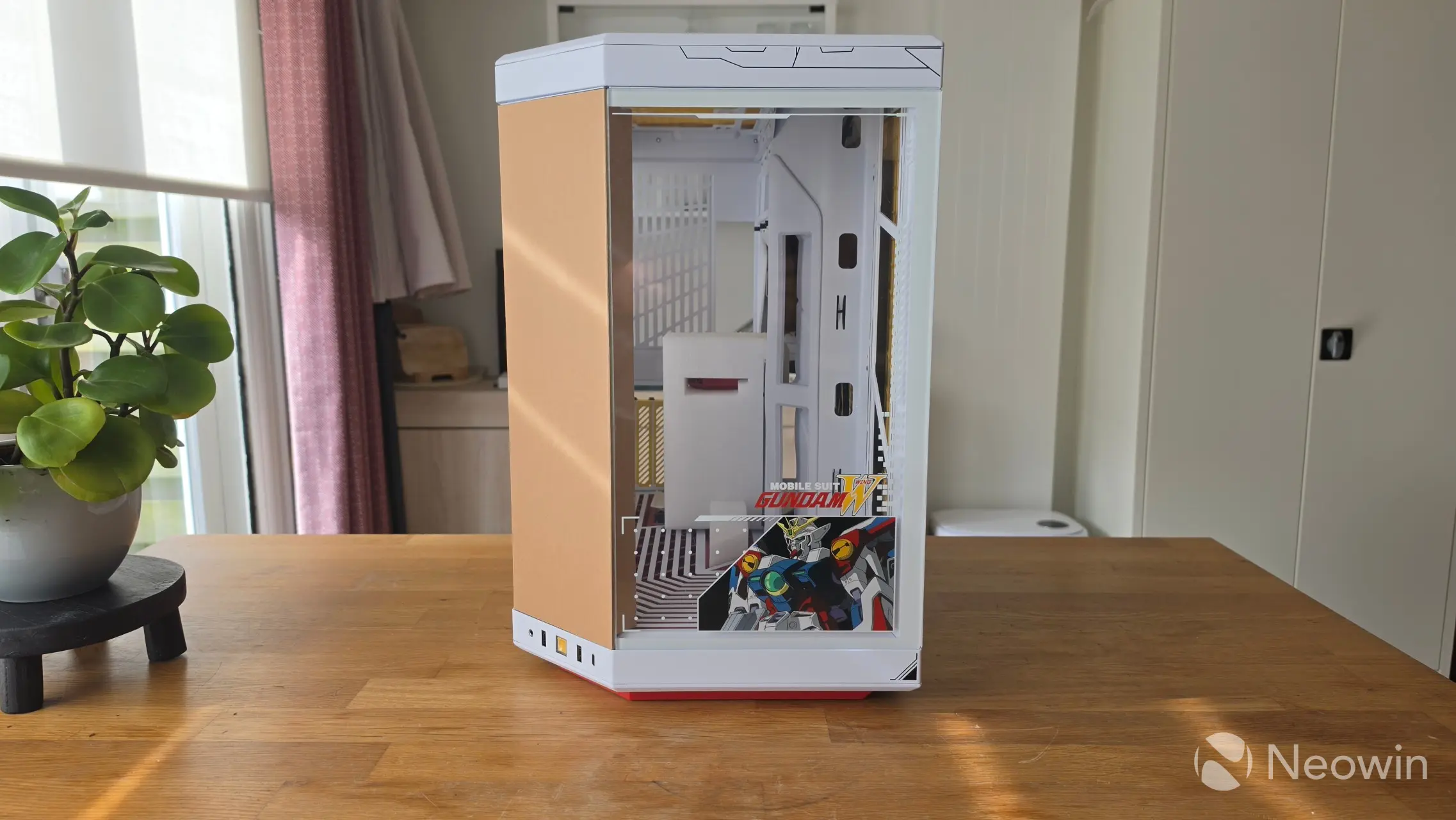
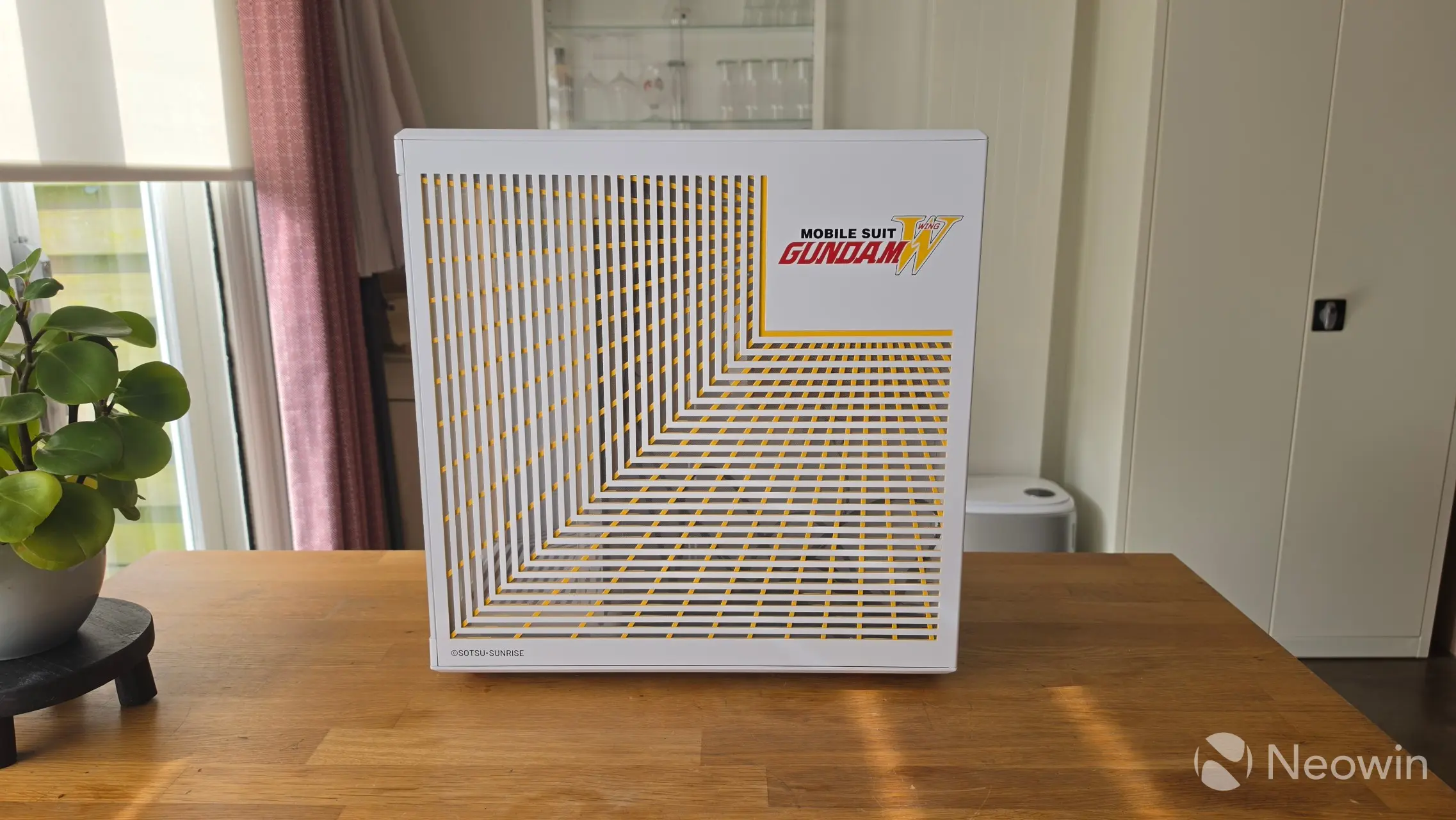
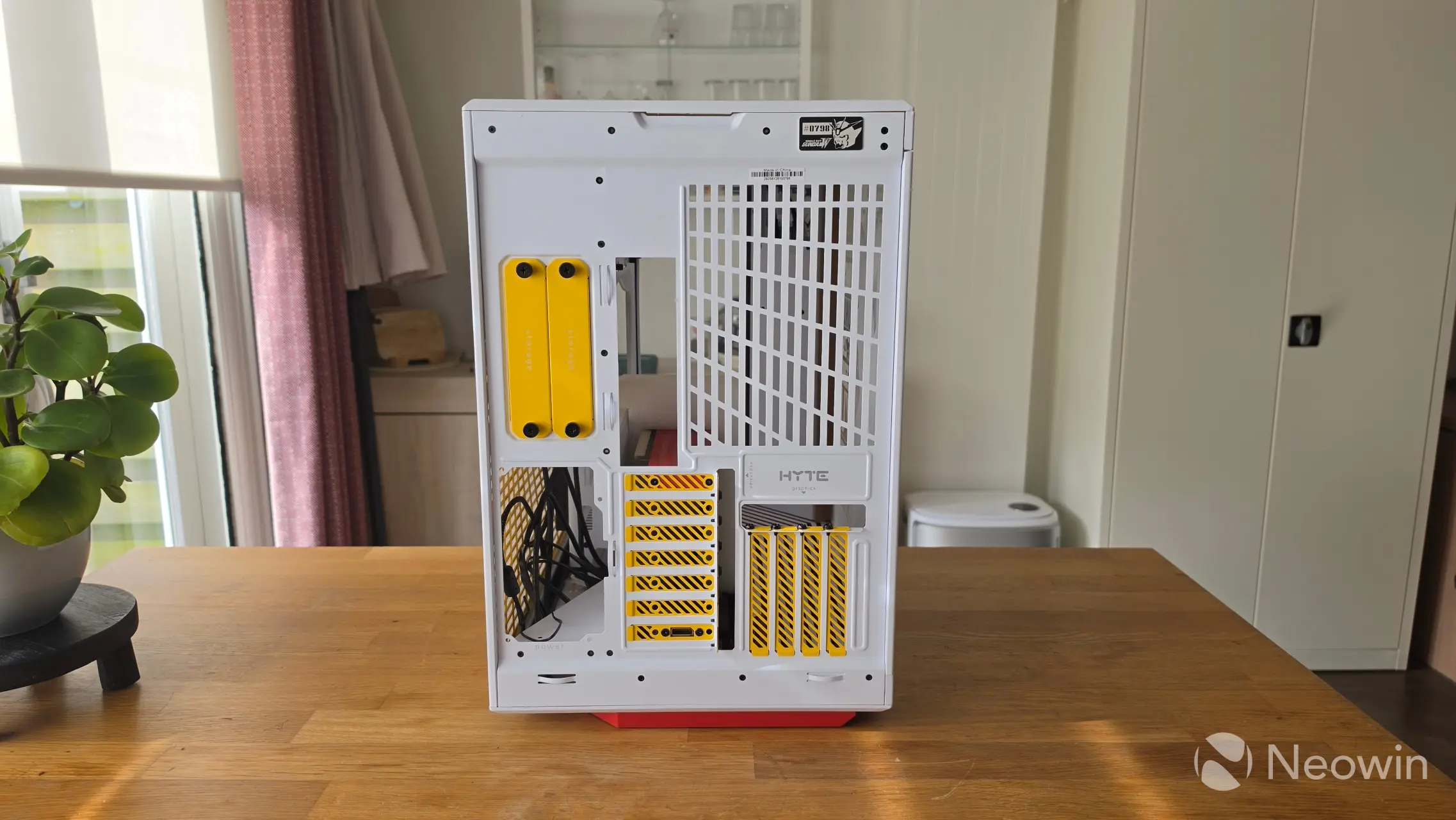
After unpacking the Y70 case, you can see they added a cardboard protection for the screen that can simply be pulled out. Around the front from left to right there's the 3.5mm Audio/Mic Combo Jack, a USB-A port, the power button, another USB-A port, and a USB-C port, all of the USB on the front are 3.2 Gen 2 (10 Gbps).
The right side of the case is almost entirely made up of a dust filter made from metal and plastic, which can be pulled off to reveal the cable management and PSU bay.
On the rear is where you will find those seven half-sized expansion slots, along with the four full-sized ones. There are also two storage bays, which can be removed toollessly; they can be used to populate up to two full-sized traditional HDDs, or four 2.5-inch SSDs.
I really like the look of it, the white, red and yellows complement each other well, but if you were to buy this case, you'd probably want to go for a full white build, which is what I did.
Hardware
For our hardware, TEAMGROUP sent me the SSD and Memory, which I have used in a few other reviews already; the rest was purchased by yours truly.
- GIGABYTE Z890 Aero D (BIOS F19)
- Intel Core Ultra 9 285K (Amazon) 7% off
- TEAMGROUP T-Force Delta RGB DDR5 RAM 32GB Kit 7600MT/s (Amazon)
- ARCTIC Liquid Freezer III Pro 360 A-RGB (White) AIO (Amazon)
- 7x ARCTIC P12 Pro A-RGB (6x Reverse, 1x Exhaust) (Amazon)
- Corsair RM1000x SHIFT (Amazon) 13% off
- TEAMGROUP MP44Q 4TB NVMe (PCIe 4.0) (Amazon)
- NVIDIA RTX 5090 Founders Edition
Build
Let me just say straight off the bat, this case offers ample room to build. Thanks to its large footprint, you will find it incredibly easy to do cable management too.
| Front | Rear |
|---|---|
|
|
|
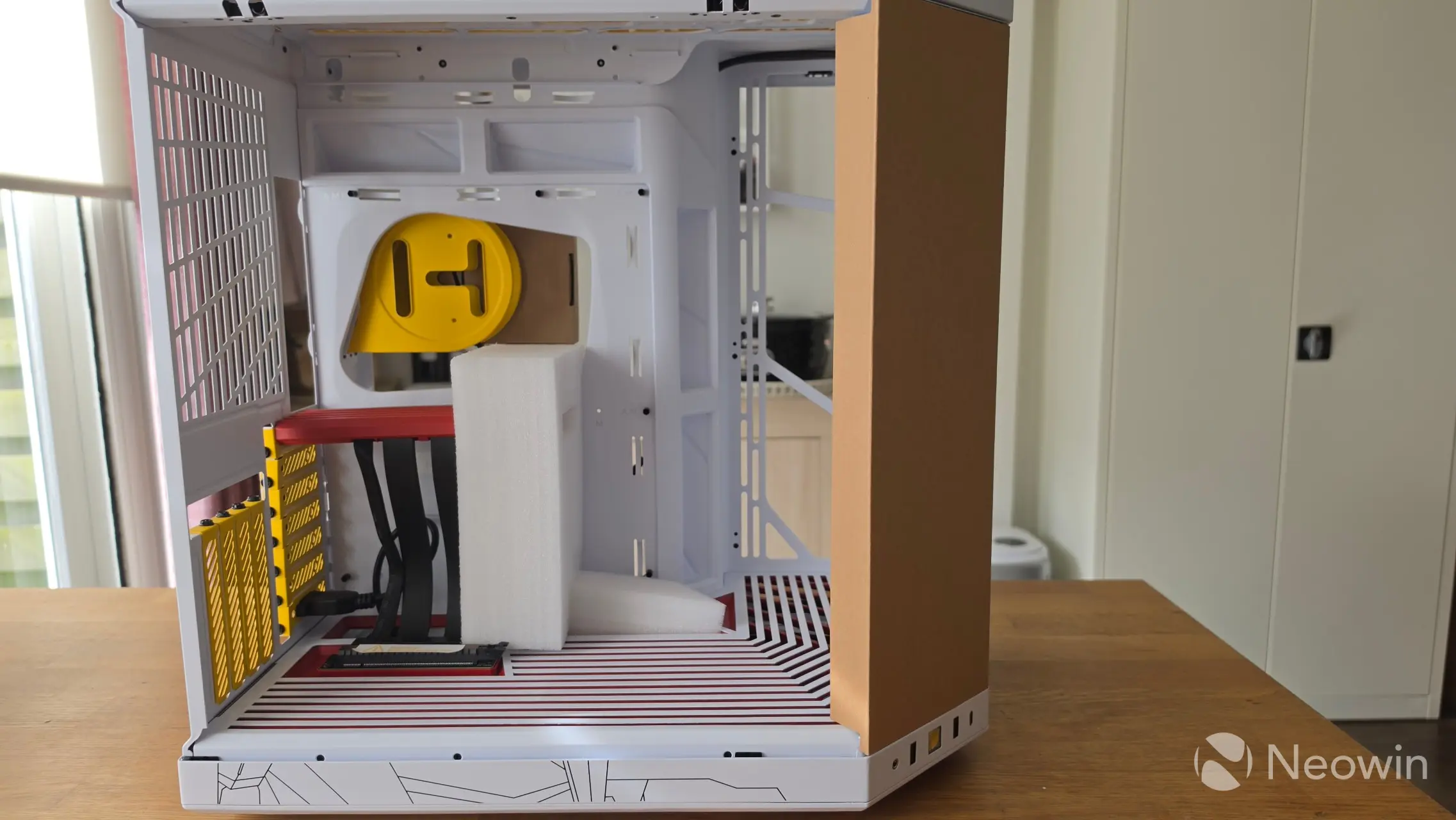
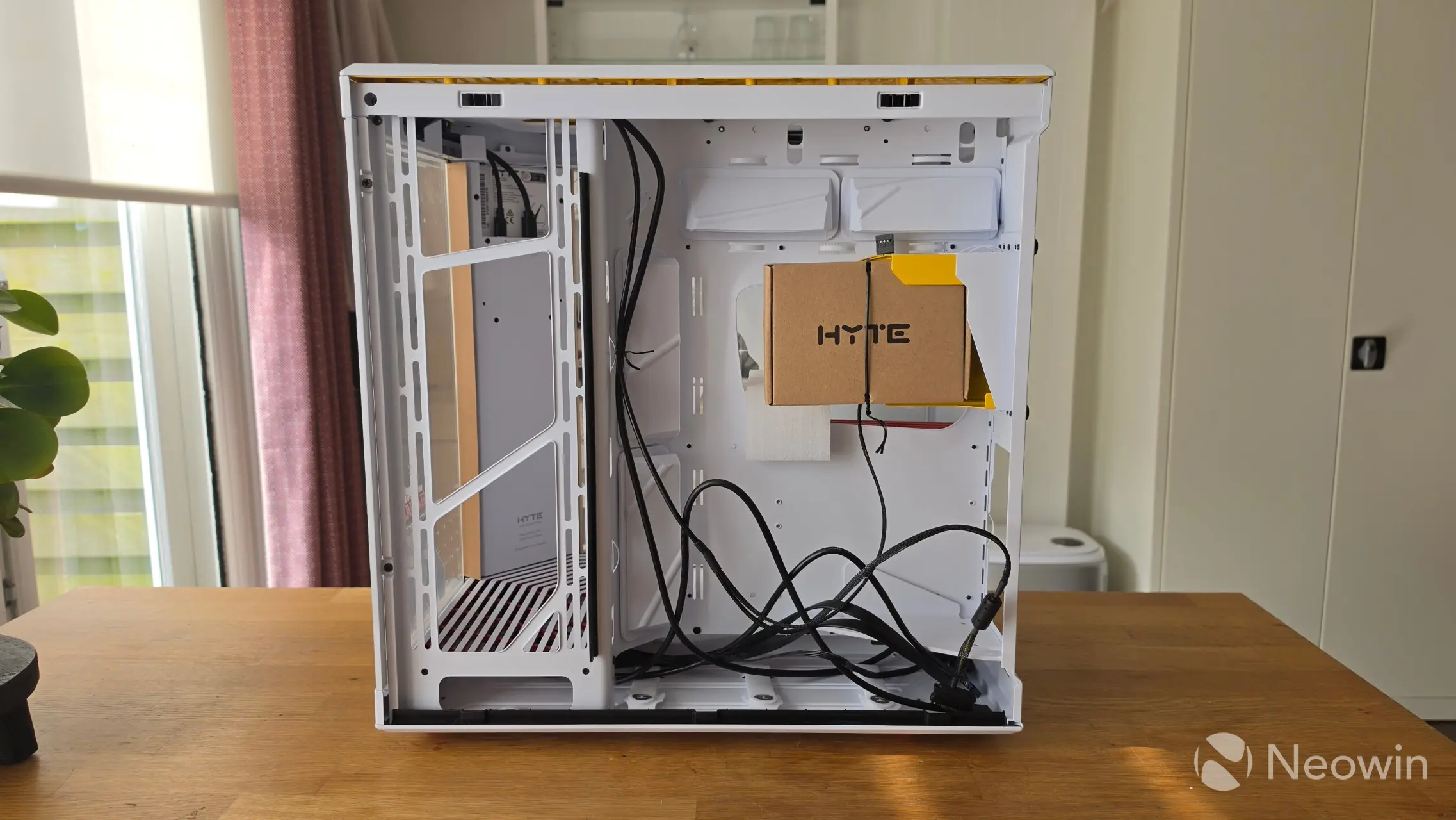
Around the motherboard side of the case, the glass panel can be pulled off for access, and on the PSU side there are two screws that can be removed in order to pull off the front glass panel; you'll need to do this as the side fan rails cannot be removed meaning you'll have to mount the side fans or radiator as is (on the Lian Li Evo series the side fan rail is removable). However, with the front glass panel off, I had enough room to mount the three ARCTIC P12 Pro A-RGB intake fans.
| Top | Bottom (fan rail + dustfilter removed) |
|---|---|
|
|
|
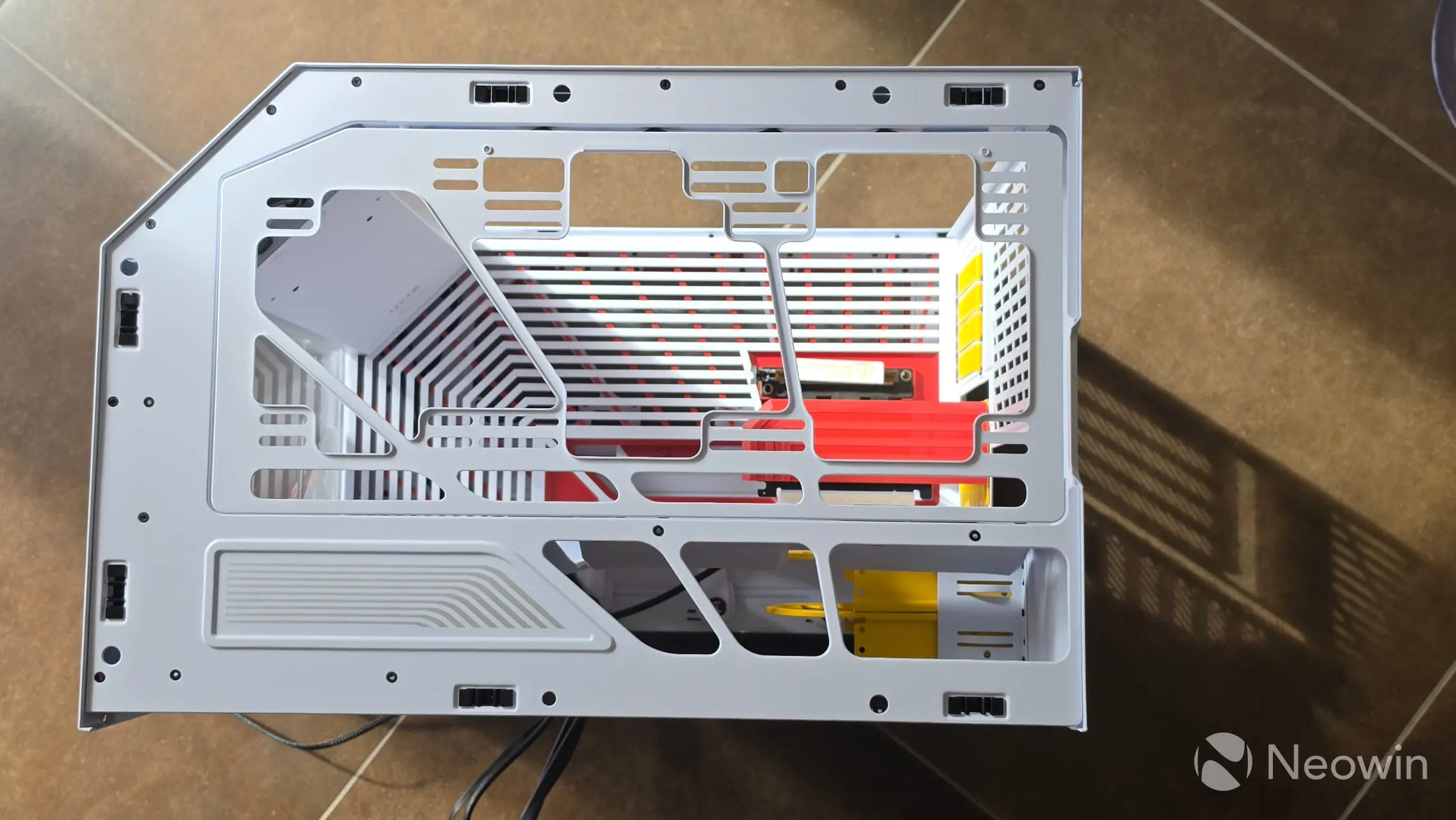
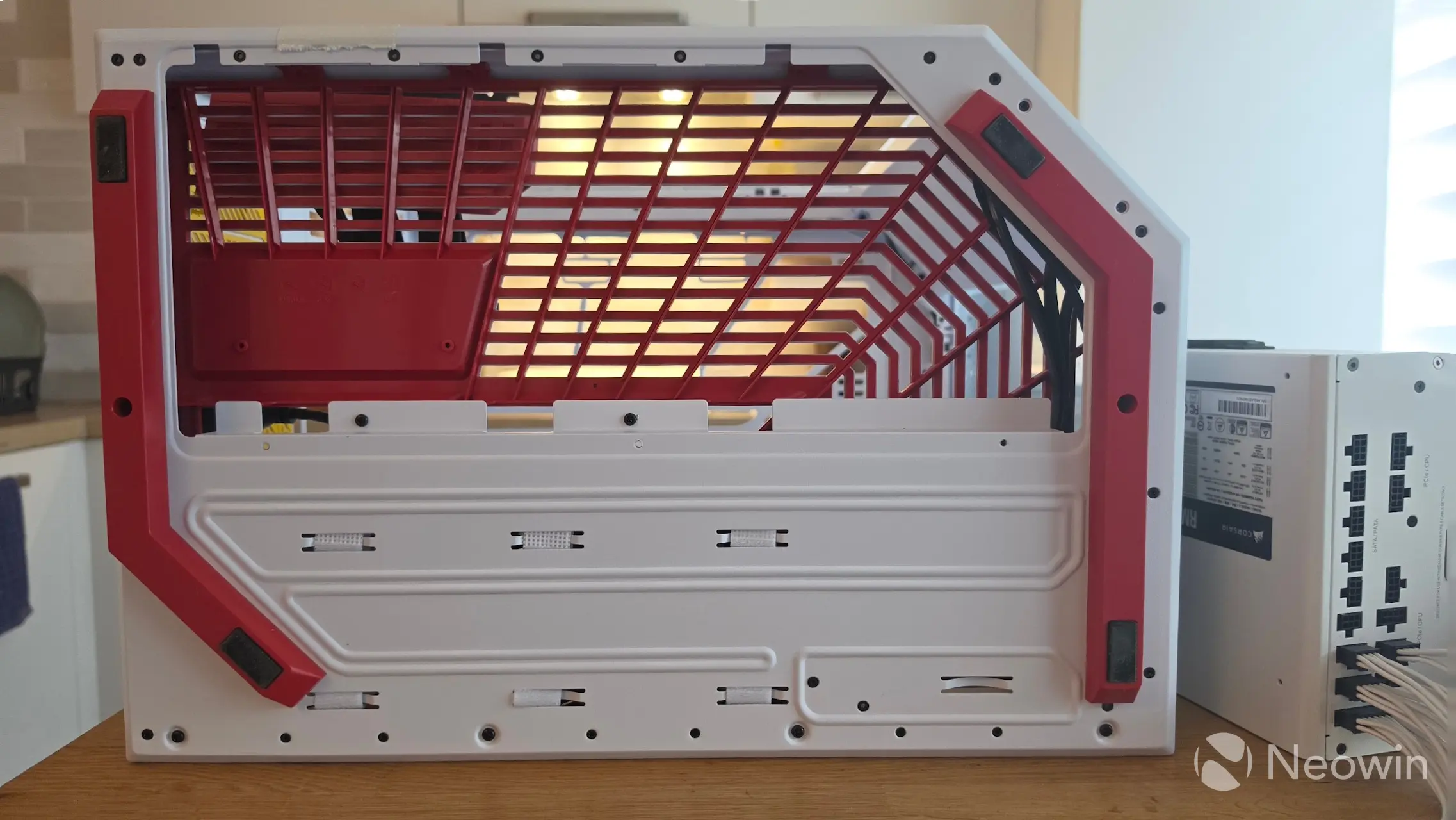
On top, it's the same story. There's no removable fan rail for the radiator (or top-mounted fans), but again, even with an E-ATX motherboard already installed, there's ample room to place the supported radiator sizes and manage the connectors to the board.
On the bottom, it's a different story. The Y70 Touch Infinite supports two 140mm fans or three 120mm fans.
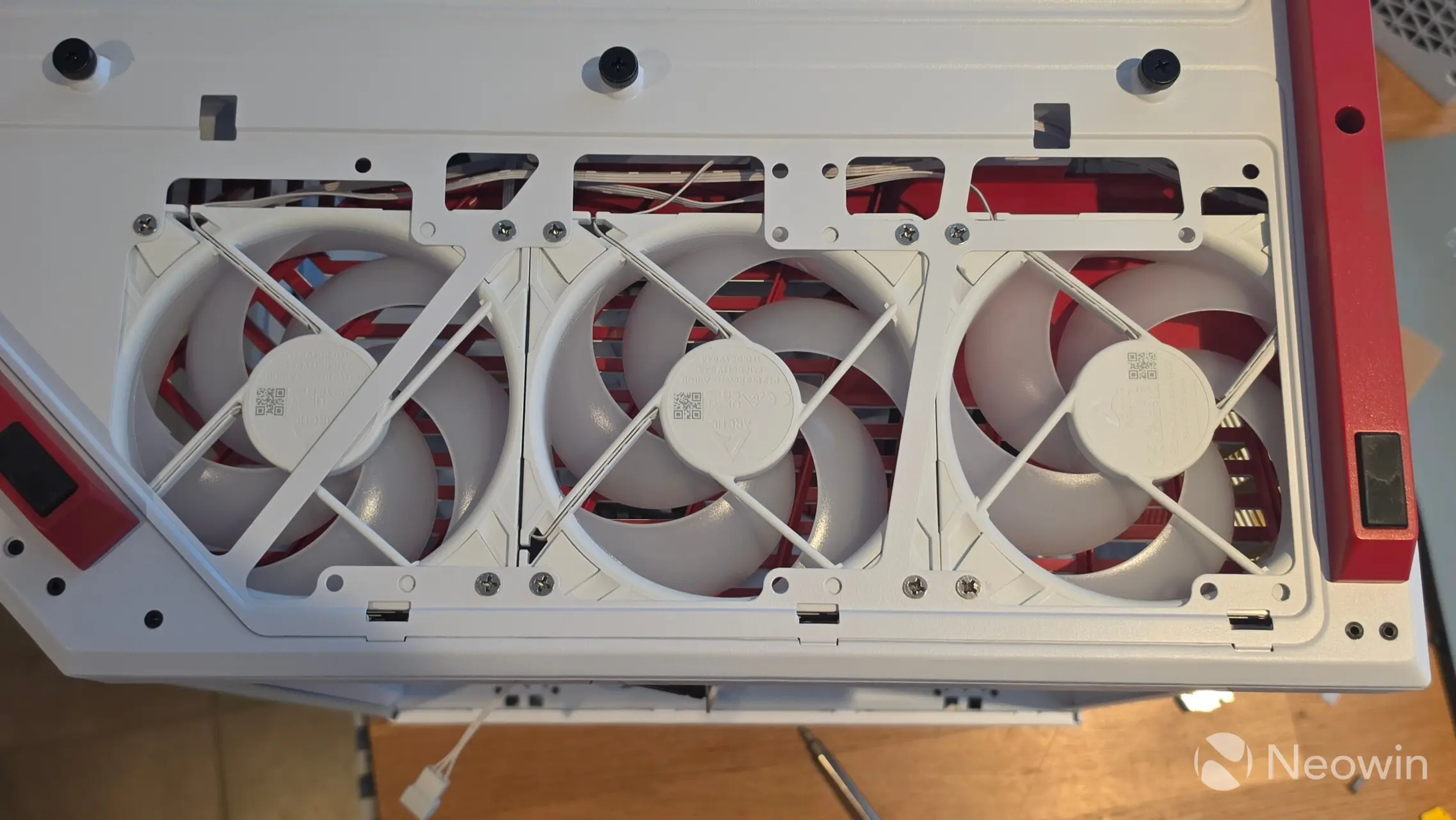
In order to be able to fit three 120mm fans, this is the only place where there is a removable fan rail. The rail comes off with the three (toolless) screws pictured above near the top removed, and then you have to kind of loosely affix the first two fans to the rail, place the third fan loose in the case, then slot the fan rail back in from the left bottom (where you can see the case overlapping the first fan) and then from the other side, position the third fan onto the rail and secure with two screws. It's about as awkward as it gets for the whole build, with everything else pretty much plain sailing.
| No Dust Filter | Dust Filter |
|---|---|
|
|
|
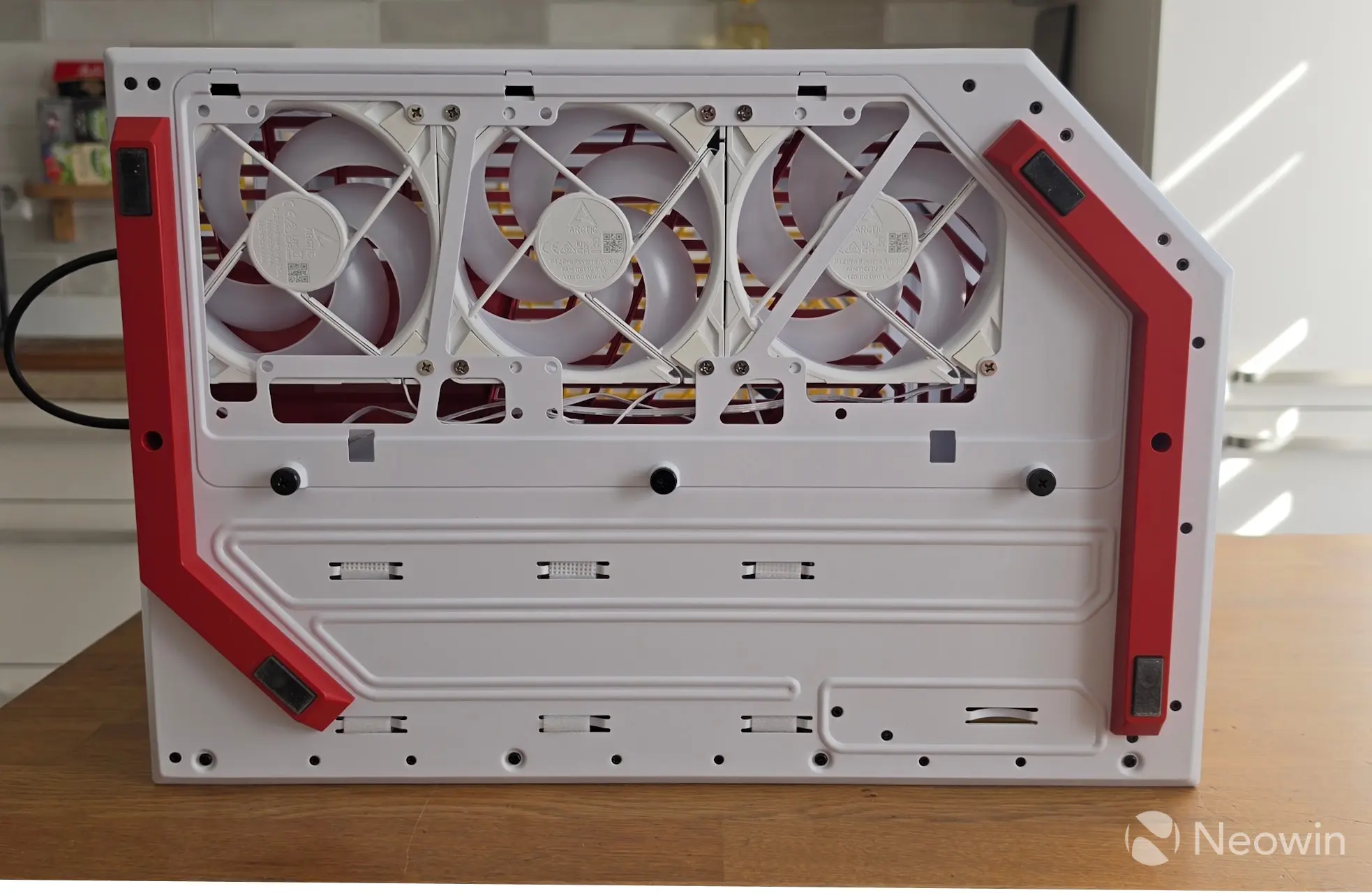
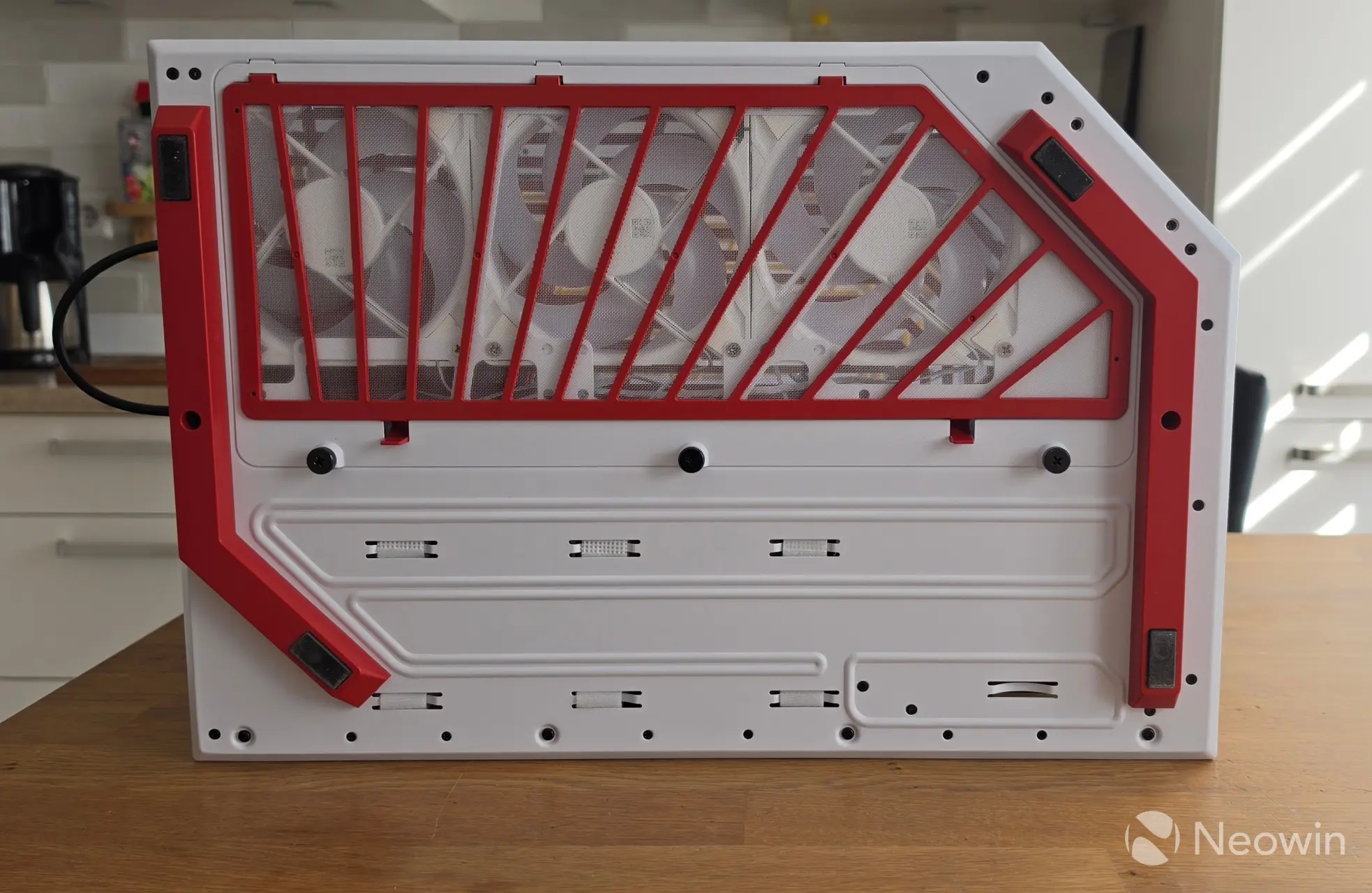
I placed the bottom fans first, so I could try and do a bit of cable management through to the motherboard.
|
|
|
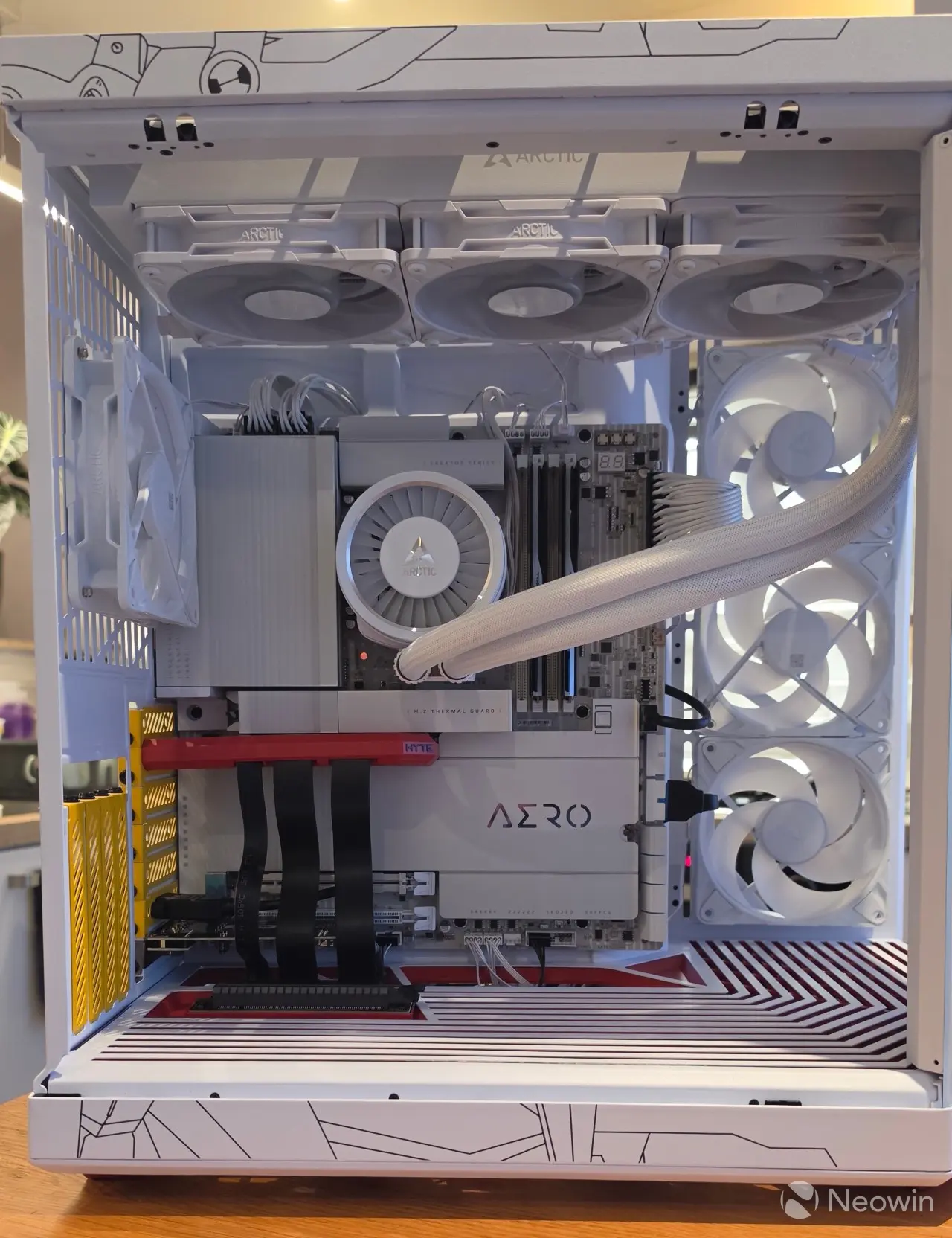
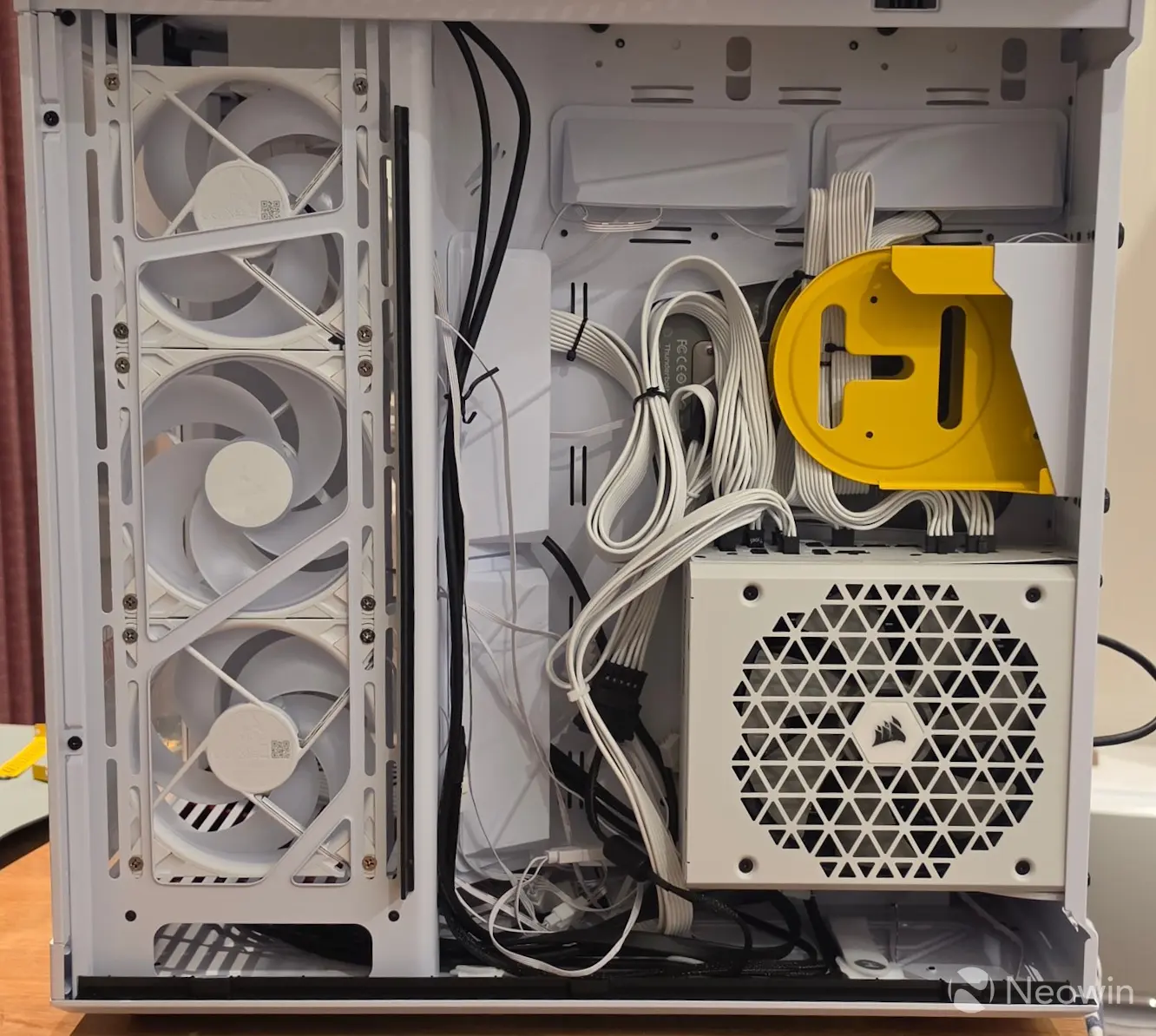
Placing the motherboard was a breeze, and it was also easy to feed through the wide and tall cable management ports to the rear and sides of the case. You can see how large they are in the above right image, and they look pretty good, too. Then all there's left to do is manage as best as possible the cables on the PSU side; a task I could have done a better job with, to be honest.
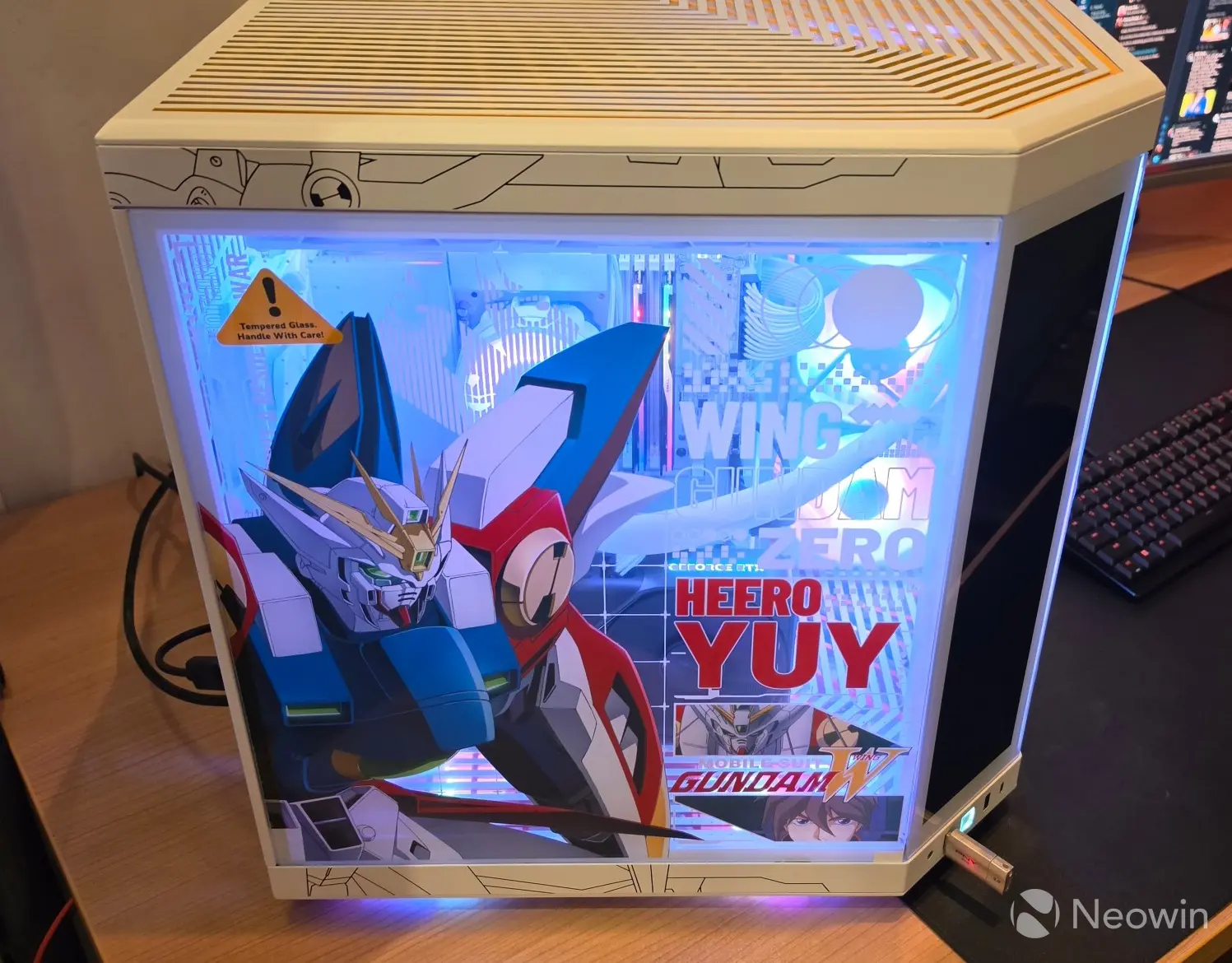
As you can see, the Gundam Wing stickers pretty much cover the entire side of the case, which also blocks the view of the components, so if that's not your thing, you could either order the "normal" Y70 Touch Infinite or order a third-party plexiglass replacement. Unfortunately, HYTE does not sell the glass panels separately, although it is planned, according to a HYTE representative commenting on Reddit nine months ago.
| Front view | LCD (IPS) screen | Right side view |
|---|---|---|
|
|
|
|
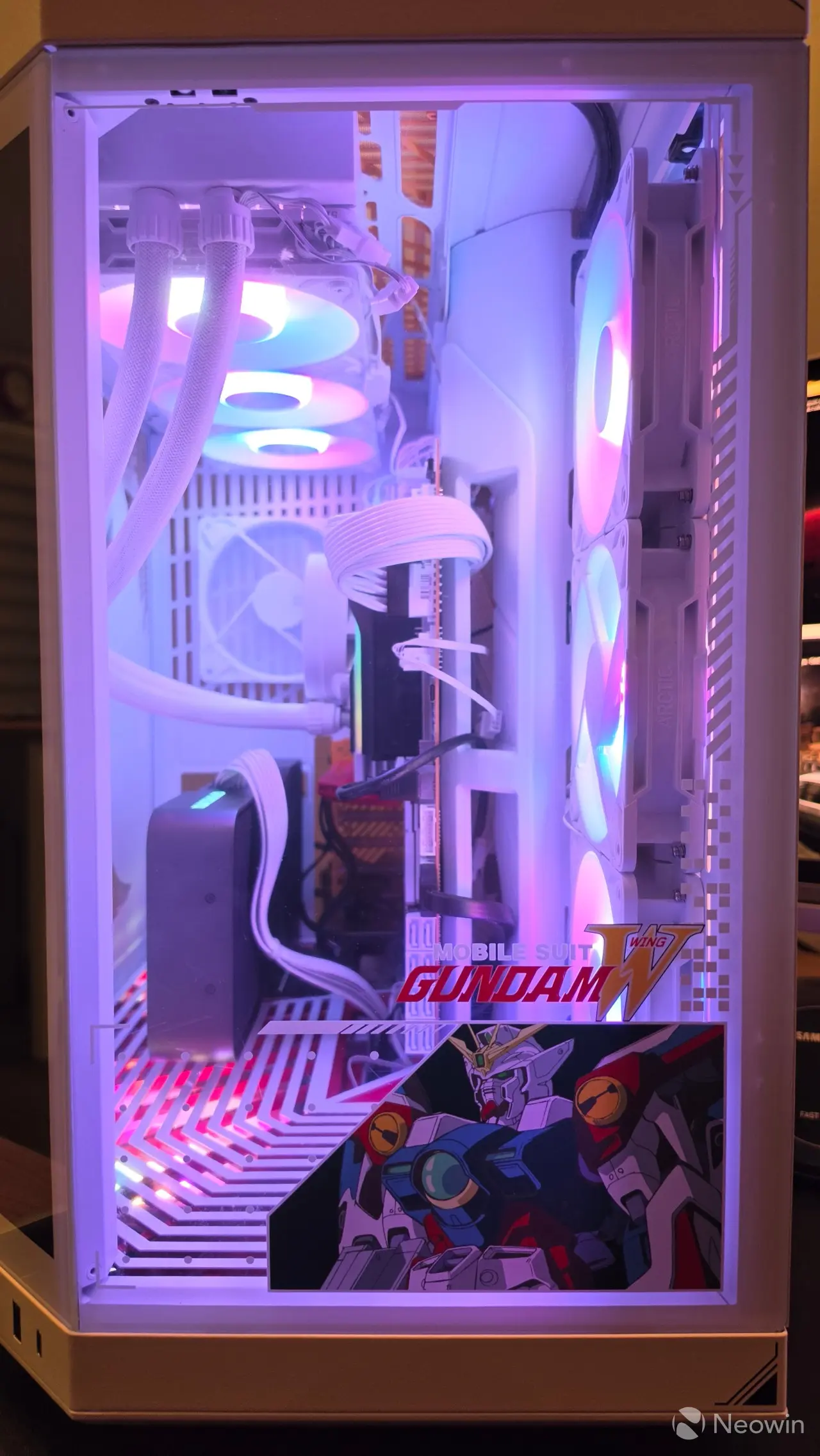
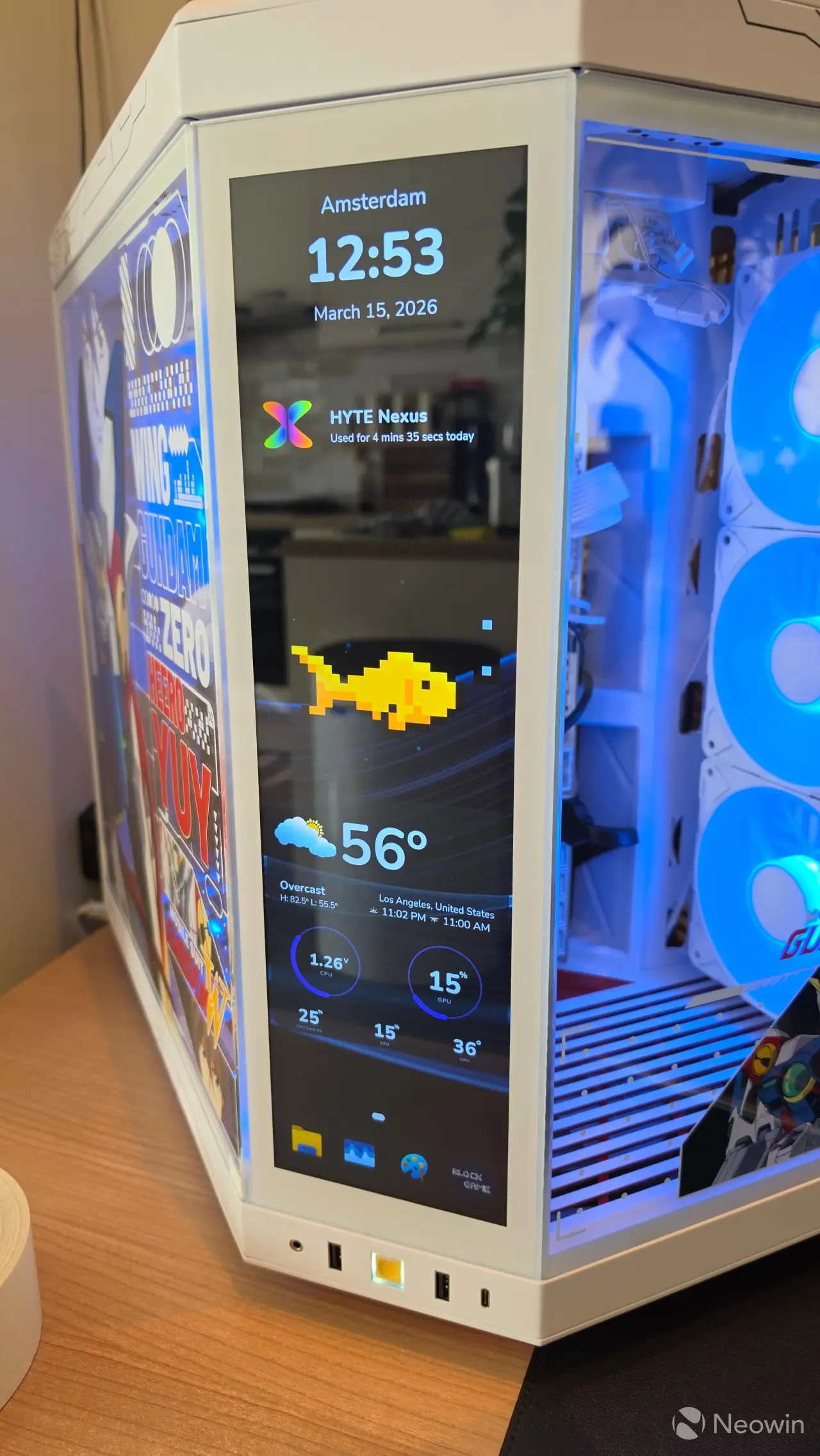
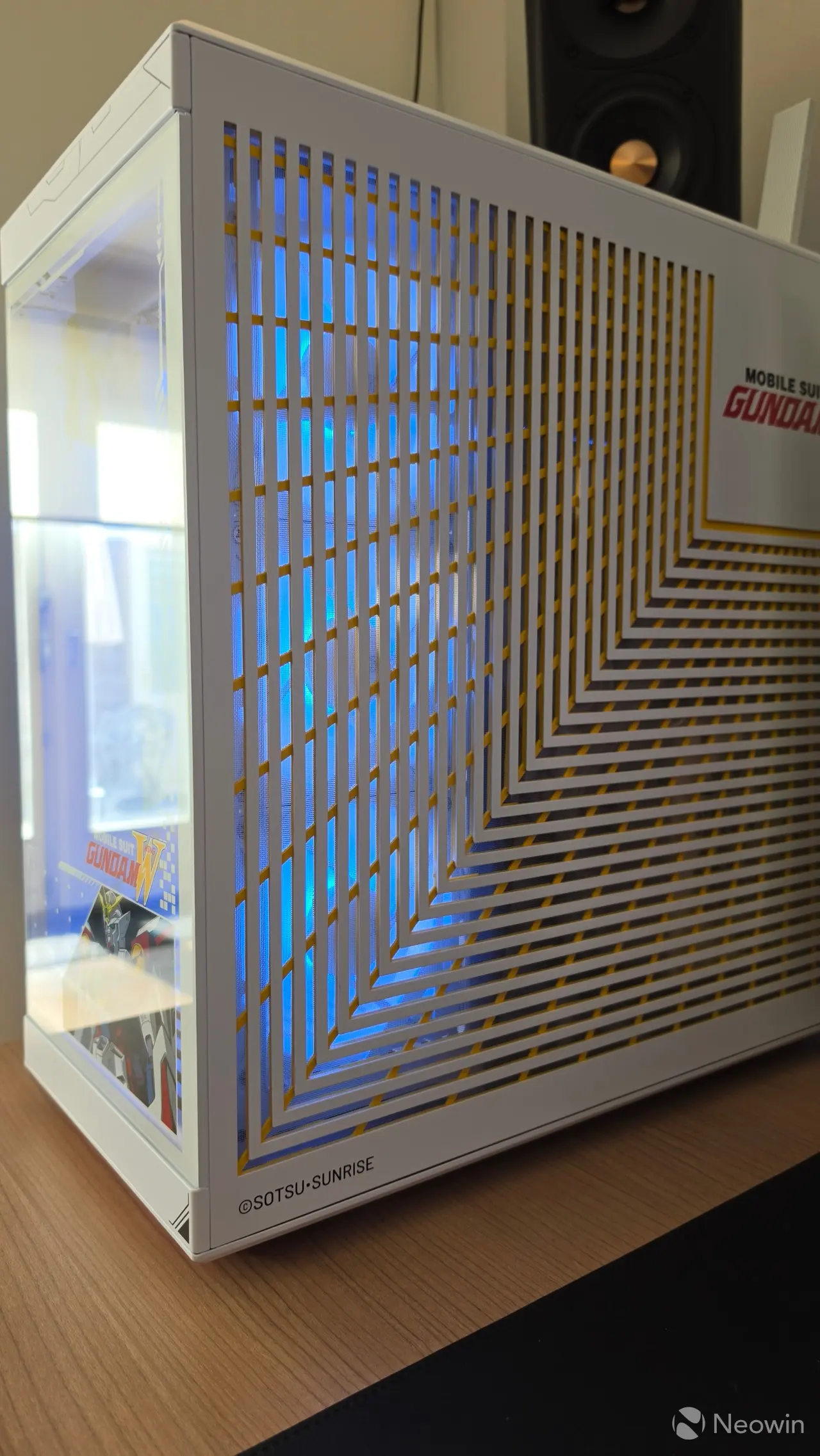
In order to use the front screen, one option is to plug it into the motherboard's DisplayPort if you have a CPU with integrated graphics; however, the internet is split on what impact that has on performance, considering an iGPU always uses system memory, causing a bit of overhead. In any case, the cable included with the HYTE Y70 isn't long enough to plug into the motherboard, so I plugged it directly into the 5090 FE, and this is where it gets interesting. It will be a bit of trial and error, but basically, most motherboards prioritize DisplayPort over HDMI, so you might end up seeing your brand new build on the front LCD screen rather than your monitor.
Just to note, the LCD screen came preinstalled and wired up, but it is possible to purchase a DIY LCD screen kit for the vanilla Y70 cases that are sold without it.
At first I used HDMI to my screen, since I have an HDMI 2.1 monitor with DisplayPort 1.4, but in the end I just figured out which DisplayPort was prioritized by the motherboard (for POST) and connected my monitor to it, and then the case screen to the second DisplayPort. The HYTE NEXUS software does let you calibrate the touchscreen, and you can also set in Windows which is your Main display.
I'll do a follow-up hands-on of the NEXUS software, because unfortunately, the Aero D died, and it is on its way back to Amazon before I remembered to do screenshots.
Benchmarks
I ran a series of CPU-bound benchmarks for another review (publishing in the next week) on the aforementioned hardware and saved the temperatures in a line graph. The tests were performed in a room with an ambient temperature of around 23C.
The games that were tested below were set at the lowest quality preset, with any frame generation disabled, but Ray tracing and Shadow qualities set to highest:
- Cinebench 2024 (Multicore)
- Cinebench 2026 (Multicore)
- Shadow of the Tombraider (720p)
- Assassins Creed Odyssey (1080p)
- Final Fantasy XV (Lite Quality at 1080p)
- Hitman 3 (1080p)
- Cyberpunk 2077 (1080p)
- F1 24 (720p)
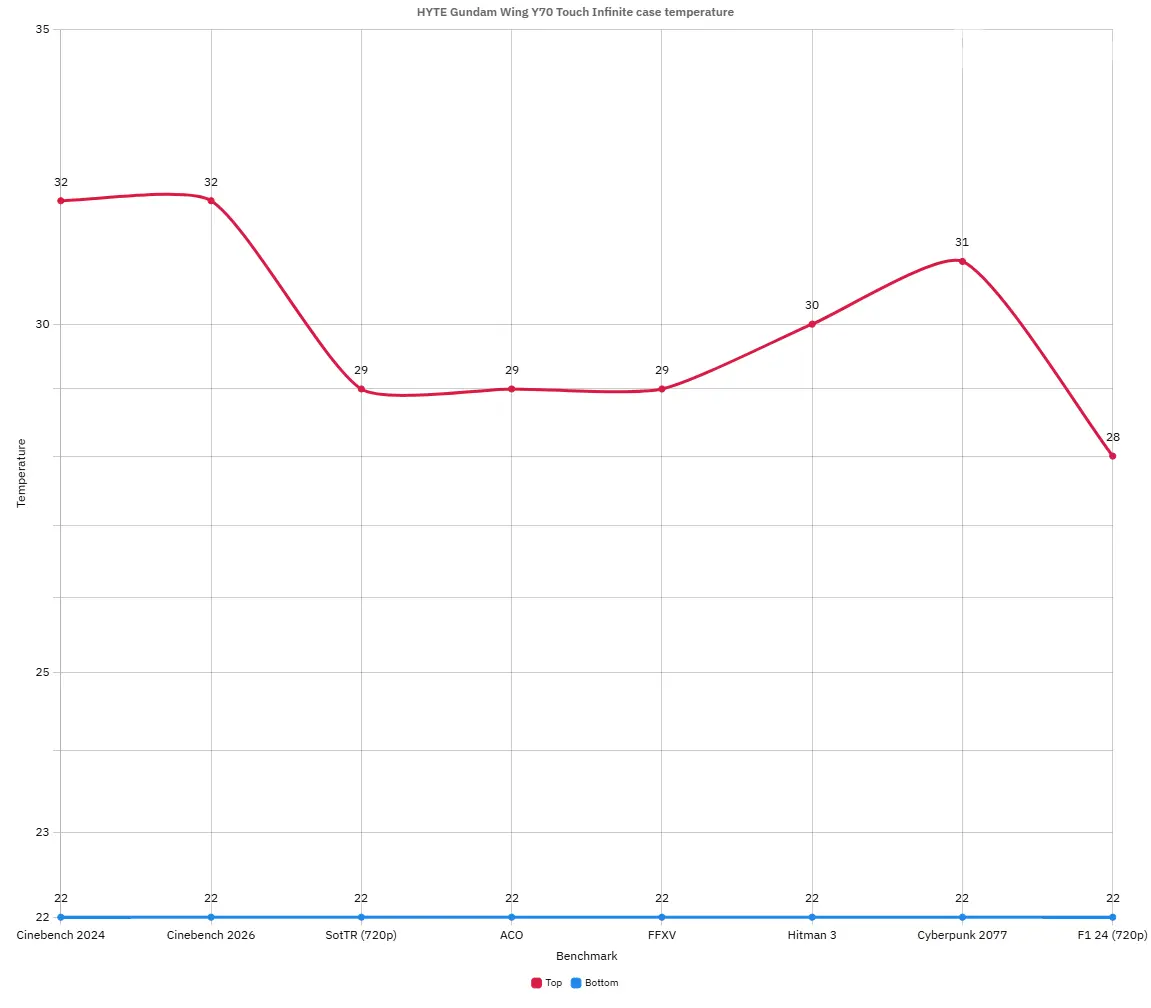
As you can see, the bottom of the case had a very consistent 22C throughout, while the top sensor fluctuated between 28-32C depending on the test, with both Cinebench tests demanding the most from our hardware.
Conclusion
I've been building PCs for myself or testing for almost thirty years, and although I couldn't say I do it multiple times per year, one thing that struck me about the HYTE Y70 Touch Infinite is how easy it was to use and complete the build.
What I liked
I like how lightweight it is, and the ample room to manage components in the case, as well as for cable management. The LCD screen is quite beautiful and configurable (more on that at a later date), and it looks great too.
What I didn't like
I didn't like the trade-off for the bottom fan placement. I think there is enough room on the bottom of the case to place a full three-fan rail if the feet were also integrated into it. If a fan fails, it means you first have to unscrew the third (most rear) fan so it sits loose in the case and then maneuver the rail out with the other two fans still attached to the rail, taking care not to damage any of the daisy-chained cables. In addition, HYTE already sells a PCIe 5.0 riser kit for $99.99, so I feel like this exclusive limited edition case should have included it over the PCIe 4.0 version that it ships with.
Would I recommend?
Alright, at $499.99, it's not cheap and you'd have to have enough room to place it, but if you can spring for it, absolutely! Having the front LCD screen means you don't have to think about getting an AIO with a screen (unless you like that sort of thing with multiple screens in your case). And, if you haven';t aready guessed by now I found it incredibly easy to complete my build, going off my experience with other cases offering limited space to work with.
If spending $500 for a case is not your thing, there's still the entry-level Y70 at $219.99 on the official website without the screen, and it even includes the PCIe 4.0 riser kit at that price.
Where to buy
The HYTE Gundam Wing Y70 Touch Infinite is only available to buy on the official website, but if this isn't your thing, the Y70 is also available in several colors with or without a screen at the links below.
- HYTE Gundam Wing Y70 Touch Infinite for $499.99 (official website)
- Y70 Touch Infinite for $399.99 (snow white, panda, pitch black, black cherry, official website)
- Y70 for $219.99 (all colors, official website)
It's a little cheaper on Amazon if you go for the Snow White, Black Cherry, or Pitch Black variant; that's also the case for the Y70 white variant, with all others costing the same or a little less than on the official website.
- Y70 Touch Infinite for $384.99 on Amazon U.S.
- Y70 for $194.99 on Amazon U.S.
- Y70 Touch Infinite for £379 on Amazon U.K.
- Y70 (Snow White) for £189.99 on Amazon U.K. 5% off
- Y70 Touch Infinite for €427.89 on Amazon DE
As an Amazon Associate, we earn from qualifying purchases.










7 Comments
Load the comments and join the conversation!
Read the comments, ask the editors questions, show respect and join the conversation.