Samsung has announced several new education-focused software features and interactive displays for schools during ISTELive 2026, taking place in Orlando, Florida, from 28 June to 1 July. The focus of these updates is on making shared classroom displays easier to use for teachers while giving IT administrators more control over managing devices.
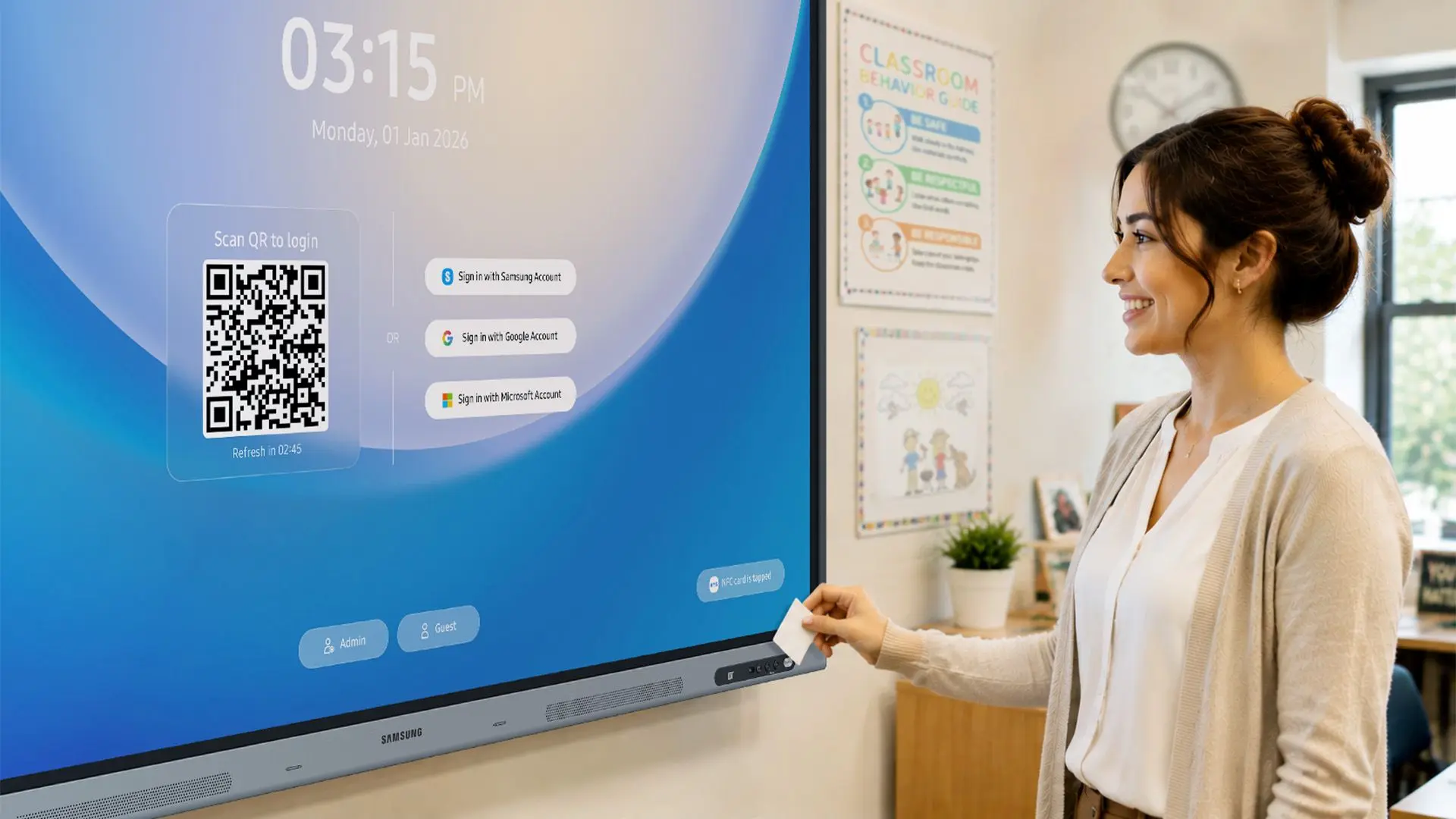
One of the key additions is the Samsung Account Management Solution (AMS). In many schools, multiple teachers share the same interactive display throughout the day, which means signing in and setting everything up can become repetitive. With AMS, teachers can log in by scanning a QR code or tapping an NFC-enabled ID card. Once signed in, their personalised workspace, including wallpapers, bookmarks, app shortcuts, and files, can be instantly accessed through Home Personalisation. Samsung has also included a screen lock feature, allowing teachers to lock the display if they need to step away briefly.
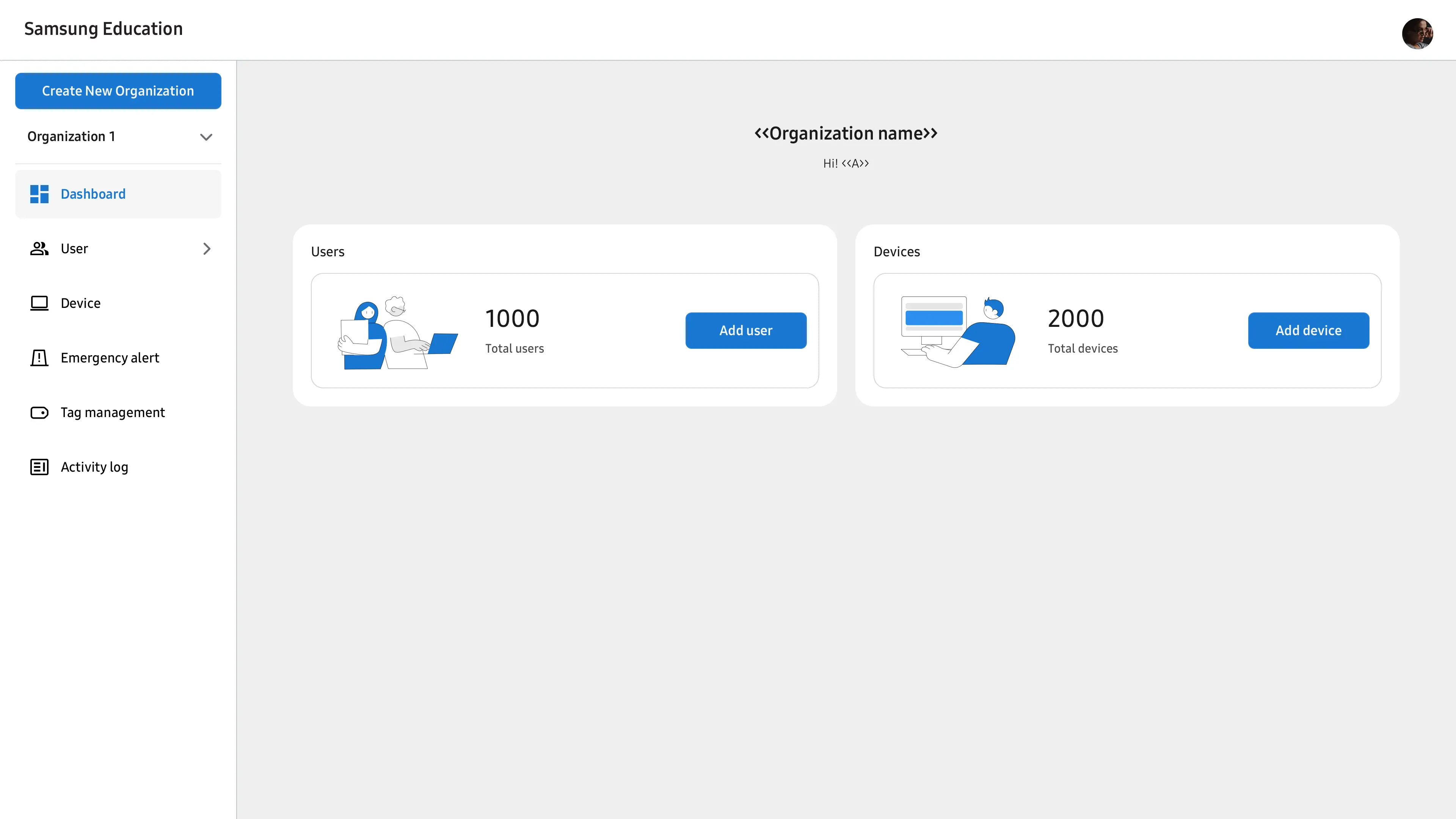
Furthermore, the company is also updating its Education Portal with new tools designed for school IT administrators. The portal will allow IT administrators to register teachers, enrol devices, and manage user access from a central dashboard. Administrators can also link NFC cards to teacher accounts, making sign-ins quicker across shared displays.
Another addition is a Tags feature that lets schools organise displays by building or classroom. Those tags can also be used to send emergency notifications to selected Samsung Interactive Displays through compatible platforms such as InformaCast and Raptor.
Moreover, the tech giant"s AI Assistant is gaining several new features aimed at supporting everyday classroom tasks such as lesson planning and classroom engagement. One of the features is Circle to Search, which lets teachers circle text or images on the display to quickly find related information, videos, or web results without interrupting the lesson. The content can then be brought into Samsung Whiteboard. Another feature, Live Transcript, converts spoken lessons into real-time captions, which could be useful for students with hearing impairments or those in multilingual classrooms.
The AI Assistant also introduces AI Summary and AI Quiz. The summary tool creates summaries of recorded lessons, while AI Quiz generates questions based on lesson content so teachers can quickly check how well students are following along. Teachers signed in through Samsung AMS can also return to their previous AI-generated lesson materials without logging in again.
Alongside the software updates, Samsung has expanded its Android-based Interactive Display range with three new models: the WAF-S, WAFX-PS, and WAHX-M. The WAF-S and WAFX-PS ship with Android 16, bringing updates to security, accessibility, and overall usability while maintaining compatibility with Google"s education services including Google Classroom and Google Drive through EDLA certification.
Meanwhile, the new WAHX-M is the biggest addition to the lineup, introducing a 98-inch display for larger spaces such as lecture halls and conference rooms. It will also be available in 65-inch, 75-inch and 86-inch sizes. Samsung says the WAHX-M further includes on-device AI features such as voice commands, text-to-speech, and an AI calculator, alongside support for Samsung AMS and AI Assistant.
Samsung AI Assistant has been available since April, while Samsung AMS and the updated Education Portal will begin rolling out in July.