Last summer, you may remember we reviewed the D1 SSD Plus disk enclosure that supported up to Thunderbolt 4 speeds (40 Gbps). Well, TerraMaster is back with another disk enclosure, this time supporting up to Thunderbolt 5 speeds (80 Gbps). I was offered the chance to take a look at it and put it through its paces; it"s (still) a palm-sized enclosure that supports a single M.2 SSD with USB 4 support.
Before we get underway, here is a disclaimer: TerraMaster provided a free sample without any review pre-approval.
Here are the full specs of it:
| TerraMaster D1 SSD Pro | |
|---|---|
| Dimensions: | 121 x 58x 37 mm |
| Weight: | 300g (585g package weight) |
| Max Noise Level: | Noiseless |
| Compatible Disk Types: | PCIe 4.0 x4 NVMe M.2 2280 SSD |
| Raw Capacity: | 8TB |
| Reading Speed (max.) Writing Speed (max.) | 7061 MB/s (Samsung 990 Pro 4TB M.2 SSD) 6816 MB/s (Samsung 990 Pro 4TB M.2 SSD) |
| Power Consumption: | 8.1 W (Built-in Samsung 990 Pro 4TB M.2 SSD in read/write state) 3.4 W (Built-in Samsung 990 Pro 4TB M.2 SSD in hibernation) |
| Working Temperature: | 0°C ~ 40°C (32°F ~ 104°F) |
| Storage Temperature: | -20°C ~ 60°C (-5°F ~ 140°F) |
| Relative Humidity: | 5% ~ 95% RH |
| RAIDs Supported: | Single Disk |
| Certification: | CE, FCC, KC |
| Power saving: | Hibernation |
| Ports: | USB4 80Gbps |
| Warranty: | 2 Years |
| (MSRP) Price: | $249.99 |
With that out of the way, the D1 SSD Pro comes in a cardboard box, that when opened reveals the documentation envelope, a cardboard compartment for the accessories, and the D1 SSD Pro enclosure sitting in a nice looking case which itself is made from soft but rigid cushioned fabric covering of a mold made from either thin plastic or cardboard.
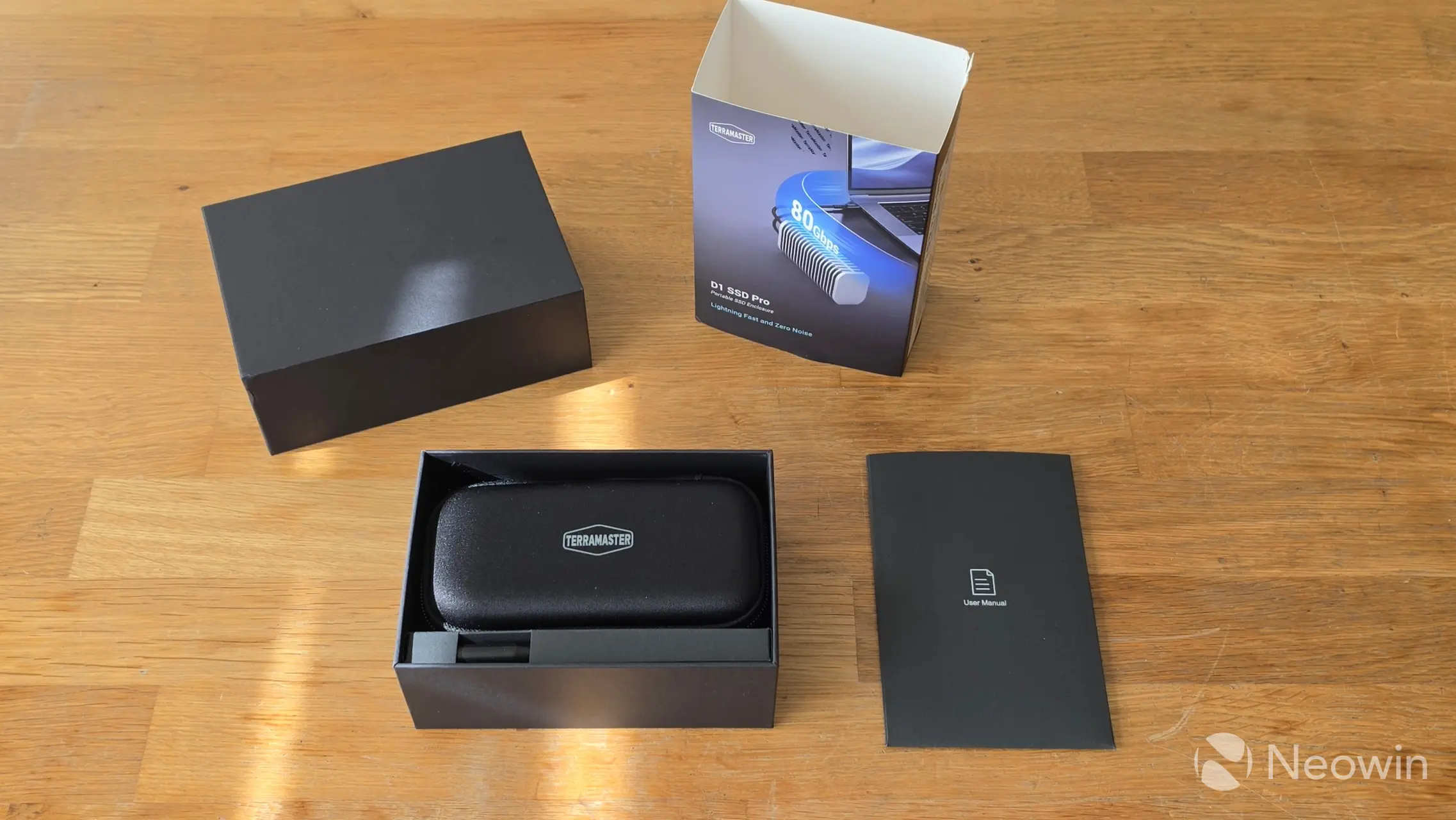
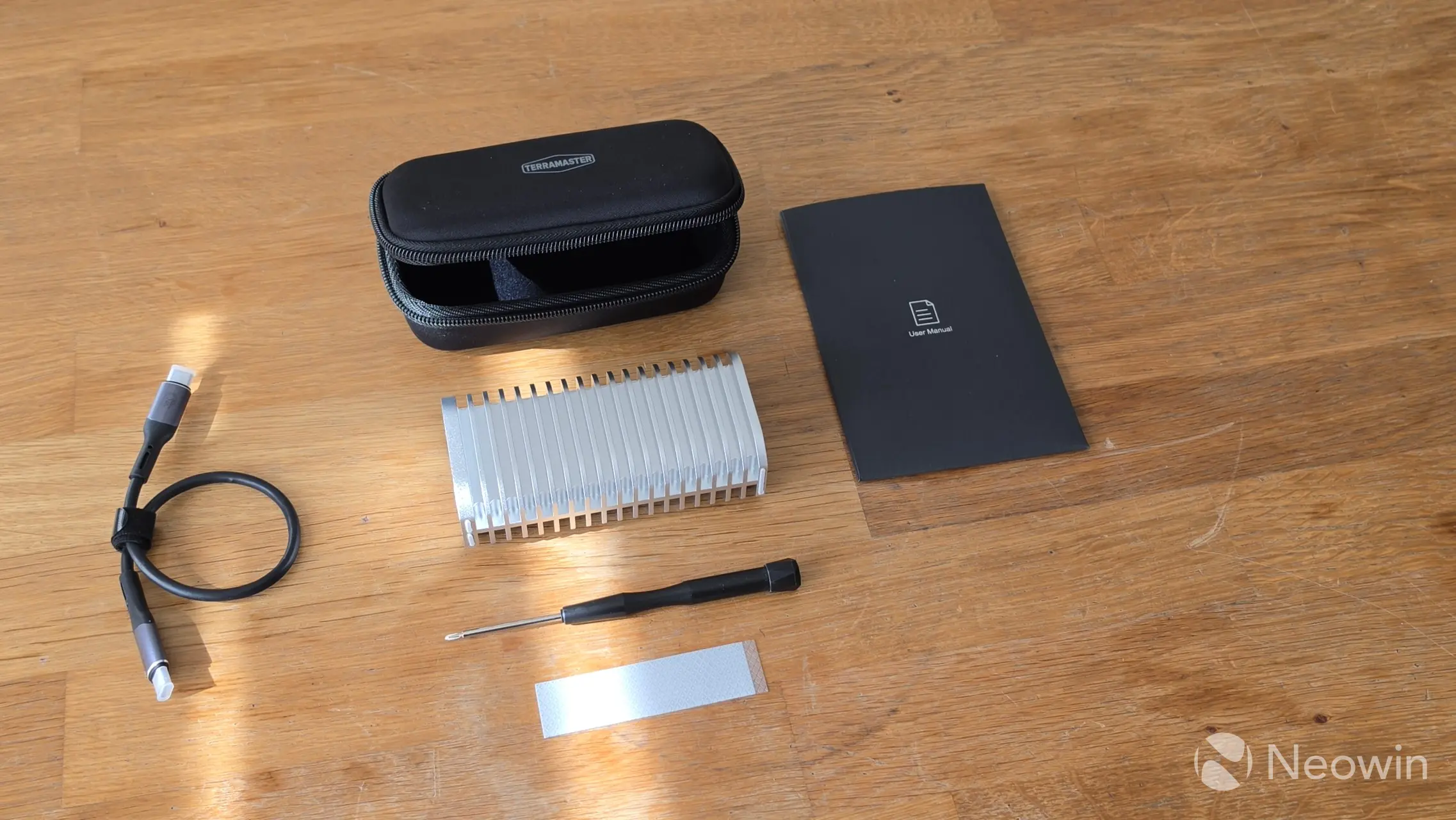
What"s in the box
- D1 SSD Pro
- USB Type-C cable (C to C) 0.3m
- Screwdriver (magnetized)
- 1x Thermal Pad
- Quick installation guide
- Limited warranty notice
- Case
TerraMaster no longer requires an email address and product details in order to access the support pages of its products (Yay!), however there"s no online link for a PDF of the User Manual, instead, there"s a link to a zip which contains the User Manual, Warranty details, Statement & Terms, and End User License Agreement PDFs. That same page also has the desktop TPCBackupper, and TDAS Mobile apps.
Design
I said it last time (about the D1 SSD Pro), and I"LL SAY IT AGAIN, the design of the D1 SSD Pro is really great, TerraMaster, don"t change anything! It is basically one big heat sink made from metal, and it is cold to the touch when not powered on. As can be seen in the specs, at 300 grams (slightly heavier than the D1 Plus), it has a good heft to it as well.
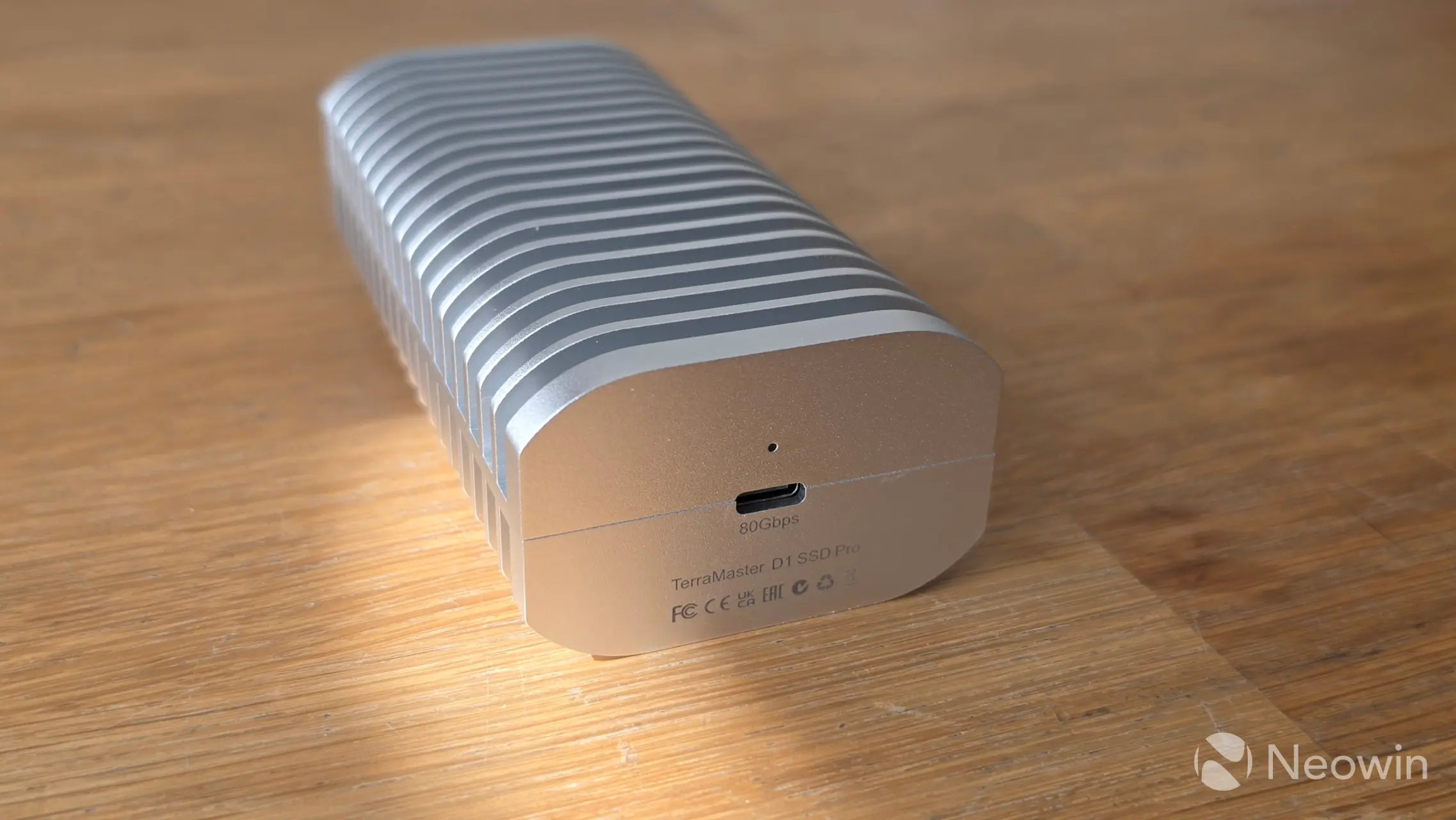
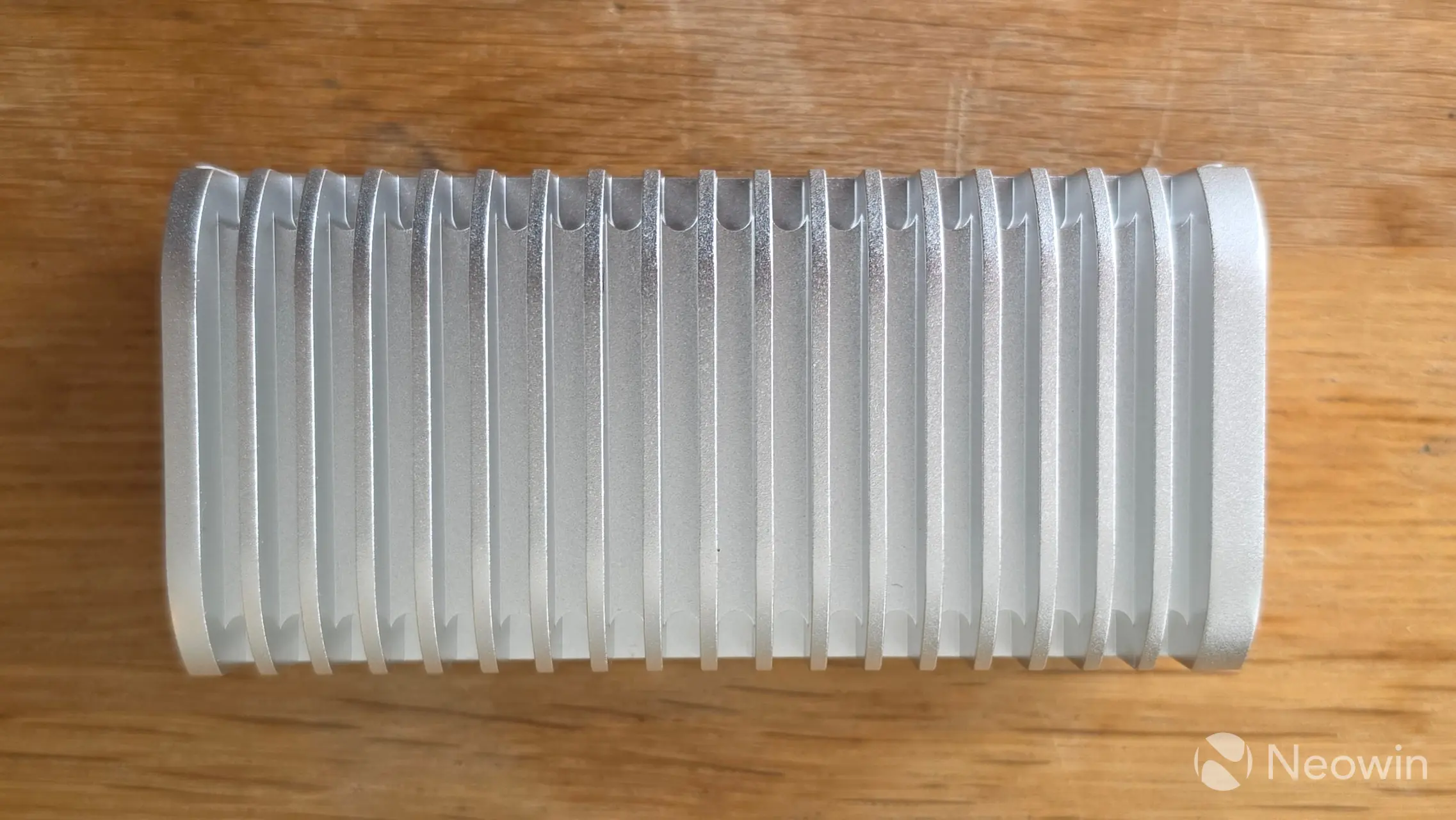
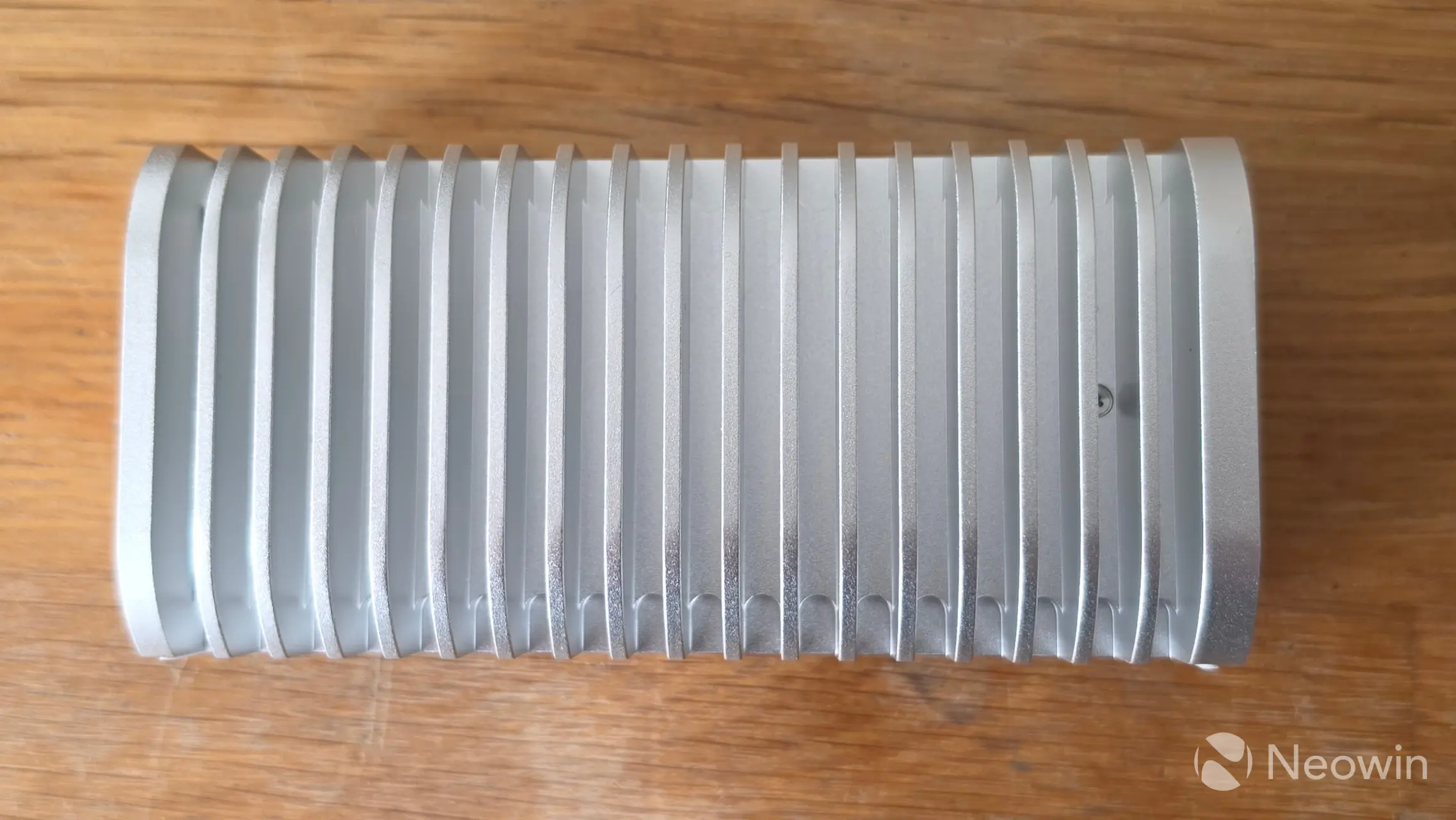
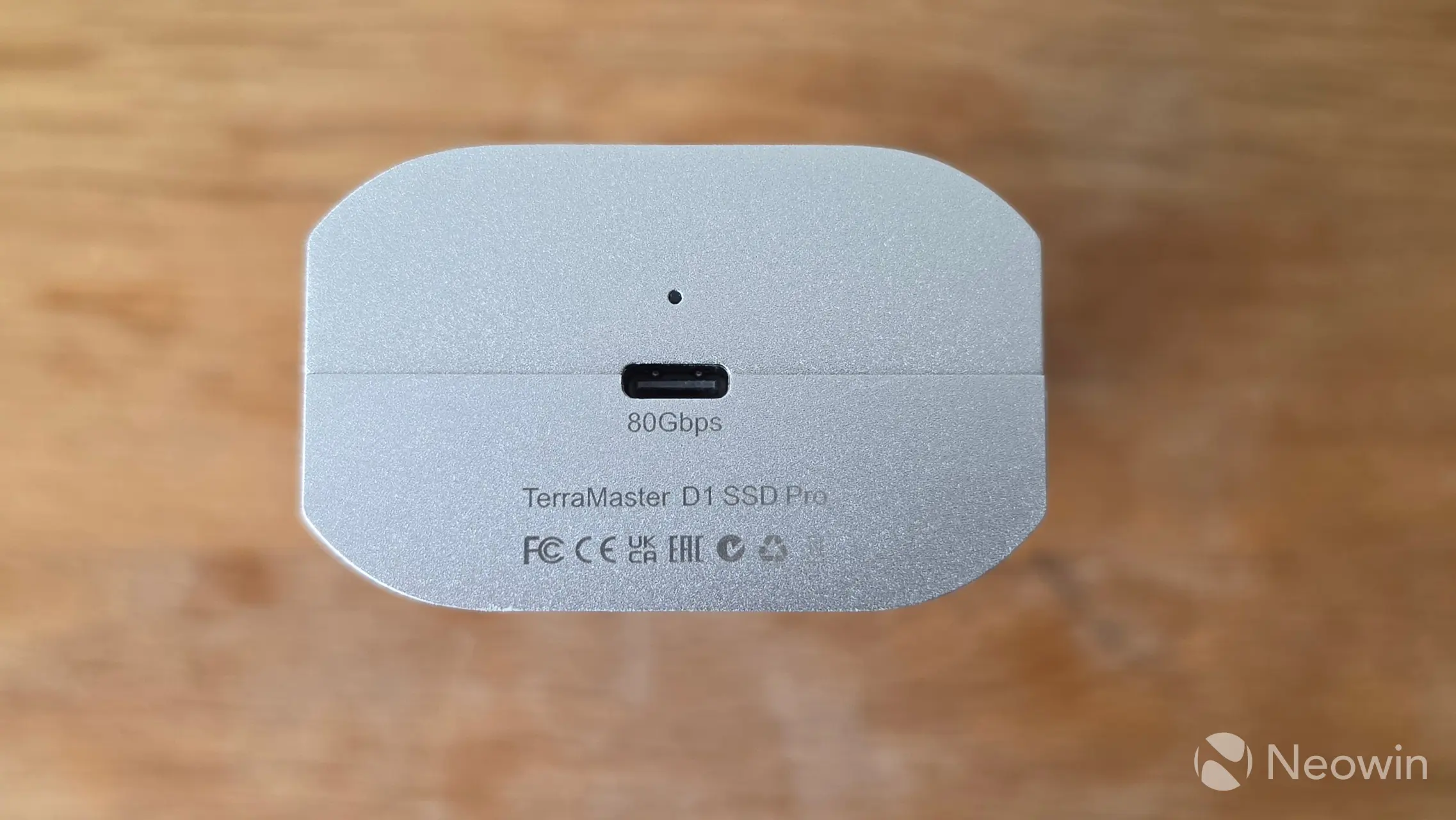
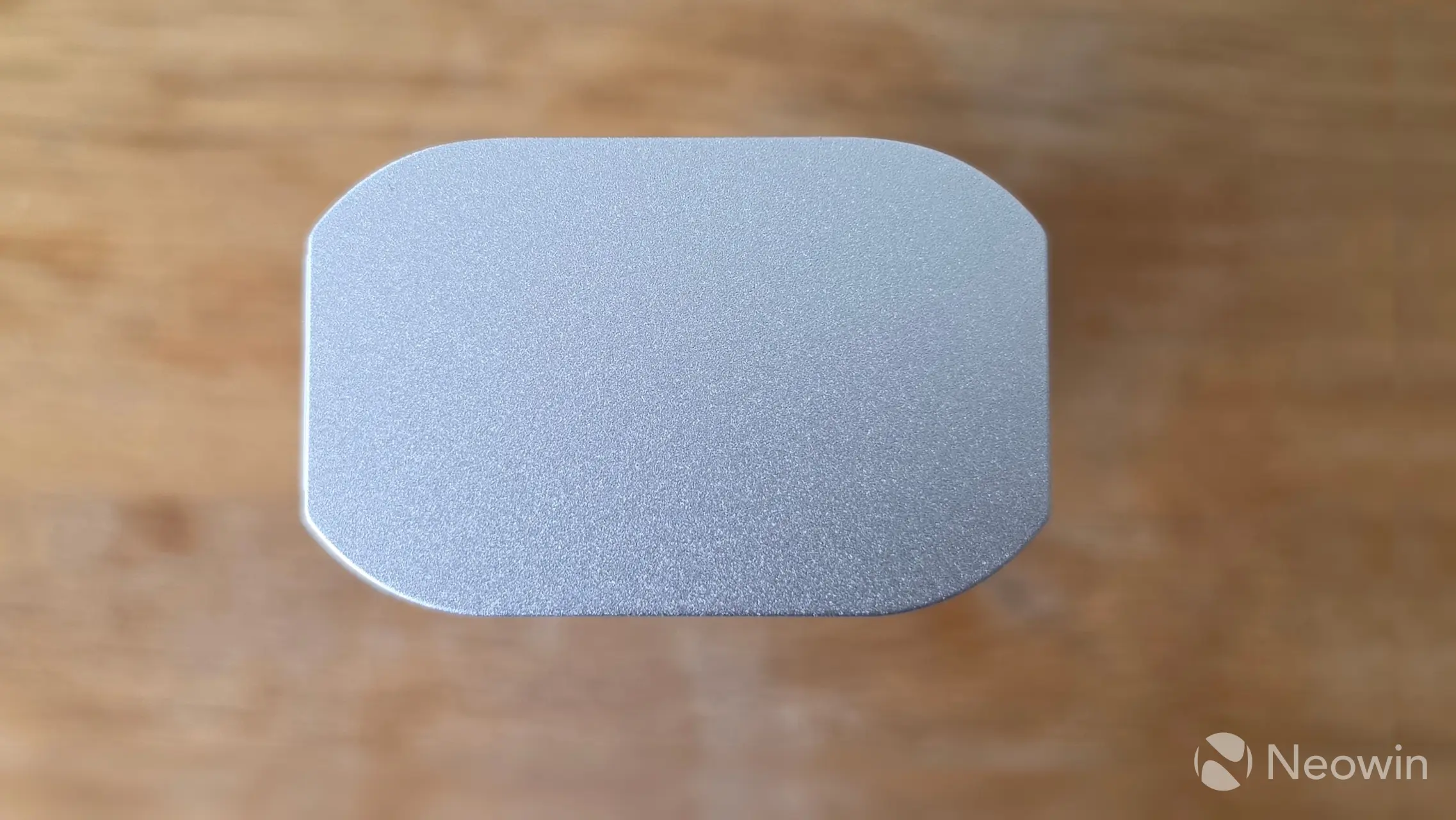
Above you can see it from all angles, the underside has one screw that stays in the frame when loosened. On one side you have the port, product name, and certifications along with an indicator light above the Type C USB 4 port:
- Indicator light White: Connected via Thunderbolt 5/4/3 or USB4
- Indicator light Orange: Connected via USB 3.2 or below for standard speeds.
- Indicator light Blinking: Read/write status
- Indicator light Steady on: Idle status
Around the other side there is no TerraMaster wordmark this time.
Compared to D1 SSD Plus
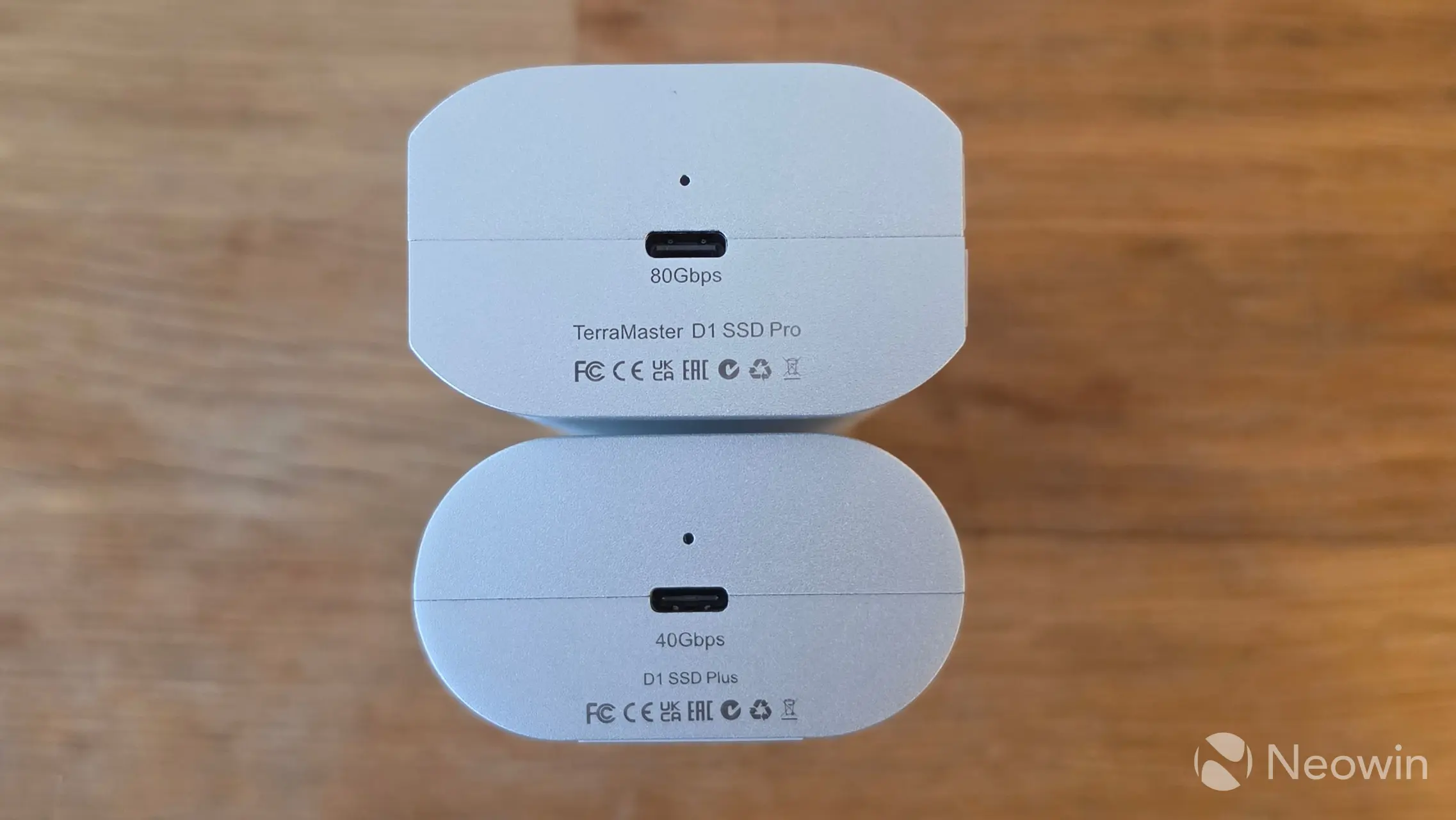
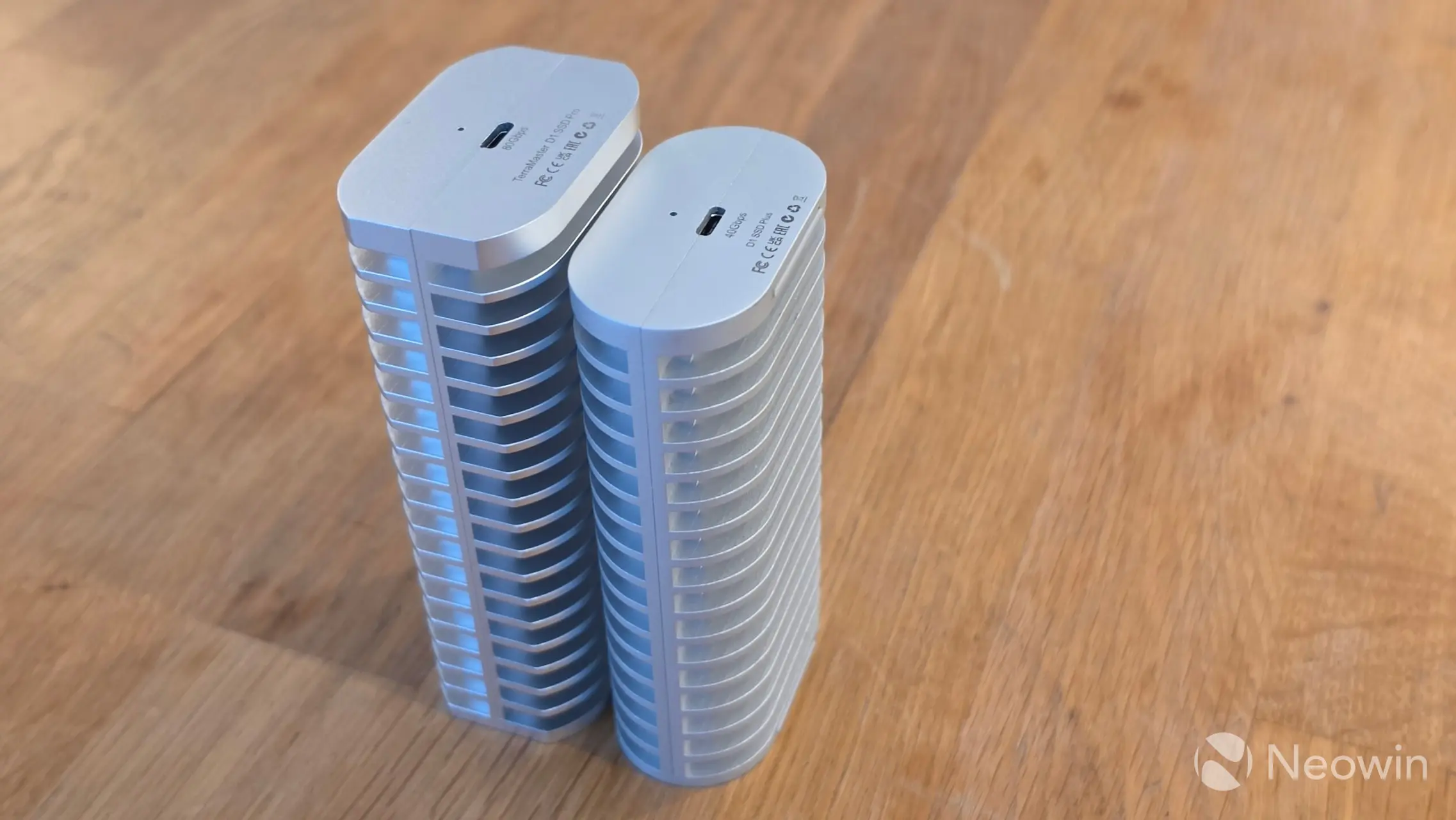
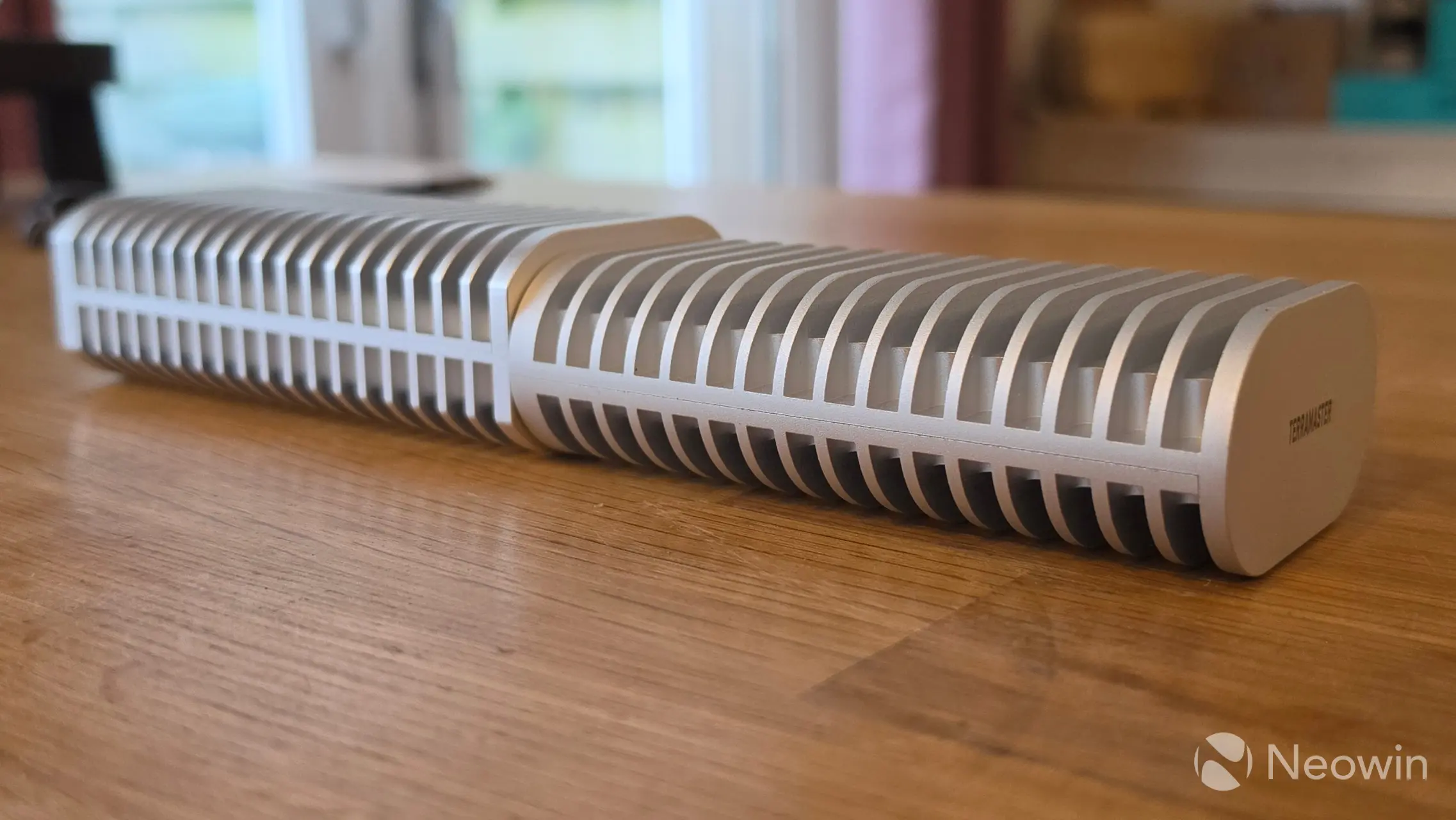
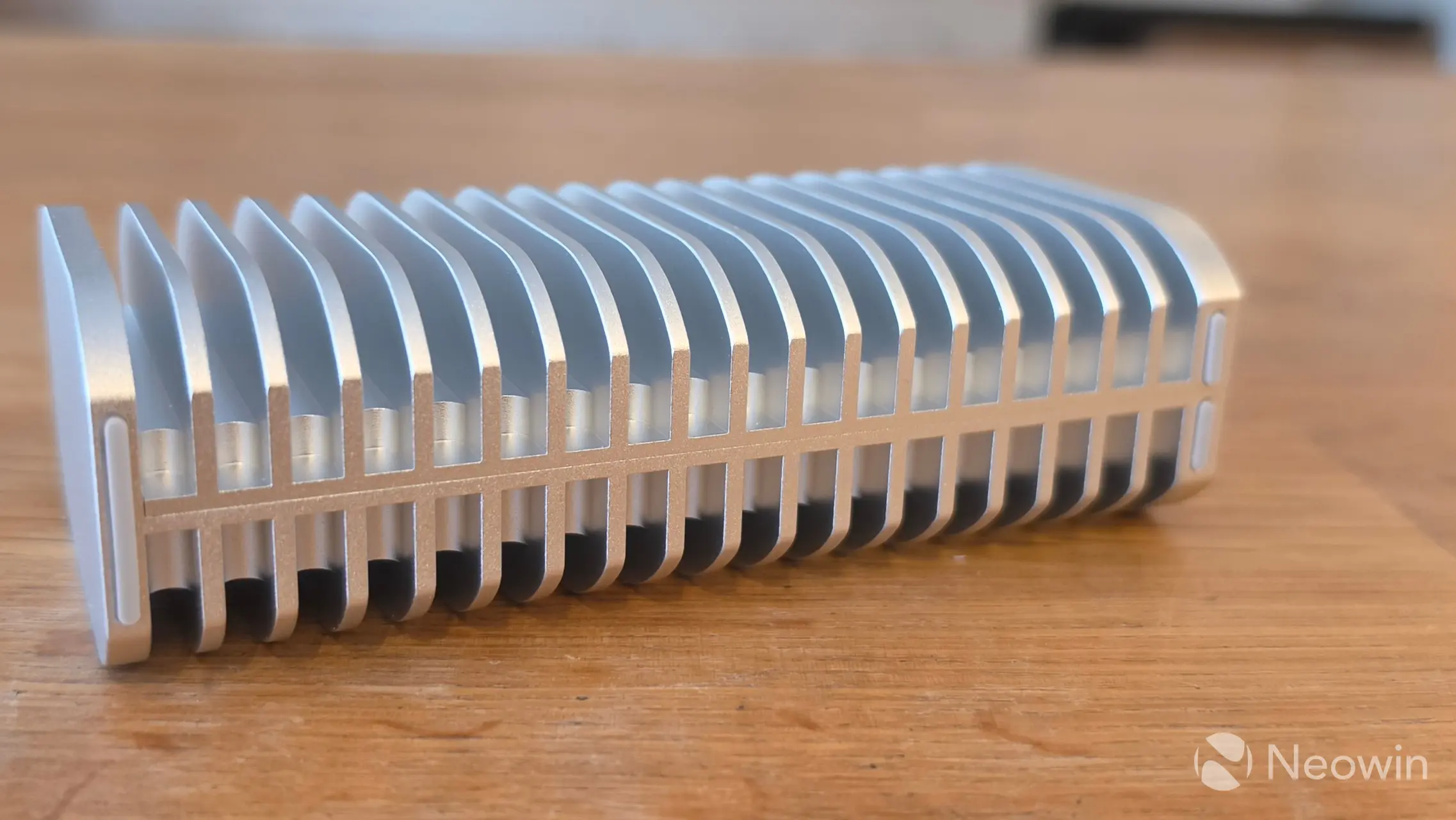
Compared to the D1 SSD Plus, the Pro is thicker, taller, and more squared off than the rounded design of its older sibling, which also means it is perfectly stable when turned on its side, so much so that TerraMaster opted to place the rubber feet standoffs on one side which you can see in the bottom right photo (above). These changes add a mere 24 grams to the Pro"s weight (300g vs 274g).
Teardown
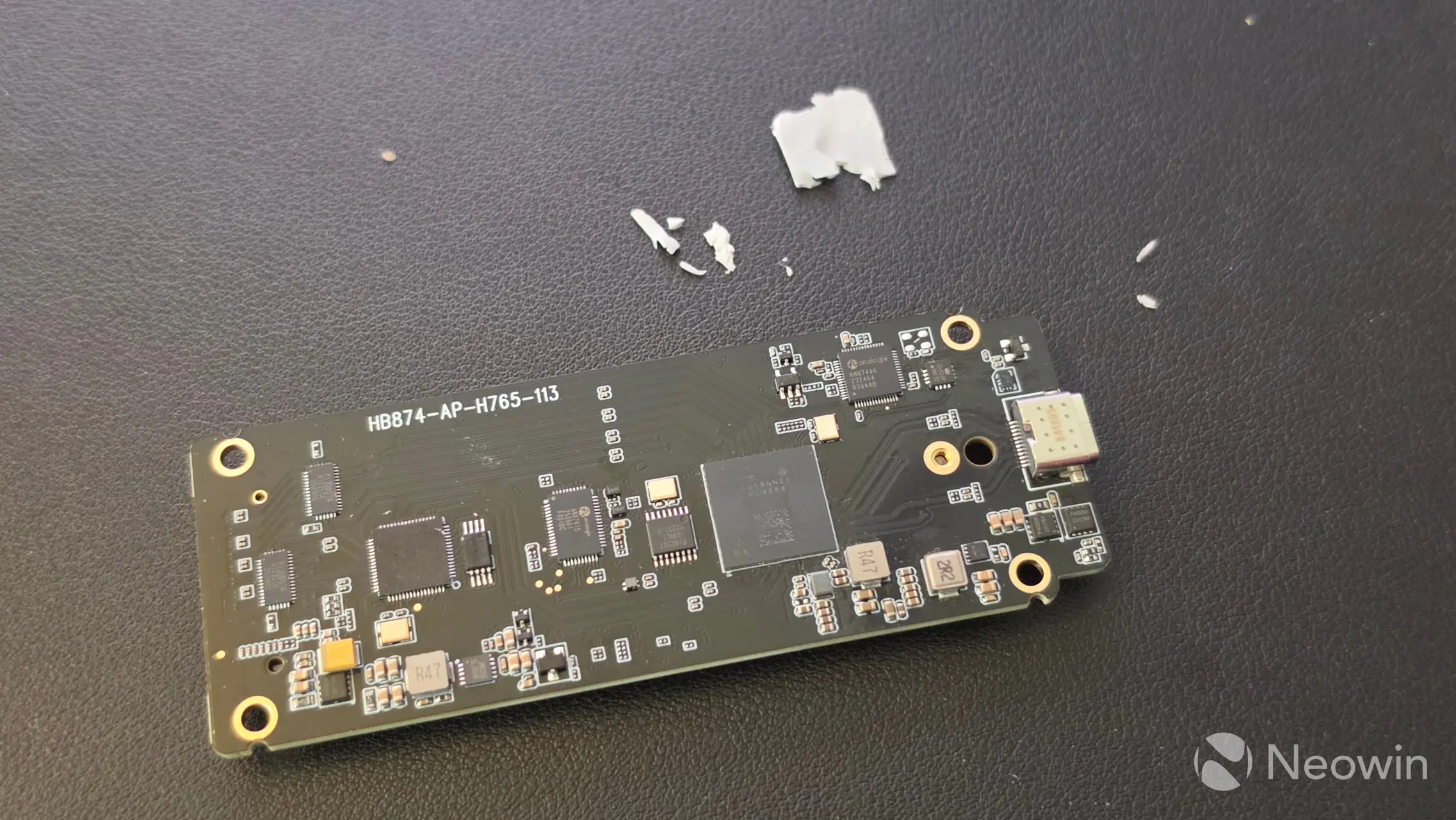
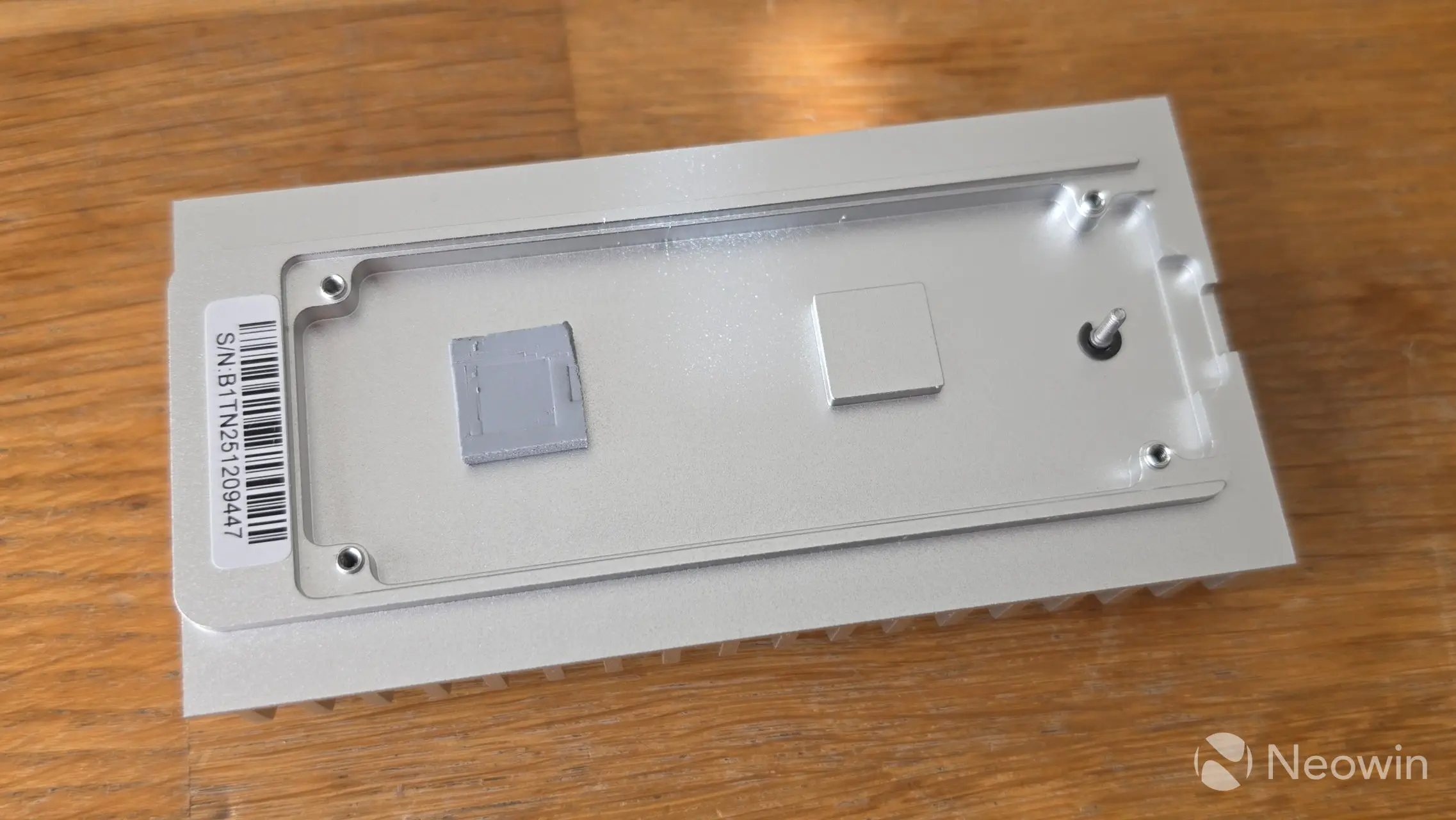
After removing the four screws of the PCB, turning it over and trying to carefully (c"mon, as best as I could then!) remove the thermal pad, the Intel JHL9480 Thunderbolt 5 Accessory Controller chip can be seen along with a relatively large amount of SMD capacitors, this ensures voltage stabilization, power failure protection, and data safety. As well as its advertised USB4/Thunderbolt 5 40Gbps x2 speeds, the JHL9480 chip is also backwards compatible with existing USB Type A ports and Thunderbolt 3/4.
The inside of the heat sink also includes a thermal pad to deal with the high speeds the chip generates.
Installation
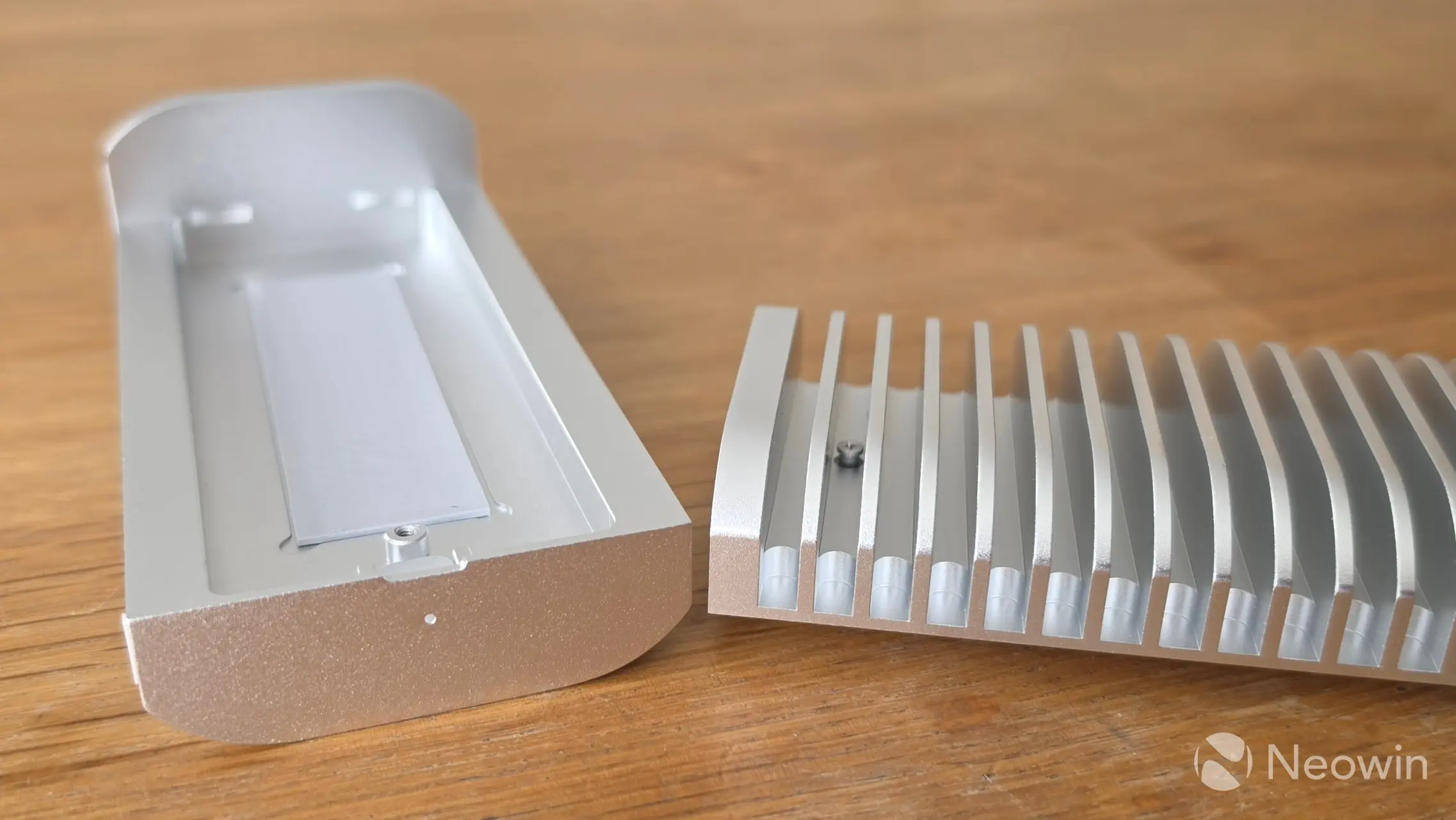
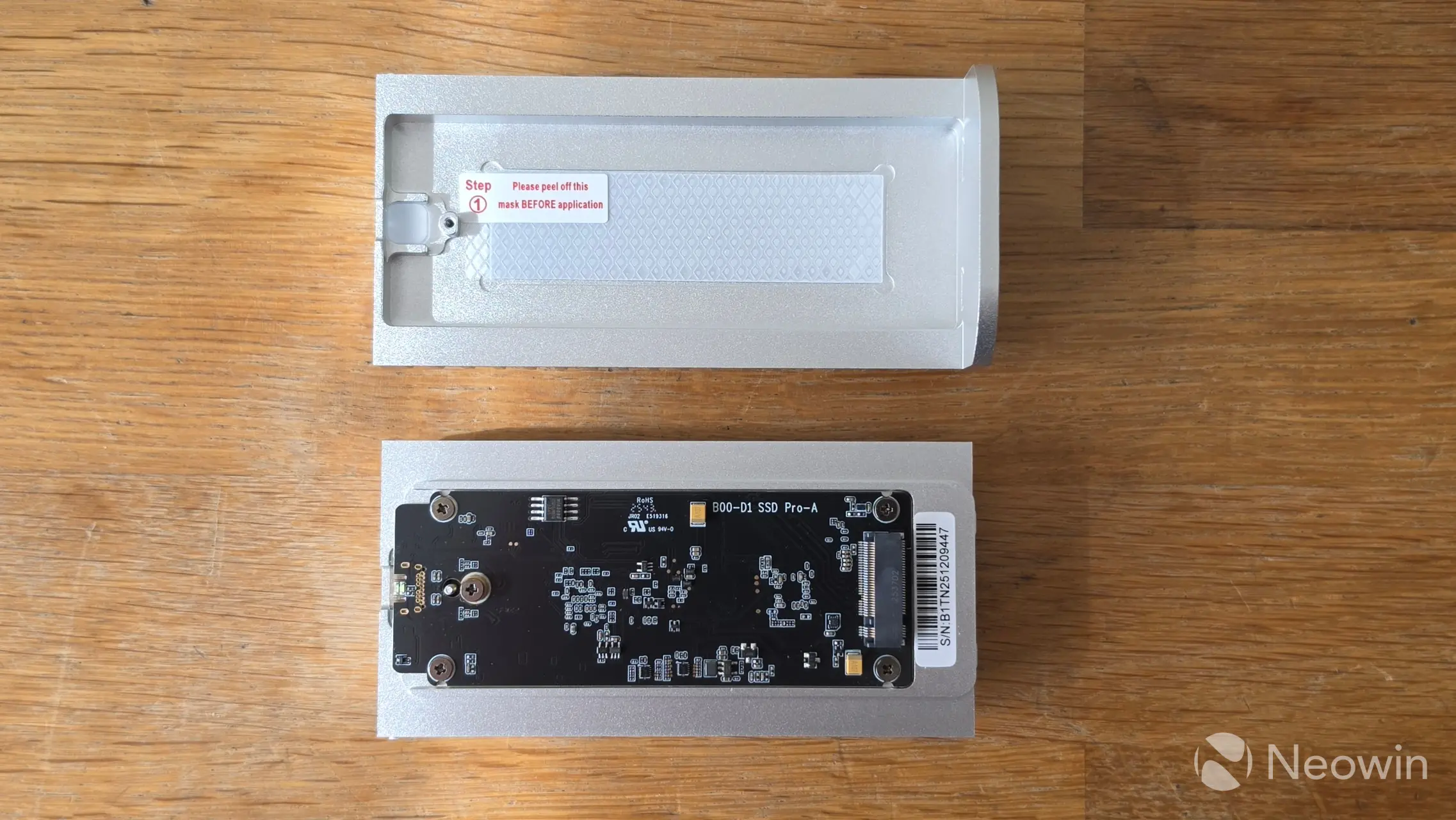
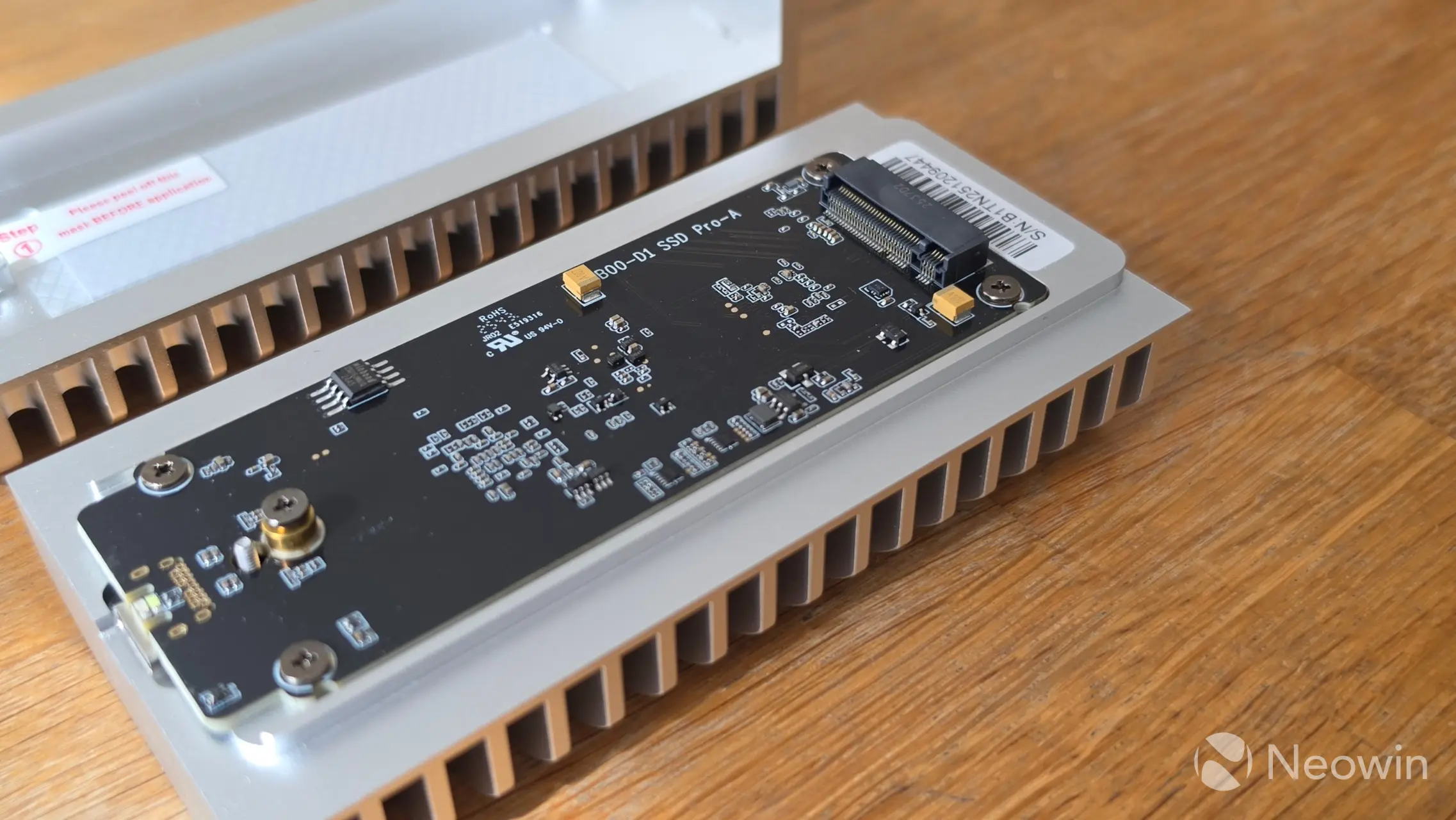
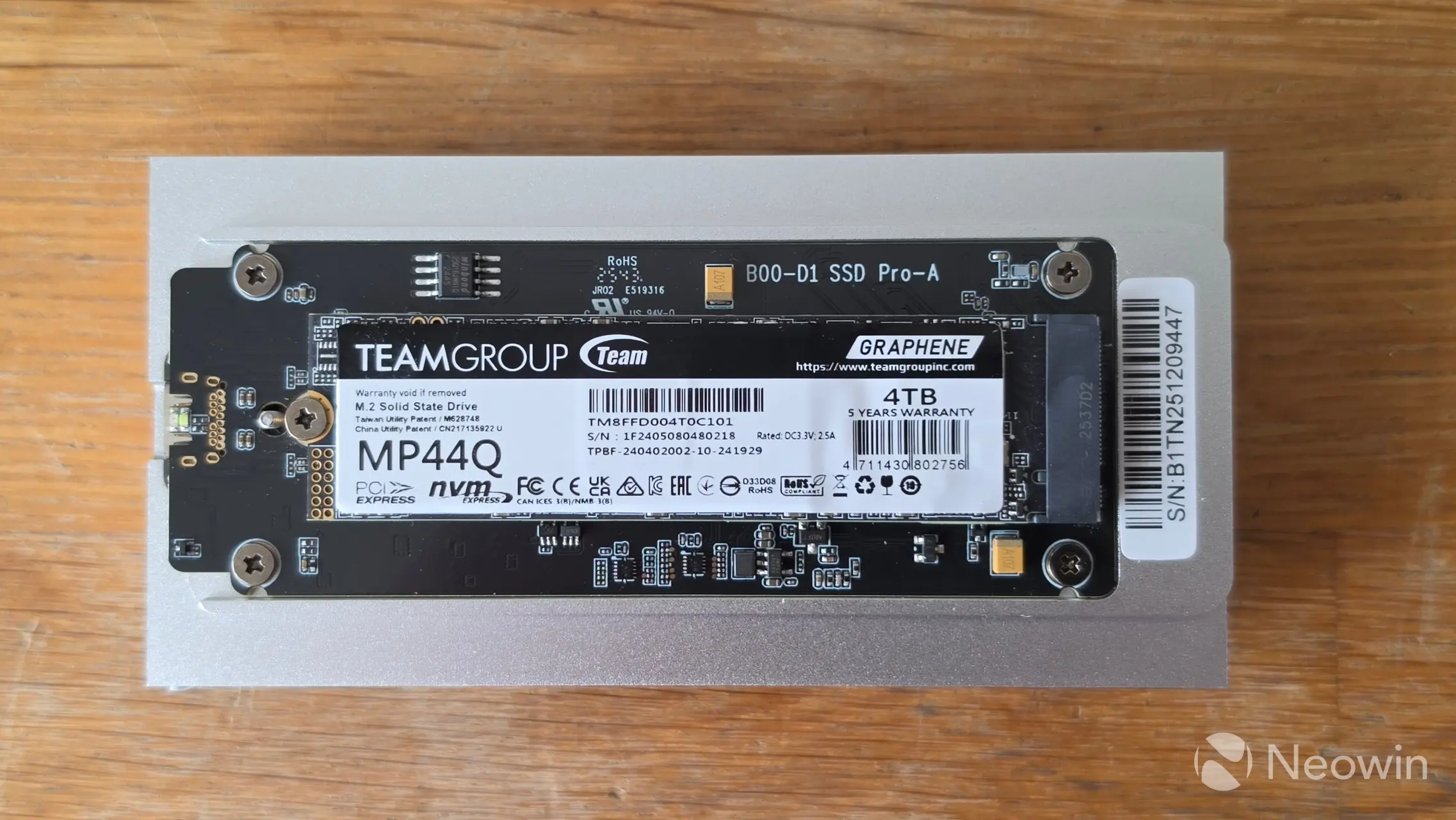
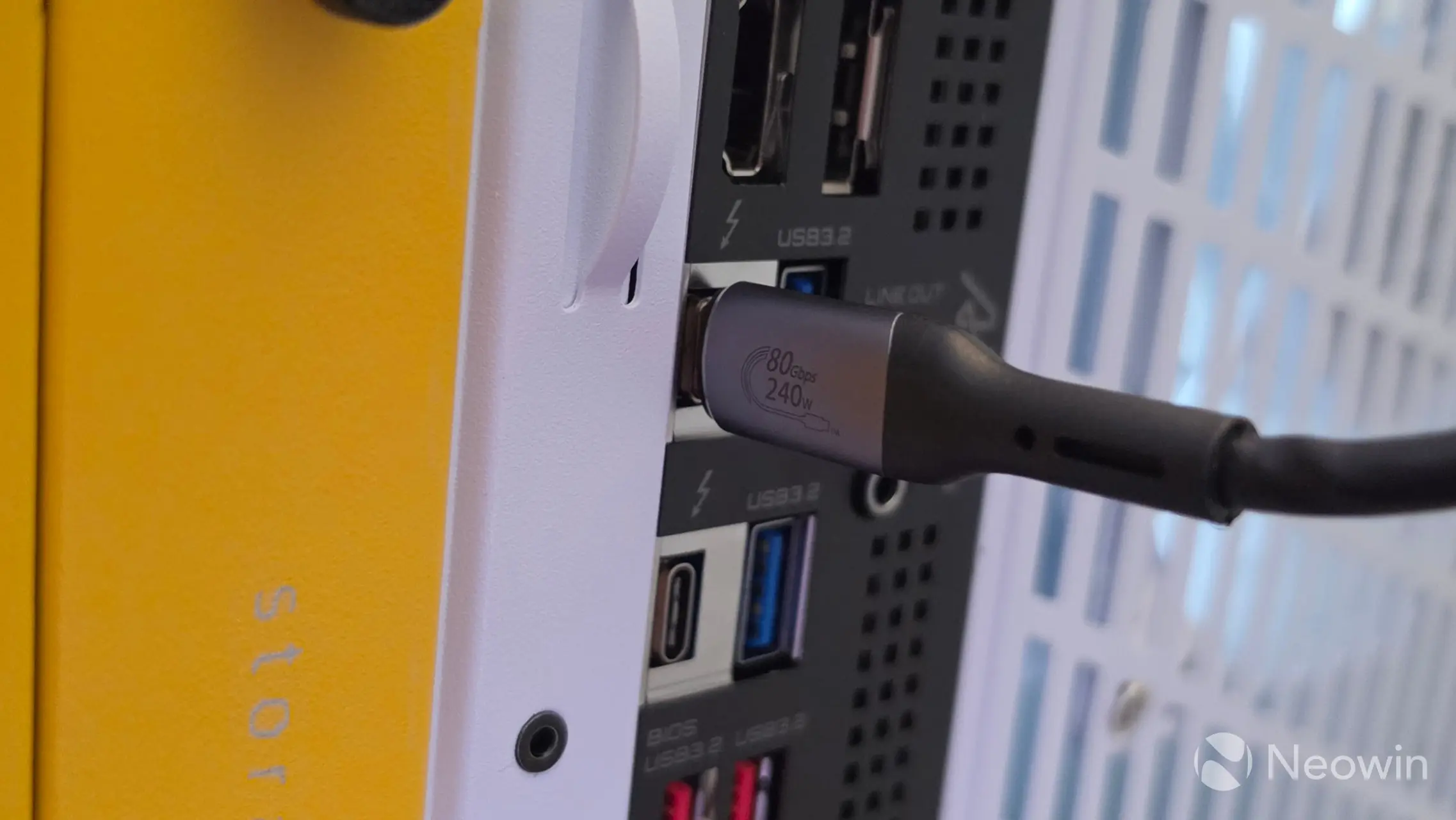
For our review, I used an TEAMGROUP MP44Q 4TB NVMe (PCIe 4.0) (Amazon|Newegg) that TEAMGROUP supplied us with. Installation is simple, simply unscrew the Philips screw on the bottom of the D1 SSD Pro and, pull apart to access and install your 2280 M.2 NVMe with an M2 screw. Yes, instead of a latch system, which I am a fan of, it uses a small M.2 screw to fasten the SSD.
Reattach the two pieces and secure with the screw (which does not fall away from the casing) and plug the provided cable into the D1 SSD Pro, and your USB 4 port.
TerraMaster has a 6-steps image on the product page that shows how to install the NVMe SSD.

Test System
Our test system consists of the following:
- HYTE Gundam Wing Y70 Touch Infinite (Official|Amazon)
- Intel Core Ultra 7 270K Plus (Amazon|Newegg)
- GIGABYTE Z890 AORUS ELITE WIFI7 ICE (BIOS F19) (Amazon|Newegg)
- Corsair RM1000x SHIFT (Amazon|Newegg)
- ARCTIC Liquid Freezer III Pro 360 A-RGB (White) AIO (Amazon|Newegg)
- Thermal Grizzly KryoSheet - 44x37 (Amazon|Newegg)
- 2x 16GB G.Skill Trident Z5 RGB (7200 MT/s in XMP) (Amazon|Newegg)
- NV5000 2TB NVMe SSD ($299.99 on Amazon or Newegg)
- PNY RTX 5080 (Amazon)
- Windows 11 25H2 Professional Build 26200.7623 (Neowin Deals)
Benchmarks
For our benchmarks, hwinfo.com provided a commercial license of HWiNFO, and UL Solutions provided us with a Professional (commercial use) license for 3DMark.
Drive speed
| CrystalDiskMark 9 | ||
|---|---|---|
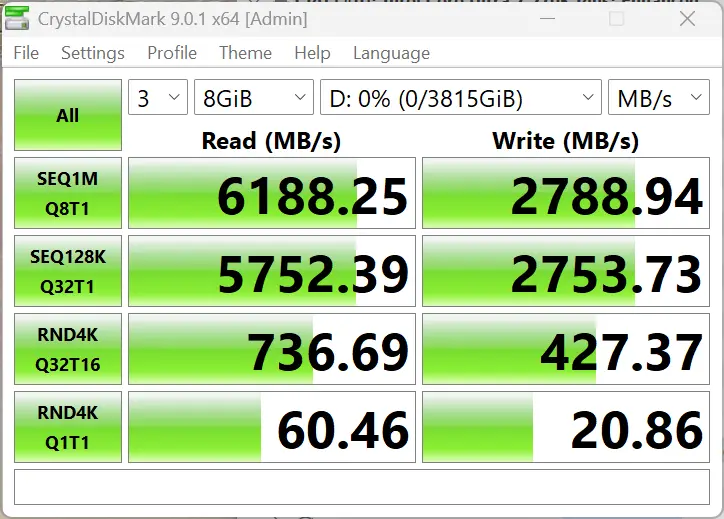
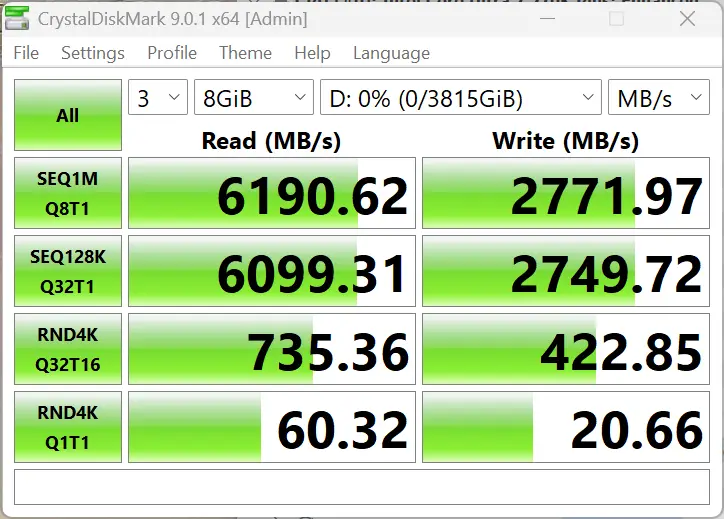
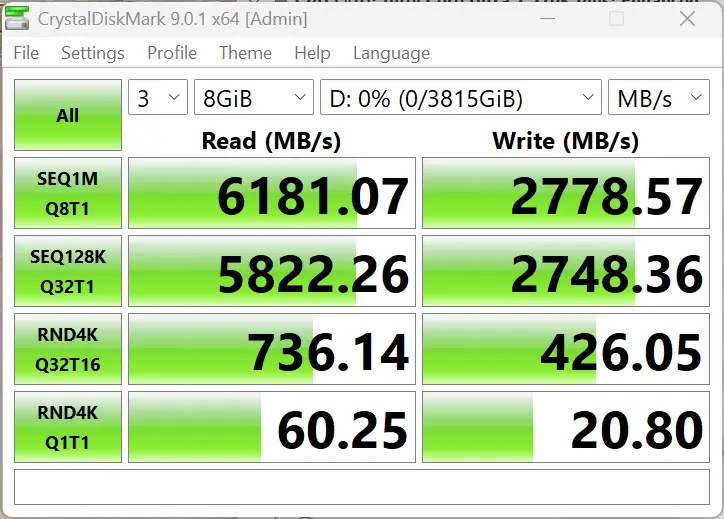
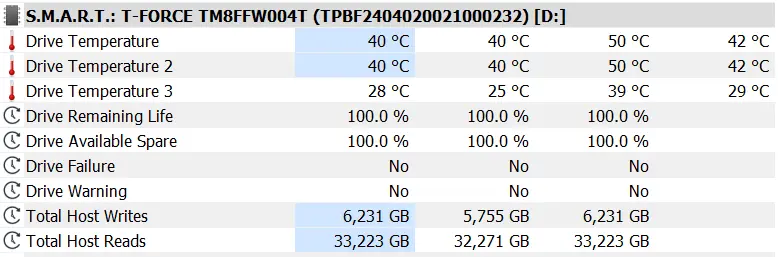
I ran CrystalDiskMark 9.0.1 in Windows 11 with the D1 SSD Pro attached to a Thunderbolt 5 port three times with an 8GB workload, and also recorded the disk temperature using HwINFO, the enclosure never went above 39C with disk averages of 42C showing off how great the heat sink and thermal pads are performing.
CrystalDiskMark numbers show the random reads are great and the random writes are decent, about what you would expect from a DRAMless drive, and that too off a USB interface, so nothing much to complain about here.
AS SSD
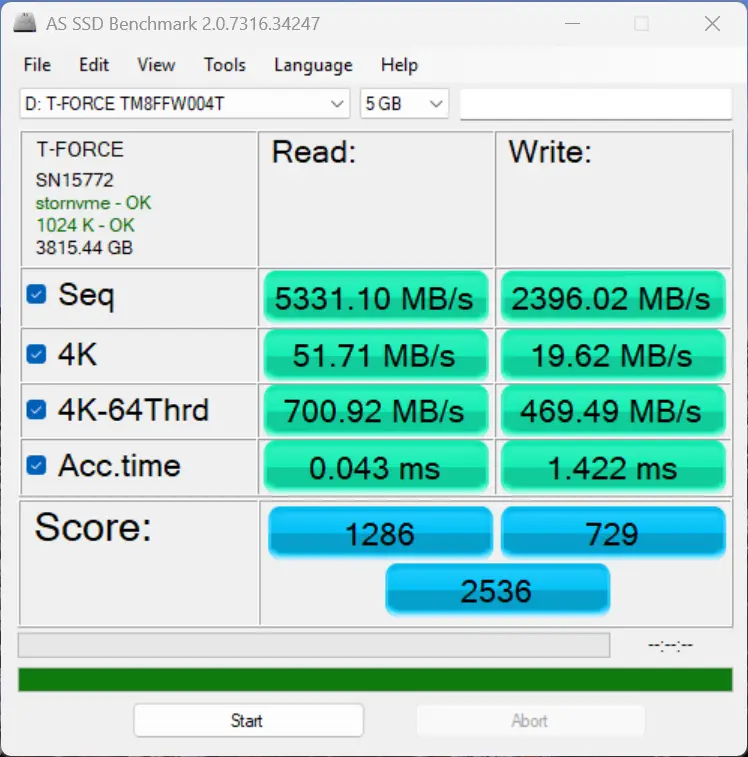
We also did a run of AS SSD and the performance figures put up are good. The drive has performed as expected in both sequential and random throughputs here too. The speeds make it a really good option for 4K/8K video editing projects that would benefit from fast transfer speeds and rapid access times; add to that the benefit of the cool temperature.
Aside from that we also test gaming and how the enclosure can affect it.
Storage
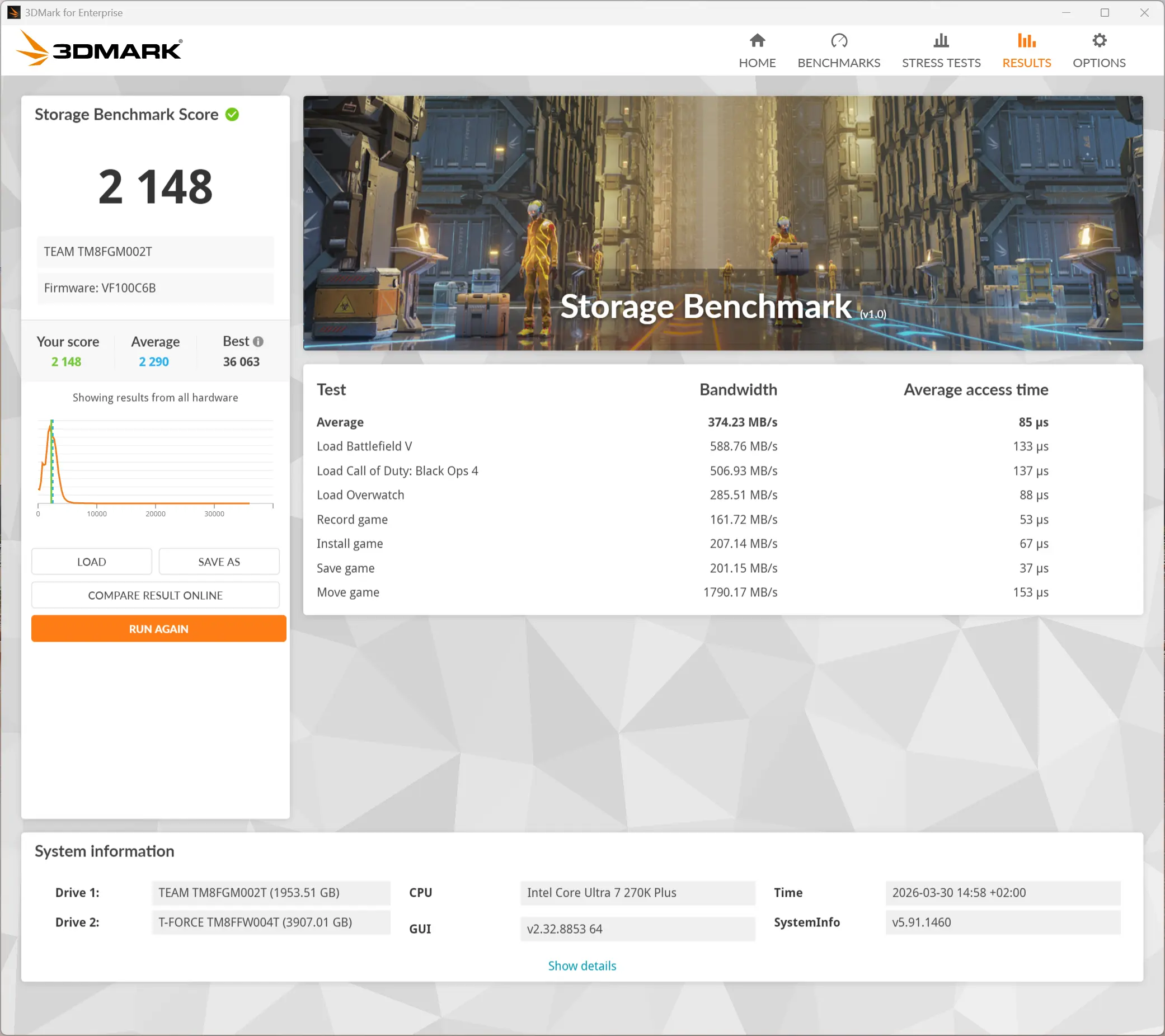
I ran the Storage Benchmark from the 3DMark suite. This is a feature test that measures the impact of the storage disk on the various gameplay actions. It comprises game file copying/moving, installing, loading, 1080p60 OBS gameplay recording, and saving.
As you can see in the data above, the D1 SSD Pro does well in all the areas above with the best showing in the "Move Game" test as it reached nearly 1800 MB/s. This shows that in common gaming and related scenarios, the D1 SSD Pro will not be a bottleneck.
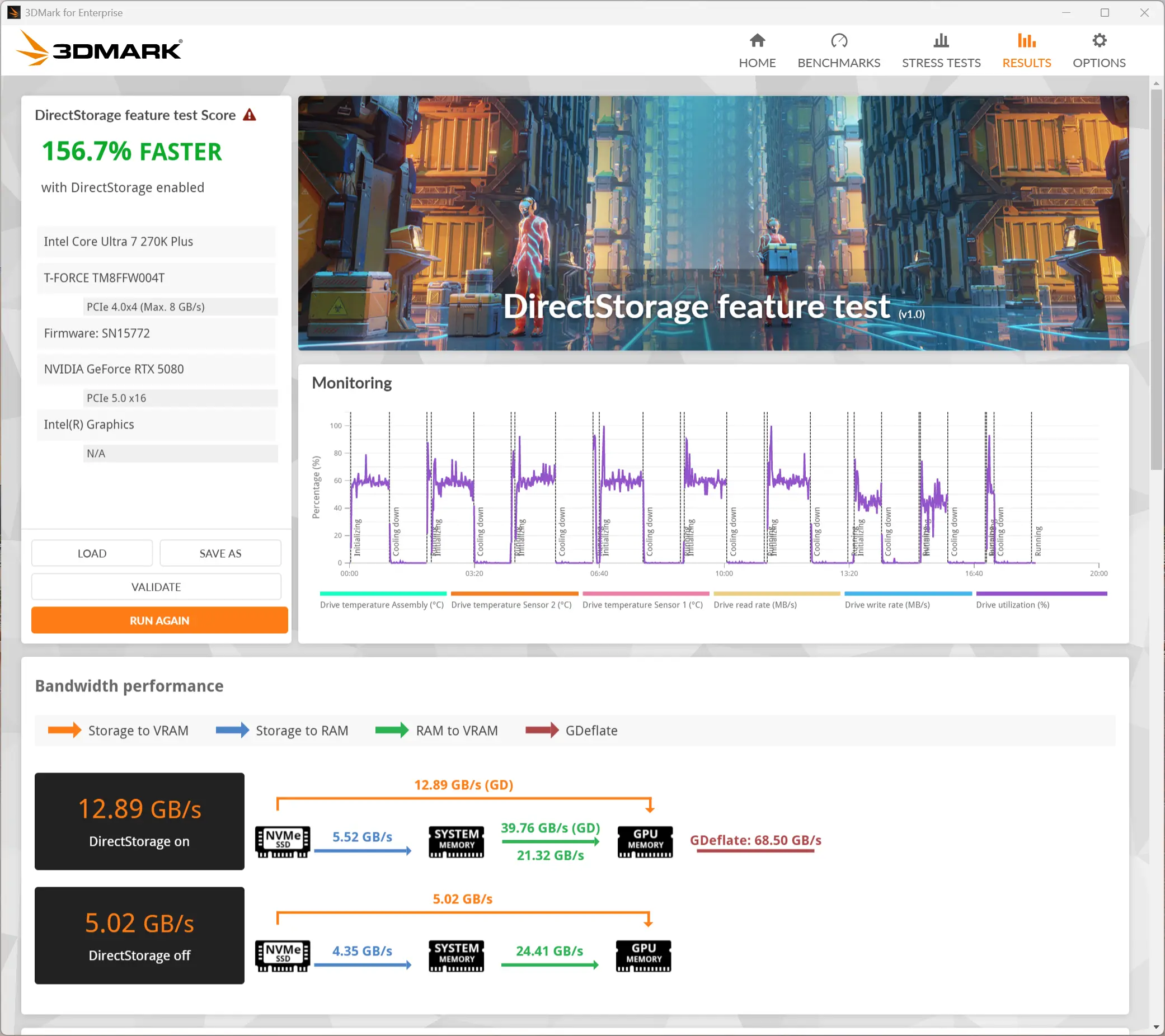
Our final synthetic benchmark was the DirectStorage feature test that measures game data transfer speed with and without DirectStorage. The DirectStorage feature allows faster data movement during gaming by removing as much of the OS overhead as possible, and this leads to faster game asset loading that, in turn, helps to improve the overall gaming experience.
The test clearly shows a huge boost in throughput (over two and a half times) with DirectStorage enabled. While that is indeed great, DirectStorage is very much game-dependent, and so the title itself has to support the feature, and unfortunately, its adoption so far has been very limited.
Gaming
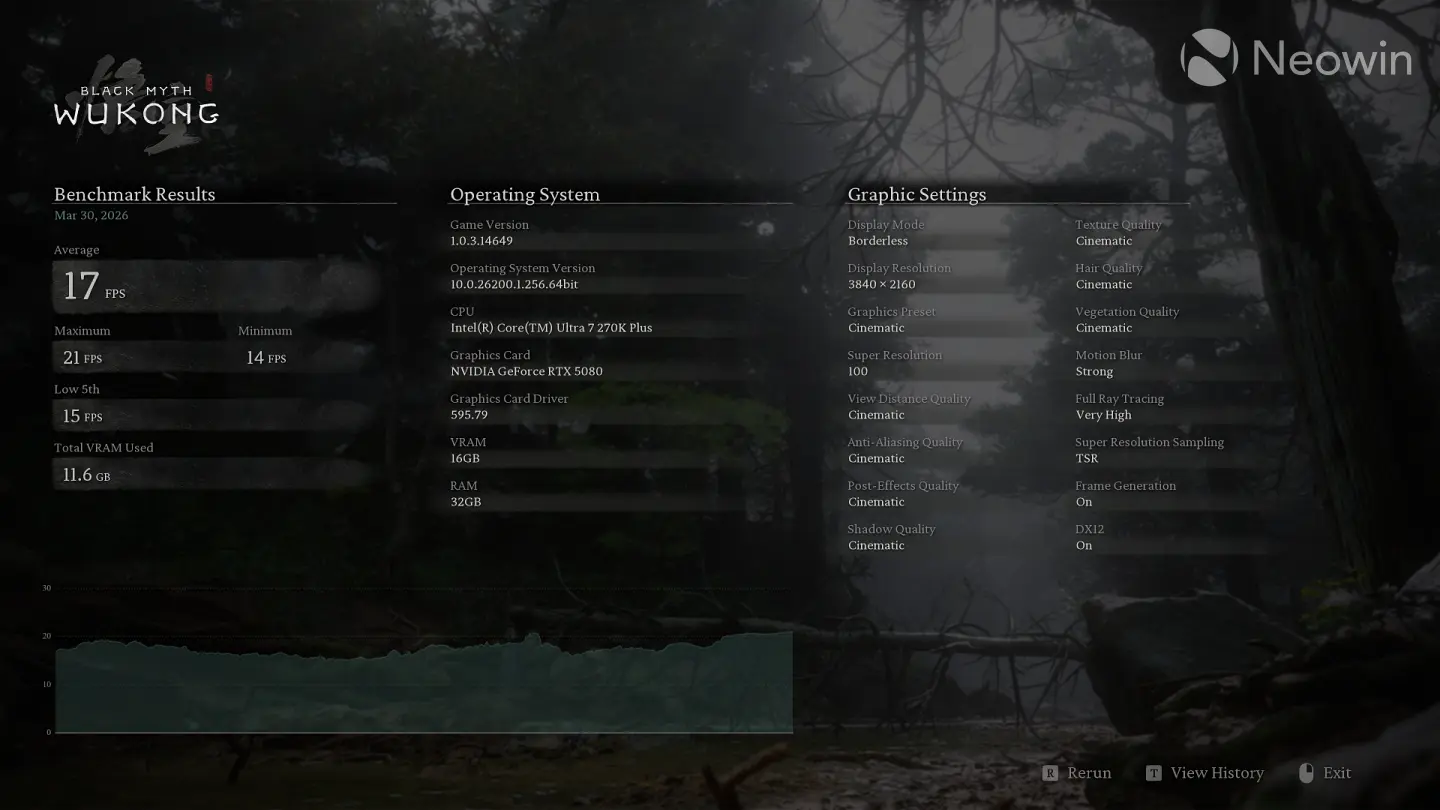
Real world gaming you say? Yes. I decided we needed another testing scenario, so I fired up Steam and added a new library location pointing to the D1 SSD Pro. Then I moved Black Myth: Wukong to it, which utilizes high-quality textures heavily, especially in its character models and environment details.
With TSR ON and Super Resolution set to 100, at 4K screen resolution, the title saw the D1 SSD Pro hit nearly 450 MB/s of data flow rate for textures and game asset streaming/loading.
We have also marked the dedicated VRAM usage on our PNY RTX 5080 where we tested this game. As you can see, at these settings with Super Resolution set to 100, we managed to fill up the entire 16GB buffer of the 5080.
Exceeding this would have put additional strain on the SSD, though it"s worth noting that the scenario is not realistic as we tested these at settings which are unplayable in real-life for most people as the framerate averaged 17 FPS. This was more of an academic exercise.
During our Black Myth: Wukong, the temperature of the T-FORCE MP44Q did not exceed 45°C.
Heat
| Port side | Right side |
|---|---|
| Top | Bottom |
|---|---|
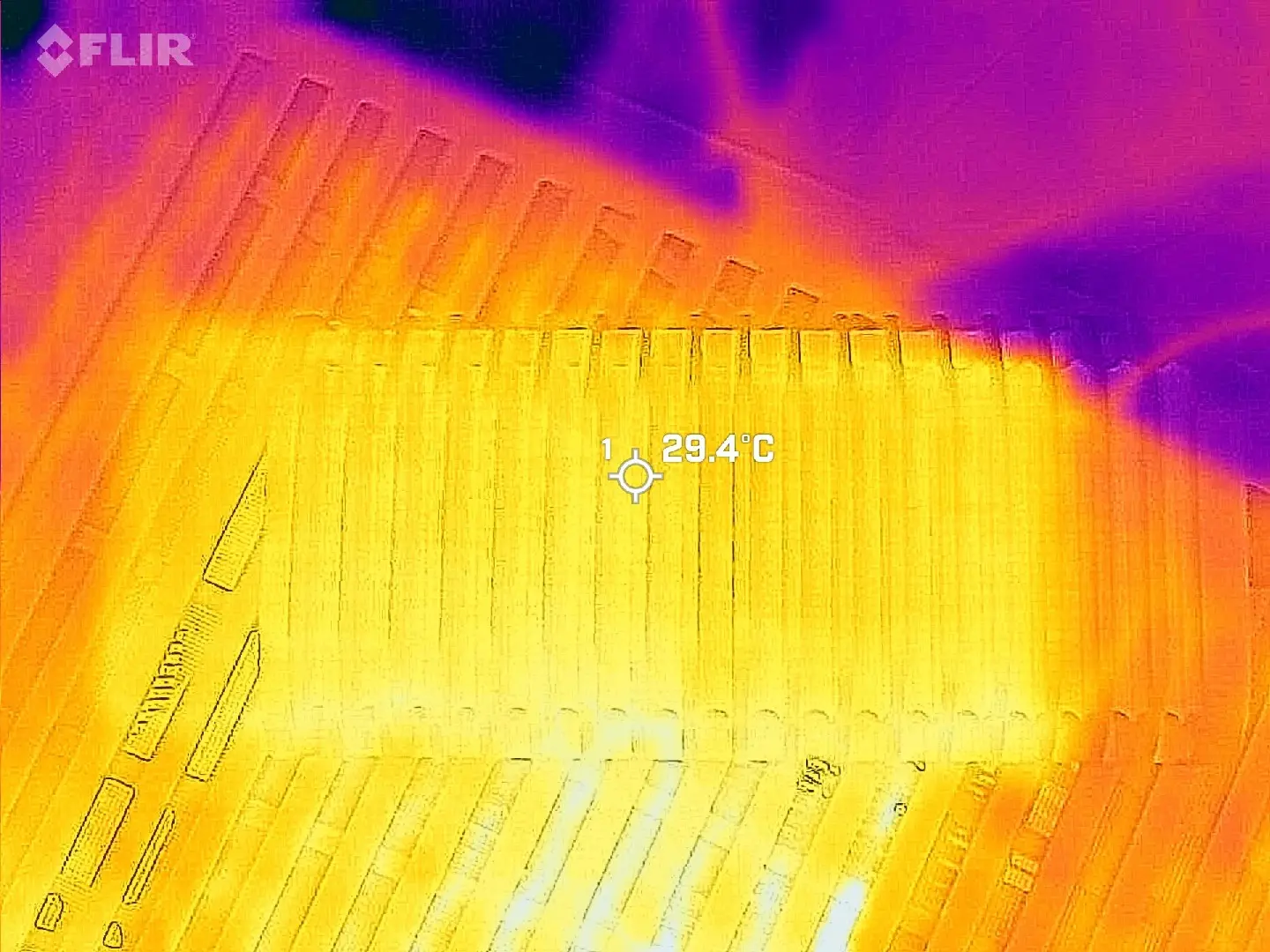
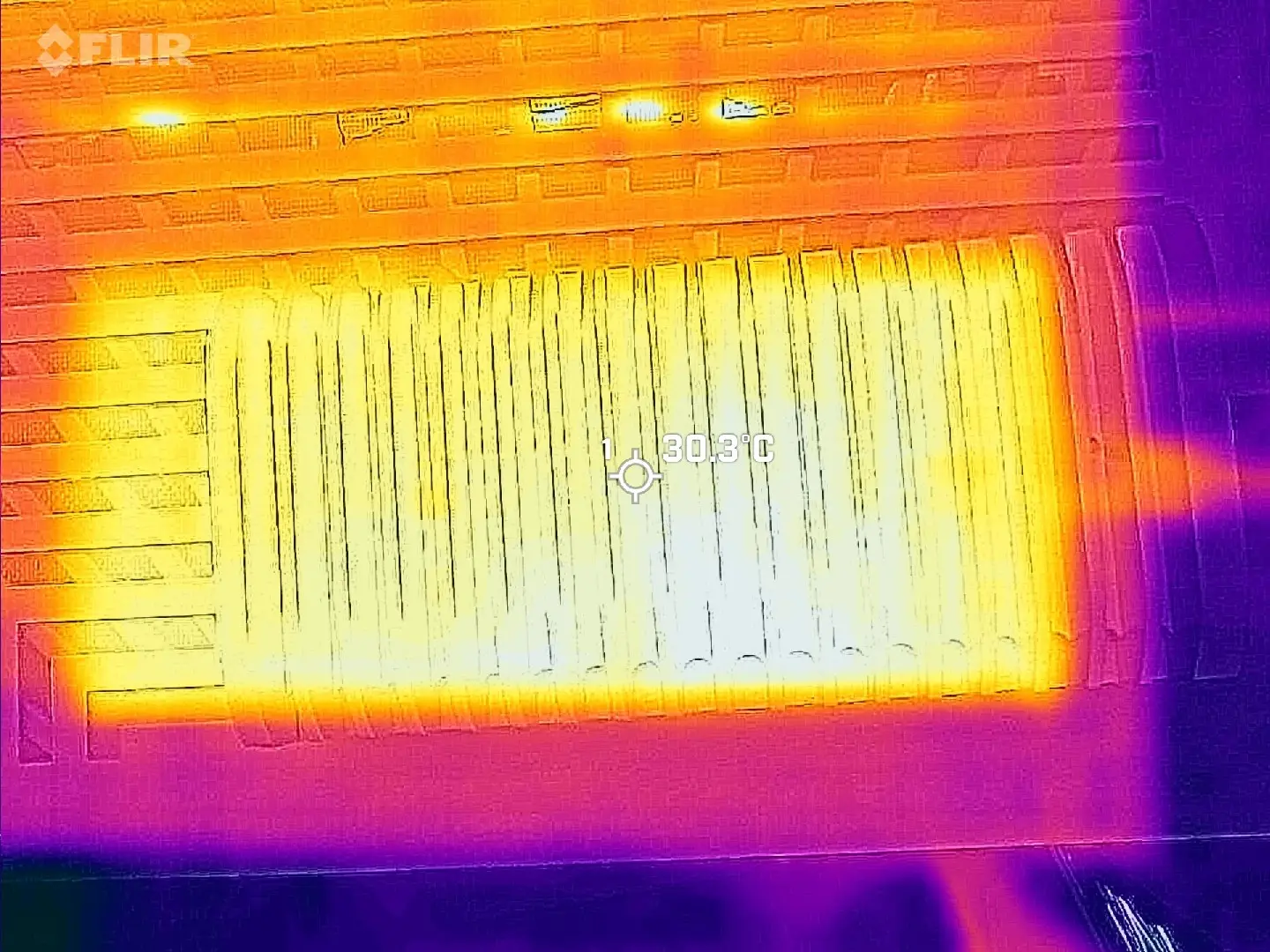
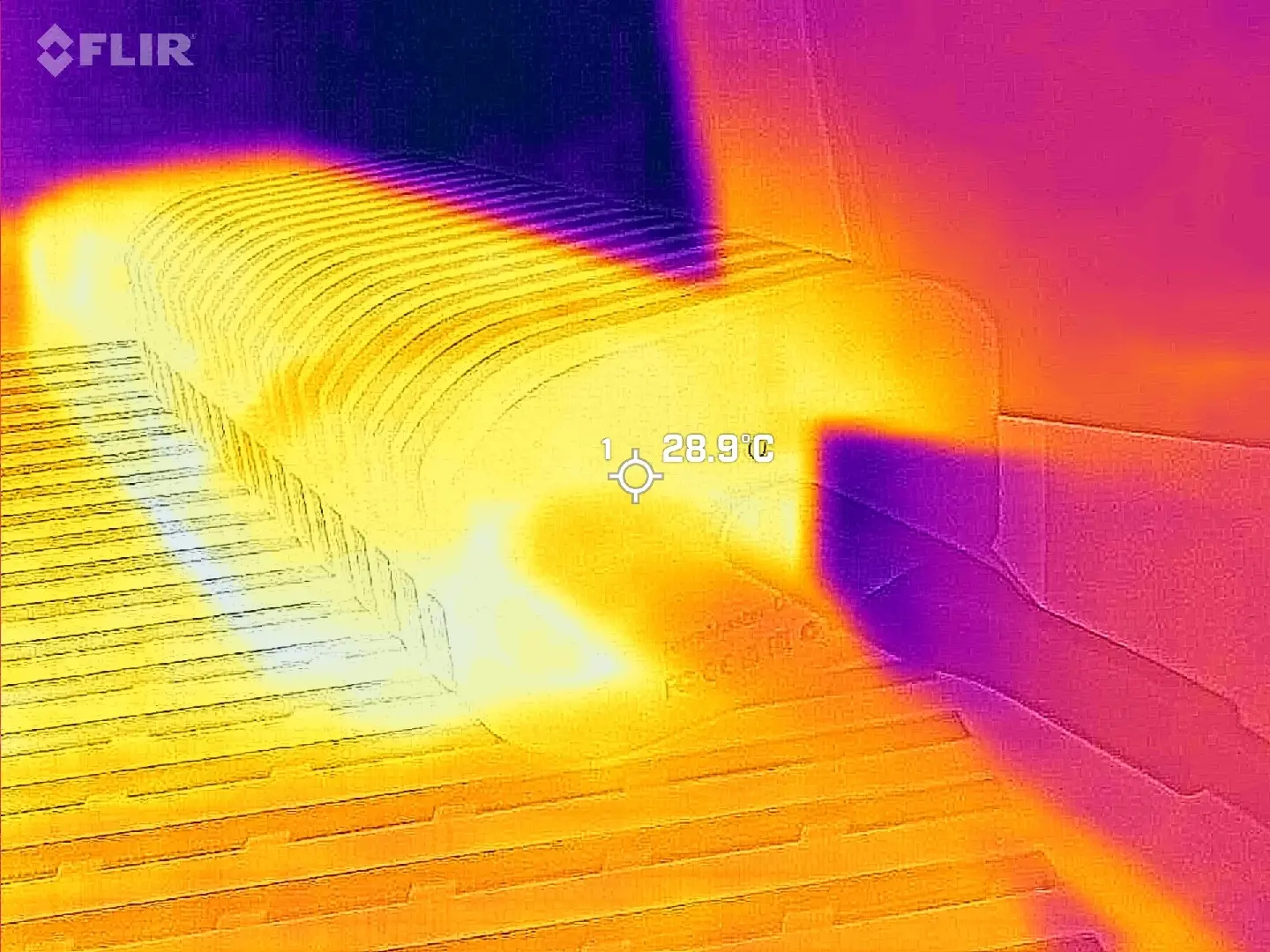
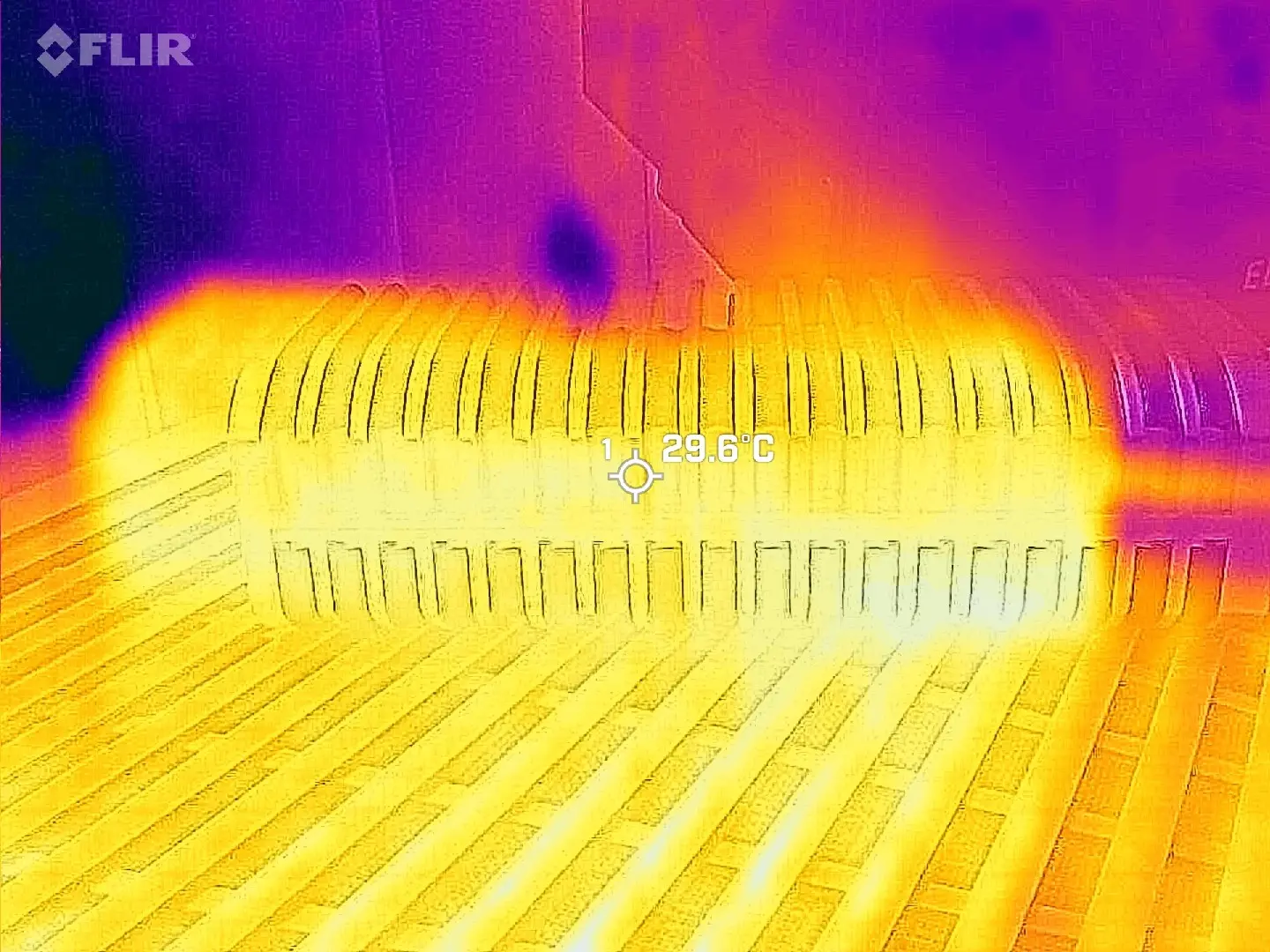
Using my FLIR ONE Gen 3 thermal camera while the benchmark was running, I was not able to record a temperature above 30.3C anywhere on the casing (pretty much matches our HWiNFO reading above), which means this enclosure will stay pretty cool with even the most demanding workloads.
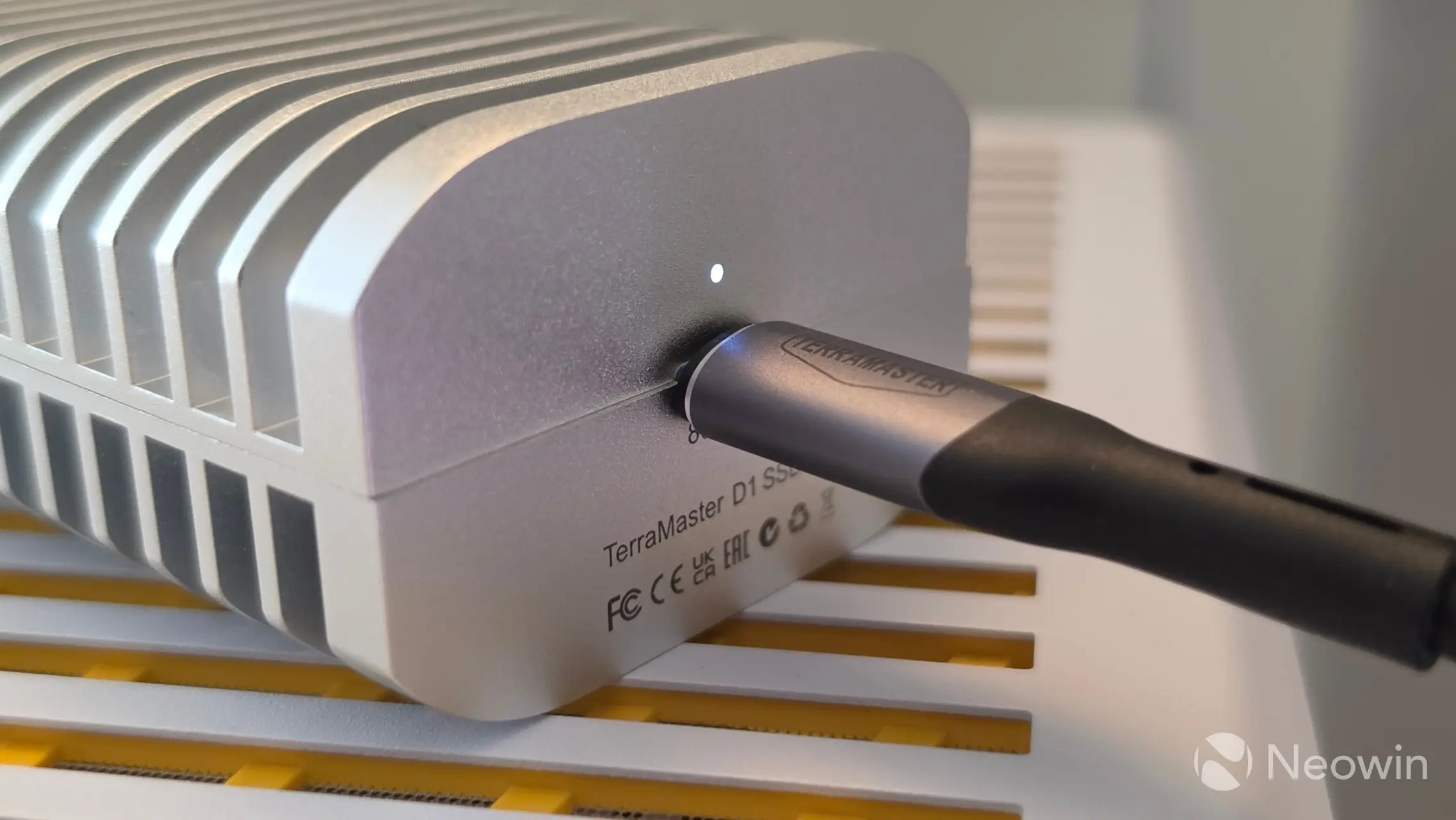
Sorry, the provided cable is really short, so I didn"t get a lot of "in-use" shots.
Conclusion
USB 4 SSD enclosures aren"t cheap, and this TerraMaster D1 SSD Pro actually runs more expensive at MSRP. However, just think if you want to buy a (mostly) plastic TB5 enclosure or a full metal one like the D1 SSD Pro, and with that I feel what you get here is an extremely competitive, quality piece of hardware. Not only is it utilizing premium materials, but it is also backed up by several certifications that would allow it to be used in enterprise environments. At the heart of it all, it utilizes the very good Intel JHL9480 Thunderbolt 5 Accessory Controller chip that has more features than the enclosure can offer (such as up to 240W power delivery, and up to 120Gbps for video transmission).
That, along with it reaching (almost) the advertised speeds of 7061MB/s and up to 6816MB/s, perfectly meets the needs of 8K video editing along with potentially large amounts of data transfers.
Personally, as I said already, I think it looks great, and I believe me saying "it"s cool" is perfectly accurate given our test results. I can"t really fault it, well maybe I would have liked to have a longer cable, and I reckon I can knock off half a point (again) for not utilizing a latch system for placing the M.2 SSD, but that"s me nitpicking. Thumbs up from me!
Where to buy
Thanks to the Spring Sale, you can purchase the D1 SSD Pro in the U.S. at $50 off the MSRP, and this also applies to other regions where it is up to 20% off as well. My contact told me that this deal price ends after today.
- TerraMaster D1 SSD Pro for $199.99 on Amazon US (was $249.99)
- TerraMaster D1 SSD Pro for £191.99 on Amazon UK (was £239.99)
- TerraMaster D1 SSD Pro for €229.49 on Amazon DE (was €269.99)
As an Amazon Associate, we earn from qualifying purchases.