It took Microsoft half a decade to admit that users care where their taskbar appears on the screen. And while the majority of users are okay with the default position, some of us want it vertical, some want it small, and some at the top edge of the screen. Nearly five years after the initial Windows 11 release, Microsoft is finally bringing a movable taskbar to the operating system, and you can try it out right now.
The updated taskbar is now available in the latest Windows 11 preview build from the Experimental (formerly Dev) channel. The feature is rolling out gradually, and it is not available in the Flags section. Therefore, if you have no lucky ticket, you have to use the ViVeTool app to force-enable it:
- Download ViveTool from GitHub and unpack the files wherever convenient.
- Launch Command Prompt as Administrator and go to the ViVeTool files using the CD command.
- Type vivetool /enable /id:59213768,61090762 and press Enter. The first ID enables the movable taskbar, while the second enables the small taskbar (credit for the IDs goes to @phantomofearth).
- Restart your computer.
After restarting your computer, go to Settings > Personalization > Taskbar and select where the taskbar should appear on the screen. Interestingly, there is no ability to quickly change the taskbar position by right-clicking it. Microsoft recently confirmed that the shown menu was an internal debug variant not intended for public use.
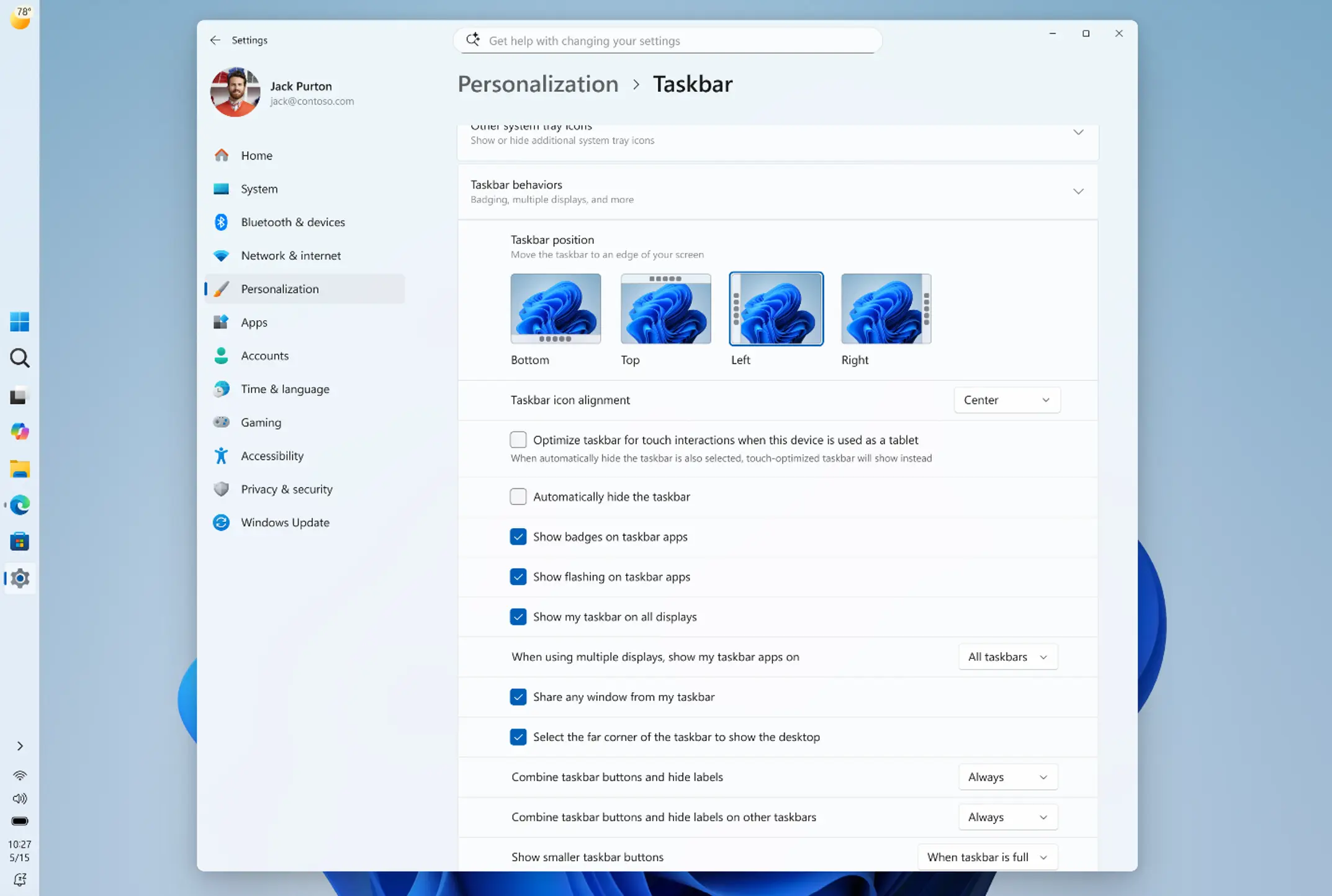
The small taskbar works similarly to Windows 10. Icons become smaller, the taskbar reduces its height, and the system clock ditches the date.
Microsoft warns that the current taskbar has a few limitations that the company plans to address in future builds. For example, touch optimizations, gestures, and show/hide animations are not implemented for "alternative positions." However, the Start menu and context menus appear where they are supposed to, and icon alignment works in all four positions.
The latest Windows 11 preview build contains a few extra changes, which you can check out in our dedicated post here.